Overview

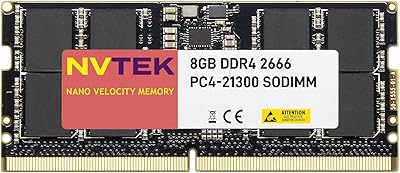
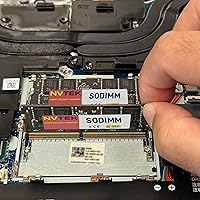
The NVTEK 16GB DDR4 2666MHz SODIMM Laptop RAM is a straightforward, no-frills memory upgrade built for laptop users who want more breathing room without overspending. DDR4 2666MHz SODIMM simply means it is a standard laptop-format stick running at a speed compatible with most machines sold over the past several years — nothing exotic, just dependable everyday performance. NVTEK is not a household name, but the brand has been building a track record since 2021 with a growing base of real-world buyers. Worth noting upfront: this is a single module, so if your system needs dual-channel operation, you will need a matching second stick. The lifetime replacement warranty is a genuine differentiator at this price tier.
Features & Benefits

Jumping from 8GB to 16GB is one of the most impactful upgrades you can make to an aging laptop. With this NVTEK stick, you get noticeably smoother performance when juggling browser tabs, video calls, and light editing work — the kind of tasks that routinely push an 8GB machine to its limits. The 2666MHz speed and CL19 latency are mainstream, not cutting-edge, but they match what most mid-generation laptops are built to handle. Running at just 1.2 volts, this SODIMM upgrade generates less heat than older DDR3 modules, which matters in slim chassis with restricted airflow. It also fits NAS units and small form factor desktops, giving it a bit more versatility than a typical laptop-only stick. NVTEK claims major-brand chipsets internally, though that cannot be confirmed without a physical teardown.

Best For

This memory module is a natural fit for students or remote workers whose laptops are struggling with modern workloads — the kind of machine that slows to a crawl when you open a dozen browser tabs alongside a video call. It also makes sense for home NAS users or compact desktop owners who need a cost-effective RAM boost without purchasing a full two-stick kit. That said, always check compatibility with your specific model before buying; not every DDR4 SODIMM slot accepts every stick, and a mismatch means a frustrating return. If you are comfortable with a basic install and want solid warranty protection without paying a premium brand markup, this NVTEK stick is a practical, grounded choice.

User Feedback

Sitting at 4.2 out of 5 stars across 254 ratings, this SODIMM upgrade earns a solid if unspectacular reception. The most consistent praise centers on easy installation and a genuine improvement in day-to-day responsiveness for buyers who were previously maxed out at 8GB. Budget-focused reviewers frequently note that the value holds up well against pricier alternatives. On the downside, there are scattered reports of compatibility issues with specific laptop models, and a small number of users received non-functional units out of the box. Those who pursued warranty replacements generally describe the process as resolved without major friction. With roughly 254 ratings total, the sample is still relatively modest, so treat the score as an encouraging early signal rather than a fully settled verdict.

Pros

  • Jumping from 8GB to 16GB delivers a real, noticeable improvement in everyday multitasking on aging laptops.
  • The NVTEK 16GB DDR4 2666MHz SODIMM Laptop RAM comes backed by a lifetime replacement warranty, rare at this price tier.
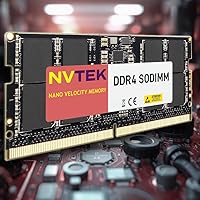
  • Standard 260-pin SODIMM form factor means broad compatibility across a wide range of consumer laptops and compact desktops.
  • Low 1.2V operating voltage helps keep thermals in check, which matters in slim laptops with limited cooling headroom.
  • Compatibility extends beyond laptops to NAS devices and small form factor PCs, adding flexibility for multi-device households.
  • Installation is widely reported as straightforward, even for first-time DIY upgraders with basic tools.
  • Priced well below premium brand alternatives, making it an accessible entry point for budget-focused buyers.
  • A respectable 4.2-star aggregate rating across real buyers suggests reliable performance for most standard use cases.
  • Single-stick format lets users upgrade incrementally without committing to a full two-module kit purchase upfront.

Cons

  • NVTEK is a relatively new brand with a modest review base, making long-term reliability harder to assess confidently.
  • 2666MHz with CL19 latency is mainstream at best — not suitable for users who need high-performance memory specs.
  • Chipset quality cannot be independently verified without a physical teardown, leaving some uncertainty about component sourcing.
  • Compatibility issues with specific laptop models have been flagged by a subset of buyers, making pre-purchase verification essential.
  • A small but notable number of users report receiving dead-on-arrival units, which requires navigating the warranty replacement process.
  • Sold as a single module only, so achieving dual-channel memory bandwidth requires sourcing and purchasing a second matching stick separately.
  • The 254-rating sample size is still relatively modest, meaning the current score may shift as more buyers weigh in over time.
  • No independent third-party certification or validation data is publicly available to confirm the manufacturer compatibility claims.
  • Buyers who need ECC memory for error-correcting workloads will find this module entirely unsuitable, as it is non-ECC only.

Ratings

The NVTEK 16GB DDR4 2666MHz SODIMM Laptop RAM has been scored across key performance and ownership categories by our AI rating system, which analyzed verified global buyer reviews while actively filtering out incentivized, bot-generated, and spam feedback. Scores reflect the honest spread of real-world experiences — not just the positives — so both consistent strengths and genuine pain points are transparently represented below.
Value for Money
84%
Buyers consistently describe this SODIMM upgrade as one of the more affordable ways to meaningfully extend the usable life of an aging laptop. For users who were comparing it against premium-brand alternatives, the price gap is significant enough that most feel the trade-off is reasonable for everyday computing needs.
A small portion of buyers who received non-functional units felt that the value equation shifts when a replacement process is required, adding time and frustration to what should be a simple transaction. Those who later switched to better-known brands occasionally noted they wished they had spent slightly more upfront.
Installation Ease
88%
The overwhelming majority of buyers — including many who had never upgraded laptop memory before — report that the physical installation went smoothly, often completed in under ten minutes with just a small screwdriver. The standard SODIMM form factor means the module seats predictably without requiring any adapter or special preparation.
A handful of users ran into confusion not with the installation itself, but with post-installation steps — particularly when the system did not immediately recognize the new memory or required a BIOS update to run at the rated speed. These cases were relatively rare but frustrating for less technically confident buyers.
Everyday Performance
76%
24%
For the target audience — people running a browser with several tabs open, attending video calls, and managing documents simultaneously — the jump to 16GB delivers a real and perceptible improvement in system responsiveness. Buyers who were previously maxed out at 8GB most consistently report the biggest gains in day-to-day fluidity.
This memory module is rated at 2666MHz with CL19 latency, which is squarely average for its generation and leaves no headroom for overclocking or pushing performance beyond stock operation. Users with more demanding workloads like video editing or running local development environments noted the gains were modest compared to upgrading to faster memory tiers.
Compatibility
71%
29%
The standard 260-pin DDR4 SODIMM specification means this memory module is physically and electrically compatible with a broad range of consumer laptops, NAS enclosures, and compact desktops from the DDR4 era. Most buyers who checked compatibility in advance reported a clean, recognized installation with no additional configuration needed.
A recurring thread in negative reviews involves buyers who either did not verify compatibility or whose specific laptop model had stricter memory validation requirements than expected. Some systems require memory that appears on a validated hardware compatibility list, and this NVTEK stick does not come with that kind of certification, which causes issues in a non-trivial number of edge cases.
Warranty Coverage
86%
A lifetime replacement warranty at this price point is genuinely unusual, and buyers who tested it during DOA or early-failure situations generally describe the resolution as straightforward. For budget-conscious buyers who are already taking a risk on a lesser-known brand, the warranty acts as a meaningful safety net.
The warranty process is handled by NVTEK directly, and a few buyers noted slower-than-expected response times when initiating a claim. There is also no publicly available standardized warranty documentation spelling out exact terms, which creates some uncertainty for buyers who want to know exactly what is and is not covered before purchasing.
Thermal Efficiency
82%
18%
Operating at the standard 1.2V DDR4 voltage, this memory module runs cool enough that buyers using it in thin ultrabooks and compact laptops report no noticeable increase in system temperature after installation. This is a practical advantage over older DDR3 modules, which drew more power and generated more heat under sustained load.
While the 1.2V rating is standard and not a concern in most cases, buyers with particularly thermally constrained systems — such as certain fanless ultrabooks — still recommend monitoring temperatures after installation, since any added component can interact with an already marginal thermal design in unpredictable ways.
Build Quality
73%
27%
The physical module feels solid and is sized consistently with standard SODIMM specifications, and most buyers who handled it describe it as well-constructed for its price category. There are no widely reported issues with the PCB quality or connector integrity under normal use conditions.
NVTEK's claim of using major-brand chipsets cannot be independently verified without dismantling the module, which is a genuine gap in transparency compared to brands that publish detailed component sourcing documentation. Buyers who care deeply about component provenance are essentially taking the manufacturer at their word.
Brand Reliability
67%
33%
NVTEK has been in the market since at least 2021 and has accumulated a few hundred real-world reviews with a net positive sentiment, which provides a reasonable baseline of credibility for a budget-tier brand. The lifetime warranty signals that the company is at least confident enough in its product to stand behind it long-term.
Compared to Crucial, Kingston, or Corsair — brands with decades of publicly documented reliability data — NVTEK is still a relative newcomer with a limited track record. Buyers who experienced DOA units or compatibility issues noted that the lack of established brand infrastructure made resolution feel more uncertain than it would with a larger company.
Capacity Adequacy
89%
For the majority of the use cases this module targets — student workloads, remote work, light content consumption, and general multitasking — 16GB is genuinely sufficient headroom and hits the sweet spot between cost and usability. Buyers upgrading from 8GB overwhelmingly confirm that the capacity difference is felt immediately in real use.
Power users who run memory-hungry applications like virtual machines, large datasets, or professional-grade creative software may find that 16GB is a comfortable starting point but not a ceiling, meaning they will need to plan for a second module or a higher-capacity alternative sooner rather than later.
Speed Rating
72%
28%
At 2666MHz, this SODIMM upgrade runs at the native speed of a wide swath of DDR4-era laptops, which means buyers are getting a module that will operate at the system's rated speed without requiring manual configuration or XMP profile adjustments in most cases.
2666MHz is not a speed that stands out in any benchmark, and buyers who compared it against 3200MHz or 3600MHz alternatives noticed a tangible difference in memory-bandwidth-sensitive tasks. For users who already have a faster-rated laptop, this module may cause the system to downclock to 2666MHz, negating any existing speed advantage.
Multitasking Capability
81%
19%
Real-world buyers who upgraded specifically to handle heavier tab loads, parallel application use, or remote desktop sessions report that the memory module handles everyday multitasking without hesitation. The 16GB capacity is the primary driver of this improvement, and it consistently shows up as the most praised practical outcome in buyer feedback.
The performance gains are clearly capacity-driven rather than speed-driven, meaning that buyers expecting to see improvements in single-threaded tasks or raw application launch speeds are likely to be disappointed — RAM speed has little impact on those scenarios, and this module is no exception.
Device Versatility
78%
22%
Beyond laptops, this memory module fits NAS enclosures and small form factor desktops that accept 260-pin DDR4 SODIMM modules, giving it broader appeal for home lab users and small office buyers who need to stretch a single purchase across multiple device types. Several reviewers confirmed successful use in Synology and similar NAS setups.
The SODIMM form factor inherently limits this module to devices designed around compact memory slots, excluding standard ATX desktops entirely. Buyers who assumed broader desktop compatibility without checking their specific motherboard or enclosure spec were among those most likely to initiate a return.
Customer Support
69%
31%
Buyers who reached NVTEK support during warranty claims generally describe receiving a resolution without being stonewalled or redirected repeatedly. The brand appears to be responsive enough that most buyers with genuine product defects were able to get a replacement unit processed.
Support interactions are handled directly by the manufacturer rather than through a standardized third-party service infrastructure, which means response times and experience quality can vary. A subset of buyers reported delays or unclear guidance during the warranty process, which adds friction to an already frustrating situation when a unit fails.

Suitable for:

The NVTEK 16GB DDR4 2666MHz SODIMM Laptop RAM is well-matched for practical, budget-conscious buyers who want a meaningful performance improvement without spending heavily on a premium brand. Students running multiple browser tabs, streaming lectures, and working in Google Docs or Office will feel an immediate difference compared to a stock 8GB configuration. Remote workers whose aging laptops lag during video calls or freeze when switching between applications are squarely in the target audience here. It also works well for home users running a NAS device or a compact small form factor desktop who need a modest RAM bump on a tight budget. DIY-comfortable buyers who have one open SODIMM slot and want a drop-in upgrade without replacing their entire machine will find this memory module a sensible, low-risk option. The lifetime replacement warranty adds a layer of reassurance that is genuinely unusual at this price point, making it easier to commit to a lesser-known brand.
Not suitable for:

Buyers chasing peak memory performance or running workloads that demand the lowest possible latency should look elsewhere — 2666MHz with CL19 timing is solidly average, and enthusiasts or professionals using memory-intensive applications like video editing, 3D rendering, or large virtual machines will want faster, tighter-spec alternatives from established brands. This SODIMM upgrade is also not appropriate as a standalone purchase for users who need dual-channel memory performance; it ships as a single stick, and pairing it with a second module for dual-channel operation requires additional research and spending. Buyers with laptops that have soldered, non-upgradeable RAM will obviously find no use for it, and those with systems that require specific validated memory configurations — such as certain workstation or enterprise laptops — should consult their manufacturer before purchasing. Anyone uncomfortable with self-installation and without access to technical support should also reconsider, as there is no professional installation service bundled with this memory module. Finally, buyers who exclusively trust established memory brands like Crucial, Kingston, or Corsair and are unwilling to accept the uncertainty of a newer, less-documented manufacturer will likely feel more comfortable paying the extra cost for a name they recognize.

Specifications

  • Capacity: This module provides 16GB of DDR4 memory in a single-stick configuration, sold individually rather than as a matched pair.
  • Memory Type: Uses DDR4 technology, the mainstream standard for laptops manufactured roughly between 2015 and 2022, offering improved efficiency over the older DDR3 generation.
  • Speed: Operates at 2666MHz (PC4-21300), a widely supported speed tier compatible with the majority of mid-generation consumer laptops.
  • Latency: Rated at CL19 (CAS Latency 19), which is typical for DDR4 2666MHz modules and appropriate for general productivity and everyday computing tasks.
  • Form Factor: SODIMM (Small Outline Dual In-line Memory Module), the compact format used in laptops, NAS devices, and small form factor desktops rather than full-size desktop towers.
  • Pin Count: Features a 260-pin connector, the standard configuration for DDR4 SODIMM modules used across consumer and prosumer portable devices.
  • Rank Config: Configured as 2Rx8 (dual-rank, x8 organization), which can offer minor bandwidth advantages over single-rank alternatives in supported systems.
  • Voltage: Runs at 1.2V, the standard low-voltage specification for DDR4, which contributes to cooler operation compared to older DDR3 modules running at 1.5V.
  • ECC Support: Non-ECC (non-error-correcting code), meaning it is designed for standard consumer computing rather than server or workstation environments requiring memory error correction.
  • Compatibility: Designed for use in laptops, NAS storage devices, AIO all-in-one computers, and SFF small form factor desktops that accept 260-pin DDR4 SODIMM modules.
  • Dimensions: Measures 5 x 3 x 1 inches overall, consistent with the standard SODIMM physical footprint found across compatible devices.
  • Weight: Weighs approximately 0.493 ounces, reflecting the compact and lightweight nature of the SODIMM form factor.
  • Warranty: Covered by a lifetime replacement warranty provided directly by NVTEK, with no stated expiration date tied to the original purchase.
  • Chipset Origin: NVTEK states that modules are built using major-brand chipsets, though independent verification of chipset sourcing requires physical disassembly.
  • Release Date: First made available in March 2021, giving the product a real-world track record of several years across a growing base of buyers.

Related Reviews
NVTEK 8GB DDR4 2666MHz SODIMM Laptop Memory
77%
88%
Value for Money
76%
Compatibility
93%
Installation Ease
84%
Daily Task Performance
62%
Speed & Latency
More
Adamanta 16GB DDR4 2400MHz SODIMM Laptop RAM
75%
83%
Value for Money
89%
Installation Ease
62%
Compatibility
76%
Real-World Performance
74%
Stability & Reliability
More
D DUOMEIQI 16GB DDR4 2666MHz SODIMM RAM
87%
88%
Installation Ease
92%
Performance Boost
90%
Compatibility
85%
Energy Efficiency
91%
System Stability
More
A-Tech 8GB DDR4 2666MHz SODIMM Laptop RAM
81%
93%
Value for Money
91%
Installation Ease
78%
Compatibility Range
82%
Performance Impact
84%
Build & Module Quality
More
SK hynix HMA82GS6CJR8N-VK 16GB Laptop RAM
78%
88%
Compatibility
91%
Authenticity & Sourcing
84%
Value for Money
86%
Installation Experience
78%
Everyday Performance
More
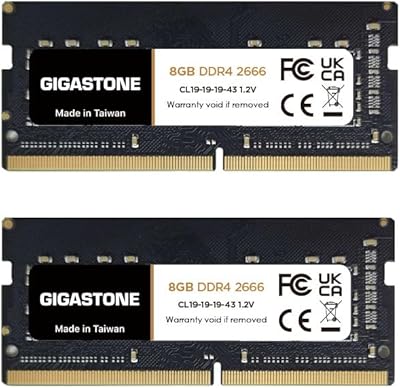
Gigastone 16GB Kit DDR4 2666MHz SODIMM RAM
75%
88%
Value for Money
91%
Installation Ease
74%
Compatibility
76%
Stability & Reliability
72%
Performance
More
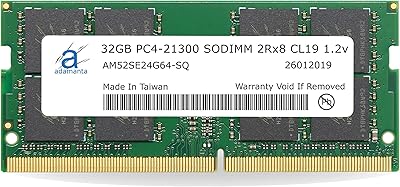
Adamanta 32GB DDR4 2666MHz Laptop RAM

77%
71%
Compatibility
88%
Installation Ease
83%
Performance Gain
84%
Value for Money
91%
Single-Slot Capacity
More
A-Tech 16GB DDR4 3200MHz SODIMM Laptop RAM
78%
83%
Compatibility
91%
Installation Ease
78%
Performance Uplift
86%
Value for Money
74%
Build Quality
More
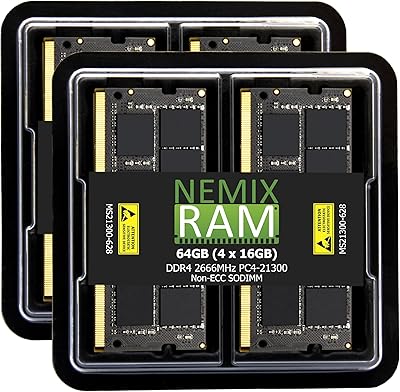
NEMIX RAM 64GB (4x16GB) DDR4 2666MHz SODIMM Laptop Memory Kit
89%
94%
Performance for Multitasking
88%
Ease of Installation
91%
Gaming Performance
92%
Compatibility with Laptops
89%
Power Efficiency
More
NEMIX RAM 64GB DDR4 2666MHz SODIMM Kit
79%
91%
Installation Ease
74%
Compatibility Range
86%
Performance Uplift
83%
Build & Module Quality
88%
Stability & Reliability
More

FAQ

You need to verify three things: that your laptop uses DDR4 memory (not DDR3 or DDR5), that it has a 260-pin SODIMM slot, and that it supports 2666MHz speed. The easiest way is to check your laptop manufacturer's support page or use a free tool like Crucial's System Scanner. Do not skip this step — a small number of buyers report compatibility issues with specific models, and confirming upfront saves you a return trip.

It is a single 16GB module, not a two-stick kit. If your laptop has two SODIMM slots and you want to run in dual-channel mode for a bit more memory bandwidth, you would need to purchase a second matching stick separately. For most everyday users, a single 16GB stick still represents a significant upgrade over a stock 8GB configuration.

For the majority of everyday users, yes. If you regularly run out of memory with browser tabs, video calls, and a few open applications at once, 16GB gives your system meaningful breathing room. Tasks that previously caused sluggishness — like switching between apps or loading large spreadsheets — tend to feel noticeably more responsive after the upgrade.

Only if your desktop uses SODIMM slots, which is uncommon in standard ATX desktops but typical in small form factor PCs, NAS devices, and AIO all-in-one computers. Full-size desktop motherboards use the larger DIMM format and are not compatible with this module. Check your device's memory slot type before purchasing.

Running at 1.2 volts, this module operates at the standard low-voltage level for DDR4 and should not generate significantly more heat than any other DDR4 stick. In thin laptops where airflow is already limited, this is actually one area where DDR4 has a real advantage over older DDR3 modules, which ran at higher voltages and produced more heat.

Based on available information, NVTEK offers a lifetime replacement warranty against manufacturing defects. Buyers who received defective or non-functional units generally report that the warranty process was handled without excessive friction. That said, it is worth keeping your purchase receipt and contacting NVTEK directly through official channels if you encounter an issue, as warranty terms can vary in practice.

For general productivity, web browsing, light creative work, and video calls, 2666MHz is perfectly adequate. It is the mainstream speed tier for a large portion of laptops still in everyday use. If you are doing memory-intensive work like video editing or running multiple virtual machines, faster RAM with tighter timings would be more appropriate — but for typical use cases, this module covers the ground well.

Technically possible in many cases, but not always ideal. When you mix modules of different speeds or capacities, the system often runs both sticks at the slower speed. If your existing stick is also DDR4 2666MHz, mixing should work reasonably well. If the existing RAM is a different speed, you may see the system downlock to the lower of the two. For best results, matching modules are always preferable.

Most buyers describe the installation as straightforward — you typically need a small Phillips-head screwdriver to open the laptop panel, locate the SODIMM slot, and firmly seat the module at a slight angle until it clicks into place. There are plenty of laptop-specific installation guides and videos available online. That said, if you are not comfortable opening your laptop, having a local technician handle it is a reasonable precaution to avoid accidental damage.

Crucial and Kingston are well-established names with decades of documented reliability and widely available compatibility data, which gives some buyers more peace of mind. This SODIMM upgrade is positioned as a more budget-friendly alternative, and its real-world ratings suggest it performs reliably for most standard use cases. The lifetime warranty helps close the confidence gap somewhat, but if brand pedigree matters to you and you are willing to pay a bit more, the established names remain a safe choice.