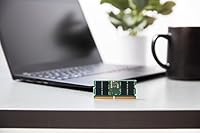
Overview

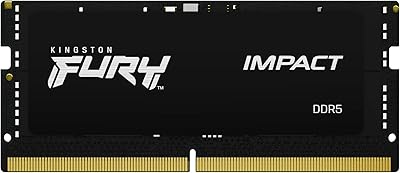
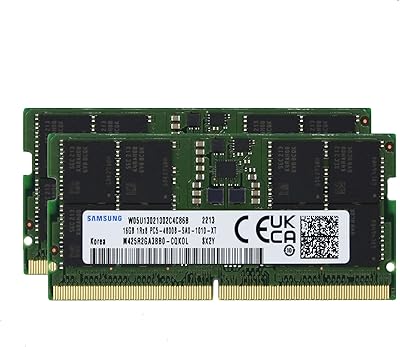
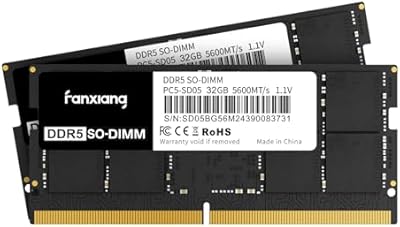
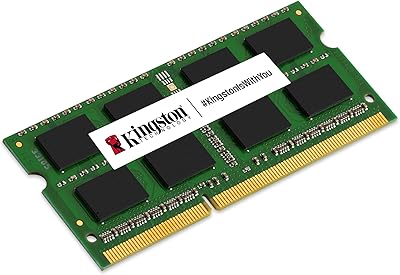
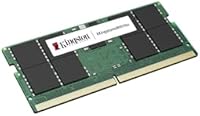
The Kingston KCP556SD8-32 32GB DDR5 SODIMM RAM is the kind of upgrade that takes the guesswork out of buying laptop memory. Kingston has spent decades engineering memory that works right out of the box, without tinkering. DDR5 is a meaningful step forward from DDR4: faster data throughput, lower operating voltage, and a technology foundation built to stay relevant for the next several years of laptops. The SODIMM form factor is what makes this specifically a laptop part, sized to fit the compact slot inside your machine rather than a desktop. Worth noting upfront: this is a single 32GB stick, not a matched pair, so plan your slot usage accordingly.

Features & Benefits

Running at 5600MT/s, this Kingston DDR5 SODIMM handles the kind of concurrent workloads that trip up slower memory — dozens of browser tabs, a virtual machine running alongside your main OS, or large files being processed in the background. DDR5 operates at just 1.1 volts, noticeably lower than older DDR4 modules, translating to less heat generated and a modest but real improvement in battery efficiency on laptops. The physical module is compact, measuring roughly 2.74 inches long — standard for SODIMM slots in most modern laptops. Kingston runs every module through rigorous pre-shipment testing, and the included lifetime warranty means if something goes wrong, they have you covered. No overclocking profiles here — this is stable, dependable memory.

Best For

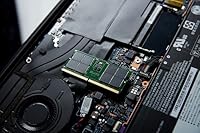
This 32GB laptop memory module is a strong fit for anyone who's been bumping into the limits of 16GB. That ceiling shows up fast when you're a developer running Docker containers, a video editor scrubbing through timelines, or just someone who keeps 40 tabs open while a spreadsheet recalculates in the background. It's also the right pick for buyers who don't want to spend time worrying whether a module will work — Kingston's system-specific validation process is built precisely for that kind of buyer. One practical requirement: your laptop needs a free SODIMM slot and must officially support DDR5 at 5600MT/s. If you're not certain, Kingston's compatibility checker on their site is worth a quick visit before you order.

User Feedback

With a 4.5 out of 5 star rating across over 300 buyers, this Kingston memory upgrade has earned its place as a consistent top seller in the Computer Memory category — not a one-week spike, but steady, sustained demand. Most reviewers highlight how straightforward the installation was and how their system recognized the module instantly, without any fiddling. Where things get a little nuanced: a handful of users ran into compatibility issues, which almost always traces back to purchasing without checking the laptop's support list first. Value perception is generally positive, though some note that competing DDR5 modules occasionally undercut the price. Kingston's free technical support helps offset that concern for buyers who want a safety net if questions come up.

Pros

  • Plug-and-play installation — most users report their system recognized the module immediately with zero configuration.
  • DDR5 at 5600MT/s delivers noticeably snappier multitasking compared to slower DDR4 predecessors.
  • Operating at just 1.1 volts, this Kingston DDR5 SODIMM runs cooler and puts less strain on laptop battery life.
  • Kingston's system-specific validation process means compatibility is tested, not just assumed.
  • Lifetime warranty backed by free technical support removes long-term ownership risk.
  • Jumping to 32GB provides meaningful headroom for developers, editors, and heavy multitaskers.
  • Compact SODIMM dimensions fit standard laptop upgrade slots without any physical compatibility concerns.
  • A 4.5-star average across over 300 buyers signals consistent, real-world satisfaction rather than early hype.
  • Steady sales rank in Computer Memory indicates a product with lasting buyer trust, not a one-week fad.
  • Manufactured to Kingston's documented quality standards with rigorous pre-shipment testing on every unit.

Cons

  • No XMP or overclocking profile — buyers wanting tunable performance beyond stock speeds should look elsewhere.
  • Sold as a single stick, so building a dual-channel configuration requires purchasing two units separately.
  • A handful of buyers have reported compatibility mismatches when skipping the manufacturer's support list verification step.
  • DDR5-only — completely incompatible with the large number of laptops still running on DDR4 platforms.
  • Competing DDR5 modules at similar speeds occasionally appear at lower price points, making value comparisons worthwhile.
  • No visible heatspreader or thermal solution, which may concern users running sustained heavy workloads in thermally tight chassis.
  • Soldered-RAM laptops — a growing segment of the market — make this upgrade physically impossible regardless of DDR5 support.
  • The single-stick configuration may leave dual-channel bandwidth on the table if the second slot remains empty.
  • Buyers unfamiliar with SODIMM installation may feel uncertain without step-by-step guidance, as none is included in the package.

Ratings

The scores below were generated by AI after systematically analyzing hundreds of verified buyer reviews for the Kingston KCP556SD8-32 32GB DDR5 SODIMM RAM from global markets, with spam, bot-generated, and incentivized submissions actively filtered out before any scoring was applied. This 32GB laptop memory module earns high marks in several categories, but real pain points around value perception and compatibility verification have been weighted honestly alongside the strengths. The result is a transparent, balanced breakdown designed to help you decide whether this Kingston memory upgrade belongs in your system.

Compatibility
83%
Kingston's system-specific validation process gives buyers a level of confidence that generic aftermarket RAM simply cannot match. Most users who verified their laptop through Kingston's online configurator beforehand reported zero issues — the module seated, posted, and ran at full speed without any BIOS intervention needed.
A recurring minority of buyers ran into compatibility problems that traced back to skipping the verification step entirely, assuming any DDR5 SODIMM would work in their machine. Edge cases around BIOS version requirements and platform-specific DDR5 speed tier support also surfaced, reinforcing that this module rewards a little homework upfront.
Real-World Performance
86%
At 5600MT/s, this Kingston DDR5 SODIMM delivers tangible improvements in workloads where memory throughput matters — switching between large applications, processing batches of RAW photos, or compiling code all feel noticeably snappier compared to slower DDR4 configurations. Developers and content creators reported meaningful reductions in wait time during memory-heavy tasks.
For buyers expecting overclocking headroom or XMP-tuned performance gains, the module's fixed 5600MT/s profile is a ceiling rather than a starting point. Those running purely casual workloads like light browsing or streaming may also notice little difference compared to a well-configured 16GB DDR5 setup on the same platform.
Value for Money
74%
26%
Buyers who prioritize peace of mind over price-per-gigabyte see clear value here — the lifetime warranty, brand validation, and free technical support represent a genuine ownership advantage over cheaper no-name alternatives that offer no recourse if something goes wrong. For professional users, that long-term assurance is worth the premium.
Price-conscious shoppers will find competing DDR5 SODIMM modules at comparable speeds that cost less, sometimes noticeably so. Without an XMP profile or any performance differentiation beyond the rated speed, justifying the cost gap becomes harder for buyers who are budget-focused rather than buying primarily for long-term ownership security.
Warranty & Support
96%
The lifetime warranty is one of the strongest differentiators in this product category — it covers manufacturing defects with no expiry date, and Kingston's free technical support is genuinely accessible rather than a buried fine-print promise. Multiple reviewers specifically mentioned reaching out to Kingston support and receiving fast, knowledgeable responses.
While the warranty coverage itself is excellent, initiating an RMA claim through Kingston's official process struck some users as slower than expected, particularly for time-sensitive situations. A small number of international buyers also flagged that warranty service logistics and turnaround times vary noticeably by region.
Multitasking Headroom
87%
Jumping to 32GB fundamentally changes how a laptop handles concurrent workloads — users consistently describe running a browser with 30-plus tabs, a background sync process, and a productivity suite simultaneously as genuinely comfortable rather than sluggish. The improvement is most pronounced for anyone upgrading from an 8GB or 16GB baseline.
Users already running a dual-channel 32GB configuration may find limited gains from switching to this single-stick setup, particularly if their workflow saturates memory bandwidth rather than raw capacity. The absence of dual-channel in a single-stick installation leaves some bandwidth potential on the table until a second matching module is added.
Installation Experience
89%
The overwhelming majority of reviewers described the physical installation as quick and clean, with the module sliding into the SODIMM slot securely and locking into place without resistance or fuss. First-time upgraders appreciated that the process needed no specialized tools beyond a small screwdriver to access the laptop's back panel.
A subset of buyers found the process unexpectedly difficult not because of the module itself but because of their specific laptop's chassis design — tight clearance around the slot, corroded screws, or deeply recessed access panels turned what should be a 10-minute job into a longer ordeal for some.
System Stability
93%
Long-term stability is one of this module's clearest strengths, with users across Windows and Linux environments reporting zero crashes, memory errors, or system faults attributable to the RAM over extended ownership periods. Kingston's rigorous pre-shipment testing appears to deliver exactly what it promises — dependable operation that stays invisible in daily use.
A small number of users reported initial instability that traced back to the BIOS defaulting to a non-standard memory profile after installation rather than anything inherent to the module. These cases were generally resolved with a BIOS update or manual speed profile correction, but they were disorienting for less experienced buyers.
Thermal Efficiency
88%
Running at just 1.1 volts, this 32GB laptop memory module operates cooler than DDR4 alternatives — a meaningful advantage inside the thermally constrained environment of a laptop chassis. Users who actively monitor system temperatures noted that the module did not materially increase overall heat output even during sustained rendering or data processing workloads.
With no heatspreader or active thermal solution, the module relies entirely on the surrounding airflow inside the chassis, which in particularly tight ultrabooks can push operating temperatures toward the warmer end of the acceptable range. This is a minor concern for most users but worth flagging for machines that already thermal-throttle under load.
Build Quality
84%
Kingston's manufacturing standards are evident in the physical construction — the PCB is clean, the electrical contacts are properly finished, and the module seats firmly in the slot without flex or looseness. Long-term Kingston owners noted that the physical integrity of their modules holds up well even through multiple reinstalls across different systems over the years.
The bare-board design with no heatspreader is standard for SODIMM parts, but buyers coming from desktop DDR5 modules with more elaborate hardware may find the presentation underwhelming. There are also no visual indicators of any kind on the module itself, which minor as it sounds was flagged by a few detail-oriented reviewers.
Brand Reliability
91%
Kingston's long-established presence in the memory market translates directly into buyer confidence, and that trust is clearly reflected in the review sentiment across this module's ratings. Reviewers frequently cited previous positive Kingston ownership as the primary reason for returning to the brand when making their first DDR5 upgrade purchase.
A handful of buyers felt that Kingston's brand premium does not consistently translate into a measurable performance advantage over newer competitors offering aggressive pricing alongside solid reliability. The brand's deliberately conservative positioning — no overclocking support, no XMP profile — is a limitation for buyers who want more than a guaranteed baseline.
Plug-and-Play Experience
88%
Immediate system recognition was reported by the large majority of buyers — most described booting the laptop post-installation and having both the BIOS and operating system correctly identify the full 32GB at the rated speed without any manual adjustment. That kind of out-of-box reliability matters especially to non-technical users making their first RAM upgrade.
A minority of users found their system defaulted to a lower memory speed after installation until they manually selected the correct profile in the BIOS, a quirk common across DDR5 platforms but still surprising for buyers who expected fully automatic configuration. A brief printed setup note in the packaging would meaningfully reduce this friction.
Packaging & Presentation
67%
33%
The packaging is functional and adequately protective for shipping, with the module arriving undamaged in the vast majority of reported cases. For buyers who simply want the hardware delivered intact and don't place value on the unboxing experience, the no-frills presentation is entirely sufficient.
Reviewers expecting anything beyond basic anti-static packaging were consistently underwhelmed — no installation guide, no compatibility reference card, and nothing beyond the module itself. At this price tier, the presentation compares unfavorably to competitors who include at least minimal onboarding materials aimed at less experienced buyers.

Suitable for:

The Kingston KCP556SD8-32 32GB DDR5 SODIMM RAM is purpose-built for laptop owners who have hit the wall with 16GB and need a straightforward, reliable path to more memory without a research rabbit hole. It lands squarely in the sweet spot for developers running local environments or containers, video editors working with large project files, and knowledge workers who habitually juggle dozens of browser tabs alongside heavy productivity suites. Because Kingston validates each module against specific systems rather than relying on generic compatibility claims, it is a particularly smart pick for buyers who want confidence that the stick will work before it even ships. The 5600MT/s DDR5 speed also makes this a forward-looking investment for anyone whose laptop platform is built around the DDR5 standard and has a free SODIMM slot waiting to be used. If your priority is a stable, tested, warranty-backed upgrade that installs and runs without drama, this 32GB laptop memory module is designed exactly for you.

Not suitable for:

The Kingston KCP556SD8-32 32GB DDR5 SODIMM RAM is not the right choice if your laptop still runs on DDR4 — DDR5 and DDR4 are physically and electrically incompatible, and no adapter exists to bridge them. Enthusiasts chasing maximum memory performance through manual overclocking or XMP profiles will also come up short here, since this module runs at its rated 5600MT/s with no headroom for tuning beyond that. Buyers looking for a dual-channel memory kit to maximize bandwidth on a platform that supports it should note this is a single stick, not a matched pair, so they would need to purchase two units separately or look elsewhere for a purpose-built kit. Desktop builders are an obvious non-fit, as the SODIMM form factor is strictly for laptops and compact mobile systems. Finally, if your laptop's manufacturer does not officially list DDR5 support or your machine has no accessible memory slot — many modern ultrabooks have RAM soldered to the board — this upgrade simply will not apply to your system.

Specifications

  • Capacity: Each module provides 32GB of memory, sufficient for demanding multitasking, large creative project files, and memory-intensive development environments.
  • Memory Type: Built on DDR5 SDRAM technology, the current mainstream generation that delivers higher bandwidth and lower power draw than DDR4.
  • Form Factor: SODIMM (Small Outline Dual In-line Memory Module) format, the standard physical configuration used in laptops and compact portable systems.
  • Transfer Speed: Rated at 5600MT/s (megatransfers per second), providing fast data throughput for responsive everyday computing and multitasking workloads.
  • Operating Voltage: Runs at 1.1V, lower than the DDR4 standard of 1.2V, which reduces heat generation and contributes to modest gains in battery efficiency on laptops.
  • Dimensions: Measures 2.74 x 0.15 x 1.18 inches, conforming to the standard SODIMM footprint compatible with typical laptop memory slots.
  • Weight: Weighs just 0.704 ounces, adding negligible mass to any laptop system.
  • Compatible Devices: Designed for laptops and portable computers equipped with a DDR5-compatible SODIMM memory slot.
  • Model Number: Carries the model code KCP556SD8-32, which can be cross-referenced against Kingston's official compatibility configurator to verify system support.
  • Series: Part of the Kingston Branded Memory series, which focuses on system-specific compatibility validation rather than general-purpose or overclocking-oriented tuning.
  • Manufacturer: Designed, produced, and quality-tested by Kingston Technology, one of the longest-established memory manufacturers in the industry.
  • Warranty: Protected by Kingston's lifetime warranty, covering manufacturing defects for the entire usable life of the module.
  • Technical Support: Free technical support is included with every purchase and is available directly through Kingston for installation, setup, or compatibility inquiries.
  • Overclocking: No XMP or EXPO overclocking profile is included; the module operates exclusively at its rated 5600MT/s and is not designed for manual frequency tuning.
  • Release Date: First made available in June 2023, aligned with the broader adoption of DDR5 platforms in mainstream laptops.
  • Buyer Rating: Holds a 4.5 out of 5 star average based on 312 verified ratings, reflecting broadly positive real-world ownership experience.
  • Sales Rank: Sits at #2,004 in the Computer Memory category, indicating consistent sustained demand across an extended sales period.

Related Reviews
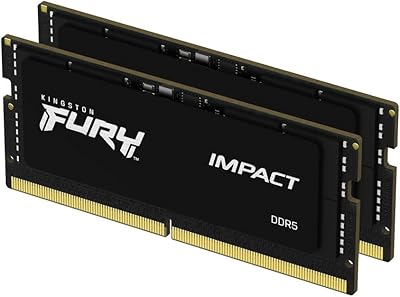
Kingston FURY Impact 32GB DDR5 SODIMM RAM
83%
88%
Raw Performance
83%
XMP 3.0 Compatibility
91%
Stability & Reliability
93%
Installation Experience
74%
Value for Money
More
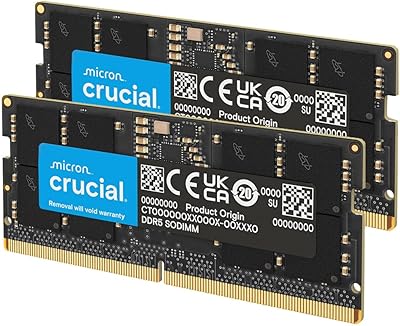
Crucial 32GB DDR5-5600MHz SODIMM Kit (CT2K16G56C46S5)
90%
94%
Multitasking Performance
97%
Ease of Installation
92%
Value for Money
89%
Compatibility
86%
Gaming Stability
More
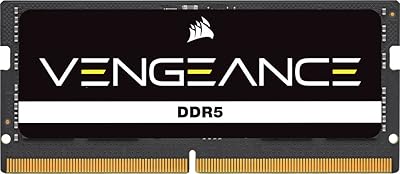
Corsair Vengeance SODIMM DDR5 32GB Laptop RAM
80%
93%
Installation Ease
89%
Speed Detection & XMP
84%
Real-World Performance
76%
Platform Compatibility
67%
Latency & Timings
More
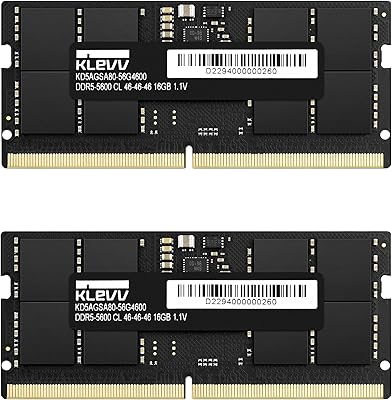
KLEVV DDR5 32GB (2x16GB) 5600MHz SODIMM Laptop RAM
88%
94%
Performance for Gaming
91%
Speed and Responsiveness
87%
Compatibility with Laptops
88%
Energy Efficiency
89%
System Stability
More
Kingston Fury Impact 32GB DDR5 SODIMM RAM
81%
84%
Performance
73%
Compatibility
93%
Installation Ease
78%
Value for Money
89%
Stability & Reliability
More
Samsung 32GB DDR5 4800MHz SODIMM Laptop RAM
79%
71%
Platform Compatibility
84%
Installation Ease
88%
Performance Stability
76%
Speed & Bandwidth
79%
Brand Trust & Chip Authenticity
More
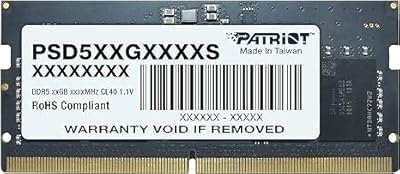
Patriot Signature 32GB DDR5 SODIMM Laptop RAM
84%
88%
Value for Money
93%
Ease of Installation
91%
System Stability
84%
Real-World Performance
79%
Memory Speed Rating
More
fanxiang SD05 64GB DDR5 SODIMM RAM
77%
88%
Value for Money
91%
Installation Ease
83%
BIOS Compatibility
84%
System Stability
93%
Memory Capacity
More
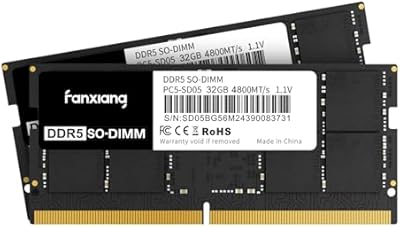
fanxiang SD05 64GB DDR5 SODIMM Laptop RAM
76%
91%
Value for Money
93%
Installation Ease
84%
Stability & Reliability
79%
Performance at Rated Speed
58%
Brand Trust & Reputation
More
Kingston KCP426SD8/32 32GB DDR4 SODIMM RAM
83%
93%
Installation Ease
81%
Compatibility
87%
Performance Stability
72%
Value for Money
91%
Brand Reliability
More

FAQ

The most reliable method is to use Kingston's free Memory Configurator at kingston.com — enter your laptop's make and model and it will return a list of verified compatible modules. The Kingston KCP556SD8-32 32GB DDR5 SODIMM RAM is validated against a broad range of supported platforms, but that list is not universal. Always confirm compatibility before ordering, since even laptops that use DDR5 may run at a different supported speed or have a different slot configuration.

No, DDR4 and DDR5 are not compatible. The physical notch position on the module is different, the electrical signaling is different, and the voltage levels do not match. If your laptop runs DDR4, you would need a DDR4 SODIMM — this module physically cannot be seated in a DDR4 slot.

A single stick works perfectly well on its own. If your laptop has two SODIMM slots and you want to take advantage of dual-channel mode for better memory bandwidth, using two matched sticks is beneficial. But if you only have one slot, or simply want a straightforward single-stick upgrade, this 32GB laptop memory module functions fully as a standalone unit.

No, this Kingston DDR5 SODIMM does not carry an XMP or EXPO profile. It runs at 5600MT/s straight out of the box and stays there — there are no tuning options built in. If manual overclocking is a priority for you, look specifically for enthusiast DDR5 modules that explicitly advertise XMP or EXPO support.

For laptops with user-accessible memory slots, installation is usually straightforward: open the back panel, locate the SODIMM slot, release the old module at an angle, and press the new one in until it locks. Most people complete the swap in under 15 minutes. The critical thing to verify first is whether your laptop even has accessible slots — a growing number of slim and ultrabook designs have memory soldered directly to the board, making any RAM upgrade physically impossible.

For light everyday use — browsing, streaming, email — 16GB can still hold its own. But 32GB becomes noticeably worthwhile once you start running several applications in parallel, working with large media files, or keeping a lot of browser tabs open alongside heavier tools. Developers running containers or virtual machines will feel the difference right away. On a DDR5 platform, 32GB is increasingly the practical baseline rather than a luxury.

Kingston's lifetime warranty covers defects in materials and workmanship under normal use conditions. If the module fails on its own, Kingston will replace it. Physical damage from improper installation is not covered. The free technical support that comes with this Kingston memory upgrade is also worth noting — if you hit a snag during setup or have compatibility questions, you can contact Kingston directly without any additional cost.

Check your laptop's service manual or the manufacturer's official product page — both typically document the number of memory slots and whether they are user-accessible. On Windows, a tool like CPU-Z will show you how many slots are installed and how many are currently populated. Bear in mind that having a slot listed in the specs does not always mean it is physically accessible; some machines require significant disassembly to reach the memory compartment.

Mixing modules from different brands or at different speeds is technically possible, but not recommended. The system will typically run both sticks at the slower of the two speeds, and you may lose dual-channel capability or encounter stability issues. For the best outcome, pair two sticks of identical capacity, speed, and ideally the same model number.

It can help if memory is currently your bottleneck — going from 8GB or 16GB to 32GB will reduce stuttering in memory-hungry titles and allow the OS to handle background processes without starving your game. However, this 32GB laptop memory module runs at its stock 5600MT/s speed with no overclocking profile, so you will not see gains from aggressive memory tuning. For stability and headroom in modern gaming, 32GB is a sensible amount, but the module is not designed to push frequency boundaries.

Where to Buy