Overview

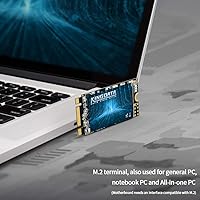
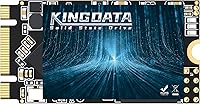
The KINGDATA M.2 2242 1TB Internal SSD is a niche but genuinely useful drive aimed at users stuck with a specific slot constraint that most mainstream SSDs simply won't fit. The M.2 2242 form factor — that compact 42mm-length stick — shows up in older ThinkPads, certain Dell business laptops, and various mini-PCs where the far more common 2280 drives physically cannot seat. KINGDATA isn't a household name, but the company carries about a decade of OEM manufacturing behind it. This is a SATA III drive, not NVMe, so keep expectations grounded: it's fast compared to a spinning hard drive, not a PCIe powerhouse. At 1TB, it covers most everyday storage needs comfortably.
Features & Benefits

At the heart of this compact SATA SSD is 3D NAND flash, which enables sequential reads up to 580 MB/s and writes up to 530 MB/s — numbers that feel genuinely quick when you're coming from an old mechanical drive. The physical size is the real story here: at just 42mm long, it fits slots that reject standard-length drives without adapters or workarounds. Installation is plug-and-play simple — no proprietary software, no drivers to hunt down, just seat the drive and format. KINGDATA cites a 1.75 million-hour MTTF, supported by multi-stage factory testing. That's a reasonable reliability claim, though independent long-term verification is limited for this brand. The drive also tips the scales at well under an ounce.

Best For

This 1TB M.2 upgrade makes the most sense for a fairly specific buyer. If your laptop or mini-PC has a 2242 slot — common in older ThinkPad models like the X270 or T470s, certain Dell Latitudes, and many compact embedded boards — this drive fits where others won't. It's also a solid pick for anyone extending the life of a secondary machine on a tight budget: swapping a sluggish HDD for a SATA SSD brings real-world speed gains for everyday tasks like browsing, writing, and light media. Home lab builders needing affordable bulk storage in a small chassis will find it practical. Just don't reach for it expecting NVMe-grade performance.

User Feedback

The KINGDATA 2242 drive holds a 4.5-star average, but that comes from roughly 159 reviews — a relatively small pool, so treat it as a promising signal rather than a definitive verdict. Common buyer praise centers on the noticeable speed jump over a spinning disk and how easily the drive drops in without fuss. On the other side, some buyers raise brand trust concerns — KINGDATA doesn't carry the track record of a Samsung or WD, and long-term real-world endurance data is genuinely scarce. A few users also reported compatibility surprises with certain models, making it worth verifying your slot type before you order.

Pros

  • Fits the rare M.2 2242 slot that most competing SSDs ignore entirely.
  • Massive real-world speed improvement over any mechanical hard drive for daily tasks.
  • 1TB capacity covers years of documents, apps, and media without feeling cramped.
  • Dead-simple installation — no drivers, no software, just seat and format.
  • 3D NAND flash delivers solid sequential speeds for a SATA-class drive.
  • Weighs under an ounce, making it ideal for weight-sensitive ultrabooks and embedded builds.
  • Broad SATA III compatibility means it works in virtually any M.2 SATA slot.
  • Competitively priced for a 1TB capacity in this niche form factor.
  • Multi-stage factory testing adds some confidence for a lesser-known brand.

Cons

  • KINGDATA lacks the established long-term reliability track record of tier-1 SSD brands.
  • Only 159 ratings on Amazon — too small a sample to draw firm reliability conclusions.
  • SATA III speeds, while decent, are significantly slower than any modern NVMe drive.
  • No third-party endurance or consistency benchmarks available from independent reviewers.
  • Some buyers have reported compatibility surprises with specific laptop models — check your slot before ordering.
  • No bundled cloning software, which can be an inconvenience for non-technical users migrating data.
  • Warranty terms and post-sale support from a smaller OEM brand can be harder to navigate than from major manufacturers.
  • Real-world sustained write performance under heavy load is unverified beyond manufacturer claims.

Ratings

Our AI rating engine processed verified global buyer reviews for the KINGDATA M.2 2242 1TB Internal SSD, actively filtering out incentivized, bot-generated, and duplicate submissions to surface what real users actually experienced. The scores below reflect an honest composite of both genuine praise and recurring frustrations — nothing is smoothed over. Whether this compact SATA SSD earns a place in your upgrade plan or falls short of your needs, the breakdown ahead gives you the full picture.

Form Factor Fit
93%
For buyers who specifically need the 2242 length, this drive is one of the few widely available options that actually solves the problem. Reviewers upgrading constrained ThinkPads and compact mini-PCs repeatedly noted it dropped in perfectly without adapters or workarounds. That specificity alone earns it enormous goodwill from its target audience.
The narrow fit of this niche is also its ceiling — anyone who discovers mid-purchase that their slot is actually 2280 ends up with an incompatible drive. A few buyers made that mistake, and the resulting frustration skewed their ratings downward despite the drive itself being fine.
Read & Write Speed
74%
26%
Coming from a mechanical hard disk, the jump to 580 MB/s reads feels dramatic in daily use — boot times shrink noticeably and apps snap open rather than chug. For office productivity, web browsing, and light media work, the performance headroom is more than adequate and buyers consistently praised the day-to-day responsiveness.
Measured against any modern NVMe drive, SATA III speeds look modest at best. Users who expected M.2 to automatically mean fast were sometimes disappointed when benchmarks revealed the interface ceiling. Sequential write speeds also trail read performance by a meaningful margin under sustained workloads.
Installation Ease
91%
Reviewers with little to no technical background consistently reported getting the drive seated and recognized within minutes. There are no proprietary drivers, no companion apps to install, and no BIOS configuration gymnastics required in the vast majority of cases. The plug-and-recognize experience is genuinely one of this drive's strongest real-world traits.
A small number of buyers hit BIOS-level hiccups where the drive was not immediately detected, typically on older machines with firmware that needed updating first. These cases were not widespread, but they added unexpected friction for less experienced users who did not anticipate a firmware step.
Value for Money
78%
22%
Within the 2242 form factor market — which has relatively few competing options — the price-per-gigabyte ratio sits at a reasonable point. Buyers upgrading a secondary laptop on a tight budget found it a financially sensible way to extract more usable life from aging hardware without spending significantly.
Stacked against well-established 2280 SATA SSDs from tier-1 brands, the value calculation becomes murkier. For buyers without the constraint of needing a 2242 drive, comparable or better-tested alternatives exist at similar price points, which limits how compelling the value story is in a broader context.
Brand Reliability
61%
39%
KINGDATA has been manufacturing storage products for roughly a decade and the drives that are working are genuinely working — short-term failure reports from verified buyers are infrequent. For a light-use secondary machine or a home lab build where the stakes are lower, most buyers felt the risk was acceptable.
The absence of independent long-term endurance data is a real gap. KINGDATA does not carry the track record of Samsung, WD, or Crucial, and buyers storing irreplaceable data reported genuine hesitation. Warranty support experiences were also mixed, with some users finding the claims process more difficult than expected.
Real-World Boot Performance
82%
18%
Multiple reviewers timed their Windows boot sequences before and after swapping in this compact SATA SSD and reported cuts from over a minute down to 15 to 20 seconds. That kind of tangible, stopwatch-verifiable improvement is what converts skeptical buyers into satisfied ones and drove much of the positive sentiment in reviews.
Boot speed gains were less dramatic on machines that were already running an older SSD rather than a hard disk. A handful of users on clean installs also noted that Windows update cycles briefly negated the speed advantage until the OS settled, which is not drive-specific but colored early impressions.
Compatibility Range
67%
33%
The SATA III interface is widely supported and the drive was recognized without issue on the majority of compatible laptops and desktops buyers tested it in. For standard configurations with a properly keyed M.2 SATA slot, compatibility is straightforward and largely worry-free.
Some M.2 slots are keyed exclusively for NVMe and will not recognize a SATA drive at all — a technical reality that caught a number of buyers off guard. Specific older laptop models also showed intermittent detection issues that required BIOS updates, adding an unexpected troubleshooting layer for affected users.
Build & Physical Quality
72%
28%
The drive feels solid for its size and weight class, with no flexing or loose components reported by buyers who handled it during installation. At under an ounce, it sits securely in the slot without stressing the connector, which matters in portable devices subject to movement and vibration.
The bare PCB design without a protective enclosure or label casing means the chips are exposed, which gave some buyers pause around static handling during installation. There is no thermal pad or heat spreader either, though thermal throttling is rarely a concern at SATA-class speeds.
Sustained Write Performance
58%
42%
For light file transfers and typical document or application workloads, the drive handles sustained writes without obvious hiccups. Buyers using it for office tasks, web downloads, and incremental backups reported no noticeable stalling during normal daily use patterns.
Under heavier sustained write loads — large file copies, disk imaging, or prolonged data migrations — speed consistency drops off as the SLC cache fills. This is a known behavior of budget NAND configurations and was noted by more technically observant buyers who ran extended benchmarks.
Software & Ecosystem Support
53%
47%
The total absence of bundled software actually works in the drive's favor for users who want a simple, clean installation with no bloatware. It pairs with any third-party disk utility the buyer prefers, giving experienced users full flexibility over how they partition and manage the drive.
Less experienced buyers who needed help cloning their existing system found they were entirely on their own — no bundled migration tool, no setup guide beyond the bare minimum. Unlike drives from Samsung or Crucial that ship with companion software, this 1TB M.2 upgrade offers no hand-holding for the data transfer process.
Review Base Confidence
56%
44%
The verified buyers who did leave reviews are largely positive and their feedback is specific and detailed enough to feel credible. The 4.5-star average, while based on a limited pool, does not appear artificially inflated compared to the tone and content of individual reviews.
With only around 159 total ratings, this is a statistically thin sample by SSD standards. Drawing firm reliability conclusions from it is risky — one batch of defective units or a wave of satisfied early adopters could move that average significantly. More review volume over time would substantially improve confidence.
Capacity Usability
84%
One terabyte in the 2242 form factor is genuinely rare and practical — buyers repeatedly commented that competing options in this slot size often top out at 256GB or 512GB. Having a full terabyte available in a constrained system opens up real quality-of-life improvements for users who previously managed on a cramped drive.
As with any drive marketed at 1TB, the formatted usable capacity comes in closer to 930GB due to how storage is calculated. This is industry-standard and not unique to this drive, but buyers who were not aware of this distinction occasionally flagged it as a surprise.
Thermal Behavior
77%
23%
At SATA III speeds, the drive generates very little heat compared to NVMe alternatives, and buyers running it in thermally constrained mini-PCs or fanless embedded builds found it stayed well within safe operating ranges during typical workloads. Passive cooling is entirely sufficient for this drive's performance envelope.
No independent thermal stress testing data exists for this specific model, and KINGDATA does not publish operating temperature specifications with the same transparency as tier-1 brands. For builds in sealed or high-ambient-temperature environments, that lack of published data is a minor but real uncertainty.

Suitable for:

The KINGDATA M.2 2242 1TB Internal SSD is built for a specific but very real need: upgrading a machine that physically requires the shorter 42mm M.2 form factor. Owners of older business laptops like certain ThinkPad X and T series, Dell Latitude models, and compact mini-PCs will immediately recognize why this matters — their slots simply won't accept the far more common 2280-length drives. For anyone pulling out a sluggish spinning hard drive from a secondary or aging laptop, this compact SATA SSD delivers a genuinely meaningful speed boost for everyday tasks like booting up, loading a browser, or switching between office apps. Home lab builders and embedded system hobbyists who need affordable 1TB of storage in a tight chassis will also find it a practical fit. If your workload is light to moderate and you just need a reliable, space-efficient upgrade without chasing top-tier performance, this 1TB M.2 upgrade covers the ground well.
Not suitable for:

If your laptop or desktop has a standard M.2 2280 slot — which is the case for the vast majority of modern machines — the KINGDATA M.2 2242 1TB Internal SSD is simply the wrong physical size and will not work without an adapter. Anyone expecting NVMe-level performance should also look elsewhere: this is a SATA III drive, and while 580 MB/s reads are a big step up from a hard disk, they fall well short of what a mid-range NVMe drive delivers. Power users running video editing, 3D rendering, or large database workloads will feel that ceiling quickly. Buyers who prioritize brand pedigree and long-term reliability data from established names like Samsung, WD, or Crucial may find the limited third-party track record here too uncertain for a primary or mission-critical drive. Finally, if you only need 256GB or 512GB and the price difference is slim, there are better-tested alternatives at those capacities worth considering first.
Specifications

  • Brand: Manufactured by KINGDATA, an OEM-style storage brand with approximately a decade of SSD production experience.
  • Capacity: Offers 1TB of raw flash storage, with slightly less usable space available after formatting due to standard overhead.
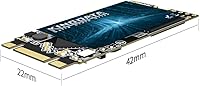
  • Form Factor: M.2 2242 format measures 42mm in length, making it significantly shorter than the common 2280 standard.
  • Interface: Uses a SATA III 6Gb/s interface, compatible with M.2 SATA slots but not with NVMe-only M.2 slots.
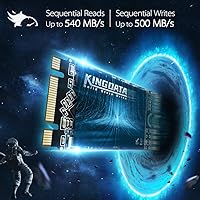
  • Read Speed: Rated for sequential read speeds of up to 580 MB/s under optimal conditions.
  • Write Speed: Rated for sequential write speeds of up to 530 MB/s under optimal conditions.
  • Flash Type: Built with 3D NAND flash memory technology, which stacks memory cells vertically to improve density and endurance over older planar NAND.
  • MTTF: KINGDATA claims a Mean Time To Failure of 1.75 million hours, based on internal factory-level reliability testing.
  • Dimensions: Physical dimensions measure 1.65 x 0.87 x 0.08 inches (approximately 42 x 22 x 2mm), consistent with the M.2 2242 specification.
  • Weight: The drive weighs 0.634 ounces, making it one of the lightest storage upgrade options available for compact systems.
  • Compatible Devices: Listed as compatible with desktop PCs and laptops that include an M.2 SATA slot accepting the 2242 form factor.
  • Installation Type: Designed for internal installation, seated directly into an M.2 slot and secured with a single retention screw.
  • Hardware Platform: Intended for use in standard PC environments running Windows or Linux on compatible hardware.
  • Testing Standards: Each unit undergoes multi-stage factory testing covering electrical checks, temperature tolerance, burn-in cycles, dormancy response, and compatibility verification.
  • Release Date: This drive was first made available for sale in September 2020, giving it a few years of market presence.

Related Reviews
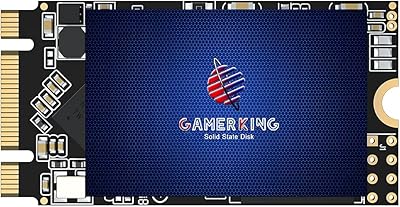
GAMERKING M.2 2242 1TB SATA SSD

70%
93%
Form Factor Fit
76%
Value for Money
68%
Read & Write Performance
88%
Installation Experience
44%
Brand Transparency
More
ORICO J10-2242 256GB NVMe M.2 SSD
78%
83%
Read Speed Performance
61%
Write Speed & Sustained Performance
78%
Thermal Management
88%
Value for Money
81%
Build Quality & Packaging
More
KingSpec XG7000 1TB M.2 2242 SSD
88%
94%
Performance
96%
Read Speed
89%
Build Quality
90%
Reliability
85%
Compatibility
More
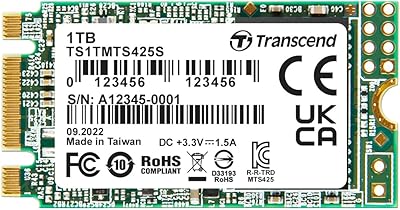
Transcend MTS425S 1TB M.2 2242 SSD
84%
93%
Compatibility & Fit
74%
Read & Write Speed
88%
Value for Money
91%
Installation Ease
86%
Build Quality & Durability
More
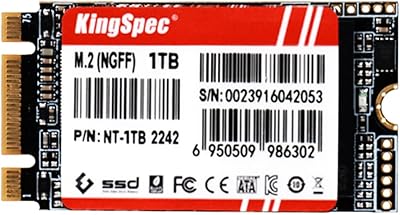
KingSpec NT Series 1TB M.2 2242 SATA SSD
86%
89%
Performance Boost Over HDDs
93%
Ease of Installation
85%
Compatibility with Devices
88%
Speed (Read/Write)
92%
Value for Money
More
ORICO OS5 1TB M.2 SSD
87%
94%
Performance
90%
Installation Ease
88%
Cooling Efficiency
93%
Read Speed
92%
Compatibility with PS5
More
iDsonix i7000PRO 2TB NVMe SSD
79%
91%
Value for Money
83%
Read/Write Performance
86%
PS5 Compatibility
89%
Installation Experience
81%
Thermal Management
More
Fikwot FX660 1TB NVMe SSD
80%
88%
Sequential Read Speed
61%
Sustained Write Performance
72%
Thermal Management
91%
PS5 Compatibility
93%
Value for Money
More
Vansuny X15 1TB NVMe M.2 SSD
77%
82%
Read & Write Performance
89%
Value for Money
91%
Installation Ease
58%
Brand Reliability
86%
Capacity Utility
More
GAMERKING 1TB M.2 2280 NVMe SSD
75%
88%
Value for Money
83%
Read Performance
76%
Write Performance
71%
Thermal Management
73%
Build Quality
More

FAQ

The easiest way is to check your laptop's service manual or the manufacturer's support page — search for your exact model number alongside the term M.2 slot specifications. Some ThinkPad and Dell Latitude models list slot dimensions explicitly. If you can open the bottom panel safely, the slot itself is usually labeled or the physical length of any existing drive makes it obvious.

Only if your slot physically supports the 2242 length. Most current laptops ship with 2280-length slots, and while the connector is the same, a 42mm drive seated in a 2280 slot won't reach the retention screw point and may not sit securely. Some boards have secondary screw positions for shorter drives, but you need to confirm this for your specific model before buying.

It is a SATA drive, not NVMe. In practical terms, this means speeds top out around 580 MB/s for reads, which is worlds faster than a hard disk but noticeably slower than a modern NVMe drive that can hit 3,000 to 7,000 MB/s. For everyday office work and general use, the difference is rarely felt. For heavy file transfers, game loading, or video editing, NVMe has a clear edge.

Yes, it works fine as a primary boot drive. You will need to either do a clean Windows install or clone your existing drive to it using a tool like Macrium Reflect or the free version of MiniTool Partition Wizard. The drive itself does not come with cloning software, so factor that step into your setup plan.

Honestly, the answer is somewhat uncertain. KINGDATA publishes a 1.75 million-hour MTTF figure, but this is a manufacturer's self-reported number and there is limited independent long-term data for this brand. For a secondary machine or light daily use, the risk is reasonable. For a primary work laptop where data loss would be costly, pairing it with regular backups is strongly advisable, as it would be with any drive.

No. It is a standard SATA device that Windows, Linux, and most operating systems recognize automatically. You simply install it, boot from your installation media or existing OS, and format the drive. There is nothing proprietary to install.

Many ThinkPad models in the X270, T470s, and L-series lineups use 2242 slots, but not all do. Always look up your exact ThinkPad model number and confirm the M.2 slot length in Lenovo's hardware maintenance manual, which is freely available on their support site. Do not assume based on the series name alone, as slot sizes can vary between production runs of the same model.

The difference is very noticeable for typical tasks. Boot times that once took 60 to 90 seconds on a hard disk often drop to 15 to 20 seconds. Applications open faster, file navigation feels more responsive, and the system generally stops making you wait. Sequential transfer speeds alone do not tell the whole story — the much lower access latency of any SSD is what makes the daily experience feel dramatically snappier.

For most everyday users, yes. 1TB comfortably holds an operating system, a full office suite, a browser with dozens of extensions, a music library, and thousands of documents with space to spare. Serious photo editors, video creators, or gamers with large libraries may find 1TB gets tight over time, but for general productivity and media consumption it covers years of typical use.

A handful of buyers have flagged compatibility surprises with specific laptop models, usually related to BIOS recognition or the M.2 slot being keyed for NVMe only rather than SATA. Before purchasing the KINGDATA 2242 drive, confirm two things: that your M.2 slot supports SATA (not NVMe only), and that it accommodates the 2242 length. Both details should be in your device's technical documentation.

Where to Buy