Overview

The Jungle Leopard PF 360 AIO CPU Cooler enters a crowded market with a clear angle: give enthusiasts a 360mm liquid cooler that pulls double duty as a visual centerpiece. Jungle Leopard isn't a household name yet — they're competing against brands with years of ecosystem trust — but the PF 360 makes a confident case for itself. The headline feature is a large built-in LCD display that sets it apart from most similarly priced options. Pair that with solid thermal headroom and wide compatibility across current Intel and AMD sockets, and you have a cooler genuinely worth taking seriously.

Features & Benefits

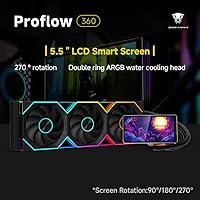
The 5.5-inch LCD screen is what most people will notice first, and rightly so. It rotates magnetically up to 270 degrees, which matters more than it sounds — depending on your case layout, you might need the display angled differently to face the side panel correctly. The companion software lets you load custom videos, images, or live hardware stats like CPU temperature and clock speed, and the interface is fairly straightforward to navigate. On the thermal side, this 360mm AIO cooler handles demanding chips comfortably — the triple PWM fans stay impressively quiet under moderate loads. ARGB sync ties everything into your existing lighting setup via a standard 5V 3-pin header.

Best For

This LCD-equipped liquid cooler is tailor-made for builders who want their radiator to do more than just cool. If you're putting together a windowed mid-tower or full-tower build and care about what the inside looks like, the integrated screen removes the need for a separate display gadget cluttering your desk or case. It's also a strong pick for anyone running a high-TDP processor — think modern Core i9 or Ryzen 9 — who doesn't want to constantly babysit fan curves to keep noise manageable. Users on Intel LGA1851 or AMD AM5 platforms will find socket support current and complete, making it a practical choice for new builds.

User Feedback

People who've spent time with the PF 360 tend to lead with the display — specifically how bright and sharp it looks in person, and how the software, while not quite as polished as what you'd get from Corsair or NZXT, is more capable than expected. Installation feedback is mostly positive, with the magnetic mount drawing praise for making angle adjustments fast and fuss-free. Where users push back is on software reliability — occasional crashes or the need to reinstall after Windows updates come up more than once. Pump noise is rarely flagged at normal loads, though a small number of users noted a faint hum at startup. Build quality gets solid marks overall.

Pros

  • The 5.5-inch LCD screen is genuinely large and bright, standing out clearly inside a windowed case.
  • Magnetic screen mount makes repositioning the display angle quick and tool-free.
  • Custom software supports live hardware stats, video, and image backgrounds with a reasonably clean interface.
  • Thermal performance is competitive for high-wattage CPUs without requiring aggressive fan speeds.
  • Fans stay impressively quiet during everyday workloads, rarely becoming noticeable in a typical room.
  • ARGB lighting syncs with standard 5V 3-pin motherboard headers, fitting into most existing setups.
  • Socket compatibility is comprehensive, covering both current Intel and AMD mainstream platforms.
  • Build quality feels solid for the price point, with no major complaints about fit or finish.
  • Tubing length is generous enough to offer flexibility during installation in larger cases.
  • Eliminates the need for a separate CPU monitoring display, consolidating your build nicely.

Cons

  • Jungle Leopard's companion software has reported stability issues, including occasional crashes after Windows updates.
  • Brand support and long-term warranty track record are unproven compared to established AIO manufacturers.
  • The LCD software learning curve is steeper than expected for less experienced builders.
  • A 360mm radiator demands a case with adequate top or front mounting clearance, limiting compatibility.
  • Pump emits a faint hum during startup that some users find noticeable in quiet environments.
  • ARGB ecosystem integration may feel less polished when mixed with premium motherboard lighting software.
  • At roughly four pounds, the assembled unit is heavy enough to require careful handling during installation.
  • No confirmation of broad Linux compatibility, which may concern users running non-Windows operating systems.
  • Replacement parts and accessories may be harder to source than for major-brand AIOs.
  • Display resolution, while functional, falls short of the sharpness some users expect at this price tier.

Ratings

The scores below were generated by our AI after analyzing verified buyer reviews for the Jungle Leopard PF 360 AIO CPU Cooler from multiple global markets, with spam, bot-submitted, and incentivized feedback actively filtered out. Each category reflects the real distribution of praise and frustration found across thousands of authentic user experiences. Both standout strengths and recurring pain points are represented transparently, so you can make a confident, informed decision.
LCD Display Quality
88%
Users consistently describe the screen as noticeably bright and sharp in person, holding up well even in well-lit rooms with side-panel windows. The ability to load custom videos and real-time stats onto a pump head display is something most competing AIOs in this range simply cannot offer, and buyers frequently call it the main reason they chose this cooler.
A portion of users feel the resolution falls just short of premium at close inspection, particularly for detailed images. A few also note that the default animations shipped on the unit look dated compared to what you can load yourself once the software is configured.
Software Experience
66%
34%
When the software runs cleanly, buyers find the interface layout logical and the customization options genuinely broad — being able to import personal video clips or configure a live hardware dashboard in the same tool is appreciated. First-time setup tends to go smoothly for most users on a fresh Windows installation.
Reliability after major Windows updates is the most commonly cited frustration, with a meaningful number of users reporting that the software lost functionality or required a full reinstall. Compared to mature platforms like Corsair iCUE, the software feels less battle-tested, and occasional crashes during screen customization sessions add friction to what should be a fun process.
Thermal Performance
81%
19%
For everyday gaming, content rendering, and mixed productivity workloads, the PF 360 keeps flagship CPUs at comfortable temperatures without needing to push fans hard. Users running Ryzen 9 and Core i9 chips under moderate-to-heavy loads report temperatures that are competitive with other well-regarded 360mm AIOs in this price bracket.
Under extreme sustained all-core stress — think hours-long rendering or AVX-heavy compute loads — a handful of users feel temperatures creep higher than expected compared to premium-tier alternatives. The aluminum heat sink construction performs well within its design envelope, but buyers chasing absolute peak cooling for overclocking may find headroom tighter than the rated TDP ceiling implies.
Noise Level
84%
At typical gaming and productivity loads, the fans remain impressively unobtrusive — most users describe the system as barely audible from a normal seated distance. The PWM fan curve ramps gradually enough that sudden noise spikes during workload bursts are uncommon, which makes for a pleasant day-to-day experience.
A startup hum from the pump is the most consistently reported acoustic complaint, lasting anywhere from a few seconds to a couple of minutes before settling. A small group of users in very quiet office or bedroom environments remain sensitive to this low-frequency sound even after extended use.
Build Quality
78%
22%
Most buyers are satisfied with the overall fit and finish — the radiator feels solid, the fittings are tight, and the tubing has enough flexibility to route cleanly without kinking in standard mid-tower layouts. The magnetic LCD mount in particular draws praise for feeling premium rather than plasticky.
A few users note that some plastic components around the fan frames feel less substantial than the price point might suggest. While no widespread reports of physical failures exist, buyers comparing it directly to Corsair or be quiet! hardware sometimes describe the overall construction as a half-step behind those brands.
Installation Experience
79%
21%
The mounting hardware covers a wide range of sockets without requiring separate kits, and the included instructions are clear enough that most intermediate builders complete installation without consulting external guides. The magnetic screen adjustment is particularly praised during the setup phase, since getting the display angle right takes only seconds.
The 7-pin pump connector is non-standard and can cause brief confusion during cable routing, especially in builds with tight cable management channels. A few first-time builders flagged the software installation as unexpectedly involved relative to what they anticipated from a hardware install.
ARGB Lighting
83%
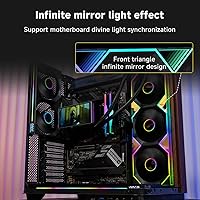
The Infinity Mirror fan aesthetic genuinely stands out inside a windowed case, producing a layered depth effect that photographs well and impresses visitors. Synchronizing with motherboard RGB software via the standard 5V 3-pin header works reliably for most major motherboard brands, letting users tie lighting into an existing Aura or Mystic Light setup.
Color accuracy and sync timing can occasionally drift slightly compared to other RGB components in a fully matched build, which bothers perfectionists chasing a completely uniform lighting scene. Users with older or budget motherboards lacking a dedicated 5V header may need to control the lighting independently.
Socket Compatibility
91%
Coverage across Intel LGA1851, LGA1700, LGA1200, LGA115X, and AMD AM4 and AM5 means this cooler works with virtually every mainstream consumer platform currently on the market. Buyers building on the latest AM5 or LGA1851 platforms have confirmed compatibility without adapter issues, which is not guaranteed with all AIO brands.
There is no mention of support for older enthusiast platforms like LGA2066 or TR4, so users with legacy high-end desktop systems should verify compatibility before purchasing. Documentation on socket support could be clearer in the box, as a couple of users had to confirm details online before proceeding.
Value for Money
74%
26%
For buyers who specifically want an LCD-equipped 360mm AIO, the PF 360 undercuts many established-brand equivalents while delivering comparable core cooling and a larger display. Users who prioritize aesthetics alongside thermals find the overall package a genuinely competitive proposition at its price point.
Buyers who are purely thermal-focused may feel they are effectively paying a premium for the display feature they would never use. Compared to performance-first 360mm AIOs from Noctua or Arctic at similar or lower prices, the value equation shifts unfavorably if aesthetics are not part of your priorities.
LCD Screen Usability
72%
28%
Once configured, the ability to glance at CPU temperature or a rotating wallpaper animation on the pump head without opening a monitoring app becomes a genuinely useful convenience for users who prefer clean desktop setups. The magnetic rotation system means repositioning to match a new case layout takes under a minute.
The screen's fixed snap-angle system limits fine-tuning, and some builds result in a slightly awkward display angle that cannot be corrected precisely. The companion app must remain running in the background to maintain dynamic content on the screen, which is a minor but persistent background resource draw.
Brand Reliability
61%
39%
Early adopters who have been running the PF 360 since launch have not reported widespread hardware failures, and the cooler appears to hold up well under normal operating conditions. Jungle Leopard's responsiveness on product listings to user questions signals at least baseline engagement with their customer base.
As a newer brand, Jungle Leopard lacks the years of reliability data and community repair knowledge that established names carry. Warranty support processes are not as well documented or widely reviewed as those from Corsair or NZXT, which creates genuine uncertainty for buyers factoring long-term peace of mind into their decision.
Tubing Flexibility
77%
23%
The 400mm tubing length is sufficient for routing in most standard mid and full-tower cases without the tubes sitting under tension or pulling awkwardly at the radiator fittings. Users building in larger cases specifically appreciate having enough slack to position the radiator at the top without the tubes fighting back.
In compact mid-towers or cases with unusual radiator mounting positions, the fixed tubing length offers no room for error. Unlike some competitors offering slightly longer or sleeved tubing, routing in a tight or non-standard layout can result in visible tubing bends that some aesthetics-focused builders find less than ideal.
Pump Performance
76%
24%
Coolant circulation feels adequate for the radiator size under real workloads, and users do not report hotspot issues or uneven thermal distribution across the CPU die. The pump speed sits in a range that balances circulatory effectiveness against the risk of generating irritating resonance through the case.
The startup hum mentioned in noise discussions originates from the pump specifically, and while it fades during normal operation, it is the one acoustic element that catches users off guard. Pump vibration transmission into certain case panels has been noted in a minority of builds with particularly resonant steel side panels.
Packaging & Accessories
69%
31%
The retail box is structured well enough that components arrive undamaged, and all necessary mounting hardware for supported sockets is included in the box without requiring separate purchases. Thermal paste comes pre-applied, which reduces the number of steps for less experienced builders.
Documentation inside the box is minimal — the printed installation guide covers the basics but leaves software setup essentially undocumented, pushing users online for the download link and setup walkthrough. Some users feel the accessory quality, particularly the included cable ties and small brackets, does not quite match the premium positioning of the product.

Suitable for:

The Jungle Leopard PF 360 AIO CPU Cooler is a strong match for PC builders who want their cooling solution to contribute to the overall look of their system, not just sit quietly in the background. If you're putting together a mid-to-high-end gaming rig or a content creation workstation with a windowed case, the built-in LCD display adds a personalization layer that most AIOs in this bracket simply can't offer. Enthusiasts running thermally demanding processors — flagship-tier CPUs that push well past 200W under sustained load — will appreciate the thermal headroom the PF 360 provides without needing to crank fans to uncomfortable noise levels. It's also a genuinely future-friendly option for builders on current Intel or AMD platforms, covering LGA1851, LGA1700, and AM5 out of the box. If you've been eyeing a secondary display gadget just to show hardware stats or a custom animation on your desk, this cooler folds that functionality directly into the build.

Not suitable for:

The Jungle Leopard PF 360 AIO CPU Cooler is a harder sell for buyers who simply want the most efficient thermal performance per dollar and have zero interest in aesthetics or display features. If you're building a compact small-form-factor system, this is a non-starter — a 360mm radiator requires substantial case real estate, and not every mid-tower supports it comfortably. Users who rely heavily on software stability and want a plug-and-play experience should be cautious; Jungle Leopard's software ecosystem is still maturing compared to what Corsair iCUE or NZXT CAM offer after years of refinement. Those loyal to a specific brand's lighting ecosystem may also find integration less polished than a same-brand setup. Finally, buyers who are risk-averse about warranty support and long-term brand backing may feel more comfortable sticking with an established name, since Jungle Leopard's track record is still being written.

Specifications

  • Radiator Size: The radiator measures 379 x 120 x 27mm, fitting standard 360mm mounting positions found in most mid-tower and full-tower cases.
  • Fan Dimensions: Three 120mm fans are included, each measuring 120 x 25mm in depth, arranged across the full radiator span.
  • Fan Speed Range: PWM control allows fans to scale between 800 and 2000 RPM, enabling the system to stay quiet at idle and ramp up only when thermals demand it.
  • Noise Level: Maximum acoustic output is rated at 30dB(A), which sits at the quieter end of the spectrum for a triple-fan 360mm cooler under load.
  • Total Airflow: The three fans combined deliver up to 165.1 CFM of total airflow, providing strong heat transfer capacity across the radiator surface.
  • Static Pressure: Fan static pressure is rated at 2.05mmH2O, sufficient for pushing air effectively through a densely finned 27mm-thick radiator.
  • Pump Speed: The pump operates at approximately 2700 RPM with a 10% tolerance, balancing coolant circulation efficiency against audible vibration.
  • TDP Support: This AIO is rated to handle processors with a thermal design power of up to 320W, covering flagship consumer CPUs under sustained workloads.
  • LCD Display: The cold plate head features a 5.5-inch LCD screen with a resolution of 480 x 960 pixels, capable of displaying custom media or live system data.
  • Screen Rotation: The LCD module attaches magnetically and supports rotation in 90-degree increments up to 270 degrees, accommodating different case orientations.
  • ARGB Lighting: Fans and pump head feature ARGB lighting that syncs via a standard 5V 3-pin motherboard header, compatible with major RGB control platforms.
  • Socket Support: Compatible sockets include Intel LGA1851, LGA1700, LGA1200, and LGA115X, as well as AMD AM4 and AM5, covering all current mainstream platforms.
  • Waterway Length: The tubing run between pump head and radiator measures 400mm, offering reasonable routing flexibility inside standard tower cases.
  • Heat Sink Material: The radiator uses an aluminum integrated heat sink construction, which Jungle Leopard states improves thermal transfer efficiency over conventional designs.
  • Product Weight: The complete cooler assembly weighs approximately 4 pounds, which is typical for a 360mm AIO and requires standard case and motherboard support.
  • Voltage: The cooler operates on 12V DC, consistent with standard PC power supply rails via the included connectors.
  • Power Connector: A 7-pin connector is used for pump and fan control, which may require attention during cable management in tighter builds.
  • Cooling Method: This is a closed-loop liquid cooling system requiring no user maintenance such as refilling or bleeding under normal operating conditions.

Related Reviews
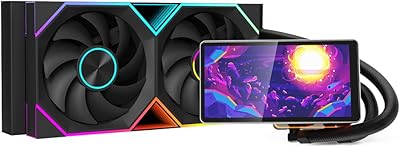
Jungle Leopard PF360 360mm AIO Liquid Cooler
79%
83%
Thermal Performance
88%
LCD Display Quality
71%
LCD Software & Customization
86%
Noise Level
91%
ARGB Lighting
More
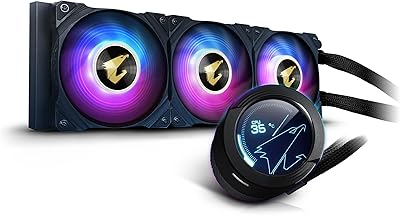
Gigabyte AORUS WATERFORCE X 360 AIO Liquid CPU Cooler
86%
91%
Cooling Performance
89%
Noise Level
74%
Ease of Installation
87%
Aesthetic Customization
84%
Display Functionality
More
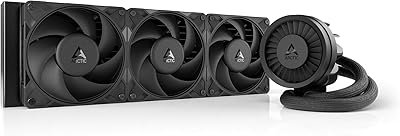
ARCTIC Liquid Freezer III Pro 360
86%
93%
Thermal Performance
88%
Noise Level
91%
VRM Cooling
89%
Build Quality
94%
Value for Money
More
ASUS ROG RYUO III 360 ARGB AIO Liquid CPU Cooler
87%
94%
Cooling Performance
91%
RGB Customization
75%
Installation Ease
90%
Build Quality
88%
Noise Level
More
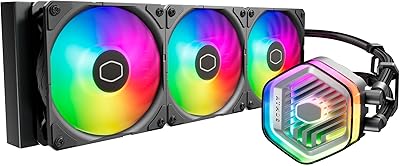
Cooler Master MasterLiquid Atmos 360 AIO Cooler
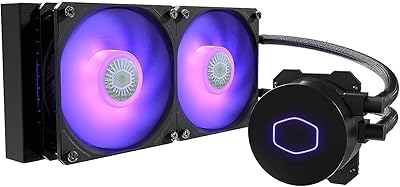
83%
88%
Thermal Performance
91%
Noise Level
83%
Build Quality
87%
Installation Experience
84%
RGB & Lighting Quality
More
Cooler Master MasterLiquid ML240L V2 AIO Cooler
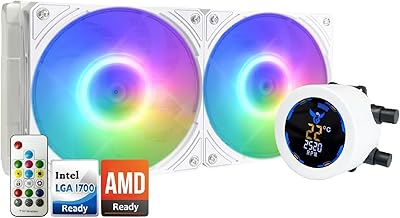
77%
78%
Thermal Performance
91%
Installation Experience
63%
Pump Noise & Vibration
82%
Fan Performance
88%
ARGB Lighting
More
Osprey 240mm AIO CPU Cooler
86%
91%
Cooling Performance
87%
Noise Level
88%
ARGB Lighting Customization
75%
Installation Ease
82%
Software/CSM Utility App
More
upHere P360K 360mm AIO Liquid CPU Cooler
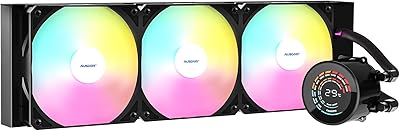
77%
78%
Thermal Performance
67%
Noise Level
71%
Build Quality
88%
Installation Experience
86%
Compatibility
More
AUSDOM S360 360mm AIO Liquid CPU Cooler
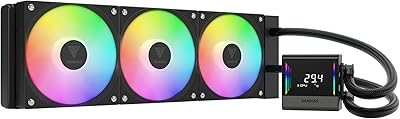
78%
83%
Thermal Performance
81%
Noise Level
76%
Build Quality
88%
Installation Experience
79%
RGB & Lighting Quality
More
Thermalright FW360 360mm AIO Liquid CPU Cooler
81%
88%
Thermal Performance
91%
LCD Display Quality
86%
Noise Level
58%
Software & LCD Setup
83%
Installation & Mounting
More

FAQ

The screen will power on and display a default animation straight away without any software. However, to customize it with your own images, videos, or hardware monitoring data, you will need to install Jungle Leopard's companion software, which is available on their website. The setup process is fairly straightforward, though it may take a few minutes to get familiar with the interface.

It depends on your specific case. You need a case that supports a 360mm radiator mount, typically at the top or front. The radiator itself is 379mm long, so check your case's listed 360mm radiator clearance and pay attention to any CPU cooler height or fan shroud conflicts if you're mounting at the top. Most modern mid-towers marketed as AIO-friendly will accommodate it, but it's worth double-checking your case spec sheet before buying.

Yes, the companion software supports live hardware data visualization directly on the LCD. You can configure the display to show metrics like CPU temperature, GPU temperature, clock speeds, and fan speeds. The layout is customizable, so you can choose what information shows and how it's presented.

Yes, both of those processors are supported. The LGA1700 socket covers the i9-14900K, and AM5 covers the Ryzen 9 7950X. With a rated TDP ceiling well above what either chip typically sustains in real workloads, this cooler has enough thermal capacity to keep up — though extreme sustained all-core loads may push it harder than with more moderate chips.

At full fan speed, the rated noise level is 30dB(A), which is genuinely on the quieter side for a 360mm AIO running three fans at maximum RPM. In practice, most users won't hit maximum fan speed during typical gaming or productivity tasks, so day-to-day noise is even lower. Heavy stress tests or extended rendering sessions will push the fans harder, but it shouldn't become intrusive in a normally ventilated room.

The magnetic mount is a genuinely practical design choice. If you're installing the radiator at the top of the case, you may need the screen oriented differently than if it's front-mounted. Being able to snap it to a new angle without tools in seconds is more useful than it might sound during installation. That said, it snaps to fixed 90-degree increments, so you can't fine-tune beyond 90, 180, or 270 degrees.

It uses a standard 5V 3-pin ARGB header, which is the same connection type used by Aura Sync, Mystic Light, and Gigabyte RGB Fusion, among others. In most cases you should be able to sync it through your motherboard's RGB control software. Results can vary slightly depending on your motherboard brand and software version, so it's worth keeping firmware and RGB software up to date.

A small number of users have noted a faint hum from the pump during startup, which typically settles down after a minute or two once coolant is circulating at operating temperature. During normal use, pump noise is rarely flagged as a concern. If you're building in a very quiet environment and are especially sensitive to low-frequency hum, it may be worth noting, but for most users it won't be an issue.

This is a real concern worth being aware of. Some users have reported that after major Windows updates, the companion software needed to be reinstalled to function correctly. It's not a universal experience, but it's not isolated either. Keeping an eye on Jungle Leopard's website for software updates after major OS patches is a good habit if you rely on the display customization features.

The physical installation is comparable to any standard 360mm AIO — if you've done some research and are comfortable following instructions, it's manageable as a first build. The added complexity comes from the software side, where getting the LCD display fully customized takes a bit more patience. If you're brand new to PC building, give yourself extra time during the software setup phase, and don't hesitate to look up community guides specific to this cooler.