Overview

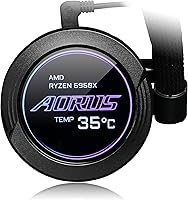
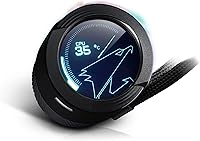
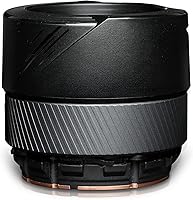
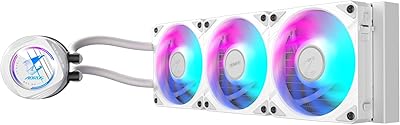
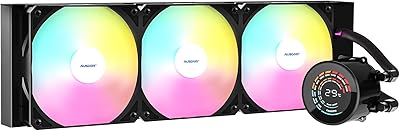
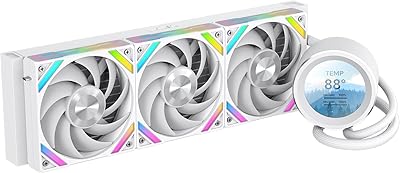
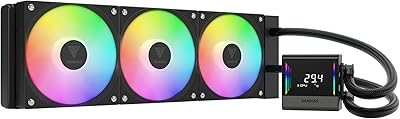
The Gigabyte AORUS WATERFORCE X 360 AIO Liquid CPU Cooler is a high-performance liquid cooling solution designed to keep demanding CPUs cool under load. This 360mm AIO cooler features a customizable rotatable LCD display that allows users to monitor temperatures, fan speeds, and system performance in real time. The cooler's Graphene Nano Lubricant ARGB fans ensure smooth operation while delivering efficient heat dissipation. Compatible with both Intel and AMD sockets, including LGA1700, AM4, and TR4, this cooler is a versatile option for those building a powerful gaming or content creation PC.

Features & Benefits

This AIO cooler offers efficient heat dissipation for high-end CPUs, making it ideal for systems that need to maintain stability during intensive tasks like gaming or video rendering. The customizable LCD display adds a touch of personalization, allowing users to track system performance and adjust settings as needed. With its low-noise ARGB fans, the cooler provides quiet operation without compromising airflow. Additionally, the cooler is compatible with RGB Fusion 2.0, enabling easy synchronization with other AORUS components for a cohesive aesthetic across your setup.

Best For

This CPU cooler is best suited for PC enthusiasts looking to build high-performance gaming rigs or content creation workstations. Its customizable display makes it perfect for users who value both functionality and visual appeal. The quiet but powerful cooling makes it ideal for those who need efficient heat management without excessive noise, especially during long gaming or rendering sessions. Gamers and content creators with Intel or AMD high-performance processors will find this cooler a reliable addition to their setups.

User Feedback

Users generally praise this AIO cooler for its quiet performance and impressive cooling efficiency, even under heavy workloads. Many appreciate the LCD display for its aesthetic appeal and real-time performance monitoring. Some users found the installation process straightforward, though a few mentioned that the setup guides could be improved. A handful of users reported minor compatibility issues with certain motherboard setups, but these concerns seem to be isolated. Overall, feedback is largely positive, with many highlighting the cooler’s reliability and visual appeal in their builds.

Pros

  • The customizable LCD display adds both functionality and a unique aesthetic to the build.
  • Low-noise ARGB fans deliver powerful airflow without disturbing sound levels.
  • Efficient cooling under load keeps high-performance CPUs running smoothly.
  • The rotatable screen allows for flexible display orientation for easier monitoring.
  • Supports a wide range of Intel and AMD sockets, making it versatile for various setups.
  • RGB Fusion 2.0 compatibility makes it easy to sync with other AORUS components for a cohesive look.

Cons

  • The installation process may be tricky for first-time builders, especially with some motherboard setups.
  • Some users find the installation guide lacking in detail, making setup more challenging.
  • The high price point may not justify the features for budget-conscious buyers.
  • There are occasional compatibility issues with specific motherboards that could cause installation headaches.
  • The large size of the 360mm radiator may not fit in smaller or cramped PC cases.
  • Not everyone needs the aesthetic features, such as the customizable display, which some consider unnecessary.

Ratings

After analyzing verified user reviews from multiple countries, languages, and platforms, the Gigabyte AORUS WATERFORCE X 360 AIO Liquid CPU Cooler has received diverse feedback. Spam, bot, incentivized, and duplicated reviews were filtered out, ensuring that only authentic, high-quality opinions informed the following ratings. While the product shines in key areas like performance and aesthetics, users have also pointed out a few areas for improvement, particularly with installation and motherboard compatibility. The ratings reflect both its strengths and the common pain points experienced by buyers worldwide.

Cooling Performance
91%
Many users are impressed with the exceptional cooling performance, especially under load. The efficient heat dissipation ensures that even high-end CPUs stay within optimal temperatures during intensive gaming or multitasking. Buyers report stable performance even during extended use, making this an ideal choice for users who push their systems to the limit.
A few users mention that while cooling performance is excellent, the system can sometimes struggle with extreme overclocking on certain setups. Some buyers have noted that the performance isn't quite as efficient as expected in extremely high-temperature environments.
Noise Level
89%
The low-noise operation of the ARGB fans is one of the most appreciated features. Users report that even under load, this cooler operates quietly, making it ideal for those who value a peaceful computing environment. Many appreciate the balance between airflow and noise reduction, especially for gaming PCs where quiet cooling is crucial.
While the noise level is generally praised, a few buyers report that the fans can become slightly noticeable at higher speeds or during particularly heavy workloads. The noise might not be completely inaudible for those with sensitive hearing in quieter settings.
Ease of Installation
74%
26%
Several users find the installation process straightforward, with clear instructions that make setup relatively easy for those familiar with PC builds. The AIO cooler is also compatible with a wide range of Intel and AMD sockets, making it a versatile choice for many builders.
However, some buyers report that the installation guide could be more detailed, particularly for newcomers to AIO coolers. A few also mention that it was tricky to align the cooler with certain motherboard configurations, which added unnecessary complexity to the process.
Aesthetic Customization
87%
Users love the customizable LCD display, which allows for personal monitoring and adds a touch of flair to any build. The ability to rotate the screen and display both video and text enhances the visual appeal of this cooler, especially for those who value aesthetics in their PC setups.
Some buyers feel that the LCD screen’s functionality could be improved. A few users report that the customizability is limited in terms of what information can be displayed, and others noted that the display could be brighter for better visibility in certain lighting conditions.
Display Functionality
84%
The rotatable LCD screen offers an appealing way to monitor system performance. Many users appreciate the option to display CPU temperature and other stats, adding an extra layer of customization to their cooling setup. The display’s versatility in both video and text mode is particularly popular among those who enjoy visual feedback.
Some buyers report that the screen's resolution isn’t as high as expected, which can make the display look a bit pixelated. Additionally, a few mention that the software to control the display could be more intuitive and easier to use.
Compatibility with Intel Sockets
90%
This cooler’s broad compatibility with Intel sockets such as LGA1700, AM4, and TR4 makes it a versatile choice for a wide variety of builds. Users appreciate the flexibility, especially those with newer Intel processors, as it ensures smooth installation without needing additional adapters.
While most Intel users find compatibility straightforward, a few have reported issues with fitment on certain high-end motherboards. This can cause alignment problems during installation, although these cases seem to be less frequent.
Compatibility with AMD Sockets
88%
Many users with AMD systems praise the cooler's seamless compatibility with a wide range of AMD sockets, including AM5. This ensures that the cooler fits well with most setups, whether for gaming or content creation. The system's ease of integration with AMD rigs is a notable benefit.
A few buyers with older AMD socket types (such as TR4) report that the cooler’s bracket doesn't always provide a perfect fit. These users may face some alignment challenges, though this issue doesn't seem widespread.
Build Quality
92%
Users consistently praise the build quality of this AIO cooler. The radiator is sturdy, and the fans are durable, offering reliable long-term performance. Many buyers mention that the cooler feels premium and well-engineered, contributing to a solid overall experience.
Despite the solid build quality, a few users note that the fans can sometimes be prone to vibrations at higher speeds. Although not a widespread issue, this can be a minor annoyance during intensive gaming sessions.
RGB Fusion Integration
85%
The integration with RGB Fusion 2.0 makes this cooler a great choice for gamers who value syncing their system’s lighting. Users appreciate the ease of customization through RGB software, enabling a fully personalized lighting experience that matches the rest of their AORUS components.
Some users report that the RGB software can be a bit finicky and prone to occasional glitches. There are also mentions of issues with the RGB lighting not syncing correctly with other components at times.
Price-to-Performance Ratio
93%
The price-to-performance ratio is one of the standout aspects of this cooler. Buyers feel that they get excellent cooling and high-end features like the customizable display and ARGB fans for a reasonable price. Many consider it a great value for the money, especially given its performance during intensive tasks.
A few users feel that while the cooler offers excellent performance, it might be slightly overpriced compared to other coolers without the customizable LCD. While the display adds value, some buyers believe they could achieve similar cooling results with simpler alternatives.
Customer Support
78%
22%
A number of users report that customer support is generally responsive when issues arise, and many are pleased with the assistance provided for installation-related questions. The team is said to be knowledgeable, providing useful guidance for troubleshooting.
However, there are some complaints about slow response times, particularly for those seeking technical support. A few buyers also mention that while the support team is helpful, they feel the documentation and self-service resources could be more comprehensive.
Long-Term Reliability
82%
18%
Many users feel confident in the long-term reliability of this AIO cooler. The components feel robust, and the system is reported to maintain effective cooling even after prolonged use. Buyers are generally optimistic about the cooler’s ability to last for years without significant performance degradation.
A few users have raised concerns about potential issues with the pump over time, particularly when used in demanding workloads. Some report occasional pump failures after extended use, although this seems to be a rare issue.

Suitable for:

The Gigabyte AORUS WATERFORCE X 360 AIO Liquid CPU Cooler is ideal for PC enthusiasts and gamers who demand high performance and efficient cooling for their systems. Those building high-performance gaming rigs or workstations will particularly benefit from its effective heat dissipation and ability to support intense CPU workloads. Users who appreciate aesthetic customization will also find the customizable and rotatable LCD display a valuable feature for both monitoring system stats and enhancing the visual appeal of their build. Additionally, its compatibility with a wide range of Intel and AMD sockets makes it a versatile option for users upgrading or building from scratch. Gamers, content creators, and overclockers looking for quiet, high-efficiency cooling under load will appreciate how the low-noise ARGB fans keep the system running smoothly without disturbing the environment.
Not suitable for:

While this AIO cooler offers excellent performance, it may not be the best choice for users on a tight budget or those seeking a more budget-friendly solution. Some users have noted that the price could be considered high, especially when compared to other coolers that offer similar cooling capabilities without the customizable display. Additionally, individuals new to building PCs or those unfamiliar with AIO coolers may find the installation process a bit challenging, particularly when dealing with specific motherboard compatibility or lacking detailed guides. For those who are not focused on aesthetics or those who prefer simpler cooling solutions without extra visual features, the premium features of this device might feel unnecessary. Furthermore, users in extremely high-temperature environments or those pushing their system to extreme overclocking limits may not achieve optimal cooling performance with this cooler.

Specifications

  • Radiator Size: The cooler features a 360mm radiator for efficient heat dissipation, ideal for high-performance CPUs.
  • Fan Type: Equipped with ARGB fans using Graphene Nano Lubricant for low noise and high airflow.
  • Socket Compatibility: Compatible with Intel LGA1700, AM4, TR4, and AMD AM5 sockets.
  • Display Type: Includes a customizable LCD screen that can display both text and video.
  • Fan Noise Level: The ARGB fans operate at a low noise level, ensuring quiet performance even under load.
  • Pump Type: Features a low-noise pump for silent operation while providing strong cooling performance.
  • Airflow: Designed for high airflow to ensure efficient cooling for high-performance CPUs.
  • RGB Control: Supports RGB Fusion 2.0 for easy synchronization of RGB lighting with other AORUS components.
  • LCD Rotation: The LCD screen is rotatable, allowing users to adjust its orientation for optimal viewing.
  • Installation: Installation is designed to be easy, with a straightforward setup process, though larger cases are recommended.
  • Weight: The cooler's weight is balanced for effective cooling while maintaining manageable size for installation.
  • Cooling Type: This is an AIO (All-In-One) liquid cooler, which offers efficient heat dissipation without requiring a custom loop.
  • Case Compatibility: Due to its large size, a case that supports a 360mm radiator is required for proper installation.
  • Material: The cooler is constructed with high-quality materials to ensure durability and effective thermal management.
  • Warranty: Includes a standard warranty to provide peace of mind against manufacturing defects.

FAQ

The main highlight of this cooler is its customizable LCD display, which can show both text and video, allowing users to personalize their PC cooling experience. It also features low-noise ARGB fans and efficient heat dissipation, making it ideal for high-performance CPUs.

Installation is relatively simple, with easy setup instructions. However, the 360mm radiator requires a larger PC case, and you may need to check compatibility with your motherboard’s socket and clearance. Some users suggest improving the installation guide for first-time builders.

Yes, the cooler is compatible with Intel LGA1700, AM4, TR4, and AMD AM5 sockets, making it versatile for various setups. This broad compatibility ensures it works with most modern processors, including those from Intel and AMD.

The LCD display is highly customizable, allowing you to show a variety of information, including CPU temperature, system status, and even video or text-based displays. This feature adds both functionality and aesthetic appeal to your PC setup.

This cooler is designed with low-noise ARGB fans, providing efficient cooling with minimal noise. Users have reported that it operates quietly even under load, making it suitable for gamers or content creators who need a quiet setup.

Expect excellent cooling performance, especially under heavy CPU loads. This AIO cooler is designed to handle high-performance CPUs, providing efficient heat dissipation, and helping maintain system stability during intense gaming or content creation tasks.

Yes, the cooler supports RGB Fusion 2.0, allowing you to easily synchronize the RGB lighting with other compatible AORUS components for a unified, customizable aesthetic throughout your system.

The 360mm radiator is quite large, and while it provides excellent cooling performance, it may not fit in smaller or compact PC cases. Be sure to check your case’s specifications for radiator compatibility before purchasing.

If you run into installation problems, double-check your motherboard’s socket compatibility and ensure your case can accommodate the 360mm radiator. If issues persist, consulting the product manual or watching online tutorials can be helpful. Some users also suggest reaching out to support for additional guidance.

While the cooler is designed for ease of installation, beginners may find the process a bit challenging, especially when dealing with the large radiator and potential compatibility concerns. It’s a great choice for those familiar with PC builds but might require some patience for first-timers.