

Overview
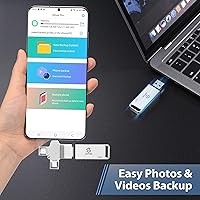
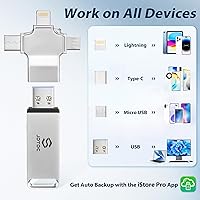
The JSL JDTDC JD312 128GB Multiport Photo Stick is designed for people who have too many devices and too little patience for complicated backup routines. The core appeal is its 4-in-1 connector design — Lightning, USB-C, Micro USB, and USB-A all built into one compact stick — so you're not hunting for adapters every time you switch devices. At this price point, buyers reasonably expect solid build quality and reliable software. One thing worth knowing upfront: this isn't a purely hardware solution. The backup process runs through a companion app called iStore Pro, which you'll need to download and keep updated. Think of it as a hardware-plus-app bundle rather than a traditional flash drive.
Features & Benefits
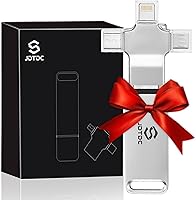
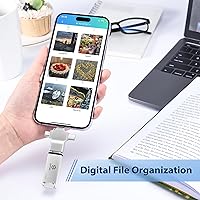
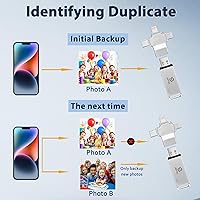
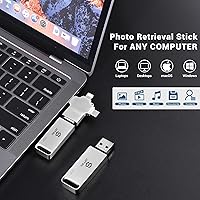
The four built-in connectors are the standout spec here — plug this 4-in-1 backup drive into an iPhone, a USB-C tablet, a Micro USB Android phone, or a laptop without ever reaching for a dongle. The 128GB capacity is genuine, and with read speeds around 80 MB/s, smaller libraries transfer reasonably quickly. However, if you're sitting on thousands of high-resolution photos and videos, plan for a long first backup — it can stretch to several hours. The app handles duplicate detection automatically, which is genuinely useful, and organizes files into date and location-based folders. Storage works entirely offline, so there's no subscription fee and no internet dependency after the initial app setup.
Best For
This multiport memory stick makes the most sense for people who find iCloud settings confusing or balk at paying monthly cloud fees. It's particularly well-suited to mixed-device households — families where some members use iPhones and others use Android phones can share a single stick without needing separate solutions. Travelers who'd rather not rely on public Wi-Fi or data plans for backups will also appreciate the offline-first approach. It's also a smart pick for anyone clearing space before trading in an old phone — plug in, back up, done. That said, if you're already comfortable with a cloud service and don't mind the subscription, this 4-in-1 backup drive adds less obvious value.
User Feedback
Sitting at 4.1 stars from 383 ratings, this photo backup stick earns broadly positive marks, but the score reveals some real friction beneath the surface. On the positive side, reviewers consistently praise the ease of setup and the convenience of having all four connectors in one place. The negative feedback, however, is worth reading carefully. Several users report that large photo libraries take significantly longer to back up than expected, and the app experience can be inconsistent on older Android devices. A few buyers have also questioned whether actual usable storage fully matches the advertised capacity. The lifetime warranty sounds reassuring, but claim details are sparse — check current policy before letting it sway your decision.
Pros
- All four common connector types are built in, so one stick covers iPhone, Android, Mac, and PC.
- No monthly subscription required — pay once and the storage is permanently yours.
- The iStore Pro app organizes backups into date and location folders automatically, eliminating manual sorting.
- Duplicate detection prevents the drive from filling up with redundant copies of the same file.
- Compact and lightweight at under an ounce, easy to slip into a pocket or travel bag.
- Offline-only design keeps photos out of the cloud without requiring any technical configuration.
- Setup is accessible enough for users with minimal tech experience to get started quickly.
- Genuine 128GB capacity provides room for a substantial combined photo and video library.
- Solid market ranking for a product launched in late 2024 suggests reasonable real-world adoption.
Cons
- First-time backups of large photo libraries can take several hours due to the moderate write speed.
- This is not a true plug-and-play drive — the iStore Pro app must be installed and kept updated.
- Android app performance has been inconsistent across different device manufacturers and operating system versions.
- Some buyers have questioned whether actual usable storage fully matches the advertised 128GB figure.
- The lifetime warranty claim sounds reassuring, but claim procedures are not clearly documented anywhere accessible.
- Customer support responsiveness has drawn mixed reviews, which matters given how much the warranty is promoted.
- The app itself cautions that backup time varies and cannot be hurried, which frustrates time-sensitive users.
- Buyers expecting USB 3.0-level speed across all connectors may find real-world transfers slower than anticipated.
- The iStore Pro ecosystem creates a soft lock-in — switching apps or workflows later is not straightforward.
Ratings
The scores below for the JSL JDTDC JD312 128GB Multiport Photo Stick were generated by our AI after systematically analyzing verified buyer reviews from multiple global markets, with spam, suspected bot activity, and incentivized feedback filtered out before any scoring took place. Each category reflects the honest distribution of real user experiences — including the frustrations that marketing copy tends to gloss over — so you can make a genuinely informed decision rather than relying on curated highlights alone.
Connector Versatility
Ease of Setup
Backup Speed
App Experience
Value for Money
Storage Capacity
Duplicate Detection
File Organization
Cross-Platform Reliability
Offline Functionality
Portability & Design
Build Quality
Warranty & Support
Suitable for:
The JSL JDTDC JD312 128GB Multiport Photo Stick is the kind of device that genuinely earns its place for a specific type of buyer: someone who accumulates photos across multiple devices and has never found a backup routine that actually sticks. It's a strong fit for older adults or less tech-savvy users who find cloud account management frustrating and just want to plug something in and let software handle the rest. Mixed-device households — where iPhones and Android phones coexist under the same roof — will especially appreciate having one stick that handles both without juggling separate solutions. It also makes practical sense for travelers who don't want to depend on hotel Wi-Fi or expensive roaming data to keep their memories safe. And if you're about to trade in an old phone and need a reliable way to pull everything off it first, this 4-in-1 backup drive covers that scenario well.
Not suitable for:
The JSL JDTDC JD312 128GB Multiport Photo Stick is not the right choice for users who already have a well-functioning cloud backup system and simply want supplemental storage — at that price point, the value proposition weakens considerably. Power users managing large professional photo libraries should also think twice: the 50 MB/s write speed means a first backup of thousands of high-resolution files could realistically take several hours. The reliance on the iStore Pro companion app is a genuine sticking point for anyone expecting true plug-and-play behavior — this is a managed software experience, not a simple USB drive. Android users, in particular, should be cautious, since the app has produced inconsistent results across different manufacturers and OS versions according to buyer feedback. Finally, anyone placing significant weight on the lifetime warranty should verify current claim procedures directly with the manufacturer before purchasing, as those details remain frustratingly vague.
Specifications
- Brand: This device is manufactured by JSL JDTDC, a brand focused on consumer photo and video backup accessories.
- Model: The official model designation is JD312.
- Storage: The drive provides a genuine 128GB of flash storage for photos, videos, contacts, and other personal files.
- Read Speed: Rated read speed is 80 MB/s, suitable for reasonably quick file access when connected to a computer.
- Write Speed: Rated write speed is 50 MB/s, which determines how quickly files are transferred onto the drive during a backup session.
- Connectors: Four built-in connectors are included: Lightning for older iPhones and iPads, USB-C, Micro USB, and USB-A 3.0 for computers.
- Memory Type: Internal storage is built on Micro SDXC flash memory technology.
- Dimensions: The stick measures 2.28 inches long by 0.67 inches wide by 0.28 inches deep, making it easily pocketable.
- Weight: The drive weighs 0.723 oz (approximately 20.5 g), light enough to go unnoticed in a bag or travel pouch.
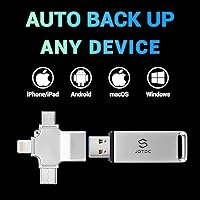
- Compatibility: Works across devices running iOS, Android, Windows, and macOS, covering the vast majority of consumer hardware in common use.
- Companion App: All automated backup and restore functions are managed through the iStore Pro app, available as a free download on iOS and Android.
- Warranty: JSL JDTDC advertises a lifetime warranty on this device; buyers should confirm current claim procedures directly with the manufacturer before purchasing.
- Color: Available in silver with a slim, compact form factor typical of USB flash drives.
- Market Rank: Ranked #393 in the USB Flash Drives category on Amazon based on data available at the time of this review.
- Released: The product first became available in September 2024, making it a relatively recent entry in the consumer photo backup category.
Related Reviews
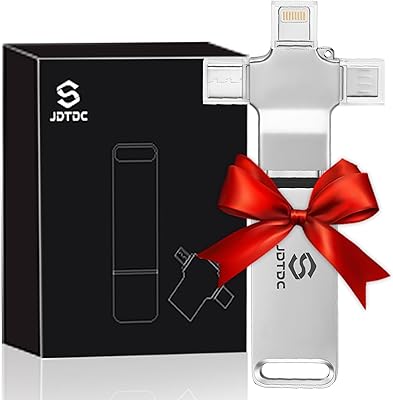
JSL JDTDC JD312 256GB 4-in-1 Photo Backup Stick
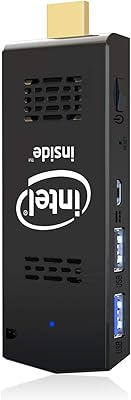
AKLWY Mini PC Stick 4GB/128GB Computer
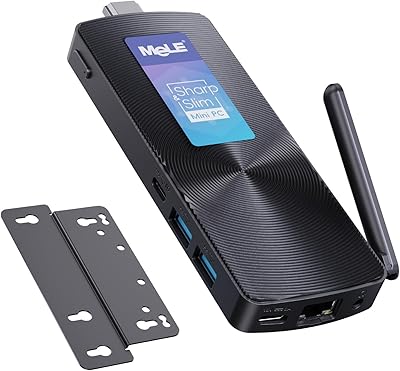
MeLE PCG02 Fanless Mini PC Stick 8GB/128GB
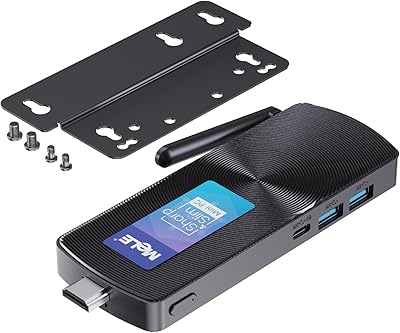
MeLE PCG02 N100 Mini PC Stick
AIOEXPC S7 J4125 8GB 128GB PC Stick
novelinks 16-Case 4×6 Photo Storage Box
Tamfile 18-Compartment Fireproof Photo Storage Box
ALINK 5x7 10-Pack Photo Storage Box
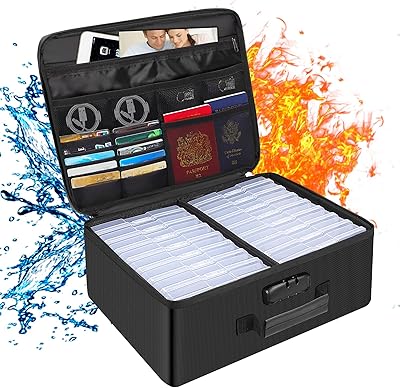
DocSafe DS0037 Fireproof Photo Storage Box