JSL JDTDC JD312 256GB 4-in-1 Photo Backup Stick

Overview
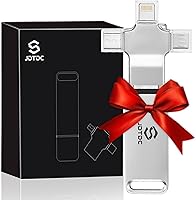
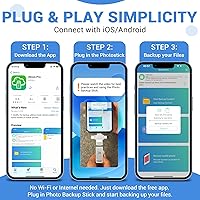
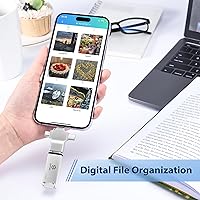
The JSL JDTDC JD312 256GB 4-in-1 Photo Backup Stick is a compact, app-driven flash drive that lets you back up photos and videos from virtually any device — no cloud account required. It launched in mid-2024 from a relatively new brand, and at a mid-range price point, it targets people who are tired of running out of phone storage but don't want to deal with monthly subscription fees. The stick itself is remarkably slim — thin enough to slip into a wallet — and the 256GB capacity is substantial enough to store tens of thousands of photos. One thing to flag upfront: it requires the iStore Pro companion app to operate, so it's not a simple plug-and-play device.
Features & Benefits
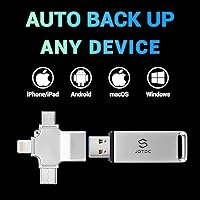
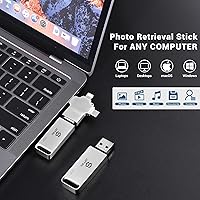
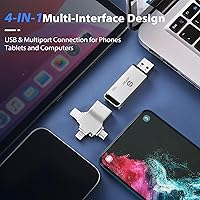
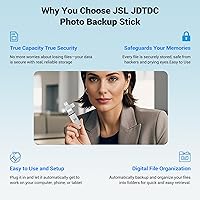
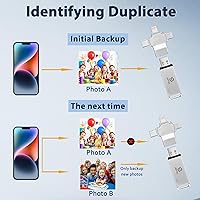
The most practical advantage of this 4-in-1 memory stick is that it comes with four connectors built in — Lightning, USB-C, Micro USB, and USB-A — meaning you rarely need an adapter regardless of which device you're working with. Once the iStore Pro app is installed, it automatically scans for new photos and videos, skips duplicates, and sorts everything into date and location folders. That last part is genuinely useful; you're not left with a dump of thousands of unsorted files. Speeds sit at 80 MB/s read and 70 MB/s write, which is solid for this category. The offline-only operation and a lifetime warranty round out a fairly strong feature set for the price.
Best For
This offline photo saver makes the most sense for a specific type of buyer: someone who has hit the storage ceiling on their phone and wants a one-time, physical fix rather than another monthly bill. It's particularly well suited to older and less tech-savvy users — the app is straightforward, and there's no account creation or password management involved. Families with photos spread across iPhones, Android phones, and laptops will also appreciate having everything pulled into a single organized archive. It also works well as a phone transfer tool, thanks to its multi-connector design. Frequent travelers who want a backup they can run without Wi-Fi will find it especially handy.
User Feedback
With over 1,000 ratings and a 4.2-star average, this photo backup stick has earned a broadly positive reputation, and the ease of setup is the most commonly praised aspect. Users tend to appreciate how the app handles multi-device backups without requiring much technical knowledge. That said, a few recurring concerns are worth noting. Backup speed can be slow when dealing with large photo libraries — this is not a quick five-minute job if you have years of photos to transfer. Some buyers have flagged the app dependency as a limitation compared to simpler plug-and-play alternatives. As a newer, lesser-known brand, warranty reliability is still an open question for some potential buyers.
Pros
- Four built-in connectors cover Lightning, USB-C, Micro USB, and USB-A — no adapters needed for most devices.
- Fully offline operation means no monthly fees and no cloud privacy concerns.
- Automatic duplicate detection keeps backups clean without any manual effort.
- Files are sorted into date and location folders automatically, which saves real time when browsing old photos.
- 256GB of storage is genuinely substantial — enough for tens of thousands of photos.
- The iStore Pro app is straightforward enough for seniors and non-technical users to navigate confidently.
- Read speed of 80 MB/s and write speed of 70 MB/s are competitive for a drive in this category.
- Works across iPhone, iPad, Android, Windows, and Mac from a single device.
- Slim and lightweight design makes it easy to carry anywhere without adding bulk.
- A lifetime warranty provides at least nominal long-term protection on the purchase.
Cons
- Requires installing the iStore Pro app — not a true plug-and-play solution like some competing drives.
- Backing up a large photo library can take a surprisingly long time, which may frustrate impatient users.
- JSL JDTDC is a newer, lesser-known brand with limited long-term reliability data available.
- Warranty support quality is unproven, and resolving claims with smaller brands can sometimes be difficult.
- App dependency means usability is tied to continued software support, which is not guaranteed long-term.
- Some buyers in this product category report that advertised storage capacity does not always match real-world available space.
- No computer-free backup option — the companion app must be installed on a host device to initiate transfers.
- Users who already pay for iCloud or Google Photos may find this 4-in-1 memory stick largely redundant.
Ratings
The scores below reflect an AI-driven analysis of verified global buyer reviews for the JSL JDTDC JD312 256GB 4-in-1 Photo Backup Stick, with spam, bot-generated, and incentivized feedback actively filtered out before scoring. Each category captures what real users consistently praised and complained about, not what the manufacturer claims. Both the strengths and the frustrations are reflected honestly so you can make a genuinely informed decision.
Ease of Setup
Multi-Device Compatibility
Backup Speed
Storage Accuracy
App Functionality
Build Quality
Offline Privacy
Duplicate Detection
Value for Money
File Organization
Brand Trust & Support
Portability
Sharing Features
Suitable for:
The JSL JDTDC JD312 256GB 4-in-1 Photo Backup Stick is a strong fit for anyone who has hit the storage wall on their smartphone and wants a permanent, subscription-free solution. It's particularly well matched to older adults and non-technical users who find cloud platforms confusing or anxiety-inducing — the iStore Pro app is approachable, and the process doesn't require an internet connection or account setup. Families with photos scattered across multiple device types will find real value here, since the four built-in connectors mean one stick covers iPhones, Android phones, iPads, and laptops without needing adapters. It also works well as a migration tool for anyone moving to a new phone, allowing fast transfers across platforms. Travelers and people in areas with unreliable internet access will appreciate the fully offline operation, since backups run without needing Wi-Fi at any point.
Not suitable for:
Buyers expecting a simple plug-and-play experience should know upfront that the JSL JDTDC JD312 256GB 4-in-1 Photo Backup Stick requires the iStore Pro companion app, which adds a setup step that some users may find inconvenient or limiting. If you're someone who prefers not to install third-party apps from a lesser-known brand, this offline photo saver may not suit your comfort level. Power users who back up very large libraries — tens of thousands of high-resolution photos or hours of 4K video — should also temper their expectations around speed, as the process can take considerably longer than anticipated for heavy collections. Those already invested in a robust cloud ecosystem like Google Photos or iCloud, with automatic syncing already in place, will find little added value here. Finally, buyers who prioritize established brand names and proven long-term support may want to consider better-known alternatives, since JSL JDTDC is a relatively new manufacturer and its warranty track record is still being established.
Specifications
- Brand: Manufactured by JSL JDTDC, a newer flash drive brand that entered the market in 2024.
- Model Number: The exact model identifier for this unit is JD312.
- Storage Capacity: This drive offers 256GB of onboard storage using Micro SDXC flash memory.
- Read Speed: Maximum read speed is rated at 80 MB/s under optimal conditions.
- Write Speed: Maximum write speed is rated at 70 MB/s, suitable for transferring large photo and video libraries.
- Interface: Primary computer-side connection uses USB 3.0 for faster data transfer rates.
- Connectors: Includes four built-in connectors: Lightning, USB-C, Micro USB, and USB-A, covering virtually all modern and legacy devices.
- Compatible Devices: Works with iPhone, iPad, Android smartphones and tablets, Windows PCs, and Mac computers.
- Companion App: Requires the free iStore Pro app to initiate and manage backups; the app is available for both iOS and Android.
- Internet Required: No internet connection is needed at any point during backup or file transfer operations.
- Duplicate Detection: The iStore Pro app automatically identifies and skips duplicate files to avoid wasting storage space.
- File Organization: Backed-up files are automatically sorted into folders organized by date and location metadata.
- Dimensions: The drive measures 2.28 x 0.28 x 0.04 inches, making it extremely slim and pocket-friendly.
- Weight: Total unit weight is 0.723 ounces, light enough to carry in a wallet or small pouch.
- Color: Available in silver with a compact, minimal physical design.
- Memory Type: Internal storage is built on Micro SDXC flash memory architecture.
- Warranty: JSL JDTDC provides a lifetime warranty on this drive, though long-term support from a newer brand should be considered.
- Best Sellers Rank: Ranked #229 in the USB Flash Drives category on Amazon at time of review, with over 1,000 customer ratings.
Related Reviews
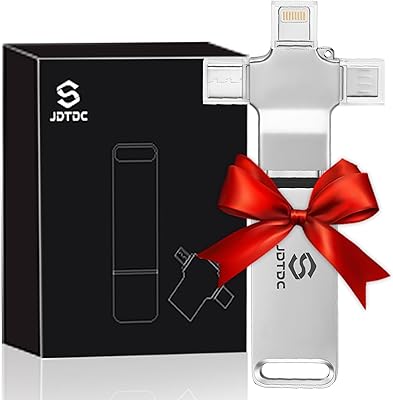
JSL JDTDC JD312 128GB Multiport Photo Stick
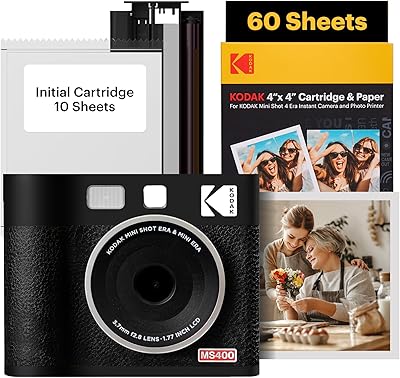
KODAK Mini Shot 4 ERA Instant Camera
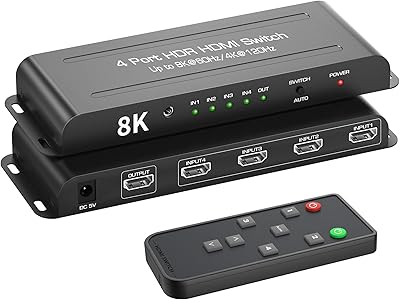
FERRISA 8K HDMI 2.1 Switch 4-in-1
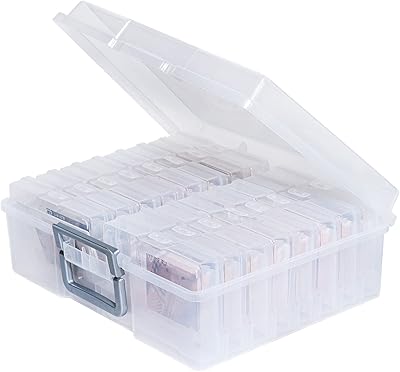
novelinks 16-Case 4×6 Photo Storage Box

PÜR Minerals 4-in-1 Correcting Primer 1oz

BiZiSOFON 2-in-1 Green & Blue Screen Backdrop 39.4″ x 59.1″
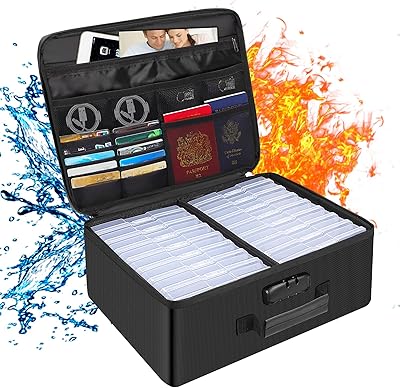
DocSafe DS0037 Fireproof Photo Storage Box

Yves Rocher Sebo Pur Végétal Moisturizer 40ml
Dove Men+Care Lime Avocado Bar Soap 4-Pack