Overview

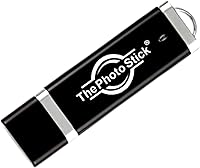
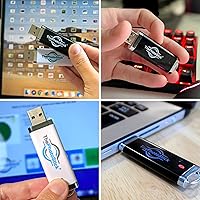
ThePhotoStick 128GB USB Photo Backup Drive is built for one specific person: someone who has thousands of photos sitting on their computer and no real plan for protecting them. The idea is refreshingly simple — plug it into a USB port, click one button, and the stick automatically hunts down your photos and videos. With 128GB of storage and compatibility across both Windows and Mac, it positions itself as a no-fuss offline alternative to cloud subscriptions and folder-by-folder manual transfers. That said, it is a convenience tool aimed at everyday users, not a replacement for a serious archival or backup workflow.

Features & Benefits

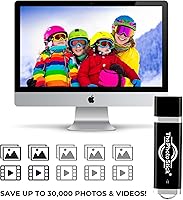
The one-click automatic scan is the whole pitch here. You plug in the backup stick, launch the software, hit Go, and it searches your drives for photos and videos without you needing to navigate anywhere. The 128GB capacity can hold roughly 30,000 average photos or several hours of video footage, which covers most personal libraries comfortably. Transfer speeds sit between about 16 and 30 MB/s — a modest collection moves quickly, but if you have years of raw files, expect the first backup to take a while. There is no subscription required, and a built-in duplicate detector keeps you from accumulating redundant copies.

Best For

This one-click backup drive makes the most sense for less tech-savvy users — particularly older adults who find cloud apps confusing or simply do not trust their photos floating on someone else's server. If you have a parent or grandparent sitting on a decade of unsorted photos, this makes a genuinely thoughtful gift. It also suits anyone running older hardware who just wants a physical, private copy of their media without signing up for anything. What it is not ideal for is mobile-first users; this stick works only with Windows and Mac computers, so Android or iPhone libraries need a separate solution.

User Feedback

Across thousands of reviews, the clearest theme is relief — buyers who had been putting off backing up their photos for years found the PhotoStick genuinely easy to use straight out of the box. Cross-platform reliability gets consistent praise, with very few reports of driver issues on either Windows or Mac. On the flip side, some users were caught off guard by how long the initial scan takes with a large library, and several felt the transferred files lacked useful folder organization. The sharpest criticism centers on value for money: a standard flash drive at the same capacity costs far less, and not everyone feels the bundled software bridges that gap.

Pros

  • Absolutely no technical knowledge required — plug it in, click once, and it handles everything automatically.
  • No subscriptions, no accounts, no monthly fees — you pay once and the backup stick is yours to keep.
  • 128GB holds roughly 30,000 average photos, which covers most personal libraries with room to spare.
  • Works reliably across both Windows and Mac without any driver installation headaches.
  • Built-in duplicate detection prevents your backup from filling up with redundant copies of the same file.
  • Compact and lightweight enough to tuck into a drawer or a travel bag as a permanent offline safety copy.
  • A genuinely practical gift for less tech-savvy family members who have been putting off protecting their photos.
  • Keeps your personal photos entirely off third-party servers, which matters to privacy-conscious users.

Cons

  • The price premium over a standard USB flash drive is steep, given that the core storage hardware is essentially the same.
  • Write speeds are modest — a very large library can take hours to back up on the first run.
  • No support for smartphones or tablets; iPhone and Android users are completely left out.
  • Files are not organized into folders after transfer, which frustrates users who expect their existing structure to be preserved.
  • The bundled software offers limited features beyond the basic scan-and-copy function — no scheduling, no incremental backups.
  • 128GB sounds like a lot until you factor in high-resolution video files, which can eat through the capacity quickly.
  • Some users have reported the scanning software occasionally misses files stored in non-standard locations.
  • Long-term durability of a USB stick as a sole backup medium is a real concern — physical drives can fail or get lost.

Ratings

ThePhotoStick 128GB USB Photo Backup Drive has been evaluated by our AI system after analyzing thousands of verified global buyer reviews, with spam, bot-generated, and incentivized feedback actively filtered out to ensure the scores reflect genuine user experiences. The ratings below capture both what this backup stick genuinely does well and the real frustrations that a meaningful portion of buyers have encountered. Nothing has been softened — the scores reflect the full picture.

Ease of Use
91%
This is where the PhotoStick earns its strongest marks by a wide margin. Buyers who had spent years avoiding the backup task — either because cloud apps confused them or manual file sorting felt overwhelming — consistently described the one-click process as the first backup solution that actually worked for them without outside help.
A small but notable group of users found the initial software launch slightly confusing on Mac, particularly on machines running newer operating system versions that prompt security warnings for unverified apps. For anyone unfamiliar with overriding those prompts, it can feel like a roadblock right at the start.
Value for Money
52%
48%
For buyers who genuinely needed a dead-simple, no-setup backup tool and were not comfortable configuring a standard flash drive themselves, the convenience bundled into this one-click backup drive felt worth the premium. The absence of any ongoing subscription cost also resonated positively with users on fixed incomes or those who resent recurring fees.
The value question is where this product takes its hardest hits. A significant share of reviewers — including many who liked the device — pointed out that a standard 128GB flash drive costs a fraction of the price and can store the same files with a simple drag-and-drop. The software, while useful, struggles to justify the gap for anyone even moderately comfortable with computers.
Transfer Speed
61%
39%
For smaller libraries of a few thousand everyday smartphone photos, the write speeds are adequate and the backup completes without much waiting. Users backing up collections under roughly 10,000 files generally did not flag speed as a concern, and the process ran in the background without demanding attention.
Users with large photo archives — think a decade of family photos, birthday videos, and holiday trips — frequently described the first backup as painfully slow, sometimes running for several hours. At real-world speeds of 16 to 30 MB/s, a heavily loaded first backup is not a quick task, and several buyers felt this was not clearly communicated before purchase.
Storage Capacity
78%
22%
128GB covers the realistic needs of most casual photo collectors comfortably, with room for roughly 30,000 standard smartphone images or a solid mix of photos and standard-definition video clips. Buyers who primarily shoot JPEG photos on a phone or point-and-shoot camera found it more than sufficient for their entire existing library.
Users who shoot video frequently, record in 4K, or use mirrorless cameras with large RAW files discovered the capacity ceiling faster than expected. A few reviewers also noted that once the drive fills up, there is no straightforward way to manage or remove older files through the companion software.
Cross-Platform Compatibility
83%
Households that mix Windows PCs and Macs appreciated that the backup stick worked consistently across both without needing separate software versions or any driver installation. This is particularly relevant for families where one person uses a MacBook and another uses a Windows desktop, all sharing the same backup device.
Compatibility with newer Mac operating systems has generated some friction, with users on recent macOS versions occasionally needing to navigate security settings to allow the software to run. It is a solvable issue, but for the non-technical audience this device targets, it can feel disproportionately complicated.
File Organization After Backup
44%
56%
The backup process does successfully copy files off the computer and onto the stick, which is ultimately the core job. Users who simply wanted a safety copy of their photos — without caring about how those files were arranged — were satisfied that their images were preserved and accessible.
A recurring and genuine complaint is that the software does not preserve the user's existing folder structure. Photos dumped into a flat or minimally organized directory frustrated many buyers who expected their carefully arranged albums and date folders to carry over. For anyone with an organized library, the post-backup experience feels like a step backward.
Setup & First Run
81%
19%
The plug-and-play approach means there is nothing to install from a website, no account to create, and no product key to enter. For users gifting this to a parent or grandparent, the low barrier to first use is a genuine selling point — most people can get the first scan running within minutes of opening the box.
The pre-loaded software on the drive can occasionally behave inconsistently depending on the computer's autorun settings, meaning some users had to manually navigate to the drive to find and launch the application. It is a minor issue, but it does chip away at the frictionless experience the product promises.
Portability & Build
74%
26%
Weighing just 0.317 ounces, the backup stick is genuinely pocketable and easy to tuck away in a safe, a desk drawer, or a travel bag. Its physical size is reassuringly small for something that holds an entire personal photo archive, which buyers storing it long-term found convenient.
The build feels utilitarian rather than premium — the plastic casing does not inspire a lot of confidence for something users are trusting with irreplaceable memories. A few reviewers mentioned the USB connector felt slightly loose in older ports, raising minor concerns about whether a bump during a backup session could interrupt the transfer.
Duplicate Detection
77%
23%
The duplicate filtering function works as described for most users, preventing repeat backups from inflating the file count and wasting storage space. Regular users who run the backup monthly found it particularly useful, since only new photos were added each time rather than re-copying everything from scratch.
Some users reported that the duplicate detection occasionally missed files or, conversely, skipped photos it incorrectly flagged as duplicates. It is not a widespread issue, but for users with large libraries where even a small error rate translates to hundreds of missed or redundant files, it undermines confidence in the completeness of the backup.
Privacy & Offline Operation
88%
The fully offline nature of this backup stick is a genuine differentiator for privacy-conscious buyers. Users who were specifically seeking an alternative to iCloud, Google Photos, or Dropbox — either due to distrust of cloud storage or concerns about data privacy — cited this as one of the primary reasons they chose it over competing solutions.
The offline-only design, while a deliberate and appreciated feature for many, also means there is no automatic background syncing, no remote access to backed-up files, and no recovery option if the physical stick is lost or damaged. Users who later wanted the flexibility of also accessing their photos remotely found themselves needing an additional solution anyway.
Software Functionality
57%
43%
The core scanning and saving function is reliable enough for the vast majority of casual users, and the interface is intentionally stripped back to reduce confusion. For someone who only wants to run a backup every few months with minimal interaction, the software does what it promises without unnecessary complexity.
Beyond the basic scan-and-save function, the software offers very little — no scheduling, no incremental backup options, no file browsing or preview within the app, and no selective backup by folder or date range. Buyers who discovered this after purchase often felt the software was the weakest part of the package relative to the price paid.
Reliability Over Time
69%
31%
Many long-term users reported the device working consistently across multiple years of regular use without any hardware failures, which is reassuring given that physical backup devices are only useful if they remain readable when you need them most. Positive long-term reports were especially common among users who stored the stick carefully between uses.
A subset of reviewers reported the device failing or becoming unreadable after a year or two of use, which is a more serious concern for something marketed as a photo safety net. USB flash memory has a finite write cycle lifespan, and the product provides no guidance on expected longevity or how to verify that backed-up files remain intact over time.

Suitable for:

ThePhotoStick 128GB USB Photo Backup Drive was clearly designed with a specific type of person in mind, and for that person it genuinely delivers. If you are an older adult, a retiree, or simply someone who finds cloud storage apps frustrating and opaque, this backup stick removes virtually every technical barrier between you and a protected photo library. It is equally well-suited to anyone who has spent years accumulating photos on a Windows PC or Mac and keeps putting off the task of backing them up because the process feels too complicated. Privacy-conscious users who would rather keep their personal photos on a physical device than upload them to a third-party server will also appreciate the offline-only approach. And if you are shopping for a parent or grandparent who has thousands of irreplaceable photos sitting on an old laptop, this one-click backup drive is one of the more thoughtful and practical gifts you can find.

Not suitable for:

ThePhotoStick 128GB USB Photo Backup Drive is not the right tool for everyone, and being clear about that upfront will save some buyers real frustration. If your photo library lives primarily on your smartphone — whether iPhone or Android — this stick will not help you directly, since it only connects to and works with Windows and Mac computers. Tech-savvy users who are comfortable managing folders, using cloud services, or running dedicated backup software will likely find the convenience premium hard to justify when a standard high-capacity USB drive costs considerably less. Anyone who needs their backed-up files organized into meaningful folders or sorted by date and album should also look elsewhere, as the transfer process does not replicate your existing folder structure. Finally, if you are dealing with a truly massive library — tens of thousands of high-resolution files — be prepared for a lengthy first backup session, as the write speeds are modest rather than fast.

Specifications

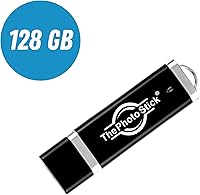
  • Storage Capacity: This backup stick provides 128GB of onboard flash storage, enough to hold approximately 30,000 average-sized photos or several hours of video footage.
  • Interface: It uses a standard USB Type-A connector, which is compatible with the full-size USB ports found on the vast majority of desktop and laptop computers.
  • Write Speed: Write speeds range from 16.67 MB/s to 30 MB/s depending on file size and system conditions, which is adequate for most personal libraries but not optimized for very large raw file collections.
  • Compatible Platforms: The device is designed to work with both Windows and Mac computers; it does not natively support iOS or Android mobile devices.
  • Operation Method: A one-click automatic scanning function locates and copies photos and videos from across the connected computer without requiring the user to manually select folders.
  • Duplicate Detection: Built-in duplicate detection identifies files already saved to the stick and skips them on subsequent backups, preventing redundant copies from consuming storage space.
  • Subscription Required: No subscription, cloud account, or internet connection is required at any point; the device functions entirely as a standalone offline backup tool.
  • Form Factor: The PhotoStick is a compact USB flash drive form factor designed to be pocketable and easy to store in a desk drawer, bag, or safe.
  • Dimensions: The device measures 5.98 x 3.11 x 0.39 inches, making it slightly larger than a typical USB drive but still highly portable.
  • Weight: At just 0.317 ounces, the backup stick adds virtually no meaningful weight when carried alongside other personal items.
  • Color: The unit is finished in black with a minimal design that carries no visible branding markings on the drive body itself.
  • Flash Memory Type: The device uses USB flash memory as its underlying storage technology, consistent with standard portable thumb drive construction.
  • Manufacturer: ThePhotoStick 128GB USB Photo Backup Drive is manufactured by Prairie IT, LLC, a company focused on consumer-oriented media backup solutions.
  • Hardware Connectivity: The hardware connectivity type is USB Type-A, meaning it plugs directly into a standard full-size USB port with no adapter needed on most desktops and older laptops.
  • First Available: The product was first made available in February 2017 and has remained in active production without being discontinued by the manufacturer.
  • Item Model Number: The official item model number assigned by the manufacturer is 461509314, which can be used to identify this specific capacity variant.

Related Reviews
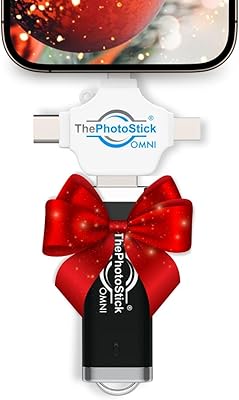
ThePhotoStick Omni 128GB USB Flash Drive
72%
88%
Multi-Device Compatibility
63%
Ease of Setup
54%
Transfer Speed
71%
Storage Capacity
61%
Build Quality & Durability
More
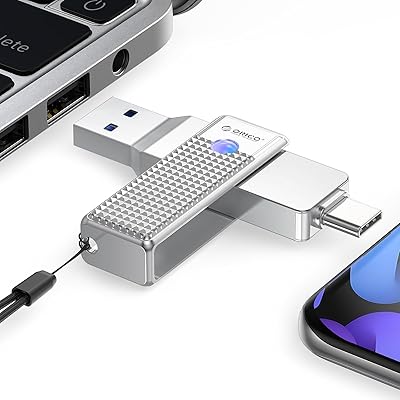
ORICO UFSD 128GB USB-C Flash Drive
81%
91%
Dual Connectivity
92%
Plug & Play Setup
78%
Transfer Speed
84%
Build Quality
82%
Value for Money
More
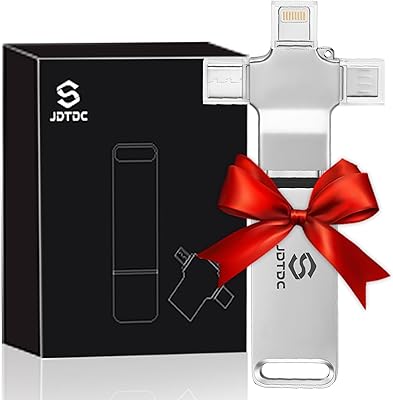
JSL JDTDC JD312 128GB Multiport Photo Stick
73%
88%
Connector Versatility
82%
Ease of Setup
57%
Backup Speed
63%
App Experience
67%
Value for Money
More
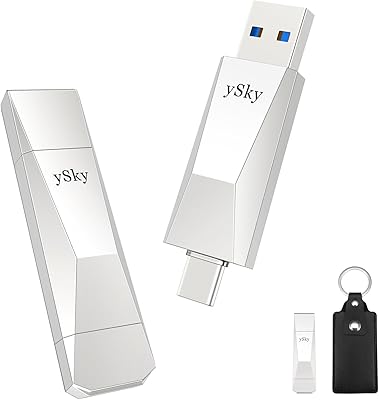
ySky 128GB USB 3.2 Solid State Flash Drive
89%
92%
Performance and Speed
89%
Build Quality & Durability
85%
Compatibility and Connectivity
94%
Ease of Use
88%
Portability and Design
More
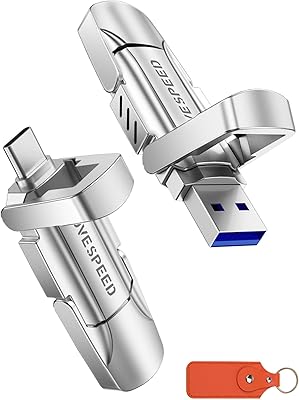
MOVE SPEED V Series 128GB USB 3.2 Flash Drive
87%
92%
Performance
89%
Value for Money
88%
Build Quality
94%
Ease of Use
90%
Transfer Speed
More
SanDisk 128GB Extreme PRO USB 3.2 Solid State Flash Drive
88%
94%
Performance
92%
Speed
89%
Durability
90%
Portability
78%
Compatibility with Devices
More
SanDisk 128GB Ultra Luxe USB 3.2 Gen 1 Flash Drive
89%
94%
Transfer Speed
90%
Build Quality
88%
Ease of Use
87%
Security Features (AES Encryption)
92%
Portability
More
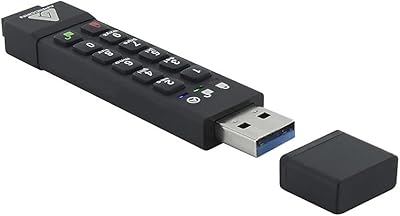
Apricorn Aegis Secure Key 3Z 128GB USB 3.0 Flash Drive

87%
94%
Security Features
89%
Durability & Build Quality
91%
Ease of Use (Pin Authentication)
72%
Data Transfer Speed (Write Speed)
85%
Waterproof & Dustproof Performance
More
G-Technology G-DRIVE Mobile 1TB Portable Hard Drive
75%
88%
Build Quality
93%
Mac Compatibility
91%
Portability
57%
Transfer Speed
62%
Value for Money
More
G-Technology G-DRIVE Mobile 4TB Portable Hard Drive
77%
93%
Build Quality
91%
Mac Compatibility
61%
Transfer Speed
88%
Portability
58%
Value for Money
More

FAQ

The software comes pre-loaded on the stick itself, so there is nothing to download beforehand. When you plug it into your computer for the first time, you open the drive like any USB flash drive and launch the application directly from it. Most users are up and running within a couple of minutes.

The PhotoStick is fully compatible with both Windows PCs and Mac computers. Users across both platforms have reported it working without needing to install any additional drivers, which makes the setup process particularly painless regardless of which operating system you are on.

That really depends on how many files you have. A modest collection of a few thousand photos will typically finish in under an hour. If you have a decade of photos and videos spread across your hard drive, the first backup could take several hours given the write speeds of 16 to 30 MB/s. Subsequent backups are faster because the duplicate detection skips files already saved.

Unfortunately, no. This one-click backup drive is designed exclusively for Windows and Mac computers and does not connect to smartphones or tablets directly. If your photos live primarily on your phone, you would need to transfer them to your computer first, or look at a different product designed specifically for mobile device backup.

The built-in duplicate detection takes care of that. On subsequent backups, the stick identifies files it has already saved and skips them, so you will not end up with multiple copies of the same photo eating into your storage space.

As a rough guide, 128GB can hold around 30,000 photos taken on a typical smartphone or mid-range camera. If you shoot in RAW format or have a lot of 4K video, that number drops significantly. For most casual users with everyday JPEG snapshots and standard-definition video clips, 128GB is more than enough.

This is one area where the backup stick falls short of some users' expectations. The software copies your files but does not replicate your existing folder hierarchy. If having your photos organized by album, date, or custom folder is important to you, you may find the result a bit disorganized.

None at all. There is no subscription, no cloud service fee, and no account to create. You pay once for the hardware and the software is included. Everything runs locally on your computer and stores directly to the stick.

Physical storage devices can fail, get lost, or be damaged, so relying on any single device as your only backup carries some risk. The backup stick is a great first step toward protecting your photos, but for truly irreplaceable images, it is worth pairing it with at least one other backup method — whether that is a cloud service, an external hard drive, or both.

For most non-technical users, yes. The process genuinely boils down to plugging it in and clicking one button, which is about as simple as it gets. The main thing to set expectations around is that the first backup can take a while if the recipient has a large photo collection, so it is worth letting them know to leave it running and not expect it to finish in five minutes.

Where to Buy