Overview

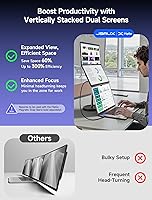
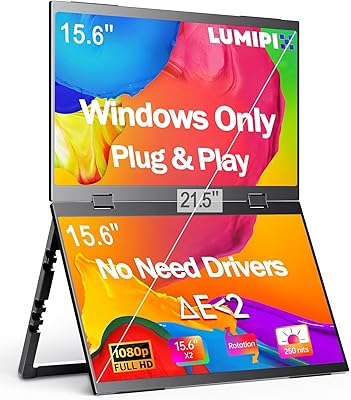
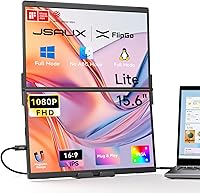
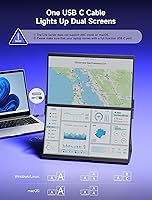
The JSAUX FlipGo Lite 15.6″ Portable Dual Monitor is built for a specific kind of person: the developer, analyst, or road warrior who needs two extra screens but refuses to haul a bag full of hardware. The concept is straightforward — two 15.6-inch IPS panels stacked vertically, driven by a single cable from your laptop. It earned both the 2024 iF Design Award and Red Dot Design Award, which carries real weight in the hardware space. One critical caveat to address upfront: if you're on macOS, extended triple-screen mode is off the table. Windows and Linux users get the full experience; Mac users do not.
Features & Benefits

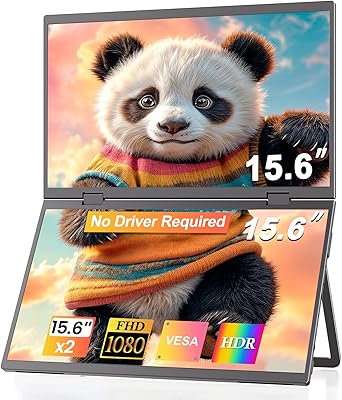
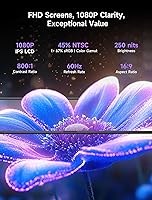
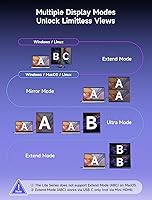
The FlipGo Lite runs two 15.6-inch matte IPS panels at 1080p and 60Hz, covering everyday productivity work comfortably. Brightness at 250 nits is adequate for dim offices or home desks, but expect washout in bright rooms or near windows. Color gamut is 45% NTSC, meaning this is not a display for photo editing or color-critical work. Three display modes add flexibility: Ultra Mode spreads content panoramically, Mirror Mode suits presentations, and Extend Mode places screens side by side for multitasking. The built-in hub handles USB-C, Mini HDMI, and two USB 2.0 ports — and when connected to a 65W+ adapter, the device can reverse charge your laptop through the same cable.

Best For

This laptop screen extender is a natural fit for software developers who need a terminal, documentation tab, and code editor all visible at once without juggling windows. Business travelers who move between hotels, co-working spaces, and client offices will appreciate replacing a docking station with a single slim device. Remote workers on Windows or Linux who regularly hot-desk are the clear target audience. Photographers, video editors, and designers should look elsewhere — the 45% NTSC color gamut falls short of what creative work demands. This dual-stacked portable monitor is not meant to replace a proper desktop display; it works best as a productivity extender alongside your laptop's built-in screen.

User Feedback

At 4.1 stars, the FlipGo Lite earns generally positive marks. Buyers consistently praise portability and the no-driver setup — plugging in and being productive within seconds is a real differentiator that reviewers mention repeatedly. Build quality also draws solid approval. The frustrations worth knowing: at 250 nits, brightness becomes a genuine problem in sunlit rooms or open-plan offices, and multiple reviewers flag this directly. The stand being sold separately stings at this price — it feels like a meaningful omission. macOS compatibility surfaces often in critical reviews; users expecting full triple-screen freedom on a Mac will be let down. On value, opinions split — some see it as smarter than buying two individual portable monitors, while others feel accessory costs tip the balance.

Pros

  • A single USB-C cable drives both 15.6-inch screens simultaneously, keeping cable management genuinely tidy.
  • Truly plug-and-play on Windows and Linux — no driver downloads or software configuration required.
  • The built-in hub adds Mini HDMI and two USB 2.0 ports, eliminating the need to carry a separate dock.
  • Reverse pass-through charging at 65W+ feeds power back to your laptop through the same cable.
  • Matte IPS panels cut glare effectively and hold up well during long coding or writing sessions.
  • Flicker-free, low-blue-light technology reduces eye fatigue meaningfully over a full workday.
  • Three display modes — Ultra, Mirror, and Extend — handle most productivity and presentation needs without extra configuration.
  • Earned both the 2024 iF Design Award and Red Dot Design Award, reflecting a thoughtfully engineered physical form.
  • At 3.42 pounds, the FlipGo Lite is genuinely light enough to pack daily without wrecking your back.
  • N52 rear magnets allow secure, wobble-free attachment of compatible stands and accessories.

Cons

  • At 250 nits, brightness becomes a real problem in sunlit rooms or bright open-plan office environments.
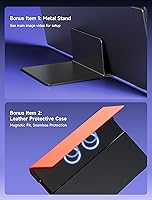
  • The stand is sold separately — a genuine sting at an already premium price point.
  • macOS users lose access to extended triple-screen mode entirely, leaving a significantly reduced feature set.
  • A 45% NTSC color gamut makes this laptop screen extender unsuitable for any color-critical creative work.
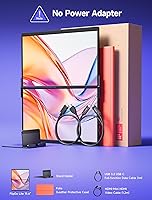
  • No power adapter is included; a 65W+ USB-C charger is required separately to enable reverse charging.
  • Shipping weight of 5.68 pounds means the full kit is heavier than some road warriors anticipate.
  • Some USB-C port configurations on older laptops have shown compatibility issues with simultaneous display and power delivery.
  • The five-model FlipGo lineup creates confusion — buyers occasionally order the wrong variant for their specific system.
  • Achieving the full triple-monitor setup requires compatible hardware and ports that not every laptop provides out of the box.

Ratings

The JSAUX FlipGo Lite 15.6″ Portable Dual Monitor carries a 4.1-star global rating, and the category scores below were generated by AI after analyzing thousands of verified buyer reviews from around the world — with spam, incentivized, and bot-generated feedback actively filtered out. This analysis spans Windows developers, business travelers, remote workers, and creative professionals alike, capturing the full breadth of real purchase experiences. Both where this laptop screen extender excels and where it consistently falls short are reflected transparently in every score.
Portability & Form Factor
88%
Travelers and hot-deskers consistently describe the stacked dual-panel design as genuinely bag-friendly — it sits flat alongside a 15-inch laptop in most standard backpacks without needing a dedicated case. At 3.42 pounds and just 0.71 inches thin, the physical footprint is far smaller than carrying two separate portable monitors.
Some buyers who expected ultralight portability note that 3.42 pounds adds up over a long airport or commute day alongside an already heavy laptop. The 5.68-pound shipping weight also catches a few buyers off guard when the full kit arrives.
Display Quality
74%
26%
The 1080p IPS matte panels are well-suited for coding, document review, and multitasking — text is crisp, wide viewing angles make repositioning easy, and the matte coating handles moderate ambient light without heavy glare. For programmers spending full days looking at terminals and code, the clarity holds up well.
The 45% NTSC color gamut makes content look visibly flat compared to a modern wide-gamut laptop screen, which some users notice immediately when the panels sit side-by-side with their built-in display. The 800:1 contrast ratio is acceptable but not deep enough for media consumption or anything requiring rich blacks.
Brightness & Visibility
51%
49%
In controlled indoor environments — dim hotel rooms, home offices with blinds drawn, or evening coding sessions — 250 nits is serviceable, and users in those conditions rarely raise it as a problem. The matte panel coating provides additional help by reducing reflections in moderate lighting.
In any well-lit room, open-plan office, or space near a window, 250 nits falls noticeably short — this is the single most consistent complaint across critical reviews. Business travelers who work in airport lounges or bright client offices will find the screens uncomfortable to use, and there is no brightness boost option to compensate.
Color Accuracy
43%
57%
For the core intended audience — developers, analysts, and writers working with text, code, and spreadsheets — the color reproduction is sufficient and everyday UI colors look identifiable and normal. Users who stay within productivity contexts consistently report that it handles everything they need without visible issues.
At 45% NTSC (approximately 67% sRGB), the panels are objectively unsuitable for color-critical work — photographers, designers, and video editors who purchase without checking this specification frequently express post-purchase disappointment. Colors appear noticeably flatter than a calibrated display, and the gap becomes obvious when the panels sit next to a modern laptop screen with wider coverage.
Setup & Compatibility
79%
21%
On Windows and Linux systems with a properly equipped USB-C port, getting both screens running genuinely takes under a minute — plug in, both panels light up, done. The absence of any driver or software installation step is something buyers repeatedly highlight as a stress-free experience, especially for people who travel and set up in new environments daily.
The Windows and Linux-only extended mode restriction creates real frustration for Mac users who discover this limitation after purchasing. Additionally, a subset of users with older laptops or non-Thunderbolt USB-C ports report that video output does not work as expected, meaning port compatibility is worth verifying before buying.
Connectivity & Hub
84%
Having Mini HDMI, two USB 2.0 ports, and USB-C display and power inputs all built in is a practical advantage — users routinely connect a mouse, USB drive, and an external device without reaching for a separate hub. For travelers minimizing bag contents, this built-in dock effectively replaces a piece of hardware most people carry separately.
The USB 2.0 ports are limited to basic data transfer speeds, which frustrates users who need to move large files or connect high-speed storage. A few buyers also note that Mini HDMI is less convenient than full-size HDMI for older peripherals, requiring an adapter they did not anticipate needing.
Build Quality
83%
The physical construction draws consistent praise in reviews — the panels feel solid and well-assembled, and the N52 magnetic rear attachment works as advertised, snapping onto compatible accessories cleanly. The 2024 iF and Red Dot design recognition is reflected in a finish that reads as considered rather than generic.
A small number of users report that the panels develop minor flex under pressure in a packed bag, raising durability questions for heavy daily commuters. Some also note that the magnetic rear panel feels like a design that depends on purchasing additional stands to feel fully complete as a product.
Display Modes
77%
23%
Three display modes give real flexibility — Ultra Mode works well for a wide horizontal spread, Mirror Mode handles client presentations cleanly, and Extend Mode is where most programmers and analysts spend their time, running code on one panel and documentation on another. Switching between modes is accessible via the onboard multifunction keys.
The mode options are genuinely narrowed for Mac users, who cannot access extended mode at all, reducing the device's flexibility to a subset of what Windows users enjoy. Some users also report that mode switching is not immediately intuitive without consulting the manual or product images first.
Eye Comfort
81%
19%
The combination of flicker-free backlighting and low-blue-light output earns specific mention from programmers who spend long days in front of screens — many report that eight-hour coding sessions feel noticeably less fatiguing than on standard portable monitors. The matte surface further reduces eye load by cutting reflective glare that glossy panels compound over time.
At 250 nits, many users end up running at maximum brightness in any environment above dim, which can partially undercut the comfort benefit of the flicker-free and low-blue-light features. A handful of users sensitive to backlight uniformity also report subtle brightness variation across the panels during extended sessions.
macOS Support
38%
62%
The device does physically connect to MacBooks and will display content, so Mac users can still use it in a limited capacity — Mirror Mode and Ultra Mode function, making it usable for presentations or basic extending. For Mac owners who primarily need a mirror display for client-facing situations, it is not entirely without value.
Extended triple-screen mode — the core selling point — is completely unavailable on macOS, leaving Mac users with a significantly stripped-back experience. This is the most frequently cited source of post-purchase disappointment in the review base, and it is a firm dealbreaker for any Mac user whose goal was independent dual-screen productivity.
Value for Money
67%
33%
For Windows and Linux users who fit the target profile — developers, remote workers, frequent travelers — the FlipGo Lite consolidates what would otherwise require a separate dock and two portable monitors into one bag-friendly device. Buyers who fully use the hub, reverse charging, and extended mode together tend to rate value more favorably.
At this price point, the stand not being included feels like a notable omission, and once a compatible stand is added the total outlay rises meaningfully. Buyers comparing it to purchasing two individual budget portable monitors sometimes find that route more cost-effective, particularly if the single-cable convenience is not a strict requirement for them.
Pass-Through Charging
76%
24%
When connected to a 65W or higher USB-C adapter, the reverse charging feature genuinely offsets the battery drain of running two extra displays — something remote workers on long train journeys or in airport lounges appreciate, as it means keeping the laptop running without separately hunting for a power outlet.
The power adapter is not included, meaning the reverse charging benefit is not accessible out of the box and requires sourcing a compatible 65W or higher USB-C adapter independently. Users with laptops that draw more than 65W under load also report that the pass-through power only partially slows battery drain rather than fully sustaining it.
Cable Management
87%
Running a triple-screen setup from a single USB-C cable is a genuine advantage over traditional multi-monitor arrangements that typically need separate power bricks, display cables, and a hub. Reviewers who upgraded from that kind of setup frequently comment on how dramatically cleaner their desk or temporary hotel workspace became as a result.
Reliance on a single cable means any issue with that cable — damage, a loose port, or an incompatible USB-C implementation — takes down both displays simultaneously. A handful of users also report occasional flickering or signal dropout in the single-cable connection, which is more disruptive than it would be with two independent monitor cables.
Stand & Accessories
48%
52%
The N52 magnetic rear panel is well-engineered — stands attach securely without wobble, and JSAUX has designed four purpose-built stand options for the FlipGo series, giving buyers genuine choice in how they position the screens. For users who purchase a compatible stand, the overall ergonomic result is solid and stable.
None of the stands come in the box, which is a frustration raised consistently at this price tier — the device needs a stand or surface support to be used stably, making the extra purchase feel like a necessity rather than a true optional upgrade. The additional stand cost meaningfully increases the total investment and catches buyers off guard.
Driver-Free Setup
91%
The plug-and-play experience on Windows and Linux is one of the most consistently praised aspects in reviews — users who have dealt with years of driver conflicts and display configuration headaches describe it as a genuine relief. Plugging in and having both screens recognized instantly in a hotel room or airport lounge is exactly the kind of simplicity frequent travelers value.
The driver-free experience is specific to Windows and Linux; Mac users may encounter recognition issues depending on their system configuration, and the experience is notably less consistent on that platform. A small number of Windows users with unusual display setups or USB hub chains also report intermittent recognition failures on first connect.

Suitable for:

The JSAUX FlipGo Lite 15.6″ Portable Dual Monitor hits a genuine sweet spot for software developers who need a terminal window, documentation tab, and IDE visible at the same time without constantly reshuffling windows. Business travelers who regularly work out of hotel rooms, co-working spaces, or client offices will find it genuinely useful — replacing a docking station and two separate monitors with a single device that fits in a laptop bag is a meaningful practical win. Remote workers on Windows or Linux who hot-desk frequently are the other obvious beneficiaries, particularly since setup requires nothing beyond plugging in one USB-C cable with no driver installation. For anyone logging long hours in front of screens, the flicker-free and low-blue-light panels are a thoughtful inclusion that makes extended use more comfortable over time. If your core needs are text-heavy productivity, multitasking across multiple windows, or presenting work to others, the FlipGo Lite covers those scenarios well.
Not suitable for:

The JSAUX FlipGo Lite 15.6″ Portable Dual Monitor is a poor match for anyone whose work depends on color accuracy. At 45% NTSC — roughly 67% sRGB — the panels fall well short of what photographers, video editors, and graphic designers need; color-critical decisions made on these screens will not translate reliably to other displays. Mac users should also approach with real caution: extended triple-screen mode does not function on macOS, leaving Apple laptop users with a meaningfully reduced experience that many will find hard to justify at this price. Workers in bright open-plan offices or anyone who occasionally works near windows will run up against the 250-nit brightness ceiling faster than expected — it is simply not enough to compete with strong ambient light. This is equally not suited for anyone seeking a desktop monitor replacement; it is engineered as a travel extender that works alongside a laptop's existing screen, and treating it as a primary display will lead to disappointment.
Specifications

  • Panel Size: Each of the two stacked panels measures 15.6″ diagonally, providing a combined dual-screen workspace above your laptop's own display.
  • Resolution: Both panels output at 1920 x 1080 pixels (FHD 1080p) with a 16:9 aspect ratio.
  • Refresh Rate: Both displays run at 60Hz, which is standard for productivity-focused portable monitors and adequate for everyday office and coding use.
  • Panel Type: IPS LCD matte panels deliver wide viewing angles and a low-glare surface finish suited to prolonged screen time.
  • Brightness: Peak brightness is rated at 250 nits, which is workable in dim to moderate indoor lighting but insufficient in bright offices or near direct sunlight.
  • Contrast Ratio: The panels carry an 800:1 contrast ratio, delivering adequate depth and readability for text-heavy productivity tasks.
  • Color Gamut: Color coverage is 45% NTSC (approximately 67% sRGB), which is below the threshold required for professional photo editing, color grading, or graphic design.
  • Dimensions: The unit measures 14.45 x 8.66 x 0.71 inches, designed to lay flat inside a standard laptop backpack without requiring a dedicated case.
  • Weight: The unit itself weighs 3.42 pounds; total shipping weight including packaging is 5.68 pounds.
  • Connectivity: Built-in ports include one USB-C display input, one USB-C power port, one Mini HDMI, and two USB 2.0 ports, removing the need for a separate hub or dock.
  • Reverse Charging: When a 65W or higher USB-C power adapter is connected to the device, it can pass charge back to the host laptop through the same cable connection.
  • Driver Support: No drivers or additional software are required; the device operates as a plug-and-play display on compatible Windows and Linux systems.
  • OS Compatibility: Full extended triple-screen mode is supported on Windows and Linux; macOS connectivity is possible but extended mode is not supported, limiting the Mac experience significantly.
  • Display Modes: Three selectable modes are available: Ultra Mode for a wide panoramic layout, Mirror Mode for overlapping or presenter use, and Extend Mode for side-by-side multitasking.
  • Magnet System: Four sets of N52 magnets embedded in the rear panel enable secure attachment of compatible JSAUX stands and accessories, all of which are sold separately.
  • Eye Care: Both panels include flicker-free backlighting and low-blue-light output, reducing visual fatigue during extended work sessions.
  • Model Number: This specific variant is model PM0207, one of five monitors in the JSAUX FlipGo series, each offering a distinct feature set.
  • Design Awards: The product received both the 2024 iF Design Award and the Red Dot Design Award, recognizing its hardware design and engineering approach.

Related Reviews
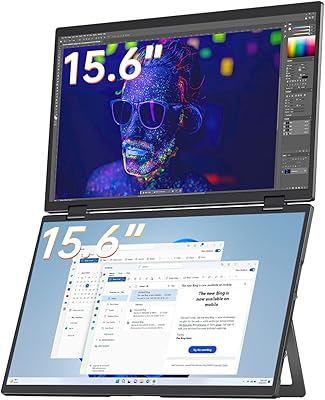
CUIUIC GS156KS1 15.6″ Dual Portable Monitor
74%
91%
Setup & Plug-and-Play
78%
Display Quality
62%
Portability & Travel Fit
57%
Dual-Device Mode
74%
Build Quality
More
VisionOwl V-D15F 15.6″ Dual Portable Monitor
76%
88%
Build Quality
91%
Display Accuracy
79%
Portability
74%
Ease of Setup
58%
Brightness & Outdoor Usability
More
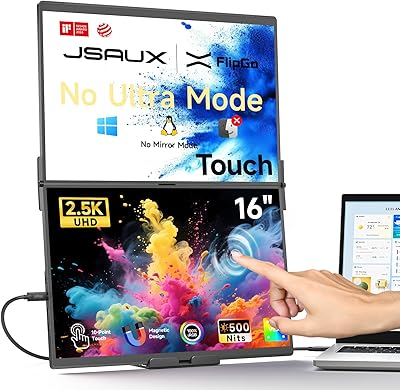
JSAUX FlipGo TouchScreen 16″ Dual Portable Monitor
86%
94%
Display Quality
89%
Touchscreen Accuracy
91%
Portability
88%
Ease of Setup
87%
Build Quality
More
JSAUX FlipGo Pro 16″ Dual Portable Monitor
85%
94%
Portability & Design
91%
Display Quality
90%
Ease of Setup
73%
Power Performance
88%
Compatibility & Connectivity
More
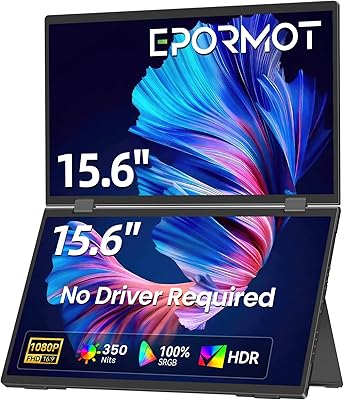
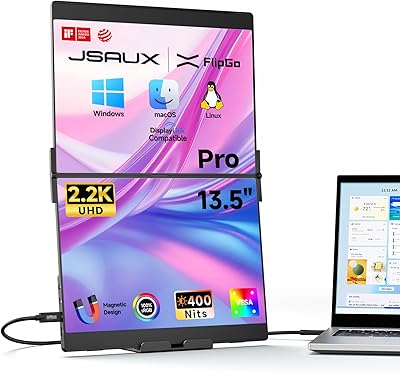
EPORMOT 15.6″ Dual-Screen Portable Monitor
86%
94%
Portability
91%
Dual-Screen Functionality
88%
Display Quality (Color Accuracy & Sharpness)
92%
Ease of Setup
89%
Compatibility
More
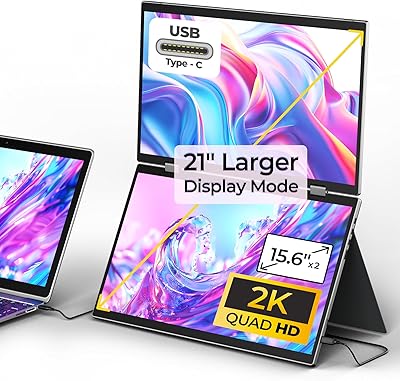
JSAUX FlipGo Pro 13.5″ Dual Portable Monitor
76%
88%
Display Quality
66%
Brightness in Single-Cable Mode
64%
macOS Compatibility
61%
Value for Money
73%
Setup & Ease of Use
More
LUMIPIX MSCM02 15.6″ Foldable Dual Monitor
73%
83%
Portability & Form Factor
78%
Display Quality
54%
Brightness & Outdoor Usability
81%
Setup & Compatibility
76%
Build Quality & Durability
More
YUBWVO Portable Dual Monitors 15.6” 2K Screen Extender
87%
91%
Display Quality
93%
Portability
94%
Ease of Setup
87%
Build Quality
84%
Adjustability (Brightness/Color Settings)
More
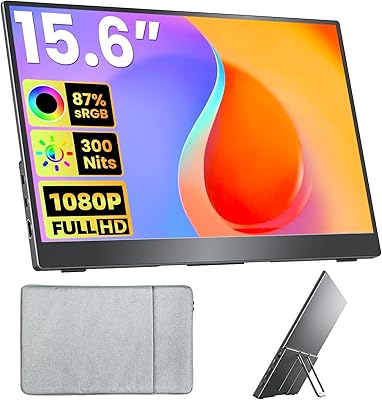
Topmonitor P15.6/2.5K 15.6-inch Portable Monitor
77%
91%
Image Sharpness
87%
Color Accuracy
93%
Portability
82%
Connectivity
88%
Value for Money
More
Upperizon U156LH 15.6″ Portable Monitor
72%
82%
Build Quality
78%
Display Quality
89%
Portability
71%
Connectivity
86%
Value for Money
More

FAQ

It connects to Macs, but with real limitations worth knowing before you buy. Extended triple-screen mode — the core selling point — does not function on macOS. You can use Mirror or Ultra Mode, but if your goal is two fully independent productivity screens on your MacBook, this device will not deliver that experience.

Yes, and it is one of the most practically useful things about the FlipGo Lite. A single USB-C cable carries the video signal and powers both panels at the same time. Plug into a compatible port on your laptop and both screens come on within seconds — no drivers, no adapters, no configuration required.

That depends on what your USB-C port actually supports. The port needs to carry DisplayPort Alt Mode to handle video output — not all USB-C ports do, particularly on older or budget laptops where USB-C is provided for charging only. Before purchasing, check your laptop's specifications for DisplayPort Alt Mode, Thunderbolt 3, Thunderbolt 4, or USB4 support.

No, and this is worth factoring into your total budget upfront. The magnetic stands are sold separately by JSAUX, and none of them ship in the box. The N52 rear magnets make attachment clean and secure once you have a stand, and JSAUX offers four stand designs built specifically for the FlipGo series — but the additional cost is real, and several buyers have flagged this as a frustration at this price tier.

For a home office, a dim hotel room, or a standard co-working desk away from windows, it is manageable. In a bright open-plan office, near a sun-facing window, or outdoors, you will notice the screen washing out quickly. This is the most consistently raised limitation in user reviews, so if bright environments are where you work most often, it is a meaningful trade-off to weigh.

Not reliably. The color gamut sits at 45% NTSC (roughly 67% sRGB), which is well below the coverage that color-critical creative work demands. Colors will appear less saturated and may shift compared to a calibrated wide-gamut display. For coding, document editing, spreadsheets, or general web browsing, the panels are perfectly adequate — for color accuracy, they are not the right tool.

JSAUX currently sells five models in the FlipGo series, and the PM0207 sits in the middle of the lineup as the Lite variant. Key differences across models include touch screen support, weight, and the degree of macOS compatibility. If you are a Mac user or want touch input, it is worth reviewing the full model comparison on the JSAUX product pages before settling on this specific version.

No drivers or software are needed on Windows or Linux — plug in the USB-C cable and both screens activate within a few seconds. This is one of the aspects buyers consistently mention positively in reviews, and it holds up in practice. The setup experience is genuinely frictionless for a dual-monitor solution.

Yes, but you need to supply your own USB-C power adapter rated at 65W or higher. When that adapter is plugged into the device, it passes charge back through to your laptop via the connected cable, partially offsetting the power draw from running two extra displays. The adapter itself is not included in the box.

For most people, yes. At 3.42 pounds and just 0.71 inches thin, this laptop screen extender fits alongside a 15-inch laptop in most standard backpacks or messenger bags without dominating the available space. It is not ultralight, but for a device that replaces a docking station and two separate portable monitors, the majority of daily commuters and business travelers find the size acceptable once they experience it in use.