Overview

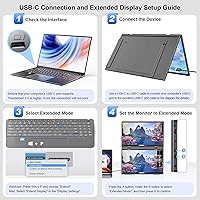
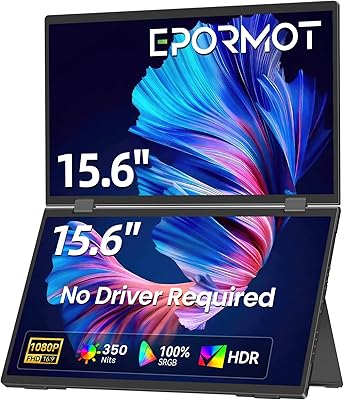
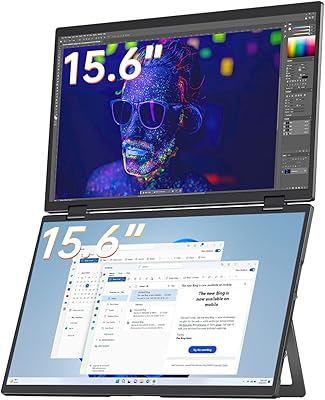
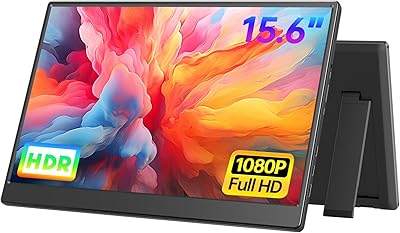
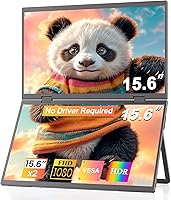
The CUIUIC GS156KS1 15.6″ Dual Portable Monitor takes a genuinely different approach to travel displays by stacking two full-size screens into a single foldable unit — something most portable monitor makers haven't attempted. Connect one USB-C cable to your laptop and both panels light up instantly, no drivers required. That alone separates it from older dual-monitor setups that often involve software conflicts and IT headaches. At 5.52 lbs combined, this stacked dual travel monitor isn't featherlight, so ultralight packers should weigh that honestly against the convenience. Think of it as a productivity tool for professionals who want real screen real estate on the road, not a display built for color work or gaming.
Features & Benefits

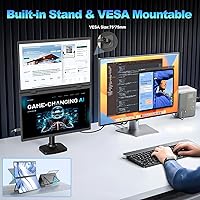
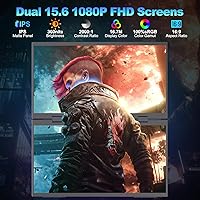
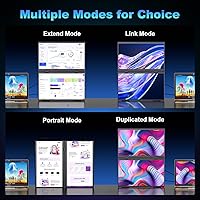
Both 15.6-inch IPS panels deliver FHD resolution at 400 nits of brightness, with 100% sRGB coverage and color accuracy that holds up well for document work, coding, and video calls. The matte anti-glare coating genuinely helps in bright offices or near windows, and the flicker-free backlight makes long sessions more comfortable than glossy alternatives. Rotation spans a wide 0-330°, supporting landscape, portrait, extend, split, and duplicate modes without any menu diving. The built-in stand offers 180° of tilt and pivot adjustment, and VESA 75x75mm compatibility means you can mount this folding monitor setup on an arm or wall when working from a fixed desk. Three USB ports add practical connectivity.

Best For

This stacked dual travel monitor makes the most sense for remote workers, consultants, and frequent travelers who regularly need two screens but can't justify lugging separate monitors through airports. Developers and analysts in particular tend to benefit from the vertical stacked layout, which cuts down on the constant alt-tabbing and context-switching that a single laptop screen forces. It also works well in collaborative scenarios — two people can connect separate devices via USB-C and HDMI and operate fully independently on their own screens. And because VESA mounting is supported, it isn't strictly a travel-only purchase; it can sit on a monitor arm at a home office just as naturally as it travels.

User Feedback

Buyers consistently praise the plug-and-play experience — most report both screens activating the moment they connect, with zero driver fuss on both Mac and Windows. The stacked layout gets specific compliments from coders and writers who say it meaningfully reduces their workflow friction. That said, the 5.52-lb total weight comes up regularly as a real-world drawback; manageable in a rolling carry-on, but noticeably heavy in a shoulder bag for all-day carry. A recurring sticking point: getting the upper screen to function as a second independent display requires HDMI plus a dedicated power connection — a setup detail that catches many buyers off guard. Stand stability on uneven surfaces draws mixed reviews, though most still feel the CUIUIC dual-screen extender offers fair value against buying two separate portables.

Pros

  • Single USB-C cable powers and activates both screens on most modern laptops instantly, with zero driver installation.
  • The stacked vertical layout genuinely cuts down on alt-tabbing and context-switching during long work sessions.
  • Matte anti-glare coating on both panels makes this folding monitor setup comfortable to use near windows or in bright rooms.
  • 400-nit brightness holds up well in moderately lit environments where many portable monitors look washed out.
  • VESA 75x75mm support gives buyers the option to mount on a monitor arm, making it versatile beyond travel use.
  • 0-330° rotation range is wide enough to flip the display toward a colleague for quick sharing without repositioning your whole setup.
  • Flicker-free IPS panels with eye-care features reduce fatigue noticeably during extended work sessions.
  • Independent dual-device mode lets two people work on separate laptops side by side — a genuinely useful collaboration feature.
  • Compatible with both Mac and Windows out of the box, with no platform-specific setup quirks reported by most buyers.
  • Buying one unit costs noticeably less than purchasing two comparable standalone portable monitors separately.

Cons

  • At 5.52 lbs combined, the CUIUIC dual-screen extender is heavy enough to be a real consideration for shoulder-bag travelers.
  • The upper screen requires both an HDMI cable and a separate power connection for true dual-device independent use — easy to overlook before buying.
  • Color coverage tops out at sRGB, making it unsuitable for photo editing or video color work requiring wider gamuts.
  • Stand stability on uneven surfaces is inconsistent; several buyers report wobble on textured or slightly sloped desk areas.
  • No high refresh rate support limits this to standard 60Hz, ruling it out for anyone who also wants to game on a portable screen.
  • Three USB ports sounds generous, but cable management across two screens plus power can get cluttered in cramped spaces.
  • The independent dual-device setup is not well-documented out of the box, causing confusion for buyers expecting plug-and-play for two machines.
  • At 0.4 inches thick folded, the unit is slim, but its footprint when open requires a reasonably sized desk surface to use comfortably.

Ratings

The scores below for the CUIUIC GS156KS1 15.6″ Dual Portable Monitor were generated by our AI after analyzing verified purchase reviews from buyers worldwide, with spam, bot submissions, and incentivized feedback actively filtered out. Each category reflects the honest distribution of real user sentiment — strengths are credited where earned, and recurring pain points are scored accordingly without being softened.
Setup & Plug-and-Play
91%
The single USB-C connection experience is genuinely one of the most praised aspects across verified buyers — travelers report both screens lighting up within seconds of connecting, with no software prompts, no driver downloads, and no IT calls. For professionals switching between hotel rooms and co-working spaces daily, that friction-free startup is a meaningful time saver.
The driver-free praise applies specifically to the standard single-device USB-C mode. Buyers who wanted independent dual-device operation were often caught off guard by the additional HDMI and power cable requirement for the upper screen, which felt like a hidden setup step that the product packaging undersells.
Display Quality
78%
22%
For productivity-focused use — coding, writing, spreadsheet work, and video calls — the IPS matte panels deliver accurate, consistent color that holds up throughout the day. The ΔE under 2 rating is not just a spec number; buyers who work with design mockups or presentation decks notice that colors look predictable and clean without any manual tweaking.
Users migrating from high-end glossy OLED or wide-gamut displays find the image noticeably less vibrant, and the 400-nit brightness, while solid indoors, can feel limiting when working near a sunlit window. This is not a display for photo editing or color-critical creative work, and buyers who push it into those roles tend to be the ones leaving lower ratings.
Portability & Travel Fit
62%
38%
As a concept, packing two 15.6-inch screens into a single slim unit that folds to 0.4 inches thick is genuinely impressive engineering. Business travelers with rolling carry-ons report that it fits cleanly alongside a laptop and charger without awkward packing gymnastics, and the folding form factor protects both panels during transit.
At 5.52 lbs combined, this stacked dual travel monitor adds significant weight to any bag, and buyers who carry a shoulder bag or backpack for full travel days report noticeable fatigue. Compared to a single 1.8-lb portable monitor, the weight premium is real — and for ultralight travelers, it is often the reason they return the unit.
Dual-Device Mode
57%
43%
When properly configured, the ability to run two completely separate laptops on one physical display unit is a standout feature that most competitors simply do not offer. Pairs of colleagues sharing a hotel room or a cramped co-working desk genuinely benefit from the independent operation, each with their own screen and inputs.
The setup friction is significant — the upper screen requires its own HDMI cable plus dedicated power, which means traveling with additional cables and an extra power source. Many buyers discover this requirement only after unboxing, and the documentation does not make it prominent enough, leading to frustration and a feeling of being misled by the product listing.
Build Quality
74%
26%
The overall construction feels solid for a folding portable display, with a hinge mechanism that handles the 0-330° rotation range without obvious play or creaking under normal use. Buyers who travel with it weekly report that the unit holds up to repeated packing and unpacking without the panels or hinge degrading noticeably over several months.
The plastic chassis, while functional, does not inspire the same confidence as premium aluminum-bodied portables at higher price points. A handful of buyers noted flex in the housing when gripping the unit to adjust its angle, and the surface shows fingerprints and light scratches more readily than expected for a travel-oriented device.
Stand Stability
63%
37%
On a smooth, flat desk the built-in stand performs reliably, and the 180° tilt and swivel range means most users can find a comfortable angle without much effort. Buyers who use it at a fixed home desk report that it stays put through a full workday without needing readjustment.
On textured desk mats, slightly uneven café tables, or soft surfaces, the stand struggles to maintain a firm position — particularly when the unit is tilted toward a steeper angle. The weight distribution of two stacked screens makes any instability more pronounced, and a few buyers noted that heavy typing nearby caused visible vibration.
Ergonomics & Viewing Comfort
82%
18%
The vertical stacked layout is the ergonomic highlight — developers and writers consistently report a genuine reduction in horizontal neck movement and context-switching fatigue compared to side-by-side arrangements. Combined with the flicker-free backlight and matte anti-glare coating, extended sessions of four or more hours are comfortable for most buyers.
The upper screen sits quite high when the unit is fully deployed, which can cause upward neck strain for buyers using it on low desks or without a laptop stand to raise their primary display. The ideal ergonomic setup requires some desk height adjustment that not all travel workspaces allow.
VESA & Desk Mount Flexibility
83%
The 75x75mm VESA compatibility genuinely extends the use case of this folding monitor setup beyond travel, allowing buyers to mount it on a monitor arm for a tidy, cable-managed home office arrangement. Several buyers report that this feature alone justifies the purchase for dual-purpose travel-and-desk users.
The VESA mount is designed for the combined unit rather than individual panels, so buyers hoping to split the two screens onto separate arms will be disappointed. The M4 screw specification is also less common than M6, meaning some arm adapters require additional hardware not included in the box.
Display Mode Versatility
79%
21%
Having extend, duplicate, portrait, landscape, and split modes all available without any proprietary software is genuinely useful for professionals who switch workflows frequently. Buyers appreciate that switching modes is handled through native OS display settings, making it feel like a natural extension of their existing setup rather than a separate system to learn.
Switching between modes — particularly going from landscape to portrait — sometimes requires a manual display rearrangement in system settings that resets the layout each time. A few Windows users reported that split mode did not behave consistently after the laptop woke from sleep, requiring a cable reconnect to restore the correct configuration.
Color Accuracy & Gamut
71%
29%
For the core audience of remote workers, the 100% sRGB coverage and sub-2 delta-E accuracy mean that presentation colors, web content, and UI design work look consistent and reliable without any need for manual calibration. Buyers who use it for document-heavy workflows or data visualization report no issues with color rendering day to day.
The sRGB ceiling is a genuine limitation for anyone working in DCI-P3 or Adobe RGB color spaces, and the absence of hardware calibration support means photographers or video colorists should not consider this display as a professional tool. Even within sRGB, a small number of buyers noted slight panel-to-panel color variance between the upper and lower screens.
Connectivity & Port Layout
69%
31%
Three USB ports across the unit adds meaningful peripheral connectivity without requiring a separate hub, which buyers working in hotel rooms or airport lounges with limited power outlets genuinely appreciate. The combination of USB-C and HDMI inputs covers most modern laptop configurations across Mac and Windows ecosystems.
The port placement receives mixed feedback — some buyers find the cable routing awkward when the monitor is tilted or rotated, with cables pulling at uncomfortable angles depending on the desk configuration. The fact that the HDMI input is required specifically for the upper screen, rather than being interchangeable, limits flexibility in how buyers can arrange their cable setup.
Compatibility (Mac & Windows)
86%
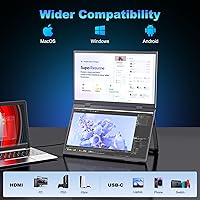
Mac and Windows compatibility in plug-and-play mode is one of the more consistently praised aspects of the CUIUIC dual-screen extender, with the majority of verified buyers on both platforms reporting immediate, no-fuss recognition upon connecting. MacBook Pro and Air users from 2018 onward and most USB-C Windows laptops from major brands all work without additional software.
Older laptops with USB-C ports that lack DisplayPort Alt Mode support will not work in USB-C mode without an adapter, and identifying whether your specific port supports video output requires checking manufacturer specs — something buyers often skip. A small number of users with certain AMD-based laptops reported intermittent display flickering that required driver updates to resolve.
Value for Money
73%
27%
Buyers who evaluate the cost against purchasing two comparable standalone portable monitors consistently conclude that this unit comes out ahead financially, while also requiring less desk space and fewer cables. For professionals who use both screens daily during travel, the consolidated form factor adds practical value beyond the raw price comparison.
Buyers who primarily use only one screen at a time — or who ultimately find the weight prohibitive for their travel style — feel the value proposition weakens significantly. The dual-device HDMI mode, which is one of the key premium features, requires extra cables that add cost and complexity, making the out-of-box experience feel less complete than the price implies.

Suitable for:

The CUIUIC GS156KS1 15.6″ Dual Portable Monitor is purpose-built for professionals who spend significant time working away from a fixed desk and genuinely need more than one screen to stay productive. Remote consultants, business travelers, and hybrid workers who move between hotels, co-working spaces, and client offices will get the most tangible value here — one USB-C cable and both screens are ready to go, no IT support required. Developers and data analysts will particularly appreciate the vertical stacked layout, which makes comparing files, referencing documentation while coding, or monitoring dashboards dramatically less painful than juggling a single laptop display. Writers and researchers who live in multiple browser tabs or documents will feel a similar relief. The VESA compatibility also makes this a legitimate semi-permanent desk addition for anyone who wants a single purchase that covers both travel and home office use, and the independent dual-device mode — once properly set up with HDMI — is a real advantage for pairs of collaborators sharing a workspace.
Not suitable for:

Buyers who prioritize an ultralight travel kit should think carefully before committing to the CUIUIC GS156KS1 15.6″ Dual Portable Monitor, because 5.52 lbs is a meaningful amount of weight to add to a laptop bag alongside a charger and other gear. Photographers, video editors, or colorists who need precise color output beyond sRGB — think DCI-P3 coverage or hardware calibration support — will find this display falls short of professional-grade color tools. Gamers looking for high refresh rates or low response times should look elsewhere entirely; this is strictly a productivity panel running at standard 60Hz. Anyone hoping to use both screens independently from two separate devices without any extra cables will be disappointed — that workflow requires HDMI plus dedicated power to the upper screen, which adds setup friction and cable clutter that isn't obvious from the product listing. Finally, buyers working on very tight, cluttered desks may find the stand less stable than expected on uneven surfaces.

Specifications

  • Screen Size: Each of the two IPS panels measures 15.6″ diagonally, giving you a combined vertical workspace equivalent to two full laptop-sized displays.
  • Resolution: Both screens run at 1920x1080 pixels (Full HD), which is sharp enough for text-heavy work, spreadsheets, and video calls at this display size.
  • Brightness: Peak brightness is rated at 400 nits, which performs adequately in indoor and moderately lit environments but may struggle in direct sunlight.
  • Color Gamut: The panels cover 100% of the sRGB color space, making them well-suited for everyday productivity tasks and general content consumption.
  • Color Accuracy: Factory color accuracy is rated at ΔE less than 2, meaning color reproduction is consistent enough for document work and general office use without manual calibration.
  • Screen Surface: Both panels feature a matte anti-glare coating that reduces reflections from overhead lighting and nearby windows during extended work sessions.
  • Connectivity: Primary connection is via USB-C (single cable for power and display); HDMI input is available on the upper screen to support a second independent device.
  • USB Ports: The unit provides a total of three USB ports across both screens, enabling peripheral connections without requiring a separate hub in most setups.
  • Display Modes: Supported display modes include extend, duplicate, split, landscape, and portrait — switchable without installing additional software on Mac or Windows.
  • Rotation Range: The folding hinge supports a 0-330° rotation arc, allowing the monitor to face forward, sideways, or toward a collaborator sitting across a desk.
  • Stand Adjustment: The built-in stand supports 180° of tilt, swivel, and pivot adjustment so users can dial in an ergonomic viewing angle on most flat desk surfaces.
  • VESA Mount: The unit is compatible with 75x75mm VESA mounting patterns using M4 screws, enabling attachment to monitor arms, wall mounts, or other VESA-compatible hardware.
  • Dimensions: The overall unit measures 15.35 x 9.64 x 0.4 inches when folded, keeping its footprint comparable to a slim laptop when packed for travel.
  • Weight: The combined unit weighs 5.52 lbs, which is notable for a dual-screen portable display and should be factored into any bag weight calculations before travel.
  • Aspect Ratio: Both panels use a 16:9 widescreen aspect ratio, consistent with standard laptop displays and most productivity and media content formats.
  • Driver Requirement: No additional drivers or software installation are required for USB-C operation on compatible Mac and Windows laptops that support DisplayPort Alt Mode.
  • Brand & Model: Manufactured by CUIUIC under model number GS156KS1, a brand focused on portable display accessories for mobile professionals.

Related Reviews

EPORMOT 15.6″ Dual-Screen Portable Monitor
86%
94%
Portability
91%
Dual-Screen Functionality
88%
Display Quality (Color Accuracy & Sharpness)
92%
Ease of Setup
89%
Compatibility
More
VisionOwl V-D15F 15.6″ Dual Portable Monitor
76%
88%
Build Quality
91%
Display Accuracy
79%
Portability
74%
Ease of Setup
58%
Brightness & Outdoor Usability
More
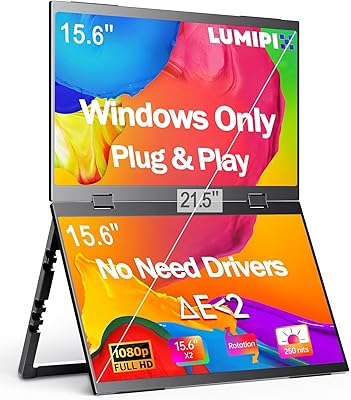
LUMIPIX MSCM02 15.6″ Foldable Dual Monitor
73%
83%
Portability & Form Factor
78%
Display Quality
54%
Brightness & Outdoor Usability
81%
Setup & Compatibility
76%
Build Quality & Durability
More
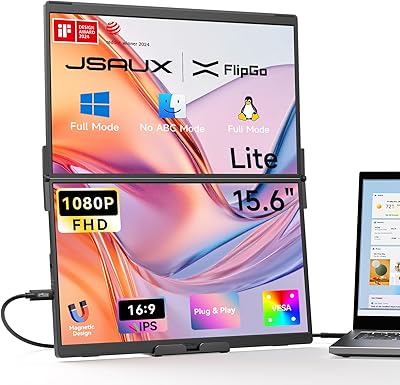
JSAUX FlipGo Lite 15.6″ Portable Dual Monitor
71%
88%
Portability & Form Factor
74%
Display Quality
51%
Brightness & Visibility
43%
Color Accuracy
79%
Setup & Compatibility
More
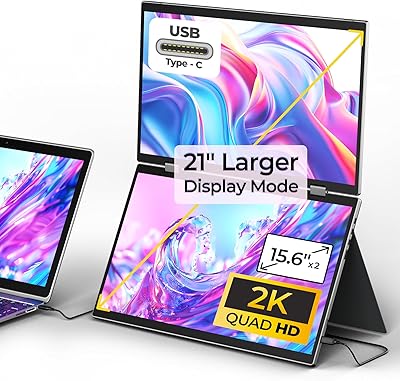
YUBWVO Portable Dual Monitors 15.6” 2K Screen Extender
87%
91%
Display Quality
93%
Portability
94%
Ease of Setup
87%
Build Quality
84%
Adjustability (Brightness/Color Settings)
More
Topmonitor P15.6/2.5K 15.6-inch Portable Monitor
77%
91%
Image Sharpness
87%
Color Accuracy
93%
Portability
82%
Connectivity
88%
Value for Money
More
Upperizon U156LH 15.6″ Portable Monitor
72%
82%
Build Quality
78%
Display Quality
89%
Portability
71%
Connectivity
86%
Value for Money
More
DEPGI 15.6″ Portable Gaming Monitor
81%
88%
Display Quality
91%
Gaming Performance (Refresh Rate & Response Time)
89%
Portability
84%
Value for Money
77%
Build Quality
More
CAPERAVE CF15 15.6-inch Portable Monitor
70%
83%
Portability & Build
76%
Display Quality
51%
Brightness
91%
Setup & Ease of Use
82%
Value for Money
More
Anyuse PM1561P 15.6-inch Portable Monitor
74%
91%
Portability & Form Factor
84%
Image Clarity
72%
Setup & Compatibility
74%
Build Quality & Durability
61%
Brightness & Outdoor Usability
More

FAQ

For most modern laptops with a USB-C port that supports DisplayPort Alt Mode — which includes the majority of recent MacBooks, Dell XPS models, and ThinkPads — yes, a single cable handles both power and display for both screens. That said, if your laptop only has older USB-A ports or a USB-C port that does not support video output, you will need an adapter or a separate connection. It is worth checking your laptop specs before buying.

Yes, but it is not as simple as plugging in two USB-C cables. To run two completely separate devices independently — one person per screen — you need to connect the second device via HDMI to the upper screen and also supply dedicated power to that screen. The USB-C connection handles the lower screen and one device, while HDMI plus power handles the upper screen and the second device. It works well once set up, but the cabling requirement catches a lot of buyers off guard.

The CUIUIC GS156KS1 15.6″ Dual Portable Monitor works with MacBooks that have USB-C ports supporting DisplayPort Alt Mode, which covers MacBook Air and MacBook Pro models from 2018 onward in most cases. Mac users generally report a smooth plug-and-play experience. You may need to adjust display arrangement in System Settings after connecting, but no drivers or third-party apps are needed.
It works fine as a semi-permanent desk setup. The VESA 75x75mm mounting compatibility means you can attach it to a monitor arm and free up desk space entirely. The built-in stand also works on a flat desk if you prefer not to mount it. Many buyers use it at home during the week and pack it for travel when needed, which makes the price feel more justified.

At 5.52 lbs, this stacked dual travel monitor is meaningfully heavier than a single portable monitor, which typically weighs around 1.5 to 2.5 lbs. Combined with a laptop, charger, and other gear, you are looking at a noticeably heavy bag. It fits comfortably in a rolling carry-on but can become tiring in a shoulder bag over a full travel day. If weight is a top priority, a single-screen portable monitor would serve you better.

You can run both screens in extended mode (effectively a triple-screen setup with your laptop), duplicate mode, split mode, landscape, or portrait. On Windows, you switch through the standard display settings panel. On Mac, it is handled through System Settings under Displays. No proprietary software is involved, which keeps things straightforward.

Matte coatings do soften the image slightly compared to glossy panels, and this one is no exception. For text, spreadsheets, and productivity work, most users find the trade-off well worth it since glare reduction is significant. If you are used to a high-gloss OLED display and prioritize image vibrancy, the matte surface may feel less punchy, but for the target use case of office and travel productivity, it is a sensible choice.

The CUIUIC dual-screen extender is designed as a unified folding unit, so the two panels are connected by a shared hinge and housing rather than being fully separable for independent mounting. The VESA mount is intended for the combined unit. Mounting them as independent displays on separate arms is not a supported configuration.

On a flat, smooth desk the stand is generally stable, and most users do not report issues during normal use. On textured surfaces, softer desk mats, or slightly uneven tables, some wobble has been noted by buyers — particularly if the desk itself vibrates from typing on a nearby mechanical keyboard. It is not a dealbreaker for most people, but worth knowing if you work on anything other than a perfectly level surface.

This folding monitor setup is designed for productivity use and runs at a standard 60Hz refresh rate with no advertised low-latency gaming mode. Casual gaming and media playback are fine, but if you are looking for 144Hz, 1ms response times, or adaptive sync support, this is not the right display for that purpose. Stick with a dedicated gaming portable monitor for anything frame-rate sensitive.