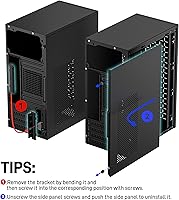
Overview

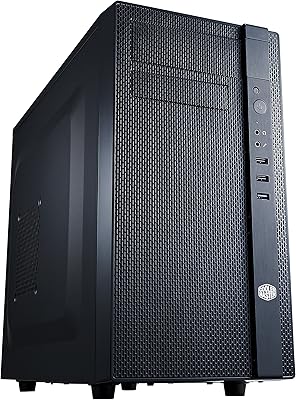
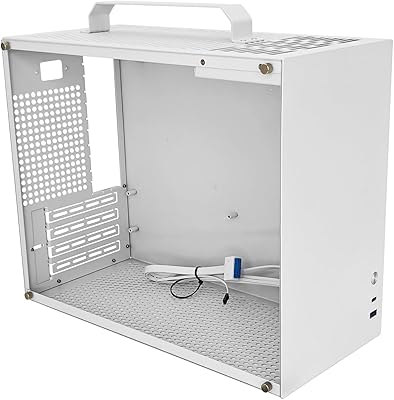
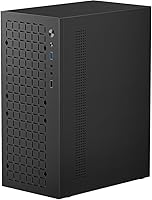
The JOYJOM MATX Mini-Tower PC Case is a no-frills steel enclosure aimed squarely at budget-conscious builders who need a functional home for a Micro ATX or Mini-ITX build without spending much. It's compact enough to fit comfortably on a desk without dominating it, making it practical for home offices or media center setups where space is tight. One important detail before buying: this is a case-only purchase. No fans, no PSU, no accessories included. That's not unusual at this price tier, but first-time builders who aren't expecting it may feel caught off guard when the box arrives lighter than anticipated.

Features & Benefits

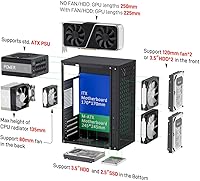
This MATX enclosure handles a surprisingly wide range of hardware for its size. It fits standard ATX power supplies and accommodates graphics cards up to 250mm long — though that drops to 225mm once front fans are installed, which is worth planning around if you're considering a mid-range GPU. Storage flexibility is a genuine highlight: up to three 3.5-inch HDDs and one 2.5-inch SSD, though adding both front fans costs you one HDD bay. CPU cooler clearance tops out at 135mm, covering most air coolers comfortably. The front panel handles the basics with USB 3.0 and 2.0 ports alongside audio and mic jacks.

Best For

This compact PC case makes the most sense for builders keeping costs tight who don't need a showpiece on their desk. It's a natural fit for repurposing older Micro ATX hardware into a smaller chassis — think a secondary home server, a simple office workstation, or a light-duty media PC. If you already have your PSU, storage drives, and fans sorted, this MATX enclosure fills the remaining gap without padding the budget. It's a poor match for anyone chasing tempered glass, RGB lighting, or strong cable management options. Function over form is the clear priority here.

User Feedback

With a 4.1 out of 5 rating across nearly 200 reviews and a spot at #56 in Computer Cases, this mini-tower case has built a modest but real following. Most buyers appreciate the value proposition — the steel feels adequate for everyday use, and the build process is generally reported as straightforward. That said, the 0.8mm SPCC panels are on the thinner side, and some users flag that panel alignment can be a little finicky during assembly. Cable routing space is tight, which is expected at this size but worth knowing upfront. Included hardware like screws and standoffs gets mixed marks — sufficient for most, but a few buyers wished for more.

Pros

  • Supports both Micro ATX and Mini-ITX motherboards, covering a wide range of common build configs.
  • Fits a standard ATX power supply, so you won't need a proprietary or hard-to-find PSU.
  • Can hold up to three 3.5-inch HDDs, which is generous storage capacity at this size and price.
  • CPU cooler clearance of 135mm accommodates most popular air coolers without issues.
  • Compact footprint works well on smaller desks or in media center setups where space is limited.
  • Front panel includes a USB 3.0 port alongside USB 2.0 and audio jacks — practical for everyday use.
  • Ranked in the top 60 in its Amazon category with over 190 ratings, suggesting reliable real-world adoption.
  • At its price point, the steel construction is adequate for a stationary build that won't be moved often.

Cons

  • Installing front fans reduces maximum GPU length by 25mm, which can rule out some popular graphics cards.
  • No fans, screws, or accessories are included — first-time builders may not realize this before purchasing.
  • The 0.8mm steel panels feel noticeably thin and can flex slightly during assembly.
  • Cable management space is very tight, making clean builds difficult especially for less experienced builders.
  • Panel alignment during assembly has been flagged by multiple buyers as inconsistent and fiddly.
  • The included mounting hardware gets mixed reviews — some builders report receiving insufficient screws.
  • No dust filters are included, which can be a nuisance in dusty environments over time.
  • Limited to one 80mm rear exhaust fan, which may not satisfy builders running warmer components.

Ratings

The scores below for the JOYJOM MATX Mini-Tower PC Case were generated by our AI system after analyzing verified buyer reviews from multiple global marketplaces, with spam, bot activity, and incentivized feedback actively filtered out. Each category reflects a balanced read of real builder experiences — the wins and the frustrations alike. Where trade-offs exist, they are scored honestly rather than averaged away.

Value for Money
83%
At its price point, buyers consistently report feeling like they got more than they paid for. The ability to fit a standard ATX PSU, multiple HDDs, and a full Micro ATX board in a sub-40-dollar shell is genuinely hard to argue with for a secondary build or parts-bin project.
The value perception drops slightly for buyers who didn't realize fans and accessories aren't included, adding unexpected extra cost. If you factor in purchasing even two 120mm fans separately, the total outlay climbs more than the sticker price implies.
Build Quality
61%
39%
The SPCC steel frame holds its shape well once assembled, and most buyers found the overall rigidity acceptable for a stationary desktop that won't be moved around. For a budget enclosure, it doesn't rattle or creak under normal use.
The 0.8mm steel panels are noticeably thin and flex under hand pressure during assembly, which makes the case feel less substantial than mid-range alternatives. Several buyers flagged that this becomes especially apparent when installing or removing side panels.
Compatibility Range
88%
Supporting both Micro ATX and Mini-ITX boards, standard ATX power supplies, and CPU coolers up to 135mm tall makes this enclosure usable across a wide range of common build configurations. Most builders found their components fit without needing adapter brackets or workarounds.
The GPU length limitation — which drops from 250mm to 225mm once front fans are added — is a real compatibility trap that catches some buyers off guard. Anyone building around a mid-range or performance GPU needs to plan the fan layout carefully before purchasing.
Storage Capacity
79%
21%
Three 3.5-inch HDD bays is a standout feature at this size and price, making this compact PC case genuinely useful as a small home server, NAS-adjacent build, or media storage machine. Most competing cases in this tier offer fewer drive positions.
The trade-off between front fans and HDD bays is frustrating in practice — you can't have maximum storage and maximum airflow simultaneously. Builders who want both two front fans and three HDDs will need to compromise one or the other.
Ease of Assembly
67%
33%
The interior layout is relatively open for a mini-tower, and most first-time builders reported completing their builds without needing to consult extra guides. Standard screw positions and familiar drive mounting make the process accessible even for newcomers.
Panel alignment is inconsistent on some units, with side panels requiring extra pressure or adjustment to seat correctly. Cable management space is tight enough that routing modular PSU cables neatly takes real patience, particularly around the 24-pin motherboard connector area.
Airflow Design
58%
42%
The ventilation cutouts across the chassis allow passive airflow even without fans installed, which keeps light-use office builds running cool under low workloads. The front intake positions support two 120mm fans for builders who want active cooling.
The single 80mm rear exhaust is a bottleneck for any build generating meaningful heat — 80mm fans move noticeably less air than 120mm options, and there are no top or side vent positions to compensate. Enthusiast or gaming builds would outgrow this airflow setup quickly.
Front Panel I/O
72%
28%
Having a USB 3.0 port on the front panel is genuinely practical for everyday use, whether you're transferring files from a USB drive or connecting peripherals without reaching behind the desk. The combined audio and mic jacks cover basic headset needs without extra adapters.
Only one USB 3.0 and one USB 2.0 port is sparse by current standards, especially for office setups with multiple peripherals. Buyers accustomed to cases with four or more front USB ports will feel the limitation immediately.
Included Accessories
44%
56%
The screws and standoffs included in the box are sufficient for a basic build in most cases, and the hardware that is included is standard sizing compatible with common components. Budget-focused buyers who already have spare hardware from previous builds won't feel the gap at all.
Multiple buyers reported that the included hardware felt insufficient or poorly sorted — some found missing standoffs or an inadequate screw count for full drive population. For first-time builders who don't have a spare parts drawer, this is a tangible frustration.
Cable Management
47%
53%
The case does have routing cutouts that allow some degree of cable organization, which is more than a few bare-bones enclosures at this tier provide. Builders using semi-modular PSUs and minimal cabling can achieve a reasonably tidy interior.
Behind-motherboard tray clearance is very shallow, making it difficult to bundle and hide excess cables without creating pressure on the side panel. Fully modular PSU owners fare better, but anyone with a non-modular supply will likely end up with a cluttered interior.
Footprint & Size
81%
19%
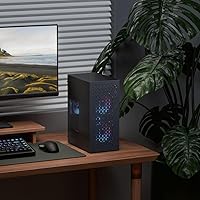
The external dimensions are genuinely compact — it fits comfortably on a desk beside a monitor without dominating the workspace, and its narrow width makes it workable in tight shelf or media center positions. Buyers in small apartments or cubicle setups appreciated the low physical footprint.
The compact size does create real internal space constraints, particularly around the PSU area and front drive bays simultaneously. Builders used to working inside mid-tower cases will find the interior noticeably cramped during assembly.
Panel Alignment
53%
47%
When panel fit is good, the case looks clean and the seams align acceptably for a budget enclosure. Buyers whose units arrived with well-fitting panels had no complaints about the exterior finish or structural integrity once assembled.
A recurring theme in user feedback is inconsistent panel fit across units — some buyers report that side panels require force to close or don't sit flush at all edges. This appears to be a quality control variance issue rather than a universal design flaw, but it's common enough to be a real risk.
Noise Dampening
38%
62%
The steel construction does provide a minimal degree of passive vibration resistance compared to entirely plastic enclosures, which slightly reduces drive and fan hum transmission at low speeds. Builds with SSDs only and no spinning drives are effectively silent.
There is no sound dampening foam or any acoustic treatment anywhere in this enclosure, which is expected at this price but still leaves the case noticeably noisy once case fans and HDDs spin up under load. Buyers sensitive to PC noise in quiet environments should plan accordingly.
Thermal Performance
63%
37%
Under light workloads — browsing, office applications, media playback — the chassis ventilation and a basic fan setup keep temperatures comfortable without needing aggressive fan curves. Builders running budget CPUs with stock coolers reported no thermal issues during normal use.
Under sustained CPU or GPU load, the limited fan mounting options and small rear exhaust become a constraint, with some builders reporting temperatures creeping higher than expected in warm ambient environments. This case is not designed with thermal headroom for demanding workloads.
Aesthetic Design
49%
51%
The all-black steel exterior has a clean, minimal look that doesn't draw attention to itself, which suits office environments where a flashy case would be out of place. The no-nonsense design means it won't look dated quickly.
There are no RGB options, no tempered glass panels, and no design flourishes of any kind — which is a deliberate trade-off but a real limitation for builders who care about their setup's appearance. Anyone wanting a visually interesting build will need to look elsewhere.

Suitable for:

The JOYJOM MATX Mini-Tower PC Case is a solid pick for builders who want to keep costs down without sacrificing the ability to run real hardware. If you're repurposing an older Micro ATX system — maybe pulling components out of a bulky full-tower and wanting something that takes up less desk space — this enclosure does that job well. It's equally at home as a basic office workstation or a no-frills media PC sitting beside a TV. Buyers who already have their own PSU, fans, and drives will get the most value here, since they're essentially just paying for the shell. Students building their first PC on a tight budget will also find it approachable, and anyone putting together a secondary utility machine won't feel like they're overspending.

Not suitable for:

The JOYJOM MATX Mini-Tower PC Case is a poor fit for builders who care about aesthetics, airflow headroom, or a polished building experience. If you're planning a high-end GPU, be aware that installing front fans reduces the available graphics card length from 250mm to 225mm — a real constraint that can knock out several popular mid-range and performance cards. The 0.8mm steel panels are functional but thin, and anyone used to handling mid-range or premium cases will notice the difference immediately. Cable management space is genuinely tight, which makes clean builds difficult and can frustrate less experienced builders. If you're expecting a complete kit with fans and mounting accessories included, you'll be disappointed — this ships as a bare case only.

Specifications

  • Form Factor: Mini-Tower design compatible with Micro ATX and Mini-ITX motherboard standards.
  • Motherboard Support: Fits Micro ATX boards up to 25.5×25.5cm and Mini-ITX boards up to 17×17cm.
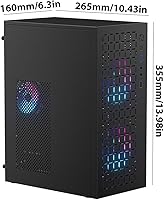
  • Dimensions: Overall case dimensions measure 10.43″ deep, 6.3″ wide, and 13.9″ tall.
  • Weight: Shipping weight is approximately 4.84 pounds (around 2.2kg) for the bare case.
  • Body Material: Chassis is constructed from 0.8mm SPCC cold-rolled steel with ventilation cutouts throughout.
  • Color: Available in black only as of the current product listing.
  • PSU Clearance: Accepts standard ATX power supplies up to 150×140×86mm mounted at the rear.
  • GPU Clearance: Maximum GPU length is 250mm without front fans, reduced to 225mm when front fans are installed.
  • CPU Cooler Height: Supports CPU air coolers up to 135mm tall, covering the majority of mainstream tower coolers.
  • HDD Bays: Accommodates up to three 3.5″ hard drives, reduced to two if both front fan positions are occupied.
  • SSD Bay: Includes one dedicated 2.5″ SSD mounting position regardless of fan configuration.
  • Fan Support: Supports two 120×120×25mm fans at the front intake and one 80mm fan at the rear exhaust.
  • Front I/O Ports: Front panel provides one USB 3.0 port, one USB 2.0 port, and combined headphone and microphone jacks.
  • Power Controls: Front panel includes a dedicated power button and a reset button for standard desktop operation.
  • Box Contents: Package includes the case enclosure only; no fans, power supply, or additional accessories are included.
  • Brand: Manufactured and sold under the JOYJOM brand, model designation MATX Case.
  • First Available: This product was first listed for sale on December 25, 2023.
  • Cooling Method: Relies entirely on air cooling via case fans; no liquid cooling support is documented.

Related Reviews
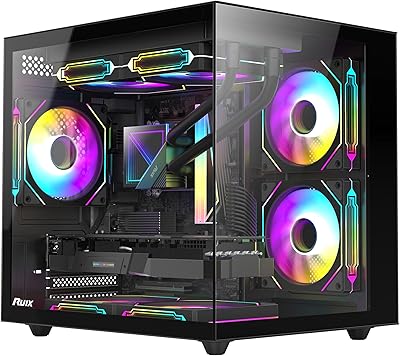
RUIX OV502 mATX Mini-Tower PC Case
68%
83%
Value for Money
86%
Aesthetic Design
79%
Glass Panel Quality
84%
Component Compatibility
71%
Airflow & Cooling
More
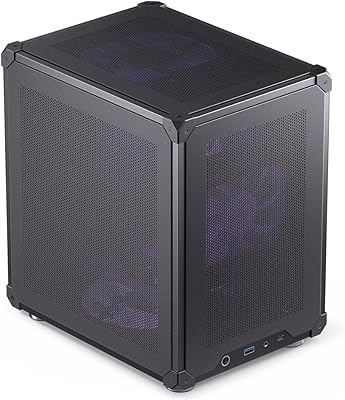
Jonsbo C6 Mini MATX Mesh PC Case
84%
91%
Airflow Performance
95%
Ease of Assembly
87%
Build Quality
88%
Cooling System Customization
65%
Cable Management
More
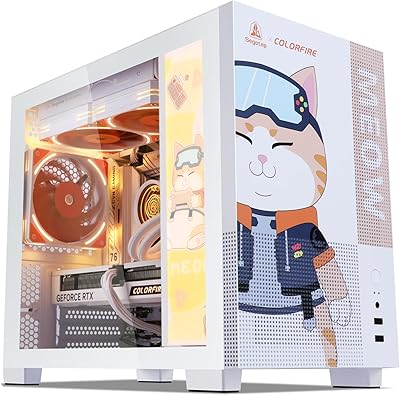
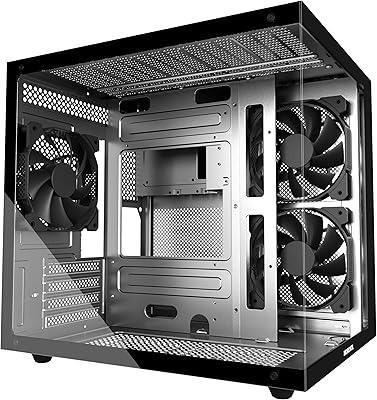
Segotep Memphis Micro-ATX Mini Tower PC Case
76%
83%
Build Quality
89%
Aesthetic Design
77%
Airflow Performance
86%
GPU Compatibility
61%
Cable Management
More
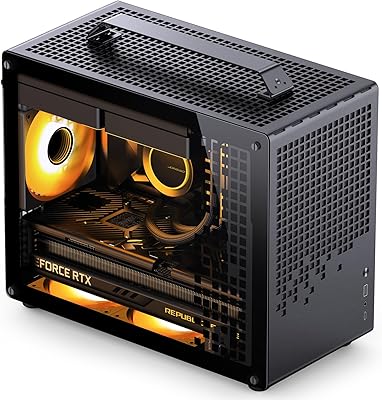
Jonsbo Z20 Micro-ATX Mini Tower Case
80%
93%
Build Quality & Materials
91%
Portability & Carrying Handle
78%
Internal Layout & Compatibility
89%
GPU Clearance & Large Component Support
87%
Cooling Support & Thermal Flexibility
More
MOROVOL V3 Micro-ATX Tower PC Case
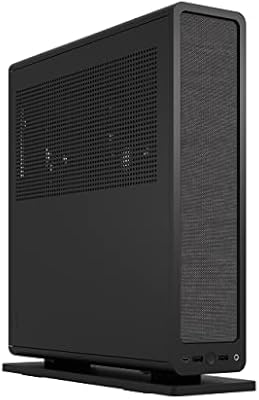
78%
88%
Tempered Glass Quality
76%
Airflow & Thermal Performance
61%
Cable Management
73%
Build Quality & Materials
91%
Value for Money
More
Fractal Design Ridge Mini-ITX PC Case

74%
93%
Aesthetic Design
88%
Build Quality
91%
Included Accessories
58%
Build Experience
67%
Thermal Performance
More
MINISFORUM DeskMini UM690L Slim Mini PC
79%
91%
Processing Performance
88%
Multi-Monitor Support
58%
RAM Adequacy & Upgradeability
89%
Storage Speed & Expansion
73%
Integrated Graphics (Radeon 680M)
More
SAMA V60 Mid Tower PC Case
80%
93%
Out-of-Box Cooling Value
78%
Airflow Performance
91%
AIO & Radiator Flexibility
88%
Tempered Glass & Aesthetics
71%
Build Quality & Materials
More
ALAMENGDA V500 Mini-Tower mATX PC Case
66%
78%
Value for Money
84%
Aesthetics
43%
PSU Compatibility
57%
Thermal Performance
76%
Hardware Compatibility
More
Cooler Master N200 Mini Tower Computer Case
78%
91%
Value for Money
84%
Airflow Performance
73%
Build Quality
88%
Storage Expandability
86%
Cooling Compatibility
More
SAMA S40 Mid Tower ATX PC Case
79%
88%
Airflow Performance
83%
Included Fan Quality
79%
Build Quality & Finish
92%
GPU Compatibility
61%
Cable Management
More

FAQ

No, it does not. The JOYJOM MATX Mini-Tower PC Case ships as a bare enclosure only. You will need to source your own 120mm front fans and an 80mm rear fan separately if you want active airflow.

Yes, it supports standard ATX PSUs up to 150×140×86mm. Most off-the-shelf ATX power supplies fall within that footprint, so compatibility is rarely an issue.

It depends on whether you plan to install front fans. Without front fans, cards up to 250mm fit fine. Once you add fans to the front intake, that clearance drops to 225mm, so a 240mm card would not fit in that configuration.

This mini-tower case supports Micro ATX boards up to 25.5×25.5cm, which covers virtually all standard MATX boards on the market. Mini-ITX boards up to 17×17cm are also compatible.

Honestly, cable routing space is tight. There is not a dedicated cable management channel or generous behind-motherboard clearance like you would find on a mid-range case. It is manageable, but do not expect a pristine build without some effort and planning.

Up to three 3.5-inch HDDs can be installed alongside one 2.5-inch SSD, but only if you leave the front fan positions empty. Install two front fans and you lose one HDD bay, bringing you down to two 3.5-inch drives plus the SSD.

The chassis uses 0.8mm SPCC steel, which is standard for budget cases in this category. It holds together fine as a stationary desktop build, but the panels do have some flex if you press on them. If you are used to handling more expensive cases, you will notice the difference.

The case clears CPU coolers up to 135mm tall. That covers most popular tower coolers, including many dual-tower designs, so compatibility is generally not a concern unless you are running an unusually large cooler.

No dust filters are included. If dust build-up is a concern in your environment, you may want to pick up aftermarket magnetic filters that fit the front fan openings.

It can be, provided you go in with realistic expectations. The build process is straightforward, and the compatibility list is broad enough to accommodate most beginner component selections. Just make sure you have your own fans and a supply of screws ready, since nothing beyond the case itself is in the box.