Overview

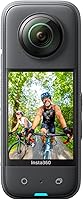
The Insta360 X3 360° Action Camera launched in early 2023 as a genuinely versatile two-in-one device — capturing full spherical footage while also functioning as a capable standalone action cam. Compared to the pricier X5, it sits at a more approachable tier without sacrificing serious creative potential. Since its release, it has built a strong following among active shooters who want flexibility without a complicated workflow. The body is compact and waterproof, meaning you can take it on a trail run, a kayak trip, or a ski slope without giving the conditions a second thought. It rewards curious creators, not just dedicated gear enthusiasts.
Features & Benefits

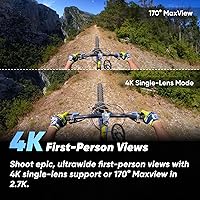
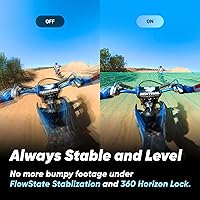
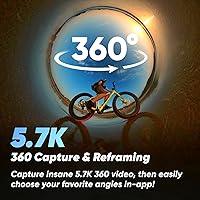
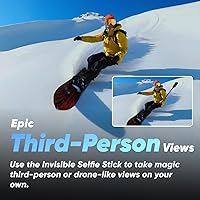
The headline capability is 5.7K 360 Active HDR video — what that means practically is that you shoot everything and choose your angle afterward, in the app, rather than committing to a frame before you press record. In single-lens mode, you get clean 4K footage or a sweeping 170° MaxView at 2.7K60fps. The FlowState Stabilization, paired with Horizon Lock, keeps footage remarkably level during bumpy rides or sharp turns — noticeably better than basic gyro stabilization. The Invisible Selfie Stick effect opens up genuine third-person perspectives, and the 2.29-inch touchscreen handles field adjustments well, though heavily gloved hands will test its responsiveness.

Best For

This 360 action cam is a natural fit for motorcyclists and cyclists who want full situational coverage without managing camera angles mid-ride. Skiers and snowboarders will appreciate how spherical capture lets them relive runs from any angle in post. Solo travel vloggers get real mileage from the Invisible Selfie Stick effect — it produces wide, cinematic framing that normally requires a second person or a drone. Anyone who spends time outdoors and needs a camera that handles rain, splashes, and rough use will find the waterproof build genuinely practical. The mobile-first editing workflow also makes it compelling for creators who prefer not to touch a desktop to produce finished content.

User Feedback

Owners consistently highlight the stabilization performance as a standout — many note it outperforms expectations at this price, and the reframing flexibility remains a frequently cited strength long after purchase. The Insta360 app earns real appreciation for cutting editing time down considerably. That said, battery drain in cold weather is a recurring complaint; winter riders often carry a spare as standard practice. First-time 360 camera users occasionally mention a short adjustment period with the reframing workflow. Lens protection also comes up regularly — several buyers recommend a protective case from the start, as the exposed dual lenses are susceptible to scratches during active use.

Pros

  • FlowState Stabilization keeps footage smooth even on rough trails, gravel roads, and bumpy ski runs.
  • Shoot everything in 360 and pick your best angle afterward — no need to commit to a frame before recording.
  • The Invisible Selfie Stick effect produces genuine third-person perspectives without a second person or drone.
  • Compact and waterproof enough to take on hikes, bike rides, and wet-weather adventures without a separate housing.
  • The Insta360 app cuts editing time dramatically, with AI-assisted reframing that works well for action footage.
  • 4K single-lens mode and 170° MaxView give solid traditional action cam output when 360 is not needed.
  • Lighter and more pocketable than most dual-purpose camera setups, making it easy to bring on every outing.
  • A significant step up from the X2 in stabilization and screen size, making it a worthwhile upgrade for existing users.
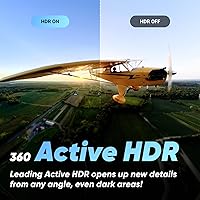
  • Active HDR in 360 mode handles high-contrast outdoor lighting better than expected at this price tier.
  • Me Mode at up to 60fps adds smooth slow-motion capability to the third-person perspective shooting style.

Cons

  • Battery drains sharply in cold weather — winter sports users regularly need two or more spares for a full day.
  • Exposed dual lenses scratch easily; a protective lens cap should be treated as a mandatory day-one purchase.
  • Stitching artifacts appear when people or objects pass very close to the lens seam, which is hard to fix in editing.
  • The touchscreen becomes nearly unresponsive with gloves on, which is a real problem in the outdoor conditions the camera targets.
  • Transferring large 5.7K files is slow over both USB and Wi-Fi, making post-session offloading tedious for heavy shooters.
  • First-time 360 camera users consistently report a learning curve before the reframing workflow feels natural.
  • Low-light 360 footage shows noticeable noise and softening — not a camera for dim indoor events or night shooting.
  • The camera cannot stand upright on its own without an accessory, which complicates quick hands-free setups in the field.
  • Getting the most from the X3 realistically requires spending extra on accessories that feel like they should be included.
  • The AI editing feature occasionally misses key moments or cuts clips awkwardly, requiring manual correction afterward.

Ratings

The ratings below for the Insta360 X3 360° Action Camera were generated by our AI system after analyzing thousands of verified global buyer reviews, with spam, incentivized submissions, and bot activity actively filtered out. Each score reflects a genuine cross-section of real-world experiences — from daily commuters mounting the camera to handlebars, to solo travel creators editing entirely on their phones. Both the standout strengths and the honest frustrations are weighted equally in every category.
Video Quality (360 Mode)
88%
Buyers consistently describe the 5.7K 360 footage as sharp and richly detailed, especially in good lighting. Outdoor users filming mountain trails or coastal rides frequently note how much usable dynamic range the Active HDR mode recovers in high-contrast scenes.
In low light — think dusk rides or indoor events — noise becomes noticeable and fine detail softens. A handful of users also report that stitching artifacts can appear when subjects or objects pass very close to the lens seam, which is hard to fully eliminate in post.
Stabilization Performance
93%
FlowState Stabilization paired with Horizon Lock is repeatedly called out as the camera's single biggest strength. Motorcyclists and mountain bikers say footage stays level and smooth even on rough terrain where other action cams produce unwatchable shakiness.
At the absolute limits — very high-speed off-road riding or aggressive freestyle snowboarding — some users notice brief micro-jitter during sharp directional changes. It is rare, but it does show up in a small but consistent portion of reviews from extreme sports users.
Reframing Flexibility
91%
The ability to decide your shot angle after recording is genuinely transformative for solo creators. Travel vloggers frequently highlight how a single 360 clip can yield multiple distinct cuts — a wide establishing shot, a tight follow shot, and a dramatic low angle — all from one take.
Getting comfortable with the reframing workflow takes time, and first-time 360 camera users report a learning curve of several sessions before it feels intuitive. The desktop reframing tools in the Insta360 Studio app are capable but less polished than the mobile experience.
App & AI Editing Experience
84%
The Insta360 mobile app earns consistent praise for dramatically cutting editing time. Users who previously spent hours in desktop software say they can now produce a shareable clip within minutes, with the AI-assisted highlight reel feature doing surprisingly solid work on action footage.
The app occasionally struggles with longer 360 clips and can run warm or slow on older smartphones. A recurring complaint involves export settings being buried in menus, and a few users report that AI-generated edits occasionally cut key moments awkwardly.
Build Quality & Durability
79%
21%
The body itself feels solid in hand and holds up well to the kind of incidental abuse active use brings — drops onto grass, light rain, splashes during water sports. Most buyers report no structural issues after months of regular outdoor use.
The exposed dual lenses are the most frequently cited durability concern. Multiple buyers mention picking up hairline scratches on the lens covers after relatively light use, and the general consensus is that a protective lens cap or case should be considered an immediate purchase alongside the camera.
Waterproofing
76%
24%
Users taking the X3 into rain, snow, and shallow water consistently report no issues. Surfers and kayakers using it for surface-level action say it performs reliably without any additional housing required for typical outdoor conditions.
The waterproofing is not rated for significant depth, which limits underwater use beyond very shallow submersion. A small number of users report seal wear over time, particularly after frequent wet-dry cycling, which underscores the need for periodic seal inspection.
Battery Life
61%
39%
Under moderate conditions — a 30-to-45-minute outdoor session with mixed 360 and single-lens recording — most users find battery duration acceptable for casual shooting. The included battery is easy to swap, and third-party battery options are widely available and affordable.
Cold weather is a known weakness, and it is one of the most frequently mentioned complaints in reviews from winter sports users. Skiers and snowboarders report battery life dropping sharply in sub-zero temperatures, with some noting the camera barely lasts a single run without a spare battery on hand.
Single-Lens (Action Cam) Mode
82%
18%
The 4K30fps single-lens output is clean and competitive for standard action footage. The 170° MaxView option at 2.7K60fps gives a genuinely wide, immersive perspective that cyclists and helmet-cam users find particularly effective for capturing the full scene ahead.
Compared to dedicated action cameras at a similar price point, the single-lens mode is capable but not class-leading. Users who need best-in-class traditional action cam footage — particularly for slow-motion at higher resolutions — may find the options slightly limiting.
Invisible Selfie Stick Effect
87%
Solo creators consistently describe the Invisible Selfie Stick effect as one of the most genuinely useful features in the camera. Travel vloggers and hikers say it produces wide third-person perspectives that look like drone footage or a dedicated follow cam, without any additional equipment.
The effect works best with the official Insta360 selfie stick, and some users report that third-party poles can appear partially in frame depending on their diameter. It also requires the camera to be positioned correctly relative to the subject, which takes practice to get right consistently.
Touchscreen Usability
72%
28%
The 2.29-inch screen is large enough for a camera of this size and handles basic navigation, mode switching, and live preview well. Users who operate it without gloves in mild conditions generally find it responsive and easy to read outdoors.
In cold weather with gloves — precisely the conditions winter sports users face most often — the touchscreen becomes frustratingly unresponsive. Several skiers and snowboarders mention needing to remove a glove to make adjustments, which is a real inconvenience mid-session.
Ease of Use for Beginners
74%
26%
For users coming from traditional action cameras, the X3 has a manageable learning curve. The app does a good job of guiding new users through reframing basics, and the camera's shooting modes are logically laid out without requiring manual intervention for most everyday scenarios.
Complete newcomers to 360 cameras often describe an adjustment period of several outings before the workflow clicks. Understanding how to plan shots differently — knowing you are capturing everything rather than framing deliberately — is a conceptual shift that takes time.
Value for Money
86%
Relative to the step-up X5, the X3 delivers the core 360 experience at a substantially lower cost, and most users feel that trade-off is well justified. Buyers who previously owned the X2 generation are particularly vocal about the improvement in stabilization and screen size feeling like a meaningful upgrade.
To get the most out of the camera, most users end up spending additional money on spare batteries, a protective lens case, and a quality selfie stick — costs that can add up. A few buyers feel these accessories should be closer to standard inclusions at this price tier.
Connectivity & File Transfer
68%
32%
Transferring files via Micro SD to a laptop or using the Insta360 app over Wi-Fi works reliably for most users. Creators who shoot shorter clips and edit primarily on mobile report a smooth, largely friction-free transfer and editing pipeline.
Transferring large 5.7K 360 files — especially after a full day of shooting — is slow over USB and only marginally faster over Wi-Fi. Users who shoot heavy volumes and edit on desktop mention that file management becomes tedious without a dedicated fast card reader.
Size & Portability
89%
At just over a pound and with a compact footprint, the X3 fits easily into a jacket pocket, a hydration pack, or a helmet bag. Active users appreciate that its size never becomes a reason to leave it behind, which ultimately means more footage captured.
The dual-lens design means the camera cannot lie flat or stand on its own without an accessory, which is a minor but occasionally inconvenient limitation when setting it up quickly on uneven surfaces without a mount or tripod.

Suitable for:

The Insta360 X3 360° Action Camera is a strong match for active people who want more creative control than a traditional action camera offers without committing to a professional filmmaking setup. Motorcyclists and cyclists are among the clearest beneficiaries — mounting it to a helmet or handlebar captures the full road environment, and stabilization handles vibration that would ruin footage on most competitors. Skiers and snowboarders get genuine replay value from spherical capture, being able to reframe a powder run from any angle after the fact. Solo travel vloggers and content creators who work without a crew will find the Invisible Selfie Stick effect and Me Mode particularly useful, producing wide third-person shots that previously required a dedicated cameraperson or a drone. If you edit primarily on your phone and want a fast, app-driven workflow rather than hours in desktop software, the X3 fits that habit well. It is also a practical choice for anyone who needs a camera that can handle rain, splashes, or the occasional drop without requiring a separate waterproof housing.
Not suitable for:

The Insta360 X3 360° Action Camera is not the right tool for buyers who want a dedicated slow-motion powerhouse or best-in-class low-light performance — in those specific areas, purpose-built action cameras at a similar price will outperform it. If you primarily film in cold environments, the battery limitations are a real operational problem rather than a minor inconvenience; winter athletes who ski full days should budget for multiple spare batteries from the outset. Buyers hoping to use it for meaningful underwater filming will hit a wall quickly, as it is not rated for any real submersion depth. People who dislike learning new software workflows or prefer to frame shots precisely in-camera rather than reframe in post will find the 360 capture philosophy frustrating rather than freeing. If your priority is absolute sharpness in close-range 360 shots, stitching artifacts near the lens seam are a known and recurring issue that post-processing only partially resolves. And if you are expecting a fully self-contained kit out of the box, be aware that a lens protector, spare battery, and quality mounting pole are near-essential additions that come at extra cost.
Specifications

  • 360 Resolution: Captures full spherical video at 5.7K with Active HDR enabled for improved dynamic range in high-contrast outdoor environments.
  • Single-Lens Mode: Records standard wide-angle footage at 4K30fps or up to 2.7K60fps with a 170° MaxView field of view in single-lens configuration.
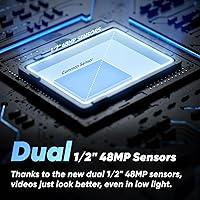
  • Sensor Type: Uses dual CMOS image sensors, one behind each lens, to capture the full 360° field simultaneously.
  • Aperture: Both lenses operate at a maximum aperture of f/2.0, providing reasonable light intake for outdoor and moderately lit conditions.
  • Focal Length: Maximum focal length of 6.7mm per lens, optimized for the wide-angle capture required by spherical 360 photography and video.
  • Stabilization: FlowState Stabilization combined with Horizon Lock algorithms work together to deliver level, smooth footage across a wide range of motion and terrain types.
  • Screen: Features a 2.29″ color touchscreen on the rear of the body for live preview, mode selection, and basic settings adjustments in the field.
  • Video Format: Records and exports video in MP4 format, compatible with standard desktop editing software and direct playback on most modern devices.
  • Storage: Accepts Micro SD cards for local storage; no internal storage is built in, so a card must be inserted before use.
  • Connectivity: Connects to computers and charging sources via USB; also supports wireless transfer to mobile devices through the Insta360 companion app.
  • Battery: Powered by a single removable Lithium Polymer battery included in the box; battery is user-swappable, allowing spares to be carried for extended sessions.
  • Waterproofing: Rated for water resistance to handle rain, splashes, and light surface water exposure without requiring a separate waterproof housing.
  • Weight: Complete unit weighs 1.12 pounds, keeping it light enough for helmet mounts, chest harnesses, and handheld selfie stick use during active sports.
  • Dimensions: Package measures 9.06 x 4.29 x 2.28 inches, with the camera body itself being compact enough to fit into a jacket pocket or small gear bag.
  • Me Mode: Dedicated third-person capture mode shoots at up to 60fps, enabling smooth slow-motion playback of the Invisible Selfie Stick perspective.
  • AI Editing: Pairs with the Insta360 mobile app, which uses on-device AI to assist with automatic highlight detection, reframing, and clip assembly directly on a smartphone.
  • In the Box: Package includes the camera body, one charge cable, a protective pouch, a lens cloth, and a printed user guide; no memory card is included.
  • Manufacturer: Designed and manufactured by Insta360, a company specializing in 360 and action imaging hardware and software since 2015.

Related Reviews

Insta360 ONE X2 360-Degree Action Camera
78%
93%
Video Stabilization
86%
360 Video Quality
91%
Waterproofing & Durability
58%
Battery Life
78%
App & Editing Workflow
More
Insta360 X5 BMW Motorrad Edition 360 Camera
80%
93%
Video Quality
88%
Low Light Performance
91%
Stabilization
74%
Wind Noise Reduction
67%
Battery Life
More
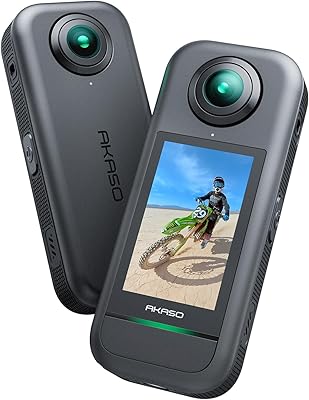
AKASO 360 Action Camera
74%
81%
Video Quality (Daylight)
52%
Low-Light Performance
74%
Stabilization (360-SuperSmooth)
88%
Invisible Selfie Stick Effect
79%
Photo Quality (72MP Mode)
More
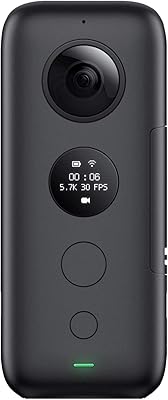
Insta360 ONE X 5.7K Action Camera
83%
91%
Video Quality
94%
Stabilization Performance
88%
Portability and Size
75%
Battery Life
60%
Low-Light Performance
More
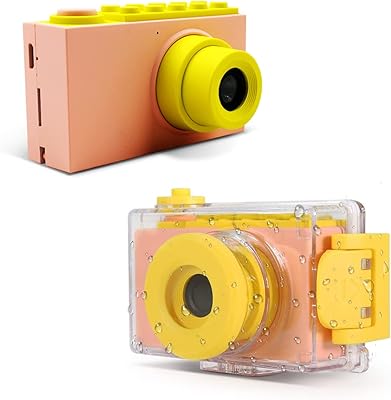
myFirst Camera 2 Kids Waterproof Camera
76%
83%
Waterproof Performance
79%
Build & Durability
91%
Ease of Use for Kids
72%
Photo Quality
61%
Video Quality
More
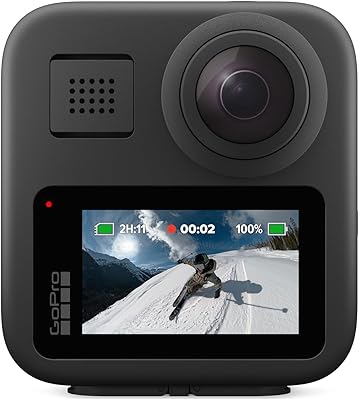
GoPro MAX 360 Action Camera
76%
88%
360 Video Quality
91%
Dual-Mode Versatility
83%
Pole Removal & Stitching
54%
Battery Life
93%
Waterproofing
More
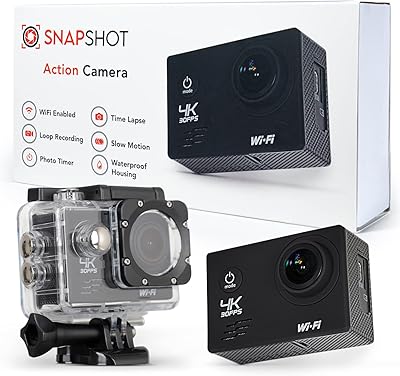
SNAPSHOT Action Camera 4K
85%
88%
Video Quality
91%
Waterproof Performance
72%
Battery Life
85%
Build Quality
89%
Ease of Use
More
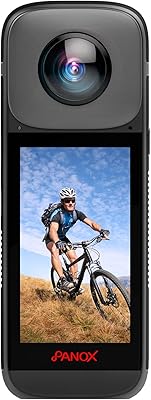
PANOX V2 360 Camera
PANOX V2 360 Camera
82%
91%
Stabilization Performance
88%
Live Streaming Quality
85%
Ease of Use
83%
Build Quality
75%
Battery Life
More
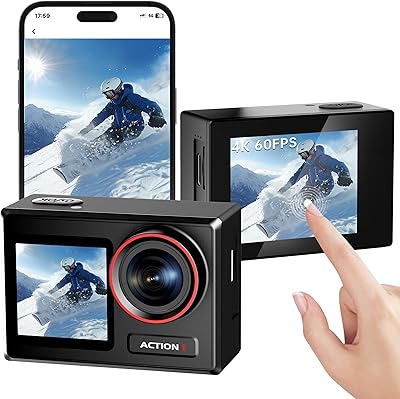
ODDV Action1 4K Waterproof Action Camera
72%
88%
Value for Money
71%
Video Quality
82%
Waterproofing & Durability
67%
Image Stabilization (EIS)
84%
Ease of Use
More
GoPro Hero 4K Action Camera
75%
94%
Portability & Size
78%
Video Quality
92%
Ease of Use
88%
Waterproofing
51%
Battery Life
More

FAQ

You will need to purchase a Micro SD card separately — the Insta360 X3 360° Action Camera does not include one in the box. For 5.7K 360 video, a fast card rated at V30 or higher is strongly recommended, as slower cards can cause recording issues or dropped frames at higher resolutions.
In normal conditions, expect roughly 60 to 80 minutes of active recording per charge, which is fairly typical for cameras in this class. In cold weather — think skiing or snowboarding in freezing temperatures — that number can drop significantly, sometimes to under 30 minutes. If you plan on using it for winter sports or any full-day outing, picking up at least one spare battery from the start is a practical necessity rather than an optional extra.

The X3 is rated for water resistance and handles rain, splashes, and surface-level water sports without issue, but it is not designed for real submersion. For snorkeling or any shooting below the surface, you would need a purpose-built dive housing, which is available as a separate Insta360 accessory. Without it, do not risk submerging the camera in any significant depth.

It is genuinely accessible for newcomers, but there is a conceptual shift involved. With a traditional camera, you frame your shot before you record. With this one, you capture everything and choose your frame afterward in the app. Most first-time users find that clicking after two or three sessions, rather than immediately. The Insta360 app does a solid job walking you through the reframing process, so patience in the first week pays off quickly.

It works best with the official Insta360 selfie stick, which is specifically designed to fall within the stitching blind spot of the dual lenses. Some third-party poles also disappear cleanly, but results vary based on the pole diameter and how close it sits to the camera. If you buy a generic pole and notice it appearing in your footage, switching to the official option usually solves it.

They are exposed, and this is one of the most consistent pieces of advice from long-term owners — buy a lens cap or protective case immediately. The dual lenses are not behind protective glass by default, so they can pick up fine scratches from ordinary handling. Insta360 sells stick-on lens guards, and there are third-party options available too. Treating lens protection as a day-one accessory rather than an afterthought is genuinely worth it.

Both options work. The Insta360 Studio desktop app is available for Windows and Mac and gives you more control over reframing, keyframing, and export settings than the mobile version. For quick, casual edits and sharing, the mobile app is faster and more convenient. For more complex projects or higher-quality exports, the desktop route gives you more flexibility, though the interface is less polished than dedicated editing software like Premiere or DaVinci Resolve.

If you already own the X2, the meaningful improvements are the larger touchscreen, better stabilization, and the addition of Active HDR in 360 mode. For most users, those are worthwhile upgrades rather than marginal ones. If you are buying your first 360 camera and comparing the two on price, the X3 is the stronger choice for current use — the X2 is showing its age, particularly in the app ecosystem and stabilization performance.

This is a known limitation worth planning around. Capacitive touchscreens generally struggle with thick insulated gloves, and the X3 is no exception. Several users mention needing to remove a glove to change modes mid-activity, which is inconvenient on a chairlift or during a ride break. A practical workaround is to pre-configure your shooting mode before you gear up, minimizing the need to interact with the screen once you are out.

The box includes the camera body, a USB charge cable, a small protective pouch, a lens cloth, and a user guide. There is no memory card, no selfie stick, and no lens protector included. For most active use cases, you will realistically want to add a Micro SD card, a quality selfie stick or mount for your activity, a lens protector, and at least one spare battery. Budget for those accessories alongside the camera itself to get the full experience it is designed for.

Where to Buy