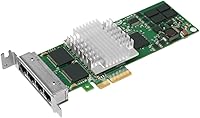
Intel EXPI9404PTL Quad-Port Gigabit Ethernet NIC
Overview
The Intel EXPI9404PTL Quad-Port Gigabit Ethernet NIC is a server-grade networking card that has quietly held its ground since its 2007 debut, and for good reason. Designed around a low-profile PCIe form factor, it slides into compact 1U rackmounts just as comfortably as a full-size tower. This quad-port NIC occupies a practical mid-range price tier — not the cheapest option on the market, but not the kind of hardware that requires a capital expense approval either. With a 4-out-of-5-star rating across roughly 91 buyer reviews, the consensus is positive without being unanimously glowing.
Features & Benefits
Pack four independent Gigabit Ethernet ports onto a single card and you immediately understand the appeal. Rather than burning through multiple PCIe slots with individual adapters, this Intel server card consolidates connectivity and leaves room for other expansion cards. The underlying chipset — well-documented and widely supported across Linux, Windows Server, FreeBSD, and VMware ESXi — means you rarely hunt for compatibility fixes. Advanced capabilities like VLAN tagging, jumbo frames, and NIC teaming come baked in at the hardware level, which matters when segmenting traffic on a firewall or a Proxmox cluster. Each port tops out at 1 Gbps, so expectations should be calibrated accordingly.
Best For
This quad-port NIC hits its sweet spot in a fairly specific set of scenarios. Home lab builders running pfSense or OPNsense will appreciate having four dedicated interfaces for WAN, LAN, DMZ, and management without needing a separate switch. Virtualization admins using Proxmox or ESXi can assign individual ports to different traffic types, keeping VM, storage, and management networks cleanly separated. Small businesses building a capable edge firewall without spending on proprietary appliances will also find it a solid fit. Where it makes less sense is in any build targeting 2.5 GbE or 10 GbE speeds — this card simply is not designed for that league.
User Feedback
Buyers who have run the four-port gigabit adapter in production tend to report positively — long-term reliability is the most recurring theme, with some citing years of uninterrupted service. Compatibility across hypervisors and open-source firewall distros draws consistent praise. On the downside, the card runs noticeably warm under sustained load, so planning for adequate chassis airflow is worth the effort. Driver setup on Windows Server occasionally demands manual steps rather than a plug-and-play experience. The biggest caveat involves refurbished or third-party units, which produced mixed results for some buyers — verifying the seller beforehand is essential. A handful of reviewers also suggest that newer 2.5 GbE cards may be a smarter long-term investment.
Pros
- Four independent ports on one card frees up PCIe slots that would otherwise be consumed by multiple single-port adapters.
- Intel chipset support across Linux, FreeBSD, VMware ESXi, and Windows Server means it works out of the box on most platforms.
- Low-profile bracket included makes it compatible with 1U and slim rackmount server chassis without modification.
- Hardware-level VLAN tagging and NIC teaming support advanced network segmentation without relying on software workarounds.
- Long-term reliability is a recurring theme among buyers, with several reporting years of continuous uptime in production.
- The four-port gigabit adapter is well-suited for pfSense and OPNsense firewall builds requiring multiple dedicated interfaces.
- Intel driver updates are predictable and well-documented, reducing the risk of OS upgrade surprises down the road.
- Jumbo frame support is a genuine benefit for iSCSI or NFS storage traffic in virtualized environments.
- Mid-range pricing makes this a cost-effective alternative to proprietary multi-port appliance hardware for small businesses.
Cons
- 1 Gbps per port is adequate today but creates a bottleneck in networks already transitioning to 2.5 GbE speeds.
- The card runs noticeably warm under sustained load, requiring deliberate airflow planning in the chassis.
- Driver installation on Windows Server can require manual steps rather than a straightforward plug-and-play setup.
- Refurbished or third-party units have produced inconsistent quality, making seller verification essential before buying.
- The design dates back to 2007, and newer multi-port NICs offer higher throughput for a comparable or lower price.
- No 10 GbE or 2.5 GbE option exists in this product line, limiting its relevance in more demanding network builds.
- Physical card dimensions of 9 x 6 x 1 inches mean it may not fit all compact or mini-ITX cases despite the low-profile bracket.
Ratings
Our AI-generated scores for the Intel EXPI9404PTL Quad-Port Gigabit Ethernet NIC are based on a systematic analysis of verified buyer reviews from global markets, with spam, incentivized, and bot-driven submissions actively filtered out before scoring. Each category reflects the honest distribution of user sentiment — strengths are credited where they are earned, and recurring pain points are represented without being softened. The result is a transparent, balanced picture of what real-world owners actually experience with this card day to day.
OS & Hypervisor Compatibility
Long-Term Reliability
Port Density & Slot Efficiency
Value for Money
Thermal Management
Driver Ecosystem
Build & Hardware Quality
Form Factor Flexibility
Network Feature Set
Setup & Installation Experience
Future-Proofing
Refurbished Unit Consistency
Noise Level
Community & Documentation Support
Suitable for:
The Intel EXPI9404PTL Quad-Port Gigabit Ethernet NIC is a strong fit for anyone who needs multiple network interfaces on a single card without the hassle of stacking adapters across precious PCIe slots. Home lab enthusiasts running pfSense, OPNsense, or Proxmox VE will find it particularly practical, since having four discrete ports allows clean separation of WAN, LAN, DMZ, and management traffic on one physical device. Virtualization administrators who need to dedicate interfaces to storage, VM, uplink, and management networks will also get real utility here. Small businesses building a capable software-defined firewall or router appliance — without committing to expensive proprietary hardware — can lean on this card's broad OS support and Intel driver reliability. Its low-profile form factor makes it a natural choice for 1U rackmount builds where physical space is a genuine constraint.
Not suitable for:
Buyers who are planning a network infrastructure that needs to handle sustained high-bandwidth workloads or future-proof connectivity should look elsewhere before committing. The Intel EXPI9404PTL Quad-Port Gigabit Ethernet NIC tops out at 1 Gbps per port, which is entirely adequate for most firewall and routing scenarios today but feels limiting if your environment is already pushing toward 2.5 GbE or 10 GbE standards. If your servers or switches are already 2.5 GbE-capable, pairing them with this card creates an artificial bottleneck that will frustrate you quickly. This card also is not ideal for buyers who need a truly plug-and-play Windows Server experience, as driver setup can require manual intervention. Anyone purchasing from non-verified resellers should also exercise caution, since third-party or refurbished units have produced inconsistent results and the reliability reputation of the card depends heavily on getting a genuine Intel product.
Specifications
- Brand: Manufactured by Intel Networking, a division with a long-standing reputation for enterprise-grade network hardware.
- Model Number: The exact model identifier is EXPI9404PTL, which corresponds to Intel's PRO/1000 PT Quad Port Low Profile Server Adapter.
- Port Count: This card provides four independent RJ-45 Gigabit Ethernet ports on a single PCIe expansion card.
- Interface: The card connects to the host system via a PCI Express (PCIe) slot, compatible with standard PCIe x4 or wider slots.
- Max Throughput: Each port supports up to 1 Gbps, yielding an aggregate maximum data transfer rate of 4 Gbps across all four ports simultaneously.
- Form Factor: Low-profile (half-height) design at 9 x 6 x 1 inches; both standard and low-profile brackets are included for flexible chassis compatibility.
- Item Weight: The card weighs 5.6 ounces, making it lightweight enough for easy single-person installation in rackmount or tower servers.
- OS Support: Officially supported operating systems include Windows Server, Linux (multiple distributions), FreeBSD, and VMware ESXi.
- Chipset: Built around Intel's 82571EB Gigabit Ethernet controller, a well-documented chipset with broad community and vendor driver support.
- VLAN Support: Hardware-level IEEE 802.1Q VLAN tagging is supported, enabling logical network segmentation without software overhead.
- Jumbo Frames: The card supports jumbo frames up to 9 KB, which can improve throughput efficiency for storage-heavy workloads like iSCSI and NFS.
- NIC Teaming: Multiple ports can be bonded or teamed at the hardware level for increased redundancy or aggregated bandwidth in supported environments.
- Flow Control: IEEE 802.3x flow control is supported, helping prevent packet loss under heavy network load conditions.
- Stock Number: The card carries National Stock Number 5998-01-576-1467, indicating it has been used in military and government procurement contexts.
- Availability: First made available in March 2007; as of the review date, Intel has not discontinued this model.
- ASIN: The Amazon Standard Identification Number for this product is B000OZC98C, useful for verifying the correct listing when purchasing online.
Related Reviews
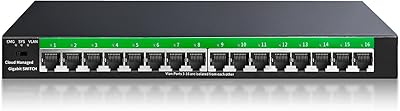
STEAMEMO 16-Port Managed Gigabit Ethernet Switch
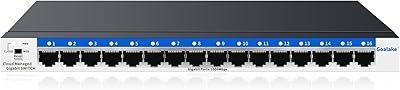
Goalake 16-Port Gigabit Managed Switch
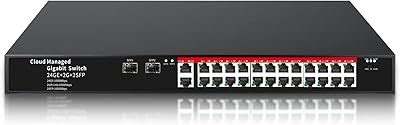
STEAMEMO 26-Port Gigabit Managed Ethernet Switch
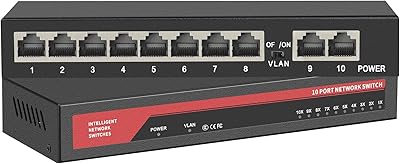
ienRon 10-Port Gigabit Ethernet Switch
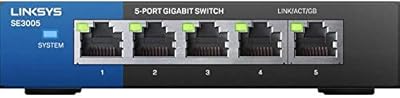
Linksys SE3005 5-Port Gigabit Ethernet Switch
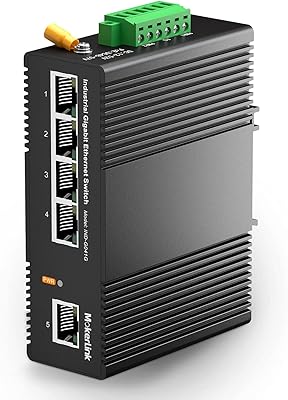
MokerLink 5-Port Gigabit Industrial Ethernet Switch
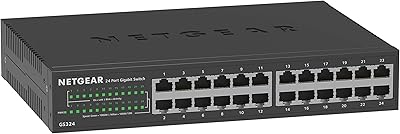
NETGEAR GS324 24-Port Gigabit Ethernet Switch
NETGEAR GS316 16-Port Gigabit Network Switch
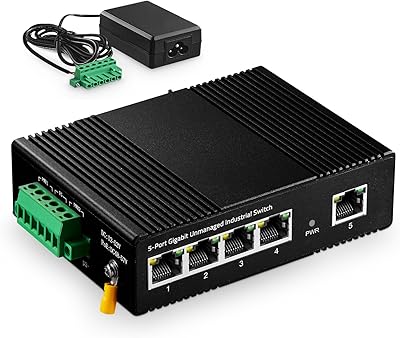
Binardat 5-Port Gigabit Industrial Ethernet Switch
NETGEAR GS608 8-Port Gigabit Ethernet Switch