ICY BOX IB-2913MCL-C31 HDD/NVMe SSD Docking Station
ICY BOX IB-2913MCL-C31 HDD/NVMe SSD Docking Station — image 1
ICY BOX IB-2913MCL-C31 HDD/NVMe SSD Docking Station — image 2
ICY BOX IB-2913MCL-C31 HDD/NVMe SSD Docking Station — image 3
ICY BOX IB-2913MCL-C31 HDD/NVMe SSD Docking Station — image 4
ICY BOX IB-2913MCL-C31 HDD/NVMe SSD Docking Station — image 5
ICY BOX IB-2913MCL-C31 HDD/NVMe SSD Docking Station — image 6
ICY BOX IB-2913MCL-C31 HDD/NVMe SSD Docking Station — image 7
81%
19%

Overview

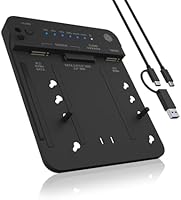
The ICY BOX IB-2913MCL-C31 HDD/NVMe SSD Docking Station sits comfortably in the mid-range of the hard drive docking market — not the cheapest option on the shelf, but far from overpriced for what it delivers. RaidSonic, the German manufacturer behind the ICY BOX brand, has built a solid reputation in European storage accessories, and this unit reflects that heritage well. The two features that actually make it worth considering are the tool-free drive installation and the one-button offline cloning. No screwdrivers, no third-party software to hunt down. For casual users and semi-professionals alike, this cloning and docking unit strikes a practical balance between versatility and everyday simplicity.

Features & Benefits

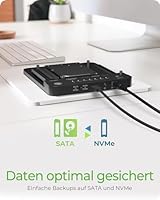
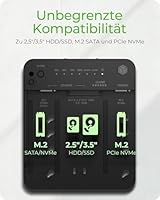
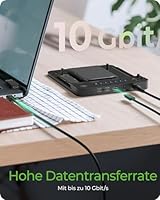
Running on USB 3.2 Gen 2, the ICY BOX dual-bay dock tops out at 10 Gbps — genuinely fast for most real-world transfers, though it is worth knowing that modern NVMe drives can internally exceed that ceiling by a significant margin. What stands out more is the breadth of drive support: SATA 2.5-inch and 3.5-inch HDDs sit alongside M.2 PCIe NVMe SSDs in a single enclosure. The included USB-C and USB-A cable removes the need for extra adapters across most setups. The one-button clone function works entirely offline — no software, no account. One important caveat: cloning always targets the M.2 NVMe bay specifically, so SATA-to-SATA cloning is not supported here.

Best For

This docking station was built with a fairly specific user in mind, and it is worth being upfront about that. If you are migrating from an aging spinning hard drive to an M.2 NVMe SSD and want to do it without installing software or opening your PC, this is a natural fit. It also works well for IT technicians or home lab enthusiasts who clone drives regularly and need something reliable and repeatable. Small businesses with local backup needs will appreciate the offline-first approach. That said, if you only need a basic drive reader for occasional use, or you want to clone between two SATA drives, this unit is not the right match for that workflow.

User Feedback

Across 128 ratings, this cloning and docking unit holds a 4.4-star average — a score that reflects genuine satisfaction rather than inflated enthusiasm. Most buyers highlight how approachable the cloning process is; many completed their first HDD-to-SSD migration without consulting a single tutorial. Build quality earns consistent praise too, feeling solid rather than hollow for a plastic enclosure. On the critical side, a handful of users flag compatibility hiccups with certain older SATA drives, and a few mention the included cable quality feels underwhelming relative to the overall package. Scattered complaints about heat during prolonged sessions also appear. Nothing catastrophic, but worth factoring in if you plan extended, multi-hour clone operations regularly.

Pros

  • One-button offline cloning works without any software installation, making drive migration approachable for non-technical users.
  • Supports both legacy SATA 2.5-inch and 3.5-inch drives alongside M.2 NVMe SSDs in a single compact enclosure.
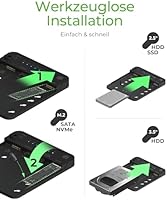
  • Tool-free drive insertion makes swapping drives quick and physically straightforward.
  • Both USB-C and USB-A cables are included, so most users can connect immediately without hunting for extras.
  • USB 3.2 Gen 2 delivers real-world transfer speeds that are noticeably fast for large file moves or backups.
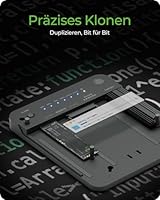
  • Bit-for-bit cloning replicates the full drive — OS, partitions, and configurations — not just user files.
  • Solid build quality for the price tier; the unit does not feel flimsy or cheap in hand.
  • Compact footprint means it stores easily in a drawer between uses rather than occupying permanent desk space.
  • RaidSonic has a reliable track record in storage accessories, which adds confidence in long-term durability.

Cons

  • Cloning is restricted to an NVMe target only — SATA-to-SATA cloning is simply not possible with this unit.
  • The included cable quality feels underwhelming relative to the overall price point, according to several buyers.
  • Heat buildup during prolonged cloning sessions has been flagged by users running multi-hour operations.
  • The 10 Gbps interface caps throughput well below what modern NVMe drives are actually capable of internally.
  • Compatibility hiccups with certain older SATA hard drives have been reported, though this appears to be edge-case rather than widespread.
  • No drive activity indicator lights, making it harder to confirm a clone is actively running without checking a connected device.
  • Not useful as a permanent daily-use docking station for users who need both bays accessible as live volumes simultaneously.
  • Lacks any bundled cloning verification or checksum feature, so confirming clone integrity requires a separate step.

Ratings

The scores below were generated by our AI engine after analyzing verified buyer reviews for the ICY BOX IB-2913MCL-C31 HDD/NVMe SSD Docking Station from multiple global sources, with spam, bot-submitted, and incentivized feedback actively filtered out. The results reflect a balanced picture drawn from real-world use cases — not just the happiest buyers. Strengths and friction points are represented equally so you can make an informed call.

Cloning Ease
91%
The offline one-button clone is the feature most buyers specifically came for, and it consistently delivers. Users who had never cloned a drive before reported completing a full HDD-to-NVMe migration on their first attempt without consulting any instructions. That kind of zero-friction experience is rare in this category.
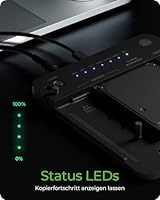
A handful of users noted uncertainty about when the clone had actually finished, since the status indicators are not the most intuitive. If the source drive is very large, the process can run for hours with no clear progress feedback, which makes some buyers nervous.
Drive Compatibility
78%
22%
Covering 2.5-inch SATA, 3.5-inch SATA, and M.2 PCIe NVMe SSDs in a single enclosure is legitimately useful for anyone juggling mixed storage generations. Most common drives from major manufacturers seated and were recognized without issues, which is what the majority of buyers experienced.
The cloning function is limited to NVMe as the destination — SATA-to-SATA cloning is simply not supported, and this catches some buyers off guard. A few users also reported that certain older or off-brand SATA HDDs were not reliably detected, adding a layer of uncertainty for legacy drive users.
Transfer Speed
74%
26%
USB 3.2 Gen 2 at 10 Gbps is more than adequate for transferring large media libraries, backing up working drives, or migrating operating systems in a reasonable timeframe. Users moving from spinning HDDs were especially impressed by how quickly the process wrapped up compared to older USB 3.0 docks.
The 10 Gbps ceiling starts to feel like a limitation when paired with fast modern NVMe drives that can push well beyond that internally. Power users doing regular bulk transfers involving multiple large drives noted that the interface becomes the bottleneck rather than the drives themselves.
Build Quality
83%
The enclosure feels noticeably more solid than similarly priced competitors, with a matte plastic shell that does not creak or flex under normal handling. Buyers who had gone through cheaper docks that cracked or wobbled appreciated the sturdier feel when inserting and removing drives repeatedly.
It is still a plastic enclosure, and a small number of users who use this cloning and docking unit in high-rotation IT environments did observe minor cosmetic wear around the drive slots after extended use. It holds up fine for occasional use but may not be the most durable option for daily professional rotation.
Tool-Free Installation
88%
The driveless insertion mechanism works cleanly for the vast majority of drive form factors, and most users found they could swap out a drive in under thirty seconds once familiar with the slots. This is especially valued by home users who do not keep a screwdriver set on their desk.
A few buyers noted that smaller 2.5-inch drives occasionally felt slightly loose in the bay compared to the snugger fit of 3.5-inch models. This is a minor concern for everyday use but worth knowing if you are repeatedly hot-swapping the same drives without powering the unit down.
Included Cables
61%
39%
Including both a USB-C and USB-A cable in the box is a practical touch that means most buyers can connect immediately regardless of which ports their laptop or desktop has available. Not having to source a cable separately on day one is a small but appreciated convenience.
The cable quality itself attracted consistent mild criticism — buyers described the included cables as feeling thin and somewhat flimsy relative to the price of the unit. Several users opted to swap them for higher-quality third-party cables shortly after purchase, which should not be necessary at this tier.
Thermal Management
63%
37%
For short cloning sessions and intermittent drive access, the ICY BOX dual-bay dock runs at acceptable temperatures without any active cooling required. Casual users doing one-off migrations rarely reported heat as an issue during typical sub-two-hour operations.
Extended cloning sessions — particularly with large-capacity 3.5-inch HDDs — produced noticeable warmth that concerned a segment of users. There is no active ventilation, so sustained workloads over multiple hours in a warm room can push surface temperatures higher than feels comfortable.
Setup Experience
92%
Plug it in, insert the drives, and it works — that is genuinely the experience most buyers described. There are no drivers to hunt down, no accounts to create, and no software to configure. For non-technical users especially, this zero-friction setup was frequently mentioned as the deciding reason they chose this dock over alternatives.
The documentation included in the box is minimal, which is fine for tech-savvy users but left a few less experienced buyers uncertain about the correct cloning procedure. A more clearly illustrated quick-start guide would reduce the small number of user errors that appear in negative reviews.
Value for Money
76%
24%
For buyers who specifically need offline NVMe cloning combined with SATA read access in a single device, the pricing feels justified when weighed against buying separate tools for each task. Users who completed a successful OS migration on their first use consistently rated value highly.
Buyers who later discovered the SATA-to-SATA cloning limitation felt the value proposition weakened considerably if that was their primary use case. The cable quality concern also chips away at the perception of value slightly, since it suggests minor corners were cut on the accessories side.
Clone Accuracy
89%
The vast majority of users who performed a clone reported that the resulting NVMe drive booted successfully and behaved identically to the source, including Windows activation, installed software, and recovery partitions. Bit-for-bit accuracy is where this cloning and docking unit genuinely earns its keep.
A small number of users experienced failed clones with no clear error indication, which required them to restart the process. Without a built-in verification step or progress log, diagnosing what went wrong is essentially guesswork, which is frustrating when working with irreplaceable data.
Portability
81%
19%
At 420 g and with a compact footprint, this docking station travels well in a laptop bag or a technician's kit. IT professionals who move between office locations or client sites appreciated having a capable clone-and-read tool that does not require a dedicated carry case.
The unit does not include a travel pouch or any protective sleeve, so the exposed drive bays are vulnerable to dust and debris in transit. Users who carry it regularly recommended storing it in a zip bag, which is a minor but avoidable gap for a product clearly suited to on-the-go use.
Offline Clone Independence
93%
The ability to run a full drive clone without any host computer connected is a feature that resonates strongly with users in environments where installing software is restricted or impractical. IT support workers praised it for letting them clone drives on-site without needing to open a laptop or configure anything.
Because the clone process is fully autonomous, there is no way to set advanced options like skipping bad sectors, cloning only used space, or scheduling a clone — it is all-or-nothing by design. For professional data recovery scenarios, this lack of control is a meaningful trade-off.

Suitable for:

The ICY BOX IB-2913MCL-C31 HDD/NVMe SSD Docking Station is a genuinely strong pick for anyone who needs to migrate from an old spinning hard drive to a modern M.2 NVMe SSD without the hassle of installing software or navigating complex partition tools. It is particularly well-suited to non-technical home users who just want to press one button and walk away while the clone runs. IT support professionals and home lab regulars will also appreciate having a single device that handles both legacy SATA formats and current NVMe drives, cutting down on the number of adapters cluttering a workbench. Small businesses running local drive backups — rather than cloud-dependent workflows — will find the offline cloning approach refreshingly straightforward. If your priority is simplicity, decent transfer speeds, and wide drive compatibility in one compact unit, this docking station delivers exactly that.

Not suitable for:

Buyers expecting to clone one SATA drive directly onto another SATA drive will hit a hard wall with this unit, since the cloning function exclusively targets the M.2 NVMe bay — that is a meaningful limitation that rules out a common use case. The ICY BOX IB-2913MCL-C31 HDD/NVMe SSD Docking Station is also not ideal for users running sustained, high-throughput workloads where the 10 Gbps USB 3.2 Gen 2 ceiling becomes a real bottleneck compared to what a native NVMe drive can actually push. If you need simultaneous access to both bays as independent volumes for regular daily use, the thermal performance during extended sessions has raised some concerns among users. Power users looking for RAID functionality, or professionals needing enterprise-grade cloning with verification logs, will need to look at more specialized hardware. This is a focused tool for specific tasks — not a do-everything storage hub.

Specifications

  • Model Number: The unit is officially designated IB-2913MCL-C31 by manufacturer RaidSonic Technology GmbH under the ICY BOX brand.
  • Interface: Connects to a host computer via USB 3.2 Gen 2, supporting data transfer rates of up to 10 Gbps.
  • Connector Types: Ships with both a USB-C and a USB-A cable included, providing compatibility across a wide range of modern and older host devices.
  • Drive Bays: Houses two independent bays: one for SATA 2.5″ or 3.5″ drives and one dedicated to M.2 PCIe NVMe SSDs.
  • SATA Support: Accepts standard 2.5-inch SATA HDDs and SSDs as well as full-size 3.5-inch SATA desktop hard drives without adapters.
  • NVMe Support: The M.2 bay is compatible with PCIe NVMe SSDs; M.2 SATA drives are not supported in the NVMe bay.
  • Cloning Method: Offline one-button cloning operates without any software installation, duplicating all data, partitions, and configurations from source to target drive.
  • Clone Target: Cloning always writes to the M.2 PCIe NVMe bay as the destination; SATA-to-SATA cloning between the two bays is not supported.
  • Installation: Both drive bays use a tool-free insertion mechanism, requiring no screwdrivers or mounting hardware to seat drives securely.
  • Item Weight: The unit weighs 420 g (14.8 oz), making it light enough to store in a drawer or carry in a laptop bag without difficulty.
  • Dimensions: Product dimensions are listed as approximately 0.57 x 0.67 x 0.26 inches per the manufacturer, reflecting its compact desktop footprint.
  • Color & Finish: Available in a single matte black finish suited to most desk and workbench environments.
  • Compatible Devices: Designed for use with desktop PCs, laptops, and personal computers running operating systems that support USB mass storage.
  • Power Source: The unit is bus-powered via the USB connection for 2.5-inch drives; 3.5-inch HDDs typically require the included or a compatible external power adapter.
  • Brand & Maker: Manufactured by RaidSonic Technology GmbH, a German company known primarily in European markets for storage enclosures and docking accessories.
  • Market Rank: Holds a Best Sellers Rank of #156 in the Hard Drive Docking Stations category on Amazon as of its listing data.
  • Availability Date: This docking station was first made available for purchase in December 2023.
  • Rating: Carries an average customer rating of 4.4 out of 5 stars based on 128 ratings at the time of review.

Related Reviews
GRAUGEAR G-M2ST235-CL NVMe SATA Drive Docking Station
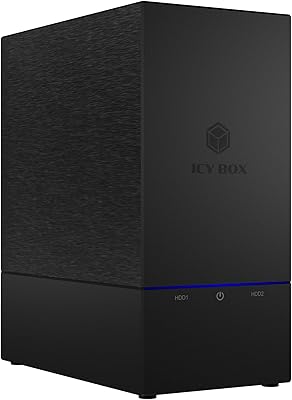
77%
88%
Offline Cloning
91%
Drive Compatibility
84%
Transfer Speed
79%
Cooling Performance
93%
Ease of Use
More
ICY BOX IB-RD3621-C31 USB RAID Hard Drive Enclosure
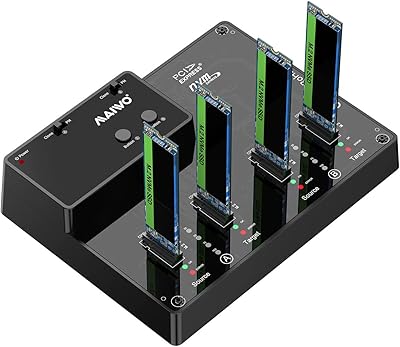
83%
88%
Performance
67%
Ease of Setup
91%
Build Quality
85%
Cooling Efficiency
90%
Data Transfer Speed
More
ANYOYO TBU405M1 40Gbps M.2 NVMe SSD Enclosure
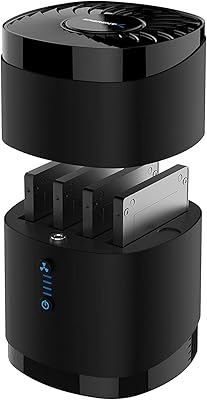
81%
91%
Transfer Speed Performance
74%
Host Compatibility
88%
Build Quality
82%
Thermal Management
93%
Installation Ease
More
MAIWO M.2 NVMe SSD Cloner Duplicator 4 Bay Docking Station
86%
89%
Cloning Speed
92%
Ease of Setup
87%
Build Quality
90%
Heat Dissipation
93%
Compatibility with M.2 Sizes
More
ORICO Dual M.2 NVMe SSD Enclosure
79%
88%
Build Quality
84%
Thermal Management
82%
Transfer Speed
71%
Drive Compatibility
91%
Ease of Installation
More
Sabrent DS-4SSD 4-Bay 2.5” SATA SSD/HDD Docking Station
88%
91%
Value for Money
96%
Ease of Setup
85%
Cooling Performance
77%
Drive Compatibility
89%
Build Quality
More
ICY DOCK ToughArmor MB604SPO-B 4 Bay 2.5 SSD/HDD & Optical Disk Drive Enclosure
85%
88%
Build Quality
85%
Cooling Performance
91%
Ease of Installation
87%
Value for Money
89%
Compatibility with Drives
More
ICY DOCK ToughArmor MB924IP-B 24-Bay 2.5″ SAS/SATA HDD/SSD Mobile Rack Enclosure
85%
93%
Storage Capacity
88%
Build Quality
85%
Cooling Performance
80%
Ease of Setup
91%
Connectivity & Compatibility
More
ICY DOCK ToughArmor MB998SP-B 8-Bay 2.5” SATA/SAS HDD/SSD Mobile Rack Enclosure for 5.25″ Bay
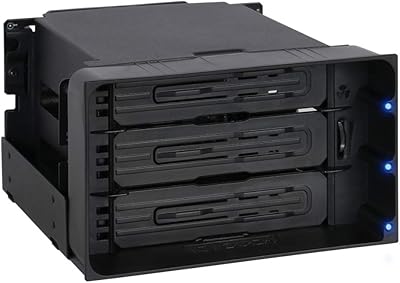
87%
91%
Performance
88%
Cooling Efficiency
89%
Build Quality
93%
Ease of Installation
72%
Noise Level
More
ICY DOCK flexiDOCK MB830SP-B 3-Bay 3.5 Inch SATA/SAS HDD Docking Enclosure
83%
93%
Ease of Installation
88%
Build Quality
87%
Performance & Speed
79%
Cooling Efficiency
65%
Noise Levels
More

FAQ

Unfortunately, no. The cloning function on this unit only supports writing to the M.2 PCIe NVMe bay as the destination. If you need to clone one SATA drive to another SATA drive, you will need a different dock that explicitly supports SATA-to-SATA cloning.

Not at all. The clone function is entirely hardware-based and runs offline. You insert the source drive in the SATA bay, place the target NVMe SSD in the M.2 slot, hold the clone button, and the unit handles everything on its own. No drivers, no apps, no account needed.

The M.2 bay is designed for PCIe NVMe drives only. M.2 SATA SSDs use a different protocol and are not compatible with this slot. If you are unsure which type of M.2 drive you have, check whether it uses an NVMe or AHCI interface before purchasing.

The ICY BOX IB-2913MCL-C31 HDD/NVMe SSD Docking Station runs on USB 3.2 Gen 2, which has a 10 Gbps ceiling. In real-world use, you can expect solid transfer rates for large file moves and backups, though it is worth knowing that the drive itself will often be the bottleneck — particularly with fast NVMe SSDs that can internally exceed 10 Gbps under ideal conditions.

3.5-inch HDDs typically draw more power than a USB connection alone can reliably provide. You will generally need to use the included or a compatible external power supply to ensure stable operation with larger desktop drives. Using an undersized power source can cause read errors or the drive failing to spin up.

Yes, both bays should appear as independent volumes when connected, letting you read from and write to each drive separately. That said, some users have noted heat buildup during extended dual-bay sessions, so it is worth keeping that in mind if you plan long continuous operations.

The dock does have activity indicators, but several users have mentioned they can be easy to miss or ambiguous during a running clone. It is a good habit to leave the unit undisturbed until enough time has elapsed for the drive capacity being cloned, and to verify the cloned drive boots correctly before decommissioning the source.

As a USB mass storage device, it works across Windows, macOS, and Linux without requiring proprietary drivers for standard read/write use. The one-button offline clone runs independently of the host OS entirely, so that feature works regardless of what computer you plug it into.

The tool-free design is one of the stronger points of this cloning and docking unit. Drives slide in and click into place without needing screws or mounting rails. Most users find it straightforward, though like most tool-free docks, repeated insertions over time are worth monitoring for any wear on the retention mechanism.

Yes, the hardware clone performs a bit-for-bit copy of the entire source drive, which includes the OS, hidden recovery partitions, boot sectors, and all user data. The target drive should be bootable and functionally identical to the source once cloning completes, assuming the target drive is at least as large as the used space on the source.

Where to Buy