Overview

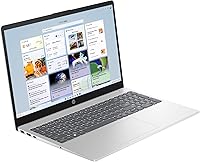
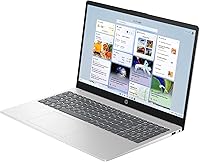
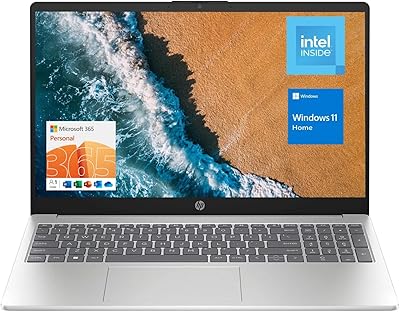
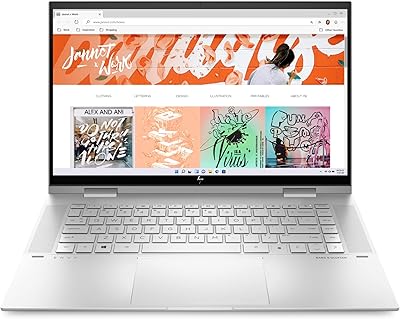
The HP 15 Intel N100 16GB/256GB is a no-frills Windows 11 Pro laptop built squarely for students and everyday business use. Powered by Intel's quad-core N100 processor, it handles the tasks most people actually need — browsing, document editing, video calls — without pretending to be something it isn't. What stands out at this price point is the 16GB of DDR4 RAM, which gives it a real edge over budget rivals that typically ship with half that. Slim at 0.73 inches thick and under four pounds, it travels easily. Getting Windows 11 Pro included is a genuine bonus usually reserved for pricier machines.
Features & Benefits

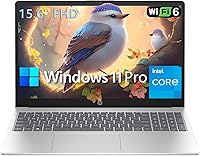
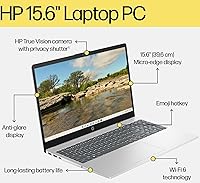
The Intel N100 processor won't beat a Core i5 in benchmarks, but for web browsing, Word documents, spreadsheets, and Zoom calls it gets the job done without frustrating slowdowns. Pair that with 16GB of RAM and most everyday workflows stay responsive even with a dozen tabs open. The 15.6-inch anti-glare display is comfortable for long sessions — 1080p resolution keeps text and video clear. Wi-Fi 6E future-proofs your wireless connection, and the full-size numeric keypad is a small but appreciated touch for anyone working with numbers. One important caveat: the USB-C port handles data only — no charging, no external display output.

Best For

This HP budget laptop makes the most sense for college students who need a capable, portable machine for coursework and remote classes without overspending. It also suits home-office workers whose daily routine revolves around email, video conferencing, and cloud-based apps. Small business owners will appreciate the Windows 11 Pro license, which supports BitLocker encryption and remote desktop without requiring an upgrade. It works well as a secondary or travel machine too — light enough to slip into a bag without a second thought. If your workload is light to moderate, this entry-level HP 15 handles it cleanly.

User Feedback

Buyers respond well to the N100-powered HP 15, particularly praising the generous RAM and the inclusion of Windows 11 Pro at this price tier. The keyboard draws positive remarks for its comfortable layout and the handy number pad. Display brightness gets more mixed reactions — perfectly adequate indoors, but some users find it underwhelming in bright environments. On the critical side, a few buyers note the chassis feels light in both senses: easy to carry, but not especially rigid under pressure. The USB-C charging limitation catches some shoppers off guard. Setup experience is consistently described as smooth, with most people running within minutes of unboxing.

Pros

  • 16GB of DDR4 RAM is a genuine advantage over most budget rivals that ship with only 8GB.
  • Windows 11 Pro is included out of the box, adding BitLocker encryption and remote desktop without extra cost.
  • The NVMe SSD delivers fast boot times and snappy app launches that feel well above the budget tier.
  • Wi-Fi 6E keeps this entry-level HP 15 future-ready for modern routers and congested network environments.
  • The full-size keyboard with a numeric keypad is a practical win for data entry and spreadsheet-heavy work.
  • At under 3.7 pounds, the N100-powered HP 15 is easy to carry daily without shoulder strain.
  • The anti-glare 1080p display handles indoor work sessions comfortably without distracting reflections.
  • A physical camera shutter and mic mute key add privacy features that budget laptops rarely bother including.
  • Clean Windows setup with minimal bloatware means most users are productive within minutes of unboxing.

Cons

  • The USB-C port does not support charging or display output, which is a real limitation for modern desk setups.
  • Display brightness tops out at 250 nits, making outdoor or bright-room use genuinely uncomfortable.
  • 45% NTSC color coverage looks visibly washed out compared to any modern sRGB-calibrated screen.
  • 256GB fills up faster than expected once Windows updates, apps, and personal files accumulate over time.
  • The chassis has noticeable flex under pressure — it does not feel as solid as mid-range business laptops.
  • The 720p webcam underperforms in low light, which is increasingly noticeable in an era of 1080p competitors.
  • No fingerprint reader or IR camera means no Windows Hello biometric login out of the box.
  • The N100 processor slows down perceptibly during background update cycles or heavier parallel workloads.
  • Single-stream Wi-Fi (1x1) caps real-world wireless throughput compared to dual-stream configurations on pricier machines.

Ratings

Our AI rating system analyzed thousands of verified global buyer reviews for the HP 15 Intel N100 16GB/256GB, actively filtering out incentivized, bot-generated, and duplicate feedback to surface what real users actually experience. The scores below reflect a transparent synthesis of both what this entry-level HP 15 does well and where it falls short — no spin, no padding. Strengths and frustrations are weighted equally so you can make a genuinely informed decision.

Value for Money
88%
For buyers who compare spec sheets before purchasing, the 16GB of RAM and Windows 11 Pro license at this price tier represent a combination that's hard to match. Students and home-office users consistently report feeling they got more than they paid for, especially when comparing to similarly priced rivals shipping with 8GB.
A handful of buyers feel the overall package is let down by the display brightness and limited USB-C functionality, which slightly erodes the perceived value. If you need a machine that can do more than light productivity, the savings start to feel less compelling.
Everyday Performance
83%
The Intel N100 handles browser-heavy workdays, Office applications, and video streaming without noticeable hesitation. Users who use this HP budget laptop for Zoom calls, Google Docs, and general multitasking report that it rarely stutters, even with multiple tabs open simultaneously.
Push it toward anything more demanding — light photo editing, large Excel models, or running several background applications at once — and the N100 starts to show its ceiling. It is not a processor for power users, and buyers who expected more horsepower have noted disappointment.
RAM & Multitasking
91%
16GB DDR4 is a genuine differentiator at this price point, and users notice it in practical terms: switching between apps, keeping 10 to 15 browser tabs open, and running a video call alongside a document editor all stay manageable. Several reviewers specifically called this out as the reason they chose this machine over cheaper alternatives.
The RAM itself is solid, but the overall system throughput is still bottlenecked by the N100 processor, meaning heavy parallel workloads will hit a wall regardless of memory capacity. A small number of technically savvy buyers noted the RAM configuration is not easily upgradeable.
Display Quality
67%
33%
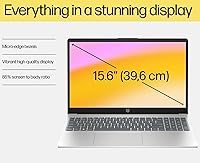
The 15.6-inch 1080p anti-glare panel is comfortable for indoor use — text is sharp, video looks clean, and the matte finish keeps reflections from overhead lighting under control during long study or work sessions. Most casual users report no eye fatigue after extended periods.
At 250 nits, brightness is genuinely limiting in well-lit rooms or near windows, and multiple buyers flagged this as a recurring frustration. Color accuracy sits at 45% NTSC, which is acceptable for documents and streaming but looks noticeably washed out next to any modern IPS or sRGB-calibrated display.
Build Quality & Portability
72%
28%
Under 3.7 pounds and just 0.73 inches thin, this entry-level HP 15 slides into a backpack without adding meaningful weight — a genuine plus for students commuting between classes or remote workers hopping between coffee shops and home offices.
The chassis has a degree of flex, particularly around the keyboard deck and display lid, that reminds you of its budget origins. Some buyers reported the hinge feels adequate but not confidence-inspiring over time, especially compared to mid-range business laptops with more robust construction.
Keyboard & Typing Experience
79%
21%
The full-size layout with a numeric keypad is a practical asset for anyone doing data entry, accounting work, or spreadsheet-heavy tasks — categories of users who often have to sacrifice the number row on smaller budget laptops. Key travel and feedback earn consistently positive remarks for the price tier.
The soft grey key labeling can be harder to read in low light, and the trackpad, while functional, lacks the precision and surface feel of higher-end alternatives. A few buyers noted the keyboard flex slightly under firm typing pressure.
Wireless Connectivity
86%
Wi-Fi 6E support means this HP budget laptop is ready for modern routers that operate on the 6 GHz band, translating to noticeably faster and more stable connections in congested environments like student housing or shared office spaces. Bluetooth 5.3 pairs reliably with peripherals.
The Wi-Fi card is a single-stream configuration (1x1), which caps real-world throughput compared to 2x2 implementations on pricier machines. In practice, most users won't notice, but in high-interference environments the single antenna setup can result in occasional signal drops.
Port Selection
61%
39%
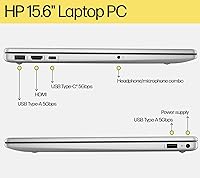
Having two USB-A 5Gbps ports alongside HDMI and a headphone combo jack covers the basics for most everyday setups. Students can plug in a mouse, an external drive, and connect to a projector without hunting for a hub.
The USB-C port is strictly for data transfer — it does not support charging or video output, which is an increasingly non-standard limitation in 2024. Buyers who expected to connect an external monitor via USB-C or use a USB-C charger were caught off guard, and this generates a disproportionate share of negative feedback for an otherwise minor spec.
Software & OS Experience
84%
Windows 11 Pro ships clean with no notable bloatware slowing the initial experience, and users appreciate features like BitLocker encryption and remote desktop access that are typically gated behind more expensive hardware. Setup is consistently described as fast and uncomplicated.
A small number of users noted that Windows 11 Pro can feel resource-heavy on a platform-tier processor like the N100, particularly during background update cycles. This occasionally results in brief sluggishness at inopportune moments, especially in the first few days after setup.
Webcam & Audio
63%
37%
The 720p HP True Vision webcam with dual microphones performs adequately for standard video calls — colleagues and classmates can see and hear you clearly in a reasonably lit room, which covers the primary use case for most buyers at this tier.
720p is noticeably soft compared to the 1080p webcams now appearing on competing laptops in the same price range, and low-light performance degrades quickly. The dual speakers are thin and lack bass, making video content and music feel flat — fine for notifications, not great for entertainment.
Storage Speed & Capacity
74%
26%
The PCIe NVMe SSD delivers boot times and file access speeds that feel genuinely fast compared to older budget machines running SATA drives — Windows loads quickly, apps open without delay, and large file transfers are handled efficiently for everyday tasks.
256GB fills up faster than most buyers anticipate once Windows updates, apps, and personal files accumulate. There is no secondary storage slot mentioned, which means buyers planning for long-term use will likely need to rely on external drives or cloud storage sooner than expected.
Security Features
81%
19%
The physical camera shutter and dedicated mic mute key are thoughtful inclusions that privacy-conscious students and remote workers genuinely appreciate. Combined with firmware TPM support and Windows 11 Pro, the security posture is meaningfully stronger than most budget laptops offer.
There is no fingerprint reader or IR camera for Windows Hello biometric login, which is a noticeable omission for users who have grown accustomed to passwordless sign-in on other devices. Security is solid at a policy level, but the login experience itself is not as modern as it could be.
Thermal Management & Fan Noise
76%
24%
During typical workloads — browsing, writing, video calls — the N100-powered HP 15 runs cool and nearly silent. The processor's low thermal design power works in the machine's favor here, keeping surface temperatures comfortable even during extended lap use.
Under sustained load, such as a long software installation or background Windows update running alongside active tasks, the fan does spin up audibly. The chassis venting is adequate for the chip's needs but not silent under pressure, which a few buyers found annoying in quiet environments.

Suitable for:

The HP 15 Intel N100 16GB/256GB is a practical match for anyone whose daily computing life revolves around web browsing, document work, video calls, and light file management — and who wants a dependable machine without overspending. College students will find it particularly well-suited for coursework, online classes, and research sessions, especially given the 16GB of RAM that keeps things running smoothly when juggling multiple browser tabs and apps simultaneously. Remote workers handling email, virtual meetings, and cloud-based tools will also get solid mileage out of it without running into frustrating bottlenecks. Small business owners looking to equip staff with a manageable, secure Windows 11 Pro device on a tight budget will appreciate the OS license alone, which typically adds real cost elsewhere. It also makes a sensible secondary or travel laptop for someone who needs a lightweight backup machine that won't cause anxiety if it gets knocked around in transit.
Not suitable for:

The HP 15 Intel N100 16GB/256GB is the wrong tool for anyone who needs meaningful processing power beyond everyday tasks. If your workflow includes video editing, graphic design, 3D rendering, software development with heavy compiling, or any sustained CPU-intensive work, the N100 processor will become a genuine obstacle rather than a minor inconvenience. Gamers should look elsewhere entirely — the integrated Intel UHD graphics have no realistic path to handling modern titles. Buyers who rely on USB-C for charging or connecting external monitors will run into a hard limitation here, as the USB-C port on this machine is strictly for data transfer, which is an increasingly frustrating constraint in modern setups. The 256GB SSD, while fast, will feel cramped within a year or two for users storing large media libraries, development environments, or extensive project files. Finally, anyone who values display brightness and color accuracy for creative or media-focused work will find the 250-nit, 45% NTSC panel noticeably limiting.
Specifications

  • Processor: Intel N100 quad-core processor clocked up to 3.4 GHz with Intel Turbo Boost, 6 MB L3 cache, and a 4-thread configuration built for efficient everyday computing.
  • RAM: 16 GB DDR4 SDRAM provides ample headroom for multitasking across browser sessions, office applications, and video calls simultaneously.
  • Storage: 256 GB PCIe NVMe M.2 SSD delivers fast read and write speeds for quick boot times and responsive app launches.
  • Display: 15.6″ Full HD (1920x1080) anti-glare IPS-level panel with 250 nits brightness and 45% NTSC color gamut, designed for indoor use.
  • Graphics: Intel UHD integrated graphics share system memory and handle standard video playback, light image viewing, and office-level visual tasks.
  • Operating System: Windows 11 Pro 64-bit ships pre-installed, including enterprise features such as BitLocker encryption and Remote Desktop functionality.
  • Wireless: MediaTek Wi-Fi 6E MT7902 (1x1) wireless card supports the 6 GHz band for faster connections on compatible routers, paired with Bluetooth 5.3.
  • Ports: Connectivity includes 1x USB-C 5Gbps (data transfer only), 2x USB-A 5Gbps, 1x HDMI 1.4b, 1x headphone/microphone combo jack, and 1x AC smart pin.
  • Webcam: HP True Vision 720p HD camera with temporal noise reduction and integrated dual array digital microphones for standard video conferencing.
  • Keyboard: Full-size soft grey keyboard with a dedicated numeric keypad, designed for comfortable extended typing and numerical data entry.
  • Audio: Dual built-in speakers provide basic stereo sound suitable for notifications, calls, and casual media playback.
  • Battery Adapter: Includes a 45 W Smart AC power adapter; note that the USB-C port does not support charging and requires the proprietary AC smart pin connector.
  • Dimensions: The laptop measures 14.17″ x 9.29″ x 0.73″ (35.98 x 23.6 x 1.86 cm), maintaining a slim and portable profile.
  • Weight: Weighs 3.64 lbs (1.65 kg), light enough for daily commutes, campus carry, or packing as a travel backup machine.
  • Security: Equipped with a physical camera privacy shutter, a dedicated microphone mute key, and firmware Trusted Platform Module (TPM) support for enhanced data protection.
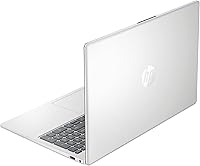
  • Color & Finish: Available in Natural Silver with a smooth plastic chassis finish consistent with HP's standard consumer laptop aesthetic.
  • Optical Drive: No optical drive is included; users requiring disc access will need an external USB DVD or Blu-ray drive.
  • Power Supply: The system ships with a 45 W Smart AC power adapter using HP's proprietary AC smart pin connector rather than universal USB-C charging.

Related Reviews
NIMO 15.6″ Laptop (N100, 16GB RAM, 256GB SSD)
74%
88%
Value for Money
82%
Everyday Performance
79%
Display Quality
61%
Battery Life
74%
Build Quality & Design
More
HP 15-DY1031WM Laptop 15.6″ Intel Core i3-1005G1 8GB RAM 256GB SSD
74%
75%
Performance
92%
Value for Money
55%
Battery Life
60%
Build Quality
85%
Portability
More
HP 2020 15 15.6″ HD Touchscreen Laptop, Intel Core i5-1035G1, 16GB RAM, 512GB SSD
82%
89%
Performance
75%
Display Quality
90%
Portability
80%
Battery Life
85%
Build Quality
More
HP TPN-Q286 15.6″ Laptop (N200, 16GB, 128GB)
69%
83%
Value for Money
76%
Performance & Speed
51%
Display Quality
88%
RAM & Multitasking
44%
Storage Capacity
More
HP 15-inch Laptop, Intel Celeron N4120, 16GB RAM, 512GB SSD
77%
92%
Value for Money
65%
Display Quality
88%
Performance for Everyday Tasks
80%
Build Quality
78%
Portability
More
HP 15-dy1034nr Laptop, Intel Core i5-1135G7, 16GB RAM, 1TB SSD
84%
88%
Performance
92%
Value for Money
79%
Battery Life
85%
Display Quality
87%
Portability & Weight
More
HP 15.6 Touchscreen Laptop, Intel Core i3-1315U, 16GB RAM, 512GB SSD
84%
91%
Value for Money
85%
Performance for Everyday Tasks
70%
Display Quality
88%
Build Quality
92%
Portability and Weight
More
HP Envy x360 15-es2026nr, Intel Core i7-1260P, 16GB RAM, 1TB SSD
86%
91%
Overall Performance
93%
Display Quality
68%
Battery Life
85%
Portability
89%
Build Quality
More
HP 14in Laptop, Intel Celeron N4120, 16GB RAM, 64GB eMMC, 256GB Micro SD
82%
92%
Value for Money
85%
Performance for Basic Tasks
89%
Multitasking Capability
70%
Display Quality
82%
Battery Life
More
HP 15-DY5033DX 15.6″ Laptop (16GB, 1TB)
83%
96%
Software Value
93%
Storage Capacity
88%
Portability & Weight
84%
Multitasking Performance
67%
Display Quality
More

FAQ

No, and this catches a lot of buyers off guard. The USB-C port on this machine is strictly for data transfer at 5Gbps — it does not support charging or video output. You will need to use the included 45W AC smart pin adapter to charge it, so make sure you keep that adapter handy.

HP does not officially advertise the RAM as user-upgradeable on this model, and given the budget-tier construction, the memory may be soldered to the motherboard. Before purchasing with upgrade plans in mind, it is worth checking HP's official service documentation or contacting their support team to confirm whether the slot is accessible.

Yes, but only through the HDMI 1.4b port — the USB-C port does not support video output on this machine. HDMI 1.4b handles up to 1080p at 60Hz or 4K at 30Hz, which covers most standard external displays just fine for office and productivity use.

It handles them well for everyday use. The 720p webcam and dual microphones deliver acceptable call quality in a normally lit room, and the N100 processor has no trouble running a video call alongside a browser and a document. Just do not expect the webcam to flatter you in dim lighting.

It depends on your habits. For web browsing, Office apps, and cloud-based storage workflows, 256GB is workable but not spacious. Once Windows updates, installed apps, and personal files pile up, you may find yourself managing space actively within a year or two. An external USB drive or a cloud storage subscription is a sensible addition from the start.

For most college workloads — writing papers, attending online classes, researching, and using web-based tools — this entry-level HP 15 is genuinely capable. The 16GB of RAM makes a real difference when multitasking across several apps and browser tabs. It is not suited for engineering software, video production, or intensive design courses, but for humanities, business, and general studies it holds up well.

It ships with Windows 11 Pro pre-installed and includes a Wendbo cable in the bundle. The cable is a basic accessory; do not factor it heavily into your purchasing decision. The Windows 11 Pro license is the more meaningful inclusion here.

During typical tasks like browsing, writing, and video calls, the fan is nearly inaudible — the N100 runs cool and efficient under light loads. It does spin up more noticeably during sustained heavier activity like software installations or Windows background updates, but it is not disruptively loud.

Yes, Microsoft 365 and standard Office applications run smoothly on the N100-powered HP 15 for everyday tasks. Word, Excel, Outlook, and PowerPoint all open quickly and respond well during normal use. Very large Excel files with complex macros or pivot tables may slow things down, but for typical office workloads there is nothing to worry about.

The 15.6″ 1080p anti-glare screen is comfortable for indoor streaming — resolution is sharp enough for Netflix or YouTube, and the matte finish reduces glare from overhead lights. The main limitation is brightness: at 250 nits, it is not a great experience near a sunny window, and the 45% NTSC color coverage gives the image a slightly muted look compared to more vivid IPS panels on pricier machines.