

Overview

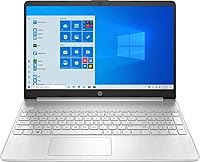
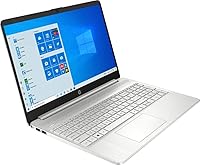
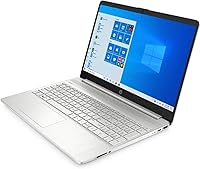
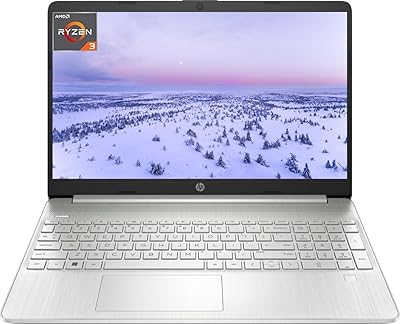
The HP 15-EF0023dx 15.6″ Touchscreen Laptop is a straightforward everyday machine aimed squarely at students and home users on a budget. AMD's Ryzen 5 3500U — a capable quad-core chip — gives this Ryzen 5 machine enough muscle for browsing, video calls, and basic office work without feeling sluggish. The touchscreen is a genuine differentiator here; you don't typically get that feature at this price without sacrificing something else. One thing to flag upfront: it ships in Windows S Mode, which restricts you to Microsoft Store apps by default. Opting out is free and quick, but it surprises more buyers than it should.

Features & Benefits

With 12GB of DDR4 RAM, this HP touchscreen laptop handles multiple browser tabs and office apps better than most machines in its class — a spec that many budget alternatives cut in half. The 256GB PCIe SSD makes a noticeable difference too, keeping boots quick and apps responsive in a way that slow spinning hard drives simply cannot match. The 15.6″ touch display is convenient for navigation, though it is worth being straight about the 1366x768 resolution: it looks noticeably soft compared to modern full-HD panels, and that will bother some users more than others. Graphics are handled by the integrated Radeon Vega 8, which is adequate for streaming and very light gaming — nothing more.

Best For

This Ryzen 5 machine is a strong fit for college students who need something dependable for lectures, research, and video calls without stressing over the budget. It works equally well for households that want a shared everyday laptop — one that handles streaming, email, and light spreadsheet work without complications. If you have been wanting a touchscreen but did not want to pay extra for one, this HP touchscreen laptop makes that trade-off quite reasonable. It is also a solid pick for first-time laptop buyers who want a trusted brand with familiar software. Where it falls short is anything beyond general use: serious gaming, heavy creative work, or running many resource-hungry apps at once.

User Feedback

Buyers tend to appreciate how smoothly the HP 15-EF0023dx handles everyday tasks — that pairing of solid RAM and fast storage earns consistent praise in real-world use. Battery life, however, is a mixed bag: some users comfortably get through a full workday, while others find it runs short during heavier sessions. The lower screen resolution surfaces often in critical reviews, particularly from users who spend a lot of time reading text or working with images. Build quality is generally well-regarded — keyboard comfort and trackpad responsiveness both earn positive mentions — though the chassis feels noticeably plastic. A recurring complaint involves S Mode confusion: many buyers were caught off guard to find they could not install Chrome or other apps without first changing a system setting.

Pros

  • 12GB of RAM is genuinely above average at this price tier, making everyday multitasking noticeably smoother.
  • The PCIe SSD keeps boot times fast and apps responsive — a clear step up from budget laptops still using hard drives.
  • A touchscreen at this price point is a rare convenience that many competing models simply do not offer.
  • The AMD Ryzen 5 3500U handles web browsing, office apps, and video calls without breaking a sweat.
  • At under 4 pounds, this HP touchscreen laptop is easy enough to carry between classes or rooms.
  • Ample USB port selection — six total — means fewer dongle headaches for most users.
  • HDMI output makes it straightforward to connect to a monitor or TV when needed.
  • The keyboard and trackpad receive consistently positive feedback for comfort and daily usability.
  • Opting out of Windows S Mode is quick and free, unlocking full Windows functionality immediately.
  • HP brand reliability and widespread service support add a layer of long-term confidence for first-time buyers.

Cons

  • The 1366x768 display resolution feels noticeably dated and soft compared to full-HD panels now common in the same price range.
  • Battery life is inconsistent — heavier usage sessions can fall noticeably short of all-day expectations.
  • Windows S Mode ships enabled by default, catching many buyers off guard when they cannot install standard apps immediately.
  • The plastic chassis, while adequate, does not inspire confidence in long-term durability under heavy daily use.
  • 256GB of onboard storage fills up faster than most users expect, especially with Windows updates and growing app libraries.
  • Integrated graphics make this Ryzen 5 machine a poor fit for any serious gaming or GPU-dependent software.
  • The BrightView display coating can produce distracting glare in brightly lit rooms or outdoor settings.
  • No optical drive may be a minor inconvenience for users who still rely on physical media occasionally.
  • Wireless is limited to 802.11ac, missing the faster and more reliable Wi-Fi 6 standard increasingly common on newer laptops.

Ratings

Our AI rating engine analyzed thousands of verified global buyer reviews for the HP 15-EF0023dx 15.6″ Touchscreen Laptop, actively filtering out incentivized, bot-generated, and duplicate submissions to surface what real owners genuinely experience. The scores below reflect both the strengths that earn this machine its loyal following and the recurring pain points that honest buyers deserve to know before purchasing. Nothing here is padded — every category tells the full story.

Value for Money
83%
Most buyers feel they got more than they paid for, particularly when comparing the 12GB RAM and PCIe SSD to competing models at a similar price that often ship with slower storage or half the memory. The included touchscreen pushes that value perception even further for users who would otherwise pay a premium for that feature.
A handful of buyers felt the low-resolution display undermined the overall value proposition, arguing that a full-HD screen should be standard at this price by now. Those who needed to buy accessories like an external hard drive to compensate for the 256GB storage cap felt the real-world cost crept higher than the sticker suggested.
Everyday Performance
78%
22%
For the tasks this machine is designed around — browsing with a dozen tabs open, writing documents, joining video calls, and streaming — the Ryzen 5 processor and 12GB of RAM hold up reliably well. Students report breezing through full school days of multitasking without noticeable slowdowns or app crashes.
Performance starts to slip when users push beyond light workloads, such as running multiple video streams alongside heavier apps. A segment of buyers noted that the system felt less responsive over time as storage filled up, a common issue when working near the limits of a 256GB drive.
Display Quality
52%
48%
The 15.6″ panel is large enough to feel comfortable for extended reading and video watching, and the BrightView coating produces decent contrast in controlled lighting. Users who primarily stream content or video chat reported that the screen served their needs adequately on a daily basis.
The 1366x768 resolution is the single most criticized aspect of this laptop across all buyer feedback — text looks noticeably soft, fine details in images are lost, and watching HD video never quite looks as sharp as it should. Buyers upgrading from any full-HD device will feel the step down immediately and consistently.
Touchscreen Usability
81%
19%
The touch layer is responsive and accurate, and buyers who use it for note-taking, scrolling through documents, or navigating Windows without a mouse report that it genuinely adds convenience to their daily routine. Many users admitted they relied on touch more than they expected once they got used to having it.
The BrightView coating that aids contrast also attracts fingerprints aggressively, meaning the screen needs frequent wiping for users who touch it often. A few buyers also noted that touch responsiveness near the screen edges was slightly less precise than the centre of the panel.
Battery Life
61%
39%
Under light conditions — writing notes, reading web pages, and keeping brightness moderate — some users comfortably stretched usage to five or six hours before needing to plug in. For home users who stay near an outlet, this is rarely a deal-breaker in practice.
Real-world battery endurance is inconsistent enough that carrying the charger to campus or a coffee shop feels necessary rather than optional. Buyers running video calls, streaming, or working across multiple apps report the battery can drain significantly faster, sometimes hitting empty well before the end of a school or work day.
Build Quality
67%
33%
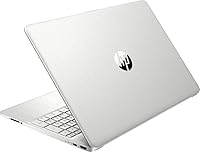
The slim 0.7-inch chassis feels reasonably well-assembled out of the box, and the Natural Silver finish gives it a clean, professional appearance that does not look cheap at first glance. Most buyers handling it daily for months reported no flex, rattle, or structural issues under normal use.
The all-plastic construction becomes apparent quickly, and buyers comparing it to aluminum-bodied competitors in a similar price range noticed the difference in rigidity. A small number of users reported minor cosmetic scuffs and surface marks appearing after a few months of regular backpack commuting.
Keyboard & Trackpad
76%
24%
Typing feedback is consistently well-reviewed — keys have enough travel and spacing to feel comfortable during long writing sessions, which students and home office users particularly appreciated. The trackpad is smooth and accurate enough for everyday navigation without frustrating drift or lag.
The keyboard lacks backlighting, which becomes a real inconvenience for users working in dim environments like lecture halls or evening home use. A minority of buyers found the trackpad click response slightly firmer than preferred, though this appears to vary between individual units.
Graphics & Media
58%
42%
The Radeon Vega 8 integrated graphics handle standard media consumption — streaming services, casual photo browsing, and YouTube — without any issues. Users watching movies or video content on the built-in display reported smooth playback with no stutter under normal conditions.
Anyone expecting more than casual use from the graphics will be disappointed — even modestly demanding games from several years ago can struggle to maintain smooth frame rates. The integrated GPU shares system RAM rather than having dedicated video memory, which further limits performance headroom for visual tasks.
Storage Capacity
63%
37%
The 256GB PCIe SSD is meaningfully faster than the spinning hard drives still found in competing budget laptops, making day-to-day file access and application loading noticeably snappier. Buyers who keep cloud storage habits and stream most of their media found the capacity workable for everyday needs.
256GB fills up faster than most buyers anticipate once Windows updates, applications, and personal files accumulate — several users hit storage pressure within months. The absence of an SD card slot for easy expansion means buyers must rely on USB external drives or cloud subscriptions to manage overflow.
Port Selection
74%
26%
Six USB ports is a generous allocation for a budget laptop, and buyers appreciated being able to connect a mouse, flash drive, and external hard drive simultaneously without needing a hub. The HDMI port rounds out connectivity neatly for users who want to mirror or extend to a TV or external monitor.
There is no USB-C or Thunderbolt port, which is increasingly expected even at entry-level price points and limits future-proofing as more peripherals and chargers migrate to that standard. Buyers with newer accessories designed around USB-C had to keep adapters on hand, adding minor frustration.
Software Experience
55%
45%
Windows 10 Home is a familiar and capable environment for most buyers, and the option to exit S Mode without any cost makes the laptop fully functional once that step is completed. Users comfortable with Windows found the out-of-box experience straightforward after the initial setup process.
Windows S Mode was the most frequently mentioned software complaint — a significant share of buyers were genuinely caught off guard that they could not install Chrome or standard apps without changing a system setting they did not know existed. HP includes limited documentation about S Mode in the box, leaving many users confused or initially convinced the laptop was broken.
Portability
77%
23%
At just under 4 pounds and with a slim profile, this Ryzen 5 machine is comfortable to slip into a backpack and carry across a campus or between rooms without fatigue. Buyers who commute by public transit or carry their laptop throughout the day found the weight easy to manage throughout the day.
It is still a 15-inch laptop, so it is wider and bulkier than a 13-inch ultrabook despite the slim depth — fitting it into smaller bags or tight overhead storage can be awkward. The charger adds noticeable bulk and weight to any bag, which is a consideration for users who need to bring it everywhere.
Webcam & Audio
62%
38%
The built-in webcam and microphone are functional enough for video calls on Zoom, Teams, and Google Meet, which is the primary use case for most buyers in this category. Students and remote workers reported that call quality was acceptable for everyday communication without needing an external webcam.
The webcam is a basic HD unit that produces noticeably average image quality in anything less than bright, direct lighting — low-light video call performance draws regular criticism. Audio from the built-in speakers is similarly adequate but thin, lacking bass and sounding hollow at higher volume levels.
Setup Experience
69%
31%
Most buyers reported getting up and running within a reasonable time frame, and first-time laptop owners in particular found the Windows setup process guided and manageable. The machine arrives ready to use with minimal configuration required for basic tasks once S Mode is addressed.
The S Mode hurdle during initial setup tripped up a notable portion of buyers, especially less tech-savvy users who were not expecting app installation to be restricted at all. Pre-installed HP bloatware also drew mild frustration from experienced users who prefer a cleaner starting point.

Suitable for:

The HP 15-EF0023dx 15.6″ Touchscreen Laptop is well-matched for college students who need a dependable machine to get through lectures, write papers, join video calls, and manage coursework without worrying about performance hiccups. The 12GB of RAM and fast PCIe SSD make it genuinely comfortable for multitasking across browser tabs, cloud apps, and office software — the kind of workflow most students and home users actually live in. Families looking for a shared household computer will find it handles everything from streaming and recipe browsing to basic spreadsheets without complaint. First-time laptop buyers benefit from the trusted HP brand, a familiar Windows environment, and the added convenience of a touchscreen that does not usually appear at this price point. If your day-to-day needs stay in the lane of productivity, communication, and media consumption, this Ryzen 5 machine is a practical and well-rounded choice.

Not suitable for:

Buyers hoping to run demanding software — video editing suites, 3D rendering tools, or modern AAA games — will find the HP 15-EF0023dx genuinely underpowered for those tasks; the integrated Radeon Vega 8 graphics simply are not built for that kind of workload. Creative professionals who spend hours staring at detailed images, illustrations, or color-sensitive design work will likely find the 1366x768 resolution frustrating, as it falls well short of the full-HD displays now standard even on many budget competitors. Power users who routinely run several resource-intensive applications simultaneously may notice the system straining under that kind of pressure. Anyone who needs to carry a laptop for extended periods away from a power outlet should also weigh the inconsistent battery reports carefully, as real-world endurance appears to vary quite a bit depending on usage. Finally, buyers who need to install software from outside the Microsoft Store should be aware they will need to manually disable S Mode before this Ryzen 5 machine behaves like a standard Windows laptop.

Specifications

  • Processor: AMD Ryzen 5 3500U quad-core processor with a 2.1GHz base clock that boosts up to 3.7GHz under load.
  • RAM: 12GB of DDR4 SODIMM memory, providing comfortable headroom for multitasking and browser-heavy workflows.
  • Storage: 256GB PCIe x4 SSD delivering fast boot times and quicker file access compared to traditional hard drives.
  • Display: 15.6″ BrightView HD touchscreen panel with a 1366x768 pixel resolution and LED backlighting.
  • Graphics: AMD Radeon Vega 8 integrated graphics sharing system memory, suited for casual media playback and light tasks.
  • Operating System: Windows 10 Home shipped in S Mode, with a free and reversible opt-out available through Windows settings.
  • Wireless: 802.11ac dual-band Wi-Fi for standard wireless connectivity across home and campus networks.
  • Ports: Six USB ports total — three USB 2.0 and three USB 3.0 — plus one HDMI output for external display support.
  • Weight: The laptop weighs 3.83 pounds, making it manageable to carry in a backpack for daily commutes or classes.
  • Dimensions: The chassis measures 14.1 x 9.5 x 0.7 inches, keeping a slim profile for a 15-inch class machine.
  • Optical Drive: No optical drive is included, so physical CDs or DVDs require an external USB drive if needed.
  • Color: Available in Natural Silver with a plastic build that keeps the overall weight and cost in check.
  • Battery: Powered by a built-in Lithium Metal battery with corded electric backup via the included AC adapter.
  • Memory Type: RAM uses the SODIMM form factor, which is the standard for laptop upgrades should more memory be needed later.
  • Touchscreen: The display supports touch input, allowing users to navigate Windows and compatible apps directly with their fingers.

Related Reviews

HP 2020 15 15.6″ HD Touchscreen Laptop, Intel Core i5-1035G1, 16GB RAM, 512GB SSD
82%
89%
Performance
75%
Display Quality
90%
Portability
80%
Battery Life
85%
Build Quality
More
HP 15-fc0047wm 64GB 4TB Touchscreen Laptop
76%
88%
Performance & Speed
93%
RAM & Multitasking
91%
Storage Capacity
76%
Display Quality
82%
Touchscreen Responsiveness
More
HP 15.6″ i3 1315U 1TB Touchscreen Laptop
76%
83%
Value for Money
76%
Performance
58%
Display Quality
88%
RAM & Multitasking
86%
Storage
More
HP 15.6″ Touchscreen Core i3 16GB Laptop
75%
81%
Everyday Performance
58%
Display Quality
83%
Touchscreen Responsiveness
86%
RAM & Storage
54%
Battery Life
More
HP 15.6″ Touchscreen Laptop, Intel Core i3-1115G4, 16GB RAM, 1TB SSD
83%
91%
Value for Money
88%
Touchscreen Performance
85%
Battery Life
80%
Build Quality
92%
Storage Capacity
More
HP 15.6 i7-1255U 64GB Touchscreen Laptop
75%
88%
Multitasking Performance
91%
RAM & Storage Value
74%
Display Quality
62%
Seller Upgrade Trust
61%
Battery Life
More
HP 15.6″ Touchscreen i3 Laptop
68%
78%
Value for Money
69%
Performance
61%
Display Quality
82%
Touchscreen Usability
74%
Build Quality
More
HP 15.6″ Touchscreen Laptop (i3-1315U, 64GB, 2TB)
70%
62%
Value for Money
88%
RAM & Multitasking
91%
Storage Capacity
41%
Display Quality
67%
Processor Performance
More
HP 15.6″ i7-1355U Touchscreen Laptop
79%
88%
Everyday Performance
84%
Display Quality
81%
Touch Responsiveness
91%
RAM & Multitasking
86%
Storage Speed & Capacity
More
HP 2025 15.6″ HD Touchscreen Laptop, Intel Core i3-1315U, 12GB RAM, 256GB SSD, Windows 11 Pro
84%
91%
Value for Money
89%
Performance for Everyday Tasks
75%
Battery Life
68%
Display Quality
88%
Ease of Use
More
HP 15 Intel N100 16GB/256GB
77%
88%
Value for Money
83%
Everyday Performance
91%
RAM & Multitasking
67%
Display Quality
72%
Build Quality & Portability
More

FAQ

Yes, the HP 15-EF0023dx 15.6″ Touchscreen Laptop ships with Windows 10 Home in S Mode enabled by default. In S Mode, you can only install apps from the Microsoft Store, which blocks browsers like Chrome and many popular programs. To switch out of S Mode, go to Settings, then Update and Security, then Activation, and follow the prompt — it is free and only takes a minute. Just be aware that once you opt out, you cannot go back into S Mode.

The RAM uses a SODIMM slot, so upgrading is technically possible, though HP does not officially advertise it as user-upgradeable — opening the chassis may affect your warranty. The SSD is a PCIe M.2 drive, which can also potentially be swapped for a larger capacity, but again, this is a DIY path that requires some comfort with laptop internals. If you know you will need more than 256GB soon, it may be worth investing in an external drive to avoid the hassle.

Yes, this Ryzen 5 machine handles video conferencing apps like Zoom, Microsoft Teams, and Google Meet without issues. It has a built-in webcam and microphone, and the 12GB of RAM means you can keep other tabs and apps open in the background without things grinding to a halt. The 802.11ac Wi-Fi is solid for most home networks, though it is not the newest Wi-Fi 6 standard.

Battery life is honestly one of the more variable aspects of this machine. Light use — reading, writing documents, casual browsing — can get you comfortably through several hours, but if you are streaming video or running multiple applications, expect to reach for the charger sooner. It is not a laptop you can confidently leave the charger at home for a full day. Keeping the screen brightness moderate helps extend runtime noticeably.

Light and older games — think casual titles, indie games, or games from several years ago with modest requirements — can run acceptably. The AMD Radeon Vega 8 integrated graphics share system memory rather than having dedicated VRAM, so demanding modern games will struggle. Do not expect playable frame rates in graphically intensive titles; this HP touchscreen laptop is built for productivity and media, not gaming.

It depends on what you are used to. If you are coming from a full-HD or higher display, the 1366x768 resolution will look noticeably softer, especially when reading text or watching HD video. For basic tasks like browsing, emailing, and video calls it gets the job done, but it is a genuine limitation rather than a minor quibble. Buyers who spend a lot of time on visual work or reading detailed content should weigh this carefully.

More useful than you might expect, especially for quick navigation, scrolling through documents, or zooming in on content. It is not a convertible or tablet, so the screen does not fold back for a full tablet experience, but the touch layer works reliably and adds a layer of convenience that most competing laptops at this price skip entirely. Some users end up relying on it more than they anticipated.

It is a solid pick for a first-year student whose workload centres on writing, research, presentations, and video calls. The combination of a fast processor, generous RAM, and quick SSD handles typical academic tasks without stress. Just remember to switch out of S Mode early so you can install whatever apps your coursework requires, and consider adding an external hard drive or cloud storage if you plan to store a lot of files.

For most users, yes. Six USB ports is genuinely generous compared to many laptops in this range, so you have room for a mouse, flash drive, external hard drive, and more simultaneously. The HDMI port covers connecting to a monitor or TV. The main gap is the absence of a USB-C or Thunderbolt port, which is increasingly common on newer devices for charging and high-speed data transfer.

The chassis is plastic, which keeps the weight down but does not feel as premium as aluminum alternatives. For a student or home user treating it with reasonable care it holds up fine day-to-day. The keyboard gets positive marks for being comfortable to type on for extended sessions, and the trackpad is responsive without being oversensitive. It is not built to survive drops or rough handling, so a protective sleeve for carrying it around is a smart addition.

Where to Buy