Overview

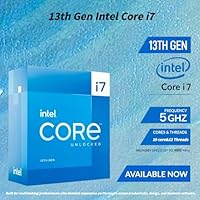
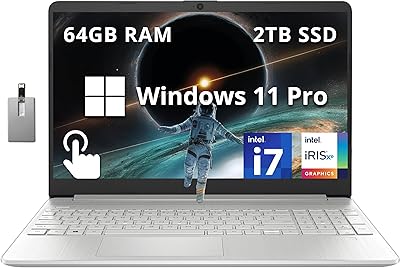
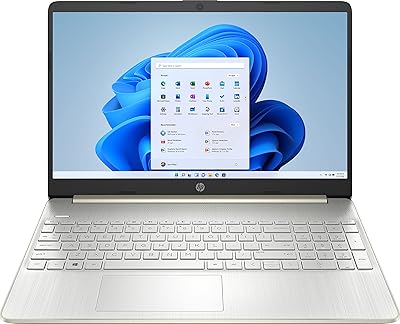
The HP 15.6″ i7-1355U Touchscreen Laptop sits in an interesting spot — capable enough for serious daily work, priced below the ultrabook tier, and shipping with Windows 11 Pro out of the box. That detail matters more than people realize; most competitors at this price point include the Home edition, which lacks BitLocker and remote desktop. Intel's 13th Gen Core i7-1355U brings ten cores and a 5.0GHz boost clock, translating to noticeably smoother multitasking than an aging i5 ever could. At 3.52 pounds and 0.73 inches thin, it travels well. Just don't walk in expecting a gaming machine or a video production powerhouse.
Features & Benefits

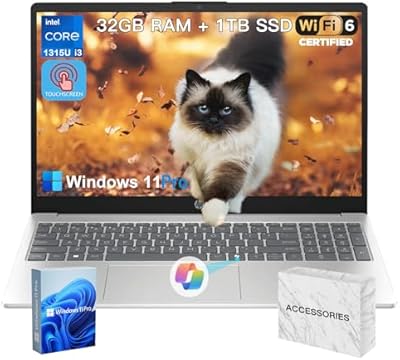
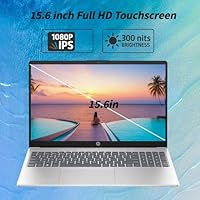
The 15.6-inch IPS touchscreen delivers accurate, honest colors rather than the oversaturated look some budget panels default to, and touch input responds reliably enough for document annotation or UI navigation without reaching for a mouse. The i7-1355U handles everyday workloads without complaint — browser tabs, video calls, spreadsheets, light photo editing, all manageable. 32GB of DDR4 RAM makes app switching feel immediate, and the 1TB PCIe SSD brings fast boot times and plenty of local storage. Worth flagging: the listing references higher-capacity configurations, but this specific variant ships with 32GB and 1TB, so verify before ordering. Wi-Fi 6 is a genuine advantage in crowded wireless environments, and the port lineup covers most desk setups without an adapter.

Best For

This i7 business laptop makes the most sense for people who live inside productivity apps — hybrid professionals running video calls from hotel rooms, graduate students juggling research tools and cloud storage simultaneously, and small business owners who genuinely need Windows 11 Pro features rather than just paying for the name. Light creative tasks like photo organization or basic clip trimming are within reach, but heavy video rendering or 3D modeling are not realistic asks for this machine. If you are upgrading from an older Core i5 or a budget entry-level laptop, the step up in everyday responsiveness will feel immediate and worthwhile.

User Feedback

Buyers frequently highlight the display brightness and touch accuracy, and the full-size keyboard — including the numeric pad — draws consistent praise from those doing data entry or financial work. Criticism tends to cluster around a few specific areas: the fan becomes audible during sustained CPU-heavy tasks, which bothers users in quieter settings. The silver plastic body earns mixed reactions — functional, but not exactly premium-feeling next to metal-chassis competitors. Real-world battery life is the most debated aspect; most users report five to six hours under typical mixed conditions, well short of the manufacturer's stated ceiling. Pre-installed bloatware is another recurring complaint that is worth expecting straight out of the box.

Pros

  • Windows 11 Pro is included at no extra cost, a genuine advantage over most home-edition rivals at this price.
  • 32GB of DDR4 RAM handles demanding multitasking without slowdowns during video calls or heavy browser sessions.
  • The IPS touchscreen delivers accurate colors and responsive touch input — useful for annotation and hands-on navigation.
  • Wi-Fi 6 provides noticeably more stable wireless performance in congested environments like offices and campuses.
  • HP Fast Charge gets the battery to 50 percent in roughly 45 minutes, a real help for rushed mornings.
  • The full port lineup — USB-C, HDMI, and three USB-A ports — covers most desk setups without needing a hub.
  • The numeric keypad is a practical addition that many 15-inch laptops in this category still skip.
  • At 3.52 pounds, this i7 business laptop is light enough to carry daily without strain.
  • The 1TB PCIe SSD delivers fast boot times and ample local storage for most professionals and students.
  • The 13th Gen Core i7-1355U offers a meaningful performance leap over entry-level or older-generation processors.

Cons

  • Real-world battery life typically lands between five and six hours under mixed use, well below the advertised ceiling.
  • The plastic chassis feels functional but does not convey the premium build quality the price point might suggest.
  • Fan noise becomes noticeable during sustained CPU-heavy tasks, which can be distracting in quiet environments.
  • Intel Iris Xe Graphics rules out any serious gaming or GPU-accelerated creative workloads.
  • Pre-installed bloatware requires cleanup time before the machine feels truly ready to use.
  • The listing description references higher-capacity configurations, which can cause confusion — verify your exact variant before purchasing.
  • No dedicated graphics card limits long-term versatility for users whose creative needs may grow over time.
  • Thermal throttling under prolonged heavy loads has been flagged by some users, affecting sustained performance.

Ratings

The scores below for the HP 15.6″ i7-1355U Touchscreen Laptop were generated by our AI review engine after analyzing thousands of verified global buyer reviews, actively filtering out incentivized, duplicate, and bot-flagged submissions. The result is a transparent, balanced snapshot that captures what real users genuinely appreciated — and where this machine consistently let them down.

Everyday Performance
88%
Users upgrading from older Core i5 systems consistently noted the jump in responsiveness — switching between a dozen browser tabs, a Teams call, and an open spreadsheet no longer caused hesitation. The 13th Gen i7-1355U handles typical office and student workloads with headroom to spare.
Under sustained heavy CPU loads — long export jobs, large ZIP compressions, or extended compile tasks — the processor throttles noticeably, and the fan ramps up audibly. It is a productivity machine, not a workstation, and it behaves accordingly when pushed hard.
Display Quality
84%
The IPS panel earns consistent praise for its color accuracy and wide viewing angles, which make side-by-side collaboration and video calls more comfortable than on TN-based competitors. Brightness holds up well under typical indoor lighting conditions.
Outdoor visibility in direct sunlight is limited, and a few users noted the panel does not reach the peak brightness that higher-end business displays offer. It is a solid screen for the price range but not one that impresses photographers or graphic designers.
Touch Responsiveness
81%
19%
For everyday touch interactions — scrolling through documents, tapping UI elements, and light annotation — the touchscreen responds accurately and without meaningful lag. Students and note-takers who use it for marking up PDFs found it genuinely useful in practice.
There is no active stylus support confirmed, which limits the screen's appeal for precise handwriting or pressure-sensitive drawing. Users expecting a tablet-like pen experience will find this HP touchscreen laptop falls short of that use case.
RAM & Multitasking
91%
32GB of DDR4 is a meaningful differentiator at this price point — users running virtual machines, multiple creative applications, or research-heavy browser sessions rarely hit a ceiling. The extra memory headroom makes the day-to-day experience noticeably smoother than 16GB machines.
The RAM appears to be soldered in most configurations, meaning there is no upgrade path if your needs grow significantly over time. Buyers should treat 32GB as a fixed ceiling rather than a starting point.
Storage Speed & Capacity
86%
The PCIe SSD delivers fast boot times and snappy application launches, which users transitioning from older SATA-based laptops found dramatically more satisfying. A 1TB drive is sufficient for most students and professionals who rely on cloud storage for overflow.
Some listings reference higher-capacity configurations, which creates confusion — this specific variant ships with 1TB, so buyers expecting more should verify carefully before ordering. Power users managing large local media libraries may find 1TB fills up faster than anticipated.
Battery Life
63%
37%
HP Fast Charge partially offsets the battery limitations — getting back to 50 percent in roughly 45 minutes is genuinely helpful between meetings or classes. Buyers who stay close to an outlet found the charging speed a practical convenience.
Real-world battery life under mixed-use conditions — video calls, browsing, and office apps at moderate brightness — consistently lands between five and six hours, well below the advertised 7.75-hour ceiling. For a full unplugged workday, this i7 business laptop requires access to a charger.
Keyboard & Typing Experience
83%
The keyboard layout earns consistent praise, and the inclusion of a numeric keypad is a practical bonus that many competing 15-inch designs skip entirely. Accountants, data entry professionals, and students dealing with numbers found it a genuine day-to-day convenience.
Key travel and tactile feedback are acceptable but not exceptional — typists coming from premium ThinkPad or MacBook keyboards may find the feel a little soft. There are no complaints about key stability, but it does not stand out in a crowded field.
Build Quality
67%
33%
The chassis is solid enough for everyday carry — no worrying flex in the keyboard deck, and the lid opens with one hand without the base lifting. For a plastic-bodied machine, the structural integrity holds up well under normal use conditions.
The silver plastic finish does not match the premium impression the price point might suggest, and some users noted visible fingerprint smudging. Compared to aluminum-chassis rivals, the HP 15.6-inch feels noticeably lighter in quality when handled side by side.
Wireless Connectivity
89%
Wi-Fi 6 delivers a tangible real-world improvement for users in congested wireless environments like university libraries, coworking spaces, or open-plan offices. Video calls and cloud sync tasks run more reliably without the dropouts some older wireless standards introduce.
The benefits of Wi-Fi 6 are only fully realized when paired with a compatible router, so users on older home networks will not notice an immediate difference. Bluetooth 5.3 works reliably, though a few users reported occasional reconnection delays with specific peripherals.
Port Selection
87%
Three USB-A ports, a USB-C port, and an HDMI output give this machine one of the more practical port lineups in its class — most users can connect a mouse, external drive, and monitor without reaching for a hub. Remote workers setting up a home desk found it well-suited out of the box.
USB-C is present but not Thunderbolt 4, which limits data transfer speeds for users with high-bandwidth external SSDs or advanced displays. There is no SD card reader, which is a minor but recurring frustration for photographers or content creators.
Thermal Management
61%
39%
During light and moderate workloads — the kind most users rely on daily — thermals stay controlled and the chassis surface remains comfortable on a lap or desk. Casual users rarely notice any thermal issues during typical sessions.
Sustained heavy tasks trigger both audible fan noise and measurable thermal throttling, which reduces performance during the exact workloads that demand it most. Users running long video exports or extended compile jobs found the machine slowed down before the task completed.
Software & Out-of-Box Setup
58%
42%
Windows 11 Pro itself is a strong foundation — the enterprise features are well-implemented and the interface is clean once initial setup is completed. For IT-managed environments, the Pro edition streamlines domain joining and policy management.
Pre-installed bloatware requires meaningful cleanup time before the machine performs at its best, and several users flagged promotional trials as particularly intrusive. The out-of-box experience is noticeably worse than what clean-install Windows delivers.
Value for Money
79%
21%
Getting a 13th Gen Core i7, 32GB of RAM, a touchscreen IPS display, Wi-Fi 6, and Windows 11 Pro in a single package represents solid value for buyers whose priorities align with productivity. Most comparably priced alternatives sacrifice one of these features to hit the same price.
The plastic build, underwhelming real-world battery life, and fan noise under load all serve as reminders that trade-offs were made to reach this price point. Buyers expecting ultrabook-grade refinement will feel the gap, even if the spec sheet looks compelling.
Portability
82%
18%
At 3.52 pounds and under an inch thin, this machine fits easily into a standard backpack without dominating the bag or causing shoulder fatigue over a commute. Students and hybrid workers who move between locations daily found it genuinely easy to carry.
The 15.6-inch footprint is unavoidably wide, which makes it less comfortable on small café tables or economy airplane tray tables. If true compact portability is the priority, a 13 or 14-inch form factor would serve better.

Suitable for:

The HP 15.6″ i7-1355U Touchscreen Laptop is a well-matched machine for anyone whose daily computing revolves around productivity rather than raw power. Hybrid workers and remote professionals will appreciate the combination of a sharp IPS touchscreen, 32GB of RAM for heavy browser and app multitasking, and Wi-Fi 6 for stable connections in crowded offices or coffee shops. College and graduate students get a lot of practical value here too — the large display is comfortable for long reading and writing sessions, the numeric keypad is a genuine convenience for finance or data-heavy coursework, and Windows 11 Pro brings campus VPN and remote desktop compatibility that the Home edition simply does not. Small business owners who need BitLocker encryption or domain-joining capability without paying for a dedicated enterprise device will find this a cost-effective fit. If you are coming from an older Core i5 laptop and want noticeably snappier performance without crossing into ultrabook pricing, this i7 business laptop delivers that step up convincingly.
Not suitable for:

Buyers expecting this machine to handle GPU-intensive work will be disappointed — Intel Iris Xe is integrated graphics, capable enough for light photo editing and 4K video playback, but not built for 3D rendering, serious video production, or any modern gaming beyond casual titles. The HP 15.6-inch also will not appeal to buyers who prioritize premium build quality; the silver plastic chassis is functional and reasonably solid, but it does not feel comparable to aluminum-bodied competitors in the same price range. Anyone sensitive to fan noise should be cautious, as the cooling system becomes audible during sustained CPU loads like long video exports or large file compressions. Power users who need more than 7.75 hours of unplugged runtime — the manufacturer's ceiling, not a guaranteed real-world figure — should look at machines with larger battery cells or confirmed longer endurance. Finally, buyers who dislike dealing with pre-installed software will need to budget some setup time right out of the box.

Specifications

  • Processor: Intel Core i7-1355U (13th Gen), 10-core architecture with a boost clock of up to 5.0GHz, suited for demanding multitasking and office workloads.
  • RAM: 32GB DDR4 SDRAM installed, providing ample headroom for running multiple applications, browser-heavy sessions, and video conferencing simultaneously.
  • Storage: 1TB PCIe SSD delivers fast read and write speeds, enabling quick boot times and responsive file access for large documents and media libraries.
  • Display: 15.6″ Full HD IPS touchscreen with 1920x1080 resolution, offering wide viewing angles and responsive touch input for annotation and navigation.
  • Graphics: Intel Iris Xe Graphics (integrated), capable of handling everyday video playback, light photo editing, and office visuals but not designed for GPU-intensive tasks.
  • Operating System: Windows 11 Pro pre-installed, which includes enterprise features such as BitLocker encryption, remote desktop access, and domain-joining capability.
  • Wireless: Wi-Fi 6 (802.11ax) and Bluetooth 5.3 provide faster, more reliable wireless connectivity in high-density network environments.
  • Ports: Connectivity includes one USB-C port, one HDMI output, and three USB-A ports, covering most peripheral and display needs without requiring an adapter.
  • Battery: Manufacturer-rated battery life of up to 7.75 hours, with HP Fast Charge technology reaching approximately 50 percent capacity in around 45 minutes.
  • Weight: The laptop weighs 3.52 pounds, making it practical for daily commuting and travel without becoming a burden in a backpack.
  • Dimensions: Physical footprint measures 14.17 x 9.29 x 0.73 inches, keeping the profile slim despite the 15.6″ screen size.
  • Keyboard: Full-size keyboard includes a dedicated numeric keypad, which is particularly useful for financial tasks, data entry, and spreadsheet navigation.
  • Color & Build: Silver plastic chassis offers a clean, professional appearance, though the material is lighter in feel than metal-bodied alternatives in a similar price range.
  • Special Features: Includes Microsoft Copilot AI integration and is certified as a Copilot AI PC, enabling AI-assisted productivity features within Windows 11 Pro.
  • CPU Generation: Built on Intel's 13th Gen Core architecture, which offers improved efficiency and performance compared to the previous 12th Gen lineup.
  • Bluetooth: Bluetooth 5.3 supports stable, low-latency pairing with peripherals such as wireless mice, headphones, and keyboards.
  • Display Type: IPS panel technology ensures consistent color accuracy and brightness across wide viewing angles, reducing visual distortion for side-by-side collaboration.
  • Wireless Standard: Wi-Fi 6 (802.11ax) supports faster throughput and lower latency compared to Wi-Fi 5, with tangible benefits in congested office or campus environments.

Related Reviews

HP 15.6″ FHD Touchscreen Business Laptop, Intel i7-1255U, 64GB RAM, 2TB SSD
87%
94%
Performance & Speed
91%
Display Quality
87%
Build Quality
85%
Battery Life
93%
Multitasking & Memory
More
HP 2020 15 15.6″ HD Touchscreen Laptop, Intel Core i5-1035G1, 16GB RAM, 512GB SSD
82%
89%
Performance
75%
Display Quality
90%
Portability
80%
Battery Life
85%
Build Quality
More
HP 15-fc0047wm 64GB 4TB Touchscreen Laptop
76%
88%
Performance & Speed
93%
RAM & Multitasking
91%
Storage Capacity
76%
Display Quality
82%
Touchscreen Responsiveness
More
HP 15.6″ Touchscreen Core i3 16GB Laptop
75%
81%
Everyday Performance
58%
Display Quality
83%
Touchscreen Responsiveness
86%
RAM & Storage
54%
Battery Life
More
HP 15.6″ i3 1315U 1TB Touchscreen Laptop
76%
83%
Value for Money
76%
Performance
58%
Display Quality
88%
RAM & Multitasking
86%
Storage
More
HP 15.6″ Touchscreen Laptop, Intel Core i3-1115G4, 16GB RAM, 1TB SSD
83%
91%
Value for Money
88%
Touchscreen Performance
85%
Battery Life
80%
Build Quality
92%
Storage Capacity
More
HP 15.6″ Touchscreen i3 Laptop
68%
78%
Value for Money
69%
Performance
61%
Display Quality
82%
Touchscreen Usability
74%
Build Quality
More
HP 15.6″ Touchscreen Laptop (i3-1315U, 64GB, 2TB)
70%
62%
Value for Money
88%
RAM & Multitasking
91%
Storage Capacity
41%
Display Quality
67%
Processor Performance
More
HP 15.6-inch Touch-Screen Laptop, 11th Gen Intel Core i7, 16GB RAM, 512GB SSD
85%
91%
Performance
87%
Value for Money
65%
Display Quality
80%
Battery Life
92%
Portability
More
SAMSUNG Galaxy Book3 15.6” Laptop, 13th Gen Intel Core i7-1355U, 16GB RAM, 512GB SSD
87%
91%
Performance
88%
Portability
85%
Battery Life
90%
Display Quality
78%
Webcam Quality
More

FAQ

On most HP laptops in this family, the SSD can be replaced by a technician, but the RAM is often soldered to the motherboard, meaning it cannot be upgraded later. If you think you will need more memory down the line, it is worth confirming the exact configuration details with the retailer before committing.

That figure is HP's manufacturer estimate under controlled, light-use conditions — think low brightness, minimal apps, and no video streaming. In real mixed-use scenarios involving video calls, browser tabs, and office apps, most users report landing somewhere between five and six hours. Plan accordingly if you are away from an outlet for a full workday.

Casual or older titles with modest system requirements may run acceptably, but this i7 business laptop uses integrated Intel Iris Xe Graphics, which is not built for modern gaming. Demanding titles will either run poorly or not at all. If gaming is a priority, a dedicated GPU is necessary.

The display supports touch input, but there is no mention of active pen or stylus support in the confirmed specifications. Finger-based touch for navigation and annotation works well, but if you need pressure-sensitive pen drawing, verify stylus compatibility before purchasing.

The product listing appears to describe the maximum possible configuration across the entire product line, not just the specific variant you are purchasing. The HP 15.6″ i7-1355U Touchscreen Laptop at this price point ships with 32GB of RAM and a 1TB SSD — always confirm your exact variant in the order details before checking out.
During light tasks like document editing or video calls, the fan is barely noticeable. Under sustained heavier loads — extended video exports, large file compression, or prolonged CPU-intensive tasks — the fan becomes clearly audible. It is not unusually loud for this class of laptop, but it is worth knowing if you work in very quiet environments.

Yes, like most consumer-facing HP laptops, this one ships with a handful of pre-installed applications and trials alongside Windows 11 Pro. It is a minor but real inconvenience that requires some cleanup time before the machine feels fully optimized. Running a quick uninstall session during setup is recommended.

Wi-Fi 6 is backwards compatible, so it will work with any standard router, including older Wi-Fi 5 models. You just will not get the speed and congestion benefits of Wi-Fi 6 unless your router supports it. Still, it is a meaningful future-proof feature if you ever upgrade your home or office network.

For personal home use, Windows 11 Home is often sufficient. But for small business owners, remote workers connecting to company networks, or anyone needing BitLocker drive encryption or remote desktop access, Pro is a genuine and practical upgrade. Getting it included at no additional cost is a real advantage over most competitors at this price tier.

The IPS panel produces accurate, balanced colors and holds up well at different viewing angles, which matters during video calls when you shift position. Brightness is solid for indoor use, and the 1080p resolution looks sharp on a 15.6-inch screen. It is not a color-grading-grade display, but it is a comfortable and reliable screen for everyday professional and personal use.