

Overview

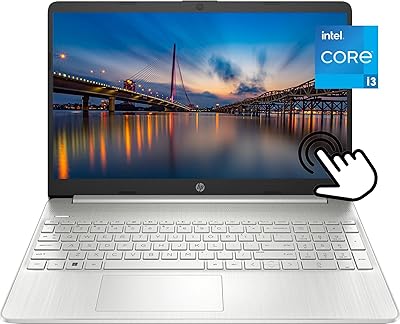
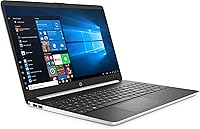
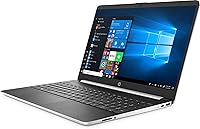
The HP 15-dy1731ms 15.6″ Touchscreen Laptop sits squarely in the budget Windows 10 category, and what makes it stand out at this price point is its 10-finger multi-touch display — a feature you’d normally expect to pay considerably more for. At 4.4 pounds and just 0.71 inches thin, it’s easy enough to carry between classes or rooms without thinking twice about it. HP has a long track record in the affordable laptop space, and this notebook reflects that institutional reliability. The trade-off worth knowing upfront: the 128GB SSD keeps things fast but lean on space, so buyers should plan for cloud storage or an external drive from day one.

Features & Benefits

The 10th Gen Intel Core i3-1005G1 handles everyday computing comfortably — think email, Google Docs, video calls, and a dozen browser tabs — but don’t expect it to chew through video exports or heavy multitasking. Where this budget HP notebook genuinely surprises is its touchscreen navigation, which makes scrolling and interacting feel more intuitive than a traditional trackpad-only setup. The 8GB of DDR4 RAM keeps things responsive, and the SSD means Windows boots in seconds rather than minutes. Connectivity is solid too: USB-C, two USB-A ports, HDMI, and 802.11ac Wi-Fi cover most real-world needs. The fingerprint reader is a small but appreciated addition at this price tier.

Best For

This budget HP notebook is well-suited for students and remote workers who need a dependable machine for research, note-taking, writing, and video calls — not power-intensive work. It works equally well as a shared household computer, the kind that lives on the kitchen counter and handles everything from recipe browsing to homework help. If you’re coming from an older laptop with a spinning hard drive, the SSD alone will feel like a real upgrade. First-time buyers who want a trusted brand without a steep learning curve will also find it approachable. It’s not built for creators or gamers — and it doesn’t pretend to be.

User Feedback

Buyers consistently praise the responsive touch display and the clean silver finish, with many noting the machine feels more polished than its price suggests. Setup is typically described as straightforward, with Windows 10 ready to go out of the box. The recurring frustration, though, is storage — 128GB fills up faster than most people expect, and those who don’t migrate to cloud services or grab an external drive tend to run into trouble within months. Battery life gets mixed reviews; real-world usage runs shorter than marketing figures imply. A handful of buyers also mention the 1366x768 screen looking noticeably soft next to modern Full HD displays, which is a fair criticism worth keeping in mind.

Pros

  • Touchscreen display adds intuitive, tablet-like interaction that’s rare at this price point.
  • The SSD keeps boot times fast and everyday performance snappy compared to older HDD-based budget laptops.
  • 8GB of DDR4 RAM handles multiple browser tabs and productivity apps without noticeable slowdown.
  • At 4.4 pounds and under an inch thin, this budget HP notebook travels without hassle.
  • The fingerprint reader offers quick, secure login — a convenience most competitors skip at this tier.
  • USB-C, two USB-A ports, and HDMI cover most real-world connectivity needs without extra adapters.
  • Anti-glare coating reduces eye strain during long work sessions in bright or window-lit environments.
  • Windows 10 comes pre-loaded and ready to use right out of the box with minimal setup.
  • HP’s established support network offers genuine peace of mind, especially for first-time laptop owners.
  • The clean silver finish feels noticeably more polished than the price tag would lead you to expect.

Cons

  • 128GB of storage fills up quickly — a cloud subscription or external drive is practically a requirement from day one.
  • The 1366x768 resolution looks noticeably soft next to the Full HD panels most competing laptops now offer.
  • The Core i3-1005G1 struggles under sustained load; demanding software and heavy multitasking will expose its ceiling fast.
  • Real-world battery life frequently falls short of expectations for users who need all-day unplugged performance.
  • No optical drive means any disc-based software or media requires a separate external drive to access.
  • Integrated graphics make meaningful gaming or GPU-dependent creative work effectively off the table.
  • The 1.2GHz base clock can feel sluggish during cold starts before the processor boosts under load.
  • Bluetooth 4.2 and 802.11ac Wi-Fi are functional but lag behind the newer standards common on current-generation laptops.
  • The HD webcam handles basic video calls but disappoints users who need reliable image quality for recorded content.
  • No upgrade path for storage beyond external options — the 15-dy1731ms offers no practical internal expansion for most users.

Ratings

The HP 15-dy1731ms 15.6″ Touchscreen Laptop has been scored by our AI rating system after processing thousands of verified global buyer reviews, with spam, incentivized submissions, and bot activity actively filtered out before any analysis begins. The results reflect a balanced, unvarnished picture of what real owners actually experience — the aspects that genuinely impress and the pain points that come up again and again. Both sides are represented honestly here so you can weigh the trade-offs with confidence.

Value for Money
74%
26%
For buyers on a tight budget who need a touch-enabled Windows machine, this budget HP notebook delivers more features per dollar than most rivals at the same price point. The fingerprint reader, SSD, and touchscreen together would cost noticeably more on competing models, making the overall package feel surprisingly well-equipped.
The 128GB SSD cap and the dated 1366x768 screen are clear reminders that corners were cut to hit this price tier. Buyers who need more capable hardware with fewer compromises will find that spending a bit more opens up meaningfully better options on the market.
Display Quality
61%
39%
The anti-glare coating earns real appreciation from buyers who use this notebook near windows or under bright office lighting, cutting down on reflections that plague glossy budget screens. The 15.6-inch panel size also provides enough visual space for comfortable document work and side-by-side browser use.
The 1366x768 resolution is the most consistent complaint from owners, particularly those coming from Full HD displays — text looks noticeably softer and images lack crispness. For students doing extended reading or users who watch a lot of video content, the low pixel density genuinely detracts from the daily experience.
Touchscreen
83%
The responsive 10-finger multi-touch display is the standout feature buyers mention unprompted, with many noting that scrolling, pinching, and tapping feel accurate and fluid in everyday use. Students in particular appreciate being able to navigate apps and interact with content directly on screen during lectures.
A subset of users report occasional palm rejection issues when resting their hand near the screen while typing, which can trigger accidental taps or cursor jumps. The display also lacks active stylus support, which limits its usefulness for those who want precise handwriting input or digital sketching.
Performance & Speed
72%
28%
The combination of the 10th Gen Core i3 and a fast SSD means the machine boots quickly and handles email, web browsing, video calls, and Office documents without feeling sluggish. Owners upgrading from older HDD-based laptops consistently report a noticeable improvement in day-to-day responsiveness.
Performance falls off noticeably when more than ten to fifteen browser tabs are open at once, or when running resource-hungry applications like video editors or large spreadsheets. The processor’s low 1.2GHz base clock can produce brief lag spikes during cold starts or while the system catches up on background updates.
Storage Capacity
47%
53%
The SSD format does its job well — fast read and write speeds keep file access snappy, and the drive itself has not generated notable reliability complaints from owners. For users who commit early to a cloud-first workflow, the storage constraint becomes far less of a daily obstacle.
128GB is genuinely tight by current standards — Windows 10, system files, and pre-installed software alone consume a significant chunk before a single personal file is saved. Multiple buyers report running low on space within three to six months, especially once app updates and browser caches begin to accumulate.
Build Quality
69%
31%
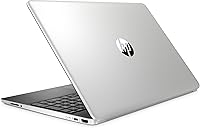
The silver finish strikes most buyers as clean and more professional-looking than typical budget laptops, and the slim 0.71-inch chassis holds up well under light daily use. HP’s manufacturing consistency means units generally arrive without obvious flex or assembly issues straight out of the box.
The all-plastic construction, while expected at this price tier, does not inspire confidence during heavy-handed use — the display lid flexes more than buyers accustomed to metal-chassis laptops would prefer. Some owners also note creaking around the hinge area after several months of regular opening and closing.
Battery Life
58%
42%
For light, intermittent use — checking email, short document edits, and brief video calls — the battery holds up reasonably well through a half-day without a top-up. Users who keep screen brightness around 50% consistently report getting more time out of each charge cycle.
Under real-world mixed use — streaming, video calls, and active document work running together — most owners land in the five to six hour range, making the charger a necessary companion for full-day outings. Several buyers specifically mention disappointment when comparing actual runtime against the advertised battery figures.
Portability
81%
19%
At 4.4 pounds and under an inch thick, this HP touchscreen laptop fits comfortably into a standard backpack without dominating the available space. Students carrying it between classes and remote workers moving between home and a coffee shop consistently find the weight acceptable for daily hauling.
At 15.6 inches this is not a compact machine — buyers wanting something truly travel-light or tablet-thin will find it too bulky for that use case. The charger adds meaningful extra weight to a bag, and the modest battery life limits how far you can roam before needing an outlet.
Connectivity
77%
23%
The port selection is stronger than most budget competitors at this tier — USB-C, two USB-A 3.1 ports, and a full-size HDMI cover the majority of real-world scenarios without requiring a hub or adapter. 802.11ac Wi-Fi handles video calls and large downloads without generating notable wireless complaints from buyers.
Bluetooth 4.2 and 802.11ac Wi-Fi are functional but lag behind the newer Bluetooth 5.0 and Wi-Fi 6 standards now increasingly common even on similarly priced machines. There is also no SD card slot, which frustrates buyers who regularly transfer photos from cameras or memory-card-based devices.
Keyboard & Trackpad
68%
32%
The full-size keyboard layout provides enough key spacing for comfortable extended typing sessions, and most buyers find the travel and tactile feedback adequate for daily document work and schoolwork. Having the touchscreen as a backup input method also reduces how much pressure the trackpad needs to carry alone.
The keyboard lacks backlighting, which makes typing in dim environments or late at night noticeably harder than most buyers expect from a modern laptop. The trackpad runs small for a 15.6-inch chassis, and a handful of users describe the click feel as imprecise compared to what mid-range notebooks deliver.
Setup Experience
88%
First-time owners consistently praise how straightforward the initial setup is — Windows 10 launches with minimal friction and the machine is ready for use within minutes of unboxing. HP’s pre-configuration leaves very little for non-technical buyers to troubleshoot or figure out on their own.
Some units arrive with a noticeable amount of HP-branded pre-installed software that buyers need to uninstall before the system feels lean and clean. Windows 10 also triggers several cumulative update cycles shortly after first boot, which can delay getting fully up and running by an hour or more.
Security Features
82%
18%
The fingerprint reader is one of the most appreciated extras on this machine — buyers who use Windows Hello regularly report that logging in feels fast and effortless compared to typing a PIN or password every time. At this price bracket, biometric login is far from a given, which makes its inclusion stand out.
A small number of buyers report occasional fingerprint misreads, particularly when fingers are dry or slightly damp after washing — a common inconvenience rather than a dealbreaker. There is no IR camera for face recognition, meaning fingerprint is the only biometric login option the machine supports.
Webcam Quality
63%
37%
The HP TrueVision HD webcam is adequate for routine video calls on Zoom, Teams, or Google Meet, and most buyers find it handles well-lit home office setups without much complaint. For standard school check-ins and remote work meetings, it performs at the level expected of a budget laptop camera.
In low-light environments the image quality drops quickly — grain and noise become obvious to participants on the other end of the call, which can feel unprofessional in formal meetings. Buyers hoping to record online course content, tutorials, or occasional streams will find the 720p output noticeably limiting.
OS Experience
79%
21%
Windows 10 arriving pre-installed with minimal configuration required is a consistent point of appreciation, especially among first-time laptop buyers who want to avoid any OS setup hassle. The 15-dy1731ms runs the operating system without obvious sluggishness for everyday tasks, and HP’s integration is generally stable right out of the box.
HP pre-installs a selection of branded utilities and promotional apps that many users find intrusive and spend time removing immediately after setup. Windows 10 is also no longer receiving feature updates from Microsoft, which raises valid long-term software support concerns for buyers planning to keep this machine for several years.
Thermal & Noise
66%
34%
For light everyday tasks — browsing, email, and document work — the 15-dy1731ms runs quietly and stays cool enough that it rarely becomes uncomfortable on a lap or desk. The i3-1005G1’s modest thermal envelope means the fan does not need to spin up hard during typical usage conditions.
Extended sessions involving streaming, multiple active apps, or background Windows updates cause the fan to ramp up audibly and the bottom of the chassis to get noticeably warm. Users who regularly work with the laptop resting on their lap during heavier tasks report it becoming uncomfortable over time.

Suitable for:

The HP 15-dy1731ms 15.6″ Touchscreen Laptop is a genuinely practical choice for anyone who needs a dependable everyday machine without stretching their budget. College students will appreciate the touch-enabled display for navigating apps and annotating notes more naturally, while the slim 0.71-inch profile and 4.4-pound build make it easy to slip into a bag between classes. Remote workers and home users handling email, video calls, spreadsheets, and light document work will find the i3 processor and 8GB of RAM more than capable for those tasks day to day. It also makes a strong case as a shared household computer for browsing, streaming, and homework. First-time laptop buyers who want the reassurance of a well-known brand and a hassle-free Windows 10 setup will feel right at home. Anyone upgrading from an old, sluggish HDD-based machine will notice a meaningful speed difference from the first boot.

Not suitable for:

The HP 15-dy1731ms 15.6″ Touchscreen Laptop has real boundaries, and being clear about them will save the wrong buyer a frustrating return. Anyone who edits video, processes large photo libraries, runs virtual machines, or plays modern games should look elsewhere — the Core i3 and integrated Intel UHD graphics are not built for that kind of sustained workload. The 128GB SSD is the other hard ceiling: users who install a lot of software, store local media, or work across large project files will hit that limit uncomfortably fast. The 1366x768 resolution, while workable for basic tasks, will feel noticeably dated to anyone accustomed to a crisp Full HD screen — text and images simply lack that sharpness. Students in design, engineering, or any multimedia program need considerably more horsepower and display quality. Battery life, based on real-world owner reports, may also disappoint anyone counting on all-day unplugged use across back-to-back sessions.

Specifications

  • Display: The 15.6-inch HD WLED touchscreen delivers a 1366x768 pixel resolution with a factory-applied anti-glare coating.
  • Touch Support: The display supports up to 10 simultaneous touch points for multi-finger gestures and navigation.
  • Processor: An Intel Core i3-1005G1 (10th Gen) runs at a 1.2GHz base clock and boosts up to 3.4GHz under load.
  • RAM: 8GB of DDR4 SDRAM operates at 2666MHz to support everyday multitasking and productivity workloads.
  • Storage: A 128GB solid-state drive provides fast system responsiveness with no optical drive included.
  • Graphics: Intel UHD Graphics are integrated into the processor and draw from up to 2GB of shared system memory.
  • Operating System: Windows 10 comes pre-installed and ready to use out of the box.
  • Ports: The laptop includes one USB-C 3.1 Gen1 port, two USB-A 3.1 Gen1 ports, and one HDMI 1.4 port.
  • Wireless: Wi-Fi covers 802.11b/g/n/ac standards and Bluetooth 4.2 is built in for wireless peripherals.
  • Security: A built-in fingerprint reader supports Windows Hello biometric login for quick, password-free access.
  • Camera: The HP TrueVision HD webcam captures 720p video for video calls and online conferencing.
  • Weight: The laptop weighs 4.4 pounds, making it manageable for daily carry between home and school or work.
  • Dimensions: The chassis measures 14.11 x 9.53 x 0.71 inches (L x W x H), keeping the profile notably slim for a 15-inch class machine.
  • Color: The laptop is available in a Silver finish across the lid and keyboard deck.
  • Battery: Power comes from a built-in rechargeable Lithium Metal battery that charges via the included AC adapter.

Related Reviews

HP 2020 15 15.6″ HD Touchscreen Laptop, Intel Core i5-1035G1, 16GB RAM, 512GB SSD
82%
89%
Performance
75%
Display Quality
90%
Portability
80%
Battery Life
85%
Build Quality
More
HP 15-fc0047wm 64GB 4TB Touchscreen Laptop
76%
88%
Performance & Speed
93%
RAM & Multitasking
91%
Storage Capacity
76%
Display Quality
82%
Touchscreen Responsiveness
More
HP 15.6″ i3 1315U 1TB Touchscreen Laptop
76%
83%
Value for Money
76%
Performance
58%
Display Quality
88%
RAM & Multitasking
86%
Storage
More
HP 15.6″ Touchscreen Core i3 16GB Laptop
75%
81%
Everyday Performance
58%
Display Quality
83%
Touchscreen Responsiveness
86%
RAM & Storage
54%
Battery Life
More
HP 15.6″ Touchscreen Laptop, Intel Core i3-1115G4, 16GB RAM, 1TB SSD
83%
91%
Value for Money
88%
Touchscreen Performance
85%
Battery Life
80%
Build Quality
92%
Storage Capacity
More
HP 15.6″ Touchscreen Laptop (i3-1315U, 64GB, 2TB)
70%
62%
Value for Money
88%
RAM & Multitasking
91%
Storage Capacity
41%
Display Quality
67%
Processor Performance
More
HP 15.6″ Touchscreen i3 Laptop
68%
78%
Value for Money
69%
Performance
61%
Display Quality
82%
Touchscreen Usability
74%
Build Quality
More
HP 15.6 i7-1255U 64GB Touchscreen Laptop
75%
88%
Multitasking Performance
91%
RAM & Storage Value
74%
Display Quality
62%
Seller Upgrade Trust
61%
Battery Life
More
HP 15.6″ i7-1355U Touchscreen Laptop
79%
88%
Everyday Performance
84%
Display Quality
81%
Touch Responsiveness
91%
RAM & Multitasking
86%
Storage Speed & Capacity
More
HP 2025 15.6″ HD Touchscreen Laptop, Intel Core i3-1315U, 12GB RAM, 256GB SSD, Windows 11 Pro
84%
91%
Value for Money
89%
Performance for Everyday Tasks
75%
Battery Life
68%
Display Quality
88%
Ease of Use
More
HP 15 Intel N100 16GB/256GB
77%
88%
Value for Money
83%
Everyday Performance
91%
RAM & Multitasking
67%
Display Quality
72%
Build Quality & Portability
More

FAQ

It depends entirely on how you work. If you rely heavily on browser-based tools, stream content online, and save your files to OneDrive or Google Drive, 128GB is workable. But if you download a lot of media, install a wide range of apps, or store large files locally, you’ll feel the squeeze faster than you’d expect. Setting up cloud storage or grabbing an affordable external USB drive right from the start is the smartest way to stay ahead of the problem.

Yes, Microsoft 365 runs without issue for typical document, spreadsheet, and presentation work. Very large Excel files with heavy formulas or PowerPoint decks packed with embedded video may occasionally slow things down, but for standard student and office use you won’t hit a wall. If you’d rather skip the subscription cost, LibreOffice and Google Docs are solid free alternatives that run just fine on this hardware.

It works with passive capacitive styluses — the kind that simulate a fingertip — but it does not support active stylus pens like Microsoft’s Surface Pen or pressure-sensitive drawing tools. If precise handwriting or digital sketching is part of your workflow, that’s an important limitation to factor in before buying.

The RAM is soldered directly to the motherboard in this configuration, so 8GB is the permanent ceiling — there’s no upgrade path there. The SSD may be replaceable depending on the slot type inside, but HP’s budget laptops are not always designed with DIY upgrades in mind, so don’t count on it unless you’re comfortable opening the chassis and verifying compatibility yourself.

Real-world reports from buyers suggest somewhere between 5 and 7 hours of light use — browsing, documents, and the occasional video call. Screen brightness has a significant impact, and streaming video or running multiple apps will shorten that window noticeably. If you’re planning a full day away from an outlet, bringing the charger along is the safer habit to build.

Yes, the HDMI 1.4 port connects directly to any HDMI-compatible display without needing an adapter. You can either mirror the laptop screen or extend your desktop across two displays, which is a handy setup for home office work where the built-in screen alone doesn’t give you enough space.

No, a full Office license is not included. You may get a short-term Microsoft 365 trial depending on the retailer, but ongoing use requires a paid subscription or a standalone license purchase. Free alternatives like Google Docs and LibreOffice handle the vast majority of student and home office tasks without any added cost.

For everyday Zoom, Teams, or Google Meet calls it holds up fine, especially in decent lighting. The 720p HD camera is standard for this price category and does what it needs to do for school check-ins and remote work meetings. In dim lighting it can look grainy, so positioning yourself near a window or a lamp makes a noticeable difference.

Casual streaming on Netflix, YouTube, or Disney+ looks reasonable at a normal sitting distance, and the anti-glare coating helps in brighter rooms. The 1366x768 resolution is the weak point here — if you’ve been using a Full HD screen recently, you’ll notice the difference in sharpness. The stereo speakers are decent for a laptop this size, but plugging in headphones makes a clear improvement for anything you actually want to enjoy.

For most students focused on writing papers, doing research, attending online classes, and managing coursework, it’s a genuinely practical option. The touchscreen is a real convenience for note-taking and app navigation, and the lightweight build means it won’t weigh down a backpack. The biggest thing to plan around is storage — set up a cloud solution on day one and you’ll sidestep the most common complaint owners raise.

Where to Buy