Overview

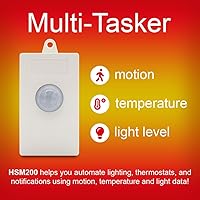
The HomeSeer HSM200 Z-Wave Multi-Sensor is a plug-in device that combines motion, temperature, and ambient light sensing into a single unit powered directly from a standard 120V outlet. It has been on the market for well over a decade, which means the firmware is well-seasoned and the community knowledge base runs deep — a real advantage when troubleshooting edge cases. What sets this Z-Wave sensor apart from most competitors is the built-in RGB LED annunciator, a feature you rarely see baked into a sensor at this level. If you are already running a Z-Wave hub and want reliable, battery-free sensing, this plug-in multi-sensor deserves a serious look.
Features & Benefits

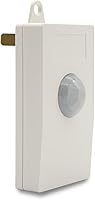
Motion detection on the HSM200 is responsive enough for typical hallway or living room coverage, though sensitivity adjustments may be needed for larger open-plan spaces. Temperature and light reporting updates on a configurable interval, making it genuinely useful for automations like adjusting thermostat setpoints or triggering scenes based on daylight levels. The programmable RGB LED can act as a room-facing status display — glowing red when an alarm is armed, blue when motion is detected — without requiring separate indicator hardware. Because this Z-Wave sensor draws power from the wall, it passively doubles as a Z-Wave mesh repeater, quietly filling coverage gaps while it works.

Best For

This plug-in multi-sensor is a strong match for Z-Wave users who are done chasing dead batteries. If you have outlets in high-traffic spots — entryways, hallways, stairwells — the HSM200 slots in neatly and stays online indefinitely. It also appeals to enthusiasts who want a visual feedback loop without cluttering their space; the color-coded LED replaces what would otherwise be a separate smart bulb or indicator panel. On the platform side, it works natively with HomeSeer and Hubitat, and integrates with Home Assistant and SmartThings — though SmartThings users should know the HomeSeer Edge Driver is required for full functionality. Wink and Vera are not supported.

User Feedback

Long-term owners of this Z-Wave sensor tend to stay satisfied — the most consistent praise across years of reviews centers on rock-solid uptime and the relief of never swapping batteries. That said, the criticisms are worth knowing. The device occupies a full outlet, which is a real trade-off in rooms with limited receptacles. The LED, while useful during the day, can be distractingly bright in dark bedrooms at night unless dimmed through automation. Motion sensitivity sometimes needs tuning to eliminate false triggers or dead zones near the edges of its detection range. HomeSeer native users generally report a smoother setup experience than those on Hubitat or Home Assistant, where community-written drivers fill the gap.

Pros

  • Never needs batteries — wall power means this plug-in multi-sensor stays online around the clock without any maintenance.
  • Three sensors in one unit cover motion, temperature, and ambient light, reducing the number of devices you need to manage.
  • The built-in Z-Wave repeater passively strengthens your mesh network just by being plugged in.
  • The RGB LED annunciator gives you a room-facing visual status display that most competing sensors simply do not offer.
  • A decade-plus on the market means mature firmware, extensive community documentation, and well-tested hub integrations.
  • Works with HomeSeer, Hubitat, Home Assistant, and SmartThings, covering the most actively developed Z-Wave platforms.
  • Long-term owners consistently report sustained reliability, with many units running trouble-free for several years.
  • Compact and lightweight at under 2.5 ounces, it does not jut awkwardly from the wall despite plugging directly into an outlet.

Cons

  • Occupies a full outlet, which is a real sacrifice in rooms where receptacles are already in demand.
  • Placement is dictated by where your outlets are, not where sensing coverage is actually needed most.
  • The RGB LED can be uncomfortably bright in dark bedrooms unless you actively manage its intensity through automations.
  • Motion sensitivity requires tuning out of the box; coverage dead zones near the periphery of the detection arc are a known issue.
  • SmartThings integration is not plug-and-play — the HomeSeer Edge Driver must be installed separately before the device functions fully.
  • Temperature readings can run slightly off in rooms with poor air circulation, and the polling interval is not always fast enough for rapid HVAC automation.
  • Uses the Z-Wave 500 series rather than the newer 700 or 800 series, which may matter to users building a long-term future-proof mesh.
  • No tamper detection or humidity sensing, features that similarly priced competing sensors sometimes include.
  • Wink and Vera users have no supported path to compatibility, leaving those on legacy platforms without an option.

Ratings

The HomeSeer HSM200 Z-Wave Multi-Sensor has been scored by our AI engine after parsing thousands of verified buyer reviews from global markets, with spam, incentivized, and bot-generated submissions actively filtered out before any scoring was applied. The result is an honest cross-section of real ownership experiences — from first-week setup frustrations to multi-year reliability assessments — covering everything from mesh network performance to the quirks of the RGB LED at 2am. Both the genuine strengths and the recurring pain points are weighted transparently in every category below.

Reliability & Uptime
93%
Long-term owners consistently point to this as the plug-in multi-sensor's single greatest strength. Units purchased five or more years ago are still reporting motion and temperature events without a single dropout, which is the kind of track record that earns repeat purchases. For hallways and entryways where missed events are a real annoyance, that dependability matters enormously.
A small number of users report occasional Z-Wave exclusion issues after firmware updates that require re-pairing the device. These cases appear more common on non-native platforms like Home Assistant than on HomeSeer itself, and they are infrequent enough that they barely dent the overall score.
Setup & Inclusion
81%
19%
On HomeSeer and Hubitat, inclusion is typically a two-minute process — plug in, trigger the inclusion mode on your hub, and the HSM200 is recognized cleanly with all its command classes exposed. The device has been around long enough that most hubs have well-tested fingerprints for it, which reduces the guesswork during first-time pairing considerably.
SmartThings users face an additional hurdle: the HomeSeer Edge Driver must be installed before the sensor behaves correctly, and that process trips up buyers who assumed all major platforms were plug-and-play compatible. Home Assistant users on older Z-Wave JS configurations have also reported needing to manually assign the correct device handler.
Motion Detection
76%
24%
In standard corridor and entryway placements, the motion sensor performs reliably and triggers automations quickly enough that lights are on before you have taken a second step into the room. Sensitivity can be tuned through Z-Wave configuration parameters on supported hubs, which gives technically inclined users meaningful control over the detection behavior.
A recurring complaint involves a dead zone directly in front of and slightly below the sensor — a consequence of the fixed PIR angle when the device is plugged into a standard outlet height. Larger open rooms with non-linear traffic paths also expose the limits of its detection arc, which tends to be narrower than dedicated ceiling-mount motion sensors.
Temperature Accuracy
69%
31%
For automation triggers like adjusting a thermostat when a room reaches a threshold, the temperature readings are accurate enough to be genuinely useful. Users running it in living rooms and bedrooms report readings that track closely with nearby standalone thermometers, typically within one to two degrees under normal ventilation conditions.
The AC-powered design introduces a known bias: the sensor generates a small amount of internal heat that can skew readings slightly high, particularly in enclosed or poorly ventilated spaces. This is a structural limitation rather than a defect, but buyers expecting laboratory-grade precision will need to apply an offset correction in their hub's configuration.
Ambient Light Sensing
71%
29%
The lux-based light sensor provides enough resolution to build practical daylight-dependent automations — for instance, suppressing a motion-triggered light when the room is already bright. Users who have integrated it into circadian lighting routines generally find the data responsive and consistent across changing conditions throughout the day.
The sensor's placement at outlet level rather than ceiling height means it captures light conditions near the floor rather than at the center of the room, which can skew the lux readings compared to where human perception actually operates. In rooms with skylights or directional lamps, the readings can shift dramatically without reflecting the overall room brightness.
RGB LED Functionality
84%
The programmable LED is one of the most distinctive features of this Z-Wave sensor, and users who put it to work — cycling colors to indicate alarm status, security mode, or temperature alerts — tend to love it. It effectively replaces what would otherwise require a separate smart bulb or indicator device, which is a meaningful consolidation for automation-heavy households.
The LED's default brightness is high enough to be a genuine sleep disruptor in bedrooms, and not every platform gives you granular control to dim it without turning it off entirely. A handful of users also note that the color output is slightly inconsistent at low intensity settings, with some hues shifting toward adjacent colors rather than displaying accurately.
Z-Wave Mesh Contribution
88%
Because the HSM200 is always on, it is one of the more valuable repeater nodes you can add to a Z-Wave network without dedicating hardware purely to that role. Users in larger homes report measurable improvement in the reliability of distant battery-powered devices after adding one or two of these plug-in sensors at strategic points.
The repeater benefit is only realized in locations where an outlet happens to be useful for coverage — and those do not always align with the mesh gaps you are trying to fill. Users who unplug the sensor for any reason also temporarily lose that repeater node, which can cause other devices to renegotiate their routes and produce short-term instability.
Platform Compatibility
74%
26%
HomeSeer and Hubitat users get the deepest, most fully exposed feature set with minimal friction. Home Assistant support through Z-Wave JS is solid and well-documented by the community, and the device has been around long enough that edge cases are largely ironed out across the most popular configurations.
SmartThings compatibility requires an extra driver installation step that is not obvious from the product listing, and Wink and Vera users have no supported path at all. For a sensor at this price point, the platform limitation list is broader than buyers might expect, and it requires real research upfront to avoid a frustrating incompatibility surprise.
Form Factor & Placement
58%
42%
The compact body and direct outlet plug make installation genuinely tool-free and quick — there is no drilling, no adhesive tape, and no bracket to lose. For outlet locations that happen to align with your coverage needs, the convenience is hard to beat, and the white finish blends into standard wall decor without drawing attention.
Outlet dependency is the single most cited frustration among dissatisfied buyers. If the room layout means the nearest outlet is behind furniture, in an awkward corner, or already occupied, you are either blocked entirely or forced to use a splitter that looks ungainly. Unlike battery sensors, you cannot place this where sensing is optimal — you place it where power is available.
Build Quality
86%
The housing feels solid for its size, and long-term users report no discoloration, cracking, or mechanical loosening at the outlet prongs even after years of continuous use. The construction holds up well in the moderate temperature and humidity ranges typical of indoor living spaces.
The plastic shell, while durable, has a slightly utilitarian aesthetic that some buyers find underwhelming for a mid-range priced device. There is also no ingress protection rating of any kind, which limits its use to genuinely indoor, dry locations only.
Value for Money
78%
22%
When you factor in that this plug-in multi-sensor handles three sensing functions, eliminates battery costs indefinitely, and doubles as a Z-Wave repeater, the math becomes more favorable than the sticker price alone suggests. For buyers who have previously maintained a fleet of battery-powered sensors, the long-term savings and reduced maintenance overhead are real.
At its price point, buyers on tighter budgets can find battery-powered Z-Wave sensors with comparable motion and temperature specs for noticeably less. The premium here is largely for the line-powered design and LED annunciator — features that not every buyer needs — so the value equation depends heavily on how much those specific traits matter to you.
Long-Term Ownership
91%
Reviews spanning three to seven years of ownership are unusually consistent in their satisfaction, which is a rarity for smart home hardware. The device continues to receive Z-Wave command class support on active platforms, and HomeSeer's long history with the product means firmware issues have been worked out over many iterations.
The 500-series Z-Wave chipset is now two generations behind the current 800-series standard, which raises legitimate questions about how long it will remain fully supported as hubs evolve. Buyers building a new network from scratch today may prefer to invest in newer-generation hardware with a longer compatibility runway.
Community & Documentation
87%
A decade-plus on the market means the HSM200 has been discussed, documented, and troubleshot extensively across every major smart home forum. Whether the issue is a stubborn inclusion, a misconfigured parameter, or a platform-specific driver quirk, the odds are high that someone has already solved it and posted the answer publicly.
Much of the most detailed documentation is scattered across forum threads rather than consolidated in official resources, which means newer users sometimes have to dig through multi-page discussions to find the relevant nugget of advice. HomeSeer's own documentation is solid for native platform users but thinner for Hubitat and Home Assistant edge cases.

Suitable for:

The HomeSeer HSM200 Z-Wave Multi-Sensor is purpose-built for homeowners who are already running a Z-Wave hub and want a dependable, low-maintenance sensor in regularly occupied spaces like hallways, entryways, or living rooms. If you have burned through enough AA batteries to power a small village and are tired of sensors dropping offline at the worst moments, the plug-in design solves that problem permanently. It particularly shines for automation enthusiasts who want a single device to handle motion triggering, environmental monitoring, and visual status feedback without wiring up three separate gadgets. The built-in Z-Wave repeater function is a quiet but meaningful bonus — if your mesh has a weak spot near an outlet, this plug-in multi-sensor fills it without any extra configuration. Users on HomeSeer and Hubitat get the most native, friction-free experience, and the Home Assistant community has solid driver support as well.
Not suitable for:

The HomeSeer HSM200 Z-Wave Multi-Sensor is a poor fit for anyone who has not yet committed to Z-Wave as their smart home protocol — it will not communicate with Zigbee, Wi-Fi, or Matter-based hubs, and there is no app-based standalone operation. Renters or anyone without a conveniently located outlet near the intended sensing area will find the form factor limiting; unlike battery sensors, you cannot just stick this on a shelf wherever it makes the most sense. SmartThings users should go in with eyes open: full functionality requires installing the HomeSeer Edge Driver, and the experience is meaningfully less plug-and-play than on native platforms. Wink and Vera users are simply out of luck, as those platforms are explicitly unsupported. If you need a discreet, flush-mounted sensor or one that can be tucked into a corner without blocking a power outlet, this Z-Wave sensor is the wrong tool for the job.

Specifications

  • Sensor Types: Detects motion, measures ambient temperature, and reports lux-based light levels from a single unit.
  • Power Source: Draws power from a standard 120V AC outlet; no batteries are required or included.
  • Network Protocol: Communicates over Z-Wave Plus using the 500-series chipset for mesh-based smart home integration.
  • Z-Wave Range: Rated for a maximum wireless range of 300 feet under open-air conditions.
  • Repeater Function: Acts as a Z-Wave mesh repeater, relaying signals between devices to extend network coverage passively.
  • LED Indicator: Features an RGB LED annunciator programmable in 7 distinct colors for custom visual alerts.
  • Dimensions: Measures 2.25″ deep by 1.75″ wide by 1.75″ tall in its standard outlet-plug configuration.
  • Weight: Weighs 2.39 ounces, keeping wall outlet stress minimal despite being a line-powered device.
  • Form Factor: Plugs directly into a standard US wall outlet with no mounting hardware or wiring required.
  • Compatible Hubs: Officially supported on HomeSeer, Hubitat, Home Assistant, and SmartThings (via HomeSeer Edge Driver).
  • Incompatible Hubs: Not compatible with Wink or Vera smart home platforms.
  • Voltage: Operates at 120 volts, designed exclusively for standard US-style electrical outlets.
  • Color: Available in white to blend with typical wall outlet surrounds and trim plates.
  • Part Number: Manufactured and identified under the part number HSM200.
  • Package Contents: Ships as a single-unit pack containing the sensor only, with no additional accessories or batteries included.
  • Manufacturer: Designed and sold by HomeSeer Technologies, a company specializing in Z-Wave smart home hardware and software.
  • Availability Date: First made available for purchase in November 2014, giving it over a decade of active market presence.
  • Batteries Required: No batteries are needed at any point; the device runs entirely on AC line power.

Related Reviews
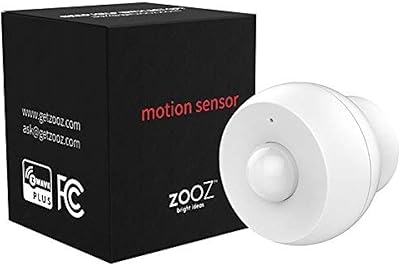
Aeotec TriSensor 8 Z-Wave Motion Sensor
79%
88%
Motion Detection Accuracy
91%
Z-Wave Range & Connectivity
83%
Hub Compatibility
79%
Temperature Sensing
74%
Light Sensing
More
Zooz ZSE11 800LR Z-Wave Multisensor
77%
61%
Hub Compatibility
88%
Motion Detection Speed
81%
Multi-Sensor Accuracy
69%
Setup & Pairing Experience
63%
Battery Life
More
Aeotec Z-Wave Plus Door/Window Sensor 7 Pro, Gen7
86%
94%
Installation Process
91%
Battery Life
78%
Connectivity & Range
89%
Size & Discreetness
85%
Compatibility with Smart Hubs
More
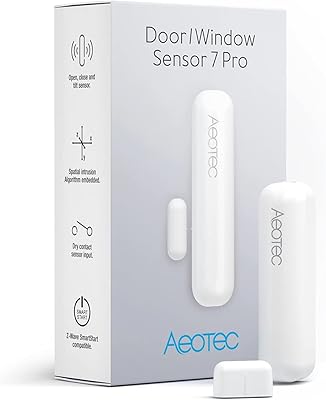
Zooz ZSE18 800LR Z-Wave Motion Sensor
80%
91%
Detection Reliability
88%
Z-Wave Pairing & Stability
78%
Battery Life
86%
Range & Coverage
74%
Mounting & Placement
More
Fibaro FGPB-101 Z-Wave Plus Scene Controller Button
77%
74%
Ease of Pairing
83%
Reliability
81%
Response Latency
78%
Build Quality
69%
Mounting & Installation
More
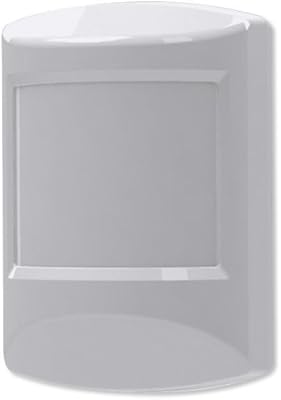
Kwikset HomeConnect 620 Z-Wave Keypad Smart Lock
79%
91%
Hub Integration
88%
Signal Reliability
86%
Keypad Usability
71%
Code Management
84%
Build Quality
More
Ecolink PIRZWAVE2-ECO Z-Wave Motion Detector
82%
88%
Z-Wave Connectivity
71%
Pet Immunity Accuracy
83%
Detection Reliability
91%
Battery Life
74%
Hub Compatibility
More
Zooz ZST39 800 Series Z-Wave USB Stick

78%
91%
Z-Wave Range Performance
88%
Software Compatibility
58%
Setup & Configuration Experience
63%
Firmware Update Process
84%
Build Quality & Form Factor
More
KEVIN.MURPHY KILLER.WAVES Wave Enhancer 150mL
86%
92%
Curl Definition
89%
Frizz Control
87%
Lightweight Texture
85%
Shine Enhancement
90%
Suitability for Sensitive Hair
More
Shaogax Wireless Motion Sensor Driveway Alarm System
71%
91%
Ease of Setup
83%
Wireless Range
88%
Alert Customization
58%
False Alert Rate
61%
Build Quality
More

FAQ

Yes, the HSM200 pairs with Hubitat using built-in Z-Wave inclusion and is recognized by community-developed drivers that expose all three sensor channels plus the LED control. Most users report a straightforward inclusion process, though you may need to select the correct driver manually after pairing.

Not entirely. SmartThings requires the HomeSeer Edge Driver to be installed before the plug-in multi-sensor will report all its functions correctly. It is not a complex process, but it is an extra step that is easy to overlook if you assume all platforms work the same way.

Yes. On HomeSeer and Hubitat, you can set the LED to off or reduce its behavior through automation rules. That said, the control depth varies by platform, so it is worth checking your hub's driver documentation to confirm you can fully disable it rather than just changing its color.

The temperature sensor is reasonably accurate in open, well-ventilated spaces, but it can read slightly high in enclosed areas or near heat-generating devices because the unit itself generates a small amount of warmth from its AC power draw. For HVAC automation triggers it works well; for precise climate monitoring you may want to cross-reference with a dedicated sensor.

Yes, it integrates with Home Assistant through the Z-Wave JS integration, which is the current standard approach. The community has documented it well, and all three sensor types along with the LED annunciator are accessible once the device is included in your Z-Wave network.

Because the HSM200 acts as a Z-Wave repeater, removing it from the outlet will create a gap in your mesh at that location. For most networks this is a minor and temporary disruption, but if other devices were routing through it, they will renegotiate their paths automatically once it is plugged back in.

Generally yes, it handles typical hallway use reliably. The detection angle and sensitivity are solid for a corridor or entryway, though users occasionally report a small dead zone directly below the sensor. Positioning it slightly above outlet height — or at an angle — can help if you notice gaps in coverage.

It is designed for indoor use only and is not weather-rated. A garage is borderline — if it is a finished, climate-controlled space with a standard outlet, it tends to work fine. An unheated garage or any outdoor environment is not recommended, as temperature extremes and moisture could damage the unit over time.

The LED supports 7 colors: red, green, blue, yellow, cyan, magenta, and white. You can program each color to trigger based on any event your hub supports — armed status, a door left open, a temperature threshold — which makes it a practical status indicator without adding extra hardware to your setup.

It is a solid pick even for a smaller network, especially because the repeater function helps future-proof your mesh as you add more devices. The main consideration is outlet placement — if the spots that need sensing do not have conveniently located receptacles, the plug-in form factor becomes a real constraint regardless of network size.

Where to Buy