Overview

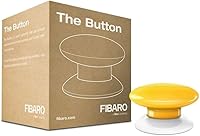
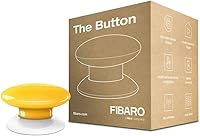
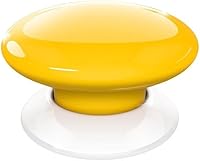
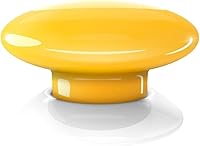
The Fibaro FGPB-101 Z-Wave Plus Scene Controller Button is a compact, battery-powered wireless trigger that slots into any Z-Wave smart home setup without a single wire. About the size of a large badge, it weighs just over an ounce and comes in eight color options — the yellow variant being genuinely hard to miss on a shelf or desk. It has been on the market since 2016 and FIBARO continues to actively support it, which speaks to its staying power in a fast-moving category. One point to be clear about upfront: this Z-Wave scene button does nothing without a compatible Z-Wave hub. That is not a flaw — it is by design — but it is the single most important thing to understand before buying.
Features & Benefits

What makes this wireless trigger genuinely useful is the depth of its click recognition — up to six patterns per button. One press, two presses, three, and so on, each firing a separate scene or action configured in your hub. The Z-Wave Plus protocol keeps response times tight and the mesh network reliable, so there is no perceptible lag when you hit it. The CR123A battery is included and replaceable, making it practical to mount under a cabinet, beside a bed, or on a fridge door. At just under two inches in any direction, it sits anywhere without drawing attention. Worth noting: the button itself stores no logic — all automation rules live in the hub, not the device.

Best For

The FIBARO smart button is squarely aimed at people who already have a working Z-Wave network and want a physical shortcut into their existing routines — no wiring, no patching into a switch box. Think of someone who wants to hit one button on the nightstand to lock the doors, kill the lights, and arm the alarm, rather than fumbling through an app at midnight. It also suits households that want a tactile fallback for guests or family members less comfortable with voice assistants. If you are just getting started with smart home tech and do not yet own a Z-Wave hub, though, this is not the right entry point.

User Feedback

Buyers pairing this Z-Wave scene button with Home Assistant or SmartThings generally report a smooth experience, though the setup does require some hub-side configuration confidence. Battery longevity comes up often in reviews — most users get well over a year from a single CR123A, which aligns with the low-power wireless design. On the critical side, a handful of owners flag hub compatibility gaps: not every Z-Wave controller handles multi-click events cleanly without custom device handlers or workarounds. Adhesive mounting gets mixed marks too, with some noting that the included solution loses grip over time on certain surfaces. Overall, sentiment skews positive among experienced users who understood what they were buying going in.

Pros

  • Up to six distinct click patterns per button gives you real flexibility across multiple routines without adding more hardware.
  • Battery-powered design means zero wiring — mount it anywhere indoors without calling an electrician.
  • Z-Wave Plus protocol delivers consistently low latency, so presses register quickly rather than after an awkward pause.
  • CR123A battery is included in the box and typically lasts well over a year under normal use.
  • Compact enough at under two inches across to sit on a nightstand or stick under a cabinet without looking out of place.
  • Works with third-party Z-Wave hubs, so you are not locked into the FIBARO ecosystem.
  • Eight color options available, which makes it easier to match your space or use color-coding across multiple buttons.
  • FIBARO has supported this device since 2016, giving it a longer track record than many smart home accessories at this price.

Cons

  • A compatible Z-Wave hub is mandatory — this Z-Wave scene button is completely useless without one already in place.
  • All scene logic must be configured on the hub, which can frustrate buyers who expected something more self-contained.
  • IP00 rating means no moisture or dust resistance, limiting placement to dry indoor environments only.
  • Some users report that multi-click events require custom device handlers on certain hubs, adding setup complexity.
  • Adhesive mounting can lose grip over time on textured or painted surfaces, and no alternative hardware mount is included.
  • No built-in feedback mechanism such as a confirmation beep or LED response after a press is registered.
  • Hub compatibility is not guaranteed across every Z-Wave controller, so verifying support before purchasing is essential.
  • At its price point, buyers reasonably expect flawless out-of-the-box pairing, which is not always the reality with third-party hubs.

Ratings

The scores below were generated by our AI engine after analyzing verified buyer reviews from around the world, with spam, bot-submitted, and incentivized feedback actively filtered out before scoring. For the Fibaro FGPB-101 Z-Wave Plus Scene Controller Button, both the genuine strengths and the recurring frustrations are reflected transparently — no category has been inflated to flatter the brand or the price point.

Ease of Pairing
74%
26%
Users with established Z-Wave networks — particularly those running Home Assistant or FIBARO's own Home Center — generally report a clean pairing process that takes only a few minutes. The device follows standard Z-Wave inclusion procedures, so anyone familiar with the protocol finds it immediately intuitive.
Buyers attempting to pair this wireless trigger with less common or older Z-Wave hubs sometimes hit walls, particularly when the hub firmware does not natively support multi-click event types. A non-trivial number of reviewers needed community forum help or custom device handlers to get all six click patterns working reliably.
Reliability
83%
Day-to-day press registration is consistently reported as solid once the device is paired and the mesh network is healthy. Users mounting the FIBARO smart button near other Z-Wave devices rarely report missed commands, and the Z-Wave Plus protocol's mesh routing adds a meaningful layer of redundancy.
Reliability takes a noticeable hit when the button is placed at the edge of the Z-Wave mesh, far from repeating devices. A subset of users in larger homes or sparse networks describe occasional missed presses, particularly after the hub restarts and re-initializes device routes.
Response Latency
81%
19%
The Z-Wave Plus protocol keeps action triggering snappy in well-configured setups — most users describe the gap between pressing and seeing their scene execute as barely perceptible under normal conditions. For routines like turning off lights on the way out the door, the timing feels natural rather than delayed.
Latency creeps up when the hub is under load or when the scene being triggered involves a long chain of device commands. A handful of users specifically noted that double- and triple-click patterns can occasionally be misread if the hub is slow to process the sequence, leading to the wrong scene firing.
Build Quality
78%
22%
The button has a satisfying physical click with enough tactile resistance that accidental presses are uncommon. The plastic shell feels solid for its size and weight class, and the consistent color finish across units holds up well over months of daily use.
At this price point, some buyers expected a more premium material — the all-plastic construction reads as functional rather than refined, especially when compared to higher-end smart accessories. A few users also noted that the button cap can develop minor surface marks with heavy use over time.
Mounting & Installation
69%
31%
The wire-free design is genuinely practical — no drilling, no electrician, no patching walls afterward. Users who stuck the button to smooth surfaces like glass, painted MDF, or metal cabinet doors report solid adhesion that holds well month after month.
The adhesive story falls apart on textured surfaces like rough-painted drywall or uneven tile, where grip tends to weaken within weeks. There is no included alternative mounting hardware such as a screw plate or magnetic base, which feels like an oversight given that placement flexibility is one of the device's main selling points.
Hub Compatibility
71%
29%
The Z-Wave scene button works with any certified Z-Wave Plus hub in principle, and users on popular platforms like SmartThings and FIBARO Home Center generally have a smooth experience with basic single-click functionality. Cross-platform support is a genuine strength compared to proprietary-protocol alternatives.
Multi-click support — the feature that makes this button worth its price — is where compatibility gets inconsistent. Not every hub handles all six click pattern events natively, and getting them all mapped correctly on platforms like Hubitat or older SmartThings hubs often requires workarounds that are not beginner-friendly.
Battery Life
88%
CR123A lithium battery longevity is one of the most consistently praised aspects across user reviews. The Z-Wave Plus radio is designed to sip power rather than drain it, and real-world reports of 12 to 24 months of use per battery are common, even in households pressing the button multiple times daily.
The battery is not rechargeable, so eventual replacement is unavoidable. While CR123A cells are widely available, some users feel the cost adds up across a multi-button smart home setup, and there is no low-battery warning indicator on the device itself — the alert depends entirely on your hub's reporting.
Multi-Click Functionality
76%
24%
The ability to assign six distinct actions to a single physical button is the core reason most people buy this Z-Wave scene button, and in well-supported hub environments it works exactly as advertised. Users who use two or three click patterns for common routines — arrive home, leave home, bedtime — find it genuinely convenient.
The functionality is only as good as the hub interpreting it, and the button itself stores no logic whatsoever. Users who expected a smarter standalone experience are frequently disappointed, and distinguishing between a double and triple click under pressure can be unreliable if you do not press at a consistent rhythm.
Value for Money
62%
38%
For users already invested in the Z-Wave ecosystem who need a premium tactile input device, the price is defensible when the full feature set is working correctly. The long battery life and solid Z-Wave Plus implementation do justify part of the premium over cheaper push-button alternatives.
At this price, buyers expect everything to work out of the box, and the hub dependency plus compatibility caveats make that expectation difficult to meet consistently. Competing Z-Wave buttons from other brands come in at lower price points with similar core functionality, which makes the value case harder to argue for new buyers.
Physical Footprint
91%
Under two inches in every dimension, the button is genuinely unobtrusive in almost any setting. Users consistently praise how easily it disappears into a room — beside a lamp, under a kitchen cabinet, or tucked at the edge of a desk — without looking like an afterthought or an eyesore.
The compact size that most users love can occasionally work against them — a few buyers with larger hands found the button slightly awkward to press with precision, particularly when distinguishing multi-click patterns in low light or in a hurry.
Color & Aesthetics
84%
The availability of eight color variants is a practical advantage that buyers genuinely appreciate, especially those deploying multiple buttons across a home and wanting to color-code them by room or function. The yellow variant stands out clearly on neutral surfaces, which works well as a visibility aid.
Color choice is cosmetic only and has no functional implication, but the plastic finish can look slightly glossy under bright lighting, which not everyone finds appealing in minimalist or matte-finish interiors. Replacement caps in different colors are not sold separately, so changing the color means replacing the whole unit.
Setup Documentation
67%
33%
The included user manual covers the basics clearly enough for anyone already familiar with Z-Wave device inclusion, and FIBARO's online support resources fill in additional detail for hub-specific configurations. Most experienced smart home users can get single-click operation running without consulting documentation at all.
The documentation assumes a level of Z-Wave literacy that not all buyers have, even among those who own a hub. Instructions for configuring multi-click patterns are deliberately hub-agnostic, which means the manual offers little practical guidance for users on platforms like Home Assistant where the steps are meaningfully different.
Long-Term Durability
79%
21%
Users who have owned this wireless trigger for two or more years generally report that the button mechanism remains responsive and the plastic housing shows minimal wear under normal indoor conditions. FIBARO's continued firmware and ecosystem support adds confidence that the device will remain functional with future hub updates.
The IP00 rating means any accidental moisture exposure — a splash, a spill, even high humidity in a poorly ventilated room — risks permanent damage. There are no user-serviceable components beyond the battery, so a failed button mechanism means replacing the entire unit.

Suitable for:

The Fibaro FGPB-101 Z-Wave Plus Scene Controller Button is built for smart home enthusiasts who already have a Z-Wave network up and running and want a reliable, physical way to trigger their automations without touching a phone. It suits anyone who has built out scenes in a hub like Home Assistant, SmartThings, or FIBARO's own Home Center and simply wants a tactile shortcut to fire them. Households where multiple people share a space will find it particularly practical — a single press beside the front door can lock up, dim the lights, and set the thermostat without requiring every family member to have app access. It also works well for people who want a bedside button for a goodnight routine, or a dedicated trigger mounted near a home office desk. If you are already comfortable configuring Z-Wave devices and just need a clean, wire-free input device, this wireless trigger fits that role well.
Not suitable for:

Buyers who do not already own a compatible Z-Wave hub should stop here — the Fibaro FGPB-101 Z-Wave Plus Scene Controller Button is completely non-functional without one, and adding the cost of a capable hub changes the value calculation significantly. This is also not an outdoor or wet-area device; its IP00 rating means zero protection from moisture or dust, so bathrooms, kitchens near sinks, and any outdoor mounting are all off the table. People hoping for a plug-and-play experience will be disappointed, as the button itself stores no logic — every action must be programmed on the hub side, which requires some technical comfort. If your existing setup runs on Zigbee, Wi-Fi, or another protocol rather than Z-Wave, this wireless trigger simply will not integrate. Those looking for a budget entry point into scene control should also know that the asking price sits firmly in premium territory for what is, mechanically, a single button.
Specifications

  • Brand: Manufactured by FIBARO, a Polish smart home company with a focus on Z-Wave ecosystem devices.
  • Model Number: The device carries the part number FGPB-101-4, identifying it as the yellow variant within the FGPB-101 series.
  • Dimensions: The button measures 1.81″ x 1.34″ x 1.81″, making it small enough to mount almost anywhere without drawing attention.
  • Weight: At 1.09 ounces including the battery, the unit is light enough that adhesive mounting is a realistic option on most surfaces.
  • Protocol: Uses Z-Wave Plus, the enhanced generation of the Z-Wave wireless standard, offering improved range, battery efficiency, and mesh reliability over older Z-Wave devices.
  • Power Source: Powered by a single 3.6V CR123A lithium battery, which is included in the box and is a standard replaceable size.
  • Battery Type: Lithium Ion CR123A cell; no rechargeable option is available, but the low-power Z-Wave protocol means replacement is infrequent under typical use.
  • Click Actions: Recognizes up to 6 distinct click patterns per session, each of which can be mapped to a separate smart home scene or action via a connected hub.
  • Connectivity: Wireless Z-Wave Plus only; no Wi-Fi, Zigbee, Bluetooth, or wired connection options are available.
  • Hub Requirement: A compatible Z-Wave hub is required for operation; the button cannot trigger any actions as a standalone device.
  • IP Rating: Rated IP00, meaning it has no certified protection against dust or moisture and is intended strictly for dry indoor environments.
  • Color Options: Available in 8 colors including white, brown, red, and yellow; color is a cosmetic distinction only and does not affect functionality.
  • Control Method: Physical push-button actuator with touch-style operation; there is no touchscreen, slider, or rotary element.
  • Mounting: Wire-free installation; FIBARO includes adhesive mounting hardware, and no drilling or electrical work is required.
  • Package Contents: Box includes the button unit, one CR123A battery, and a printed user manual; no hub, cables, or wall plate is included.
  • Release Date: First made available in July 2016 and remains in active production and software support as of the current date.
  • Compatibility: Works within the FIBARO Home Center ecosystem and with third-party Z-Wave hubs, though multi-click event support varies by hub firmware.
  • Circuit Type: Operates on a parallel circuit configuration with a normally open contact type, standard for this category of wireless push-button controller.

Related Reviews

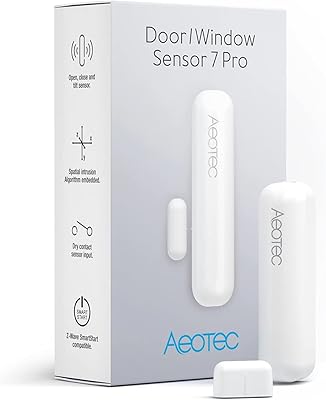
Aeotec Z-Wave Plus Door/Window Sensor 7 Pro, Gen7
86%
94%
Installation Process
91%
Battery Life
78%
Connectivity & Range
89%
Size & Discreetness
85%
Compatibility with Smart Hubs
More
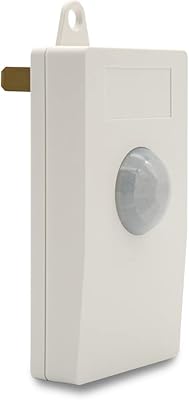
HomeSeer HSM200 Z-Wave Multi-Sensor
80%
93%
Reliability & Uptime
81%
Setup & Inclusion
76%
Motion Detection
69%
Temperature Accuracy
71%
Ambient Light Sensing
More
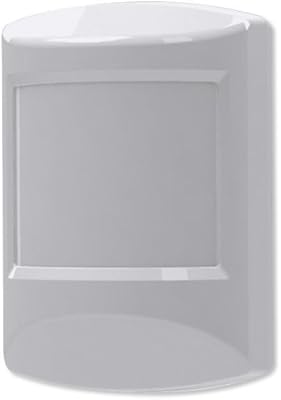
Ecolink PIRZWAVE2-ECO Z-Wave Motion Detector
82%
88%
Z-Wave Connectivity
71%
Pet Immunity Accuracy
83%
Detection Reliability
91%
Battery Life
74%
Hub Compatibility
More
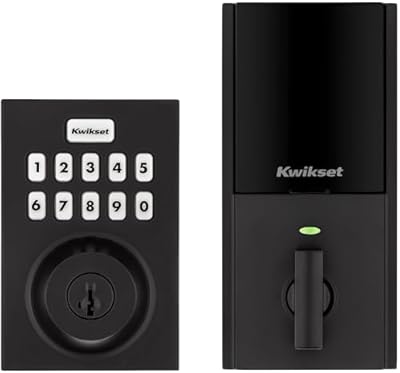
Kwikset HomeConnect 620 Z-Wave Keypad Smart Lock
79%
91%
Hub Integration
88%
Signal Reliability
86%
Keypad Usability
71%
Code Management
84%
Build Quality
More
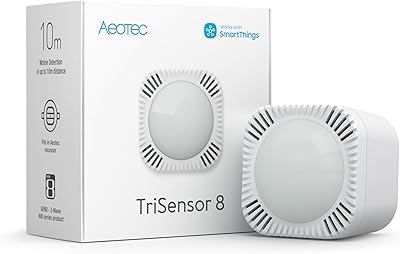
Aeotec TriSensor 8 Z-Wave Motion Sensor
79%
88%
Motion Detection Accuracy
91%
Z-Wave Range & Connectivity
83%
Hub Compatibility
79%
Temperature Sensing
74%
Light Sensing
More
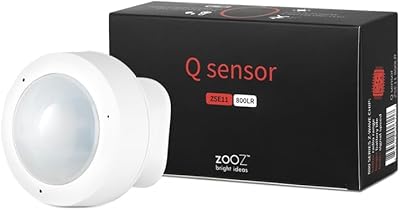
Zooz ZSE11 800LR Z-Wave Multisensor
77%
61%
Hub Compatibility
88%
Motion Detection Speed
81%
Multi-Sensor Accuracy
69%
Setup & Pairing Experience
63%
Battery Life
More
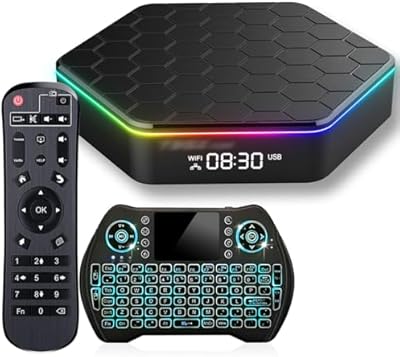
BL Z Plus Android TV Box 12.0 (4GB/64GB)
66%
78%
Value for Money
81%
Setup & Ease of Use
57%
Streaming App Compatibility
62%
Performance & Responsiveness
67%
Video & Picture Quality
More
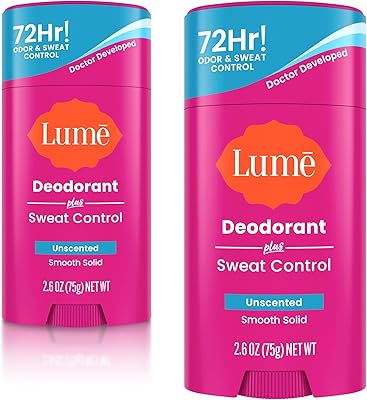
Lume Deodorant Plus Sweat Control Stick 2.6oz Unscented
90%
96%
Odor Control Effectiveness
94%
Sweat Reduction Performance
91%
Skin Sensitivity Compatibility
88%
Application Smoothness
85%
Residue and Staining
More
Zooz ZSE18 800LR Z-Wave Motion Sensor
80%
91%
Detection Reliability
88%
Z-Wave Pairing & Stability
78%
Battery Life
86%
Range & Coverage
74%
Mounting & Placement
More
Zooz ZST39 800 Series Z-Wave USB Stick
78%
91%
Z-Wave Range Performance
88%
Software Compatibility
58%
Setup & Configuration Experience
63%
Firmware Update Process
84%
Build Quality & Form Factor
More

FAQ

Yes — a Z-Wave compatible hub is absolutely required. The Fibaro FGPB-101 Z-Wave Plus Scene Controller Button is purely an input device; it sends signals to your hub, which then executes whatever scene or action you have configured. Without a hub, pressing the button does nothing at all.
It works with any Z-Wave Plus certified hub, including FIBARO Home Center, SmartThings, and Home Assistant with a Z-Wave stick. That said, full multi-click support — meaning all six click patterns firing correctly — can require additional configuration or custom device handlers on some platforms, so it is worth checking your hub's community forums before purchasing.

Most users report getting well over a year from a single CR123A battery, sometimes closer to two years with light use. The Z-Wave Plus protocol is designed to be very power-efficient, so the battery drains slowly. When it does need replacing, CR123A cells are widely available and inexpensive.

Yes, adhesive mounting is the intended method and no drilling is required. The button is light enough at just over an ounce that double-sided tape or the included adhesive holds reliably on most smooth surfaces. On textured walls or painted drywall, some users have reported the grip weakening over time, so a stronger aftermarket adhesive strip can help.

No — the IP00 rating means it has zero protection against moisture or dust. Keep it away from sinks, showers, steam, and any area where it might get wet. Dry indoor spaces only.

There is no audible beep and no confirmation LED built into the device. You will feel the physical click of the button itself, but any visual or audio feedback has to come from your connected smart home devices, such as a light briefly flashing or a chime playing through a smart speaker.

Absolutely, and many users do exactly that — one by the front door for a leaving-home routine, one on the nightstand for a bedtime scene, and so on. Each button pairs to your hub independently and can be assigned completely different sets of actions.

Not directly. This wireless trigger communicates over Z-Wave, so it needs to be connected to a Z-Wave hub first. If your hub integrates with Alexa or Google Home — which many do — then you can build routines that involve those platforms, but the button itself does not connect to voice assistant platforms on its own.

If the Z-Wave signal cannot reach the hub — due to distance or a gap in the mesh network — the command may not register. Z-Wave Plus uses a mesh topology where other Z-Wave devices act as signal repeaters, so a reasonably populated network is fairly resilient. Placing the button far from any other Z-Wave devices in a large space can cause reliability issues.

Purely cosmetic. All eight color variants of this smart button are mechanically and electronically identical — the color choice only affects appearance. Some users buy multiple colors deliberately to color-code buttons for different family members or room functions.