Overview

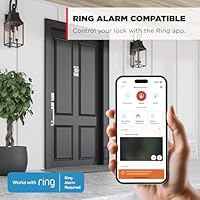
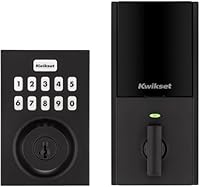
The Kwikset HomeConnect 620 Z-Wave Keypad Smart Lock is a solid mid-range deadbolt built for homeowners already invested in a Z-Wave smart home ecosystem. Launched in February 2025, it climbed to a top-5 bestseller in its category fast — a sign the Z-Wave crowd has been waiting for a reliable keypad option at this price point. One thing to understand upfront: no Wi-Fi or Bluetooth is built in. Without a compatible Z-Wave hub, you get a keypad deadbolt and nothing more. Remote access, app control, and automation all depend entirely on that hub. If you run Ring Alarm or SmartThings, though, native integration is where this lock really earns its place.
Features & Benefits

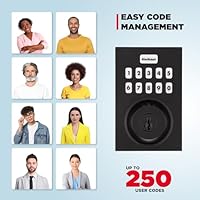
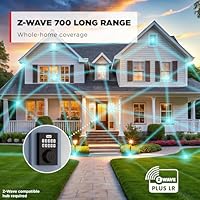
The Z-Wave 700 Long Range chipset is the standout upgrade here. Older Z-Wave locks relied on mesh-hopping to reach the hub; this Z-Wave deadbolt connects directly, which means fewer drop-offs if your hub is across the house or behind thick walls. Security-wise, S2 encryption protects against signal interception and replay attacks — real threats that cheaper locks ignore — while SmartStart lets you add it to your hub before it is even installed. You can program up to 250 user codes, each independently deletable. The auto-lock feature offers five timed intervals, the keypad is back-lit for nighttime use, and the included AA batteries are rated for a full year of normal use.

Best For

This keypad lock makes the most sense for a specific type of buyer. If you already have Ring Alarm in your home, the native lock integration is tight — status shows up in the app without any workarounds. SmartThings and Hubitat users get similar benefits. Rental hosts and property managers will find the 250-code capacity genuinely useful: assign a unique code to each guest, delete it after checkout, and never worry about copied keys. Installation is a straightforward deadbolt swap requiring just a screwdriver. That said, if you want a lock you can control from your phone without buying a hub first, look elsewhere.

User Feedback

Buyers who already had a Z-Wave hub set up tend to be very satisfied — pairing with Ring Alarm gets described as quick and reliable, and the keypad feel earns consistent praise for being responsive without feeling flimsy. The matte black finish holds up well in most reports, with no early signs of chipping or fading. The most common complaint is not really about the lock itself: many buyers did not realize a hub was required until after purchase. A smaller group finds the code programming steps a bit tedious when setting up many codes at once. Reconnection after a hub reboot appears mostly trouble-free, though a handful of users report needing to re-pair after extended power outages.

Pros

  • Native Ring Alarm integration works reliably without any bridge or extra hardware.
  • The Z-Wave 700 Long Range chipset delivers a noticeably more stable connection than older-generation smart locks.
  • Up to 250 individually deletable user codes makes this keypad lock genuinely practical for rental properties.
  • Back-lit keypad is responsive and easy to use in the dark, with no lag on input recognition.
  • Auto-lock scheduling with five time intervals gives homeowners real flexibility, not just an on-off toggle.
  • Installation requires only a screwdriver and takes most people under half an hour.
  • Batteries are included out of the box, and the rated 12-month life holds up well in real-world use.
  • S2 encryption protects against the signal interception and replay attacks that cheaper smart locks ignore.
  • The matte black finish looks sharp and holds up without visible chipping or fading in most user reports.
  • SmartStart support lets you add the lock to your hub before physical installation, which simplifies setup considerably.

Cons

  • A Z-Wave hub is non-negotiable for any remote or app-based control — this catches many buyers off guard at purchase.
  • No Bluetooth fallback means if your hub goes offline, you lose all smart features until it reconnects.
  • Bulk code entry for 20 or more users is a slow, repetitive process that many owners find genuinely tedious.
  • Hub cost is not included and can add significantly to the total investment for buyers starting from scratch.
  • A small number of users report needing to manually re-pair the lock after extended power outages rather than automatic reconnection.
  • No integrated alarm or tamper detection, which some competing deadbolts at this price tier include.
  • The lock is heavier and bulkier than some alternatives, which can be a factor on thinner or older doors.
  • Code management must be done locally or through a hub app — there is no dedicated Kwikset cloud app for this model.

Ratings

Our AI-generated scores for the Kwikset HomeConnect 620 Z-Wave Keypad Smart Lock are built by analyzing thousands of verified global buyer reviews, with spam, bot activity, and incentivized feedback actively filtered out before scoring. Each category reflects what real owners experienced after installation — not what the product claims on the box. Strengths and pain points are weighted equally, so the scores tell the full story.
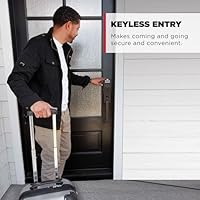
Hub Integration
91%
For buyers already running Ring Alarm or SmartThings, pairing this Z-Wave deadbolt is described as one of the smoothest hub integrations they have tried — often completing in under five minutes with SmartStart. Lock status updates in the Ring app are fast and consistent, which matters when you are checking remotely whether a door is actually secured.
The integration experience falls apart entirely for anyone without a compatible Z-Wave hub, and there is no fallback protocol like Bluetooth or Wi-Fi. Several buyers expressed frustration after discovering post-purchase that their existing smart home setup was not Z-Wave compatible.
Signal Reliability
88%
The Z-Wave 700 Long Range chipset makes a noticeable difference in larger homes or those with thick walls, where older Z-Wave locks would drop the connection or rely on a shaky mesh relay. Owners in two-story homes with the hub on a different floor consistently report stable, uninterrupted connectivity.
A small number of users in homes with heavy RF interference — from dense concrete construction or proximity to other wireless devices — still experienced occasional disconnects. These cases appear to be edge situations rather than a systemic flaw, but they are real.
Keypad Usability
86%
The back-lit touchscreen keypad earns consistent praise for its responsiveness and tactile feel — entering a code in the dark or with cold hands works reliably without multiple attempts. One-touch locking is particularly appreciated by users leaving quickly who do not want to wait for auto-lock to kick in.
A handful of users noted that the touchscreen can be slightly sluggish in very cold outdoor temperatures, adding a half-second delay to code entry. This is a minor complaint, but worth flagging for anyone in a particularly harsh winter climate.
Code Management
71%
29%
The ability to store up to 250 individual user codes is a standout practical feature, especially for rental hosts who rotate guests frequently. Being able to add, edit, or delete each code independently — without resetting the whole system — saves real time compared to competitors with smaller code banks.
Programming more than a handful of codes through the keypad itself is a slow, repetitive process that several users described as genuinely tedious. The experience improves significantly when managed through a hub app, but buyers who expected a simple dedicated mobile interface for code management on their own were disappointed.
Build Quality
84%
The metal construction feels appropriately solid for an exterior deadbolt, with no reports of the bolt mechanism feeling loose or the casing flexing under pressure. Buyers who have owned cheaper smart locks specifically call out the HomeConnect 620 as feeling like a step up in physical quality.
A small number of users noted that the interior thumb-turn feels slightly less premium than the exterior assembly, which is common at this price tier but still noticeable. The overall weight of 3.74 pounds can also make installation on older, less robust door frames a bit more involved.
Finish Durability
79%
21%
The matte black finish holds up better than many buyers expected for an exterior door application — no widespread reports of chipping or oxidation after months of exposure to the elements. The contemporary rectangular design also draws positive comments for looking intentional rather than utilitarian.
The matte surface around the keypad area tends to accumulate grease and fingerprint residue with daily use, which requires periodic wiping to maintain its appearance. A few users in coastal or high-humidity environments reported minor surface dullness over time, though not outright corrosion.
Auto-Lock Performance
82%
18%
Having five distinct auto-lock interval options — from 30 seconds to 10 minutes — gives homeowners meaningful control that most competing deadbolts do not offer. Rental operators in particular rely on the 30-second setting to ensure doors re-lock immediately after guests enter, and report it working consistently.
A few users noted that the auto-lock occasionally triggered while they were still unloading groceries or holding the door for someone, which is a usability frustration rather than a defect. There is no proximity-detection to pause auto-lock, a feature some Bluetooth-enabled rivals offer.
Installation Ease
87%
Replacing a standard deadbolt with this keypad lock is genuinely screwdriver-only work, and most owners without any prior smart lock experience completed the process in 20 to 30 minutes. The included hardware kit covers everything needed, and the physical installation instructions are clear.
The Z-Wave inclusion process — pairing the lock with the hub — adds a step that purely mechanical deadbolt buyers are not used to, and the learning curve here depends heavily on which hub you own. A few users with older door preps also needed minor adjustments for the bolt to align properly.
Battery Life
83%
The 12-month battery estimate holds up reasonably well in real-world conditions, with most owners reporting the included AA alkaline batteries lasting between 10 and 14 months under normal household use. The low-battery indicator gives enough advance warning that lockouts from dead batteries are rarely reported.
Owners in very cold climates report noticeably shorter battery cycles, sometimes dropping to 7 or 8 months, which is a known limitation of alkaline chemistry in low temperatures. The lock does not support rechargeable lithium cells, which would perform better in the cold.
Security Credentials
89%
S2 encryption addresses a real vulnerability in older Z-Wave locks, specifically the risk of a device being hijacked by intercepting its pairing signal. For security-conscious buyers, having a smart lock that is resistant to replay attacks and man-in-the-middle exploits is a meaningful selling point over Wi-Fi locks with weaker protocols.
Despite strong wireless security, the lock itself does not include a built-in tamper alarm or forced-entry sensor, which some competing deadbolts at this tier do offer. Users building a serious security setup will likely need to pair it with a separate door sensor for full coverage.
Hub Requirement Clarity
44%
56%
Once buyers understand the hub dependency, most accept it as a reasonable design choice for a Z-Wave product. Buyers coming from Ring Alarm households specifically treat it as a non-issue because they already have the required hardware in place.
This is the single most common source of returns and one-star reviews: buyers who did not realize a Z-Wave hub was mandatory discovered it only after opening the box. The product listing makes the requirement visible, but it is clearly not prominent enough, and this misunderstanding damages the experience for a significant portion of purchasers.
Value for Money
77%
23%
For a Z-Wave household, the feature-to-price ratio is solid — you get a 700-series chipset, S2 encryption, 250 user codes, and solid build quality in a single package that would cost more if assembled from older-generation components. Ring Alarm users in particular find the native integration justifies the price compared to workaround solutions.
For buyers who still need to purchase a compatible hub, the total cost climbs substantially and makes the value proposition shakier. Competitors offering built-in Wi-Fi at a similar price point start to look more attractive when hub cost is factored into the total outlay.
Reconnection After Outages
68%
32%
In the majority of reported cases, the lock re-establishes its Z-Wave connection automatically after the hub restarts or power is restored, which gives most users confidence that their setup will recover without manual intervention.
A recurring minority of users — particularly those on certain hub firmware versions — report needing to manually re-pair the lock after extended outages, which is disruptive. This is inconsistent enough to be frustrating, since it does not happen every time and is hard to predict or troubleshoot proactively.

Suitable for:

The Kwikset HomeConnect 620 Z-Wave Keypad Smart Lock is an excellent fit for homeowners who have already built out a Z-Wave smart home ecosystem and want a deadbolt that slots in without friction. Ring Alarm users in particular get a lot of value here, since the lock shows up natively in the Ring app without needing a separate bridge or workaround. Short-term rental hosts and Airbnb operators will appreciate the ability to assign up to 250 individual access codes — one per guest or contractor — and delete each one independently after the fact. Anyone replacing an existing single-cylinder deadbolt will find the installation approachable; it really does come down to a screwdriver and about 20 minutes. SmartThings and Hubitat users running more complex automations will also find the Z-Wave 700 Long Range chipset a meaningful upgrade over older-generation Z-Wave locks, especially in larger homes where signal consistency has been a pain point.
Not suitable for:

The Kwikset HomeConnect 620 Z-Wave Keypad Smart Lock is a poor match for anyone who wants to control their front door from a phone without first purchasing a separate Z-Wave hub — there is no built-in Wi-Fi, no Bluetooth, and no standalone app. If your smart home runs on Wi-Fi-native or Bluetooth-based protocols, this lock will not integrate without a bridge or a hub that supports Z-Wave, which adds cost and complexity to the setup. Renters who cannot modify their door hardware, or those who live in apartments with non-standard door prep, may face compatibility issues that make installation impractical. Buyers expecting a plug-and-play experience similar to a August or Yale Wi-Fi lock will likely be frustrated by the ecosystem dependency. Finally, anyone on a tight budget who does not already own a compatible hub should factor in that additional cost before committing, since the hub is not optional for remote features.
Specifications

  • Connectivity: Uses Z-Wave 700 Long Range protocol for a direct, reliable connection to a compatible Z-Wave hub without relying on mesh-hopping.
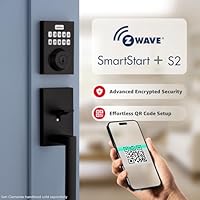
  • Security Protocol: S2 encryption shields against signal interception and replay attacks, while SmartStart enables secure, pre-provisioned hub pairing before physical installation.
  • User Codes: Supports up to 250 independently programmable user codes plus one programming code for admin-level editing and deletion.
  • Auto-Lock: Auto-lock can be set to trigger after 30 seconds, 1 minute, 3 minutes, 5 minutes, or 10 minutes of inactivity.
  • Lock Type: Single-cylinder deadbolt with a back-lit touchscreen keypad and one-touch mechanical locking button on the exterior.
  • Power Source: Powered by 4 AA alkaline batteries, which are included in the box and rated for approximately 12 months of normal use.
  • Dimensions: The exterior assembly measures 4.25 x 5.38 x 9.81 inches, fitting standard US door preparations for single-cylinder deadbolts.
  • Weight: The complete lock assembly weighs 3.74 pounds, consistent with a full metal deadbolt construction.
  • Material: Housing and bolt mechanism are constructed from metal, providing the structural integrity expected of a residential-grade deadbolt.
  • Finish: Available in a matte black contemporary finish designed to resist fingerprints and maintain appearance on exterior door applications.
  • Compatible Hubs: Works natively with Ring Alarm, Samsung SmartThings, Hubitat, and other Z-Wave certified hubs; hub is required and sold separately.
  • Installation: Designed for DIY installation using only a screwdriver, replacing a standard single-cylinder deadbolt with no wiring required.
  • Included Items: Package contains the keypad deadbolt assembly, 4 AA alkaline batteries, physical keys, and all mounting hardware needed for installation.
  • Battery Indicator: An on-device low-battery indicator alerts the user before charge is critically depleted, helping prevent unexpected lockouts.
  • Style: Contemporary rectangular design intended for both exterior and interior door applications where a modern aesthetic is preferred.
  • Control Method: Primary entry is via touchscreen keypad; smart control through a connected Z-Wave hub app with no standalone Kwikset cloud app available for this model.
  • Model Number: Sold under part number 98695-007, with ASIN B0DWGF32GD on Amazon and UPC 883351990004 for retail identification.
  • Availability: First made available in February 2025 and quickly reached a top-5 rank in the Security Access-Control Keypads category on Amazon.

Related Reviews
Lockin Veno Smart Lock
81%
88%
Biometric Accuracy
76%
App Experience
93%
Installation Ease
91%
Battery Life
84%
Build & Durability
More
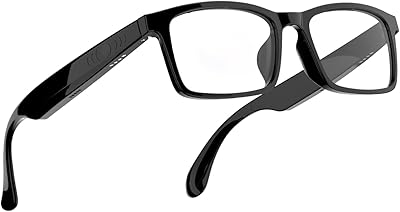
Tulbeys G10-Z Smart Glasses
88%
85%
Audio Clarity
92%
Comfort and Fit
89%
Battery Life
90%
Connectivity (Bluetooth 5.3)
80%
Ease of Use (Touch Control vs. Voice Assistant)
More
Level Smart Lock+ WiFi Deadbolt
83%
91%
Ease of Installation
88%
Integration with Smart Home Systems
85%
Build Quality & Durability
82%
Remote Access Functionality
93%
Design & Aesthetics
More
CATCHFACE B17 Smart Fingerprint Keyless Entry Lock
73%
88%
Ease of Installation
74%
Fingerprint Reliability
67%
App Experience
58%
Remote Access
71%
Build Quality
More
HomeSeer HSM200 Z-Wave Multi-Sensor
80%
93%
Reliability & Uptime
81%
Setup & Inclusion
76%
Motion Detection
69%
Temperature Accuracy
71%
Ambient Light Sensing
More
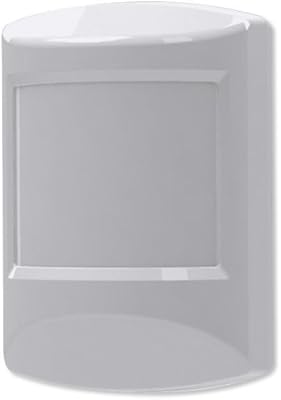
Ecolink PIRZWAVE2-ECO Z-Wave Motion Detector
82%
88%
Z-Wave Connectivity
71%
Pet Immunity Accuracy
83%
Detection Reliability
91%
Battery Life
74%
Hub Compatibility
More
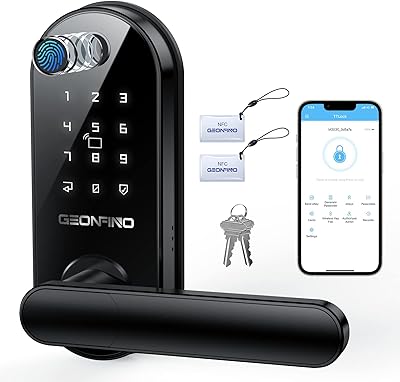
GEONFINO S2 Pro Fingerprint Smart Door Lock
78%
88%
Fingerprint Recognition
79%
Build Quality
83%
Ease of Installation
61%
App Experience
54%
Connectivity & Smart Home
More
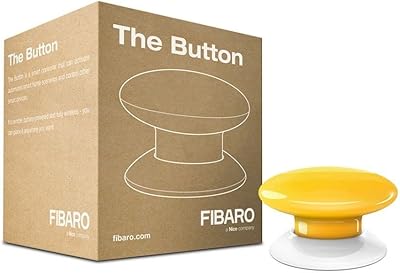
Fibaro FGPB-101 Z-Wave Plus Scene Controller Button
77%
74%
Ease of Pairing
83%
Reliability
81%
Response Latency
78%
Build Quality
69%
Mounting & Installation
More
Richelock Fingerprint Keypad Door Knob
77%
74%
Fingerprint Accuracy
91%
Ease of Installation
78%
Setup & Voice Guidance
82%
Build Quality
69%
Weatherproofing
More
Schlage FE595 Plymouth Keypad Entry Lock
71%
88%
Ease of Installation
84%
Keypad Reliability
79%
Build Quality
67%
Security Level
83%
Flex-Lock Feature
More

FAQ

Yes, a Z-Wave compatible hub is required for any remote or app-based features. The lock itself has no built-in Wi-Fi or Bluetooth, so without a hub like Ring Alarm or SmartThings, you are limited to keypad entry only. The hub is sold separately and is not included.

Yes, it integrates natively with Ring Alarm. Once paired, you can lock, unlock, and check the status of the deadbolt directly from the Ring app. No additional bridge or adapter is needed beyond the Ring Alarm hub itself.

You can, but you will only get a standard keypad deadbolt experience — enter your code, the door unlocks. All the smart features like remote access, automation, and app notifications require a Z-Wave hub. Many buyers find that acceptable if they just want keyless entry.

Up to 250 individual user codes can be stored, each independently programmable and deletable. This makes the HomeConnect 620 particularly practical for rental properties, where you need to create and remove guest codes regularly.

For most people, yes. If you are replacing an existing single-cylinder deadbolt on a standard door, the swap is straightforward and only needs a screwdriver. The door prep is the same as a traditional deadbolt, so there is no drilling or wiring involved.

Yes. The keypad works locally regardless of hub connectivity, so you can always enter your code to unlock the door. You also have physical keys included in the box as a backup. The only thing you lose during a hub outage is remote access and smart automations.

Not directly. It connects through your Z-Wave hub, and whether Alexa or Google Home can then control it depends on whether your specific hub supports those integrations. Ring Alarm and SmartThings both have Alexa integrations, so voice control is achievable indirectly.

Kwikset rates the included AA alkaline batteries at approximately 12 months. In practice, heavy daily use or very cold exterior temperatures can shorten that somewhat, but most users report the estimate is fairly accurate for a typical household.

General feedback suggests it holds up well, with no widespread reports of chipping or fading in normal exterior conditions. Like any matte finish, it may show grease or residue over time near the keypad area with heavy use, but a dry cloth tends to clean it up without issue.

In most cases, yes — the lock re-establishes its Z-Wave connection after power is restored to the hub. A small number of users have reported needing to manually re-pair after extended outages, but this appears to be the exception rather than the rule and may depend on the specific hub being used.

Where to Buy