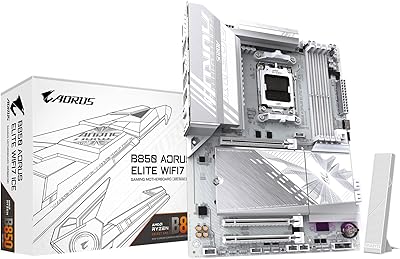
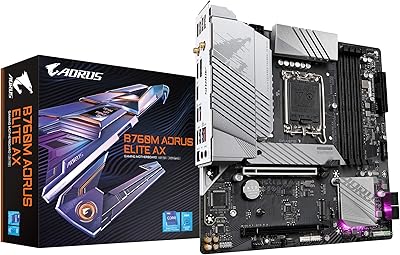
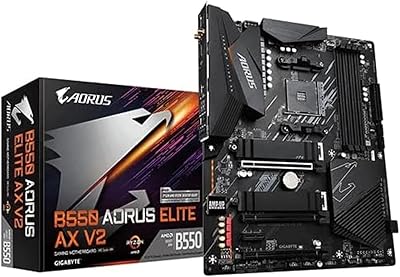
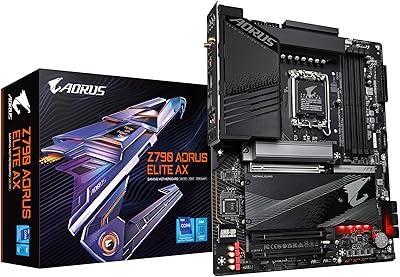
Overview

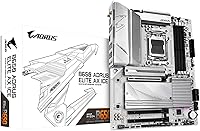
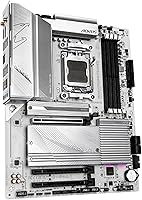
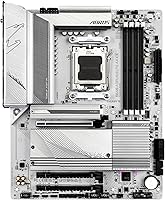
The GIGABYTE B650 AORUS Elite AX ICE Motherboard sits in an interesting spot in the AMD AM5 lineup — a genuine mid-range option that also happens to look striking in a white build. Most all-white boards come with a painful price premium; this one does not. It holds the #2 Best Seller rank in Computer Motherboards on Amazon, which reflects real purchase volume. Moving to AM5 gets you DDR5 memory and PCIe 5.0 support, both relevant for long-term system longevity. Just be clear-eyed: the B650 chipset is a step below X670, meaning fewer PCIe lanes and slightly reduced USB bandwidth at the platform level. The 5-year warranty is a meaningful cushion that most competing boards at this tier simply do not offer.
Features & Benefits

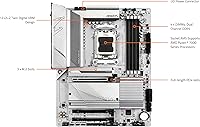
What stands out under the hood is the 12+2+2 power phase design built on an 8-layer copper PCB — that is the kind of VRM configuration that keeps your Ryzen CPU stable during sustained workloads, not just everyday light use. Triple M.2 slots with individual thermal guards mean you can run multiple NVMe drives without heat buildup throttling your storage speeds. PCIe 5.0 support gives you real headroom for next-gen GPUs and storage upgrades. Connectivity is genuinely strong for this chipset tier: WiFi 6E, 2.5GbE LAN, and a USB 3.2 Gen2x2 Type-C front-panel header that many competing boards omit entirely. The EZ-Latch system makes installing M.2 drives and GPUs tool-free — a small detail that makes a noticeable difference during the build process.

Best For

This white AMD motherboard makes the most sense for a specific kind of builder. If you are putting together an all-white aesthetic rig around a Ryzen 7000 series CPU and do not want to overpay for an X670 board you do not actually need, this hits the right balance. Content creators and streamers who need fast NVMe throughput and reliable networking will find the connectivity stack useful day-to-day. It is also a solid entry point for AM4 upgraders stepping into DDR5 for the first time — the platform transition feels less intimidating when the board itself is approachable. First-time builders in particular benefit from the EZ-Latch installation and the five-year warranty backing them up if anything goes sideways.

User Feedback

Across more than 3,700 ratings, the B650 AORUS Elite AX ICE holds a 4.3-star average — strong for a motherboard category where experienced builders tend to leave detailed, critical feedback. The most consistent praise centers on the clean white finish holding up in real builds, a BIOS that is straightforward to navigate even for newcomers, and stable performance under Ryzen loads. On the other side, a portion of users have reported RAM compatibility issues, particularly when running high-speed DDR5 kits at rated speeds without manual XMP adjustments. A smaller number of negative reviews cite DOA units or BIOS update friction. Overall, the value-to-feature ratio holds up well against similarly positioned competitors, and most buyers express long-term satisfaction with the purchase.

Pros

  • The white aesthetic is genuinely clean and holds up well inside a finished build, not just in product photos.
  • A 5-year warranty is rare at this chipset tier and adds long-term confidence to the purchase.
  • The VRM power design keeps Ryzen CPUs stable under sustained workloads, not just light everyday tasks.
  • WiFi 6E and 2.5GbE LAN are both included out of the box, covering fast wired and wireless needs simultaneously.
  • Triple M.2 slots with thermal guards give serious storage flexibility without throttling drives under heat.
  • The EZ-Latch mechanism makes installing M.2 drives and GPUs noticeably easier, especially for first-time builders.
  • PCIe 5.0 support means the board will not bottleneck next-gen GPUs or storage devices as they become mainstream.
  • The BIOS is consistently praised by users for being approachable and straightforward to configure.
  • Holds the number two Best Seller rank in its category, reflecting real-world purchase satisfaction at scale.
  • The USB 3.2 Gen2x2 Type-C front-panel header is a practical inclusion that many competing boards leave out.

Cons

  • Some users report that high-speed DDR5 kits require manual XMP adjustments to run at advertised speeds.
  • A small but notable percentage of buyers have encountered DOA units, which is disruptive even with warranty coverage.
  • The B650 chipset offers fewer PCIe lanes than X670, which becomes a real constraint in multi-device enthusiast builds.
  • BIOS update processes have frustrated a portion of users, particularly those updating from older firmware versions.
  • RAM compatibility can be inconsistent depending on the specific DDR5 kit chosen, so checking the QVL list is essential.
  • At this price, some buyers expected more rear USB ports; the rear I/O feels light compared to a few competitors.
  • The board's white finish, while attractive, may show smudging or fingerprints more visibly during handling and installation.
  • No onboard power or reset buttons, which matters during open-bench testing and troubleshooting sessions.

Ratings

The scores below reflect our AI-driven analysis of thousands of verified global user reviews for the GIGABYTE B650 AORUS Elite AX ICE Motherboard, with spam, bot submissions, and incentivized feedback actively filtered out before any scoring was applied. Each category is evaluated on real-world performance patterns pulled from builders, gamers, and content creators who documented their hands-on experience. Both standout strengths and recurring frustrations are transparently factored into every score you see here.

VRM & Power Delivery
88%
Builders running Ryzen 7000 CPUs under sustained all-core loads consistently report stable temperatures and no throttling events, which speaks to the 12+2+2 phase design doing its job in real conditions. Even users pairing this board with mid-to-high-tier Ryzen chips report clean, consistent power delivery without needing aftermarket cooling on the VRM heatsinks.
A small number of users pushing Ryzen 9 chips with aggressive PBO settings noted the VRM heatsinks getting noticeably warm in poorly ventilated cases. It handles most workloads without complaint, but extreme overclockers will want to ensure solid airflow or consider stepping up to an X670E board.
Memory Compatibility
67%
33%
When paired with kits from GIGABYTE's published QVL list, DDR5 memory installs and trains without much fuss. Users who did their homework on compatible kits generally had smooth first-boot experiences and had XMP profiles running within a few BIOS clicks.
This is one of the more common friction points in the review pool — a meaningful number of users report that off-QVL DDR5 kits either fail to post at rated speeds or require manual timing adjustments to stabilize. High-speed DDR5 kits in particular seem to need extra coaxing, which is frustrating for builders expecting plug-and-play behavior.
BIOS Experience
74%
26%
First-time builders and intermediate users frequently praise the BIOS layout as approachable and logically organized — finding XMP settings, fan curves, and boot order options does not require a manual. The visual interface is clean and responsive compared to some competing boards in the same tier.
BIOS update experiences have been inconsistent across the review base. Some users report smooth firmware flashing via GIGABYTE's Q-Flash utility, while others encountered failed updates or boards that required recovery procedures. A handful of reviews mention that certain BIOS versions introduced new RAM instability that was not present before updating.
Build Aesthetics
93%
The snow white finish is one of the most praised aspects across the entire review pool — users building white-themed rigs consistently note that the PCB, heatsinks, and shrouds look cohesive and premium inside a finished case. This is one of the few boards at this price tier where the white coloring is genuinely uniform rather than patchy or inconsistent.
A few users noted that the white surfaces show fingerprints and smudging during the build process more visibly than darker boards, requiring careful handling. The white finish also means any thermal paste mishap near the socket area is more visually obvious if not cleaned carefully.
Storage Flexibility
86%
Triple M.2 slots with individual thermal guards give builders real practical flexibility — running a boot drive, a game library drive, and a scratch disk simultaneously is a legitimate configuration that works well here. Users doing video editing and large file transfers appreciate having multiple fast NVMe drives without a separate PCIe expansion card.
Under heavy simultaneous read-write loads across all three M.2 slots, some users report modest bandwidth sharing due to B650 chipset lane limitations, which is a platform constraint rather than a board flaw. It is worth noting that the third M.2 slot shares bandwidth with certain SATA ports depending on configuration.
Wireless Connectivity
83%
The integrated WiFi 6E adapter performs reliably in real-world home and office environments, with users noting lower latency and stronger signal stability compared to older WiFi 5 boards they replaced. The included antenna screws in easily and delivers solid range for the included hardware.
A small portion of users report intermittent WiFi dropout issues that were resolved by driver updates, suggesting the out-of-box driver experience is not always polished. The antenna itself is functional but feels budget-grade compared to the overall build quality of the board.
Wired Networking
87%
The 2.5GbE LAN port is a genuine step up from standard gigabit, and users transferring large files across NAS devices or running game servers locally notice the real-world throughput difference. Driver installation is straightforward and the connection holds stable across extended sessions.
A small number of users encountered driver conflicts on initial Windows installs that required manually sourcing updated drivers from GIGABYTE's website. This is minor but worth flagging for builders who expect everything to work perfectly off a fresh Windows installation without additional steps.
Installation Experience
89%
The EZ-Latch system is consistently called out as a genuine quality-of-life upgrade — removing the fiddly M.2 screw and GPU retention clip lever makes the build process noticeably smoother, especially for first-time builders working in tight spaces inside a mid-tower case. Users appreciate that GIGABYTE did not treat this as a premium-only feature.
A few users found that the EZ-Latch GPU retention mechanism felt slightly stiff on initial GPU seating compared to traditional clip designs, requiring firm pressure to engage fully. It is not a defect, but it caught a handful of first-time builders off guard who were worried about damaging the slot.
Value for Money
81%
19%
Buyers consistently feel the feature-to-price ratio holds up well against competing B650 boards, particularly given the white aesthetic, WiFi 6E, 2.5GbE, and five-year warranty arriving together at this price point. Many reviewers note they looked at similarly priced competitors and found this Gigabyte B650 board to be the most complete package.
Some users feel the board carries a modest white aesthetic premium compared to functionally similar B650 boards in darker colorways. Buyers who do not care about appearance and are purely optimizing for specs-per-dollar can find marginally better value elsewhere at the same chipset tier.
Thermal Management
82%
18%
The M.2 thermal guards do their job in sustained workloads — users running NVMe drives on this board report lower drive temperatures compared to previous builds without guards, which matters for long-term SSD longevity and avoiding throttling during large file operations. The VRM heatsink coverage is adequate for most use cases.
In small form factor cases with limited airflow, some users report the VRM heatsink getting warmer than expected during extended Ryzen 9 workloads. The board benefits meaningfully from a case with at least one or two intake fans positioned near the lower half of the board.
Software & Utilities
61%
39%
GIGABYTE's App Center provides a centralized hub for fan control, RGB lighting via RGB Fusion 2.0, and system monitoring, which is genuinely useful for users who want to manage their build without diving into the BIOS repeatedly. The fan curve controls in particular receive positive mentions for their granularity.
The software suite has a mixed reputation — a notable portion of users describe App Center as bloated, occasionally buggy, and prone to prompting unnecessary updates. RGB Fusion 2.0 has been criticized for inconsistent sync behavior with third-party components, which is frustrating for users building a unified lighting setup.
PCIe 5.0 Readiness
78%
22%
Having a PCIe 5.0 x16 slot on a B650 board is a genuine future-proofing benefit that not every competing board at this tier offers, and users planning multi-year system lifespans appreciate not being bottlenecked when next-gen GPUs become mainstream. The slot performs flawlessly with current PCIe 4.0 hardware as well.
PCIe 5.0 M.2 storage support is absent on this board, which is a meaningful distinction from X670E platforms for users who want cutting-edge NVMe speeds. Buyers who specifically want PCIe 5.0 SSD capability will need to look at higher-tier boards.
Rear I/O Ports
69%
31%
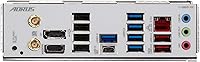
The rear panel covers the essentials competently — USB-A ports, the 2.5GbE jack, WiFi antenna connectors, and audio outputs are all where you expect them. For average home builds, the port selection covers daily needs without requiring a separate hub.
Reviewers with more demanding peripheral setups note the rear USB port count feels lean compared to some competing boards in the same price bracket. The absence of a rear USB 3.2 Gen2x2 Type-C port on the I/O shield is also noted by users who expected it given the front-panel header inclusion.
Long-term Reliability
84%
The five-year warranty backs up a board that most users report running without issues through months of daily use — forum threads and reviews from users well past initial setup generally describe stable, problem-free operation once any early BIOS or RAM compatibility wrinkles are ironed out.
DOA reports, while not common, appear at a slightly higher rate than some competing boards based on the review distribution. Most issues were resolved through warranty replacement, but the process of dealing with a DOA board in the middle of a build is a real frustration for affected buyers.

Suitable for:

The GIGABYTE B650 AORUS Elite AX ICE Motherboard is a strong fit for builders who want a genuinely capable AMD AM5 platform without crossing into X670 pricing territory. It speaks directly to anyone assembling a white-themed PC, since clean all-white boards at this feature level are rare and usually cost significantly more. AMD Ryzen 7000 series users who want a stable, well-powered foundation for everyday productivity, gaming, or content creation will find the VRM design and triple M.2 support more than adequate. First-time builders benefit from the tool-free EZ-Latch installation and a five-year warranty that provides real peace of mind over the long haul. AM4 upgraders making their first DDR5 jump will also appreciate that the board does not demand an enthusiast budget while still putting them on a platform with meaningful room to grow.
Not suitable for:

Buyers who need maximum PCIe lane count, full USB bandwidth, or dual PCIe 5.0 M.2 slots should look at X670E boards instead, because the B650 chipset has real architectural ceilings the GIGABYTE B650 AORUS Elite AX ICE Motherboard simply cannot overcome regardless of how well it is built. Overclockers chasing extreme CPU frequencies will also find the B650 platform limiting compared to what X670 paired with an unlocked Ryzen chip can offer. Users who plan to run three high-speed NVMe drives simultaneously should verify compatibility carefully, as some DDR5 kits require manual XMP tuning and not all configurations post cleanly out of the box. If aesthetics are irrelevant to you and you are purely chasing specs per dollar, there are plainer B650 boards that undercut this one on price without the white premium. Finally, anyone still on an AM4 CPU cannot use this board at all — it is strictly an AM5 socket platform.
Specifications

  • CPU Socket: Uses the AM5 (LGA 1718) socket, compatible exclusively with AMD Ryzen 7000 series processors.
  • Chipset: Built on the AMD B650 chipset, offering a solid mid-range feature set without the cost premium of X670.
  • Form Factor: Standard ATX layout measuring 10.75 x 13.39 inches, fitting the vast majority of mid-tower and full-tower cases.
  • Memory Support: Four DDR5 DIMM slots supporting up to 128GB of RAM with Intel XMP profile compatibility for speed tuning.
  • Power Design: Features a 12+2+2 phase VRM configuration on an 8-layer 2X Copper PCB for stable CPU power delivery under load.
  • Storage Slots: Three M.2 slots, each equipped with individual thermal guards to manage heat across multiple NVMe drives simultaneously.
  • PCIe Support: Includes PCIe 5.0 support for the primary x16 slot, enabling compatibility with current and next-generation discrete GPUs.
  • Wireless: Integrated WiFi 6E adapter provides tri-band wireless connectivity with lower latency compared to standard WiFi 6.
  • Wired LAN: Onboard 2.5GbE LAN port delivers faster-than-gigabit wired speeds suitable for content transfers and low-latency gaming.
  • USB Connectivity: Includes a USB 3.2 Gen2x2 Type-C front-panel header capable of 20Gbps throughput, plus two USB 2.0 ports.
  • EZ-Latch: Proprietary tool-free latch system covers both the primary M.2 slots and the PCIe x16 GPU slot for easier installation.
  • Color: Snow White finish across PCB, heatsinks, and shrouds, designed specifically for white-themed PC builds.
  • Warranty: Covered by a 5-year manufacturer warranty from GIGABYTE, which is notably longer than the typical 3-year industry standard.
  • Weight: The board weighs 4.45 pounds, which is within normal range for a fully featured ATX motherboard.
  • Main Power: Uses a standard 24-pin ATX main power connector alongside a supplemental CPU power header.

Related Reviews

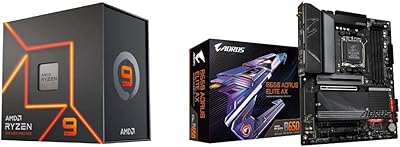
AMD Ryzen 5 7600X B650 AORUS Combo
81%
93%
Gaming Performance
74%
Multi-Threaded Workloads
89%
Motherboard Build Quality
61%
Thermal Performance
88%
BIOS & Setup Experience
More
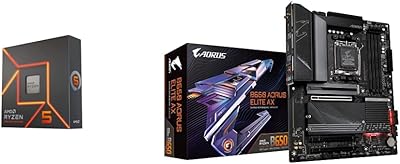
AMD Ryzen 9 7900X GIGABYTE B650 Bundle
78%
93%
Multi-Core Performance
89%
Single-Core Speed
61%
Thermal Management
87%
Motherboard Build Quality
83%
Value for Money
More
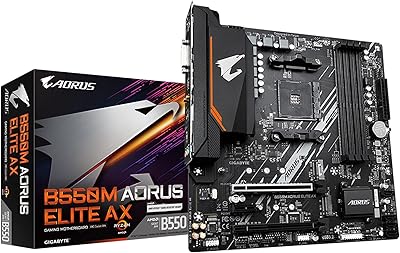
GIGABYTE B550M AORUS Elite AX Motherboard
79%
91%
Value for Money
88%
Wireless Performance
86%
BIOS Experience
84%
Build & Component Quality
83%
Thermal Management
More
Gigabyte B760M Aorus Elite AX DDR5 Motherboard
87%
89%
Overall Performance
92%
Value for Money
85%
Build Quality
91%
Stability and Reliability
90%
Connectivity Options
More
GIGABYTE B850 AORUS Elite WIFI7 ICE Motherboard
83%
83%
Value for Money
88%
Build Quality
86%
Ease of Installation
67%
BIOS Experience
91%
Connectivity & I/O
More
GIGABYTE B550 AORUS ELITE AX V2 Motherboard
87%
88%
Performance
91%
Build Quality
85%
Installation Ease
89%
Wi-Fi & Connectivity
92%
Thermal Management
More
GIGABYTE Z790 AORUS Elite AX
82%
91%
VRM & Power Delivery
88%
Build Quality & PCB
89%
BIOS Experience
74%
DDR5 Memory Compatibility
86%
M.2 Storage Expansion
More
GIGABYTE Z890 AORUS Elite Motherboard
83%
88%
Value for Money
84%
Build & Component Quality
91%
Installation & Build Experience
79%
BIOS Experience
73%
DDR5 Memory Compatibility
More
GIGABYTE X870E AORUS Elite WIFI7
84%
88%
Build Quality & Materials
82%
BIOS Experience
84%
DDR5 Memory Compatibility & Overclocking
91%
Connectivity & I/O
83%
Thermal Management
More
GIGABYTE B650 UD AX ATX Motherboard
79%
84%
Value for Money
81%
Build Quality
78%
BIOS Experience
72%
DDR5 Compatibility
67%
VRM Performance
More

FAQ

Yes, the B650 AORUS Elite AX ICE supports the full AMD Ryzen 7000 series lineup on the AM5 socket, from entry-level chips up to the higher-end Ryzen 9 models. That said, if you are pairing it with a Ryzen 9 7950X and plan heavy all-core workloads, the VRM design is capable, but an X670E board gives you more thermal headroom at the very top end.

No — this board is DDR5 only and has no DDR4 compatibility whatsoever. AM5 as a platform made a full transition to DDR5, so you will need new memory. The good news is DDR5 prices have come down significantly since the platform launched.

Possibly, yes. Some newer Ryzen 7000 chips may require a BIOS update to be recognized properly. If you are starting a fresh build, it is worth checking GIGABYTE's support page for the board and flashing the latest firmware before installing the CPU if you have access to a compatible chip for that initial boot.

Yes, GIGABYTE includes a magnetic-base WiFi antenna in the box for the integrated WiFi 6E module. It is a straightforward two-connector antenna that screws into the rear I/O panel.

It is actually one of the more beginner-friendly options at this tier. The EZ-Latch system removes the frustration of small M.2 screws and stiff GPU retention clips, and the BIOS is consistently described by users as easy to navigate. The 5-year warranty also takes some of the anxiety out of a first build.

The GIGABYTE B650 AORUS Elite AX ICE Motherboard supports DDR5 memory with XMP profiles, and GIGABYTE publishes a qualified vendor list (QVL) on their website listing compatible kits. Running high-speed DDR5 at rated XMP speeds sometimes requires manually enabling the XMP profile in the BIOS — it does not always activate automatically out of the box.
In most real-world workloads, yes, but it depends on the specific drives and your use case. The B650 chipset does share bandwidth across some slots, so if you are running three drives with sustained simultaneous heavy read/write operations, you may see minor bandwidth sharing. For typical gaming and content creation workflows, all three slots perform well independently.

The B650 AORUS Elite AX ICE has a predominantly clean white aesthetic with subtle accent lighting rather than aggressive RGB. GIGABYTE's RGB Fusion 2.0 software lets you adjust the lighting zones, and the board also includes addressable RGB headers if you want to sync case fans or strips.

Not necessarily, but it is worth being aware of. Kits on the QVL have been tested and confirmed to work reliably at rated speeds. Kits not on the list may still work fine, but you have a higher chance of needing to manually tweak timings or run at a lower speed. Sticking to QVL-listed memory is the safer path if you want a trouble-free first boot.

The honest answer is that for most builders, the gap is smaller than the price difference suggests. X670 gives you more PCIe lanes, additional USB bandwidth, and dual PCIe 5.0 M.2 support — which matters if you are building a high-end workstation or running many devices simultaneously. For gaming, everyday productivity, and even most content creation, the B650 handles everything without feeling constrained.

Where to Buy