Overview

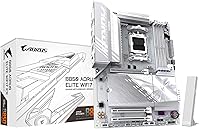
The GIGABYTE B850 AORUS Elite WIFI7 ICE Motherboard arrived in early 2025 as a genuinely compelling option in the AMD AM5 space — not quite budget, not quite flagship, but sitting comfortably where most serious builders actually shop. Built on the B850 chipset, it improves meaningfully over B650 with better overclocking headroom and expanded connectivity. Full support for Ryzen 7000, 8000, and 9000 series processors means it won't feel outdated anytime soon. The 5-year warranty is a real differentiator at this price point — most competing boards offer half that. With over 3,700 ratings and a top-two ranking in computer motherboards, the market has clearly taken notice.
Features & Benefits

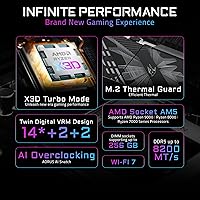
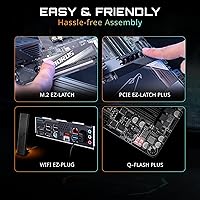
The power delivery on this B850 motherboard is one of its quiet strengths — a 14+2+2 phase design means even power-hungry Ryzen 9000 chips get clean, stable power without running hot. Three M.2 slots, each covered by a thermal guard, handle multiple NVMe drives simultaneously, and with PCIe 5.0 support, you're ready for the fastest consumer SSDs available today. Networking is a genuine highlight: Wi-Fi 7 and 2.5GbE LAN come standard, no adapter cards needed. The EZ-Latch system lets you swap out a GPU or M.2 drive without hunting for a screwdriver. DDR5 memory support reaches up to 128GB with room to push speeds beyond the base 5200MHz through XMP or EXPO profiles.

Best For

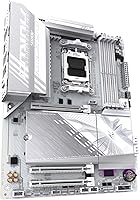
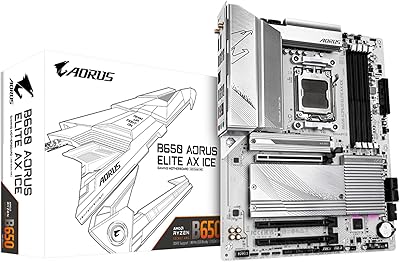
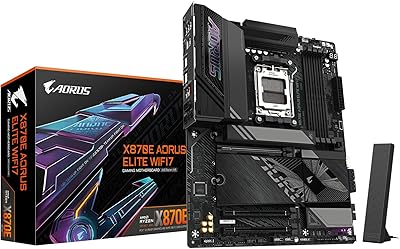
This AORUS board makes the most sense for builders planning a white or snow-themed system around a Ryzen 7000 or 9000 processor — the clean white PCB looks sharp in a windowed case. Anyone who wants capable networking without buying add-in cards will appreciate having Wi-Fi 7 and 2.5GbE already onboard. Content creators running multiple fast NVMe drives for project files and cache will find the three M.2 slots genuinely useful. It's also a solid pick for first-time builders who benefit from the EZ-Latch convenience and approachable layout. For anyone keeping a system for years rather than upgrading constantly, that 5-year coverage adds real peace of mind.

User Feedback

With over 3,700 ratings averaging 4.3 stars, the GIGABYTE B850 AORUS Elite has built a broad base of satisfied buyers. The most consistent praise centers on the clean white aesthetic, with many noting how well the board photographs inside a windowed case. EZ-Latch draws regular compliments for reducing installation frustration, and Wi-Fi 7 performance earns positive marks for speed and range. That said, a recurring note in critical reviews is the BIOS learning curve — users new to GIGABYTE's interface sometimes find it less intuitive than rival boards. A handful also flag the bundled software as unnecessary. Most buyers, though, feel this board punches well above competing B850 options at its tier.

Pros

  • Wi-Fi 7 and 2.5GbE LAN are both included standard, saving the cost of separate networking cards.
  • The 5-year warranty is significantly longer than most competing boards in this price bracket.
  • Three M.2 slots with thermal guards give content creators and power users ample high-speed storage room.
  • PCIe 5.0 support ensures the board stays relevant as next-generation SSDs and GPUs become mainstream.
  • EZ-Latch makes GPU and M.2 swaps noticeably easier, especially helpful during first-time builds.
  • The snow-white PCB is genuinely clean and well-executed, not just a coat of paint over a dark layout.
  • A 14+2+2 power delivery design handles high-core-count Ryzen CPUs without running into stability issues.
  • DDR5 support up to 128GB with XMP/EXPO headroom gives memory enthusiasts room to push speeds higher.
  • With over 3,700 ratings averaging 4.3 stars, real-world satisfaction is broad and well-documented.
  • USB-C rear I/O and Sensor Panel Link add connectivity options that many competing mid-range boards skip.

Cons

  • GIGABYTE's BIOS can feel unintuitive for builders switching from other brands, requiring extra time to learn.
  • The bundled software suite is considered unnecessary bloat by a portion of the user base.
  • No onboard power or reset buttons limit convenience during open-bench testing outside a case.
  • White components compatible with the board's aesthetic can be harder to source and often cost more.
  • B850 still lacks some of the granular overclocking controls found on higher-end X670E chipset boards.
  • The board's ATX footprint means it will not fit micro-ATX or ITX cases, limiting compact build options.
  • At this tier, some competing boards include better-specified audio codecs for audiophile-focused builders.
  • Fan header count may feel limiting for builders running complex multi-fan cooling configurations.

Ratings

The scores below for the GIGABYTE B850 AORUS Elite WIFI7 ICE Motherboard were produced by our AI engine after analyzing thousands of verified global buyer reviews, with spam, bot-generated, and incentivized submissions actively filtered out. Each category reflects both the genuine enthusiasm and the honest frustrations real builders have expressed. Nothing has been smoothed over — where users ran into friction, the scores show it.
Value for Money
83%
Most buyers feel this B850 motherboard punches above its price tier when they add up what comes included — Wi-Fi 7, 2.5GbE LAN, three M.2 slots, and a 5-year warranty together represent features that cost noticeably more when sourced separately. Builders comparing it against competing B850 boards consistently land on this AORUS model as the better-equipped option at a similar spend.
A small but vocal segment of reviewers feels the price is hard to justify if they only need basic connectivity and have no plans to use Wi-Fi 7 or multiple NVMe drives. For those builders, a B650 board covers their actual needs for considerably less money.
Build Quality
88%
The board feels solid in hand, with heatsinks that sit flush and a PCB that does not flex during installation — something builders notice when pressing in DDR5 sticks or seating a heavy GPU. The white finish holds up well and does not show fingerprints as aggressively as some white boards from competing brands.
A handful of users reported that the M.2 thermal guard clips felt slightly fragile during repeated removal, and a few noted minor cosmetic inconsistencies in the white coating on heatsink edges straight out of the box.
Ease of Installation
86%
EZ-Latch draws consistent praise from builders of all experience levels — removing a GPU or swapping an M.2 drive without hunting for a screwdriver genuinely reduces frustration during the build process. The board layout is well-spaced for an ATX form factor, and the rear I/O shield arrives pre-installed, which is a small but appreciated touch.
Some first-time builders found the DDR5 slot latches stiffer than expected, requiring more force than they were comfortable applying. The 24-pin power connector placement also drew a few complaints about cable routing in cases with side-entry cable management.
BIOS Experience
67%
33%
Once familiar, GIGABYTE's BIOS gives experienced builders solid access to XMP and EXPO memory profiles, fan curve customization, and CPU voltage tuning without needing third-party software. The quick-access easy mode handles first-boot setup cleanly for users who just want to get into Windows fast.
Users switching from ASUS or MSI boards frequently describe a real adjustment period, as the menu structure and terminology differ enough to cause confusion. Finding specific settings like memory subtimings or PCIe slot configuration takes longer than it should, and the BIOS update process has tripped up several less experienced builders.
Connectivity & I/O
91%
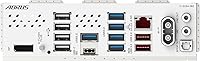
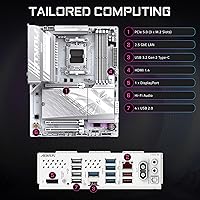
Having Wi-Fi 7 and 2.5GbE onboard means this B850 motherboard covers both wired and wireless networking at a level most competing boards cannot match without add-in cards. The inclusion of a rear USB-C port alongside standard USB-A options reflects a thoughtful approach to modern peripheral compatibility.
A few users building in content creation workstations wanted more rear USB-A ports for simultaneous device connections, and the absence of Thunderbolt 4 is a genuine gap for those working with high-bandwidth external displays or docks.
Networking Performance
89%
Wi-Fi 7 performance earns some of the most enthusiastic feedback in user reviews, with builders reporting noticeably better range and stability compared to their previous Wi-Fi 6 setups — particularly in homes with multiple devices competing for bandwidth. The 2.5GbE LAN performs reliably for users with compatible routers and NAS setups.
A small number of users in dense apartment buildings reported occasional Wi-Fi 7 interference issues, though these appear to be environmental rather than board-specific. The 2.5GbE LAN is also only as useful as the router or switch it connects to, which some buyers overlooked before purchasing.
Thermal Management
84%
The VRM heatsinks do their job quietly during sustained workloads — users running Ryzen 9 processors under extended rendering or streaming tasks report no thermal throttling under normal ambient conditions. M.2 thermal guards keep NVMe drive temperatures in check even when multiple drives are active simultaneously.
Under prolonged extreme loads in poorly ventilated cases, a minority of users observed VRM temperatures climbing higher than they preferred, suggesting this board rewards good case airflow more than some competitors in its class.
Memory Compatibility
79%
21%
XMP and EXPO profiles activate reliably for most popular DDR5 kits from brands like G.Skill, Corsair, and Kingston, and the board has shown good results with kits rated up to 6400MHz in community testing. Four DIMM slots supporting up to 128GB gives content creators and workstation users meaningful headroom.
A subset of users with less common or budget DDR5 kits reported instability when attempting to enable XMP profiles, requiring manual tuning to stabilize. Running four populated DIMM slots at high speeds can also require voltage adjustments that newer builders may not feel confident making.
Aesthetics
87%
The snow-white PCB and matching heatsinks are among the cleanest implementations of the white-board aesthetic currently available at this price point, and the board photographs exceptionally well in windowed cases. Builders assembling all-white or silver-accented systems consistently flag it as one of the better-looking AM5 options on the market.
The white finish shows dust more visibly than dark boards, which becomes relevant for open-bench setups or cases with poor dust filtration. Users who prefer RGB-dominant builds may also find the relatively restrained lighting underwhelming compared to some competitors.
Software & Utilities
58%
42%
GIGABYTE's App Center provides a centralized hub for fan control, RGB management, and system monitoring without requiring multiple separate downloads. For users who prefer managing everything from a single interface, it covers the basics adequately.
The bundled software suite receives consistent criticism for feeling bloated and occasionally prompting unnecessary installs during setup. Several reviewers disabled or uninstalled most of it shortly after building, preferring third-party tools like HWiNFO or Fan Control instead.
CPU Power Delivery
92%
The 14+2+2 phase VRM configuration handles demanding Ryzen 9 processors under sustained all-core workloads without breaking a sweat in typical use cases, which is more than some mid-range boards can claim. Builders pairing this with a 16-core or higher Ryzen CPU report stable, consistent performance under rendering and compilation tasks.
While the power delivery is genuinely strong for a B850 board, extreme overclockers pushing voltage significantly beyond stock levels have noted it approaches its comfortable ceiling faster than X670E alternatives designed specifically for that workload.
Storage Expandability
88%
Three M.2 slots with the primary running PCIe 5.0 means builders can install a blazing-fast Gen 5 boot drive alongside two additional Gen 4 drives for game libraries or project storage — all without touching a single SATA cable. The thermal guards on all three slots are a practical inclusion that competitors sometimes omit on secondary slots.
Users wanting more than three M.2 drives will need external solutions or SATA expansion, and the SATA port count is modest compared to some older-generation boards favored by builders with large HDD arrays.
Long-Term Reliability
86%
The 5-year warranty is a concrete signal of manufacturer confidence, and early owners who have had the board running since launch report stable performance with no degradation. GIGABYTE's track record with BIOS updates for AM5 boards has been reasonably consistent, which matters for users expecting to hold this platform for several years.
As a board released in early 2025, long-term reliability data is still accumulating, and a small percentage of users have reported early DOA units — though GIGABYTE's RMA process appears to resolve these cases within a reasonable timeframe.

Suitable for:

The GIGABYTE B850 AORUS Elite WIFI7 ICE Motherboard is an excellent fit for PC builders who want a current-generation AMD AM5 platform without stepping up to X670E pricing. It particularly suits anyone building around a Ryzen 7000 or 9000 series processor who also wants a cohesive white-themed system, since the snow-white PCB looks genuinely sharp rather than feeling like an afterthought. Content creators who juggle large project files, raw footage, and fast cache drives will find three M.2 slots with Gen 5 support genuinely useful rather than overkill. Home users and small office builders who want reliable, fast networking without buying add-in cards will appreciate having Wi-Fi 7 and 2.5GbE ready out of the box. First-time builders also benefit from EZ-Latch, which removes one of the more nerve-wracking steps in assembly. The five-year warranty makes this a smart long-term investment for anyone planning to keep their system running for years.
Not suitable for:

The GIGABYTE B850 AORUS Elite WIFI7 ICE Motherboard is not the right choice for every builder, and it is worth being honest about where it falls short. Extreme overclockers chasing the absolute ceiling of Ryzen performance should look at X670E boards, which offer more granular control and premium VRM configurations designed specifically for that workload. If your build is strictly budget-focused and you have no need for Wi-Fi 7 or multiple M.2 slots, you would likely be paying for features you will never use — a B650 board could serve you just as well for less. Builders who are heavily invested in Intel platforms obviously need not apply, as this board is AM5-only. Those who find GIGABYTE's BIOS environment unfamiliar may face a steeper learning curve compared to boards from brands with more streamlined interfaces. And if aesthetics are not a priority and you plan to run a blacked-out or RGB-heavy build, the white PCB offers no practical advantage.
Specifications

  • CPU Socket: Uses the AMD AM5 (LGA 1718) socket, supporting Ryzen 7000, 8000, and 9000 series processors.
  • Chipset: Built on the AMD B850 chipset, offering improved overclocking headroom and connectivity over the previous B650 generation.
  • Form Factor: Standard ATX form factor measuring 12 x 9.6 inches, compatible with full-size and mid-tower ATX cases.
  • Memory Support: Four DDR5 DIMM slots support up to 128GB of RAM with a base speed of 5200MHz and XMP/EXPO profile compatibility.
  • Power Design: Features a 14+2+2 phase VRM configuration designed to deliver stable power to high-core-count Ryzen processors under load.
  • M.2 Storage: Includes three M.2 slots, each equipped with a thermal guard, supporting PCIe 5.0 on the primary slot for next-generation NVMe drives.
  • PCIe Support: Primary x16 slot runs PCIe 5.0, enabling compatibility with the latest discrete GPUs and Gen 5 storage devices.
  • Wireless: Integrated Wi-Fi 7 module delivers faster wireless speeds and lower latency compared to Wi-Fi 6E, with no additional card required.
  • Wired LAN: Onboard 2.5GbE LAN port provides wired network speeds up to 2.5Gbps without needing a separate network adapter.
  • Rear USB: Rear I/O includes a USB-C port alongside standard USB-A ports for connecting modern peripherals and external storage.
  • EZ-Latch: GIGABYTE's EZ-Latch mechanism allows tool-free installation and removal of M.2 drives and the primary GPU without a screwdriver.
  • Sensor Panel: Includes a Sensor Panel Link connector for attaching compatible GIGABYTE LCD sensor panels to display system metrics.
  • VRM Thermals: VRM heatsinks cover the power delivery components to manage heat during sustained CPU workloads.
  • M.2 Thermals: All three M.2 slots include individual thermal guards to keep NVMe drives at safe operating temperatures under continuous read/write loads.
  • Warranty: Backed by a 5-year manufacturer warranty, which is notably longer than the 2-to-3-year coverage typical of competing mid-range motherboards.
  • Color: Snow White PCB and heatsink finish designed for builders assembling white-themed systems.
  • Weight: Board weighs 6.6 pounds including integrated heatsinks and I/O shield.
  • Platform: Fully compatible with Windows 11 and supports AMD's latest AGESA firmware updates for Ryzen 9000 series processors.

Related Reviews
GIGABYTE Z890 AORUS Elite WIFI7 Motherboard
89%
92%
Overall Performance
89%
Power Delivery and Stability
91%
Ease of Installation
94%
Connectivity and Ports
88%
Wi-Fi and Networking
More
GIGABYTE X870E AORUS Elite WIFI7
84%
88%
Build Quality & Materials
82%
BIOS Experience
84%
DDR5 Memory Compatibility & Overclocking
91%
Connectivity & I/O
83%
Thermal Management
More
GIGABYTE B650 AORUS Elite AX ICE Motherboard
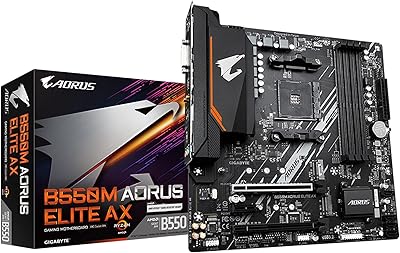
89%
91%
Performance
93%
Stability & Reliability
89%
Thermal Performance
85%
Ease of Installation
90%
Design & Aesthetics
More
GIGABYTE B550M AORUS Elite AX Motherboard
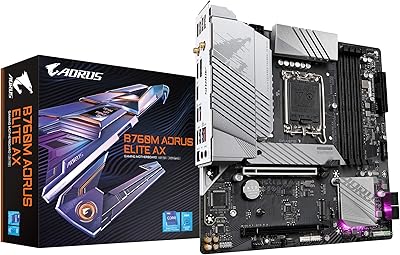
85%
88%
Performance
91%
Value for Money
87%
Ease of Installation
89%
Build Quality
84%
Thermals
More
GIGABYTE B550 AORUS ELITE AX V2 Motherboard
87%
88%
Performance
91%
Build Quality
85%
Installation Ease
89%
Wi-Fi & Connectivity
92%
Thermal Management
More
Gigabyte B760M Aorus Elite AX DDR5 Motherboard
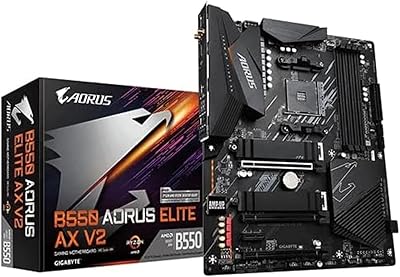
87%
89%
Overall Performance
92%
Value for Money
85%
Build Quality
91%
Stability and Reliability
90%
Connectivity Options
More
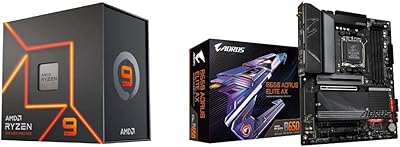
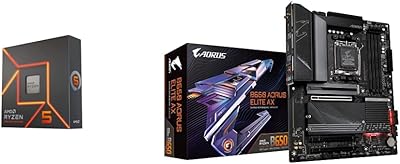
AMD Ryzen 5 7600X + GIGABYTE B650 AORUS ELITE AX Motherboard
87%
93%
Gaming Performance
89%
Overclocking Potential
88%
Setup & Installation
91%
Future-Proofing
74%
Thermals & Cooling
More
AMD Ryzen 9 7900X + GIGABYTE B650 AORUS ELITE AX Motherboard
89%
94%
Performance
91%
Overclocking Stability
88%
Compatibility with Modern Components
93%
Gaming Experience
89%
Thermal Management
More
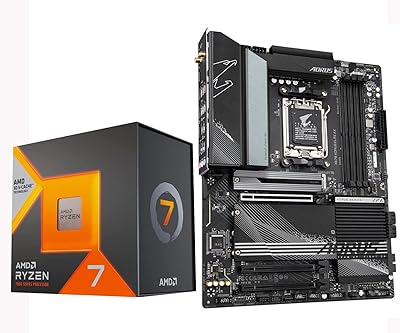
INLAND AMD Ryzen 7 7800X3D & GIGABYTE X670 Bundle
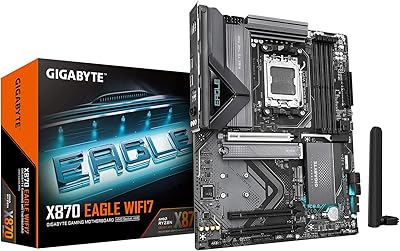
81%
93%
Gaming Performance
88%
Motherboard Build Quality
91%
Out-of-Box Compatibility
71%
Value for Money
74%
Thermal Management
More
GIGABYTE B850 Eagle WIFI6E Motherboard
85%
88%
Overall Performance
91%
Ease of Installation
90%
Connectivity (WIFI & LAN)
84%
Thermal Performance
86%
Build Quality
More

FAQ

Most units shipping now come with a BIOS version that already supports Ryzen 9000 series CPUs, but it is always worth checking the sticker on the box for the BIOS version and cross-referencing with GIGABYTE's compatibility list. If you are starting with an older Ryzen 7000 chip, you can update the BIOS yourself before swapping to a 9000 series processor later.

Yes, GIGABYTE includes the Wi-Fi antenna in the package — you just attach it to the rear I/O connectors after installing the board. No separate purchase is needed to get wireless up and running.

You can run all three M.2 slots populated at the same time, though it is worth checking GIGABYTE's manual for any bandwidth-sharing rules depending on what else is installed. The primary slot runs at PCIe 5.0 speeds, while the other two operate at PCIe 4.0 — still very fast for most workloads.

GIGABYTE's BIOS has a learning curve if you are coming from ASUS or MSI boards, as the layout and menu structure feel different. The easy mode is straightforward for basic setup, but diving into XMP profiles or fan curves takes some exploration. A quick look at a setup guide or YouTube walkthrough before your first boot goes a long way.

Yes, it is a standard ATX board at 12 x 9.6 inches, so any case that lists ATX compatibility will accommodate it without issue. Just make sure your case has enough clearance for the rear I/O and the VRM heatsinks if you are using a large CPU cooler.

The board runs at 5200MHz natively, but it supports XMP and EXPO profiles, so DDR5 kits rated at 6000MHz or 6400MHz are popular choices and work well with Ryzen processors. Aim for a kit with an EXPO or XMP 3.0 profile and you should be able to enable it with a single toggle in the BIOS.

If you are already on a Ryzen 7000 platform with a B650 board, the upgrade makes the most sense when you specifically need PCIe 5.0 storage, Wi-Fi 7, or the cleaner white aesthetic. Pure gaming performance differences between B650 and B850 are minimal, but the extra connectivity and longer warranty do add tangible value.

It genuinely works well. Removing an M.2 drive without a screwdriver sounds minor until you have stripped a tiny M.2 screw — then you appreciate it. The GPU latch is also noticeably easier than a traditional clip, especially in tighter cases where your hand barely fits.

It is a proprietary connector that lets you attach a compatible GIGABYTE LCD panel to display CPU temps, GPU load, clock speeds, and similar stats. It is purely optional — most builders will never use it, but it is a nice option if you want a custom monitoring display in your build.

You would contact GIGABYTE's support directly and go through their RMA process. The 5-year coverage is from the original purchase date and covers manufacturing defects, not physical damage or overclocking-related failures. Keeping your proof of purchase handy makes the process smoother if you ever need to use it.