Overview

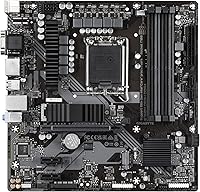
The GIGABYTE B760M DS3H DDR4 Motherboard hits a practical sweet spot for builders who want current-gen Intel compatibility without paying for chipset features they will never use. Built around Intel's B760 chipset, it sits below the Z790 and H770 tiers — no CPU overclocking, but that is a fair trade at this price point. The Micro-ATX form factor keeps builds compact without feeling cramped, and GIGABYTE's track record with budget boards means you are not rolling the dice on reliability. Support for both 12th and 13th Gen Intel Core processors gives it a decent lifespan for anyone building or upgrading today.
Features & Benefits

The DS3H DDR4 packs a fair amount into a modest footprint. Its 6+2+1 Hybrid Digital VRM design handles power delivery reliably for mid-range CPUs like the Core i5 or i7 — just do not expect it to sustain a power-hungry Core i9 under extended load. Four DDR4 DIMM slots with dual-channel support make memory upgrades straightforward, and the dual M.2 slots running on PCIe 4.0 with M.2 Thermal Guards mean you can run fast NVMe storage without worrying about throttling. The rear I/O includes a USB 3.2 Gen 2 Type-C port, and onboard 2.5GbE networking is a genuinely useful inclusion at this tier. Q-Flash Plus rounds things out nicely.

Best For

This budget Intel motherboard makes the most sense for builders who know exactly what they need and are not paying for what they do not. First-time PC builders pairing it with a Core i3 or i5 will find the setup process approachable, and the Q-Flash Plus BIOS update feature is a real confidence booster before a CPU is even installed. The Micro-ATX size suits anyone working with a smaller case without sacrificing dual M.2 slots. If you are migrating from an older platform and want built-in 2.5GbE networking without adding an expansion card, this board saves you the hassle. RGB Fusion 2.0 support adds some visual personality without inflating the cost.

User Feedback

With over 800 ratings averaging 4.4 stars, this GIGABYTE B760M board has earned a notably positive reception for its category. Most buyers single out the easy BIOS navigation and overall build quality as standout positives — two things that matter a lot when putting a system together for the first time. Q-Flash Plus earns specific praise from users who updated the BIOS before dropping in a CPU, exactly as intended. On the critical side, some builders note that RAM compatibility can take trial and error with certain kits, and a handful flag that the VRM runs warm under sustained loads with higher-end processors. Realistic expectations appear to be the common thread among satisfied buyers.

Pros

  • Supports both 12th and 13th Gen Intel Core CPUs, giving it solid longevity for current-gen builds.
  • Q-Flash Plus lets you update the BIOS before installing any other components — a genuine time-saver.
  • Dual M.2 slots with PCIe 4.0 and thermal guards keep fast NVMe drives cool without extra hardware.
  • Four DDR4 DIMM slots make future memory upgrades simple and affordable.
  • Built-in 2.5GbE LAN is a meaningful networking upgrade that most competing boards skip at this tier.
  • Micro-ATX size keeps the build compact while still offering a full PCIe 4.0 x16 primary slot.
  • USB 3.2 Gen 2 Type-C on the rear I/O handles modern peripherals and fast external storage.
  • RGB Fusion 2.0 with ARGB header support adds lighting customization without inflating the price.
  • Smart Fan 6 provides granular thermal control, which helps keep a budget build quieter under load.
  • Strong rating across hundreds of real user reviews points to consistent out-of-box reliability.

Cons

  • The VRM is not suitable for high-TDP processors like the Core i9 under extended or heavy workloads.
  • No CPU overclocking support — the B760 chipset locks that out entirely, regardless of RAM speed.
  • RAM compatibility can be hit or miss with certain DDR4 kits, requiring some research before buying.
  • Rear I/O port selection is modest; power users may find themselves reaching for a hub quickly.
  • No DDR5 support — builders planning future memory upgrades on that standard will need a different board.
  • Limited to two M.2 slots, which may not satisfy storage-heavy content creators or prosumers.
  • Onboard audio is basic and unlikely to satisfy users who are sensitive to sound quality.
  • The thermal guard covers the M.2 slots but overall board cooling headroom is tight in smaller cases.
  • No Thunderbolt support, which matters to creators who rely on high-speed external devices.
  • Board layout may cause minor cable management challenges in very compact Micro-ATX cases.

Ratings

The GIGABYTE B760M DS3H DDR4 Motherboard has been scored by our AI system after analyzing verified purchase reviews from buyers worldwide, with spam, bot-generated, and incentivized feedback actively filtered out. Scores reflect the honest consensus across hundreds of real builder experiences — strengths and pain points included, nothing smoothed over. This board earned genuine praise in several areas, but a few recurring frustrations kept certain scores grounded in reality.
Value for Money
91%
Buyers consistently feel they got more board than the price suggested. Dual M.2 slots, 2.5GbE networking, and PCIe 4.0 support are features many competing boards charge noticeably more to include, making this one feel like a smart allocation of a tight build budget.
A small number of buyers who pushed into higher-end CPU territory felt the value proposition eroded quickly, since the VRM limitations meant they could not fully exploit their processor. At that point, spending a bit more on a better-equipped board would have been the smarter call.
Build Quality
83%
The board feels solid in hand — heatsinks are well-attached, the PCIe slot has a metal reinforcement, and the overall finish does not feel cheap for the price tier. Builders noted the M.2 thermal guards in particular feel sturdier than expected on a budget board.
Some users noticed the capacitor layout near the RAM slots is tighter than ideal, making installation of taller memory heatspreaders slightly awkward. The rear I/O shield also required a firm press to seat properly, which caught a few first-timers off guard.
BIOS Experience
88%
GIGABYTE's BIOS on this board is clean, well-organized, and accessible even for first-time builders. Fan curve controls, XMP activation, and boot priority settings are all easy to locate without having to dig through buried menus, which reduces setup friction considerably.
A handful of users reported that XMP profiles did not always load reliably on the first attempt, requiring a BIOS re-entry to stabilize. The advanced overclocking menus, while present, feel sparse compared to what you get on Z-series boards — though that is a chipset limitation more than a BIOS design flaw.
CPU Compatibility
86%
Supporting the full range of 12th and 13th Gen Intel Core processors through the LGA 1700 socket gives this board genuine flexibility for a wide range of build goals, from budget Core i3 pairings to capable Core i7 workstation configurations. Most users found their chosen CPU recognized without needing a BIOS update.
Builders pairing this board with high-TDP processors like the Core i9-13900K ran into thermal and stability issues under sustained all-core loads, a predictable outcome given the VRM tier. A BIOS update was also required for some early 13th Gen chips, though Q-Flash Plus made that process manageable.
VRM & Power Delivery
61%
39%
For the intended use case — a Core i5 or modest Core i7 in a general-purpose desktop — the 6+2+1 Hybrid Digital VRM handles power delivery without issue. Builders running typical gaming or productivity loads reported stable operation with no thermal throttling during normal use.
Push this board with a power-hungry processor under extended workloads and the VRM runs warm, sometimes hot enough to affect sustained performance. This is the single biggest hardware limitation of the DS3H DDR4, and it is worth taking seriously if a high-TDP CPU is anywhere in your plans.
Storage Performance
87%
Both M.2 slots delivering full PCIe 4.0 x4 bandwidth means fast NVMe drives like the WD Black SN850X or Samsung 990 Pro run at their rated speeds without compromise. The thermal guards make a real difference during file transfers, keeping drives from throttling in compact cases with limited airflow.
There are only two M.2 slots total, which may feel limiting for users who want three or more NVMe drives in a content creation or data-heavy workflow. SATA SSD and HDD users are also limited to four SATA ports, so large multi-drive arrays will require a separate controller.
Memory Compatibility
72%
28%
Standard DDR4 kits at 3200 MHz install and post without friction in most cases, and XMP profiles generally activate cleanly for well-known brands like Corsair, G.Skill, and Kingston. Four DIMM slots give users a clean upgrade path from 16GB to 32GB or 64GB as needs grow.
Compatibility with less common or higher-frequency DDR4 kits has been a recurring frustration — some users needed to manually set timings or drop speeds to achieve stability. A few budget kits from lesser-known brands required multiple BIOS saves before the system would post reliably at XMP.
Connectivity & I/O
79%
21%
The inclusion of a USB 3.2 Gen 2 Type-C port on the rear I/O and the 2.5GbE LAN port both punch above the typical budget-board offering. Builders who transferred data to external NVMe enclosures or used the faster wired networking noted these as tangible real-world upgrades over older boards.
The overall rear port count is modest — there is no USB4, no Thunderbolt, and the total USB port tally may push users toward a hub fairly quickly in a desk setup with multiple peripherals. The absence of Wi-Fi is also a notable gap for builders in setups where running an Ethernet cable is inconvenient.
Ease of Installation
85%
First-time builders particularly appreciated the PCIe EZ-Latch feature, which allows GPU removal without a tool or a contorted finger press on the retention clip. The clearly labeled headers and reasonably spaced layout made the initial build process less intimidating than many similarly priced boards.
The 24-pin ATX power connector placement sits close to the right edge, which can make cable routing tight inside smaller Micro-ATX cases. A few users also found the M.2 screw standoff pre-installation fiddly, particularly for the slot positioned closer to the GPU area.
Thermal Management
74%
26%
M.2 thermal guards on both storage slots are a genuine inclusion at this tier and buyers using high-endurance NVMe drives appreciated the added protection. Smart Fan 6 gives enough per-header control to build a reasonably quiet system with a proper fan curve tuned in the BIOS.
The VRM heatsink — a single small block — provides limited cooling under heavy CPU loads, and there is no active cooling anywhere on the board. In compact cases with poor airflow, VRM temperatures during sustained workloads were flagged by a subset of users running warmer processors.
RGB & Aesthetics
76%
24%
RGB Fusion 2.0 with both an ARGB and a standard RGB header gives builders enough flexibility to coordinate lighting across fans, strips, and other accessories without needing a separate controller. The software itself has improved over older GIGABYTE versions and is largely functional for basic scene setup.
The onboard RGB lighting is minimal — most of the visual impact depends entirely on connected accessories rather than the board itself. RGB Fusion 2.0 software has also drawn some criticism for occasional sync issues with third-party accessories and a dated interface compared to ASUS Aura or MSI Mystic Light.
Q-Flash Plus Utility
89%
This feature earned some of the most enthusiastic specific praise in user feedback. Being able to update the BIOS with just a USB drive and a power cable — no CPU, no RAM required — removes one of the most nerve-wracking risks in a new build, especially when pairing the board with a newer CPU revision.
The USB drive must be formatted as FAT32 and the BIOS file must be renamed precisely, which tripped up a handful of users who missed a step in the documentation. The dedicated Q-Flash Plus port is also easy to confuse with a standard USB port if you are not reading the rear I/O layout carefully first.
Long-Term Reliability
81%
19%
The overall failure rate among verified buyers appears low relative to the volume of reviews, and GIGABYTE's warranty support has been described as responsive by most users who needed it. Boards that were set up with compatible mid-range CPUs and appropriate power supplies showed no significant degradation in long-term use reports.
A small but consistent group of reviews mentioned DOA units or early failures, which is not unusual at this production volume but worth acknowledging. Users who pushed the board beyond its intended operating envelope — particularly with high-TDP CPUs and aggressive memory overclocking simultaneously — reported shorter trouble-free lifespans.
Software & Driver Support
68%
32%
GIGABYTE's driver package covers the essentials cleanly, and the chipset, LAN, and audio drivers are all available promptly through their support portal. Windows 11 compatibility is solid, and most users got a fully functional system without hunting for third-party driver sources.
GIGABYTE's companion software suite — App Center and its associated utilities — has a mixed reputation for stability and is considered bloated by a meaningful portion of users. Several reviewers recommended installing only the specific drivers needed and skipping the full software bundle entirely to avoid system slowdowns.
Overclocking Headroom
43%
57%
Memory XMP profiles are supported and generally work well with mainstream DDR4 kits, giving builders a straightforward way to run their RAM at rated speeds. Some minor BIOS tuning options exist for memory subtimings, which experienced builders can use to squeeze a marginal performance gain.
CPU overclocking is entirely locked out by the B760 chipset — this is a hard architectural limit, not a BIOS setting that can be unlocked. Builders who bought a K-series Intel processor hoping to overclock it will find that capability completely unavailable here, regardless of any BIOS adjustments.

Suitable for:

The GIGABYTE B760M DS3H DDR4 Motherboard is a strong fit for budget-conscious builders who want a dependable foundation for an everyday Intel-based PC without overspending on chipset features they will rarely use. It works especially well paired with a Core i3 or Core i5 processor — think a home office workstation, a capable family computer, or a light gaming rig that handles modern titles without breaking the bank. First-time builders will appreciate the straightforward BIOS and Q-Flash Plus, which takes a lot of the anxiety out of getting a new system up and running. The Micro-ATX form factor is ideal for anyone working with a mid-tower or compact case who still wants dual M.2 NVMe storage slots without compromise. If you are moving from an older Intel or AMD platform and want built-in 2.5GbE networking alongside modern USB connectivity, this board delivers both without requiring expansion cards.
Not suitable for:

The GIGABYTE B760M DS3H DDR4 Motherboard is not the right choice for enthusiasts who plan to push their system hard with a high-TDP processor like a Core i9 or a top-tier Core i7 under sustained workloads — the 6+2+1 VRM design is competent for mid-range CPUs but not built for that kind of thermal and power demand. Overclockers should look elsewhere entirely, as the B760 chipset does not support CPU overclocking regardless of board quality. Builders who have already committed to a DDR5 memory kit will need a different platform, since this board is DDR4-only by design. Those chasing maximum PCIe lane counts or multiple full-length GPU slots for workstation or multi-GPU use cases will also find this board limiting. And if a full ATX layout is needed for a large chassis or expanded expansion card slots, the Micro-ATX size will feel restrictive.
Specifications

  • Form Factor: Micro-ATX (9.6″ x 9.6″), fitting standard mid-tower and compact ATX cases.
  • CPU Socket: LGA 1700, compatible with Intel 12th Gen (Alder Lake) and 13th Gen (Raptor Lake) Core processors.
  • Chipset: Intel B760, a mainstream chipset that supports PCIe 4.0 but does not allow CPU overclocking.
  • Memory Type: DDR4 only, with 4 DIMM slots supporting dual-channel configurations up to the board's capacity.
  • Memory Speed: Officially supports DDR4 at 3200 MHz natively, with XMP profiles reaching up to 5333 MHz via overclocking.
  • Storage Slots: Two M.2 slots, both running PCIe 4.0 x4, each fitted with a thermal guard to manage drive temperatures.
  • Primary PCIe Slot: One PCIe 4.0 x16 slot for discrete graphics cards, with EZ-Latch for tool-free GPU removal.
  • Rear USB: Rear I/O includes a USB 3.2 Gen 2 Type-C port alongside USB 3.2 Gen 1 Type-A and USB 2.0 ports.
  • Networking: Onboard 2.5GbE LAN provides faster-than-standard wired network speeds without requiring an add-in card.
  • VRM Design: 6+2+1 Hybrid Digital VRM layout handles power delivery reliably for mid-range Intel CPUs under typical loads.
  • RGB & Headers: RGB Fusion 2.0 software controls onboard lighting plus one ARGB header and one RGB header for strips or accessories.
  • Fan Control: Smart Fan 6 technology provides per-header fan curve customization through the BIOS or GIGABYTE's software suite.
  • BIOS Feature: Q-Flash Plus enables BIOS updates via USB drive without needing a CPU, RAM, or GPU installed in the board.
  • Audio: Realtek ALC897 codec handles onboard audio with standard 7.1-channel surround output through the rear I/O jacks.
  • Display Output: One HDMI port on the rear I/O supports integrated graphics output when using a compatible Intel processor with iGPU.
  • Weight: Approximately 2 pounds (around 907g), typical for a populated Micro-ATX board with heatsinks and thermal guards.
  • OS Support: Officially supported on Windows 10 and Windows 11 with driver packages available through GIGABYTE's support portal.

Related Reviews
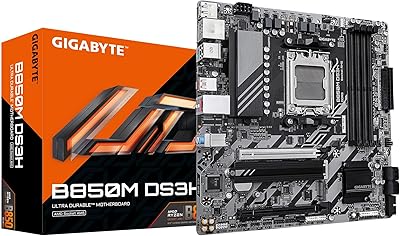
GIGABYTE B850M DS3H mATX Motherboard
77%
88%
Value for Money
79%
Build Quality
91%
Ease of Installation
67%
BIOS Experience
83%
CPU Compatibility
More
Gigabyte B550M DS3H Motherboard
85%
91%
Value for Money
87%
Performance in Gaming
90%
Stability and Reliability
89%
Power Delivery (VRM)
94%
LAN Connectivity (Speed & Stability)
More
Gigabyte B450M DS3H Micro-ATX Motherboard
70%
88%
Value for Money
91%
Ease of Installation
87%
BIOS Experience
52%
VRM & Power Delivery
84%
Stability & Reliability
More
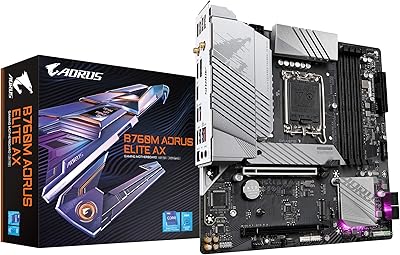
GIGABYTE B660 AORUS Master DDR4 Motherboard
81%
91%
VRM & Power Delivery
88%
Build Quality
89%
Connectivity & I/O
93%
Storage Expandability
71%
BIOS Usability
More
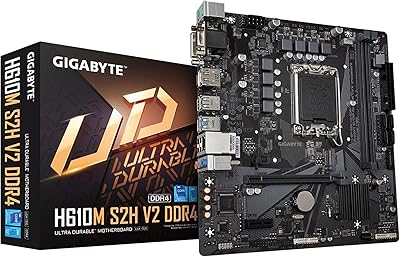
GIGABYTE H610M S2H V2 DDR4 Motherboard
68%
83%
Value for Money
71%
Build Quality
88%
BIOS Experience
86%
CPU Compatibility
47%
Memory Expandability
More
Gigabyte B760M Aorus Elite AX DDR5 Motherboard
87%
89%
Overall Performance
92%
Value for Money
85%
Build Quality
91%
Stability and Reliability
90%
Connectivity Options
More
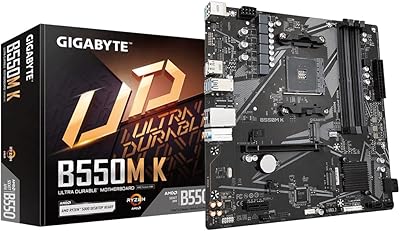
GIGABYTE B550M Motherboard
87%
89%
Performance
91%
Ease of Installation
85%
Build Quality
92%
Storage Performance (PCIe 4.0 & M.2 Slots)
87%
Compatibility with Ryzen Processors
More
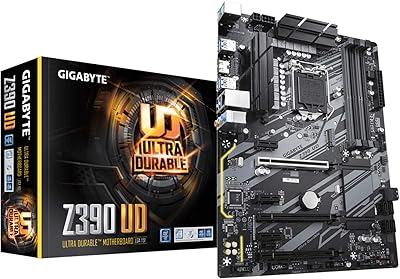
GIGABYTE A520M S2H AM4 Motherboard
70%
84%
Value for Money
88%
CPU Compatibility
58%
Memory Support
67%
VRM Performance
22%
Overclocking Potential
More
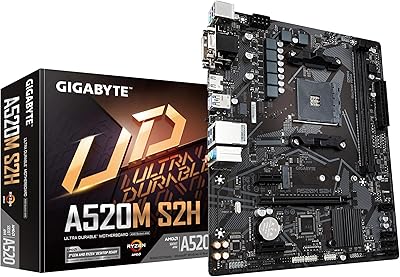
GIGABYTE Z390 UD ATX Intel Motherboard
72%
92%
PCIe Expansion
88%
Value for Money
86%
Long-term Reliability
83%
Build Quality
74%
VRM & Power Delivery
More
GIGABYTE X570 UD Motherboard
86%
87%
Performance
91%
Value for Money
88%
Build Quality
90%
Power Delivery
83%
Cooling Efficiency
More

FAQ

Yes, the LGA 1700 socket is fully compatible with 13th Gen Intel Core processors including the i5-13600K. That said, keep in mind that the B760 chipset does not support CPU overclocking, so the K-series multiplier advantage is largely wasted here. If you plan to overclock, a Z790 board would be the better pairing for that chip.

No — this is a DDR4-only board by design. That is not a flaw; it is a deliberate choice that keeps the overall build cost lower. If you already own DDR4 kits or are buying new on a budget, this board is a great fit. If you have committed to DDR5, you will need a different board and platform.

Yes, both M.2 slots support PCIe 4.0 x4, so you can run two fast NVMe drives at the same time. The included thermal guards on each slot help keep temperatures in check, which is especially useful if both drives are under sustained read/write load.

You download the latest BIOS file from GIGABYTE's website, rename it as required, and copy it onto a FAT32-formatted USB drive. With the board powered but no CPU or RAM installed, you insert the drive into the designated Q-Flash Plus port and press the button. The board updates itself automatically — no post screen or operating system needed. It is a genuinely useful feature, especially if you are pairing this board with a processor that requires a BIOS update to be recognized.

It is one of the more approachable options in its price range. The BIOS is clean and well-labeled, Q-Flash Plus reduces the risk of getting stuck without a compatible CPU, and the board's documentation covers the basics clearly. The EZ-Latch on the M.2 and PCIe slots also makes installation less fiddly than it used to be on older boards.

Natively it runs DDR4 at 3200 MHz, which is the sweet spot for most DDR4 kits anyway. With XMP profiles enabled in the BIOS, you can push supported kits higher — up to 5333 MHz according to GIGABYTE's specs, though real-world stability at those speeds depends on the specific memory kit. Sticking to 3200 MHz or 3600 MHz XMP kits tends to be the most reliable approach.

The primary PCIe 4.0 x16 slot is compatible with any modern discrete GPU from NVIDIA or AMD. Just confirm your chosen GPU physically fits your case, since the board itself does not impose any GPU restrictions. The onboard HDMI port is also handy if you are using a processor with integrated graphics and want to skip a discrete GPU entirely.

No, there is no onboard Wi-Fi on this board. Wired connectivity comes via the 2.5GbE LAN port, which is a solid upgrade over standard gigabit networking. If you need wireless, you would have to add a PCIe Wi-Fi card or a USB Wi-Fi adapter separately.

The board includes four fan headers in total — one for the CPU cooler and three for chassis fans. Smart Fan 6 lets you set individual temperature-based curves for each header through the BIOS, which is genuinely useful for tuning noise levels in a quiet build.

For typical desktop workloads — gaming, productivity, general multitasking — a Core i7 paired with this board should be fine. Where things get more uncertain is sustained heavy workloads like long video renders or extended all-core stress tests, where the 6+2+1 VRM may run warm. If you are planning to push a high-TDP processor hard for long periods regularly, a board with a beefier power delivery setup would give you more headroom and peace of mind.

Where to Buy