Overview

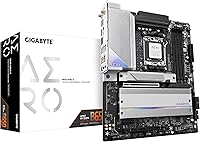
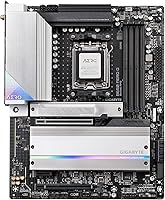
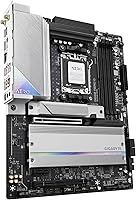
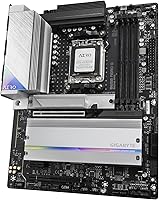
The GIGABYTE B650 AERO G ATX Motherboard launched alongside AMD's Ryzen 7000 platform, positioning itself as a prosumer-oriented board for builders who want serious connectivity without spending flagship X670 money. The AERO G line sits above GIGABYTE's mainstream GAMING tier but below the premium AORUS family — a deliberate middle ground for creators and power users who care about feature depth. The B650 chipset does have a ceiling: it is not the board for extreme overclocking or exotic multi-GPU setups. But for most Ryzen 7000 builds, that ceiling rarely comes into play. The 5-year warranty stands out in a category where two years is typical, adding real long-term confidence to the purchase.

Features & Benefits

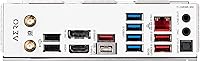
The AERO G motherboard covers connectivity ground that many B650 boards skip or offer only partially. Both the primary GPU slot and the M.2 socket run at PCIe 5.0 — useful to have even if Gen 5 NVMe drives are still limited in availability today. DDR5 memory is supported up to 5200 MHz with AMD EXPO and Intel XMP profiles, making memory tuning straightforward rather than a manual exercise. On the networking side, Wi-Fi 6E and Intel's 2.5GbE wired LAN together handle fast home and office setups without needing an add-in card. USB 3.2 Gen2x2 Type-C on both the rear panel and front header is a genuine convenience upgrade, and the M.2 Thermal Guard III helps keep NVMe drives cool during sustained read and write loads.

Best For

This B650 board makes the most sense for builders going all-in on the AM5 platform — think a Ryzen 7 or Ryzen 9 build destined for video editing, 3D work, or high-refresh gaming. The PCIe 5.0 M.2 slot is well-suited for anyone planning to adopt next-gen storage down the line rather than immediately. It is also a practical choice for upgraders moving from AM4 who want DDR5 and a strong connectivity baseline without the cost premium of an X670 board. Home office users and small studio setups will appreciate having fast networking built in. If aggressive overclocking headroom or multiple discrete GPUs are on the wishlist, the X670E platform is likely the better direction.

User Feedback

With a 4.5-star average across 74 ratings, buyer sentiment for this AM5 motherboard skews positive, though the sample size is still relatively modest. Owners frequently highlight BIOS usability and build quality — the board feels substantial, and GIGABYTE's UEFI is described as reasonably approachable for an enthusiast-tier product. Connectivity options draw consistent appreciation across reviews. On the other side, some buyers note a learning curve for first-time DDR5 builders getting memory stability properly dialed in, and a few question whether the asking price is fully justified compared to leaner B650 alternatives. Thermal behavior under sustained workloads draws largely favorable remarks. The 5-year warranty registers as a genuine confidence booster for most owners, not just marketing language.

Pros

  • Five-year warranty provides significantly longer manufacturer coverage than most competing boards in this category.
  • PCIe 5.0 support on both the GPU slot and M.2 keeps the platform relevant for next-gen hardware upgrades.
  • Wi-Fi 6E and Intel 2.5GbE LAN built in eliminates the need for a separate networking card.
  • AMD EXPO and Intel XMP support makes hitting rated DDR5 memory speeds straightforward for most users.
  • USB 3.2 Gen2x2 Type-C on both front and rear panels is a practical convenience rarely found at this price tier.
  • M.2 Thermal Guard III actively manages NVMe drive heat during sustained read and write workloads.
  • Solid VRM thermal design supports consistent CPU performance without throttling under prolonged loads.
  • Build quality is consistently praised by owners, with the board feeling appropriately premium for its price tier.
  • BIOS is considered approachable by most experienced builders, with good EXPO memory profile support out of the box.
  • ATX form factor offers plenty of expansion room for multi-drive and multi-card configurations.

Cons

  • B650 chipset cannot match the PCIe lane count or overclocking headroom of X670E boards.
  • DDR5 memory compatibility can require BIOS updates or manual tuning, which trips up less experienced builders.
  • At this price, several competing B650 boards offer similar specs, making it harder to justify without the warranty weighting.
  • Only two USB 2.0 ports on the rear, which may frustrate users with older peripherals or USB dongles.
  • Consumer PCIe 5.0 NVMe drives remain limited and expensive, so that slot offers little immediate practical benefit for most buyers.
  • 74 ratings is a relatively thin review base, so the 4.5-star average should be treated as encouraging rather than conclusive.
  • No integrated Thunderbolt support, which matters for creators using high-speed external storage or displays.
  • Buyers sensitive to pricing may find the cost premium over leaner B650 alternatives difficult to justify on specs alone.

Ratings

The GIGABYTE B650 AERO G ATX Motherboard has been scored by our AI system after analyzing verified global buyer reviews, with spam, bot-submitted, and incentivized feedback actively filtered out. Scores reflect both the genuine strengths enthusiast builders consistently praise and the recurring frustrations that real owners have encountered. The result is an honest picture of where this B650 board excels and where it falls short compared to expectations at its price tier.

Build Quality
88%
Owners consistently describe the board as feeling premium and well-constructed out of the box — heavier than expected, with reinforced PCIe slots and solid capacitor placement. For a mid-range chipset board, it carries the visual and physical weight of something a tier above, which matters when you are building a workstation meant to last several years.
A small number of buyers noted minor inconsistencies in the backplate finish, and a few felt the included accessories could be more complete given the asking price. Nothing structurally concerning, but the finer details do not quite match the impression set by the board itself.
BIOS & Software
79%
21%
Experienced builders generally find GIGABYTE's UEFI approachable, with a clean layout and reliable EXPO profile loading for DDR5 memory. For those comfortable in advanced mode, the tuning options feel thorough without being unnecessarily buried.
First-time builders or those new to DDR5 frequently report frustration during initial memory training, occasionally requiring multiple reboots before speeds stabilize. GIGABYTE's companion software suite on Windows draws more mixed feedback, with some users finding it bloated compared to what rivals like ASUS or MSI offer.
Connectivity & I/O
92%
The rear and front USB 3.2 Gen2x2 Type-C headers are a standout feature that owners of fast external SSDs and modern peripherals genuinely notice and appreciate in daily use. Pairing Wi-Fi 6E with Intel 2.5GbE wired LAN in the same board removes the need for any aftermarket networking upgrade, which is a real convenience for home office and studio builds.
Only two USB 2.0 ports on the rear panel is a tangible limitation if you run several older peripherals like audio interfaces, keyboards, or dongles simultaneously. A few users working in densely connected setups wished for a broader legacy USB spread across the rear I/O.
Memory Compatibility
74%
26%
AMD EXPO and Intel XMP support means that most branded DDR5 kits from major manufacturers like G.Skill or Corsair load their rated profiles cleanly without manual intervention. Builders targeting 5200 MHz or below rarely encounter issues once a BIOS update is applied.
Pushing DDR5 beyond 5600 MHz introduces notable instability with certain kit configurations, and not all memory QVL entries behave consistently across BIOS revisions. This is partly a platform-wide DDR5 growing pain, but the AERO G board has not entirely escaped it, and newcomers may find the troubleshooting process time-consuming.
Thermal Performance
83%
The VRM heatsink handles sustained CPU loads — including Ryzen 9 7900X workloads — without notable throttling, which gives builders some confidence pairing it with higher TDP processors. The M.2 Thermal Guard III does a solid job keeping NVMe temperatures in check during long file transfers or rendering tasks.
Under extended full-system stress where both the CPU and a fast NVMe drive are being pushed hard simultaneously, a small number of users reported the M.2 area running warmer than ideal. Airflow within the case plays a significant role here, so the thermal outcome is not entirely board-dependent.
PCIe 5.0 Readiness
77%
23%
Having PCIe 5.0 available on both the primary GPU slot and M.2 makes this board genuinely future-proof for the AM5 platform lifespan. Builders who plan to adopt Gen 5 storage drives or next-generation GPUs can do so without swapping motherboards.
In practical terms today, the PCIe 5.0 M.2 slot has limited relevance since consumer drives hitting those speeds are scarce and expensive. Buyers expecting an immediate real-world performance boost from this feature may feel the benefit is mostly theoretical for now.
Value for Money
71%
29%
The 5-year warranty materially shifts the value equation — it is genuinely rare at this chipset tier and provides meaningful long-term peace of mind that competing boards from ASUS or MSI typically do not match. For buyers who hold onto builds for four or more years, that warranty gap alone can justify the cost difference.
Stripped of the warranty argument, several competing B650 boards offer a comparable feature set at a lower price point, making it harder to recommend this purely on specs per dollar. Buyers who are cost-conscious and plan to upgrade their system within two or three years may feel they are paying a premium they will not fully use.
DDR5 Platform Stability
72%
28%
Once the system is stable and the BIOS is on a current release, day-to-day operation with DDR5 on this board is reliable and consistent across a broad range of workloads. GIGABYTE has addressed several early DDR5 quirks through firmware updates, and the board benefits from that ongoing support.
Early adopters experienced more DDR5 instability than expected, and while updates have improved the situation, some edge-case kit combinations still require patient BIOS-level troubleshooting. This is a more time-consuming initial setup than most buyers coming from DDR4 and AM4 will anticipate.
Wireless Performance
86%
Wi-Fi 6E on the 6 GHz band delivers noticeably lower latency and faster sustained throughput compared to standard Wi-Fi 6, which users in congested home networks with many connected devices appreciate most. For a workstation used in a home studio or a gaming setup away from the router, the onboard wireless holds up well.
A small subset of users report that antenna placement inside certain mid-tower cases can affect signal consistency, particularly through tempered glass side panels. The included antenna is functional but not particularly premium, and repositioning it sometimes requires creative routing.
AM5 Cooler Compatibility
76%
24%
The board works with the full range of AM5-compatible coolers from major brands like Noctua, be quiet!, and Corsair, with most modern tower coolers fitting without clearance issues around the VRM heatsink area. The mounting area around the socket is clean and unobstructed for the majority of popular cooler designs.
Buyers attempting to reuse AM4 coolers without a bracket upgrade will find they are not compatible, which catches some upgraders off guard and adds unexpected cost. A handful of users also noted that very large dual-tower coolers with wide bases can be tight depending on the case and RAM clearance.
Expansion & Upgrade Path
73%
27%
The four DDR5 DIMM slots and multiple M.2 options give the board a decent expansion baseline for a B650 chipset product, supporting multi-drive NVMe configurations and up to 64 GB of RAM for memory-intensive creative workflows.
B650 is ultimately constrained in PCIe lane distribution compared to X670E, which becomes relevant if a builder wants to run multiple high-bandwidth devices — like a capture card, a second NVMe drive, and a discrete GPU — all at full speed simultaneously. Power users who anticipate that kind of configuration should price out the X670E tier before committing.
Packaging & Unboxing
81%
19%
The board arrives well-protected with appropriate foam and anti-static packaging, and most buyers describe the unboxing as befitting a premium product. Documentation quality is above average for a motherboard at this level, with a clear quick-start guide included.
The accessory bundle is functional but not generous — SATA cables and the Wi-Fi antenna are included, but buyers hoping for extras like cable ties or a comprehensive driver USB will find the package fairly lean. At this price point, a slightly more complete kit would feel more proportionate.

Suitable for:

The GIGABYTE B650 AERO G ATX Motherboard is a strong fit for builders who want a well-equipped AM5 platform without stepping up to X670 pricing. If you are pairing a Ryzen 7000 series processor with a build destined for content creation, video editing, or serious gaming, this board covers nearly every connectivity base you will realistically need. The built-in Wi-Fi 6E and Intel 2.5GbE LAN make it especially practical for home office or small studio setups where fast networking matters but adding a dedicated NIC is an unnecessary expense. Builders planning to adopt PCIe 5.0 NVMe storage in the future will appreciate having that slot ready without paying a premium for it today. The 5-year warranty also makes this a sensible long-term investment for anyone who expects to run their system hard for several years and wants manufacturer backing to match.

Not suitable for:

The GIGABYTE B650 AERO G ATX Motherboard is not the right choice for enthusiasts who need the absolute ceiling of the AM5 platform. The B650 chipset has real limits compared to X670 and X670E — if you are planning heavy overclocking, multi-GPU configurations, or need maximum PCIe lane availability across several high-bandwidth devices simultaneously, you will quickly feel those constraints. Budget-focused builders may also find competing B650 boards from ASUS, MSI, or ASRock offer a comparable core feature set at a lower price point, making the value case here less clear-cut. First-time PC builders who are unfamiliar with DDR5 memory tuning may face a steeper setup curve than expected, particularly around achieving stable memory speeds with certain kit configurations. If compact form factors matter for your case, the ATX footprint is non-negotiable here.

Specifications

  • CPU Socket: Uses the AM5 (LGA 1718) socket, compatible exclusively with AMD Ryzen 7000 series processors.
  • Chipset: Built on the AMD B650 chipset, offering solid AM5 platform support without the full lane count of X670 or X670E.
  • Form Factor: Standard ATX layout measuring 10.62 x 13.58 inches, fitting most full-tower and mid-tower cases.
  • Memory Slots: Four DDR5 DIMM slots supporting up to 64 GB total, with AMD EXPO and Intel XMP profile compatibility.
  • Memory Speed: Rated memory support reaches up to 5200 MHz using EXPO or XMP profiles for straightforward speed tuning.
  • Primary PCIe Slot: The main GPU slot runs at PCIe 5.0, providing full bandwidth headroom for current and next-generation graphics cards.
  • M.2 Storage: Includes a PCIe 5.0 NVMe x4 M.2 slot with M.2 Thermal Guard III for active heat management during sustained workloads.
  • Wireless: Integrated Wi-Fi 6E (802.11ax) adapter supports the 6 GHz band for faster, lower-latency wireless connections.
  • Wired LAN: Intel 2.5GbE controller provides wired networking speeds well above standard gigabit without needing an add-in card.
  • Rear USB: Rear I/O includes a USB 3.2 Gen2x2 Type-C port delivering up to 20 Gbps for fast external storage and modern peripherals.
  • Front USB Header: A USB 3.2 Gen2x2 Type-C front-panel header brings the same 20 Gbps capability to the front of compatible cases.
  • USB 2.0 Ports: Two USB 2.0 ports are available on the rear I/O panel for legacy peripherals and low-bandwidth devices.
  • VRM Cooling: Advanced thermal design on the voltage regulator modules supports stable CPU power delivery during prolonged high-load sessions.
  • Warranty: Backed by a 5-year manufacturer warranty, which is notably longer than the 1 to 3 years typical for competing boards.
  • Weight: The board weighs 4.84 pounds, consistent with a fully featured ATX motherboard carrying substantial onboard hardware.
  • Platform Support: Officially supported on Windows 10 and above, with full driver and BIOS update support through GIGABYTE's software suite.

Related Reviews
GIGABYTE B650 Eagle AX
86%
91%
Value for Money
94%
Storage Performance
88%
Thermal Management
87%
Wireless Connectivity
83%
BIOS and Software
More
GIGABYTE B650 UD AX AM5 Motherboard
86%
88%
Performance
95%
Compatibility with Ryzen Processors
83%
Wi-Fi and Networking
86%
Build Quality
90%
Cooling and Noise Levels
More
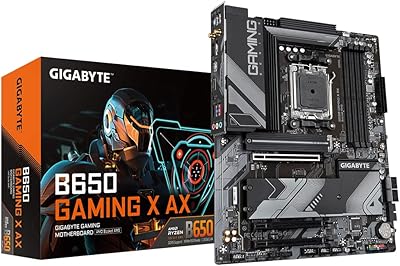
Gigabyte B650 Gaming X AX ATX Motherboard
78%
83%
Value for Money
88%
BIOS Usability
86%
DDR5 Memory Compatibility
91%
Installation & Build Experience
71%
VRM Thermal Performance
More
Gigabyte B450 AORUS M Micro ATX Motherboard
84%
91%
Value for Money
88%
Performance with Ryzen Processors
84%
RGB Lighting Customization
87%
Ease of Setup
82%
Display Options
More
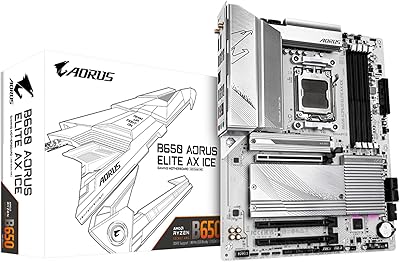
GIGABYTE B650 AORUS Elite AX ICE Motherboard
89%
91%
Performance
93%
Stability & Reliability
89%
Thermal Performance
85%
Ease of Installation
90%
Design & Aesthetics
More
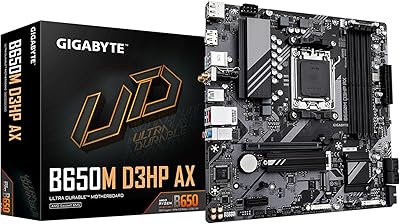
ASRock B650 Steel Legend WiFi 6E ATX Motherboard
87%
91%
Performance
89%
Stability
88%
Overclocking Capability
92%
WiFi 6E Connectivity
85%
Ease of Installation
More
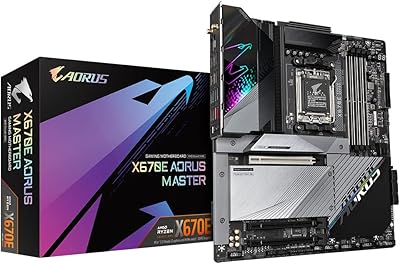
GIGABYTE X670E AORUS Master AMD AM5 ATX Motherboard
87%
94%
Performance for Gaming
92%
Overclocking Potential
89%
Build Quality and Durability
91%
Compatibility with Ryzen 7000
87%
Thermal Management
More
GIGABYTE B650M D3HP AX AM5 Micro ATX Motherboard
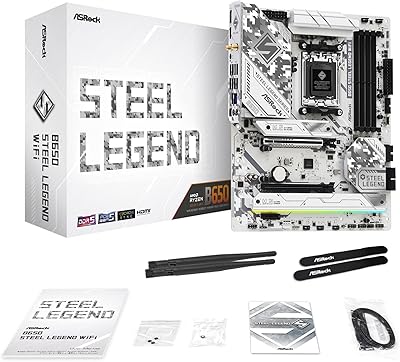
87%
91%
Performance
87%
Value for Money
90%
Build Quality
85%
Ease of Installation
88%
Power Delivery and Stability
More
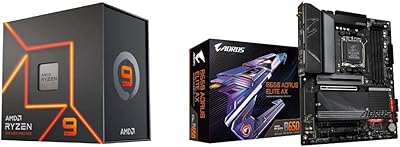
AMD Ryzen 9 7900X + GIGABYTE B650 AORUS ELITE AX Motherboard
89%
94%
Performance
91%
Overclocking Stability
88%
Compatibility with Modern Components
93%
Gaming Experience
89%
Thermal Management
More
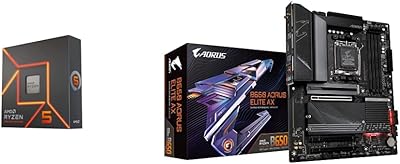
AMD Ryzen 5 7600X + GIGABYTE B650 AORUS ELITE AX Motherboard
87%
93%
Gaming Performance
89%
Overclocking Potential
88%
Setup & Installation
91%
Future-Proofing
74%
Thermals & Cooling
More

FAQ

Yes, it works with any AM5 processor including the Ryzen 5 7600X. The board is not locked to upper-tier CPUs — you get the same connectivity and feature set regardless of which Ryzen 7000 chip you pair it with.

With most current retail stock, the BIOS should already support Ryzen 7000 series processors out of the box. That said, it is always worth checking the version label on the box against GIGABYTE's support page before you build, just to be safe.

You can attempt higher speeds, but official support tops out at 5200 MHz with EXPO or XMP profiles. Some users report success pushing beyond that through manual tuning in the BIOS, though stability will depend on your specific memory kit and whether it plays nicely with the B650 controller.

The GIGABYTE B650 AERO G ATX Motherboard includes additional M.2 slots beyond the primary PCIe 5.0 one — typically at PCIe 4.0 speeds — giving you room for multiple NVMe drives without relying solely on the flagship slot.

GIGABYTE's UEFI is generally considered approachable, with both an Easy Mode for basic setup and an Advanced Mode for deeper tuning. That said, DDR5 memory configuration can be a bit finicky at first, so do not be surprised if you need to spend some time getting your RAM to train at its rated speed.

Yes, GIGABYTE includes a magnetic antenna in the box for the Wi-Fi module, so you do not need to source one separately. You will need to connect it to the rear I/O antenna ports during installation.

For a Ryzen 9 7950X workstation, this B650 board can handle the CPU just fine in terms of power delivery. However, if your workflow demands maximum PCIe lane availability across multiple high-speed devices simultaneously — like several NVMe drives plus a GPU plus a capture card — an X670E board gives you more headroom. For most creative workstation use cases, the B650 is sufficient.

No, AM5 uses a different socket mounting system than AM4, so existing AM4 coolers are not directly compatible. Many cooler manufacturers offer free or low-cost AM5 mounting bracket upgrades, so check your cooler brand's website before buying a new one.

GIGABYTE's warranty is handled through their official support channels and typically requires proof of purchase rather than a separate registration. It is worth keeping your receipt or order confirmation stored somewhere accessible, and checking GIGABYTE's regional support page for the exact claim process in your country.

Absolutely. The AERO G branding leans toward prosumer and creator use cases, but the underlying hardware is equally well-suited to gaming. PCIe 5.0 for your GPU, fast networking, and solid VRM cooling are all relevant whether you are rendering video or running a game at high frame rates.

Where to Buy