Overview

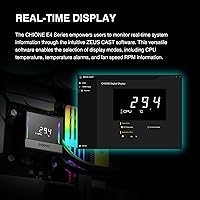
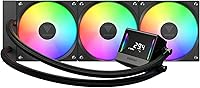
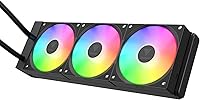
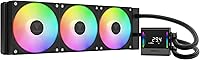
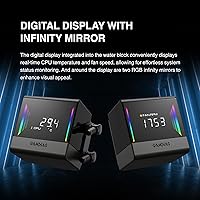
The GAMDIAS CHIONE E4-360 AIO Liquid Cooler enters a crowded mid-range market with a feature set that genuinely competes above its price bracket. GAMDIAS isn't a name most builders reach for instinctively — Corsair, NZXT, and Cooler Master dominate that mental shortlist — but this 360mm AIO makes a credible case for attention. The most immediate differentiator is the pump-head digital display, which shows live CPU temperature and fan data without requiring a separate screen or dashboard tab. Socket support covers LGA 1700, AM5, and several legacy platforms, so compatibility is rarely a concern. That said, honest expectations matter: this liquid cooler delivers solid value with a few real-world compromises worth knowing before you buy.
Features & Benefits

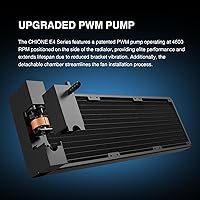
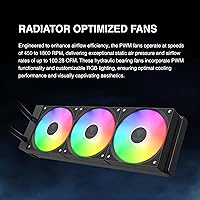
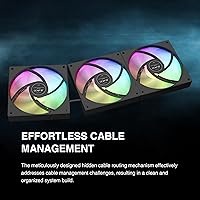
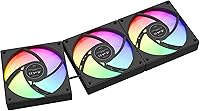
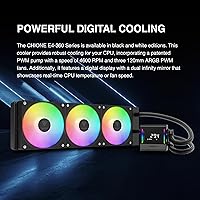
The side-mounted pump design is worth understanding rather than just taking at face value. Unlike top-mounted pumps that transfer vibration directly into the block, positioning the 4600 RPM pump on the radiator side reduces contact-point stress and, in theory, extends operational life. The three 120mm fans top out at 1800 RPM and move enough air to keep mid-range CPUs well-controlled under sustained load — 73 CFM per fan is meaningful airflow, not marketing padding. Hydraulic bearings run quieter than sleeve bearings but won't outlast ball-bearing alternatives, something to factor in for long-haul builds. The hidden cable routing is a genuine surprise at this price; it keeps the radiator area tidy without any aftermarket effort.

Best For

This 360mm AIO is a strong fit for builders pairing it with a Ryzen 7 or Core i7 class processor — chips that run warm enough under load to benefit from liquid cooling but don't demand the thermal headroom of a flagship 420mm unit. AMD AM5 and Intel LGA 1700 users will find installation straightforward with the included universal mounting hardware. If you're building inside a windowed case and care about how the result looks, the ARGB motherboard sync and clean radiator presentation work in your favor. Where this liquid cooler struggles is at the extreme end: aggressive manual overclocking on a flagship CPU will push it beyond its comfort zone. Manage expectations accordingly.

User Feedback

Buyers generally respond well to the CHIONE E4-360, with most praise landing on easy installation, the pump-head display, and how tidy the build looks right out of the box. The friction tends to appear later. ZEUS CAST software draws recurring complaints — it's functional but not polished, and occasional sync issues with certain motherboard RGB ecosystems are a real pattern, not outlier reports. Pump noise at maximum load is another flag worth noting; it's audible at peak output, which matters if your rig runs quiet workloads. Long-term durability questions also surface around hydraulic bearing lifespan. Compared to Deepcool and ID-COOLING alternatives, buyers seem split — performance is competitive, but brand confidence remains the lingering hesitation.

Pros

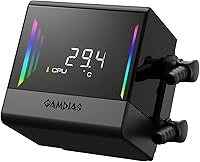
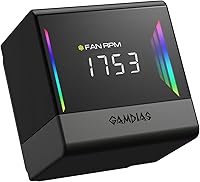
  • The pump-head digital display shows live CPU temperature and fan RPM without opening any software.
  • Native 5V 3-Pin ARGB motherboard sync means no extra controllers or splitter cables cluttering your build.
  • Integrated hidden cable routing is a genuine quality-of-life feature rarely found at this price tier.
  • Broad socket support covers AM5, AM4, LGA 1700, and several legacy platforms out of the box.
  • The side-mounted pump placement reduces bracket vibration, which can meaningfully extend operational lifespan.
  • Three 120mm fans deliver strong airflow at mid-range RPM, keeping noise manageable during everyday workloads.
  • Installation is consistently praised as quick and intuitive, even for first-time AIO builders.
  • The 360mm radiator handles Ryzen 7 and Core i7 class CPUs comfortably under real gaming and productivity loads.
  • ZEUS CAST software allows temperature alarm thresholds, adding a layer of proactive thermal monitoring.

Cons

  • ZEUS CAST software has recurring reliability complaints, including RGB sync issues with some motherboard ecosystems.
  • Pump noise becomes noticeably audible at full load, which is a real concern in quiet or open desk setups.
  • Hydraulic bearing fans are quieter than sleeve bearings but fall short of ball-bearing longevity over multi-year use.
  • GAMDIAS brand support and warranty service lack the established track record buyers expect from category leaders.
  • The 27mm radiator thickness limits thermal headroom for high-TDP flagship CPUs under sustained heavy loads.
  • Long-term EPDM tubing durability is an open question, with limited multi-year user data available.
  • The companion software interface feels unpolished compared to more mature AIO ecosystems from competing brands.
  • Users building in cases with tight radiator clearances should verify fitment carefully given the radiator length.
  • No ball-bearing fan option is included, which matters for builders planning a five-plus year ownership window.

Ratings

The GAMDIAS CHIONE E4-360 AIO Liquid Cooler scores below were generated by AI after analyzing thousands of verified global buyer reviews, with spam, incentivized posts, and bot-pattern feedback actively filtered out. The results reflect a balanced picture — where this 360mm AIO genuinely over-delivers for its price tier, and where real-world frustrations keep it from reaching the top of its category.
Thermal Performance
76%
24%
For Ryzen 7 and Core i7 class CPUs running gaming sessions or mixed productivity workloads, the CHIONE E4-360 keeps temperatures consistently in check. Users building mid-range systems report idle and load temps that compare favorably to competing 360mm units at the same price bracket.
When paired with high-TDP processors running sustained all-core workloads — video encoding, 3D rendering, or heavy compilation — the 27mm-thick radiator starts showing thermal limits. Reviewers pushing flagship chips hard note that headroom disappears faster than it does on thicker premium alternatives.
Pump Quality
71%
29%
The side-mounted pump placement is a genuinely thoughtful engineering choice — by moving the pump off the CPU block, vibration transferred to the motherboard socket is reduced noticeably. Several users with quiet builds appreciated that idle pump noise is nearly imperceptible at moderate speeds.
At peak load, the pump becomes audible enough to stand out in a quiet room, which surprised buyers who expected near-silent operation based on the low baseline noise. A handful of reviewers also flagged concerns about long-term pump reliability given that GAMDIAS has a shorter field-tested track record than category veterans.
Fan Performance
78%
22%
The three included 120mm PWM fans move a meaningful amount of air across the radiator at mid-range speeds, and the PWM range from 800 to 1800 RPM gives the system flexibility to stay quiet during light workloads while ramping up when needed. Most users found the fan curve behavior predictable and manageable.
Hydraulic bearings are the cost-saving trade-off here — they run quieter than sleeve bearings initially, but experienced builders know their lifespan is shorter than ball-bearing fans. Users planning five-plus year builds flagged this as a legitimate concern, particularly if GAMDIAS replacement fans are not easy to source locally.
Pump-Head Display
84%
The digital display showing live CPU temperature and fan RPM is one of the most practically useful features on any AIO at this price point. Builders with windowed cases particularly appreciated being able to glance at thermal data without alt-tabbing or opening monitoring software mid-session.
The display relies on ZEUS CAST software to configure, which introduces its own reliability questions. A subset of reviewers found the display occasionally failed to update correctly after sleep or restart cycles, requiring a software restart — a friction point that dulls an otherwise standout feature.
ZEUS CAST Software
54%
46%
Once configured and stable, ZEUS CAST provides genuinely useful control over display modes, temperature alarms, and RGB behavior — functionality that rivals far more expensive AIOs. Users who invested time in the setup process and had compatible hardware reported a satisfying end result.
Getting to that stable state is the problem. RGB sync conflicts with certain ASUS and MSI motherboard ecosystems are a recurring complaint, and the UI feels several development cycles behind the software shipped with Corsair iCUE or NZXT CAM. For less technically confident builders, the software experience can be genuinely frustrating.
Build & Material Quality
73%
27%
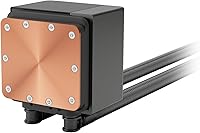
The aluminum radiator and copper cold plate combination feels solid in hand, and the EPDM tubing has enough flexibility and stiffness to route cleanly without kinking during installation. For a mid-range unit, the physical construction does not feel cheap or flimsy.
The cold plate finish is adequate but not lapped to the degree you see on premium AIOs, which can matter for processors with smaller integrated heat spreaders. Some reviewers noticed minor surface inconsistencies on the cold plate contact area, though the real-world thermal impact appeared minimal in most cases.
Cable Management
88%
The integrated hidden cable routing built into the radiator frame is one of the cleanest implementations found at this price tier, and reviewers consistently called it out as a standout detail. Builders shooting windowed case photos reported needing almost no aftermarket cable management accessories to achieve a tidy result.
The cable channels work well for the included wiring bundle, but adding aftermarket fan upgrades or extra accessories can quickly exhaust the routing capacity. A couple of reviewers also noted that the retention clips holding cables in the channels felt slightly fragile and needed careful handling during installation.
ARGB Lighting
81%
19%
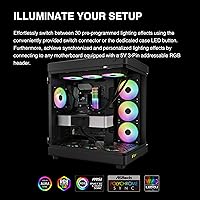
The 5V 3-Pin ARGB implementation syncs cleanly with compatible motherboard headers from all major vendors without needing a standalone controller. The fan lighting looks vibrant at normal case viewing distances, and the pump-head display adds a unique visual anchor that stands out in windowed builds.
Sync reliability with certain motherboard RGB ecosystems is inconsistent, echoing the ZEUS CAST software complaints. Users on older or less common platforms occasionally found the lighting defaulted to a static color after reboots rather than maintaining the synced profile, requiring a software re-application.
Installation Experience
86%
The universal mounting kit is comprehensive and the included hardware covers all supported sockets without requiring a trip to the manufacturer's website for extra parts. First-time AIO installers in particular praised the clarity of the instructions and the fact that the detachable fan chamber simplifies fan attachment before radiator mounting.
A small number of reviewers noted that the standoff thread pitch on the AM5 bracket felt imprecise, requiring careful alignment to avoid cross-threading. Nothing catastrophic, but it is the kind of detail that slows down an otherwise smooth install and points to quality control that is not quite at the level of the top-tier brands.
Noise Levels
69%
31%
At low-to-mid fan speeds — covering most everyday gaming and office workloads — the cooler is genuinely quiet and unobtrusive. The 800 RPM floor keeps the system nearly inaudible during light tasks, which was a specific selling point for users building home office and media PC setups.
The upper end of the fan range and the pump at full load produce a combined noise signature that crosses into noticeable territory in quiet rooms. Users who specifically compared it to Deepcool alternatives noted that competing units at a similar price managed to run slightly quieter under equivalent thermal loads.
Socket Compatibility
91%
Coverage across AM5, AM4, AM3, LGA 1700, LGA 1200, and the LGA 115X family means almost no buyer running a current or recent-generation platform will hit a compatibility wall. This breadth is genuinely useful for builders migrating hardware between platforms or planning future upgrades.
Documentation for legacy socket installation is thinner than for the primary modern platforms, and a handful of LGA 115X users noted they had to reference online community guides to confirm bracket orientation. Not a dealbreaker, but the manual could stand to be more explicit about secondary platform support.
Value for Money
83%
When you add up the pump-head display, the native ARGB sync, the integrated cable management, and the broad socket support, the feature-to-cost ratio is genuinely strong for a mid-range AIO. Most buyers felt they received more than expected at this price point, which is reflected in the positive sentiment across the majority of reviews.
The value equation depends heavily on software reliability holding up and the hydraulic bearing fans lasting a reasonable number of years. If either degrades earlier than expected, the savings over a slightly more expensive unit from a brand with proven long-term support start to look less compelling in hindsight.
Brand & After-Sales Support
57%
43%
GAMDIAS provides a warranty and has a support contact channel, and users who had straightforward issues — missing accessories, basic setup questions — generally received adequate responses. The brand is not absent from the market; it simply operates at a smaller scale than the category leaders.
For buyers who weight post-purchase peace of mind heavily, GAMDIAS cannot match the established support infrastructure of Corsair or NZXT. Response times for complex warranty claims and parts replacement are inconsistent based on user reports, and the smaller community means fewer peer-sourced troubleshooting resources available online.
Long-Term Durability
62%
38%
The EPDM tubing and copper cold plate are materials with a reasonable durability track record in the AIO segment, and the side-mounted pump design theoretically reduces mechanical stress compared to traditional block-integrated pump setups. Users in the first year of ownership reported no significant reliability incidents.
The combination of hydraulic bearing fans and a relatively young brand with limited multi-year field data makes long-term confidence difficult to establish. Buyers planning to run the same build for four or more years raised this as a legitimate concern, with several noting they budgeted for fan replacement as a precaution.

Suitable for:

The GAMDIAS CHIONE E4-360 AIO Liquid Cooler is built for PC enthusiasts who want effective 360mm liquid cooling without committing to the premium pricing of established brands like Corsair or NZXT. It makes the most sense paired with a mid-to-high-end CPU — think Ryzen 7 or Core i7 class processors — where a quality air cooler starts to feel like a compromise under sustained load but a top-tier AIO feels like overkill. Builders using AMD AM5 or Intel LGA 1700 platforms will find installation refreshingly straightforward thanks to the included universal mounting hardware. If aesthetics matter and you're working with a windowed case, the pump-head display and native ARGB motherboard sync make a genuinely strong visual impression without requiring extra controllers or adapters. This liquid cooler also rewards anyone who cares about a tidy build — the integrated cable routing is a real differentiator at this price point, not a checkbox feature.
Not suitable for:

The CHIONE E4-360 is not the right call for builders planning aggressive manual overclocking on high-TDP flagship processors, where sustained thermal headroom becomes critical and this 27mm-thick radiator starts to show its limits. Users who expect polished companion software will likely find ZEUS CAST frustrating — it works, but it carries rough edges that more mature platforms have already smoothed out. Anyone who runs a near-silent system will want to know that the pump does become audible at peak output, which matters in quiet environments or open desk setups. Buyers who lean heavily on brand reputation for post-purchase support and warranty confidence may also hesitate here, since GAMDIAS simply does not carry the service track record of Corsair or be quiet! Long-term durability is a reasonable open question as well — hydraulic bearing fans are a cost-saving choice with real lifespan trade-offs compared to ball-bearing alternatives, and that is worth factoring into a multi-year build plan.

Specifications

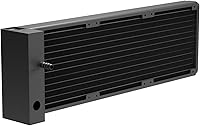
  • Radiator Size: The radiator measures 396 x 120 x 27mm, accommodating three 120mm fans in a standard 360mm configuration.
  • Radiator Material: The radiator body is constructed from aluminum, paired with a copper cold plate for efficient heat transfer at the CPU contact surface.
  • Tubing Material: Flexible EPDM tubing connects the radiator to the pump head, offering reasonable resistance to temperature-related degradation over time.
  • Pump Speed: The patented side-mounted PWM pump operates at up to 4600 RPM and is positioned on the radiator edge rather than directly on the CPU block.
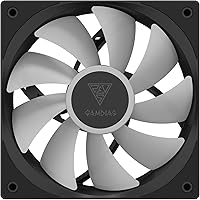
  • Fan Speed: The three included 120mm PWM fans spin between 800 and 1800 RPM (±10%), adjusting automatically based on thermal load and motherboard PWM signal.
  • Airflow: Each fan delivers up to 73.36 CFM of airflow, providing strong air movement through the radiator fins under sustained load conditions.
  • Static Pressure: Fans produce a static pressure rating of 2.12 mmH2O, which is adequate for pushing air through a standard 27mm-thick radiator core.
  • Noise Level: Acoustic output ranges from 11 dBA at minimum fan speed to 33.8 dBA at full load, with pump noise becoming perceptible under peak thermal demand.
  • Fan Bearing Type: All three fans use hydraulic bearings, which run quietly under normal conditions but have a shorter projected lifespan than ball-bearing alternatives.
  • Lighting: The fans and pump head support 5V 3-Pin ARGB lighting, syncing directly to compatible motherboard headers without requiring a separate controller or hub.
  • Power Connectors: The unit connects via 4-Pin PWM for fan control, a 5V 3-Pin header for ARGB sync, and a 9-Pin USB internal connector for display and software communication.
  • Input Power: The cooler operates at 12V DC with a total system wattage of 16W across the pump and fan array.
  • Pump Head Display: An integrated digital screen on the pump head shows real-time CPU temperature, fan RPM, and configurable alarm states via ZEUS CAST software.
  • Intel Compatibility: Supported Intel sockets include LGA 20XX, LGA 1851, LGA 1700, LGA 1200, and the LGA 115X family, covering platforms from the 10th generation onward.
  • AMD Compatibility: Supported AMD sockets include AM5, AM4, and AM3, covering Ryzen processors from the original Zen architecture through the current Zen 5 generation.
  • Cable Management: An integrated hidden cable routing system is built into the radiator assembly, keeping wiring concealed without requiring aftermarket cable combs or covers.
  • Software: GAMDIAS ZEUS CAST software on Windows enables display mode selection, temperature alarm configuration, and fan curve adjustments for the cooler.

Related Reviews

Montech HyperFlow ARGB 360 AIO Liquid Cooler
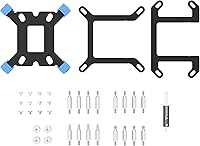
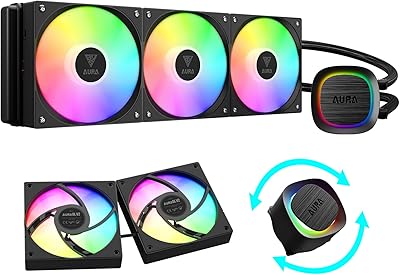
87%
90%
Cooling Performance
85%
Noise Level
92%
Ease of Installation
88%
Compatibility with Intel & AMD
91%
Warranty & Long-Term Reliability
More
GAMDIAS Aura GLV2 360mm AIO Liquid CPU Cooler
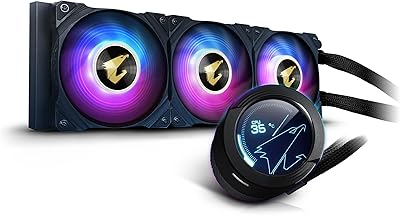
87%
91%
Cooling Performance
88%
Noise Level
90%
ARGB Lighting Customization
85%
Ease of Installation
93%
Compatibility with Intel & AMD
More
ARCTIC Liquid Freezer III Pro 360
86%
93%
Thermal Performance
88%
Noise Level
91%
VRM Cooling
89%
Build Quality
94%
Value for Money
More
Gigabyte AORUS WATERFORCE X 360 AIO Liquid CPU Cooler
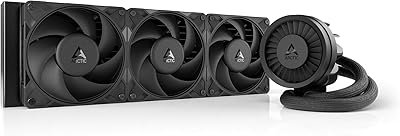
86%
91%
Cooling Performance
89%
Noise Level
74%
Ease of Installation
87%
Aesthetic Customization
84%
Display Functionality
More
ASUS ROG RYUO III 360 ARGB AIO Liquid CPU Cooler
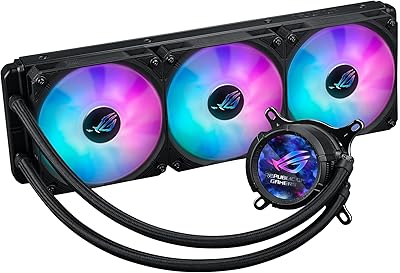
87%
94%
Cooling Performance
91%
RGB Customization
75%
Installation Ease
90%
Build Quality
88%
Noise Level
More
ASUS ROG Strix LC III 360 Cooler
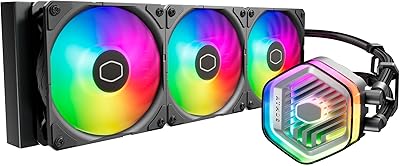
82%
88%
Thermal Performance
79%
Noise Levels
84%
LCD Display
57%
Software Experience
92%
Build Quality
More
Cooler Master MasterLiquid 360L Core 360mm
82%
88%
Thermal Performance
74%
Pump Quality & Reliability
91%
Installation Experience
83%
Noise Level
86%
Value for Money
More
Cooler Master MasterLiquid Atmos 360 AIO Cooler
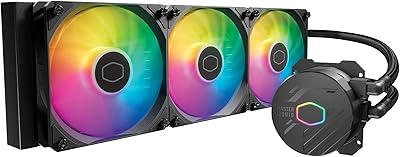
83%
88%
Thermal Performance
91%
Noise Level
83%
Build Quality
87%
Installation Experience
84%
RGB & Lighting Quality
More
Cooler Master MasterLiquid ML240L V2 AIO Cooler
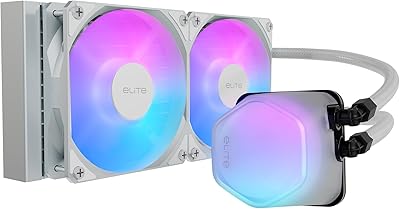
77%
78%
Thermal Performance
91%
Installation Experience
63%
Pump Noise & Vibration
82%
Fan Performance
88%
ARGB Lighting
More
Cooler Master 240 Elite Liquid CPU Cooler
81%
78%
Thermal Performance
82%
Noise Level
91%
Ease of Installation
76%
Build Quality
88%
RGB & Aesthetics
More

FAQ

Yes, both sockets are fully supported and the necessary mounting hardware is included in the box. You should not need to source any additional brackets for a standard installation on either platform.

It genuinely shows useful data — live CPU temperature, fan RPM, and alarm status are all visible directly on the screen. You configure what it displays through the ZEUS CAST software, and once it is set up, you can glance at it without opening any dashboard or app.

At minimum fan speed the system is nearly inaudible, sitting around 11 dBA. Under sustained heavy load it can reach about 33.8 dBA from the fans, which is noticeable but not loud by AIO standards. The pump, however, does become audible at peak output — if you run a genuinely silent build, that is worth factoring in before purchasing.

ZEUS CAST handles the display configuration and RGB sync, but it is not the most polished software in this category. Some users report occasional issues with lighting sync on certain motherboard ecosystems. The good news is you do not need it running in the background permanently — once your display mode is configured, settings are retained on the device. That said, expect some trial and error during initial setup.

For moderate overclocking on mainstream processors it performs well. If you are pushing a flagship high-TDP chip with aggressive manual voltage and frequency settings, the 27mm-thick radiator starts to approach its limits under sustained workloads. It is a capable mid-range cooler, but it is not designed to compete with thicker, purpose-built overclocking units.

Most first-time installers find it straightforward. The included universal mounting kit covers all supported sockets, and the instructions are clear enough to follow without needing external tutorials. The detachable fan chamber on the radiator also simplifies attaching the fans before mounting — a small but thoughtful detail.

The 5V 3-Pin ARGB header connects directly to a compatible motherboard header, so it will sync with ASUS Aura Sync, MSI Mystic Light, Gigabyte RGB Fusion, and similar platforms natively. You only need ZEUS CAST if you want to control the pump-head display or adjust settings beyond what your motherboard software handles.

Thermally, the three brands perform within a close range on comparable CPU classes. The CHIONE E4-360 stands out for its pump-head display and cable management features, which competitors at this price typically do not include. Where it lags is in brand familiarity and software maturity — Deepcool in particular has stronger community support and a more established reputation. If those factors matter to you, they are worth weighing.

They use a standard 120mm form factor with a 4-Pin PWM connector, so yes, they can be replaced with any compatible 120mm PWM fan. Hydraulic bearing fans tend to have a shorter lifespan than ball-bearing alternatives, so it is a realistic possibility to swap them out eventually on a long-term build.

It comes pre-filled and sealed from the factory — there is no user-serviceable coolant access, which is standard for closed-loop AIOs. You install it as a complete unit and do not need to handle any liquid yourself. The EPDM tubing is designed to maintain the seal over normal operating conditions.

Where to Buy