Overview

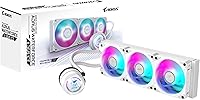
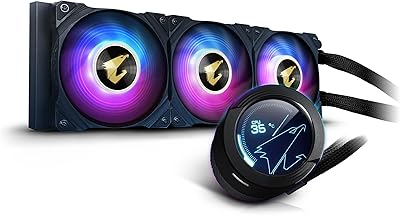
The AORUS WATERFORCE II 360 Liquid CPU Cooler is GIGABYTE's enthusiast-grade answer to the increasingly crowded 360mm AIO market, sitting comfortably in the mid-to-premium tier where build quality starts to matter as much as raw specs. The ICE variant refreshes the WATERFORCE line with a cleaner aesthetic and an integrated LCD pump head that rotates a full 330 degrees — useful when your case layout does not cooperate with a fixed orientation. Socket coverage is broad, spanning current Intel and AMD platforms without needing adapter kits. The EZ-Chain installation system is a genuine time-saver, making the whole mounting process feel noticeably less like a chore than most AIO setups.
Features & Benefits

The 360mm radiator paired with three 120mm ARGB fans gives this liquid cooler enough thermal headroom to handle power-hungry chips without breaking a sweat — think overclocked Ryzen 9 or Core i9 territory. Fan noise is rated at 36.9 dB, which holds up reasonably well during everyday workloads, though expect it to climb under full sustained load. The rotatable LCD display on the pump head is a nice touch for personalization, letting you show temperatures, a logo, or custom graphics depending on case orientation. Universal 4-pin PWM headers mean you are not locked into GIGABYTE software, and the EZ-Chain daisy-chain wiring keeps fan cables tidy without hunting for separate headers.

Best For

This 360mm AIO cooler is a strong fit for anyone building around an Intel Core 13th or 14th Gen processor, or an AMD Ryzen 7000-series chip, where sustained thermal demand can overwhelm smaller coolers or modest air solutions. If you are upgrading from a 240mm AIO and want noticeably more headroom without moving to a custom loop, this is a logical next step. AORUS ecosystem builders will appreciate the cohesion with RGB Fusion, but it works equally well in a non-GIGABYTE system. It suits builders who want a visually expressive setup — the ARGB fans and LCD head deliver real presence. Those chasing pure performance-per-dollar over aesthetics may find leaner alternatives worth a side-by-side comparison.

User Feedback

Owners of the AORUS WATERFORCE II 360 consistently highlight how straightforward installation is, with the daisy-chain connector drawing specific praise from builders who have wrestled with cable clutter on past AIO builds. Thermal results in real-world use are generally solid, though several users note that performance gaps versus competing 360mm options at similar price points are modest rather than dramatic. One recurring concern: the LCD configuration process feels finicky outside of RGB Fusion, and some buyers would prefer a simpler plug-and-display experience. Fan noise at full RPM runs louder than spec in quiet environments. Long-term feedback is mostly positive, but a handful of verified reviews flag pump noise developing after extended use — something worth monitoring.

Pros

  • The 360mm radiator provides serious thermal headroom for high-wattage CPUs under sustained workloads.
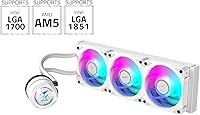
  • Broad socket support covers Intel LGA1851, LGA1700, and AMD AM5 out of the box — no adapter hunting required.
  • EZ-Chain daisy-chain wiring keeps cable runs clean and cuts down installation time noticeably.
  • The rotatable LCD pump head adjusts 330 degrees, making it genuinely useful across different case orientations.
  • Universal 4-pin PWM headers mean this liquid cooler works with any motherboard without locking you into proprietary software.
  • ARGB fans integrate cleanly with RGB Fusion for builders already in the GIGABYTE ecosystem.
  • Installation process is consistently praised by owners as one of the more straightforward AIO setups available.
  • The ICE variant brings a refined aesthetic that holds up well in windowed builds without looking overdone.

Cons

  • Fan noise at full RPM runs louder than the spec suggests in practice, which matters in quiet desk environments.
  • Configuring the LCD display outside of RGB Fusion can feel unnecessarily complicated for a feature that should be plug-and-play.
  • Thermal performance, while solid, offers only modest gains over competing 360mm AIOs at a similar price point.
  • The pump head is bulky, and in cases with limited CPU clearance it can feel tight depending on RAM height.
  • A small but consistent number of long-term owners report pump noise developing after extended use.
  • The added weight of the unit — over six pounds — makes careful handling important during installation to avoid stress on the socket.
  • Buyers not invested in the AORUS ecosystem get less value from the RGB and display features, which drive a portion of the cost.
  • Software-dependent display customization is a drawback for users who prefer hardware that works fully without companion apps.

Ratings

Our AI rating engine analyzed thousands of verified global user reviews for the AORUS WATERFORCE II 360 Liquid CPU Cooler, actively filtering out incentivized, bot-generated, and low-quality feedback to surface what real builders actually experienced. Scores reflect the full picture — where this liquid cooler genuinely impresses and where it falls short compared to expectations at its price tier. Both standout strengths and recurring frustrations are weighted transparently in every category below.

Thermal Performance
83%
Users running Intel Core i9 and Ryzen 9 chips under sustained workloads — think long video exports or extended gaming sessions — report that temperatures stay comfortably controlled without aggressive fan ramp-ups. The 360mm radiator provides enough surface area that most high-TDP CPUs rarely push into thermal throttling territory during real use.
Against similarly priced 360mm AIOs from competing brands, the thermal delta is often within a few degrees — noticeable in benchmark comparisons but rarely meaningful in everyday use. Builders chasing absolute best-in-class temperatures at this size may find more thermally optimized options available elsewhere.
Installation Ease
89%
The EZ-Chain daisy-chain connector system is consistently the most praised aspect of the physical installation experience. Builders report that connecting all three fans takes a fraction of the time compared to conventional AIOs, and the mounting hardware for both Intel and AMD sockets feels well thought-out and clearly labeled.
A subset of users note that the pump head's tubing orientation can be stiff during initial positioning, occasionally requiring some patience when routing tubes in tighter cases. The overall process is still faster than most competitors, but it is not entirely foolproof for first-time AIO builders.
Noise Levels
71%
29%
At moderate loads — everyday desktop use, light gaming, or low-intensity rendering — this liquid cooler runs quietly enough that most users placed in a standard desk environment would not find it distracting. The fans ramp up smoothly rather than jumping abruptly, which keeps ambient noise reasonably predictable.
At full fan speed under heavy CPU stress, the actual noise output is noticeably louder than the rated figure implies, which catches some buyers off guard. Users with open cases on a quiet desk have flagged this specifically during overnight renders or extended stress tests where the fans sustain high RPM for prolonged periods.
LCD Display
77%
23%
The rotatable pump head display earns genuine appreciation from builders who want a clean, informative window into CPU temperature without relying on a separate monitoring panel. The 330-degree rotation range is practically useful — owners with top-mounted radiators in particular appreciate being able to orient the display face-down toward the viewer.
Getting custom images or real-time readouts working requires software setup that some users describe as more involved than expected, especially on non-GIGABYTE motherboards. Those hoping for a fully plug-and-play display experience out of the box often find the initial configuration process to be a friction point.
Build Quality
81%
19%
The pump head housing, radiator construction, and fan frames all feel solid and well-finished — a step above what many budget-tier AIOs offer. Users handling the unit during installation frequently comment that the materials communicate a premium feel that aligns with the AORUS branding.
The tubing, while functional, is on the stiffer side compared to some competitors, which limits flexibility during routing in more constrained case layouts. A small number of reviewers also noted minor finish inconsistencies on the pump head shroud, though these appear cosmetic rather than structural.
RGB & Aesthetics
86%
The ARGB fans produce vibrant, even lighting that integrates cleanly with RGB Fusion for builders already in the GIGABYTE ecosystem. Windowed builds benefit noticeably from the combination of illuminated fans and the glowing pump head, which together create a cohesive visual effect without looking overdone.
Users on non-GIGABYTE motherboards sometimes encounter RGB sync limitations, requiring a second piece of software to manage lighting alongside their existing RGB setup. The pump head lighting is also not addressable per-zone, which limits customization depth for enthusiasts with very specific lighting preferences.
Socket Compatibility
92%
Out-of-the-box support for Intel LGA1851 alongside LGA1700 and AMD AM5 means this cooler is ready for current-generation builds without any adapter hunting. Reviewers upgrading from older platforms to newer Intel or AMD processors specifically call out the included hardware as comprehensive and clearly documented.
While platform coverage is broad, a small number of users on older LGA115x boards noted that the mounting pressure felt less secure than on newer socket types — functional but worth double-checking alignment on older platforms. No issues have been reported affecting cooling performance, but the mechanical confidence differs slightly.
Software Experience
62%
38%
For GIGABYTE motherboard users, RGB Fusion provides a unified control experience for both the fans and the LCD display, keeping everything manageable from a single interface. Users who are already familiar with the GIGABYTE software ecosystem find setup relatively straightforward once the initial installation is complete.
Outside of GIGABYTE boards, the software experience becomes fragmented — users have to rely on third-party RGB tools that do not always expose full display control. Several reviewers also flagged that the software feels dated compared to competitors like Corsair iCUE or NZXT CAM, and occasional stability issues on fresh Windows installs were noted.
Cable Management
84%
The EZ-Chain system directly addresses one of the most common complaints about multi-fan AIO setups — the rat's nest of individual fan cables. Builders working in mid-tower cases with moderate routing channels find that the daisy-chain approach keeps the interior noticeably cleaner than a conventional three-fan header setup.
The EZ-Chain connectors, while clever, are proprietary, meaning the fans cannot easily be swapped out for aftermarket options without losing the integrated wiring benefit. Users who like customizing fan configurations will find this a minor but real limitation compared to AIOs with standard independent fan connectors.
Long-term Reliability
74%
26%
The majority of owners using this cooler for six months or more report consistent performance with no degradation in cooling ability or lighting function. Build confidence in the radiator and pump assembly holds up well across typical desktop computing and gaming workload cycles.
A recurring thread in long-term reviews involves pump noise — a faint whirring or rattling that some units develop after extended operation. It is not a widespread failure, but it appears often enough in verified feedback to be a legitimate consideration, particularly for users planning a multi-year deployment without a warranty buffer.
Value for Money
76%
24%
For buyers who value the LCD display, EZ-Chain convenience, and AORUS aesthetics as part of their build goals, the pricing feels justified relative to what is delivered. The feature set at this tier is competitive, and the overall package is hard to fault purely on what is included in the box.
Buyers who care primarily about thermal results and noise control, rather than visual features, can find alternatives at a similar or lower price that perform comparably or slightly better on raw benchmarks. The value calculation depends heavily on how much the LCD and ARGB presentation factor into a buyer's personal priorities.
Fan Performance
78%
22%
The included 120mm fans move a meaningful volume of air across the radiator, keeping coolant temperatures stable even when running a demanding CPU at extended loads. PWM responsiveness is accurate, and the fans ramp and slow in a way that feels natural rather than abrupt during workload transitions.
At maximum RPM, the fans are audibly present and not particularly remarkable in airflow efficiency compared to premium aftermarket 120mm options. Users who prioritize acoustics in their builds sometimes swap the stock fans, which does improve noise floors but adds cost and negates the EZ-Chain advantage.
Packaging & Unboxing
88%
The retail packaging is well-organized and protective, with each component securely sectioned. Reviewers consistently note that all mounting hardware, thermal paste, and documentation arrive in good condition, and the accessory layout makes it clear what is included before the build begins.
The instruction manual, while present, is on the brief side for less experienced builders — particularly around LCD software setup and multi-platform mounting nuances. A few first-time AIO installers noted they had to supplement the printed guide with online resources to complete the setup confidently.

Suitable for:

The AORUS WATERFORCE II 360 Liquid CPU Cooler is a strong match for enthusiast PC builders who are pushing high-TDP processors — particularly those running Intel Core 13th or 14th Gen chips, or AMD Ryzen 7000-series CPUs that regularly hit demanding power limits under sustained workloads like video rendering, 3D modeling, or extended gaming sessions. Builders upgrading from a 240mm AIO or a high-end air cooler will find the jump to a 360mm radiator genuinely meaningful in terms of thermal headroom, especially when overclocking is part of the plan. It also suits anyone building an AORUS or GIGABYTE ecosystem rig who wants lighting and monitoring to work cohesively through RGB Fusion without extra configuration headaches. The rotatable LCD pump head is a real practical benefit for builders whose case layouts make a fixed-orientation display awkward, and the EZ-Chain wiring system will be appreciated by anyone who has spent time untangling fan cables during a previous build.

Not suitable for:

The AORUS WATERFORCE II 360 Liquid CPU Cooler is not the right pick for buyers working with tight budgets who can get comparable thermal results from a no-frills 360mm AIO at a lower price — the premium here is partly tied to aesthetics and the LCD display, which not everyone needs. Small form factor builders are also out of luck, since a 360mm radiator simply will not fit in most ITX or compact mATX cases. Noise-sensitive users who keep their PC on a desk in a quiet room should be aware that fan noise at full load climbs noticeably above the rated spec, making it less ideal for silent build priorities. Those who want a fully self-contained display experience without installing any software may find the LCD setup process more involved than expected, particularly outside of GIGABYTE boards. If raw performance-per-dollar is the only metric that matters, there are competing 360mm AIOs that trade the visual extras for slightly sharper thermal results at a similar or lower cost.
Specifications

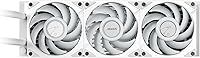
  • Radiator Size: The cooler uses a 360mm radiator, providing enough surface area to dissipate heat from high-TDP desktop processors effectively.
  • Fan Configuration: Three 120mm ARGB PWM fans are included, each capable of spinning up to 2200 RPM to balance airflow and acoustic output.
  • Noise Level: Rated at 36.9 dB under typical operating conditions, though real-world noise at maximum fan speed will exceed this figure.
  • Pump Speed: The pump supports a maximum rotational speed of 5200 RPM, ensuring consistent coolant circulation even under sustained thermal load.
  • Power Connector: Both the pump and fans use standard 4-pin PWM connectors, making them compatible with virtually any desktop motherboard brand.
  • Voltage & Wattage: The unit operates at 12V and draws 7.5W total, keeping power consumption minimal relative to its cooling capacity.
  • Pump Head Display: An integrated LCD display on the pump head rotates up to 330 degrees, allowing orientation adjustments to suit different case layouts.
  • Wiring System: The EZ-Chain slide-in interlocking mechanism allows fans to be daisy-chained together, reducing the number of individual cables routed to the motherboard.
  • Intel Compatibility: Natively supports Intel LGA1851, LGA1700, LGA1200, and LGA115x CPU sockets without requiring additional mounting adapters.
  • AMD Compatibility: Compatible with AMD AM5 and AM4 sockets, covering Ryzen 7000-series and several prior-generation AMD desktop platforms.
  • Cooling Method: Closed-loop all-in-one liquid cooling; the system is sealed at the factory and does not require user maintenance or fluid top-ups.
  • Product Weight: The complete unit weighs approximately 6.61 pounds, so careful handling during installation is recommended to avoid socket stress.
  • Product Dimensions: Overall package dimensions measure approximately 18.11 x 5.51 x 8.07 inches, which reflects the full boxed size including radiator and tubing.
  • RGB Ecosystem: ARGB lighting on the fans and pump head integrates with GIGABYTE RGB Fusion software, and is also controllable via compatible third-party motherboard RGB headers.
  • Compatible Devices: Designed exclusively for desktop PC builds; it is not compatible with laptops, workstation sleds, or any non-standard form factor systems.
  • Manufacturer: Designed and manufactured by GIGABYTE under the AORUS enthusiast sub-brand, which focuses on gaming and high-performance PC hardware.

Related Reviews

Gigabyte AORUS WATERFORCE X 360 AIO Liquid CPU Cooler
86%
91%
Cooling Performance
89%
Noise Level
74%
Ease of Installation
87%
Aesthetic Customization
84%
Display Functionality
More
Lian Li Hydroshift II-C 360TL
87%
96%
Aesthetic & Design
88%
Installation Ease
93%
Cooling Performance
91%
Screen Quality & Customization
97%
Cable Management
More
Cooler Master MasterLiquid Atmos 360 AIO Cooler
83%
88%
Thermal Performance
91%
Noise Level
83%
Build Quality
87%
Installation Experience
84%
RGB & Lighting Quality
More
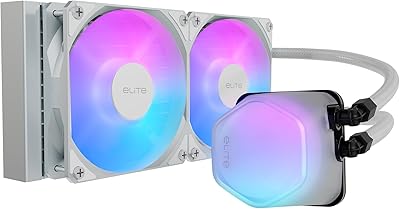
Cooler Master 240 Elite Liquid White CPU Liquid Cooler
85%
91%
Cooling Performance
84%
Noise Levels
92%
Ease of Installation
89%
Build Quality
88%
aRGB Lighting Effect
More
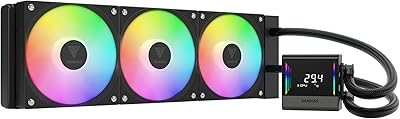
GAMDIAS CHIONE E4-360 Liquid CPU Cooler
86%
88%
Cooling Performance
92%
Noise Level
90%
Installation Ease
85%
RGB Customization
87%
Build Quality
More
Corsair Nautilus 360 RS ARGB 360mm AIO
88%
88%
Thermal Performance
91%
Noise Level
93%
Installation Experience
92%
Cable Management
87%
Pump Quality & Reliability
More
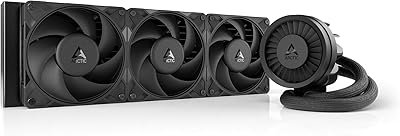
ARCTIC Liquid Freezer III Pro 360
86%
93%
Thermal Performance
88%
Noise Level
91%
VRM Cooling
89%
Build Quality
94%
Value for Money
More
ASUS ROG RYUO III 360 ARGB AIO Liquid CPU Cooler
87%
94%
Cooling Performance
91%
RGB Customization
75%
Installation Ease
90%
Build Quality
88%
Noise Level
More
ASUS TUF Gaming LC II 240 ARGB AIO Cooler
80%
76%
Thermal Performance
81%
Noise Levels
74%
Build Quality
88%
Installation Experience
69%
Pump Reliability
More
Lian Li Galahad II Lite 360mm Cooler
82%
83%
Thermal Performance
91%
Build Quality
74%
Noise Level
79%
Installation Experience
88%
Cable Management
More

FAQ

Yes, the AORUS WATERFORCE II 360 Liquid CPU Cooler includes full out-of-the-box support for LGA1851, so no aftermarket mounting kit is needed if you are building on Intel's latest platform.
Basic pump and fan operation will work without any software, but getting full use of the LCD display — including custom images or temperature readouts — does require GIGABYTE's software on a Windows system. If you are running Linux or prefer a software-free setup, the display functionality will be limited.

Absolutely. The fans and pump use standard 4-pin PWM headers, so they will function correctly on any motherboard brand. RGB control outside of GIGABYTE boards will depend on your motherboard's own RGB software, but thermal performance is not affected either way.

The rated noise figure of 36.9 dB applies at moderate fan speeds. When the fans ramp up fully under a demanding workload, the noise is noticeably higher than that spec implies — which is true of most 360mm AIOs. If your PC is on a desk in a quiet room, expect to hear it during peak loads like rendering or stress testing.

It comes fully sealed and pre-filled from the factory. This is a closed-loop system, so there is nothing to fill, bleed, or maintain — just mount it and connect the headers.

It depends on the specific case. Many mid-tower cases support a 360mm radiator in the top or front panel, but you should verify your case's radiator clearance spec before purchasing. Cases rated for a 360mm top or front mount will generally work fine, though fan thickness and RAM height can occasionally create fitment challenges.

EZ-Chain is a slide-in interlocking connector system that links the three fans together so they share a single cable run to the motherboard rather than three separate cables. In practice, most users find it genuinely reduces cable clutter, especially in cases with limited routing space. It is one of the more practical quality-of-life additions on this cooler.

For most users running a high-TDP processor, yes. A 360mm radiator provides meaningfully more thermal headroom than a 240mm unit, which translates to lower sustained temperatures and often quieter operation since the fans do not need to spin as hard to maintain safe temps. If your current cooler is struggling under load, this is a logical step up.

A small number of long-term owners have noted that pump noise can develop after extended use — often described as a faint rattling or whirring that was not present at first install. It is not a widespread issue, but it is worth keeping in mind. If you notice unusual pump sounds developing within a warranty period, contacting GIGABYTE support would be the right move.

It sits competitively in the mid-to-premium tier, with thermal results that are solid but not dramatically ahead of alternatives from Corsair, be quiet!, or Arctic at comparable prices. Where it differentiates is in the LCD display, EZ-Chain wiring, and AORUS aesthetic — if those features align with your build goals, the value proposition holds up well. If you purely want the best temperatures for the money and do not care about display features, there are leaner options worth comparing.

Where to Buy