Overview

The G.SKILL Ripjaws 8GB DDR3 Desktop Memory is a straightforward dual-channel kit built for one specific purpose: keeping older desktop systems running reliably without breaking the bank. DDR3 1333MHz is a mature standard at this point — not cutting-edge, but rock-solid on the platforms it was designed for. The 2x4GB configuration is the real selling point here, since dual-channel operation gives a meaningful bandwidth boost over a single stick on compatible Intel and AMD boards. The brand has earned a solid reputation among PC builders over the years, and this Ripjaws kit reflects that: dependable, no-frills memory that does exactly what it promises.

Features & Benefits

Running at 1333MHz with CL9 timings, this DDR3 memory kit hits the JEDEC standard spec squarely — which means predictable, stable behavior right out of the box. There is no need to fiddle with BIOS settings or manually configure XMP profiles; you install it, and it works. The 1.50V operating voltage keeps thermals in check, and the Ripjaws heat spreader adds a modest layer of passive cooling during longer sessions. At 240-pin DIMM format, it slots into the vast majority of DDR3-era desktop motherboards without a second thought, making it a practical choice for anyone who just needs reliable memory without any fuss.

Best For

This Ripjaws kit makes the most sense for anyone working with hardware that predates DDR4. If you have an older desktop that needs a memory refresh — a home office machine, a family PC used for browsing and light work, or a secondary system that just needs to stay functional — the G.SKILL Ripjaws RAM fits that bill cleanly. IT teams maintaining fleets of older business desktops will find it a cost-effective, plug-and-play solution that requires minimal configuration. First-time builders tackling a legacy platform will also appreciate how little effort goes into getting it up and running. This is not a kit for chasing benchmark scores; it is one for keeping practical systems alive.

User Feedback

Buyers of this DDR3 memory kit are largely satisfied, though the tone skews toward relief rather than excitement. Most report that installation was trouble-free, with the kit recognized immediately by their DDR3 motherboards without any manual tweaking. System stability over extended daily use gets consistent praise. On the flip side, a portion of users acknowledge that 8GB can feel tight by today's standards — even for older machines running modern browsers or light productivity software. A small number ran into initial boot problems, most of which were fixed by reseating the sticks or flashing a BIOS update. Nobody is buying this for peak performance, and honest value is the theme that runs through most reviews.

Pros

  • Drop-in compatibility with a wide range of DDR3 desktop motherboards means installation takes minutes, not troubleshooting sessions.
  • The dual-channel 2x4GB layout delivers noticeably better bandwidth than a single 8GB stick on supported boards.
  • Running at 1.50V keeps temperatures low and reduces stress on older motherboard voltage regulators.
  • This Ripjaws kit requires no manual BIOS tuning — it boots at rated specs automatically on compliant boards.
  • G.SKILL has a long-standing reputation for producing reliable memory, and this kit upholds that track record.
  • The Ripjaws heat spreader provides passive cooling that helps during sustained workloads, even if modestly.
  • CL9 timings are perfectly standard for this speed class, ensuring stable, predictable day-to-day performance.
  • Represents a cost-effective path to extending the usable life of an older desktop without a full system overhaul.

Cons

  • 8GB is a tight ceiling by modern standards, even for basic multitasking on a revived legacy machine.
  • DDR3 is a discontinued standard, so this kit offers zero upgrade path to future platforms.
  • 1333MHz is the slowest commonly available DDR3 speed, leaving some performance on the table compared to 1600MHz kits at similar price points.
  • A small number of users have reported initial boot failures that required reseating or a BIOS update to resolve.
  • The heat spreader adds bulk that can cause clearance issues with large aftermarket CPU coolers in tighter cases.
  • No XMP profile means enthusiasts cannot push beyond stock speeds even if their motherboard technically supports it.
  • The black, gold, and red color scheme may clash with certain build aesthetics, and the look is not adjustable.
  • Buying DDR3 RAM in the current market can mean limited stock and inconsistent availability compared to newer standards.

Ratings

The scores below reflect an AI-driven analysis of verified global buyer reviews for the G.SKILL Ripjaws 8GB DDR3 Desktop Memory, with spam, bot-generated, and incentivized submissions actively filtered out to ensure accuracy. Ratings capture the full spectrum of real ownership experiences — not just what went right, but where this DDR3 memory kit genuinely falls short. The result is a transparent, balanced scorecard built to help you make a confident, informed decision.

Compatibility
91%
Buyers across a wide range of DDR3-era Intel and AMD platforms consistently report that this Ripjaws kit is detected correctly on the first boot without any manual configuration. Whether it is an older H61 board or a Z77 chipset build, the JEDEC-compliant spec makes broad compatibility essentially a given.
A small but notable group of users encountered initial boot failures on less common or older budget motherboards, requiring reseating or a BIOS update to resolve. These cases are the minority, but they add a layer of uncertainty for anyone working with less mainstream hardware.
Installation Ease
88%
The plug-and-play nature of this DDR3 memory kit makes it accessible even to first-time builders with no prior RAM installation experience. Most buyers describe the process as straightforward — open the slots, press down until both clips click, and power on.
Occasional reports of modules not seating fully on the first attempt have caused confusion for newer users who assumed they had installed correctly. The physical effort required to seat DDR3 DIMMs firmly can catch people off guard, particularly in cramped cases.
System Stability
86%
Long-term daily use on older desktops consistently draws positive feedback, with buyers noting that the G.SKILL Ripjaws RAM runs without crashes, freezes, or memory errors over months of continuous operation. For home office and light productivity workloads, it simply stays out of the way.
A handful of users reported intermittent instability during memory-intensive tasks, though most of these cases were traced back to platform-level issues rather than module defects. Stability under sustained heavy loads is adequate rather than exceptional for this speed class.
Value for Money
84%
For the specific audience it targets — people refreshing or repairing DDR3 systems on a budget — this DDR3 memory kit delivers solid returns. Buyers frequently describe the purchase as a sensible, low-risk decision that extends the life of older hardware without overcommitting financially.
At current market pricing, some buyers note that the gap between this kit and faster 1600MHz DDR3 alternatives has narrowed, making the value proposition slightly less clear-cut than it once was. For anyone with a flexible budget, the extra spend on a higher-speed kit may be worth considering.
Performance for Intended Use
79%
21%
Within its intended scope — browsing, document work, media playback, and light multitasking on legacy platforms — the G.SKILL Ripjaws RAM performs reliably and without noticeable lag. The dual-channel configuration does provide a genuine, measurable improvement in memory bandwidth over a single-module setup.
Users who pushed the system into heavier workloads, such as running multiple browser windows alongside background applications, occasionally noticed that 8GB at 1333MHz creates a subtle but real bottleneck. This kit was not designed to handle those scenarios gracefully, and it shows under pressure.
Thermal Management
74%
26%
The Ripjaws-series heat spreader provides a reasonable degree of passive cooling that helps keep module temperatures in check during extended sessions. Buyers running their systems for long periods — editing documents, streaming video, or leaving machines on overnight — generally report no heat-related concerns.
The heat spreader is a functional addition rather than a high-performance thermal solution, and it offers little advantage over bare modules in real-world desktop conditions with adequate case airflow. Users in poorly ventilated cases or compact form factor builds may not benefit meaningfully from it.
Raw Speed & Latency
61%
39%
For the DDR3 platform generation, CL9 timings at 1333MHz represent a stable, dependable baseline that keeps everyday operations smooth without any tuning. Buyers who understand they are working within DDR3 constraints report that the kit performs exactly as expected.
Compared even to other DDR3 options running at 1600MHz or tighter CL8 timings, this kit is demonstrably slower on paper and in benchmarks. Anyone seeking the best performance within the DDR3 ecosystem will find faster kits at marginally higher prices, making this speed tier feel dated.
Overclocking Headroom
38%
62%
For the narrow group of buyers who simply need stable stock operation without any intention to overclock, the absence of overclocking features is entirely irrelevant. The kit does what it is rated to do reliably, and that is the extent of the expectation.
There is no XMP profile and no manufacturer validation for speeds beyond 1333MHz, so enthusiasts looking to squeeze extra performance through manual overclocking will find this kit uncooperative. Most users who tried pushing beyond rated speeds on unlocked boards reported inconsistent results at best.
Capacity Adequacy
63%
37%
For legacy workloads on DDR3 machines — particularly home and office use limited to a handful of applications — 8GB provides enough headroom to avoid constant paging and keeps everyday tasks feeling responsive. It is a reasonable baseline for the platform it targets.
Modern browsing habits alone can push 8GB close to its limits, especially with multiple tabs, extensions, and background processes running simultaneously. Several buyers flagged that 8GB felt noticeably constraining within months of installation, particularly as software overhead has grown since this kit was designed.
Build Quality
83%
The physical construction of each module feels solid, with no flex or creaking in the PCB and a heat spreader that sits securely without rattling. Buyers handling the modules during installation frequently note that they feel like a quality product despite the budget-oriented positioning.
The heat spreader attachment on some units has been reported as slightly asymmetric, which is a cosmetic concern rather than a functional one but can bother buyers with open-side cases. The overall build is adequate and dependable, not exceptional by current memory standards.
Brand Reliability
87%
G.SKILL has built a track record in the enthusiast memory market over many years, and buyers frequently cite that reputation as a meaningful factor in choosing this kit over cheaper no-name alternatives. That confidence tends to be validated by the overall low failure rate reported across user feedback.
While G.SKILL is well-regarded, the Ripjaws line at this tier does not carry the same premium quality assurance signals as the brand's higher-end Trident or Flare series. Buyers unfamiliar with the product lineup may overestimate the performance ceiling based on brand reputation alone.
Aesthetic Design
71%
29%
The black, gold, and red Ripjaws heat spreader has a distinctive look that stands out compared to plain green PCB modules, and buyers with open-side cases often appreciate the visual upgrade it represents over bare sticks. The design is cohesive and clearly part of a deliberate product family.
The color scheme is fixed and may clash with builds that use a blue, white, or all-black aesthetic theme. Buyers who prefer a clean, understated look may find the bold Ripjaws styling more of a visual drawback than a benefit.
Long-Term Durability
81%
19%
Reports of module failure over extended ownership periods are rare in user feedback, with many buyers describing kits that have been running without issue for several years across multiple system configurations. The modules appear to age gracefully within their rated operating envelope.
As DDR3 becomes increasingly legacy technology, sourcing replacements under warranty or finding compatible pairing modules in the future will grow progressively more difficult. The durability of the kit itself is good, but the long-term ecosystem around it is narrowing.

Suitable for:

The G.SKILL Ripjaws 8GB DDR3 Desktop Memory is a strong fit for anyone whose primary goal is keeping an older desktop system functional without spending more than necessary. If you have a machine built around a DDR3 platform — think Intel Sandy Bridge, Ivy Bridge, or AMD equivalents — and a stick has failed or you simply need more capacity, this kit slots right in without any configuration headaches. Home office users running productivity apps, email, and light web browsing on legacy hardware will find 8GB at this speed more than adequate for their day-to-day workload. IT administrators maintaining fleets of older business desktops will appreciate the reliable compatibility and the fact that the dual-channel setup provides a genuine bandwidth improvement over a single-module approach. First-time builders or hobbyists piecing together a secondary PC from older parts will also benefit from a kit that is genuinely plug-and-play on mainstream DDR3 boards.

Not suitable for:

The G.SKILL Ripjaws 8GB DDR3 Desktop Memory is not the right call if you are building or upgrading a system that supports DDR4 or DDR5 — in that scenario, spending money on DDR3 is simply wasting it on outdated technology. Enthusiasts chasing performance, overclocking headroom, or tight latency numbers for gaming or content creation should look elsewhere entirely; this kit runs at JEDEC baseline specs with no overclocking support to speak of. Power users who regularly run multiple browser tabs alongside video editing software, virtual machines, or modern AAA games will find 8GB increasingly limiting, even on older platforms. Anyone hoping for a long-term investment in memory that can carry over to a future system upgrade will also be disappointed, since DDR3 is a dead-end standard with no cross-generational compatibility. If your workload has grown beyond basic tasks, this DDR3 memory kit is likely to become a bottleneck sooner than you would want.

Specifications

  • Total Capacity: This kit provides 8GB of total memory, split across two 4GB modules designed to operate together in a dual-channel configuration.
  • Memory Type: Uses DDR3 SDRAM technology, a standard widely supported by desktop motherboards produced between approximately 2007 and 2015.
  • Memory Speed: Operates at 1333MHz, also designated as PC3-10666, reflecting a peak theoretical bandwidth of 10,666 MB/s.
  • Latency Timings: Factory-set CAS latency timings are CL9-9-9-24, representing standard JEDEC-compliant performance for this speed class.
  • Operating Voltage: Runs at 1.50V, which is the official JEDEC specification voltage for DDR3 and is broadly safe for all compatible DDR3 platforms.
  • Form Factor: Uses the 240-pin DIMM physical format, the standard connector type for DDR3 desktop memory modules.
  • Configuration: Ships as a matched dual-channel kit containing two identical 4GB modules intended to be installed in paired memory slots.
  • Platform Support: Compatible exclusively with desktop motherboards featuring DDR3 DIMM slots; not compatible with laptops, servers, or DDR4/DDR5 systems.
  • Heat Spreader: Each module includes a Ripjaws-series aluminum heat spreader that assists with passive thermal dissipation during extended operation.
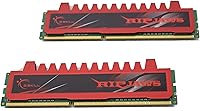
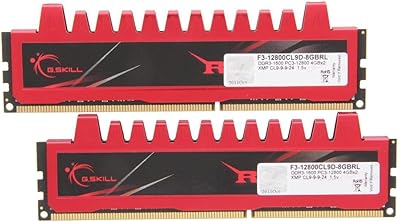
  • Color Scheme: The heat spreader features a combination of black, gold, and red coloring consistent with the Ripjaws series aesthetic.
  • JEDEC Compliance: Fully compliant with JEDEC DDR3 standards, ensuring automatic detection and configuration at rated speeds without manual BIOS intervention.
  • Model Number: The official manufacturer model number is F3-10666CL9D-8GBRL, which can be used to verify exact compatibility with motherboard QVLs.
  • Series: Part of G.SKILL's Ripjaws lineup, which has historically targeted reliable everyday performance rather than extreme overclocking use cases.
  • Manufacturer: Produced by G.SKILL International Enterprise Co., a Taiwan-based memory manufacturer with a strong reputation among PC enthusiast communities.
  • Release Date: This product was first made available in September 2010, reflecting its design around the DDR3 platform generation of that era.
  • Module Count: The package contains exactly two memory modules; no additional modules are included or required for dual-channel operation on a two-slot board.
  • ECC Support: These modules are non-ECC, meaning they do not include error-correcting code functionality and are not intended for workstation or server applications.
  • XMP Support: No XMP profile is included, so the modules will only operate at the rated 1333MHz and cannot be overclocked through XMP settings.

Related Reviews
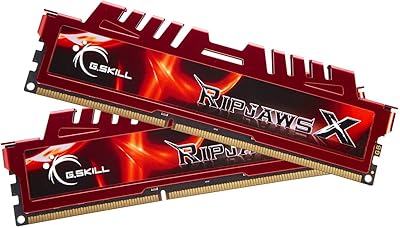
G.SKILL Ripjaws 8GB DDR3 1600 Desktop Memory
81%
94%
Ease of Installation
91%
Compatibility
88%
Value for Money
89%
Reliability & Longevity
82%
Dual-Channel Performance
More
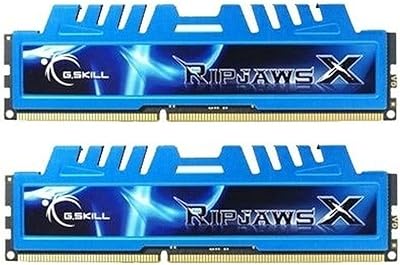
G.SKILL RipjawsX Series 16GB (2 x 8GB) DDR3 1866MHz Desktop Memory
88%
90%
Performance
88%
Ease of Installation
94%
Compatibility with Desktops
91%
Speed and Responsiveness
86%
Overclocking Support (XMP)
More
G.SKILL RipjawsX 8GB DDR3 2133MHz Desktop RAM
79%
91%
Out-of-Box Stability
67%
Compatibility Range
83%
Memory Speed Performance
78%
Latency & Timing Quality
89%
Long-Term Durability
More
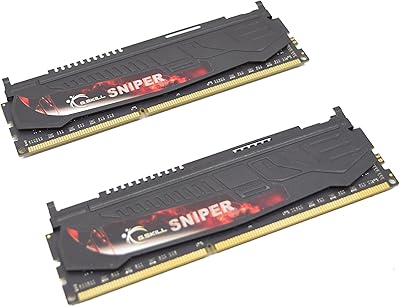
G.Skill Sniper 1866-919 8GB (2 x 4GB) DDR3 Memory Kit
86%
91%
Performance
88%
Ease of Installation
87%
Energy Efficiency
89%
Build Quality
75%
Compatibility
More
PNY Performance 8GB DDR3 Desktop RAM
76%
88%
Compatibility
93%
Ease of Installation
86%
Value for Money
79%
System Performance Impact
84%
Long-Term Reliability
More
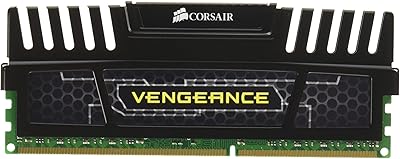
Corsair Vengeance 8GB DDR3 Desktop RAM
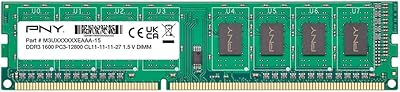
76%
91%
Installation Ease
93%
Reliability & Longevity
83%
Value for Money
44%
Platform Longevity
63%
XMP Configuration
More
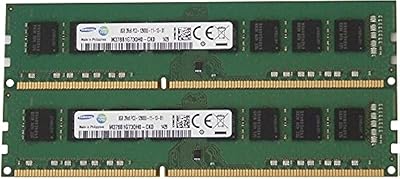
Samsung 16GB DDR3 PC3-12800 Desktop Memory Kit
80%
88%
Compatibility
93%
Installation Ease
91%
Stability & Reliability
78%
Performance Uplift
74%
Value for Money
More
G.SKILL Ripjaws DDR5 SO-DIMM 32GB Laptop RAM
81%
78%
System Compatibility
88%
Installation Experience
83%
Performance Uplift
91%
Stability & Reliability
74%
XMP Profile Usability
More
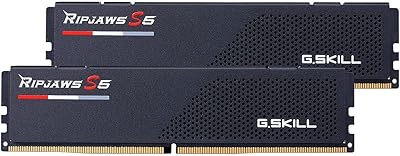
G.SKILL Ripjaws S5 48GB DDR5 Desktop RAM
83%
91%
Performance & Speed
74%
Compatibility
83%
Value for Money
79%
Ease of Setup
93%
Stability & Reliability
More
Transcend JM3200HLB-8G 8GB DDR4 Desktop RAM
74%
91%
Value for Money
88%
Compatibility
86%
Installation Ease
74%
Memory Speed
61%
Latency Performance
More

FAQ

Almost certainly yes. Sandy Bridge and Ivy Bridge Intel platforms are among the most common use cases for this type of kit, and DDR3 1333MHz is right in the native supported speed range for those chipsets. Just double-check your motherboard manual to confirm it has two DDR3 DIMM slots available and supports the 1333MHz speed natively.

In most cases, no. This DDR3 memory kit is JEDEC-compliant, which means your motherboard should detect it automatically and run it at 1333MHz without any manual configuration. If your BIOS defaults to a lower speed for some reason, you can manually set it to 1333MHz in the memory settings, but that is relatively uncommon.

You can, but you will lose the dual-channel benefit, which accounts for a meaningful portion of the memory bandwidth improvement this kit offers. For best performance, always install both modules in the correct paired slots as indicated in your motherboard manual — usually slots two and four on a four-slot board.

Yes, as long as the AMD motherboard uses DDR3 DIMM slots. Platforms like AM3, AM3+, and FM2 are all good candidates. Just verify your specific board supports 1333MHz DDR3 and check the manufacturer's memory compatibility list if you want to be certain before purchasing.

Technically it may work, but it is generally not recommended. Mixing different modules can cause instability or prevent dual-channel operation, and there is no guarantee the speeds and timings will be compatible. For reliable results, it is better to replace your existing RAM entirely and use both modules from this Ripjaws kit together.

Possibly, depending on your cooler. The Ripjaws heat spreader does add a bit of height to each module, and some large tower coolers with wide bases can hang over the first memory slot on certain motherboards. Measure the clearance near your RAM slots before assuming everything will fit comfortably.

Start by reseating both modules firmly — DDR3 sticks require a satisfying click from both retention clips to confirm proper seating. If that does not resolve it, try booting with just one stick at a time to isolate whether one module might be the issue. In some cases, flashing your motherboard BIOS to the latest version improves compatibility with newer memory batches.

For typical tasks like web browsing, email, office applications, and media playback, 8GB is generally workable on a DDR3 platform. That said, modern browsers are increasingly memory-hungry, so if you tend to keep many tabs open simultaneously alongside other applications, you may occasionally notice slowdowns. It is a reasonable baseline, not a generous ceiling.

No. This DDR3 memory kit runs at the JEDEC-standard 1333MHz with no XMP profile included, so there is no built-in overclocking preset. Some enthusiasts with unlocked motherboards have had success pushing DDR3 modules manually, but this kit is not marketed or validated for that use case and results would be entirely at your own risk.

The most reliable method is to look up your motherboard's QVL — short for Qualified Vendor List — on the manufacturer's support page. Search for the model number F3-10666CL9D-8GBRL and see if it appears on the list. If it does, you are covered. If your board is not listed, DDR3 1333MHz is generally interoperable enough that it will likely work, but the QVL gives you the strongest guarantee.