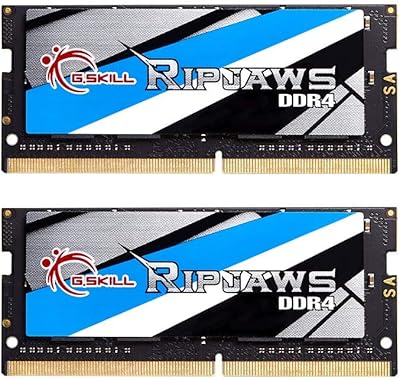
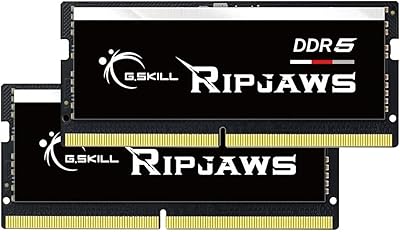
Overview

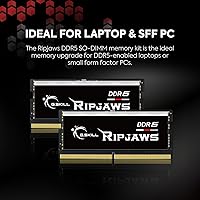
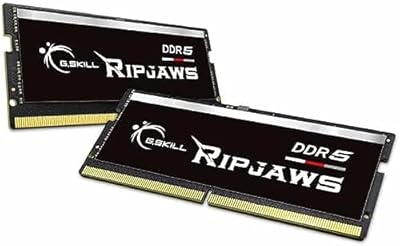
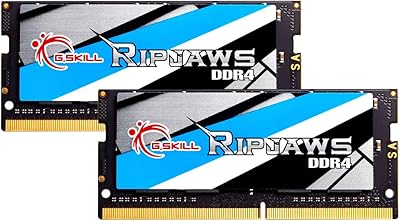
The G.SKILL Ripjaws DDR5 SO-DIMM 32GB Laptop RAM represents a meaningful step up for anyone still running DDR4 in their notebook. G.SKILL has built a solid reputation over the years — not just with overclockers chasing records, but with everyday users who simply want reliable hardware that works. This kit ships as two matched 16GB modules, which means you get the full benefit of dual-channel operation right out of the box — a real difference when you are juggling browser tabs, editing files, and running background processes simultaneously. The SO-DIMM form factor is the standard for laptop memory slots, so installation is about as involved as it gets in the laptop upgrade world. DDR5 is the newer generation, and getting in now means your machine is better positioned for software demands a couple of years down the road.

Features & Benefits

Running at 4800 megatransfers per second with CL34 latency timings, this DDR5 SO-DIMM kit hits a speed point that feels responsive in daily use without demanding premium pricing for headroom most laptop users will never fully exploit. Latency, in plain terms, is how quickly the memory responds to a request — CL34 at DDR5 speeds is competitive and well-balanced. For Intel laptop owners, XMP 3.0 support lets the system auto-configure to the rated speed with a single BIOS toggle, removing guesswork from setup. AMD users should note that XMP is Intel's standard; EXPO-compatible profiles are not included here. At 1.10 volts, this kit runs cooler and draws less power than typical DDR4 modules, which matters in a laptop where thermal headroom is always tight. Both sticks must be installed together to unlock dual-channel bandwidth.

Best For

The Ripjaws DDR5 laptop memory hits a practical sweet spot for users jumping from 16GB who need more breathing room for intensive tasks. If you edit video, work in 3D software, or routinely push your machine with a browser full of tabs alongside Slack, Zoom, and a code editor all running at once, the difference 32GB makes is tangible. Students and professionals running virtual machines will especially appreciate the added headroom. This kit suits Intel 12th and 13th Gen laptop platforms particularly well, given the XMP 3.0 compatibility. It is also a solid choice for mini-PC and NUC builds that rely on SO-DIMM slots — a use case many buyers overlook. If you want straightforward DDR5 performance without paying extra for speed tiers or lighting effects you will never see inside a laptop chassis, this G.SKILL upgrade kit makes a genuinely practical case for itself.

User Feedback

With a rating sitting well above average across hundreds of verified purchases, buyers consistently point to plug-and-play reliability as the standout quality — most report the kit was detected and running at rated speed without any fuss. That said, some reviewers have flagged compatibility issues on specific laptop models, particularly where a BIOS update was required before the memory would post correctly, so checking G.SKILL's compatibility list before buying is genuinely worth the few minutes it takes. A recurring caution from both G.SKILL and actual owners: do not mix kits. Adding a stick from another brand or a different speed tier has caused instability for several buyers. AMD laptop users have noted the kit runs fine at JEDEC speeds but without the auto-tuning that XMP delivers on Intel platforms, which is worth keeping in mind before purchase.

Pros

  • Ships as a matched dual-channel pair, so you get full bandwidth performance right out of the box.
  • DDR5-4800 speed is a solid generational jump from DDR4, with noticeably better throughput for memory-intensive tasks.
  • Lower 1.10V operating voltage means less heat generated inside an already thermally constrained laptop chassis.
  • XMP 3.0 support makes speed configuration effortless on compatible Intel laptops — one BIOS toggle and you are done.
  • G.SKILL has a strong track record for memory quality and long-term stability across a wide range of systems.
  • The 32GB total capacity comfortably handles virtual machines, heavy multitasking, and creative workloads without compromise.
  • Standard 262-pin SO-DIMM form factor fits the same slot found in most modern upgradeable laptops and mini-PCs.
  • Rated highly by a large pool of verified buyers, with stability and plug-and-play compatibility cited most frequently.
  • No unnecessary extras like RGB lighting inflate the cost, keeping this a practical purchase focused on performance.

Cons

  • No AMD EXPO profile included, so AMD laptop owners cannot auto-tune to rated speeds the way Intel users can.
  • DDR5 SO-DIMM compatibility is not universal — some laptops have soldered RAM that cannot be swapped at all.
  • A BIOS update may be required on certain laptops before the kit is recognized correctly, adding an extra setup step.
  • Mixing this kit with a module from another brand or speed tier can cause system instability, limiting future expansion flexibility.
  • The 4800 MT/s speed, while solid, sits at the lower end of the DDR5 spectrum — faster kits exist for those who want headroom.
  • No ECC support means it is unsuitable for use cases where memory error correction is a hard requirement.
  • At 32GB total, it may feel limiting several years out for users in extremely memory-heavy professional environments.
  • Real-world performance gains depend heavily on the rest of the system — a CPU or storage bottleneck will cap what the RAM upgrade delivers.

Ratings

The scores below reflect an AI-driven analysis of verified global buyer reviews for the G.SKILL Ripjaws DDR5 SO-DIMM 32GB Laptop RAM, with spam, incentivized, and bot-generated submissions actively filtered out before any scoring was applied. Every category was evaluated against real-world usage patterns reported by confirmed purchasers, not just specification claims. Both the strengths that make this kit stand out and the friction points that have frustrated certain buyers are represented transparently.

System Compatibility
78%
22%
On Intel 12th and 13th Gen DDR5 laptops, the vast majority of buyers reported the kit was recognized immediately with no intervention required. A significant portion of reviewers mentioned it worked flawlessly as a drop-in upgrade on popular business and creator laptops from major brands.
Compatibility is not a given across the board — a recurring theme in lower-rated reviews involves buyers who did not verify DDR5 support on their specific model before purchasing. AMD platform users in particular have flagged that the absence of an EXPO profile creates an extra configuration hurdle.
Installation Experience
88%
Most buyers described the physical installation as genuinely straightforward — seat the sticks, close the panel, power on. Reviewers upgrading laptops with accessible SO-DIMM slots consistently praised how little time the swap took, often completing the whole process in under ten minutes.
A meaningful subset of reviewers needed a BIOS update before the kit would post correctly, which added unexpected complexity to what they expected to be a simple upgrade. A few buyers also found their laptop chassis harder to open than anticipated, though that is a laptop design issue rather than a memory kit problem.
Performance Uplift
83%
Buyers coming from 16GB setups consistently described the jump to 32GB as the single most impactful upgrade they had made to their laptops. Tasks like switching between a virtual machine and a browser with dozens of tabs open became noticeably less sluggish, and several video editors reported shorter project load times.
A portion of reviewers noted that users without memory-intensive workloads may struggle to feel any difference in everyday tasks like browsing and streaming. The kit's performance gains are real but workload-dependent, and buyers expecting a wholesale speed transformation of an aging system are often left underwhelmed.
Stability & Reliability
91%
Long-term stability was one of the most frequently cited strengths across the review pool. Buyers running the kit for six months or more under sustained workloads — including overnight rendering jobs and extended virtual machine sessions — reported zero crashes or memory errors attributable to this kit.
The small number of stability complaints that do appear in reviews are almost universally traced back to users who mixed these sticks with modules from a different kit or brand. When installed as a matched pair in a compatible system, failure reports are genuinely rare.
XMP Profile Usability
74%
26%
Intel laptop owners praised how the XMP 3.0 profile simplified getting the kit to run at its rated speed — a single BIOS toggle handled what used to require manual timing adjustments. Reviewers with less technical backgrounds specifically appreciated not having to understand memory timings to get the performance they paid for.
AMD laptop owners are at a clear disadvantage here, as XMP 3.0 is an Intel-exclusive feature and this kit ships with no EXPO profile. Several AMD-platform reviewers expressed frustration that they were left to configure memory speeds manually or accept JEDEC defaults, which felt like a gap in G.SKILL's offering.
Value for Money
86%
At its price point, buyers consistently described this kit as hitting a fair balance between brand credibility and cost. Reviewers who had previously looked at higher-speed DDR5 kits found that 4800 MT/s covers real-world laptop needs without the premium associated with flagship-tier memory.
A minority of reviewers pointed out that competing generic or house-brand DDR5 SO-DIMM kits can be found for meaningfully less. For buyers purely chasing the lowest cost per gigabyte, the G.SKILL name adds a small price premium that not everyone feels is justified.
Dual-Channel Benefit
82%
18%
Buyers who understood the importance of dual-channel configuration and installed both sticks together reported noticeably better throughput compared to systems running a single stick. Those using integrated graphics — which pulls from system RAM — saw the most tangible gains in graphics-adjacent tasks like light gaming and display rendering.
A handful of reviewers admitted they initially installed only one of the two sticks, not realizing the matched-pair design was intentional. While G.SKILL's packaging makes this clear, it is a point of confusion that leads some buyers to underutilize what they purchased.
Thermal Impact
84%
The 1.10V operating voltage earned subtle but genuine praise from buyers who monitor their laptop temperatures. Several users noted that their thermal profile remained stable after the upgrade, with no increase in fan noise or surface heat — a meaningful concern for thin-and-light laptop owners.
Memory modules generate very little heat relative to a CPU or GPU, so the low-voltage advantage is not something most buyers will directly notice or measure. This benefit is more meaningful on paper and in sustained workloads than it is as a day-to-day felt improvement.
Brand Trust & Reputation
89%
G.SKILL's standing in the memory market gave many buyers peace of mind when choosing this kit over lesser-known alternatives. Reviewers familiar with the brand from desktop builds expressed confidence in applying that same trust to a laptop upgrade, and the lifetime warranty reinforced that confidence.
A small number of buyers noted that G.SKILL's primary reputation is built on desktop enthusiast products, and some felt the laptop SO-DIMM lineup received less attention in terms of platform-specific optimization — particularly for AMD systems — compared to the brand's desktop offerings.
Packaging & Presentation
77%
23%
Reviewers appreciated that the kit arrived well-protected and clearly labeled, with both modules secured against static and physical damage during shipping. The no-frills packaging approach aligned with buyers who prioritized function over aesthetics.
A few buyers accustomed to higher-end kit packaging felt the unboxing experience was utilitarian to the point of being unremarkable. For a premium brand, some felt the presentation did not quite match the price point, though this is a cosmetic observation with no bearing on performance.
AMD Platform Performance
63%
37%
On AMD DDR5 laptop platforms, this kit runs stably at JEDEC default speeds, and buyers who primarily needed the capacity increase — rather than speed tuning — reported no significant issues with day-to-day use. The modules functioned reliably as a pure 32GB capacity upgrade on Ryzen DDR5 systems.
Without an AMD EXPO profile, the kit cannot auto-configure to its rated 4800 MT/s speed on AMD systems the way XMP handles it on Intel. This is a genuine product gap, and AMD laptop users willing to invest the same money can find DDR5 kits that include EXPO profiles specifically for their platform.
Upgrade Longevity
81%
19%
Buyers who think in terms of system longevity viewed this as a forward-looking investment — DDR5 is the current and next-generation standard, and 32GB provides enough headroom to stay relevant as software demands continue to grow over a typical laptop lifespan.
DDR5 speeds are evolving quickly, and 4800 MT/s is already toward the entry level of the DDR5 spectrum. Buyers who plan to keep their laptop for many years and anticipate increasingly demanding software may find that a slightly faster kit would have served them better over the long run.
Documentation & Support
72%
28%
G.SKILL's online QVL and RAM Configurator tool received praise from technically inclined buyers who used them to verify compatibility before purchasing. The existence of that resource gave buyers more confidence than they would have had with a brand offering no compatibility guidance at all.
Reviewers with less technical experience noted that the compatibility resources require a fair amount of navigation to use effectively, and in-box documentation offers little beyond a basic warning about not mixing kits. A more guided setup experience would reduce the friction that trips up less experienced buyers.

Suitable for:

The G.SKILL Ripjaws DDR5 SO-DIMM 32GB Laptop RAM is a well-matched upgrade for anyone who has hit the ceiling of what 16GB can handle in their day-to-day workflow. Creative professionals who work with video timelines, large Photoshop or Lightroom catalogs, or 3D rendering software will feel the difference most directly — these tasks eat RAM quickly, and having 32GB means the system stops leaning on virtual memory as a crutch. Students and professionals juggling virtual machines alongside their regular workload will also find this a practical investment, since VMs have a way of consuming available memory faster than almost anything else. It fits particularly well into Intel 12th and 13th Gen laptops that support DDR5 natively, where the XMP 3.0 profile can be enabled with minimal effort. Mini-PC builders and NUC enthusiasts who need SO-DIMM modules rather than full-size DIMMs will find this kit covers their needs at a sensible price point without forcing them to pay for features a compact build cannot use anyway.

Not suitable for:

The G.SKILL Ripjaws DDR5 SO-DIMM 32GB Laptop RAM is simply not compatible with the majority of older laptops still in circulation — if your machine runs DDR4 or earlier, this kit is a non-starter regardless of how attractive the specs look. Many mid-range laptops, even relatively recent ones, ship with soldered memory that cannot be upgraded at all, so confirming your laptop actually has accessible, upgradeable SO-DIMM slots is a necessary first step before any purchase. AMD platform users should go in with measured expectations: this kit runs fine at standard JEDEC speeds on AMD laptops, but it does not include an EXPO profile, meaning the automatic speed optimization that Intel users get via XMP is not available. Anyone hoping this upgrade alone will transform a sluggish machine should also recalibrate their expectations — if the bottleneck is an aging processor or a slow mechanical hard drive, adding RAM will only do so much. Server builders and workstation users requiring ECC error correction should look elsewhere entirely, as this is a consumer-grade, non-ECC module by design.

Specifications

  • Total Capacity: This kit provides 32GB of total memory, split across two 16GB modules designed to work together as a matched pair.
  • Memory Type: Uses DDR5 SDRAM, the fifth generation of double data rate memory, offering improved bandwidth and efficiency over DDR4.
  • Form Factor: SO-DIMM with a 262-pin connector, the standard small-outline format used in laptops, notebooks, and compact mini-PCs.
  • Transfer Speed: Rated at 4800 MT/s (megatransfers per second), representing the base operating speed under the included XMP 3.0 profile.
  • Latency Timings: Operates at CL34-34-34-76, which defines how quickly the memory responds to read and write requests at its rated speed.
  • Operating Voltage: Runs at 1.10 volts, which is lower than typical DDR4 modules and contributes to reduced heat output inside a laptop.
  • Profile Support: Includes both a JEDEC standard default profile for broad compatibility and an Intel XMP 3.0 overclock profile for automated speed tuning.
  • Channel Config: Designed for dual-channel operation when both modules are installed together, which maximizes available memory bandwidth.
  • ECC Support: Non-ECC (no error-correcting code), making it appropriate for consumer laptops and workstations rather than server or mission-critical environments.
  • Buffering: Unbuffered design, which is the standard configuration for consumer-grade laptop memory and ensures broad motherboard compatibility.
  • Module Count: Ships as a kit of two individual 16GB sticks, both of which should be installed simultaneously for correct dual-channel performance.
  • Series: Part of G.SKILL's Ripjaws DDR5 SO-DIMM lineup, a range focused on reliable everyday performance without premium frills like RGB lighting.
  • Model Number: The exact model identifier is F5-4800S3434A16GA2-RS, which can be used to verify compatibility on G.SKILL's official QVL and RAM configurator tool.
  • Package Weight: The complete kit weighs 1.76 ounces, reflecting the compact and lightweight nature of SO-DIMM laptop memory modules.
  • Package Size: Retail packaging measures approximately 5.87 x 4.65 x 0.51 inches, compact enough to ship without unnecessary bulk.
  • Compatible Devices: Designed for use in DDR5-compatible laptops, notebooks, and any compact system that accepts SO-DIMM DDR5 modules.
  • Manufacturer: Made by G.Skill International, a Taiwanese memory and storage manufacturer with a long-standing presence in the enthusiast and consumer memory market.
  • Launch Date: This kit was first made available in May 2022, coinciding with the broader rollout of DDR5-compatible laptop platforms.

Related Reviews

G.SKILL Ripjaws DDR5 SO-DIMM 32GB Laptop RAM
81%
92%
Installation Ease
88%
BIOS Compatibility
87%
Multitasking Performance
86%
Performance at Rated Speed
84%
Value for Money
More
G.SKILL Ripjaws DDR5 16GB SO-DIMM 4800MT/s RAM
86%
92%
Performance
88%
Ease of Installation
90%
Compatibility with Intel XMP
85%
Power Efficiency
91%
Multitasking Capability
More
G.SKILL Ripjaws DDR5 SO-DIMM 16GB 5600MT/s RAM
88%
94%
Performance Boost
88%
Energy Efficiency
91%
Installation Ease
93%
Speed (5600MT/s)
86%
Build Quality
More
G.SKILL Ripjaws DDR4 32GB SO-DIMM Laptop RAM
85%
91%
Installation Experience
88%
Compatibility Range
86%
Dual-Channel Performance
93%
Long-Term Reliability
84%
Value for Money
More
Transcend 32GB DDR5 4800MHz SO-DIMM Laptop RAM
84%
93%
Installation Experience
81%
Compatibility Range
89%
System Stability
78%
Value for Money
74%
Real-World Performance
More
G.SKILL Ripjaws S5 32GB DDR5 RAM
83%
88%
Performance at Rated Speed
91%
Setup & BIOS Activation
86%
Compatibility Breadth
89%
Value for Money
84%
Build & Physical Quality
More
G.SKILL Ripjaws S5 64GB 6000MT/s DDR5 RAM
80%
91%
Stability & Reliability
88%
XMP & EXPO Setup
89%
Performance at Rated Speed
83%
Platform Compatibility
67%
Value for Money
More
G.SKILL Ripjaws DDR5 SO-DIMM 64GB Laptop RAM
83%
91%
Installation Experience
93%
System Stability
72%
Compatibility Range
84%
Performance at Rated Speed
88%
Build Quality
More
G.SKILL Ripjaws DDR4 SO-DIMM 16GB Laptop RAM
82%
92%
Installation Ease
89%
Stability & Reliability
86%
Value for Money
77%
Compatibility
74%
Real-World Performance
More
G.SKILL Flare X5 Series DDR5 32GB (2x16GB) 6000MT/s RAM
85%
92%
Performance
89%
Ease of Installation
90%
Compatibility with AMD Systems
91%
Speed (6000MT/s)
85%
Latency (CL32-38-38-96)
More

FAQ

The easiest way is to check your laptop's official spec sheet or the manufacturer's product page — it will list the supported memory type explicitly. As a general rule, Intel 12th Gen (Alder Lake) and 13th Gen (Raptor Lake) mobile platforms were among the first to support DDR5 in laptops, though some models in those lineups shipped with DDR4 instead. If you are unsure, tools like CPU-Z can identify the memory type currently installed in your system.

You can technically install a single 16GB module and it will work, but you would be giving up dual-channel operation, which noticeably reduces memory bandwidth. G.SKILL designs these kits to be used as a matched pair, and running them together is how you get the performance the kit is rated for. Unless your laptop only has one available slot, there is little reason to split the kit.

It will run on compatible AMD DDR5 platforms at the standard JEDEC speed, so basic functionality is fine. The catch is that XMP 3.0 is an Intel-specific feature, and AMD uses its own EXPO standard for memory overclocking profiles — which this kit does not include. You will not be able to auto-tune to the rated 4800 MT/s speed on an AMD system the same way you would on an Intel one, though many AMD laptops will still run the memory at appropriate speeds through their own configuration.

On most Intel DDR5 laptops, you will want to enter the BIOS after installation and enable the XMP 3.0 profile to run the kit at its rated speed — otherwise it may default to a more conservative JEDEC speed. Some laptops handle this automatically, but it is worth checking. A small number of users have also needed to update their BIOS firmware first before the memory was recognized correctly, so it is worth confirming you are on the latest version before swapping the sticks.

This is strongly discouraged. G.SKILL explicitly recommends against mixing memory kits, and real-world user experience backs that up — mixing sticks from different brands, speeds, or kits frequently leads to instability, boot failures, or the system running at reduced speeds. If you are upgrading, the cleanest approach is to replace everything with the matched pair and remove the old memory entirely.

Unfortunately, no. If your laptop's memory is soldered directly to the motherboard, there are no SO-DIMM slots to install aftermarket memory into and the G.SKILL Ripjaws DDR5 SO-DIMM 32GB Laptop RAM — or any SO-DIMM kit — simply cannot be used. This is increasingly common in thin and ultra-compact laptops. You will need to confirm your specific model has accessible, socketed SO-DIMM slots before purchasing any memory upgrade.
For light use — web browsing, email, streaming, word processing — 16GB is genuinely sufficient and you probably will not feel a meaningful difference. Where 32GB starts to earn its place is in heavier workloads: running virtual machines, editing high-resolution video, working in multiple large applications simultaneously, or using memory-hungry developer tools. If you regularly find your system slowing down when you have a lot open, or if Task Manager shows your memory usage consistently above 75%, the upgrade makes a real difference.

G.SKILL covers its memory products with a limited lifetime warranty, which is standard for the brand across its consumer memory lineup. For support, compatibility questions, or warranty claims, G.SKILL's website includes a RAM Configurator and a qualified vendor list (QVL) that can help confirm whether your system is validated for this specific kit.

This depends entirely on your laptop manufacturer and the region you are in. Many brands — including Dell, HP, and Lenovo — explicitly allow user memory upgrades without voiding the system warranty. Others are less clear. It is worth checking your laptop's service manual or the manufacturer's support documentation before opening the chassis. In many countries, consumer protection laws also limit a manufacturer's ability to void a warranty simply because aftermarket RAM was installed.

For most laptops with accessible SO-DIMM slots, the installation process is fairly approachable — you typically remove a bottom panel, locate the memory slots, seat the new sticks at an angle, and press them flat until they click into place. That said, the difficulty varies significantly by laptop model; some have easily accessible panels while others require more disassembly. If you are not comfortable opening your laptop, a local repair shop can usually handle the swap quickly and inexpensively.

Where to Buy