Overview

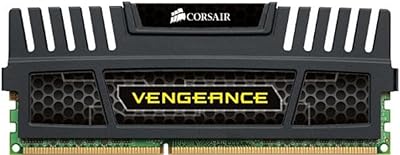
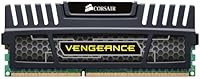
The Corsair Vengeance 8GB DDR3 Desktop RAM is a no-nonsense memory upgrade for desktops that still have plenty of life left in them but are bottlenecked by insufficient RAM. Corsair has built a solid reputation over the years for producing reliable, long-lasting memory, and this module fits that pattern. One thing worth knowing upfront: the stick is rated at 1600MHz, but it ships running at 1333MHz by default — you need to enable the Intel XMP profile in your BIOS to unlock the full speed. If you are running a modern DDR4 or DDR5 platform, this is not the right fit. But for legacy builds, it is a legitimate and well-supported option backed by a lifetime warranty.

Features & Benefits

This DDR3 memory module runs at 1.5V standard voltage, keeping it safely within spec for older Intel and AMD platforms without pushing the memory controller harder than it was designed for. The 240-pin DIMM fits the vast majority of legacy desktop motherboards, and the low-profile heatspreader means even budget tower coolers with wide bases will not cause clearance problems. Because it is a single 8GB stick, you can drop it in solo or pair it with an identical module later to gain dual-channel bandwidth — handy if you want to upgrade in stages. The Intel XMP 1.3 profile makes hitting 1600MHz straightforward once enabled, with CL10 timings that are reasonable for the platform.

Best For

This Vengeance 8GB kit makes the most sense for owners of Sandy Bridge, Ivy Bridge, or AM3+ systems that are stuck at 4GB and noticing the strain during multitasking or light productivity work. It is also a practical pick for anyone building a secondary PC or a home office machine on a tight budget, where DDR3 hardware is still widely available. If a stick has died in an existing rig, this is a clean, like-for-like replacement without requiring a full platform teardown. That said, DDR3 is legacy territory, and if you are building from scratch, a current-generation platform is the smarter long-term investment.

User Feedback

With over 3,900 ratings accumulated over more than a decade on the market, this Corsair Vengeance stick has earned a broadly positive track record. Buyers consistently highlight hassle-free installation and long-term stability — many report running the same stick for five or more years without a single hiccup. The main friction point that comes up repeatedly is the XMP activation: out of the box, the module defaults to 1333MHz, and first-time builders sometimes do not realize they need to enable the profile manually in BIOS settings. A small percentage of buyers received dead-on-arrival units, but those who contacted Corsair support generally found the warranty process straightforward and responsive.

Pros

  • Plug-and-play installation on supported DDR3 boards with virtually no compatibility headaches reported.
  • Lifetime warranty gives real long-term protection and reflects Corsair's confidence in the hardware.
  • Low-profile heatspreader fits easily in tight cases and alongside most tower CPU coolers.
  • Standard 1.5V operation keeps older Intel and AMD memory controllers safely within designed limits.
  • Single-stick format lets you add a matching module later for dual-channel without replacing anything.
  • Intel XMP 1.3 support makes reaching 1600MHz a simple BIOS toggle rather than manual tuning.
  • Over 3,900 long-term owner ratings back up its reputation for consistent, failure-free operation.
  • Corsair warranty replacement process is widely described as smooth and low-friction when needed.
  • Compact physical dimensions make it a non-issue in virtually any desktop form factor.

Cons

  • DDR3 is a legacy standard — this Vengeance 8GB kit has no place in any modern platform build.
  • Ships defaulting to 1333MHz; reaching the rated 1600MHz requires manually enabling XMP in BIOS, which trips up beginners.
  • A single 8GB stick runs in single-channel mode unless paired, leaving bandwidth on the table in compatible boards.
  • DDR3 modules are increasingly harder to source new, and pricing is less competitive than equivalent DDR4 kits.
  • No visual appeal whatsoever — purely functional design with no RGB or premium heatspreader aesthetics.
  • A small but documented rate of dead-on-arrival units means some buyers face the hassle of an immediate return.
  • Performance gains are capped by the older platform itself — do not expect this memory to transform system speed.
  • Not a viable path to more than 8GB without purchasing a second compatible stick, which may be harder to find.

Ratings

Our AI rating engine analyzed verified buyer reviews for the Corsair Vengeance 8GB DDR3 Desktop RAM from global retail sources, actively filtering out incentivized, duplicate, and bot-generated submissions to surface authentic user experiences. The scores below reflect both the genuine strengths this module delivers on its intended DDR3 platform and the real friction points — including the XMP activation gap and DDR3's aging market position — that affect buyers in practice. Nothing has been smoothed over: where user frustration is consistent and widespread, the scores reflect it honestly.

Installation Ease
91%
Dropping this stick into a compatible DDR3 board is about as painless as RAM installation gets. Users consistently report a clean POST on the first try with no BIOS tweaks required at the default 1333MHz speed. For someone who has never upgraded RAM before, the process rarely takes more than ten minutes.
The one catch that regularly trips up less experienced builders is the XMP step — once the stick is installed, it silently defaults to 1333MHz rather than its rated 1600MHz. If you do not know to look for that setting in BIOS, you might never realize the module is running below its ceiling.
Reliability & Longevity
93%
This is where this DDR3 memory module earns its most enthusiastic praise. Owners regularly report running the same stick through years of daily use — through OS reinstalls, power surges, and everything in between — without a single failure. For a legacy upgrade, that kind of track record across thousands of verified reviews is genuinely reassuring.
A small but consistent fraction of buyers receive dead-on-arrival units — an unavoidable reality with any mass-produced component. While the warranty process softens the blow, having to coordinate a replacement on a system that is down for a RAM failure is a frustrating experience that a few buyers mention with notable irritation.
Value for Money
83%
For someone with a working DDR3 desktop that just needs more headroom, the cost of this Vengeance 8GB kit against the alternative of replacing the entire platform makes the math pretty easy. Buyers treating it as a targeted fix to extend a system's useful life consistently report feeling the price was well justified.
DDR3 module prices in the current market are higher relative to equivalent DDR4 capacity than they were a few years ago, simply due to diminishing production volume. Buyers who compare raw cost-per-gigabyte against a modern DDR4 kit often feel the value proposition weakens if their aging platform has broader issues beyond RAM.
Platform Longevity
44%
56%
If your existing DDR3 system is otherwise healthy and meets your computing needs, this module buys meaningful extra time without forcing a full platform investment. For secondary PCs, home servers running light workloads, or machines used strictly for office tasks, DDR3 can remain a perfectly functional choice for the foreseeable future.
DDR3 is a discontinued and increasingly unsupported memory standard with no forward path to modern CPUs or chipsets, and that fundamental limitation weighs heavily on its score here. Investing in this DDR3 memory module rather than saving toward a DDR4 or DDR5 platform upgrade may delay an inevitable transition without addressing the underlying performance ceiling.
XMP Configuration
63%
37%
For anyone who already knows their way around a BIOS menu, enabling the XMP profile is genuinely a one-click operation that takes under a minute. The Intel XMP 1.3 support means there is a validated, tested profile ready to go — no guesswork about timings or voltage, just select and save.
The problem is that a significant portion of buyers — particularly those upgrading for the first time — never discover this step at all, leaving the module permanently underclocked at 1333MHz. Corsair does not include any prominent documentation about this in the box, and many users only learn about it through online forums after the fact.
Build Quality
86%
The heatspreader is well-attached with no reports of it separating from the PCB, and the module itself feels solid in hand — no flex, no cheap plasticky feel. Long-term owners who have been running this Corsair Vengeance stick for four or five years describe the physical condition as unchanged from day one.
There is nothing visually premium about the design — no anodizing, no brushed aluminum finish, and absolutely no RGB lighting for those who care about aesthetics. For windowed cases or builds where component visibility matters to the owner, the plain black heatspreader offers nothing to look at.
Warranty & Support
88%
A lifetime warranty on a memory module is a meaningful commitment, and Corsair's support infrastructure has enough established history that buyers genuinely trust it. The majority of users who needed to invoke the warranty — whether for a DOA unit or a failure years down the line — describe the replacement process as relatively painless.
Warranty claims require proof of purchase and can involve shipping the module back at your own expense depending on the region, which is a minor hassle for a low-cost part. A handful of users report longer-than-expected response times from Corsair support during busy periods, though outright claim denials are rarely mentioned.
Compatibility
77%
23%
On its intended DDR3 platform, this module plays nicely with a wide range of motherboards from both Intel and AMD, covering everything from budget H61 boards to mid-range Z77 chipsets. The standard 1.5V voltage and 240-pin form factor make it a safe choice without needing to cross-reference exhaustive compatibility charts.
The hard ceiling here is that DDR3 compatibility is a closed ecosystem — this module has zero application on any platform released in the last several years. Even within DDR3, some ultra-low-voltage boards requiring 1.35V memory will not play well with this 1.5V module, so a quick spec check of your motherboard is still warranted.
Thermal Management
84%
Running at 1.5V with a low-profile heatspreader, this DDR3 memory module stays cool during normal desktop use without requiring active airflow directed specifically at the RAM slots. Users running it in compact mid-tower cases with modest airflow rarely report heat-related instability, even in systems running the module continuously for years.
The heatspreader is functional rather than high-performance — it dissipates heat adequately under standard loads but provides no meaningful advantage in heavily taxed scenarios. Users pushing the module with sustained memory-intensive workloads in poorly ventilated cases occasionally note temperatures creeping higher than expected, though outright thermal throttling is rarely reported.
Speed Performance
73%
27%
At 1600MHz with CL10 timings, this module delivers what DDR3 is realistically capable of — perfectly adequate for the workloads these older platforms are typically running, from document editing and web browsing to light media work and older games. Upgrading from 4GB is where users feel the biggest real-world difference, not in the frequency number itself.
The raw bandwidth of DDR3 at 1600MHz is a fraction of what even entry-level DDR4 or DDR5 systems deliver today, and benchmarks make that gap obvious. Buyers expecting a dramatic speed transformation after installing this module are regularly disappointed — the platform's CPU and storage subsystem are almost always the bigger bottlenecks.
Dual-Channel Scalability
71%
29%
Buying a single 8GB stick rather than a 2x4GB kit is a smart move for buyers who want to keep costs low now and potentially add a matching stick later to unlock dual-channel bandwidth. The upgrade path is clean as long as an identical or closely matched module is still available when the time comes.
Running a single stick means missing out on the dual-channel memory bandwidth that paired modules enable — a tangible gap in scenarios like video playback or anything with frequent large data reads. As DDR3 modules become harder to source new, finding a matching second stick for this exact configuration may become increasingly difficult over time.
Physical Design
79%
21%
The low-profile form factor is genuinely useful in real-world builds — there are no compatibility headaches with large coolers, and the compact heatspreader does not encroach on adjacent DIMM slots. In a secondary office PC or a home-use workstation where clearance can be tight, this kind of unfussy design is quietly appreciated.
The module has essentially no visual identity — if aesthetics matter to you at all, the generic black heatspreader will feel like an afterthought next to anything with a modern premium finish. There is also no visible orientation indicator once installed, which can make troubleshooting slot assignments mildly confusing for less experienced builders.
Beginner Friendliness
58%
42%
For someone who just needs more RAM without learning anything new, this module does its job quietly at 1333MHz without demanding any configuration at all. If your expectation is simply that your system will have more memory after installation, that expectation is met without any technical friction whatsoever.
The XMP gap — where the module ships at 1333MHz but is rated for 1600MHz — is a recurring point of confusion for beginners who feel mildly misled when they discover their RAM is not running at the advertised speed. The absence of any bundled documentation explaining this BIOS step is a noticeable gap for a product regularly purchased by first-time upgraders.

Suitable for:

The Corsair Vengeance 8GB DDR3 Desktop RAM is a strong fit for anyone trying to squeeze more useful life out of an older desktop rather than replacing it entirely. If you are running a Sandy Bridge, Ivy Bridge, or AM3+ platform that shipped with 4GB and has started struggling under the weight of a modern browser, a handful of open tabs, and background processes, this module is a straightforward and cost-effective remedy. It also makes good sense for budget builders assembling a secondary home PC, a dedicated office machine, or a light-duty media center using secondhand DDR3 hardware. Anyone dealing with a failed or degraded stick in an existing system will appreciate that this is a clean drop-in replacement backed by a lifetime warranty, meaning you are not just buying a part — you are buying some peace of mind. The no-frills, low-profile build also suits cramped cases or systems with bulky coolers where a tall heatspreader would cause problems.

Not suitable for:

If you are building a new desktop from scratch in the current market, the Corsair Vengeance 8GB DDR3 Desktop RAM is simply the wrong generation of hardware for the job. DDR4 and DDR5 are the standards on every current Intel and AMD consumer platform, and no modern motherboard supports DDR3, so compatibility is a hard wall you cannot work around. Power users or gamers running even a mid-range modern CPU will find that the performance ceiling of the older DDR3 platform itself — not the memory — becomes the limiting factor long before RAM capacity does. Those who need more than 8GB for video editing, virtual machines, or heavy multitasking should also look elsewhere, since this is a single-stick kit and DDR3 capacity options are increasingly limited and expensive relative to DDR4 equivalents. Finally, buyers who want memory with RGB lighting or a visually striking heatspreader for a windowed build will find this module entirely utilitarian — it was designed to work reliably, not to be seen.

Specifications

  • Capacity: This module provides 8GB of memory in a single-stick configuration, covering the most common upgrade increment for DDR3 desktops.
  • Memory Type: Uses DDR3 (Double Data Rate 3) technology, which is a legacy standard compatible with Intel LGA1155, LGA1150, and AMD AM3/AM3+ desktop platforms.
  • Rated Speed: The module is rated to operate at 1600MHz when the Intel XMP 1.3 profile is enabled in the system BIOS.
  • SPD Speed: Without XMP enabled, the module defaults to 1333MHz as defined by its Serial Presence Detect (SPD) configuration.
  • Latency: Primary timings at 1600MHz are 10-10-10-27 (CL10), which represent standard performance figures for DDR3 modules at this speed rating.
  • Voltage: Operates at 1.5V, the standard DDR3 voltage that keeps the module safely within the designed operating range for most legacy desktop memory controllers.
  • Pin Count: Features a 240-pin DIMM edge connector, which is the universal standard for desktop DDR3 motherboards.
  • XMP Support: Includes an Intel XMP 1.3 profile that allows the BIOS to automatically configure the module to its 1600MHz rated speed with a single setting change.
  • Form Factor: Standard full-height desktop DIMM form factor, designed exclusively for use in desktop PCs and not compatible with laptop SO-DIMM slots.
  • Dimensions: The module measures 5.98 x 2.99 x 0.63 inches, with a low-profile heatspreader that avoids clearance conflicts with most tower CPU coolers.
  • Weight: The module weighs 0.776 ounces, reflecting its compact, low-profile construction without additional bulk from large heatsink assemblies.
  • Warranty: Covered by Corsair's lifetime limited warranty, which applies to manufacturing defects and is supported by Corsair's direct customer service team.
  • Manufacturer: Designed and sold by Corsair, a memory and PC components manufacturer with over two decades of experience in the consumer and enthusiast segments.
  • Model Number: The official Corsair part number for this module is CMZ8GX3M1A1600C10, which can be used to verify compatibility and register the warranty.
  • Compatible Devices: Designed for use in desktop PCs equipped with DDR3-compatible motherboards; not compatible with laptops, servers using registered ECC memory, or any DDR4 or DDR5 platform.

Related Reviews
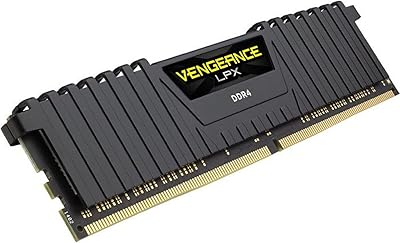
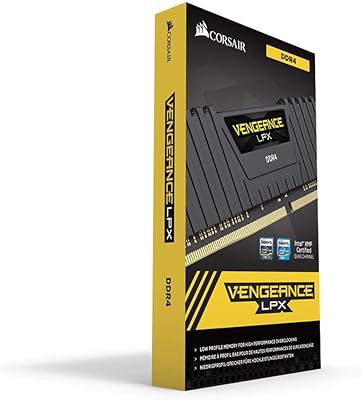
Corsair Vengeance LPX 8GB DDR4 RAM
80%
93%
AMD Ryzen Compatibility
91%
Installation Experience
89%
Low-Profile Clearance
88%
Long-Term Reliability
82%
Value for Money
More
Corsair Vengeance LPX 8GB DDR4 RAM
80%
93%
Installation Experience
91%
Long-Term Reliability
84%
Compatibility Range
88%
Value for Money
86%
Physical Build Quality
More
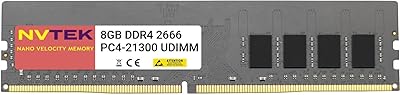
NVTEK 8GB DDR4 2666MHz Desktop RAM
71%
83%
Value for Money
78%
Compatibility
88%
Ease of Installation
71%
Reliability & Stability
74%
Performance at Rated Speed
More
Corsair Vengeance DDR5 32GB (2x16GB) 6800MHz RAM
88%
91%
Overall Performance
94%
Gaming Performance
88%
Ease of Overclocking
89%
Software Integration (iCUE)
92%
Compatibility with Intel Systems
More
A-Tech 16GB DDR3 1600MHz Desktop RAM
79%
93%
Value for Money
88%
Compatibility
91%
Installation Ease
86%
System Stability
82%
Performance Uplift
More
Corsair Vengeance DDR5 64GB 6000MHz Desktop RAM
83%
93%
Performance at Rated Speed
91%
XMP Setup & Ease of Use
94%
Stability & Reliability
67%
Platform Compatibility
62%
Value for Money
More
Corsair Vengeance 4GB DDR3 Desktop Memory
75%
88%
Value for Money
93%
Installation Ease
74%
Compatibility
79%
Everyday Performance
58%
Capacity Adequacy
More
Corsair Vengeance DDR5 32GB (2x16GB) 7200MHz RAM
89%
93%
Performance
94%
Speed and Responsiveness
88%
Ease of Installation
90%
Overclocking Stability
91%
Compatibility with Modern Motherboards
More
A-Tech 32GB DDR3 1600MHz Desktop RAM
78%
91%
Value for Money
74%
Compatibility Range
88%
Installation Experience
89%
System Stability
86%
Thermal Performance
More
Corsair Vengeance SODIMM DDR5 32GB Laptop RAM
80%
93%
Installation Ease
89%
Speed Detection & XMP
84%
Real-World Performance
76%
Platform Compatibility
67%
Latency & Timings
More

FAQ

Yes, provided your board has a standard 240-pin DDR3 DIMM slot, this Corsair Vengeance stick is fully compatible with Sandy Bridge (LGA1155) and Ivy Bridge (LGA1155) platforms. Just check your motherboard manual to confirm the maximum supported speed and number of populated slots before installing.

That is completely normal out of the box. The module ships configured to run at its safe default SPD speed of 1333MHz. To reach the rated 1600MHz, you need to enter your BIOS after installation, find the memory or XMP settings, and enable the Intel XMP 1.3 profile. It is a one-time change and takes about two minutes.

You can absolutely run it as a single stick — it will work fine in solo configuration. That said, if your motherboard supports dual-channel memory and you want to maximize bandwidth, adding a second identical module later will enable dual-channel mode, which can offer a modest performance bump in memory-bandwidth-sensitive tasks.

It depends entirely on what platform you already own. If you have a working DDR3 desktop that just needs more memory, this DDR3 memory module is a sensible and affordable fix. If you are starting a new build from scratch, DDR3 is not the right choice — every current consumer platform from Intel and AMD uses DDR4 or DDR5.

First, reseat the module firmly and try a different slot to rule out a slot issue. If it still does not work, the Corsair Vengeance 8GB DDR3 Desktop RAM is covered by a lifetime warranty, so contact Corsair support directly with your purchase details. Most buyers who have gone through this process report that Corsair handles replacements efficiently.

In most cases, yes. The low-profile heatspreader keeps the module height well within the clearance zone for even wide-base tower coolers. That said, if your cooler overhangs the first DIMM slot significantly, it is worth double-checking the cooler manufacturer's clearance specifications just to be safe.

It works with AMD DDR3 platforms too — specifically AM3 and AM3+ motherboards. The 1.5V operating voltage is compatible with AMD memory controllers of that generation. Note that the XMP profile is an Intel standard, so on AMD boards you would manually set the speed to 1600MHz in BIOS rather than using a one-click XMP toggle.

Mixing RAM brands and speeds is possible, but it comes with caveats. The system will typically default to the speed and timings of the slower module, and mixed kits can occasionally cause instability. If your existing stick is also 1600MHz DDR3 at 1.5V, it often works fine — but for guaranteed stability, running a matched pair from the same product line is always the safer approach.

Corsair rates and warranties this module at 1600MHz, and that is where XMP tops out for this specific kit. Some users have pushed DDR3 modules beyond their rated speed with manual BIOS tuning, but results depend heavily on your specific CPU, motherboard, and memory controller silicon quality. Anything above 1600MHz is outside official spec and not covered by the warranty.

You can register this Vengeance 8GB kit on Corsair's official website using the model number CMZ8GX3M1A1600C10 and your purchase receipt. While registration is not always mandatory to make a warranty claim, it speeds up the process significantly if you ever need a replacement. Corsair's support portal handles both registered and unregistered warranty claims.