Overview

The Samsung 16GB DDR3 PC3-12800 Desktop Memory Kit is exactly what it sounds like: a straightforward, no-nonsense RAM upgrade built for desktops still running on DDR3 platforms. One thing worth being upfront about — this is legacy DDR3 technology, not DDR4 or DDR5. If your motherboard supports DDR4, this won't fit and isn't the right purchase. But if you're working with an older board and want to squeeze more life out of a capable machine, running two matched 8GB sticks in dual-channel mode gives your system noticeably better memory bandwidth than a single 16GB module would. Samsung's long-standing reputation for consistent, reliable ICs makes this a low-risk choice for that kind of upgrade.
Features & Benefits

What this memory upgrade gets right is the fundamentals. Running the two sticks together in dual-channel configuration essentially doubles the memory bus width available to your CPU, which matters most when you're juggling browser tabs, office applications, and background processes at the same time. The 1600MHz speed at PC3-12800 is the most widely supported DDR3 frequency — it runs stable on Intel Sandy Bridge, Ivy Bridge, and AMD AM3+ boards right out of the box, with no BIOS adjustments needed. The bare PCB design without a heatspreader keeps the profile low, which is genuinely useful in compact builds where a large CPU cooler leaves little clearance above the DIMM slots.

Best For

This RAM kit makes the most sense for people who already own a working DDR3-based desktop and want to push it further without replacing the entire system. Think of the person whose aging office PC is crawling under Chrome and spreadsheets, or the IT admin who regularly refurbishes older Dell, HP, or Lenovo towers and needs a reliable, brand-name module they can trust to just work. Home users running Windows 10 on older hardware who need a meaningful performance bump without a major investment will find it equally well-suited. If you're chasing overclocking headroom or building a new system, this isn't aimed at you — but for straightforward DDR3 desktop upgrades, it delivers.

User Feedback

With a 4.6-star average across more than 200 ratings, this Samsung DDR3 kit sits comfortably above average for its category. Buyers consistently highlight hassle-free installation — most describe a true plug-and-play experience with no manual frequency adjustments needed in the BIOS. Long-term reliability also comes up often; users who have been running this memory upgrade for several years report no crashes or degradation. On the downside, a small number of buyers have encountered compatibility hiccups with specific older chipsets, so checking your motherboard's QVL before ordering is a smart step. There is no XMP overclocking profile, which is expected — this kit is engineered for stock-speed stability, not performance tuning.

Pros

  • Running both sticks together in dual-channel mode improves real-world multitasking noticeably over a single module.
  • Samsung ICs have a well-earned reputation for long-term stability — this memory upgrade is not a gamble.
  • Plug-and-play at 1600MHz on most DDR3 boards; no BIOS tweaking required for the vast majority of users.
  • Low-profile bare PCB design clears tight CPU cooler overhangs without any clearance headaches.
  • Widely compatible with the most common DDR3 desktop chipsets from both Intel and AMD.
  • Strong user rating across hundreds of verified buyers reflects consistent real-world satisfaction.
  • Dual-channel configuration delivers better memory bandwidth than upgrading with a single 16GB stick.
  • No bloated packaging or unnecessary extras — you get exactly what you need for a clean RAM swap.
  • Still in production, so sourcing replacements or matching a second kit down the road remains straightforward.

Cons

  • DDR3 is a legacy standard — this RAM kit offers no upgrade path for anyone moving to a modern platform.
  • No XMP or overclocking profile means enthusiasts have zero headroom beyond the stock 1600MHz speed.
  • Older DDR3 motherboards with picky QVL lists may throw compatibility errors that require a BIOS update to resolve.
  • This memory upgrade will not meaningfully rescue a desktop where the CPU or storage is the real bottleneck.
  • No heatspreader means there is nothing to grip during installation — some users find bare sticks harder to handle.
  • DDR3 prices per gigabyte are less competitive than DDR4 kits now, reducing the cost advantage it once had.
  • At 1.5V, it is not compatible with ultra-low-voltage DDR3L slots found on some compact or all-in-one desktops.
  • With no RGB and no aesthetic features, it is a poor fit for anyone building a windowed case showcase system.

Ratings

Our AI rating engine analyzed hundreds of verified global reviews for the Samsung 16GB DDR3 PC3-12800 Desktop Memory Kit, actively filtering out incentivized submissions and bot patterns to surface what real buyers actually experienced. The scores below reflect a balanced picture — genuine strengths and recurring frustrations alike — across every dimension that matters to desktop upgraders shopping this category.

Compatibility
88%
The vast majority of buyers dropped this memory upgrade into their DDR3 desktops and had systems posting without touching a single BIOS setting. Users on Intel H61, Z77, B75, and AMD AM3+ boards consistently reported first-boot success, which is exactly what you want from a RAM kit going into an older workhorse machine.
A small but consistent subset of reviewers hit snags with specific OEM motherboards — certain HP and Dell chipsets proved fussier than expected, requiring BIOS updates before the kit was recognized correctly. Buyers with less common or older budget boards should verify against the QVL before committing.
Installation Ease
93%
Reviewers with zero hardware experience described successfully installing this RAM kit in under five minutes, which speaks to how standardized the 240-pin DDR3 form factor is. The bare PCB design also helped in tighter cases where a bulky heatspreader would have made seating the modules more awkward.
Without a heatspreader there is nothing substantial to grip during insertion, and a handful of users noted the bare stick felt fragile to handle — especially when pushing down firmly to click it into the slot. It is a minor complaint, but first-timers who are already nervous about the process noticed it.
Stability & Reliability
91%
Long-term reviewers — including several who had been running this memory upgrade for two or three years at the time of writing — reported zero system crashes, no memory errors, and no degradation in performance over time. Samsung's DRAM manufacturing reputation holds up here; these chips simply run and keep running.
There is not much to fault on stability under normal operating conditions, but a small number of users who attempted even modest overclocking reported instability, since the modules lack any XMP profile or validated headroom beyond 1600MHz. Running them at stock spec resolves this entirely.
Performance Uplift
78%
22%
Users upgrading from 4GB or single-channel 8GB configurations reported tangible improvements in everyday multitasking — faster Chrome tab switching, smoother simultaneous use of office applications, and noticeably less disk swapping under moderate workloads. For older desktops used in home office or small business settings, the dual-channel jump made a real difference.
This is DDR3 at 1600MHz, and buyers expecting a dramatic performance transformation were occasionally disappointed — particularly those whose bottleneck was the CPU or a spinning hard drive rather than RAM. The gains are real but moderate, and reviewers on demanding workloads like video editing noted the platform itself remained the limiting factor.
Value for Money
74%
26%
For buyers committed to extending the life of a DDR3 desktop, this RAM kit lands at a price point that makes the upgrade financially sensible compared to a full system replacement. The Samsung brand name carries enough trust that most users felt confident they were not gambling on counterfeit or harvested modules.
DDR3 memory commands a price premium now that it is a legacy standard with a smaller production run, and some reviewers noted they could source generic 16GB DDR3 kits cheaper. The Samsung brand adds a modest cost, and for buyers purely chasing the lowest price per gigabyte on DDR3, alternatives exist.
Dual-Channel Effectiveness
83%
Buyers who intentionally tested single-stick versus dual-stick configurations in benchmarks reported meaningful bandwidth increases when running both modules in paired slots, consistent with what the architecture promises. Home users noticed the difference most in tasks that keep many things open at once.
A few buyers did not realize they needed to install the sticks in the correct paired slots — typically slots 1 and 3, or 2 and 4 — to activate dual-channel mode, resulting in single-channel operation until they re-read their motherboard manual. This is a user awareness issue, not a flaw in the kit itself.
Build Quality
86%
The PCB quality feels solid and consistent across both modules, with no reports of bent pins or misaligned components from the bulk of reviewers. Samsung's manufacturing standards are evident in the uniform chip placement and clean soldering that users noted when inspecting the modules before installation.
The absence of a heatspreader leaves the ICs fully exposed, which some buyers found made the modules feel less premium than branded kits with aluminum covers. While it makes no practical difference at these speeds, it is a perception gap that matters to buyers who care about the inside of their case.
Plug-and-Play Simplicity
89%
Nearly every reviewer who installed this memory upgrade on a compatible DDR3 board described the experience as completely effortless — power on, system detects 16GB at 1600MHz, done. There was no memory training delay, no BIOS prompt, and no driver installation required.
The handful of users who encountered issues typically had motherboards with outdated BIOS firmware that misidentified the modules or defaulted to a lower speed. Updating the BIOS resolved these cases, but it added an unexpected step for less experienced users who assumed the upgrade would be entirely hands-off.
Low-Profile Design
81%
19%
Several reviewers upgrading compact micro-ATX or mini-ITX builds specifically called out the low clearance height as a genuine practical benefit — large tower CPU coolers that overhang the first DIMM slot posed no obstruction whatsoever. This is a small detail that matters more than it sounds in cramped cases.
Users who were hoping for an aesthetically distinctive kit — with a sleek heatspreader for a windowed case build — will find the bare PCB look underwhelming. It is purely functional, and for buyers who care about visual presentation inside their desktop, this RAM kit offers nothing on that front.
Brand Trustworthiness
87%
Samsung's status as a top-tier DRAM manufacturer gave a notable number of reviewers the confidence to choose this kit over cheaper generic alternatives, particularly IT professionals buying in small quantities for fleet upgrades. That institutional trust translated into very few buyers reporting suspicions about module authenticity.
Some reviewers felt the Samsung branding added cost without adding a tangible benefit over reputable second-tier brands in the DDR3 space, since legacy RAM at stock speeds does not expose meaningful quality differences under everyday workloads. The premium is modest but real.
Overclocking Headroom
31%
69%
For users who have no interest in overclocking and simply want stable 1600MHz operation — which describes the clear majority of the buyer base here — the lack of XMP support is a complete non-issue. The modules do what they are rated to do, reliably, every time.
Enthusiasts who wanted to push beyond 1600MHz found no official profile to lean on and reported instability when manually dialing in higher frequencies. This is not what the kit is designed for, but buyers coming from higher-end DDR4 kits with XMP profiles may find the absence surprising.
Longevity
92%
Multi-year owners consistently reported the modules running without issue long after purchase, with no signs of degradation, increased error rates, or crashes attributable to the memory. RAM failures are rare in general, but Samsung's manufacturing track record reinforces confidence in the long haul.
Since DDR3 is a legacy standard, the long-term concern is not module failure but platform obsolescence — the desktop these sticks live in will likely be retired before the RAM itself fails. That is not a product flaw, but it is the honest ceiling on the investment's useful life.
Packaging & Presentation
61%
39%
The modules arrive adequately protected in standard antistatic packaging, and most buyers reported both sticks arriving undamaged and ready to install without any handling issues during shipping.
Several reviewers noted the packaging is purely functional with no documentation, installation guide, or warranty card included — a minor but notable omission for less experienced buyers who would have appreciated even a basic compatibility checklist. Premium kit competitors often include at least a small accessory or guide.

Suitable for:

The Samsung 16GB DDR3 PC3-12800 Desktop Memory Kit is the right call for anyone trying to breathe more life into a DDR3-based desktop without throwing money at a full system replacement. If your current machine shipped with 4GB or 8GB of RAM and feels sluggish under everyday workloads — browser tabs, email, spreadsheets, video calls — stepping up to 16GB in a dual-channel configuration is one of the most cost-effective improvements you can make. IT professionals and refurbishers who regularly work on older Dell Optiplex, HP ProDesk, or Lenovo ThinkCentre towers will find this memory upgrade a practical, dependable stock option. Small businesses running older workstations on tight budgets will also get solid value here, particularly where stability and brand reliability matter more than raw speed. If your motherboard is based on Intel Sandy Bridge, Ivy Bridge, or AMD AM3+, this RAM kit slots in cleanly and works without any fuss.

Not suitable for:

Anyone building or upgrading a system with a modern motherboard should stop here — the Samsung 16GB DDR3 PC3-12800 Desktop Memory Kit is physically and electrically incompatible with DDR4 and DDR5 platforms, full stop. If your board was released in the last five or six years, it almost certainly requires DDR4 at minimum, and buying this would be wasted money. Enthusiasts chasing performance headroom should also look elsewhere: there is no XMP profile, no overclocking support, and no meaningful tuning potential beyond its rated 1600MHz speed. Laptop users won't find any use for it either — this is a 240-pin desktop DIMM, not a SO-DIMM. And if your workload involves memory-intensive tasks like video editing, 3D rendering, or large virtual machines, 16GB on an aging DDR3 platform is unlikely to be the bottleneck-solving upgrade you need; at that point, the whole platform is the problem.

Specifications

  • Total Capacity: This kit provides 16GB of total RAM, split across two 8GB modules designed to run together.
  • Memory Type: Uses DDR3 SDRAM technology, which is the standard for desktop platforms released roughly between 2007 and 2015.
  • Clock Speed: Rated at 1600MHz (PC3-12800), which is the most broadly supported DDR3 speed across compatible Intel and AMD chipsets.
  • Form Factor: 240-pin DIMM, the standard physical connector for DDR3 desktop motherboards — not compatible with laptops or DDR4 slots.
  • Configuration: Dual-channel kit consisting of two matched 8GB sticks, intended to be installed together in paired DIMM slots.
  • Operating Voltage: Runs at 1.5V, which is the standard DDR3 voltage; not compatible with DDR3L slots that require 1.35V only.
  • Heatspreader: None — these are bare PCB modules with no attached heatspreader, resulting in a low-profile installation footprint.
  • Manufacturer: Produced by Samsung, one of the largest DRAM manufacturers in the world and a common supplier to major OEM system builders.
  • Compatibility: Designed for desktop PCs with DDR3 motherboards, including systems built on Intel Sandy Bridge, Ivy Bridge, and AMD AM3+ platforms.
  • Module Dimensions: Each module measures approximately 6.77 x 4.33 x 0.71 inches, consistent with a standard full-height DDR3 DIMM.
  • Kit Weight: The complete kit weighs approximately 1.76 ounces, reflecting the lightweight bare-PCB construction of both modules combined.
  • XMP Support: No XMP or overclocking profile is included; the modules are designed strictly for plug-and-play operation at their rated 1600MHz speed.
  • Error Correction: These are standard non-ECC modules, suited for consumer and small business desktop use rather than server or workstation environments requiring ECC.
  • Buffering: Unbuffered (UDIMM) design, which is the correct type for consumer desktop motherboards; not compatible with registered server memory slots.
  • Availability Date: First made available in September 2015 and has remained in continuous production since, with no manufacturer discontinuation as of the time of writing.

Related Reviews
NEMIX RAM 16GB DDR3 1600MHz Desktop Memory Kit
79%
93%
Value for Money
74%
Compatibility
89%
Installation Ease
78%
System Performance Impact
81%
Build & Module Quality
More
NEMIX RAM 32GB (4x8GB) DDR3 1600MHz PC3-12800 Desktop Memory Kit
87%
88%
Performance
95%
Ease of Installation
92%
Energy Efficiency
91%
Value for Money
85%
Compatibility
More
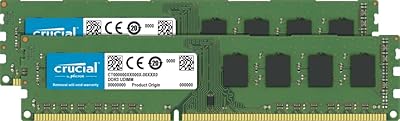
Crucial 16GB DDR3 1600 MHz CL11 Desktop Memory Kit
87%
94%
Performance
91%
Ease of Installation
89%
Compatibility
85%
Energy Efficiency
92%
Reliability
More
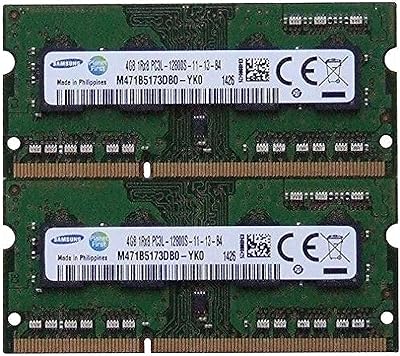
Samsung 8GB DDR3 PC3L-12800 SODIMM RAM
78%
93%
Installation Ease
91%
Brand & Chip Reliability
87%
Value for Money
76%
Performance Impact
62%
Mac Compatibility Range
More
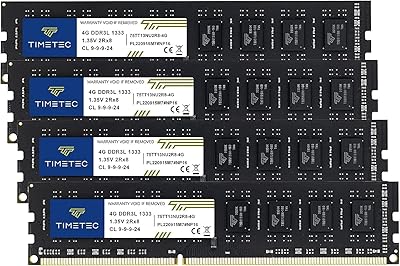
Timetec 16GB DDR3 1333MHz Desktop RAM Kit
83%
93%
Value for Money
88%
Compatibility
91%
Installation Ease
79%
Performance Improvement
84%
Reliability
More
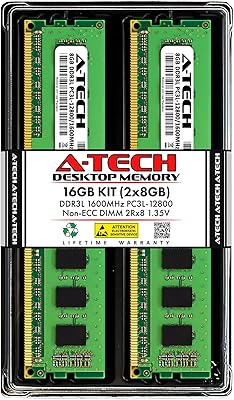
A-Tech 16GB DDR3 1600MHz Desktop RAM
79%
93%
Value for Money
88%
Compatibility
91%
Installation Ease
86%
System Stability
82%
Performance Uplift
More
CMS 16GB DDR3 10600 1333MHz SODIMM Memory Kit
87%
88%
Performance Boost
92%
Ease of Installation
91%
Compatibility with Lenovo T420
90%
Value for Money
85%
System Stability
More
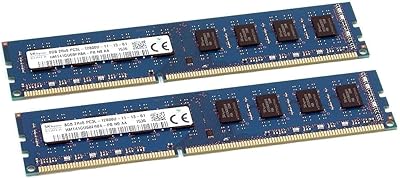
SK Hynix HMT41GU6BFR8A-PB 16GB DDR3 Desktop RAM
85%
88%
Compatibility
91%
Reliability & Stability
93%
Plug-and-Play Setup
84%
Value for Money
87%
Build & IC Quality
More
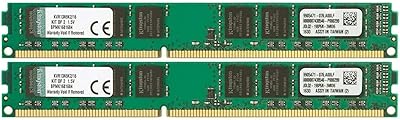
Kingston ValueRAM 16GB DDR3 Desktop Memory Kit
73%
93%
Ease of Installation
89%
System Stability
82%
Compatibility Range
74%
Value for Money
61%
Memory Speed
More
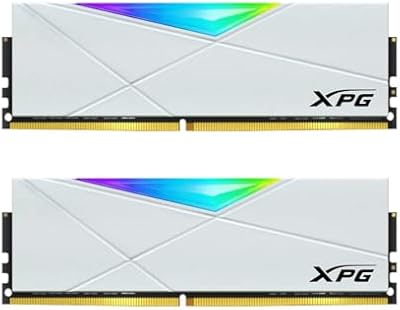
XPG D50 RGB 16GB DDR4 Desktop RAM
85%
88%
Performance at Rated Speed
91%
RGB Lighting Quality
72%
RGB Software Compatibility
93%
XMP Installation & Setup
86%
Motherboard Compatibility
More

FAQ

It depends entirely on whether your motherboard uses DDR3 slots. If your board supports DDR3 at 1600MHz — common on Intel Sandy Bridge, Ivy Bridge, H61, Z77, B75 chipsets, and AMD AM3+ boards — you should be fine. Always cross-reference with your motherboard's QVL (qualified vendor list) if you want to be certain before purchasing.

Yes, technically each 8GB module works independently. However, installing both in the correct paired slots enables dual-channel mode, which gives your system better memory bandwidth than a single stick provides. If you only need 8GB, save the second stick as a spare or sell it — but running both together is the intended and recommended setup.

No, and this is the most important thing to check before buying. DDR3 and DDR4 DIMMs have different pin counts, notch positions, and voltage requirements — they are physically and electrically incompatible. If your motherboard supports DDR4, this kit will not fit and should not be purchased.

For the vast majority of users, no. At 1600MHz, this memory upgrade runs at a speed that most DDR3 motherboards detect and configure automatically on first boot. In rare cases, an older BIOS might default to a lower speed like 1333MHz, in which case you can manually set the XMP or JEDEC profile — but there is no XMP profile here, so you would just enter the speed and timings manually if needed.

If you are coming from 4GB or 8GB of single-channel RAM, the jump to 16GB in dual-channel mode can make a real difference in everyday multitasking — faster tab switching, smoother performance with multiple applications open, and less sluggishness under load. It will not make an old machine feel new, but it removes RAM as the bottleneck for typical office and home use.

Not reliably. This kit runs at 1.5V, which is standard DDR3 voltage. Some DDR3L slots (found in certain compact or all-in-one desktops) require 1.35V and may not accept 1.5V modules safely. Check your system's specifications carefully if you own a compact desktop or an all-in-one — standard tower desktops almost always use 1.5V DDR3.

It works in many older business desktops from those brands, particularly models released between 2011 and 2015. That said, some OEM systems are picky about memory sourcing, and a handful of models only officially certify specific part numbers. Checking your system's service manual or support page for memory upgrade compatibility is a quick way to confirm.

No, these are bare PCB modules with no attached heatspreader. For DDR3 running at stock 1600MHz speeds, that is completely fine — the chips do not generate enough heat to need active or passive cooling under normal use. The benefit is a lower physical profile, which helps in cases where the CPU cooler sits close to the DIMM slots.

RAM is one of the most durable components in a desktop — failures are relatively rare under normal operating conditions. Samsung's memory ICs are widely used in OEM systems precisely because of their proven longevity. Buyers who have been running this RAM kit for several years commonly report zero issues, and there is no reason it should not last the remaining useful life of a compatible desktop system.

It is possible, but generally not recommended. Mixing RAM kits with different speeds, timings, or manufacturers can cause instability, force the system to run at the lowest common speed, or prevent dual-channel mode from activating. The cleanest approach is to remove your existing RAM and run this two-stick kit on its own — that way you get the full dual-channel benefit and avoid compatibility headaches.