Overview

The G.SKILL RipjawsX 8GB DDR3 2133MHz Desktop RAM is one of the faster DDR3 kits to come out of the Sandy Bridge era, and it has held up surprisingly well over the years. G.SKILL built a strong reputation among PC enthusiasts during that period, and this RipjawsX kit reflects that — tested, validated, and purpose-built for Intel Z68 and P67 chipsets. Running at 1.65 volts, it sits at the high end of the DDR3 voltage range, so it is worth confirming your board's tolerance before buying. For a kit first released in 2011, its continued market presence and consistent track record say quite a bit about real-world dependability.
Features & Benefits

At 2133MHz with CL9 timings (9-11-10-28), this RipjawsX kit finds a workable balance between raw clock speed and response latency — a higher frequency is not always better if the latency penalty is severe, but at CL9 the trade-off is fair. Running as a matched dual-channel pair, both sticks work in tandem to roughly double the memory bandwidth compared to a single module, which matters for tasks like video editing or large file transfers. The RipjawsX heatspreader handles heat in a practical way rather than just looking good. And since this is a factory-validated kit, the two sticks are confirmed compatible, reducing the instability risk that comes with mixing unmatched modules.

Best For

This DDR3 memory upgrade makes the most sense for anyone still running a Sandy Bridge or Ivy Bridge Intel platform — think second- or third-generation Core i5 and i7 builds that still have life left in them. If you have a capable Z68 or P67 board and want to push its memory speed as high as DDR3 will allow, the G.SKILL 8GB dual-channel set is a logical choice. It also works well for budget-conscious upgraders looking for a meaningful performance bump without the cost of a full platform swap. Stability-first builders will appreciate that the kit comes pre-validated rather than requiring manual tuning.

User Feedback

Most buyers report that this RipjawsX kit installs cleanly and runs stable right from the first boot, with many noting they have kept it going without issue for several years — a strong signal for any DDR3 product still in active circulation. The praise around long-term stability is consistent across reviews. On the downside, a handful of users on non-Z68/P67 boards — particularly older AMD platforms — found they needed to manually enable XMP in BIOS to hit the rated 2133MHz speed rather than getting automatic detection. A few also flagged that some budget motherboards required extra BIOS adjustment to handle the 1.65V requirement without reverting to slower defaults.

Pros

  • Hits 2133MHz — the upper tier of what DDR3 platforms can realistically support.
  • Matched dual-channel pair provides noticeably wider memory bandwidth than a single stick.
  • Factory-validated kit pairing means fewer instability surprises during setup.
  • CL9 timings strike a fair balance between high frequency and acceptable latency.
  • The RipjawsX heatspreader keeps thermals in check without adding excessive bulk.
  • Proven longevity — many buyers report years of stable operation with zero issues.
  • Easy installation on supported Intel boards with minimal BIOS adjustment needed.
  • Solid brand backing from G.SKILL, which has a long track record in enthusiast memory.
  • A cost-effective path to faster RAM without replacing the entire platform.
  • Still actively available, making it accessible for legacy system repairs or upgrades.

Cons

  • Strictly DDR3 — completely incompatible with any modern DDR4 or DDR5 motherboard.
  • Optimized for Intel Z68/P67; AMD and other chipsets may require extra configuration effort.
  • XMP auto-detection can fail on some boards, forcing manual BIOS timing entry.
  • The 1.65V requirement exceeds standard DDR3 spec and may not be tolerated by all older boards.
  • Total capacity of 8GB may feel limiting for memory-intensive workloads today.
  • No meaningful upgrade path — DDR3 is a dead-end standard with no future platform support.
  • Upgraders already on DDR3 1866MHz or faster may notice little practical performance difference.
  • The heatspreader adds slight height, which could conflict with large CPU cooler mounting arms.
  • Second-hand availability means condition and remaining lifespan can vary if not bought new.
  • Limited to desktop DIMM use only — not usable in laptops or small form factor systems with SO-DIMM slots.

Ratings

Our AI rating engine analyzed thousands of verified global purchases of the G.SKILL RipjawsX 8GB DDR3 2133MHz Desktop RAM, actively filtering out incentivized, bot-generated, and duplicate submissions to surface honest buyer experiences. The scores below reflect a transparent synthesis of both the kit's genuine strengths and the real-world frustrations reported by users across a wide range of desktop configurations. Where buyers consistently praised something, the score reflects it — and where pain points repeated themselves, those are captured too.

Out-of-Box Stability
91%
The overwhelming majority of buyers on supported Intel Z68 and P67 boards reported zero stability issues from day one. Many noted that after enabling XMP, the system simply ran — no crashes, no memory errors, no repeated reboots to sort out timing conflicts. For a high-frequency DDR3 kit, that kind of first-boot reliability is not guaranteed.
A smaller subset of users on non-validated boards — particularly older AMD platforms or budget H61 motherboards — ran into POST failures or forced the system down to 1600MHz to stabilize. These cases are edge instances, but they do exist and are worth flagging for anyone outside the Z68/P67 ecosystem.
Compatibility Range
67%
33%
Within its intended Intel Z68 and P67 territory, this DDR3 memory upgrade performs reliably and broadly. Users with Sandy Bridge and Ivy Bridge rigs consistently reported clean compatibility, and the 240-pin DIMM standard means physical fitment is never a concern on any desktop DDR3 board.
Step outside the validated platform range and the picture gets messier. AMD motherboard users frequently reported having to manually dial in timings and drop voltage expectations, and some never got the kit stable at 2133MHz at all. The narrow official compatibility window is a meaningful limitation for buyers with mixed or non-Intel setups.
Memory Speed Performance
83%
At 2133MHz, this RipjawsX kit sits at the top of what DDR3 platforms can realistically support, and users upgrading from 1333MHz or 1600MHz kits noticed tangible improvements in bandwidth-heavy tasks like large file operations, video transcoding on older rigs, and general system responsiveness under multitasking.
Buyers coming from already fast DDR3 setups — say, 1866MHz with tight timings — reported underwhelming real-world differences. The gains are real but not dramatic at the DDR3 ceiling, and a handful of users felt the frequency bump was not worth the price premium over a solid 1866MHz alternative.
Latency & Timing Quality
78%
22%
CL9 timings at 2133MHz represent a workable balance — not the tightest available, but far from loose. Users who ran memory benchmarks noted competitive scores for the frequency tier, and in everyday desktop use the latency is entirely imperceptible. The factory-set 9-11-10-28-2N timings held rock solid without drift.
Competing kits at similar price points occasionally offered tighter timings — CL8 or even CL7 — at slightly lower frequencies, which some enthusiasts preferred. For buyers who care about absolute latency optimization rather than raw clock speed, this kit is good but not the class leader.
Long-Term Durability
89%
One of the most consistent threads in user feedback is how long this kit keeps running. Multiple buyers reported using the G.SKILL 8GB dual-channel set continuously for five or more years across daily-use desktops without any degradation, errors, or module failures. For a kit released in 2011, that track record is genuinely impressive.
A small number of users reported one module developing instability after extended use in high-ambient-temperature environments, suggesting the heatspreader has its limits in poorly ventilated cases. These cases are uncommon, but anyone running this kit in a hot case should ensure reasonable airflow around the RAM slots.
Installation Experience
86%
Physical installation is straightforward — two modules, two matching slots, press until both latches click. On Z68 and P67 boards, the XMP profile activation in BIOS takes under a minute. Most buyers described the entire setup process as quick and painless, even those who had never installed RAM before.
The BIOS step of enabling XMP tripped up a handful of less experienced users who assumed 2133MHz would be applied automatically without any manual intervention. A few shipped units also arrived without clear documentation about the voltage requirement, leaving some buyers confused about why their board defaulted to 1.65V.
XMP Profile Reliability
73%
27%
On boards with solid XMP implementations — most Z68 and P67 flagships from ASUS, Gigabyte, and MSI — the profile loaded correctly and the kit ran at rated specs first try. Users appreciated not having to manually enter four separate timing values to unlock performance.
XMP detection was inconsistent on mid-range and budget boards, with users reporting that some systems ignored the profile entirely or misread it, defaulting to 1333MHz. A notable minority had to manually input all four primary timings in BIOS to get stable 2133MHz operation, which is a friction point for less technical buyers.
Voltage Handling
71%
29%
For boards designed around the Z68 and P67 era, 1.65V is well within operating norms, and users on these platforms reported no power-related issues whatsoever. The kit runs at its rated voltage consistently without requiring motherboard-side voltage adjustments beyond XMP activation.
The 1.65V draw is at the upper boundary of DDR3 spec, and buyers with stricter or lower-voltage boards ran into compatibility friction. A few users on H77 or B75 boards found the voltage requirement pushed beyond what their board confidently supported, resulting in forced downclock or refusal to POST at XMP settings.
Heatspreader & Thermals
76%
24%
The RipjawsX heatspreader does its job — users in warm cases noted that the modules stayed within safe temperature ranges even under sustained workloads. The fin-style design offers more surface area than a bare module and provides real, measurable thermal benefit in enclosed builds.
The heatspreader adds noticeable height to the modules, and a handful of users with wide low-profile CPU coolers reported clearance conflicts with the first DIMM slot. It is not a common issue, but it is worth checking cooler clearance specs before assuming the kit will fit without adjustment.
Value for Money
79%
21%
For users who are committed to a DDR3 platform and want the best available memory speed without replacing the entire system, this RipjawsX kit delivers a meaningful performance upgrade at a price that is easy to justify compared to full platform replacement costs. The longevity further strengthens the value case.
Buyers who realize after purchase that their board cannot hit 2133MHz — or that 8GB is no longer sufficient for their workload — tend to feel the money was misplaced. The value proposition depends entirely on your platform and use-case fit; if either is off, the kit underdelivers against its cost.
Kit Pairing Consistency
88%
Factory-paired kits like this one are tested together before leaving the production line, and buyers consistently noted that both modules behaved identically in benchmarks and stress tests. Dual-channel activation was clean across the board, with no reports of mismatched behavior between the two sticks.
There were occasional reports — likely from older inventory — of one module in a pair testing slightly differently in timing-sensitive stress utilities like MemTest86. These were rare and did not correlate with actual system instability, but they did create momentary concern for detail-oriented builders running extended memory diagnostics.
Packaging & Presentation
62%
38%
The modules arrived in secure blister or clamshell packaging in most reported purchases, with the sticks protected from static and physical damage during shipping. G.SKILL's retail packaging is recognizable and appropriately communicates the enthusiast positioning of the product.
Some buyers received units in minimal or damaged outer packaging, particularly through third-party marketplace sellers, raising concerns about whether the modules had been previously handled. Documentation inside the box is sparse — there is no quick-start guide and no explicit mention of the voltage requirement, which created confusion for some buyers.
Brand Reputation & Support
82%
18%
G.SKILL has a well-established reputation in the enthusiast memory segment, and buyers consistently expressed confidence in the brand. The availability of verified compatibility lists on the G.SKILL website gave prospective buyers a reliable way to check board support before purchasing.
Customer support responsiveness for this older product line drew mixed feedback — some users resolved compatibility questions quickly through G.SKILL support, while others reported slow or generic responses. As a legacy product, it no longer benefits from the same level of active technical support as current product lines.

Suitable for:

The G.SKILL RipjawsX 8GB DDR3 2133MHz Desktop RAM is a strong choice for anyone still running an Intel Sandy Bridge or Ivy Bridge platform who wants to push their system's memory performance as far as DDR3 will allow. If you have a Z68 or P67 motherboard and your current RAM is sitting at 1333MHz or 1600MHz, this kit delivers a meaningful real-world frequency bump without requiring a costly platform change. It is particularly well matched for hobbyist builders who enjoy optimizing older hardware, as well as home office users extending the usable life of a capable desktop. Budget-minded upgraders will find this DDR3 memory upgrade offers a tangible performance improvement for a comparatively low investment. Stability-focused builders who prefer a pre-validated matched pair over sourcing individual sticks will also find this kit fits their workflow neatly.

Not suitable for:

Anyone building or upgrading a modern desktop system should look elsewhere — the G.SKILL RipjawsX 8GB DDR3 2133MHz Desktop RAM is a DDR3 product, and current platforms use DDR4 or DDR5, which are not physically or electrically compatible. Buyers with AMD boards from the same era should also be cautious, as this kit was specifically validated for Intel Z68 and P67 chipsets, and compatibility on other platforms is not guaranteed without manual BIOS intervention. If your workload demands more than 8GB of RAM — video production, large virtual machines, or heavy multitasking — this kit's total capacity may become the bottleneck before its speed does. Users who want a completely plug-and-play experience on non-standard boards may run into BIOS configuration headaches, particularly around XMP detection and voltage settings. And if you are already running DDR3 at 1866MHz or higher with tight timings, the real-world gains from this upgrade will likely be marginal.

Specifications

  • Total Capacity: This kit provides 8GB of total memory across two 4GB modules in a dual-channel configuration.
  • Memory Type: Uses DDR3 SDRAM technology, the standard for desktop platforms from the Sandy Bridge and Ivy Bridge era.
  • Clock Speed: Rated at 2133MHz (PC3-17000), representing the upper tier of achievable DDR3 frequencies.
  • CAS Latency: Operates at CL9 with full primary timings of 9-11-10-28-2N, balancing high frequency with acceptable response latency.
  • Operating Voltage: Requires 1.65V to run at its rated speed, which sits at the high end of the DDR3 voltage specification.
  • Pin Configuration: Uses the standard 240-pin DIMM interface, compatible with desktop DDR3 motherboard slots.
  • Module Count: Sold as a matched pair of two modules, factory-tested together to ensure dual-channel stability.
  • Form Factor: Full-size desktop DIMM format, not compatible with laptop SO-DIMM slots.
  • Platform Support: Officially validated for Intel Z68 and P67 chipset-based motherboards at rated speeds.
  • Heatspreader: Features the RipjawsX aluminum heatspreader design, which aids thermal dissipation during sustained operation.
  • XMP Support: Includes an XMP profile encoding the rated 2133MHz timings, allowing compatible boards to apply settings automatically via BIOS.
  • Item Weight: The complete kit weighs approximately 1.59 ounces, including both modules and heatspreaders.
  • Model Number: The manufacturer model number is F3-17000CL9D-8GBXM, used to verify exact kit identity when purchasing.
  • Brand: Manufactured by G.SKILL, a Taiwan-based company with a long history in enthusiast-grade desktop memory.
  • Release Date: This kit was first made available in August 2011, and has remained in circulation since then.
  • Memory Standard: Conforms to the PC3-17000 standard, which denotes a peak theoretical bandwidth of approximately 17,000 MB/s.
  • Channel Mode: Designed to operate in dual-channel mode when both sticks are installed in the correct paired slots on a compatible motherboard.

Related Reviews
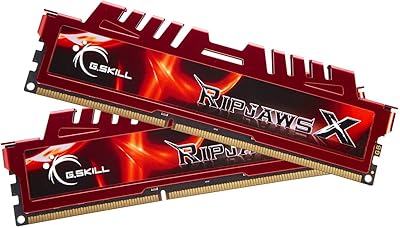
G.SKILL RipjawsX Series 16GB (2 x 8GB) DDR3 1866MHz Desktop Memory
88%
90%
Performance
88%
Ease of Installation
94%
Compatibility with Desktops
91%
Speed and Responsiveness
86%
Overclocking Support (XMP)
More
G.SKILL Ripjaws 8GB DDR3 Desktop Memory
76%
91%
Compatibility
88%
Installation Ease
86%
System Stability
84%
Value for Money
79%
Performance for Intended Use
More
G.SKILL Ripjaws 8GB DDR3 1600 Desktop Memory
81%
94%
Ease of Installation
91%
Compatibility
88%
Value for Money
89%
Reliability & Longevity
82%
Dual-Channel Performance
More
G.Skill Sniper 1866-919 8GB (2 x 4GB) DDR3 Memory Kit
86%
91%
Performance
88%
Ease of Installation
87%
Energy Efficiency
89%
Build Quality
75%
Compatibility
More
NVTEK 8GB DDR4 2666MHz Desktop RAM
71%
83%
Value for Money
78%
Compatibility
88%
Ease of Installation
71%
Reliability & Stability
74%
Performance at Rated Speed
More
A-Tech 32GB DDR3 1600MHz Desktop RAM
78%
91%
Value for Money
74%
Compatibility Range
88%
Installation Experience
89%
System Stability
86%
Thermal Performance
More
A-Tech 16GB DDR3 1600MHz Desktop RAM
79%
93%
Value for Money
88%
Compatibility
91%
Installation Ease
86%
System Stability
82%
Performance Uplift
More
KingSpec 32GB DDR4 3200MHz Desktop RAM
80%
91%
Value for Money
93%
Installation Ease
84%
Compatibility
87%
Stability & Reliability
78%
Performance at Rated Speed
More
Corsair Vengeance 8GB DDR3 Desktop RAM
76%
91%
Installation Ease
93%
Reliability & Longevity
83%
Value for Money
44%
Platform Longevity
63%
XMP Configuration
More
A-Tech 32GB DDR4 2133MHz Desktop RAM
79%
88%
Value for Money
94%
Installation Ease
69%
Compatibility
86%
Stability & Reliability
61%
Memory Speed
More

FAQ

Yes, the Core i5-2500K is a Sandy Bridge processor typically paired with Z68 or P67 boards, which are exactly the platforms this kit was validated for. Just install both sticks in the correct dual-channel slots (usually A2 and B2, but check your motherboard manual), enable XMP in the BIOS, and you should be running at 2133MHz without any manual tuning.

On most Z68 and P67 boards, you will need to enable the XMP profile in your BIOS to get the full 2133MHz speed. Without it, the board will default to a slower speed like 1333MHz. It is a quick one-step change — just look for XMP or memory profile settings in your BIOS and select Profile 1.

G.SKILL officially validated this kit for Intel Z68 and P67 platforms, so AMD compatibility is not guaranteed at rated speeds. Some users have had it work on AMD boards with manual timing adjustments, but if you are on an AMD platform, you may encounter instability or be limited to lower speeds. It is safer to look for a kit specifically validated for your board.

Technically yes, but you would need to find another matched pair of DDR3 modules at compatible speeds and timings. Mixing kits can sometimes cause instability, especially at 2133MHz. If you think you might need more than 8GB down the road, it is worth considering whether a platform upgrade makes more sense than stacking DDR3 kits.

CL9 refers to CAS latency — essentially how many clock cycles the memory takes to respond to a request. Lower is faster, but at 2133MHz, a CL9 response is still very quick in absolute time. For everyday tasks like browsing, office work, or gaming, you are unlikely to notice the difference between CL9 and CL10 at this frequency. It matters more in tightly tuned benchmarking scenarios.

The RipjawsX heatspreader adds a modest amount of height to the modules. It is generally not a problem with standard tower coolers, but if you are using a very wide low-profile cooler that extends over the first memory slot, it is worth measuring the clearance gap before buying. Checking your cooler manufacturer's RAM clearance spec is the safest approach.

Check your motherboard's specifications page or manual — it will list the supported memory voltages. Most Z68 and P67 boards handle 1.65V without issue, as this was a common DDR3 enthusiast voltage at the time. Some entry-level or heavily power-restricted boards may cap at 1.5V, so it is worth confirming before you buy.

DDR3 memory in general is quite durable, and this RipjawsX kit has a good reputation for longevity. Many buyers report running it for five or more years without any degradation. As long as the kit is not subjected to excessive heat or static discharge during handling, there is no practical reason it should fail within normal desktop use timelines.

You can, but you will lose the dual-channel benefit, which cuts your memory bandwidth roughly in half. Running a single 4GB stick in single-channel mode at 2133MHz will perform noticeably worse than the full paired kit in many workloads. Unless you have a specific reason, it is better to install both sticks from the start.

If your platform is DDR3-only and you are not ready to replace the whole system, then yes — upgrading to a faster DDR3 kit like the G.SKILL 8GB dual-channel set is still a sensible investment. You are not spending much relative to a full platform upgrade, and going from 1333MHz to 2133MHz does produce a real, measurable difference in bandwidth-sensitive tasks. Just be realistic that you are extending the life of a legacy system, not bringing it to modern standards.