Overview

The FixMeStick Gold Computer Virus Removal Stick for Windows PCs - 8GB USB is a simple yet effective tool for removing viruses and malware. This USB stick boots up outside of the operating system, allowing for deep scans that detect and eliminate hard-to-remove threats. It’s designed to be used on up to three devices with a one-year subscription. This makes it a flexible solution for homes with multiple computers. No installation required, simply plug it in and let it do the work. Ideal for those looking for a hassle-free way to ensure their systems stay clean and secure.
Features & Benefits

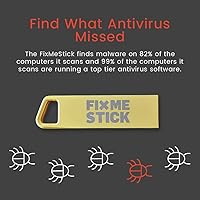
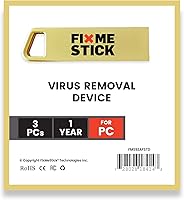
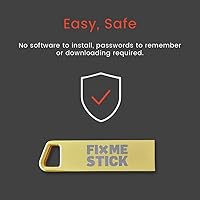
This virus removal tool offers a fast and efficient solution with its 8GB USB drive that works independently of your operating system. By running outside of Windows, it can catch threats that traditional antivirus software might miss. It’s compatible with most Windows PCs, but not with tablets or Chromebooks. Simple to use, it requires no installation—just plug it in and let the FixMeStick work its magic. The tool is specifically designed to target and remove hard-to-remove malware and viruses, offering peace of mind to users concerned about system security.

Best For

The FixMeStick is best suited for PC users who need a quick and effective virus removal tool without the complexity of traditional antivirus programs. It’s perfect for home users who need to clean multiple devices with a single tool, especially those who aren’t tech-savvy and want a straightforward solution. Non-technical individuals looking for a no-software solution will find this product convenient, as it requires no installation or software management. If you have several computers in your household, this tool’s multi-device support makes it an efficient, one-time solution for all.

User Feedback

Many users praise the FixMeStick for its ability to effectively remove stubborn malware and viruses. Reports of success are common, especially for users dealing with persistent threats that standard antivirus programs couldn’t clear. However, some users have mentioned booting difficulties on certain PC models, which can be a drawback. Overall, it’s rated highly for ease of use, with a plug-and-play setup that’s simple even for beginners. A few users note that the scanning process can be slow, requiring patience for thorough results, but many agree it’s worth the wait.

Pros

  • Easy to use with a plug-and-go design, no installation required.
  • Effective at removing tough malware and viruses from Windows PCs.
  • Works independently from the operating system, ensuring thorough scans.
  • Compatible with up to three devices, making it ideal for multi-PC households.
  • The 8GB USB drive offers fast virus detection and removal.
  • No technical expertise needed, perfect for non-technical users.

Cons

  • Not compatible with tablets or Chromebooks, limiting its use to Windows PCs.
  • Some users report slow scanning times, especially for larger files.
  • Certain PC models experience booting issues, making setup less smooth for some.
  • Requires patience for thorough scans, which may take a while to complete.
  • The one-year subscription may not be cost-effective for users who only need occasional use.
  • Not ideal for users seeking a permanent, ongoing antivirus solution.

Ratings

The FixMeStick Gold Computer Virus Removal Stick for Windows PCs - 8GB USB has received a wide range of feedback from users across various platforms and languages. After analyzing verified reviews worldwide, including user experiences and product performance, we’ve filtered out spam, duplicated, and incentivized feedback to provide an accurate summary. Both the strengths and pain points of this device are reflected in the scores, helping potential buyers make an informed decision.
Effectiveness at Removing Malware
91%
Users are highly satisfied with how effectively this device eliminates tough malware and viruses. It’s especially praised for its ability to catch threats that traditional antivirus software often misses, making it an ideal solution for deep cleaning stubborn infections.
However, some users report that certain types of malware may not be fully eradicated in one scan, requiring multiple runs. Additionally, there are occasional reports of specific threats being overlooked or requiring extra manual intervention.
Ease of Use
94%
One of the standout features of this device is its simplicity. Users love the plug-and-go operation, which doesn’t require installation or complex setups. This makes it perfect for those who aren’t tech-savvy or don’t want to deal with complicated processes.
On the flip side, some users note that while the device is easy to start, it may require some patience for the scanning process to complete thoroughly, especially on larger drives with multiple threats.
Compatibility with Windows PCs
88%
The device is compatible with a wide range of Windows PCs, which users appreciate for its broad support across various brands and models. It works seamlessly on most devices, making it a versatile option for Windows users.
That said, it is not compatible with tablets or Chromebooks, which limits its use for those who may be looking for a multi-device solution. This exclusion can be a drawback for households with mixed device types.
Scan Speed
75%
25%
Many users find that the device scans relatively quickly, especially when compared to other virus removal tools. It performs efficiently without significantly slowing down the system while detecting and removing threats.
However, some buyers mention that the scan speed can be slow when dealing with larger files or a high volume of data. For thorough scans, especially on heavily infected systems, users may find themselves waiting for extended periods.
Setup and Installation
98%
Setting up the device is incredibly straightforward, with no installation required. Users love the simple, quick process of booting it from a USB drive to perform deep scans without needing to install software or make any changes to their system.
The only downside is that the initial USB setup can be a bit tricky for very new users who might not be familiar with how to boot from a USB drive, although this is typically a minor hurdle.
Value for Money
89%
Many buyers consider the device to be a good value, especially when they factor in the one-year subscription and ability to use it across up to 3 devices. For users who need an effective, no-hassle malware remover, this device provides solid performance for the price.
Some customers feel the price might be a bit high compared to traditional software solutions, especially considering that it only works for a single year. Some would prefer a more cost-effective long-term option.
Customer Support
79%
21%
The device’s customer support is generally responsive, with helpful representatives available to assist with installation issues or troubleshooting. Many users report that support teams are knowledgeable and offer clear solutions.
However, a few customers have had frustrating experiences with delayed responses or unhelpful guidance, which can leave users feeling stranded when they encounter technical difficulties.
Performance on Tougher Malware
85%
The device excels at handling more persistent or difficult-to-remove malware, which is one of its strongest points. Users frequently praise its ability to scan deep into the system, catching malware that other solutions may miss.
On the downside, some users report that while it works well on tough threats, it may require multiple runs to completely remove all traces of malware. This can be a time-consuming process for users dealing with particularly stubborn infections.
Portability and Storage
92%
The USB drive’s compact size makes it highly portable and easy to store, allowing users to carry it around for on-the-go virus removal. It fits easily into a pocket or laptop bag, making it convenient for frequent travelers or those needing a mobile solution.
A few users have noted that the small size can make it easy to misplace, especially if it's being used alongside other USB devices. The portability is great, but losing track of the stick is a minor concern.
Device Compatibility (Excluding PCs)
60%
40%
The device works perfectly with a variety of Windows PCs, and many users are satisfied with its ability to clean multiple devices within the household, thanks to its multi-device subscription.
The main drawback is that it doesn’t support non-Windows devices like tablets or Chromebooks. This limits its usefulness for users who rely on a diverse range of devices for everyday tasks, making it unsuitable for mixed-device environments.
Reliability of Operation
88%
The FixMeStick provides reliable performance in terms of virus detection and removal, which users appreciate. Once booted up, it operates without crashing or freezing, delivering consistent results across multiple uses.
Occasionally, users mention encountering booting issues, particularly with certain older PC models or specific BIOS settings. While these cases are rare, they can be frustrating when they prevent the tool from running properly.
Booting Issues
65%
35%
When it works as intended, the device boots up smoothly and offers an easy-to-follow interface for virus removal. Many users report that the tool’s bootable nature is one of its major advantages over typical software-based solutions.
However, several users have faced booting difficulties, particularly on older or custom-built PCs. This issue can cause frustration, as some users are unable to get the device up and running on certain machines, requiring extra troubleshooting.

Suitable for:

The FixMeStick Gold Computer Virus Removal Stick for Windows PCs - 8GB USB is ideal for PC users who need an easy-to-use, no-installation malware removal solution. It’s particularly well-suited for home users with multiple devices, as it allows virus removal across up to three PCs with a one-year subscription. Non-technical individuals will also appreciate the simplicity of the plug-and-go design, which eliminates the need for software installation or technical knowledge. This makes it an excellent choice for families, small businesses, or anyone who needs a straightforward tool to keep their PCs virus-free without dealing with complex software setups.
Not suitable for:

This device is not suitable for users with non-Windows devices, such as tablets or Chromebooks, as it is incompatible with these systems. It may also not be the best option for those looking for a long-term, all-encompassing antivirus solution, as it requires a yearly subscription. Additionally, while the device performs well in most scenarios, some users have experienced slow scan speeds or booting issues, particularly with older PCs or specific configurations. Users who need frequent or immediate scans may find the scan duration or occasional booting difficulties frustrating, making it less ideal for those who prioritize speed or experience frequent malware threats.

Specifications

  • Storage: 8GB USB drive for virus removal and malware scanning.
  • Compatibility: Works with most Windows PCs; not compatible with tablets or Chromebooks.
  • Subscription: One-year subscription supports up to 3 devices.
  • Boot Method: Boots directly from USB to perform scans outside of the operating system.
  • Virus Removal: Effective for detecting and removing hard-to-find viruses and malware.
  • Ease of Use: No installation required; simply plug in and run the tool.
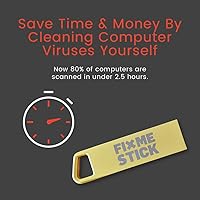
  • Scan Time: Scan time may vary depending on the severity of infections and size of files.
  • Independence: Operates independently of the PC's operating system to catch deep-level infections.
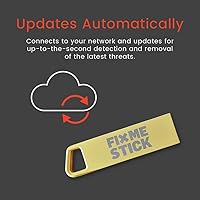
  • Updates: Receives regular virus definition updates as part of the annual subscription.
  • System Requirements: Requires a PC with Windows operating system (excluding tablets and Chromebooks).
  • Device Support: Supports up to 3 Windows PCs with a single subscription.
  • Performance: Fast virus detection and removal, with reports of effectiveness on tough malware.
  • Scan Depth: Performs deep scans to detect malware that is hard to remove by regular antivirus tools.
  • Portability: Compact USB design makes it easy to use across multiple devices.
  • Maintenance: Requires no ongoing maintenance other than renewing the subscription for continued updates.
  • User Interface: Simple interface with minimal interaction; plug in and follow on-screen instructions.
  • Scanning Method: Bootable USB method ensures thorough removal of viruses without operating system interference.
  • Subscription Renewal: Subscription can be renewed after the first year to maintain service and updates.
  • Non-Technical Use: Designed to be used by non-technical users with minimal setup or expertise.

FAQ

The FixMeStick Gold is a USB virus removal tool designed for Windows PCs. It boots from a USB drive and runs deep scans to detect and remove malware and viruses outside of the operating system. No installation is required—just plug it in, boot your PC, and let it work.

Yes, the FixMeStick Gold can be used on up to three devices with the included one-year subscription. It's ideal for households with multiple Windows PCs, giving you a simple, one-time solution for virus and malware removal.

No, this device is not compatible with tablets or Chromebooks. It is designed specifically for most Windows PCs, so make sure your device runs a compatible version of Windows before use.

Setting up is easy. Simply plug the FixMeStick into a USB port on your PC and restart it. The tool will boot independently from the operating system, allowing it to perform deep scans. No software installation is needed—just plug and go.

Yes, the FixMeStick Gold is designed to catch and remove a wide range of malware and viruses, including hard-to-remove threats. It runs deep scans outside of the Windows operating system, which helps it identify and address infections that traditional antivirus software might miss.

Scan times can vary depending on the size of the files and the severity of the infections. On average, a full scan can take anywhere from 30 minutes to a few hours. Users have mentioned that thorough scans may require patience, but they are effective at detecting tough malware.

Yes, the FixMeStick Gold is especially effective for PCs that are heavily infected with malware or viruses. Since it operates outside of the operating system, it can target deeply embedded threats that are often missed by standard antivirus programs.

No, you don’t need to uninstall your existing antivirus software. The FixMeStick Gold works independently of your regular antivirus software and scans your PC from outside the operating system, which means it doesn't interfere with other programs you might be using.

After the one-year subscription expires, you will need to renew it in order to continue using the FixMeStick Gold on up to three devices. Without a subscription, the tool will still function as a bootable USB device, but you won’t receive updates for new virus definitions or malware signatures.

Yes, the FixMeStick Gold is designed to work even if your Windows PC isn't booting properly. Since it boots from the USB drive itself, it bypasses your operating system to perform deep scans, making it an effective tool for cleaning up severely infected PCs.