Overview

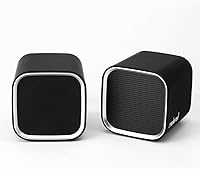
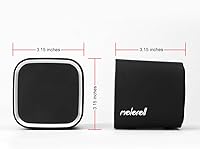
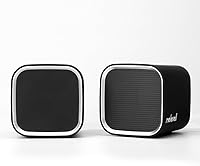
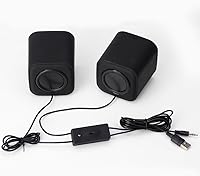
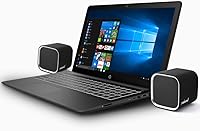
The Moloroll M4 Desktop Speakers are a pair of compact, cube-shaped desktop speakers that have quietly held their ground in the budget PC audio space since 2018. Each unit measures just over three inches on every side, so they take up almost no desk space. Power and audio both run through a single USB connection and a standard 3.5mm jack — no drivers, no setup ritual. At 6W total RMS output across a 2.0 stereo configuration, these aren't built to fill a room. But that was never the point. They sit at #203 in their Amazon category, which says something about consistent buyer demand over the years.

Features & Benefits

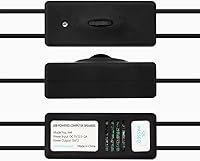
One of the most practical things about the M4 speakers is that USB power delivery means one less wall adapter cluttering your power strip — plug into any laptop or desktop and you're running. The inline volume knob on the cable is a small but genuinely useful touch; no fumbling through software menus to turn something down quickly. The 2-inch dynamic drivers reach down to about 50Hz, which gives a hint of low-end warmth, though don't expect thumping bass from drivers this size. The plastic housing keeps the total weight well under a pound and a half, and a 2-year money-back warranty is a reassuring backstop for a purchase at this price tier.

Best For

These compact cube speakers are a natural fit for anyone whose current audio situation is a laptop's built-in output — almost anything is an upgrade from that. Home office workers who want decent background music or clearer audio during calls without a complicated setup will find them easy to live with. Students in dorms or small rooms benefit from the minimal footprint and the fact that no extra power brick is needed. They also work well as a secondary speaker on a media PC or a spare workstation. If your desk aesthetic leans minimal and you need something that disappears visually, the cube form factor fits that nicely.

User Feedback

Buyers consistently point to two things: how surprisingly clear this Moloroll speaker set sounds at low-to-mid volumes, and how painless the setup is. The size earns frequent praise too. On the other side, the plastic build quality gets noted — it feels like what it is, an entry-level product, and a few buyers mention the volume knob feeling a bit loose over time. Bass expectations are the most common source of disappointment, though most reviewers who set realistic expectations seem genuinely satisfied. Some flag that the cable length could be longer for certain desk arrangements. The warranty claim process gets a few mentions, mostly positive experiences with the brand's responsiveness.

Pros

  • Plugs in and works instantly — no drivers, no software, no configuration required at all.
  • USB power means no wall adapter hunting; one free USB port is all you need.
  • Noticeably clearer midrange than the built-in speakers on most laptops and budget monitors.
  • The cube form factor takes up minimal desk space and looks clean on a tidy workstation.
  • Physical inline volume knob lets you adjust audio instantly without touching your screen or keyboard.
  • Light enough to toss in a bag and carry between home and office without any hassle.
  • Two-year money-back warranty is a genuine confidence booster at this price point.
  • Works with virtually any computer, Mac, or laptop that has a standard headphone output.
  • Stereo separation gives dialogue and vocals a sense of space that single-speaker setups cannot match.
  • Buyer support has been responsive according to multiple verified warranty claim experiences.

Cons

  • Bass output is genuinely limited — music with heavy low-end sounds hollow and unsatisfying.
  • The inter-speaker cable is short, restricting how far apart you can position them for wide stereo.
  • Plastic housing feels lightweight and hollow, and the finish scuffs and picks up fingerprints easily.
  • The inline volume knob can develop a scratchy, inconsistent feel after extended daily use.
  • Maximum volume is not enough to project audio across a room or compete with ambient noise.
  • USB-A dependency is a real inconvenience for newer laptops that only offer USB-C ports.
  • No bass or treble adjustment — what you hear is what you get, with no EQ options built in.
  • Cable management between the two units is awkward when packing or repositioning the speakers.

Ratings

The Moloroll M4 Desktop Speakers have accumulated a substantial trail of buyer feedback since their 2018 launch, and our AI-driven analysis has combed through verified global reviews — actively filtering out incentivized, spam, and bot submissions — to produce the scores below. These ratings reflect what real everyday users actually experienced, not curated highlights. Both the genuine strengths and the recurring frustrations are represented here without sugarcoating.

Sound Clarity
78%
22%
At conversational and moderate listening volumes, these compact cube speakers deliver a noticeably cleaner, more articulate midrange than most people expect at this price point. Vocals in podcasts, dialogue in YouTube videos, and background music during work hours all come through with decent separation and minimal muddiness.
Push the volume toward the upper end and some listeners notice a slight harshness creeping into the high frequencies. It is not severe, but it is there, and it reminds you that the drivers are small and the enclosure is compact plastic.
Bass Performance
51%
49%
For a 2-inch driver, there is a faint sense of low-end presence that keeps music from sounding completely thin. Casual listeners playing pop or acoustic tracks at moderate volumes often find it acceptable for background listening throughout a workday.
Anyone expecting real bass impact will be disappointed — the physics of a 2-inch driver in a small plastic cube simply cannot deliver it. Electronic music, hip-hop, and anything bass-forward sounds noticeably hollow, and no amount of EQ adjustment fully compensates for what the hardware cannot produce.
Volume Output
72%
28%
The 6W total output is enough to fill a small office or dorm room comfortably, and most users report they rarely push the volume knob past the halfway point for personal listening. For solo desk use, it is more than adequate.
In louder shared environments — an open-plan office, a kitchen with background noise, or a living room — the maximum volume starts to feel limiting. The speakers were clearly designed for one person at close range, not for projecting audio across a room.
Setup & Ease of Use
93%
Plug the USB into any available port, connect the 3.5mm jack to the headphone output, and you are done — no software, no drivers, no configuration menus. Multiple buyers specifically praised this during work-from-home setups where simplicity and speed mattered most.
The only real friction some users encountered was discovering their newer laptop had only USB-C ports, requiring an adapter that is not included. That is a hardware compatibility issue rather than a design flaw, but it is worth knowing before purchasing.
Build Quality
58%
42%
The speakers are light and easy to reposition, which suits people who frequently reconfigure their desk or move between locations. The cable feels reasonably sturdy for the price tier, and the overall unit does not rattle or buzz at normal volumes.
The all-plastic housing has a hollow, lightweight feel that does not inspire confidence in long-term durability. Several buyers noted the finish shows fingerprints and minor scuffs easily, and a handful mentioned the inline volume knob developing a slightly scratchy feel after extended daily use.
Design & Aesthetics
74%
26%
The uniform cube shape is genuinely distinctive compared to the typical elongated speaker designs in this category. On a minimalist desk with clean lines, these sit neatly without drawing attention to themselves, which is exactly what some buyers are looking for.
The matte black plastic finish looks decent in photos but feels somewhat cheap in person. There is no premium surface treatment or any visual detail that elevates the look — it is functional rather than attractive, which may matter to buyers who care about desk aesthetics.
Value for Money
86%
Relative to what buyers are comparing them against — primarily built-in laptop speakers — the step up in audio quality feels significant for a modest outlay. For students, home office workers, or anyone setting up a secondary workstation on a tight budget, the math works out very favorably.
Buyers who stretch the comparison to established budget speaker brands start to find the value proposition thinner. At roughly the same price, competing options sometimes offer marginally better build quality or a dedicated power adapter for slightly more consistent output.
Cable & Connectivity
67%
33%
Having both power and audio handled through a USB and a single 3.5mm connection keeps the cable situation simple. The cord length is generally workable for standard desk configurations where the PC tower or laptop sits within arm's reach.
A recurring complaint is that the cable running between the two speaker units is on the short side, limiting how far apart you can position them for wider stereo separation. Users with larger desks or unconventional setups found this frustrating and felt it constrained placement options.
Volume Control
69%
31%
Having a physical knob on the speaker cable is a practical convenience — you can reach down and adjust volume without interrupting what you are doing on screen. For quick muting during calls or unexpected interruptions, it is faster than navigating software controls.
The knob itself is not a premium component. After several months of daily use, some owners reported it starts to feel gritty or inconsistent, occasionally producing a faint crackling sound when turned. It works, but it does not feel like it will last indefinitely.
Compatibility
88%
Any device with a standard USB-A port and a 3.5mm headphone jack will work without any additional configuration. Windows, macOS, and Linux machines all recognize these as a simple audio output without prompting for anything, which is exactly the kind of universal compatibility most buyers need.
The USB-C-only laptop situation is a genuine compatibility gap, as the speakers require USB-A for power. Buyers using newer MacBooks or ultrabooks without legacy ports will need a hub or adapter, which adds cost and a bit of inconvenience to an otherwise effortless setup.
Stereo Separation
63%
37%
When positioned a reasonable distance apart on a desk, the M4 speakers do produce a discernible stereo image. For video calls, casual music listening, and gaming audio cues, the left-right separation is noticeable and appreciated compared to mono or near-mono laptop speakers.
The short inter-speaker cable limits how wide you can spread them, which directly caps the stereo field. Buyers who placed them close together — as many do by default — reported the stereo effect felt fairly narrow, closer to centered mono in practice than true wide stereo.
Portability
81%
19%
At just over a pound total and with a self-contained cable setup, these are genuinely easy to toss in a bag for commutes between office and home, or to pack when traveling for extended work trips. No carrying case is needed given the durable cube shape.
The cable, while functional, has no tidy storage solution — it tends to tangle loosely when packed. Users who frequently moved the speakers reported minor annoyance with managing the cord, especially the inter-speaker cable, when packing and unpacking regularly.
Warranty & Support
77%
23%
A two-year money-back warranty is a meaningful commitment for a product in this price tier, and several verified buyers reported positive experiences reaching out to Moloroll directly with issues. Response times were generally described as prompt and solutions as straightforward.
A small number of buyers found the claims process required more back-and-forth communication than expected, and international customers occasionally noted delays. The warranty is a genuine asset, but experiences are not entirely uniform across all regions.

Suitable for:

The Moloroll M4 Desktop Speakers are built for practical, no-fuss listeners who want a meaningful audio upgrade without overthinking the purchase. If your current setup is a laptop's built-in speakers and you work from home, study in a dorm room, or spend long hours at a desk watching videos and taking calls, these compact cube speakers are a straightforward improvement that requires zero technical effort to deploy. Students with limited desk space will appreciate that each unit occupies barely a three-inch footprint, and the USB power means one less cable hunting for a wall outlet. They also make a lot of sense as a secondary set for a spare bedroom PC, a media room computer, or any situation where you need something small, functional, and easy to move around. Buyers who keep expectations calibrated to the product's price tier — clear audio at moderate volumes, decent stereo separation for solo listening, and reliable day-to-day convenience — consistently come away satisfied.

Not suitable for:

The Moloroll M4 Desktop Speakers are genuinely not the right call for anyone who takes audio quality seriously or listens to music where bass is central to the experience. The 2-inch dynamic drivers have hard physical limits, and no amount of goodwill toward the product changes the fact that electronic music, hip-hop, film soundtracks, and anything with meaningful low-frequency content will sound noticeably thin through these. Buyers hoping to fill a medium or large room with sound will also hit the ceiling of the 6W output fairly quickly. If you own a laptop with only USB-C ports and no adapter, there is an additional friction point before these even work. And if you are comparing these against established mid-range desktop speaker brands — rather than against built-in laptop audio — the plastic build and limited driver performance will likely feel underwhelming. Anyone who has used quality bookshelf or powered studio monitors will find the step down jarring.

Specifications

  • Model: Moloroll M4, manufactured by Moloroll Electronics, first available April 2018.
  • Configuration: 2.0 stereo setup with two independent speaker units and no dedicated subwoofer.
  • Total Output: 6W RMS total power, delivered as 3W per channel across both drivers.
  • Driver Size: Each unit houses a 2-inch dynamic audio driver for full-range sound reproduction.
  • Frequency Response: Rated from 50.2Hz upward, covering midrange and high frequencies with limited deep bass extension.
  • Power Source: Powered entirely via USB at 5V DC, drawing current directly from the connected device or hub.
  • Audio Input: Standard 3.5mm auxiliary jack connects to any headphone output on a computer, laptop, or Mac.
  • Dimensions: Each speaker unit measures 3.15″ deep by 3.15″ wide by 3.15″ tall, forming a uniform cube shape.
  • Weight: Combined weight of the full set is 1.15 lbs, making the pair easy to reposition or travel with.
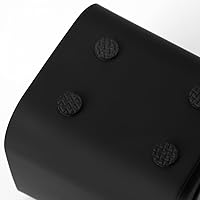
  • Material: Enclosures are constructed from molded plastic with a matte black finish on all external surfaces.
  • Volume Control: An inline rotary knob is integrated into the speaker cable for direct, tactile volume adjustment.
  • Connectivity: Requires one USB-A port for power and one 3.5mm headphone jack for audio — no Bluetooth or wireless option.
  • Compatibility: Works with any Windows PC, macOS computer, or Linux machine that provides USB-A power and a 3.5mm output.
  • Driver Type: Dynamic driver design, which prioritizes efficiency and reliability over audiophile-grade frequency separation.
  • Color: Available in black only, with a uniform matte finish across both speaker units and the cable assembly.
  • Warranty: Covered by a 2-year money-back warranty with direct support contact through the Moloroll brand.
  • Category Rank: Holds a Best Sellers Rank of #203 in the Amazon Computer Speakers category as of the latest available data.
  • Setup: Plug-and-play operation requires no driver installation, software configuration, or external power adapter.

Related Reviews
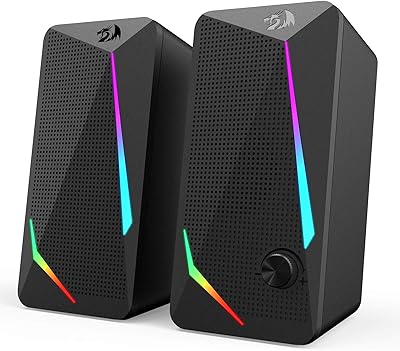
NZXT Relay Speakers
NZXT Relay Speakers
78%
86%
Sound Staging & Clarity
61%
Bass Performance
83%
Treble & High-Frequency Quality
89%
Build Quality & Cabinet Construction
58%
Touch Controls Usability
More
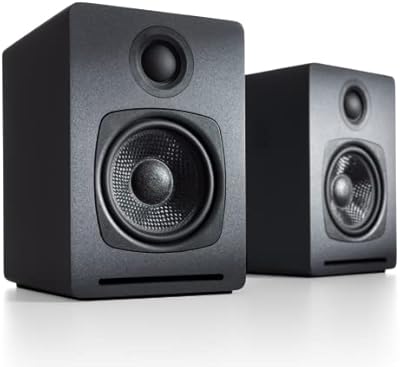
Audioengine A1-MR Desktop Speakers
86%
92%
Sound Quality
85%
Bass Performance
90%
Build Quality
88%
Ease of Setup
87%
Connectivity Options
More
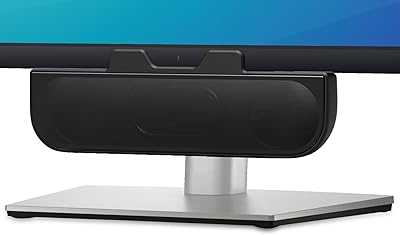
XKX XKX112A USB Computer Soundbar
82%
96%
Space Efficiency
93%
Setup Simplicity
88%
Vocal Clarity
84%
Volume Ceiling
82%
Clamp Security
More
Audioengine A2+
Audioengine A2+
79%
91%
Sound Quality
93%
Build Quality
84%
Bluetooth Performance
76%
Value for Money
88%
Connectivity & Inputs
More
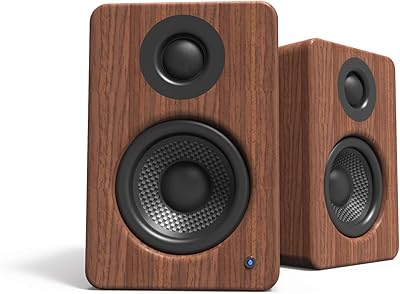
Kanto YU2 Powered Desktop Speakers
85%
88%
Sound Quality
73%
Bass Performance
91%
Design and Build Quality
85%
Connectivity and Versatility
95%
Ease of Setup
More
Redragon GS814
Redragon GS814
75%
71%
Sound Quality
58%
Bass Performance
83%
Bluetooth Connectivity
88%
RGB Lighting
67%
Touch Controls
More
Redragon GS510 Waltz
85%
78%
Acoustic Clarity
94%
Ease of Setup
86%
Lighting Customization
79%
Build Quality
91%
Volume Control
More
Redragon GS520 Anvil
82%
94%
Value for Money
86%
Sound Clarity (Mids & Highs)
58%
Bass Performance
89%
RGB Lighting & Aesthetics
88%
Space Efficiency
More
Kanto ORAMW 100W Powered Desktop Speakers
85%
89%
Sound Quality
87%
Bass Performance
91%
Connectivity Options
83%
Build Quality
94%
Ease of Setup
More
Creative T60
Creative T60
76%
83%
Sound Clarity
51%
Bass Response
91%
Connectivity & Port Variety
84%
Bluetooth Performance
79%
Volume & Power Output
More

FAQ

No, not at all. The Moloroll M4 Desktop Speakers are fully plug-and-play — your operating system recognizes them as a standard audio output the moment you connect the USB and 3.5mm cables. Windows, macOS, and Linux all handle this automatically without any additional setup.

Not directly, unfortunately. These compact cube speakers require a USB-A port for power. If your laptop only has USB-C, you will need a USB-C to USB-A adapter or a hub that includes a USB-A port. That adapter is not included in the box, so it is worth factoring in if your machine has dropped legacy ports.

Honestly, if bass-heavy music is your main listening diet, these may leave you wanting more. The 2-inch drivers can produce some low-end warmth at moderate volumes, but they have real physical limitations — deep bass simply cannot come from a driver and enclosure this small. For hip-hop and electronic genres, a speaker set with a dedicated subwoofer would serve you better.

Yes, as long as your phone or tablet has a 3.5mm headphone jack, you can connect the audio cable. However, the USB power cable still needs to be plugged into a computer or a USB power adapter — the speakers will not draw power from your phone. So in practice, the most convenient use is always with a PC or laptop.

The cable connecting the two speakers is on the shorter side, which limits your placement options. Most users find they can position them about a foot to a foot and a half apart on a standard desk. If you want wide stereo separation across a large desk, that constraint may frustrate you.

You can use either. The inline knob on the cable gives you quick physical control without touching your keyboard or screen, but your computer's system volume and any application-level volume controls all work normally too. Most people end up setting the knob at a comfortable midpoint and adjusting from the computer as needed.

They work well for personal desk listening and can fill a small, quiet room at higher volume settings. In a medium-sized space with any background noise — a fan, street traffic, other people talking — the maximum output starts to feel limited. Think of them as a solid solution for one person at close range, not for filling a shared space.

The plastic construction is functional but not particularly robust. The units themselves hold up reasonably well under normal desk use, but the inline volume knob is the weakest link — some owners report it developing a slightly scratchy or inconsistent feel after heavy daily use over several months. The 2-year money-back warranty does provide a safety net if something goes wrong.

At normal listening volumes, most users report the audio is clean and quiet between sounds. A faint background hiss has been noted by a small number of buyers, particularly in very quiet rooms with the volume knob near maximum but computer volume set low. Balancing the two volume sources usually eliminates this entirely.

You get the two speaker units connected by a cable with the inline volume knob, and that is essentially it — the setup is self-contained. There is no separate power adapter, no carrying case, and no extra cables. Everything needed for standard use is attached, assuming you have a USB-A port and a 3.5mm headphone output available on your computer.