Evoluent VerticalMouse 4 Right Hand Bluetooth Mouse
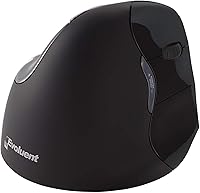
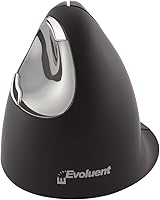
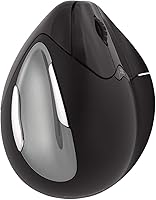
Overview
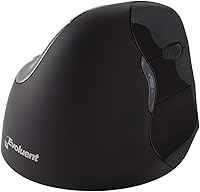
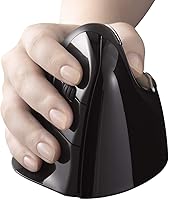
The Evoluent VerticalMouse 4 Right Hand Bluetooth Mouse is not a trendy gadget — it is the product of over two decades of focused ergonomic thinking. Evoluent invented the vertical mouse category back in 2002, and this fourth-generation model carries that legacy into a wireless, Mac-focused package. The core idea is simple but effective: holding your hand in a natural handshake position reduces the forearm rotation that traditional mice demand, which many users find alleviates wrist and arm fatigue over time. At a premium price point, this is a deliberate purchase, not an impulse buy. It deserves exactly that kind of consideration.
Features & Benefits
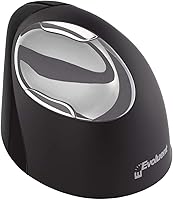
This vertical mouse packs a thoughtful set of features that go beyond just the vertical angle. Four pointer speeds are accessible via buttons on the top of the device, each confirmed by a small LED indicator — handy when you need to shift between detailed design work and quick navigation without diving into system settings. Because it connects via Bluetooth, the Evoluent VM4RM frees up every USB port on your Mac, which matters more than ever on modern MacBooks. The built-in pinky rest ledge is a small detail that makes a real difference during long sessions. The laser sensor tracks reliably on most surfaces, and a single AA battery typically lasts around three months.
Best For
This ergonomic Bluetooth mouse is built for a specific kind of user, and knowing whether that is you matters. If you work long daily hours at a Mac and your wrist or forearm has started to protest, this is exactly the type of change worth making. People managing or recovering from repetitive strain injuries often find that the upright hand position takes meaningful pressure off the tendons. It is also ideal for anyone running a clean, minimal desk setup — no dongle, no cable in the way. That said, this is a right-hand-only, Mac-native device, so Windows users or left-handers should look elsewhere.
User Feedback
With a 4.0-star average across 55 ratings, the Evoluent VM4RM earns generally positive marks, though the response is not unanimous. The most common praise centers on genuine wrist relief — users who switched from conventional mice often report noticeably less strain within a few weeks. The recurring criticism is the adjustment period: the first several days can feel awkward and slow, and some people never fully adapt. Scroll wheel placement and side button positioning tend to win people over after that initial hurdle. Durability concerns do surface occasionally, which is fair to flag given the premium asking price. A handful of reviewers also note that newer vertical mice from competing brands offer similar comfort at lower cost, making the value proposition a genuine debate.
Pros
- The upright hand position reduces forearm rotation, and many users report meaningful wrist relief within a few weeks of switching.
- Bluetooth connectivity means no USB dongle to manage — a real advantage on modern Macs with limited ports.
- Four on-the-fly pointer speed levels let you shift between precision tasks and broad navigation without opening any settings menu.
- The built-in pinky ledge is a small but genuinely useful detail that prevents finger drag during long sessions.
- Plug-and-play macOS compatibility means setup takes about thirty seconds with no driver installation required.
- Battery life is impressive — a single AA cell typically lasts around three months of daily use.
- The laser sensor tracks consistently on most common desk surfaces without needing a dedicated mouse pad.
- Evoluent has been refining this design since 2002, and that depth of category experience shows in the overall build quality.
- At BSR #1,657 in Computer Mice, this vertical mouse holds a respectable market position in a competitive category.
Cons
- The adjustment period is real — expect one to two weeks of slower, sometimes frustrating use before the hand position starts feeling natural.
- At a premium price point, the relatively modest 55-rating review count makes it harder to gauge long-term reliability with confidence.
- This ergonomic Bluetooth mouse is Mac-only in its plug-and-play promise; Windows users will face a notably less smooth experience.
- Some buyers feel the scroll wheel placement takes extra time to get used to, even after adapting to the vertical orientation.
- Competing vertical mice have entered the market at lower prices, making the value case harder to argue on hardware specs alone.
- The right-hand-only design excludes a significant portion of potential buyers with no left-hand alternative available.
- Occasional durability concerns appear in user feedback, which feels like a reasonable expectation to flag at this price level.
- The Bluetooth-only setup, while clean, means users who prefer a wired connection for zero-latency precision work have no option here.
Ratings
The scores below reflect an AI-driven analysis of verified global user reviews for the Evoluent VerticalMouse 4 Right Hand Bluetooth Mouse, with spam, bot-generated, and incentivized feedback actively filtered out before scoring. Each category captures both the genuine strengths users praised and the real frustrations they reported — nothing has been softened or inflated. The result is an honest, data-grounded picture of where this ergonomic Bluetooth mouse delivers and where it falls short.
Ergonomic Comfort
Adjustment Period
Bluetooth Connectivity
Build Quality
Value for Money
Mac Compatibility
Pointer Speed Control
Tracking Performance
Battery Life
Scroll Wheel Feel
Button Layout
Pinky Support
Setup Experience
Desk Footprint
Suitable for:
The Evoluent VerticalMouse 4 Right Hand Bluetooth Mouse is a strong match for right-handed Mac users who spend the bulk of their working day at a desk and have started noticing wrist, forearm, or shoulder discomfort from a standard mouse. It is particularly well-suited for people managing repetitive strain injuries or looking to get ahead of one — the upright hand position takes real pressure off the tendons that a flat mouse constantly engages. Remote workers and home office professionals who value a tidy, cable-free setup will appreciate that the Bluetooth connection leaves every Mac port untouched. If your hands run medium to large and a typical mouse always feels a little pinched or cramped, the sculpted vertical form will likely feel like a meaningful upgrade. Anyone who wants plug-and-play simplicity on macOS — no software installs, no receiver to lose — will also find this a refreshingly low-friction experience.
Not suitable for:
The Evoluent VerticalMouse 4 Right Hand Bluetooth Mouse is simply not the right tool for a broad slice of potential buyers, and it is worth being direct about that. Left-handed users are out entirely — there is no ambidextrous or left-hand version in this lineup. Windows users will not get the same plug-and-play experience this device promises, and anyone who regularly switches between operating systems should look for a more platform-agnostic option. Buyers on a tighter budget may find that newer vertical mice from competing brands deliver comparable ergonomic geometry at a considerably lower cost, making the premium price harder to justify purely on specs. If you have small hands, the medium-to-large sizing can feel unwieldy rather than comfortable. Finally, anyone expecting instant comfort should be warned: the first week or two with a vertical mouse involves a genuine adjustment period that some people never get past, and that is not a minor caveat.
Specifications
- Brand: Manufactured by Evoluent, the company founded by Jack Lo, who invented the vertical mouse concept in 2002.
- Model: The VM4RM is part of the fourth-generation VerticalMouse series, first made available in October 2014.
- Connection: Connects via Bluetooth without any USB receiver or dongle, keeping Mac ports completely free.
- Hand Orientation: Designed exclusively for right-hand use, with a sculpted body that supports a natural handshake grip position.
- Size Fit: The body dimensions and grip profile are engineered to comfortably accommodate medium to large right hands.
- Dimensions: The mouse measures 5.5 x 3.8 x 3.6 inches (L x W x H), giving it a tall, upright profile compared to conventional mice.
- Weight: At 8.3 ounces, the device has a solid, substantial feel without being heavy enough to cause fatigue during repositioning.
- Sensor Type: Uses a laser movement detection sensor that tracks accurately and reliably across a wide variety of desk and surface materials.
- Pointer Speeds: Offers four selectable pointer speed levels, adjustable via dedicated top-mounted buttons with LED indicator lights for each setting.
- Pinky Support: Features a built-in pinky rest ledge along the base to prevent the smallest finger from dragging on the desk during use.
- Battery: Powered by one AA alkaline battery (included), with an average battery life of approximately three months under typical daily use.
- Platform: Officially supported on Mac OS X systems, with plug-and-play Bluetooth pairing that requires no third-party driver installation.
- Color: Available in black with a matte finish that resists visible smudging during extended daily handling.
- Power Source: Battery-powered only; there is no rechargeable battery or charging cable — replacements use a standard AA alkaline cell.
- Plug-and-Play: Compatible Mac systems recognize the mouse automatically over Bluetooth without any software download or configuration step.
- Market Rank: Holds a Best Sellers Rank of #1,657 in the Computer Mice category on Amazon at the time of evaluation.
- User Rating: Carries an average rating of 4.0 out of 5 stars based on 55 customer ratings on Amazon.
- Availability: Listed as not discontinued by the manufacturer, indicating active production and continued product support from Evoluent.
Related Reviews
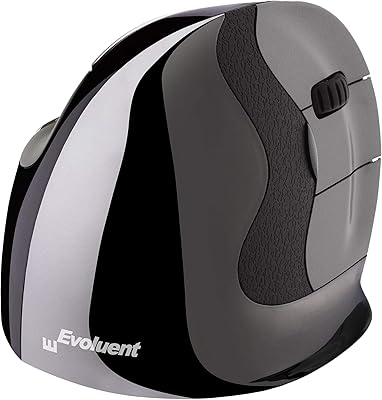
Evoluent VerticalMouse VMDSW Small Right Hand Wireless
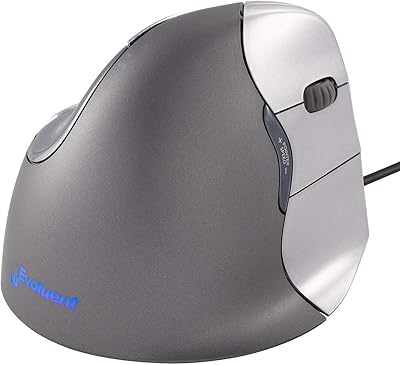
Evoluent Vertical Mouse 4 Wired (Medium to Large)
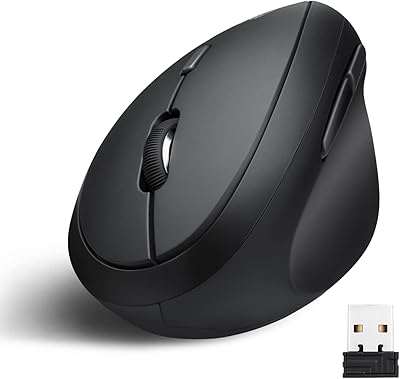
Perixx PERIMICE-719 Wireless Vertical Mouse
Tiebeauty Silicone Right-Hand Nail Practice Hand

Tea Tree Liquid Hand Soap 2.4 lb
PALPTASN Silicone Practice Hand for Acrylic Nails with Stand Bracket (Right Hand, Ivory White)
SOUNDBOKS 4 Bluetooth Speaker
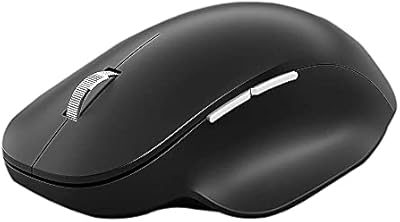
Microsoft Bluetooth Ergonomic Mouse
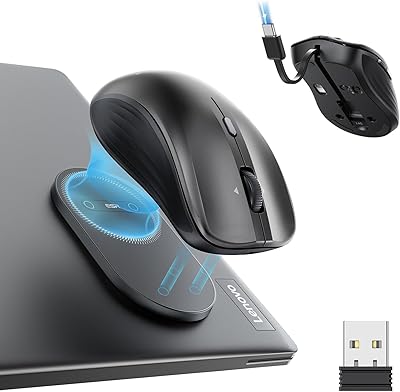
ESR MagMouse Rechargeable Wireless Mouse