Overview

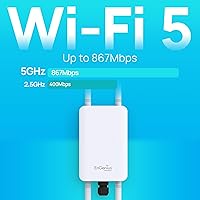
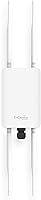
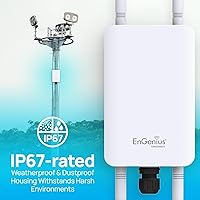
The EnGenius ENH1350EXT Outdoor Wi-Fi Access Point sits in a practical middle ground — capable enough for serious outdoor deployments, yet priced where homeowners and small businesses can justify the investment. What immediately sets it apart from repurposed indoor hardware is its IP67 weatherproof rating, meaning it genuinely handles sustained rain, dust, and freezing temperatures without complaint. On paper, the AC1300 dual-band spec translates to roughly 867 Mbps on 5 GHz and 400 Mbps on 2.4 GHz — respectable for outdoor work. The box includes antennas, a PoE injector, and mounting hardware, which is convenient. That said, this is a prosumer device — expect a configuration interface that rewards real networking knowledge.
Features & Benefits

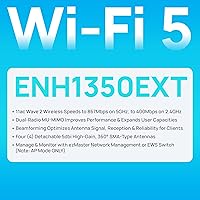
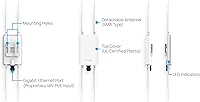
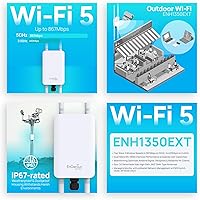
The IP67-rated enclosure is the headline spec here, and it earns its keep in environments where a typical access point would fail within a season. Power delivery runs through the included PoE injector, so you're not chasing an outdoor outlet — just run an Ethernet cable and you're set. The four detachable 5 dBi SMA antennas cover a full 360 degrees, with beamforming helping focus signal toward connected clients rather than scattering it. MU-MIMO support means the unit handles multiple devices simultaneously without the usual throughput degradation. One realistic note: outdoors, 5 GHz range drops off faster than most buyers expect — the 2.4 GHz band tends to carry further across open spaces.

Best For

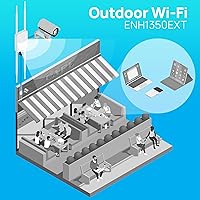
This outdoor access point makes a lot of sense for homeowners trying to push reliable coverage to a backyard, detached garage, or barn — situations where a mesh node taped inside a window simply doesn't cut it. Small businesses with outdoor seating areas or open-lot operations will also find it well-suited, especially given the flexible deployment modes including Access Point, Client Bridge, and WDS. IT admins managing multiple outdoor units across a site will appreciate the centralized EZ Controller software. If you're in a region with harsh winters or dusty summers, the ruggedized build genuinely matters. Less ideal for users wanting something that configures itself — basic networking knowledge is a real prerequisite.

User Feedback

Buyers consistently praise the build quality — the housing feels solid and legitimately weatherproof, with multiple users reporting no issues after seasons of direct exposure. Range in open outdoor spaces gets strong marks on 2.4 GHz. The criticism that comes up most often is the setup process: not difficult if you know networking, but newcomers find the interface and documentation frustratingly sparse. The EZ Controller software earns mixed reactions — remote management works well, but the interface looks like it hasn't been refreshed in years. A few users flagged the PoE injector quality as merely adequate. Worth noting: a one-year warranty feels thin for hardware mounted through harsh outdoor conditions year-round.

Pros

  • IP67-rated housing genuinely survives rain, snow, dust, and temperature extremes over multiple outdoor seasons.
  • Single Ethernet cable handles both data and power via PoE, simplifying installation significantly.
  • Four detachable SMA antennas allow repositioning to optimize coverage for specific outdoor layouts.
  • 2.4 GHz range is consistently strong, covering large backyards and open lots reliably.
  • Access Point, Client Bridge, and WDS modes offer real deployment flexibility without extra hardware.
  • MU-MIMO support keeps performance stable when multiple devices connect simultaneously outdoors.
  • EZ Controller software enables remote management without a physical site visit.
  • Mounting hardware and PoE injector are included — no separate accessory shopping required.
  • Beamforming helps focus signal toward connected clients rather than wasting it in unused directions.
  • Solid mid-range value for buyers who genuinely need ruggedized outdoor infrastructure.

Cons

  • Setup requires real networking knowledge — non-technical users frequently hit a wall during configuration.
  • The EZ Controller UI feels outdated and lacks the polish of competing management platforms.
  • 5 GHz range falls off sharply outdoors, limiting the practical value of the AC1300 headline speed.
  • One-year warranty is short for hardware intended for permanent outdoor installation.
  • The included PoE injector feels noticeably cheaper than the access point itself.
  • Cable entry points require additional weatherproofing tape or conduit not included in the box.
  • Firmware update cadence has slowed, leaving some edge-case bugs without official fixes.
  • The white finish can yellow or discolor under prolonged direct UV exposure.
  • Mode switching sometimes requires a factory reset, catching less experienced users off guard.

Ratings

The EnGenius ENH1350EXT Outdoor Wi-Fi Access Point has been evaluated using AI-driven analysis of verified buyer reviews collected globally, with spam, bot activity, and incentivized feedback actively filtered out. The scores below reflect a balanced picture — real strengths alongside genuine frustrations — so you can make a confident, informed decision before buying.
Build Quality
88%
Buyers consistently describe the housing as genuinely rugged — not just marketing language. Several users in coastal and high-humidity climates reported zero deterioration after multiple seasons mounted outdoors, and the SMA antenna connectors feel solid rather than flimsy.
A handful of users noted that the white finish shows UV discoloration over time in direct sun exposure. The mounting bracket hardware, while functional, feels slightly underspec relative to the main unit's build quality.
Weatherproof Performance
91%
The IP67 rating holds up in real conditions. Users in the Pacific Northwest and northern Europe reported uninterrupted operation through heavy rain and freezing winters, which is exactly the peace of mind this category of buyer is paying for.
A small number of users in extremely dusty agricultural environments noted that the antenna connection points can accumulate debris over time if not periodically checked, despite the IP67 enclosure itself performing flawlessly.
Wi-Fi Range (2.4 GHz)
83%
On 2.4 GHz, this outdoor access point genuinely delivers. Homeowners covering large backyards, barns, or properties extending 200-plus feet report strong, consistent signal — better than any consumer mesh node placed indoors near a window.
Range expectations need to be set realistically. Obstructions like dense foliage or outbuilding walls reduce effective range noticeably, and a few users felt the product description implied greater penetration than they experienced in practice.
Wi-Fi Range (5 GHz)
67%
33%
In close-range outdoor scenarios — a patio, a small parking lot — the 5 GHz band performs well with solid throughput and low latency, which users running video calls or point-of-sale systems outdoors appreciated.
Buyers repeatedly flag that 5 GHz range drops off faster than expected in open outdoor conditions. Users trying to cover more than 100 feet often find themselves falling back to 2.4 GHz, which undercuts the advertised AC1300 headline speeds in real deployments.
Ease of Setup
54%
46%
For users with a working knowledge of networking — VLAN tagging, IP addressing, SSID management — the setup process is logical and reasonably well-documented. The web interface provides enough control to get a deployment running without major hurdles.
Non-technical buyers frequently express frustration. The lack of a guided wizard, combined with documentation that assumes networking familiarity, makes initial configuration a real barrier. Several reviewers specifically warned that this is not a plug-and-play device under any definition.
Throughput & Performance
79%
21%
Under normal outdoor usage conditions — streaming video to a backyard TV, supporting a small team on a warehouse lot — throughput holds up well. MU-MIMO visibly helps in scenarios with multiple simultaneous connected devices.
Real-world speeds fall well below the theoretical maximums, as expected with any Wi-Fi hardware. Users running bandwidth-intensive applications across longer distances reported inconsistent performance, particularly on the 5 GHz band in anything but ideal line-of-sight conditions.
PoE Installation Convenience
76%
24%
The inclusion of the PoE injector removes a genuine logistical headache. Running a single Ethernet cable to the mounting point rather than needing a separate outdoor power circuit saves time and cost, and users mounting on eaves or poles appreciated this significantly.
The PoE injector itself received mixed reviews — some users described it as adequate but basic, and a few flagged that its build quality feels noticeably cheaper than the access point it powers. Cable management around the unit requires some planning to keep things tidy.
Antenna System
81%
19%
The four detachable 5 dBi SMA antennas give users real flexibility — they can be repositioned to optimize coverage for specific outdoor layouts, which fixed-antenna units simply cannot offer. Beamforming noticeably improves connection stability for stationary clients.
Replacing or upgrading individual antennas requires sourcing compatible SMA connectors, which not all users anticipate. Some buyers also found the default antenna orientation guidance in the manual insufficient for non-standard mounting configurations.
Management Software (EZ Controller)
62%
38%
Remote management capability is genuinely useful for IT admins handling multiple units across a site or managing a unit installed at a property they don't visit daily. The centralized dashboard works as advertised for basic monitoring and configuration tasks.
The EZ Controller interface looks and feels dated — multiple users described the UI as something from an earlier decade. While functional, it lacks the polish of competing management platforms, and occasional sync issues between the controller and the unit were reported.
Multi-Device Handling
78%
22%
MU-MIMO support means the unit does not choke when several devices connect simultaneously, which matters for small business deployments with employees, customers, and IoT devices sharing the same outdoor AP.
Under heavier loads — think a busy outdoor event or a warehouse with dozens of scanners — some users noted increased latency. The unit handles a modest concurrent device count well but is not a substitute for a higher-capacity enterprise AP in dense environments.
Deployment Flexibility
84%
Having Access Point, Client Bridge, and WDS modes in a single unit gives buyers real options without needing separate hardware. Network enthusiasts particularly valued the ability to wirelessly bridge two buildings without running cable between them.
Switching between operation modes requires navigating the web interface and, in some cases, a factory reset — something that catches less experienced users off guard. Clearer mode-switching documentation would prevent a lot of unnecessary support frustration.
Value for Money
73%
27%
Considering the IP67 housing, the included accessory kit, and the prosumer feature set, the price sits at a reasonable point for buyers who genuinely need outdoor-grade hardware rather than a consumer extender with a splash-resistant sticker.
The one-year manufacturer warranty is a real sticking point for infrastructure hardware mounted outdoors. Buyers investing in a unit for a barn or business lot reasonably expect longer coverage, and competitors at similar price points often offer two to three years.
Physical Installation
77%
23%
The included pole-mounting brackets and wall-mount screw set are practical and cover the most common installation scenarios. The unit's 1.8-pound weight makes solo installation manageable without needing a second person to hold the unit in place.
Cable entry sealing for the Ethernet run is an area where users had to improvise — outdoor-rated conduit or self-amalgamating tape is essentially required to maintain weatherproof integrity at the cable point, and this is not clearly communicated in the included guide.
Firmware Stability
71%
29%
For most users in standard configurations, firmware runs stably without requiring frequent intervention. Automatic update options give IT administrators one less thing to monitor manually across deployed units.
A subset of users reported occasional reboots under sustained high-load conditions, and firmware release cadence has slowed in recent years. Users running niche configurations like WDS bridging occasionally encountered edge-case bugs that lacked official fixes.

Suitable for:

The EnGenius ENH1350EXT Outdoor Wi-Fi Access Point is a strong match for homeowners who need genuine outdoor coverage — not a compromised workaround — for spaces like a detached garage, backyard workshop, barn, or pool area where running a new cable is easier than expecting an indoor router to punch through walls and distance. Small business owners with outdoor patios, open lots, or warehouse yards will find it practical, especially since PoE delivery means a single Ethernet run handles both data and power. IT administrators managing multi-unit deployments across a property or remote site will appreciate the EZ Controller software for centralized oversight without needing to physically access each unit. Buyers in demanding climates — regions with heavy snow, coastal humidity, or dusty agricultural conditions — will find the IP67 housing earns its keep over multiple seasons in ways that consumer-grade hardware simply cannot. Network enthusiasts looking to wirelessly bridge two buildings using Client Bridge or WDS mode also have a capable tool here without paying enterprise prices.
Not suitable for:

The EnGenius ENH1350EXT Outdoor Wi-Fi Access Point is not the right choice for buyers expecting a plug-and-play experience similar to a consumer mesh system or retail router. If your networking knowledge stops at plugging in a cable, the configuration interface will frustrate you — there is no guided setup wizard, and the documentation assumes familiarity with concepts like IP addressing, SSIDs, and operation modes. Buyers who primarily need strong 5 GHz performance at distance will also be disappointed; outdoors, that band drops off faster than most people anticipate, and the headline AC1300 speed is rarely achievable in real-world deployments beyond close range. Anyone expecting enterprise-level durability assurances should factor in that the one-year warranty is short for hardware mounted permanently through harsh outdoor conditions — competitors at comparable price points often offer two or three years. Finally, buyers needing high device density — think a busy outdoor event venue or a large warehouse with dozens of concurrent connections — will likely hit throughput and stability ceilings that call for a purpose-built high-capacity access point instead.
Specifications

  • Brand: Manufactured by EnGenius Technologies, a networking hardware company specializing in prosumer and small business wireless infrastructure.
  • Model: ENH1350EXT, also marketed under the EnTurbo AC1300 Wave 2 Outdoor Access Point product line.
  • Wi-Fi Standard: 802.11ac Wave 2 (Wi-Fi 5), supporting dual-band simultaneous operation on both 2.4 GHz and 5 GHz frequencies.
  • Max Throughput: Up to 867 Mbps on the 5 GHz band and up to 400 Mbps on the 2.4 GHz band under ideal conditions.
  • Weatherproof Rating: IP67-certified enclosure, meaning the unit is fully dustproof and capable of withstanding temporary immersion in water up to 1 meter.
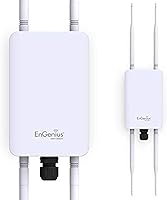
  • Antennas: Four detachable 5 dBi high-gain SMA-type antennas — two tuned for 2.4 GHz and two for 5 GHz — providing 360-degree coverage with beamforming support.
  • MU-MIMO: Dual-radio MU-MIMO technology allows the unit to communicate with multiple client devices simultaneously rather than sequentially, improving overall network efficiency.
  • Operation Modes: Supports three deployment modes: Access Point, Client Bridge, and WDS (Wireless Distribution System), configurable via the web interface.
  • Power Method: Powered entirely via Power over Ethernet (PoE) using the included 54V/0.6A PoE injector, eliminating the need for a separate power outlet at the mounting location.
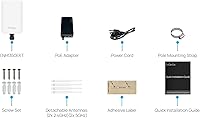
  • Included Items: Package contains the access point unit, one PoE adapter (EPA5006GR), one 54V power adapter, one power cord, two 2.4 GHz antennas, two 5 GHz antennas, two pole-mounting brackets, a wall-mount screw set, and a quick installation guide.
  • Management Software: Compatible with EnGenius EZ Controller software, enabling local and remote centralized management of single or multiple deployed units.
  • Dimensions: The unit measures 6 x 9.7 x 4.5 inches, making it a mid-sized enclosure suitable for pole or wall mounting in most standard outdoor locations.
  • Weight: The access point weighs 1.8 pounds without antennas attached, light enough for straightforward solo installation in most mounting scenarios.
  • Wireless Security: Supports WPA2 and WPA personal and enterprise security protocols along with WPS for compatible client devices.
  • LAN Connectivity: Equipped with a Gigabit Ethernet port for wired uplink connection, compatible with standard Cat5e or Cat6 outdoor-rated Ethernet cable.
  • Compatible Devices: Works with any Wi-Fi enabled device including laptops, desktop computers, smartphones, and tablets using standard 802.11a/b/g/n/ac wireless adapters.
  • Warranty: Covered by a one-year limited manufacturer warranty provided directly by EnGenius Technologies.
  • Operating Temperature: Designed to operate reliably across a wide outdoor temperature range, handling both freezing winter conditions and high-heat summer environments.
  • Color: The housing is finished in white, which reflects sunlight and helps reduce heat absorption during prolonged outdoor exposure.
  • Certifications: Holds IP67 ingress protection certification confirming complete dust exclusion and waterproof performance to defined international standards.

Related Reviews
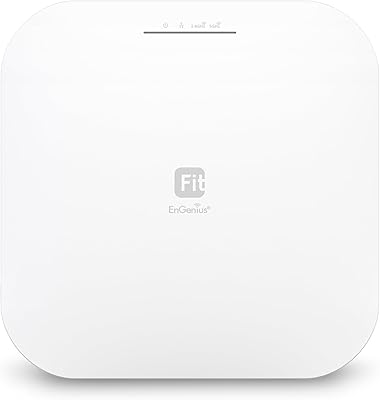
EnGenius EWS276-FIT Wi-Fi 6 Access Point
85%
88%
Performance
91%
Setup & Installation
86%
Wi-Fi Speed & Range
89%
Ease of Use (App/Cloud Management)
84%
Reliability
More
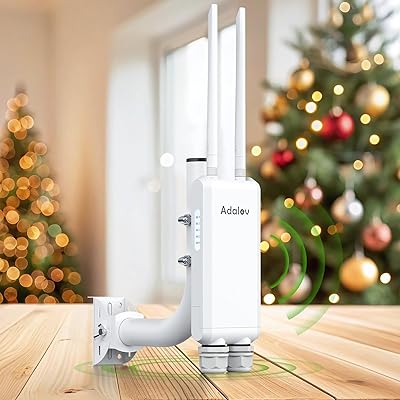
AdaLov CF-EW84 Outdoor Wi-Fi Access Point
83%
85%
Performance
90%
Durability (Weatherproofing)
88%
Ease of Installation
82%
Signal Coverage & Range
84%
Dual-Band Wi-Fi Performance
More
EnGenius EWS356-FIT Wi-Fi 6 Dual-Band Access Point
83%
91%
Wi-Fi Performance
89%
Ease of Setup
87%
Coverage Area
82%
Software and App Experience
90%
Security Features (WPA3)
More
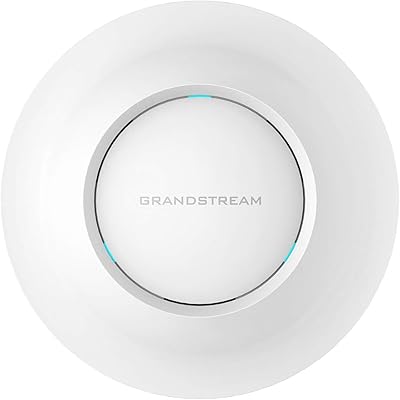
TP-Link Festa F65-Outdoor AX3000 Wi-Fi 6 Access Point
84%
88%
Performance
94%
Outdoor Durability
85%
Ease of Setup
82%
Signal Strength
79%
Cloud Management & App
More
Grandstream GWN7630 Wi-Fi 5 Access Point
87%
88%
Performance
81%
Setup & Installation
84%
Software & App Experience
90%
Reliability
85%
Build Quality
More
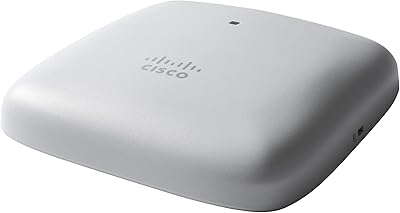
Cisco CBW240AC Wi-Fi Access Point
80%
83%
Wireless Performance
76%
Setup & Configuration
88%
Build Quality & Design
81%
Coverage Range
87%
Security Features
More
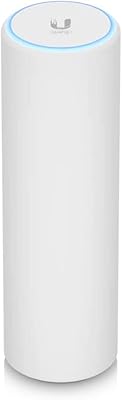
Cisco Business 150AX Wi-Fi 6 Access Point
85%
89%
Performance
92%
Security Features
78%
Ease of Setup
85%
Wi-Fi Coverage
80%
Management App Usability
More
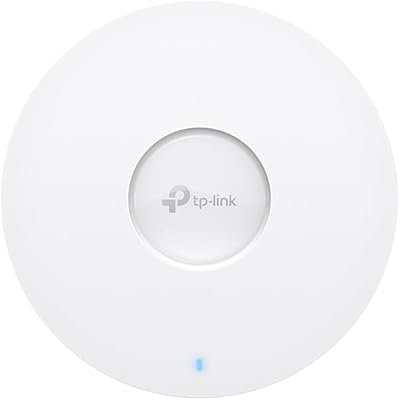
Ubiquiti U6-Mesh Wi-Fi 6 Access Point
79%
93%
Wireless Performance
54%
Setup & Configuration
91%
Build Quality & Durability
88%
Coverage Range
74%
Value for Money
More
Ubiquiti Networks airCube ACB-ISP-US Wi-Fi Access Point
83%
91%
Ease of Installation
88%
Value for Money
82%
Wi-Fi Performance
85%
Compactness & Design
68%
Range Coverage
More
TP-Link Omada EAP673 AX5400 Wi-Fi 6 Access Point
86%
91%
Performance & Speed
88%
Ease of Setup
89%
Wireless Coverage
85%
Build Quality
92%
App & Cloud Management
More

FAQ

Honestly, this is not a plug-and-play device like a consumer mesh system. If you are comfortable with basic networking concepts — assigning an IP address, logging into a web interface, and configuring an SSID — you will be fine. If those terms are unfamiliar, plan on spending time with tutorials or consider getting help from someone with networking experience before you mount it permanently.

On 2.4 GHz, most users report solid coverage at 150 to 200 feet across open outdoor spaces, sometimes more in ideal conditions. The 5 GHz band performs well at closer range but drops off faster outdoors — do not expect the same distance from both bands. Dense foliage, fences, or outbuildings will reduce that range noticeably on either frequency.

Ethernet handles everything. The included PoE injector converts your standard router or switch connection into a power-carrying Ethernet run, so a single outdoor-rated Cat5e or Cat6 cable is all you need to mount the unit wherever makes sense — on a roofline, pole, or fence post — without worrying about a nearby power outlet.

Yes, the IP67-rated enclosure is designed for exactly that. Multiple buyers in cold northern climates have reported consistent operation through full winters without any weather-related issues. Just make sure you properly seal the Ethernet cable entry point with self-amalgamating tape or weatherproof conduit, as that connection point is the most vulnerable spot in cold, wet conditions.

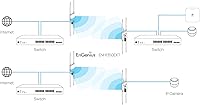
Yes, that is one of the most popular use cases for this unit. Using Client Bridge or WDS mode, you can link a detached garage, barn, or outbuilding wirelessly back to your main network. You will need either a second compatible unit or a WDS-capable device at the other end, and both buildings need line-of-sight or near-line-of-sight positioning for best results.

EZ Controller is EnGenius's optional management platform that lets you monitor and configure one or more units from a central dashboard, including remotely over the internet. You do not need it for basic single-unit deployment — the access point has its own built-in web interface you can access directly. EZ Controller becomes more valuable if you are managing multiple units across a property or a remote site you cannot visit regularly. The software works but the interface is visibly dated compared to modern alternatives.

The SMA antenna connectors are solid and the antennas themselves are designed for outdoor exposure. UV degradation on the plastic can occur over several years in direct sunlight, but the connectors and signal performance typically hold up well within normal outdoor use. The advantage of the detachable SMA design is that individual antennas can be replaced if needed without replacing the whole unit.

For typical home or small business use — a dozen to perhaps twenty devices — it handles the load comfortably, with MU-MIMO helping distribute bandwidth more efficiently across simultaneous connections. If you are planning a high-density scenario with fifty or more active concurrent users, this unit will start showing strain and you would be better served by a higher-capacity enterprise access point.

Honestly, it is on the shorter side for infrastructure hardware. One year covers manufacturing defects but leaves you unprotected if something fails in year two or three, which is a realistic window for outdoor electronics. Some competing units at similar price points offer two or three years. If long-term assurance matters to you, factor that into your purchase decision or check whether a third-party warranty extension is available through your retailer.

Yes, remote management is one of this unit's genuine strengths for that scenario. Using EZ Controller with appropriate network configuration, you can monitor status, adjust settings, and troubleshoot without being on-site. You will need to ensure your router at the property allows remote access to the management interface, which involves some basic port or VPN configuration — straightforward for a network-savvy user but another hurdle for beginners.

Where to Buy