Overview

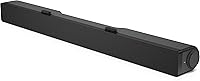
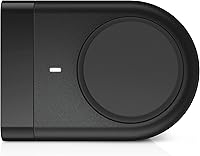
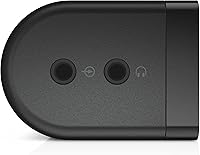
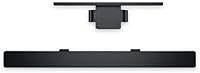
The Dell AC511M USB Stereo Soundbar is a slim monitor-mounted audio bar designed to sit beneath your display and give your desktop a quick upgrade without the usual installation headaches. Originally built as a companion peripheral for Dell displays, it works just as well with most monitors and laptops regardless of brand. There is no separate power adapter, no driver disc to hunt down — just one USB cable that handles both power and signal. For anyone tired of their laptop's tinny built-in speakers, this USB soundbar offers a practical, clutter-free upgrade at a budget-friendly price point.

Features & Benefits

The real convenience of this desktop speaker bar starts with a single USB connection — plug it in and audio begins immediately, no drivers, no settings menus, nothing to configure. It delivers 3 watts of stereo output, which is plenty for a personal workspace but will not fill a large room. A 120 dB signal-to-noise ratio keeps background hiss minimal even at higher volume. The 1-inch dynamic tweeter handles high-frequency sounds with reasonable clarity, and the physical volume and mute controls mean you never need to dig through software to adjust the audio. At roughly 40 centimeters wide, it sits cleanly under most standard monitor bases without crowding your desk.

Best For

This USB soundbar is a natural pick for remote workers and office users who spend significant time on video calls and want voices to come through clearly without a bulky speaker setup on their desk. It suits anyone building a minimalist home office where simplicity matters more than sonic power. Students who stream background music or watch lectures will get real value here. That said, skip it if you want thumping bass or room-filling volume — with small drivers and modest wattage, this is a personal listening device, not a room speaker. Non-Dell monitor users need not worry; it connects without fuss to virtually any laptop or desktop.

User Feedback

Owners of the Dell monitor speaker bar tend to agree on a few things. Setup gets near-universal praise — people appreciate that it works the moment it is plugged in, with zero software required. Most also find it a genuine step up from a laptop's built-in speakers for calls and background listening. Where feedback diverges is bass performance: given the compact drivers and low wattage, low-end response is thin, and buyers expecting rich bass often come away let down. Build quality draws more mixed opinions — the plastic housing holds up for most users through regular daily use, but a handful report wear after a year or two of extended sessions.

Pros

  • Plug-and-play setup works instantly — no drivers, software, or configuration required
  • A single USB cable powers the speaker and carries audio, keeping your desk clean and simple
  • Noticeably better clarity than built-in laptop or monitor speakers, especially for voice calls
  • Physical volume and mute controls let you adjust audio without touching your keyboard or screen
  • At roughly 40 cm wide, the Dell monitor speaker bar slides under most monitors without using extra desk space
  • A 120 dB signal-to-noise ratio keeps background hiss low even at higher volume levels
  • Broad compatibility means it works with non-Dell monitors and most Windows and macOS systems
  • Lightweight at under 500 grams, making it easy to pack and reposition if needed
  • Ranked among the top sellers in its category, reflecting a large base of satisfied everyday users

Cons

  • Bass response is noticeably thin — low frequencies are largely absent given the small driver size
  • Maximum 3-watt output is too quiet for open or shared spaces where ambient noise is present
  • The all-plastic housing can feel lightweight in a way that reads as cheap rather than portable
  • No wireless option — users tied to short USB cable lengths may find placement restrictive
  • Frequency response starts at 100 Hz, meaning significant portions of the low-end audio spectrum are simply cut off
  • No built-in microphone, so it does not double as a speakerphone solution for calls
  • Long-term durability has been questioned by some users after one to two years of continuous daily use
  • No equalizer or audio customization controls, leaving sound output entirely fixed

Ratings

The scores below for the Dell AC511M USB Stereo Soundbar were generated by our AI review engine after analyzing verified global buyer feedback, actively filtering out incentivized, duplicate, and bot-generated submissions to surface what real users actually experienced. Each category reflects an honest synthesis of both the praise and the frustrations that showed up consistently across thousands of reviews. Nothing has been smoothed over — the weak spots are scored as such.

Ease of Setup
96%
Buyers across all technical skill levels consistently report that this USB soundbar is ready in under a minute — plug in one cable and the computer recognizes it immediately. Remote workers setting up a new home office especially appreciate not having to deal with driver downloads or compatibility headaches during a busy workday.
A small number of users on older systems report that audio did not switch automatically and required a manual selection in sound settings. This is a minor inconvenience, but worth noting for buyers expecting a completely zero-touch experience on every machine.
Audio Clarity
74%
26%
For voices, podcasts, and video call audio, this desktop speaker bar delivers noticeably cleaner, more intelligible playback than built-in laptop speakers. Users on frequent video calls consistently mention that speech sounds fuller and less fatiguing to listen to over long sessions.
Clarity drops off outside the voice frequency range — instruments and complex music mixes can sound flat or compressed. Buyers using it for music listening beyond casual background tracks often find the mid-range presentation lacks depth and separation.
Bass Response
38%
62%
Within the narrow frequency band the drivers actually cover, the sound stays clean and free of distortion at moderate volumes. Users playing ambient or acoustic music report an acceptable listening experience as long as expectations are calibrated to the hardware.
With a frequency response floor of 100 Hz and small dynamic drivers, meaningful bass simply does not exist here. Buyers who expected any sense of low-end warmth — even from indie or vocal-heavy music — consistently express disappointment, and this is the single most repeated criticism in user reviews.
Build Quality
58%
42%
The all-plastic construction keeps the unit lightweight and easy to reposition, which suits buyers who move between workspaces or pack a home office setup regularly. For the first year of use, most buyers report no structural issues with buttons, joints, or the bar itself.
After extended daily use — typically beyond 18 months — some buyers report that the volume wheel or mute button begins to feel loose or less responsive. The plastic housing does not convey a premium feel, and a portion of buyers who paid attention to build materials felt the construction did not match the brand name behind it.
Value for Money
83%
Relative to what this USB soundbar actually delivers — plug-and-play stereo audio for a personal desk setup — the price-to-performance ratio lands well for most buyers. Budget-conscious home office workers repeatedly describe it as a no-regret purchase that solved their speaker problem without overspending.
Buyers who were hoping for even modest bass or louder output sometimes feel the value proposition weakens once they hear it in practice. A handful of reviewers noted that for a small additional investment, dedicated stereo desktop speakers would have served them better.
Volume Output
61%
39%
For a single person working at a desk in a reasonably quiet room, the 3-watt output is generally adequate for background music and call audio at comfortable listening levels. Users in private home offices rarely push it to its limits under normal conditions.
In any shared or open workspace environment, the maximum volume falls short. Several buyers in open-plan offices or rooms with HVAC noise report that the speaker cannot produce enough volume to be useful without straining to hear it clearly.
Compatibility
89%
The Dell monitor speaker bar pairs cleanly with non-Dell monitors, Windows laptops, MacBooks, and Chromebooks in most reported cases. Buyers who purchased it to use with monitors from competing brands rarely encounter recognition or audio routing problems.
A small but consistent group of Linux users and buyers with older USB 2.0 hubs report intermittent connection issues. These edge cases do not represent the majority experience, but they surface often enough to flag for buyers running non-standard system configurations.
Desk Footprint
91%
The slim rectangular bar tucks neatly under most monitor stands without consuming any additional desk real estate, which is a genuine quality-of-life improvement for users with compact workspaces. The single USB cable keeps cable management simple and avoids the mess of a multi-speaker setup.
On monitors with very narrow or low-profile bases, the bar can slightly overhang the stand edge. This is a minor placement issue rather than a design flaw, but users with ultra-thin monitor stands occasionally mention needing to adjust the bar's position.
Physical Controls
77%
23%
Having tactile volume and mute controls directly on the bar is a practical convenience during calls — no hunting through taskbar menus mid-meeting. Users who mute and unmute frequently throughout the day particularly value the immediacy of a physical button.
The control wheel is small and located on the bar itself, which can be awkward to reach depending on monitor placement and desk depth. Some buyers note that the mute button in particular does not provide satisfying tactile feedback, making it hard to confirm activation without looking.
Aesthetics & Design
72%
28%
The clean black rectangular form looks professional and unobtrusive on a desk, complementing dark monitor bezels and most neutral office color schemes. Buyers who prioritize a tidy, understated workspace report that it fits the visual tone well.
The plastic finish can attract dust and fine scratches over time, which becomes visible against the matte black surface under bright desk lighting. Users who keep a meticulously clean workspace occasionally mention that it requires more frequent wiping down than expected.
Long-Term Reliability
63%
37%
The majority of buyers who use this speaker bar for standard daily office tasks — a few hours of audio per day — report consistent performance over the first year without functional degradation. The passive design with no moving parts beyond the control wheel contributes to reasonable baseline reliability.
Beyond the 18-month mark, a notable share of reviews report wear-related issues including intermittent audio cuts, degraded volume control response, or USB connection instability. It performs reliably in the short to mid term but is not positioned as a multi-year workhorse peripheral.
Packaging & Unboxing
69%
31%
The unit arrives in standard retail packaging that adequately protects the bar during shipping. Most buyers report receiving the product in good condition with no cosmetic damage.
The packaging offers nothing beyond basic protection — no accessories, no printed quick-start guide, and no USB extension cable, which some buyers would have appreciated given the short cable length. The unboxing experience is purely functional with no attention to presentation.
Noise Floor & Hiss
82%
18%
The 120 dB signal-to-noise ratio translates into a noticeably clean listening experience at low to moderate volumes, with minimal audible hiss when audio is paused. Users sensitive to background electronic noise from cheaper speakers report a marked improvement with this bar.
At maximum volume, a small number of users report faint distortion creeping in at the high end, suggesting the tweeter reaches its clean output ceiling fairly quickly. This is consistent with the hardware spec limitations and not unexpected at this price tier.

Suitable for:

The Dell AC511M USB Stereo Soundbar is an ideal pick for remote workers, students, and office users who are tired of straining to hear voices through thin laptop speakers during video calls or online meetings. If your daily audio needs center around clearer call playback, background music, or occasional video streaming at a personal listening volume, this USB soundbar fits that role without overcomplicating your setup. People building a tidy, minimalist home office will appreciate that the single USB cable handles everything — no extra outlets, no adapter bricks, no wire tangles. It also suits anyone who uses a Dell monitor and wants a brand-matched peripheral that tucks neatly under the display. Budget-conscious buyers who need a fast, fuss-free audio upgrade without spending time on configuration will find this desktop speaker bar delivers exactly what it promises.

Not suitable for:

Buyers who care deeply about audio quality — especially bass depth or room-filling volume — will likely find this USB soundbar underwhelming, and that is not a flaw so much as a physics reality: 3 watts through small dynamic drivers simply cannot produce meaningful low-end response. Music producers, gamers who rely on spatial audio, or anyone expecting the kind of output that fills a room should look at dedicated stereo speaker systems instead. The plastic build, while adequate for light daily office use, may not satisfy users who expect premium materials or long-term durability under heavy use conditions. Those working in noisy open-plan offices or shared spaces may also find the modest maximum output insufficient to cut through ambient noise. If you already own a reasonable set of desktop speakers, the Dell monitor speaker bar is unlikely to feel like a meaningful upgrade.

Specifications

  • Connectivity: The speaker connects via a single USB-A cable that carries both the audio signal and power, requiring no separate power adapter.
  • Power Source: The unit draws power directly from a USB port at 5V DC, eliminating the need for a wall outlet or external power brick.
  • Output Power: Maximum audio output is rated at 3 watts, suitable for personal listening in a quiet office or home workspace.
  • Audio Mode: The speaker delivers two-channel stereo audio, with left and right channels separated across the bar's width.
  • Frequency Response: Audio reproduction begins at 100 Hz, meaning deep bass frequencies below that threshold are not reproduced by this unit.
  • Signal-to-Noise Ratio: The signal-to-noise ratio is rated at 120 dB, indicating a low level of background hiss relative to the audio output.
  • Driver Type: The unit uses a dynamic driver design paired with a 1-inch tweeter to handle mid-range and high-frequency audio reproduction.
  • Speaker Width: The soundbar measures approximately 40 centimeters (about 15.75 inches) in length, fitting comfortably under most standard desktop monitors.
  • Weight: The unit weighs approximately 450 grams (15.9 oz), making it light enough to reposition or pack without difficulty.
  • Material: The housing is constructed from plastic, keeping the overall weight low while maintaining a functional level of durability for desk use.
  • Form Factor: The soundbar has a rectangular prism shape designed to sit horizontally on a tabletop or along the base of a monitor stand.
  • Color: The unit is available in black, designed to blend with standard monitor bezels and dark desk peripherals.
  • Compatibility: The speaker is compatible with laptops and desktop computers running operating systems that natively support USB audio, including Windows and macOS.
  • Usage Environment: This speaker is intended for indoor use only and is not rated for moisture resistance or outdoor conditions.
  • Dimensions: Overall product dimensions are listed at 15.75 x 11.81 x 11.81 inches as packaged, with the bar itself spanning approximately 40 cm wide.
  • Controls: Physical volume and mute controls are integrated directly on the unit, allowing quick audio adjustments without using software.
  • Warranty: The unit is covered by a limited manufacturer warranty from Dell; buyers should confirm current warranty terms directly with Dell at time of purchase.
  • Package Contents: The standard package includes the soundbar speaker unit only; no additional cables or accessories are listed as included components.

Related Reviews
Dell AX210 USB Stereo Speakers
77%
67%
Sound Quality
94%
Setup & Ease of Use
72%
Build Quality
78%
Value for Money
53%
Volume Output
More
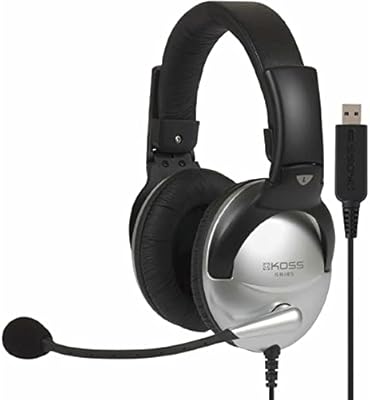
Koss SB45 USB Multimedia Stereo Headphone
85%
92%
Value for Money
88%
Comfort
85%
Sound Quality
89%
Microphone Clarity
70%
Build Quality
More
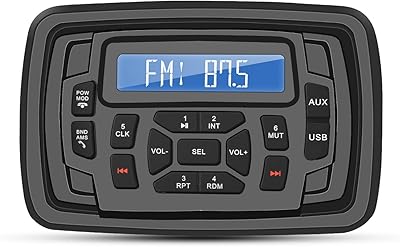
Herdio Marine Bluetooth FM/AM Stereo Receiver
77%
88%
Weather & Water Resistance
82%
Build Quality
84%
Bluetooth Connectivity
91%
Ease of Installation
67%
Audio Quality
More
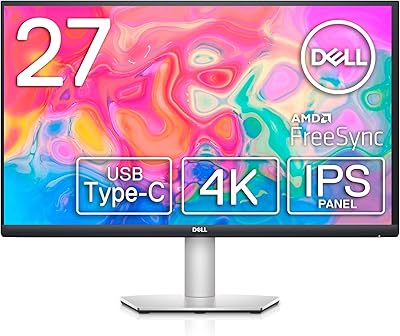
Dell S2722QC 27-inch 4K USB-C Monitor
74%
91%
Image Sharpness & Clarity
88%
USB-C Connectivity
86%
Ergonomics & Stand
83%
Value for Money
67%
Color Accuracy
More
Dell UltraSharp U2723QE 27″ 4K Monitor
78%
93%
Color Accuracy
88%
Contrast & Black Depth
91%
USB-C Hub & Connectivity
89%
Eye Comfort
87%
Build Quality & Stand
More
Dell 34 Plus USB-C Curved Monitor S3425DW 34-inch
86%
91%
Display Quality
94%
Color Accuracy
85%
Gaming Performance
88%
Build Quality
92%
Ease of Setup
More
Dell UltraSharp U3821DW 38-inch Curved USB-C Hub Monitor
87%
91%
Display Quality
87%
Ergonomics & Comfort
89%
Multitasking Performance
92%
Color Accuracy
90%
Connectivity Options
More
Dell S2725QC 27-inch 4K USB-C Monitor
81%
93%
Image Clarity
88%
Color Accuracy
91%
USB-C Connectivity
86%
Refresh Rate & Smoothness
89%
Build Quality & Design
More
Peavey USB-P
Peavey USB-P
89%
96%
Noise Isolation
94%
Build Quality
98%
Ease of Use
87%
Portability
83%
Value for Money
More
ySky 512GB Dual-Interface USB-C Flash Drive
78%
78%
Transfer Speed
91%
Dual Connector Design
88%
Build Quality
86%
iPhone 15 Compatibility
93%
Portability
More

FAQ

No, you do not. The Dell AC511M USB Stereo Soundbar uses standard USB audio, which is natively recognized by Windows and macOS. Just plug it in and your computer should switch the audio output to it automatically, or you can select it manually in your sound settings.

Yes, it works with virtually any monitor or computer that has a USB-A port. It was originally designed as a Dell peripheral, but there is nothing in the hardware that limits it to Dell products. Users regularly pair it with monitors from other brands without any issues.

Honestly, not much. The frequency response starts at 100 Hz, and with small dynamic drivers and 3 watts of output, deep bass is largely absent. It is fine for voices, podcasts, and background music, but do not expect the kind of low-end thump you would get from a dedicated subwoofer or a larger desktop speaker system.

It works on macOS as well. Since it is a standard USB audio device, most operating systems recognize it without needing any drivers. Several users have confirmed clean compatibility with MacBooks and Mac desktops.

Probably not. At 3 watts maximum output, this USB soundbar is best suited for personal listening in a quiet room. In a noisy open-plan office, you may find it struggles to cut through ambient background noise at comfortable volumes.

It rests on the tabletop, typically sitting along the front edge of the monitor base. It does not clip or attach mechanically to the monitor itself, so the exact placement depends on your monitor stand's footprint. Most standard monitor bases leave just enough room for it to sit neatly in front.

The USB cable on this desktop speaker bar is relatively short, as it is designed to connect to a port on the monitor's USB hub or a nearby laptop. If your desktop tower is under your desk or at some distance, you may need a USB extension cable to reach it comfortably.

The housing is all plastic, which keeps weight down but does have a feel that some buyers describe as basic rather than premium. Most users report it holds up well for regular daily office use. A smaller number of long-term users have noted signs of wear after a year or two of heavy use, so it is fair to approach it as a solid mid-life accessory rather than a decade-long investment.

No. This unit is a speaker only and does not include a built-in microphone. For speakerphone functionality, you would need a separate USB microphone or a dedicated conference speaker that includes both audio input and output.

In most cases, yes — as long as the USB hub is powered and provides sufficient current for the device. Unpowered or low-output hubs occasionally cause issues with USB audio devices, so a powered hub is the safer choice if you are going that route.

Where to Buy