Overview

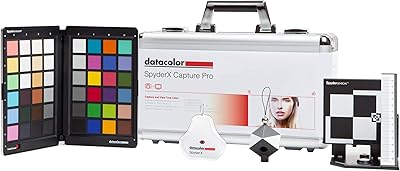
The Datacolor Spyder Print Studio Color Management Kit is built for photographers who are serious about what comes out of their printer, not just what they see on screen. The bundle covers three distinct workflow stages: a monitor calibrator to bring your display into spec, a printer profiler to build custom ICC profiles, and the Spyder Cube, a 3D reference target that improves white balance accuracy right at the capture stage. Everything ships inside a protective metal carry case — genuinely useful if you move between shooting locations. This is not an impulse buy for casual shooters. It targets working enthusiasts and semi-pros who have run into the frustration of prints that simply do not match their edits.
Features & Benefits

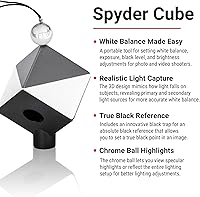
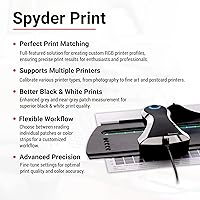
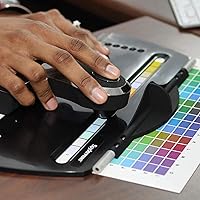
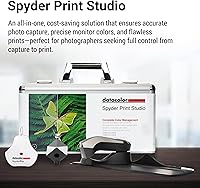
The SpyderPro monitor calibrator handles the full range of modern display technologies — OLED, Mini-LED, XDR, and high-brightness LCD panels — with an ambient light sensor that adjusts targets based on your actual working environment. That alone is meaningful for anyone editing near a window. Spyder Print goes further, letting you build unlimited ICC profiles for any combination of printer, ink, and paper stock you use, which matters when you are printing on fine art or baryta paper rather than generic glossy. The Spyder Cube gives you a dependable reference target in-camera. Rounding things out, DevicePreview and soft-proofing let you visualize how a print will actually look before a single sheet feeds through.

Best For

This all-in-one calibration system makes the most sense for fine art and portrait photographers who need their prints to look consistent whether they are produced today or six months from now. If you rely on specialty papers — cotton rag, baryta, metallic — and third-party inks, generic manufacturer profiles will not cut it, and this color management kit gives you the tools to build your own. Dual-monitor editing setups benefit from the display matching capability, keeping both screens aligned. Photographers who shoot in mixed or changing light will find the Spyder Cube especially practical. Studios managing multiple printers and paper stocks also get real utility here, since there is no cap on the number of profiles you can generate.

User Feedback

Among verified buyers, the most consistent praise centers on print color accuracy — photographers who had struggled for years to get their monitor and printer in sync report a noticeable difference after setting up the full workflow. The bundled value also comes up frequently; purchasing each component separately would cost considerably more. That said, the criticism is real and worth acknowledging: the software interface has a learning curve that catches newcomers off guard, and anyone unfamiliar with ICC profiles or soft-proofing will need to invest time before seeing results. A handful of reviewers noted that Datacolor support was responsive when setup issues arose. The metal carry case earns consistent praise for durability. The kit holds a 4.3 out of 5 rating across 80 ratings.

Pros

  • Covers the entire color workflow from capture to print in a single, integrated kit.
  • Custom printer profiling works with any combination of printer, ink, and paper — no restrictions.
  • SpyderPro calibrator supports modern display technologies including OLED, Mini-LED, and XDR panels.
  • Ambient light sensing adjusts calibration targets to your actual working environment automatically.
  • Unlimited display licenses mean studio owners can calibrate every monitor without added cost.
  • The Spyder Cube simplifies accurate in-camera white balance, reducing correction time in post.
  • DevicePreview and soft-proofing let you verify expected print output before committing paper and ink.
  • Protective metal carry case is durable and practical for photographers who work across multiple locations.
  • Buying these tools as a bundle offers meaningful value over purchasing each component individually.
  • Verified buyers consistently report a noticeable improvement in screen-to-print color accuracy after setup.

Cons

  • The software interface has a steep learning curve that catches first-time calibrators off guard.
  • Printer profiling and soft-proofing require prior knowledge of color theory to use effectively.
  • No meaningful benefit for photographers who do not print their own work or manage their own displays.
  • Setup time is substantial — expect to invest several hours before the workflow runs smoothly.
  • The combined weight and size of the kit, while portable, is not trivial to carry on location shoots.
  • Software updates have been inconsistent for some users, with occasional compatibility lag after OS updates.
  • Advanced calibration settings, while powerful, offer little value to users who stick to default presets.
  • Buyers focused solely on monitor calibration are paying for profiling tools they may never use.

Ratings

The scores below reflect an AI-assisted analysis of verified global buyer reviews for the Datacolor Spyder Print Studio Color Management Kit, with spam, incentivized, and bot-flagged submissions actively filtered out before scoring. Each category is evaluated based on patterns across real purchase experiences, capturing both what users genuinely praise and where frustrations consistently surface. The result is a transparent, balanced scorecard that reflects the full picture — not just the highlights.

Print Color Accuracy
91%
Verified buyers who struggled for years with mismatched prints consistently report a dramatic improvement after building custom ICC profiles for their specific printer and paper combination. Skin tones, neutral greys, and shadow gradations in particular show the most visible gains, which matters enormously for portrait and fine art photographers delivering physical prints to clients.
Results depend heavily on correct setup and a stable editing environment. Users who skip the monitor calibration step or rush the printer target drying time often find their profiles fall short of expectations, leading to frustration that is ultimately a workflow issue rather than a hardware limitation.
Monitor Calibration Quality
88%
The SpyderPro calibrator earns consistent praise for handling modern display panels — including OLED and Mini-LED — that older calibrators struggle with. Photographers editing on high-brightness displays report that the ambient light sensor meaningfully improves calibration accuracy when working near windows or in rooms with variable lighting throughout the day.
A small number of users noted that the software does not always recognize certain display models on first connection, requiring a restart or manual selection. Those on older LCD technology reported fewer dramatic improvements compared to users with newer display hardware, which may affect perceived value for that segment.
Software Usability
61%
39%
Users with prior experience in color management generally find the software comprehensive and appreciate the depth of control available, particularly the advanced calibration settings and the ability to manage multiple printer profiles within a single interface. For those who know what they are doing, the workflow is logical and efficient.
First-time calibrators frequently describe the interface as unintuitive and the onboarding documentation as insufficient for the learning curve involved. Several verified buyers mention spending hours troubleshooting before completing their first successful printer profile, and the software's visual design has been called dated compared to competitors at similar price points.
Bundle Value
84%
Multiple verified buyers explicitly compared the bundle price against purchasing the SpyderPro, Spyder Print, and Spyder Cube individually, finding the kit offers meaningful cost savings. For photographers who need all three tools — and most printing-focused workflows do — the bundled approach removes the guesswork of sourcing compatible components separately.
Buyers who only need one or two components of the system may feel the pricing is harder to justify. Those already owning a standalone monitor calibrator, for instance, are essentially paying for redundant hardware, and there is no partial bundle option that allows customization of the kit contents.
Printer Profiling Flexibility
89%
The unlimited profile generation is a genuine differentiator for users managing more than one printer or experimenting with multiple paper stocks. Fine art photographers using baryta, cotton rag, and metallic papers in the same studio report that having tailored profiles for each combination removes the guesswork from print preparation entirely.
Building each profile still requires printing and measuring a test target, which consumes paper and ink with every new combination tested. Users printing on highly absorbent or textured fine art papers occasionally report needing two or three profiling iterations before achieving satisfactory neutrals, adding time and material cost to the setup process.
Spyder Cube Effectiveness
79%
21%
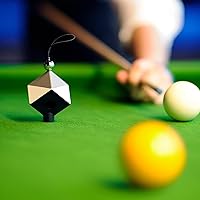
Photographers who shoot in challenging or mixed lighting — events, outdoor portraits, tethered studio sessions — find the Spyder Cube meaningfully faster for establishing white balance than adjusting manually in post. The three-dimensional design captures shadow and highlight reference data simultaneously, which flat grey cards cannot replicate.
Some users find the Spyder Cube redundant if they already use a trusted color checker or grey card in their existing workflow. Its value is most apparent when shooting RAW in unpredictable light; for controlled studio work with consistent strobe lighting, the practical benefit is less pronounced.
Hardware Build Quality
82%
18%
The metal carry case consistently receives positive remarks for feeling robust and well-constructed relative to the soft pouches or plastic packaging that ship with competing kits. Photographers who travel to client locations appreciate having a case that can take a knock in a camera bag without risking the calibration hardware inside.
The case dimensions and weight — just under six pounds fully loaded — make it less practical for lightweight travel kits. A few reviewers noted that the foam inserts holding the individual tools in place feel less precisely cut than expected at this price tier, allowing some minor movement during transit.
Display Matching
77%
23%
Studio photographers and retouchers running dual-monitor setups report that the display matching feature visibly reduces the color difference between their primary editing screen and a secondary client-facing or reference display. The improvement is especially noticeable when monitors are from different manufacturers or generations.
Achieving a truly tight match between displays with fundamentally different panel technologies — for example, an IPS alongside an OLED — remains imperfect even with proper calibration. Users expecting identical color output from mismatched hardware may still see minor deviations in highlights and color temperature that calibration alone cannot fully eliminate.
Ambient Light Sensing
74%
26%
For photographers working in editing spaces without controlled lighting — home offices, shared studios, or rooms with large windows — the ambient light measurement feature adds a layer of calibration accuracy that static targets cannot provide. Users in these environments note that recalibrations feel more consistent across different times of day.
Users in purpose-built color-controlled editing environments with stable, consistent lighting report minimal added benefit from the ambient sensor, describing it as a feature that solves a problem they have already engineered away. The sensor also does not dynamically adjust the profile after calibration, which limits its ongoing usefulness.
Soft-Proofing Capability
81%
19%
Photographers who have integrated soft-proofing into their Lightroom or Photoshop workflow describe the ability to visually verify expected print output before committing to paper as a practical time and material saver. The DevicePreview tool is cited as a useful addition for quickly checking output without launching a full editing application.
Soft-proofing requires a correctly calibrated monitor and a solid understanding of rendering intents to interpret accurately. Several buyers acknowledge they did not have the foundational color management knowledge to use this feature effectively at first, and the software does not provide enough contextual guidance to bridge that gap on its own.
Setup Time
58%
42%
Once familiar with the workflow, experienced users report that recurring calibration sessions — particularly monitor recalibration — become quick and routine. The guided workflow in the software reduces the number of decisions a user needs to make during each subsequent session after the initial configuration is complete.
Initial setup is time-intensive by most accounts, with the full sequence of monitor calibration, printer target printing, drying, and profiling taking several hours on the first pass. Buyers who anticipated a quick out-of-box experience are frequently caught off guard, and the documentation does not adequately set expectations around the time commitment required.
Software Update Reliability
63%
37%
Datacolor has a track record of providing long-term software support for its Spyder product lines, and users on stable operating system versions generally report that the software runs reliably without major bugs during day-to-day calibration sessions.
A recurring concern among verified buyers is a lag between major macOS or Windows updates and corresponding software compatibility patches from Datacolor. Several users reported temporary workflow disruption after OS upgrades, which is a meaningful issue for professionals whose printing schedule cannot absorb unplanned downtime.
Customer Support
69%
31%
A portion of verified buyers who encountered setup difficulties report positive interactions with Datacolor's support team, describing responses as knowledgeable and relatively prompt compared to what they expected from a hardware-focused manufacturer.
Experiences are inconsistent across the user base. Some buyers describe support wait times as longer than acceptable for a professional tool, and a few noted that initial responses were generic troubleshooting steps rather than targeted guidance, requiring multiple follow-up exchanges to resolve their issue.
Portability
66%
34%
The metal carry case makes this system more transport-ready than competitors that ship tools in separate boxes or soft cases. Photographers who regularly shoot on location and need to profile prints made at different studios or labs appreciate having everything contained in one organized case.
At just under six pounds, the fully loaded case adds noticeable weight to a travel kit, and its rigid dimensions do not compress or adapt the way a padded bag would. For photographers who travel by air frequently or carry gear on foot, the bulk of this all-in-one calibration system is a practical trade-off worth considering.

Suitable for:

The Datacolor Spyder Print Studio Color Management Kit is the right tool for photographers who have moved past casual printing and need their output to be reliably accurate. Fine art photographers selling or exhibiting prints cannot afford color drift between what they approve on screen and what arrives in a customer's hands — this system addresses exactly that gap. Home studio shooters using specialty papers, baryta, cotton rag, or third-party ink sets will find the custom ICC profiling capability particularly valuable, since manufacturer-supplied generic profiles rarely account for individual printer variation. Dual-monitor setups benefit from the display matching feature, which keeps both screens aligned so editing decisions are consistent regardless of which display you are working on. Photographers who shoot in mixed or changing light conditions will also get real mileage from the Spyder Cube, which simplifies getting accurate white balance from the capture stage rather than correcting everything in post. Small labs and studios managing multiple printers and paper stocks simultaneously can generate unlimited profiles without additional licensing costs.
Not suitable for:

The Datacolor Spyder Print Studio Color Management Kit is not the right starting point if you are new to color management and expect results with minimal learning investment. Getting the most out of printer profiling and soft-proofing requires a working understanding of ICC profiles, rendering intents, and how your editing software handles color spaces — without that foundation, the tools will feel overwhelming rather than empowering. Casual photographers who print a few snapshots a year through an online lab, where color management is handled on the lab's end, have little practical use for this level of control. Smartphone-first shooters or those who share work exclusively on social media will not benefit from any component in this bundle. The price tier also reflects a professional workflow investment, so buyers looking for a basic monitor calibration solution only should consider whether a standalone calibrator meets their needs at a fraction of the cost. If software complexity is a dealbreaker and you prefer hardware with minimal configuration, this system will likely frustrate rather than help.
Specifications

  • Manufacturer: This kit is designed and manufactured by Datacolor, a company specializing in color management hardware and software solutions.
  • Model Number: The official model number for this bundle is SPK-PR124.
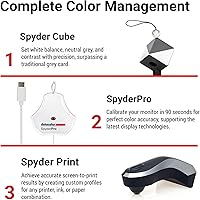
  • Kit Contents: The bundle includes three tools: the SpyderPro monitor calibrator, the Spyder Print printer profiler, and the Spyder Cube 3D reference target.
  • Carry Case: All components ship housed in a protective metal carry case measuring 8 x 8 x 5 inches, designed to protect tools during transport.
  • Kit Weight: The complete kit, including the carry case and all accessories, weighs 5.85 pounds.
  • Display Support: The SpyderPro calibrator supports OLED, Mini-LED, XDR, and high-brightness LCD display technologies with no cap on the number of monitors calibrated per license.
  • Max Luminance: The SpyderPro calibrator supports display profiling up to a maximum luminance of 2000 cd/m².
  • Ambient Sensing: An integrated ambient light sensor measures room lighting conditions and adjusts calibration targets accordingly for more accurate results.
  • Printer Profiles: Spyder Print allows users to generate an unlimited number of custom ICC profiles covering any combination of printer, ink set, and paper stock.
  • Soft-Proofing: The included software provides DevicePreview and soft-proofing functionality, enabling users to simulate expected print output directly on a calibrated display.
  • Display Matching: The system supports multi-monitor display matching, ensuring visual consistency across two or more screens used in the same editing environment.
  • Capture Reference: The Spyder Cube is a three-dimensional reference target used in-camera to set accurate white balance, exposure, and shadow detail at the capture stage.
  • Advanced Settings: The calibration software offers advanced manual settings for experienced users who require control beyond the standard guided presets.
  • Compatibility: The software suite is compatible with major photo editing applications that support ICC-based color management workflows.
  • Availability Date: This product was first made available for purchase in September 2024.
  • Customer Rating: The kit holds an average customer rating of 4.3 out of 5 stars based on 80 ratings at the time of evaluation.
  • BSR Rank: It ranks at number 18 in the Photographic Light Meter Color Calibration Charts category on Amazon.

Related Reviews
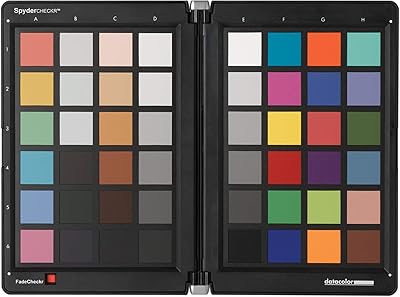
Datacolor Spyder Checkr Color Calibration Tool
86%
93%
Color Accuracy
88%
Ease of Use
90%
Build Quality
85%
Software Integration
92%
Durability
More
DEPTHLAN 25cm LED Photo Light Box
76%
91%
Ease of Setup
84%
Lighting Quality
78%
Dimming Control
67%
Interior Size & Usability
73%
Backdrop Variety & Quality
More
IGK Color Bright One Step Bleach & Color Kit ICE BREAKER - Cool Blonde, 4 Oz
83%
88%
Lightening Effectiveness
92%
Ease of Use
85%
Hair Texture Compatibility
76%
Moisture Retention
79%
Nourishment & Hydration
More
Datacolor SpyderX Photo Kit Color Calibration Kit
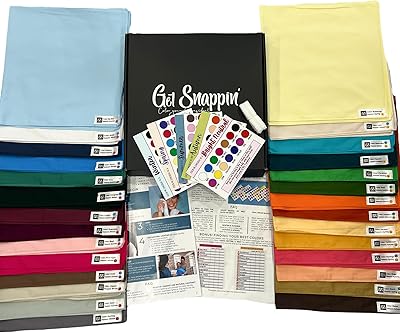
79%
91%
Monitor Calibration Accuracy
88%
Calibration Speed
83%
Color Chart Usability
86%
Spyder Cube Performance
63%
Software Experience
More
Gelish Xpress Dip Color Kit
86%
88%
Ease of Use
91%
Durability
86%
Vibrancy of Colors
90%
Long-Lasting Finish
85%
Application Process
More
COLOR WOW Volumizing VIPs Kit
83%
88%
Volume Boost
85%
Frizz Control
92%
Heat Protection
72%
Longevity of Results
81%
Shine and Gloss
More
Libeauty Lash Lift and Color Kit
85%
87%
Ease of Use
92%
Effectiveness of Lash Lift
81%
Effectiveness of Brow Tint
90%
Skin Sensitivity Compatibility
75%
Longevity of Results
More
Color Analysis Draping Kit Essential
83%
88%
Ease of Use
91%
Effectiveness of Color Analysis
85%
Value for Money
70%
Clarity of Instructions
76%
Suitability for Beginners
More
Datacolor Spyder X Capture Pro Color Kit
78%
91%
Color Accuracy
88%
Monitor Calibration Performance
61%
Software Usability
78%
Camera Profiling Workflow
69%
Value for Money
More
Mia Secret Studio Acrylic Kit
85%
89%
Ease of Use for Beginners
92%
Overall Quality of Materials
90%
Durability of Acrylic Powder
87%
Portability for Professionals
85%
Instruction Clarity
More

FAQ

It can work for motivated beginners, but expect a real learning curve. Printer profiling and soft-proofing in particular assume some familiarity with ICC profiles and how color spaces interact in editing software. If you are completely new to color management, plan to spend time with tutorials and documentation before the full workflow clicks into place.

It works with any desktop printer that accepts custom ICC profiles — which covers virtually all inkjet printers used for photo printing. The profiling software is brand-agnostic, so whether you are using an Epson, Canon, or a third-party ink system, you can build a custom profile for it.

Yes, the license supports an unlimited number of displays based on your computer setup. This is particularly useful for studios running dual-monitor editing rigs or for photographers who calibrate both a desktop and a laptop display.

The Spyder Cube is a three-dimensional reference target you place in your scene when shooting. It gives your RAW processor accurate data points for white balance, shadow detail, and exposure — going further than a flat grey card can. It is not strictly necessary if you already have a reliable white balance workflow, but it does simplify and speed up color correction in post.

For color-critical work, most professionals recalibrate every two to four weeks. Display output drifts gradually over time due to backlight aging and environmental changes, so regular recalibration keeps your editing environment trustworthy. The ambient light sensor helps ensure each calibration session accounts for your actual room conditions.

Yes. Both Lightroom and Photoshop support ICC-based soft-proofing natively. Once you have generated a custom printer profile using Spyder Print, you load it into your editing application to simulate how a print will look before you commit paper and ink. The DevicePreview tool in Datacolor software offers an additional layer of preview on top of that.

Yes, the software suite runs on both macOS and Windows. Check Datacolor's official support page for the most current OS version requirements, especially if you are running a recent operating system release, as some users have noted occasional lag in software updates following major OS upgrades.

A complete printer profiling workflow — printing a test target, letting it dry, and measuring it with the spectrocolorimeter — typically takes one to two hours from start to finish. Dry time is the main variable, especially with specialty papers that absorb ink differently. The initial setup of the software adds additional time on your first session.

Verified buyers consistently mention the carry case as a genuine highlight. It holds all three tools securely and feels solid enough for regular transport between studio locations or when shooting on location. It is not a padded camera bag, but it provides meaningful physical protection compared to storing components loose or in a cardboard box.

Based on user feedback, the difference tends to be most dramatic for photographers who were previously relying on generic manufacturer profiles or an uncalibrated monitor. For those users, the improvement in print accuracy — particularly in skin tones, shadow detail, and neutral greys — is clearly visible. For photographers who already have a partial calibration workflow in place, the gains are more incremental but still measurable.