Overview

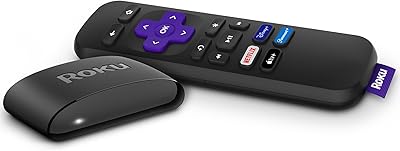
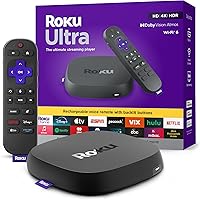
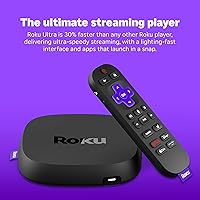
The Roku Ultra 2024 sits at the very top of Roku's lineup, and you can feel that the moment you start navigating — apps launch noticeably faster than on older Roku hardware, with none of the lag that makes budget streamers frustrating. What separates this streaming box from mid-range Roku options most visibly is the rechargeable Voice Remote Pro, which feels like a real generational step rather than a minor perk. Against the Fire TV Stick 4K Max, Apple TV 4K, and Google TV Streamer, it competes well, especially for buyers committed to Roku's clean OS who simply don't want to switch platforms.

Features & Benefits

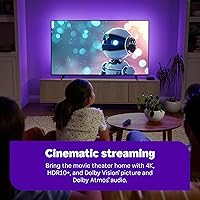
Wi-Fi 6 support is one of the quieter wins here — in a household with several devices competing for bandwidth, streams hold steady where older connections start struggling. Picture quality tops out with HDR10+ and Dolby Vision, though you'll only see the benefit on a compatible TV, so temper expectations accordingly. Dolby Atmos passthrough is a genuine plus for anyone running a soundbar or AV receiver. There's also an Ethernet port, which is surprisingly rare at this price point among streaming boxes. AirPlay 2 makes this flagship streamer notably friendlier to iPhone users, and Bluetooth handles private listening through headphones or the Roku mobile app without fuss.

Best For

This flagship streamer makes the most sense for a few specific types of buyers. If you're upgrading from a Roku device that's several years old, the speed improvement alone is a tangible reason to switch. Home theater fans will value the Dolby Vision and Atmos support, provided their TV and audio gear can actually use it. The Wi-Fi 6 radio pays off in dense apartment buildings or homes packed with connected devices. Anyone who watches in a dark room or habitually misplaces their remote will find backlit buttons and the lost remote finder practical rather than gimmicky. Roku's uncluttered interface continues to appeal to those who find Google TV or Android TV unnecessarily complex.

User Feedback

Most owners consistently praise the remote quality and overall responsiveness — longtime Roku users coming from older sticks notice the speed jump right away. On the downside, Roku's ad-heavy home screen draws regular complaints; it's a platform-wide issue, not unique to this hardware, but worth knowing before you buy. A handful of users have flagged occasional HDMI handshake problems with older televisions. Remote battery life earns solid marks, though some find the real-world longevity falls a bit short of the advertised estimate. The biggest hesitation in reviews is value: buyers who stream casually and skip the premium remote features sometimes question whether the price premium over the Streaming Stick 4K is truly warranted.

Pros

  • The Roku Ultra 2024 is noticeably faster than older Roku hardware — apps open quickly and navigation rarely stutters.
  • Dolby Vision and HDR10+ support covers nearly every major HDR format, future-proofing the setup for most TVs.
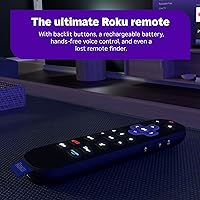
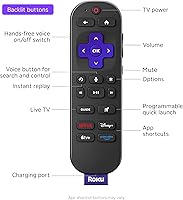
  • The rechargeable Voice Remote Pro is a genuine upgrade — backlit buttons and a lost remote finder solve real everyday annoyances.
  • Wi-Fi 6 delivers more stable streams in congested home networks, especially in dense apartment buildings.
  • An Ethernet port is a rare and welcome addition for anyone who prefers a wired connection for reliability.
  • AirPlay 2 support makes this streaming box a practical option for iPhone users who want wireless casting without extra hardware.
  • Dolby Atmos passthrough works cleanly with compatible soundbars and AV receivers, no manual configuration required.
  • The Roku OS remains one of the simplest and most accessible streaming interfaces available, with almost no learning curve.
  • Over 500 free live TV channels add genuine value for cord-cutters who want variety without additional subscriptions.
  • Hands-free voice control works reliably from across the room, which is a practical convenience for everyday use.

Cons

  • Roku's home screen is filled with ads and sponsored tiles that cannot be removed, regardless of the price paid for the hardware.
  • Picture quality upgrades like Dolby Vision are invisible on 1080p or non-HDR televisions — compatibility matters here.
  • Remote battery life falls short of the advertised estimate for heavy voice command users watching several hours daily.
  • Some users encounter HDMI handshake issues with older TVs, requiring manual troubleshooting before the picture stabilizes correctly.
  • The device runs noticeably warm during extended 4K sessions, which concerns some users even without confirmed performance impact.
  • Wi-Fi 6 benefits only apply if your router supports the standard — users on older routers see no real-world improvement.
  • Certain niche and regional streaming apps are missing from the Roku platform entirely, which limits options for some viewers.
  • The flagship streamer has no built-in speakers, so Dolby Atmos is completely irrelevant without external audio equipment.
  • Bluetooth audio can introduce a slight lip-sync delay with some headphone models, which is distracting during dialogue-heavy content.
  • App updates on Roku often roll out slower than on competing platforms, leaving some apps looking or behaving outdated.

Ratings

The Roku Ultra 2024 earns strong marks across most categories, but the scores below don't just reflect the marketing — they're generated by AI after analyzing thousands of verified global user reviews, with spam, bot activity, and incentivized feedback actively filtered out. From home theater setups to casual bedroom streaming, both the genuine strengths and the recurring frustrations are reflected honestly here.

Streaming Performance
93%
Users consistently describe the interface as snappy and responsive, with apps launching faster than on any previous Roku hardware. In real-world use, channel switching and search feel noticeably quicker, particularly appreciated by households that switch between multiple services daily.
A small number of users on very congested networks still report occasional buffering at peak hours, suggesting the hardware alone can't fully compensate for ISP-level limitations. Performance gains are most apparent for those upgrading from older Roku sticks rather than recent mid-range models.
Picture Quality
88%
On a compatible 4K HDR television, the combination of HDR10+ and Dolby Vision produces rich contrast and accurate color that genuinely rivals more expensive platforms. Reviewers with OLED and QLED TVs specifically note the difference when switching from a non-Dolby Vision source.
The picture quality ceiling is entirely dependent on the TV — users with 1080p or older HDR sets see no benefit from these specs and occasionally feel misled by the marketing. Dolby Vision implementation can also vary noticeably between streaming apps on the same device.
Remote Quality
91%
The rechargeable Voice Remote Pro stands out as one of the most frequently praised aspects across all reviews. Backlit buttons make late-night browsing genuinely comfortable, and the lost remote finder has saved real headaches for users in larger homes or households with kids.
Battery life, while good, falls short of the multi-month claim for heavier users who rely on voice commands frequently. A handful of reviewers also note that the remote occasionally takes a second or two to wake up from sleep, which feels inconsistent with the otherwise premium experience.
Wi-Fi Connectivity
86%
Wi-Fi 6 makes a tangible difference in apartments or homes with a dozen or more connected devices — several users specifically mention that buffering dropped noticeably after switching from an older streamer. The option to run Ethernet is a meaningful safety net for home theater setups where reliability is non-negotiable.
The Wi-Fi 6 benefit only materializes if your router also supports it, which many households still don't have. Users on Wi-Fi 5 routers report perfectly adequate but unremarkable connectivity, meaning this spec is future-facing rather than an immediate win for everyone.
Audio Performance
84%
Dolby Atmos passthrough works reliably with compatible soundbars and AV receivers, and users with proper home theater setups consistently praise the audio depth on supported content. It handles the handoff to external audio hardware cleanly without requiring manual configuration in most cases.
The device has no built-in speakers, so users without external audio equipment get no Atmos benefit whatsoever. Some reviewers also note that not all streaming apps on the platform pass through Atmos consistently, making the experience slightly uneven depending on which service you use.
Setup & Ease of Use
89%
Roku's setup process remains one of the most straightforward in the streaming box category — most users report being up and running within five minutes, including account linking. The interface is clean and logically organized, which is a consistent selling point for less tech-savvy buyers.
A recurring issue involves HDMI handshake problems with certain older televisions, requiring manual resolution adjustments or cable swaps before the picture stabilizes. A small but vocal group of users also finds the initial account creation process unnecessarily tied to personal data.
App & Content Selection
87%
Every major streaming service is available, and the free live TV channel library — over 500 channels via The Roku Channel — adds genuine value for cord-cutters who want variety without extra subscriptions. Search works across platforms simultaneously, which saves real time when hunting for a specific title.
Certain niche or regional streaming apps are absent from the Roku platform entirely, which frustrates international users or those with specialized content needs. App update rollouts can also lag behind other platforms, occasionally resulting in outdated interfaces or missing features compared to smart TV versions.
Interface & Navigation
74%
26%
The Roku home screen is straightforward and loads quickly, which casual users genuinely appreciate — there's no learning curve, and finding a recently watched app takes seconds. Long-time Roku users feel at home immediately, and the consistency across generations is a real comfort factor.
Roku's advertising presence on the home screen is a persistent complaint and arguably the most divisive aspect of the platform. Sponsored tiles and auto-playing promotional content appear even after paying a premium price for the hardware, and there's no way to remove them, which many buyers find frustrating.
Voice Control
82%
18%
Hands-free Hey Roku commands work reliably from across a room without needing to pick up the remote, which users with accessibility needs or full hands particularly appreciate. Third-party assistant compatibility with Alexa and Google Assistant adds flexibility for smart home setups.
Voice recognition occasionally struggles with accented speech or quieter commands in louder environments, leading to misheard inputs. The hands-free feature also requires the remote to be within reasonable proximity — it does not function as a true always-on microphone from anywhere in the house.
Build & Design
79%
21%
The box itself is compact and unobtrusive, fitting easily behind a TV or in an entertainment unit without cable management headaches. The remote feels solid and well-weighted compared to the lightweight plastic remotes bundled with budget Roku devices.
The device runs noticeably warm during extended 4K HDR sessions, which has caused mild concern among a subset of users even though no thermal throttling has been widely reported. The physical unit itself offers no aesthetic differentiation from cheaper streamers — it's purely functional in appearance.
Private Listening
81%
19%
Bluetooth headphone support and the Roku mobile app's private listening mode work well for late-night viewing without disturbing others, a feature parents and apartment dwellers specifically call out in reviews. Pairing is straightforward and audio sync is generally solid.
Bluetooth audio can introduce a slight delay on some headphone models, which becomes distracting during dialogue-heavy content. The mobile app's private listening depends entirely on having a charged phone and a stable in-home Wi-Fi connection, adding a dependency that the remote alone doesn't have.
AirPlay Compatibility
83%
AirPlay 2 support is a genuine differentiator for iPhone and Mac users who want to mirror or cast content without a separate Apple TV. It works reliably for photo slideshows, video mirroring, and multi-room audio when paired with AirPlay-compatible speakers.
AirPlay on Roku lacks some of the deeper HomeKit integration that Apple TV 4K users enjoy, so committed Apple ecosystem households may still find reasons to prefer Apple's own hardware. Occasional connection drops during AirPlay sessions are mentioned in a small but consistent share of reviews.
Value for Money
72%
28%
For power users who will actively use Wi-Fi 6, Dolby Vision, the rechargeable remote, and the Ethernet port, the price reflects a genuinely full-featured package that outpaces several competitors at a similar tier. The bundled premium HDMI cable is a small but appreciated addition.
Casual streamers who watch standard HD content on a basic TV are essentially paying a premium for features they will never use. The Roku Streaming Stick 4K delivers 80% of the experience at a significantly lower cost, making the value case for this flagship streamer harder to justify for lighter users.
Remote Battery Life
76%
24%
Most users report weeks of comfortable use on a single charge under normal viewing habits, which is a meaningful improvement over constantly replacing AA batteries. The USB-C charging port is a practical modern choice that most households can accommodate easily.
Heavy voice command users and those who watch several hours daily find the battery drains faster than the advertised estimate suggests. A few reviewers note there is no visual battery indicator on the remote itself, meaning the first sign of low power is often an unresponsive device mid-stream.
Compatibility & Ecosystem
85%
Works reliably across a wide range of TVs regardless of brand, which makes it a versatile upgrade for households that haven't bought into a specific smart TV ecosystem. The combination of AirPlay 2, Alexa, and Google Assistant support covers most smart home configurations without compromise.
Users deeply embedded in the Google or Apple ecosystems will find that competing devices offer tighter native integrations — Google TV for Android users and Apple TV for iPhone households each provide features this streaming box simply cannot replicate at the OS level.

Suitable for:

The Roku Ultra 2024 is the right pick for anyone who's been running an older Roku stick for a few years and wants a genuinely faster, more capable setup without switching to a different platform entirely. Home theater enthusiasts with a 4K HDR television and a Dolby Atmos soundbar will get real mileage out of this box — it's one of the few streamers at this price point that handles both Dolby Vision and Atmos passthrough without compromise. If you live in a busy household or apartment building where Wi-Fi congestion causes buffering headaches, the Wi-Fi 6 radio is a practical upgrade that makes a noticeable difference, especially if your router already supports it. The rechargeable remote with backlit buttons is a surprisingly strong selling point for anyone who watches in a dark room or regularly loses the remote between couch cushions. iPhone and Mac users who want AirPlay 2 mirroring without paying for an Apple TV will also find this streaming box a logical, cost-effective middle ground.

Not suitable for:

If you stream mostly in 1080p on a basic TV without HDR, the Roku Ultra 2024 is more hardware than you actually need, and the extra cost over the Streaming Stick 4K is difficult to justify. Buyers who are already deep in the Google ecosystem — using a Chromecast with Google TV or an Android phone heavily — will likely find that a Google TV device offers tighter, more natural integrations that this streamer simply can't match at the OS level. Similarly, Apple TV 4K is the stronger choice for households fully committed to HomeKit and the broader Apple ecosystem, since AirPlay on this flagship streamer is capable but lacks the deeper native integration Apple's own device provides. Anyone with a low tolerance for advertising on their home screen should know upfront that Roku's ad-supported interface is baked into the platform and cannot be disabled — this is a recurring complaint and a genuine dealbreaker for some buyers. Finally, users who primarily watch free, over-the-air content or rely on a single streaming service won't feel the benefit of paying a premium for a device built around versatility and power-user features.

Specifications

  • Resolution: Supports up to 4K Ultra HD output, with full backward compatibility for 1080p and 720p displays.
  • HDR Support: Compatible with HDR10, HDR10+, and Dolby Vision for peak contrast and color performance on supported televisions.
  • Audio Output: Passes through Dolby Atmos audio to compatible soundbars and AV receivers via HDMI.
  • Wireless: Wi-Fi 6 (802.11ax) with dual-band support for faster and more reliable streaming in congested network environments.
  • Wired Network: Includes a 10/100 Ethernet port for users who prefer a stable wired connection over wireless.
  • Bluetooth: Bluetooth connectivity enables private listening through compatible headphones and supports the Roku mobile app audio mode.
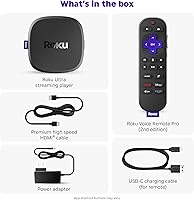
  • HDMI: Connects to any HDMI-equipped television and ships with a premium HDMI cable included in the box.
  • USB Port: One USB port allows connection of external storage drives or compatible peripherals.
  • AirPlay Support: AirPlay 2 compatible, enabling wireless mirroring and casting from iPhone, iPad, and Mac devices.
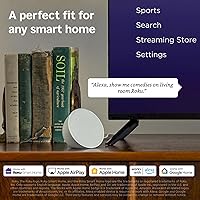
  • Voice Assistants: Works with the built-in Hey Roku voice assistant, as well as Amazon Alexa and Google Assistant via compatible smart speakers.
  • Remote: Includes the rechargeable Roku Voice Remote Pro with backlit buttons, hands-free voice activation, and a built-in lost remote finder.
  • Remote Charging: Remote charges via USB-C and is rated to last months on a single charge under typical viewing conditions.
  • Processor Speed: Roku states this model is approximately 30% faster than any previous Roku player in interface responsiveness and app launch times.
  • Form Factor: Compact set-top box design measuring 5 x 4.9 x 1 inches, intended to sit near or behind a television.
  • Item Weight: The device weighs 0.635 ounces, making it lightweight enough to mount or position discreetly behind most TVs.
  • Power: Powered via the included AC adapter; the device does not draw power from the TV's USB port.
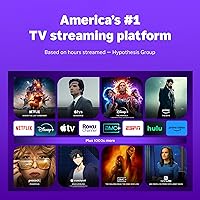
  • Free Channels: Provides access to over 500 free live TV channels through The Roku Channel at no subscription cost.
  • Streaming Services: Supports all major subscription platforms including Netflix, Disney+, Hulu, Prime Video, and Apple TV+.
  • Parental Controls: Includes built-in parental control options to restrict content by rating and require a PIN for purchases or channel additions.
  • Model Number: Official model number is 4850R, released under the Roku Ultra 2024 product line in September 2024.

Related Reviews
Roku Ultra 4K Streaming Player (2017)
85%
92%
Streaming Quality (4K & HDR)
89%
Voice Remote Functionality
74%
Wi-Fi Connectivity
95%
Ease of Setup
88%
App Compatibility
More
TCL 55R617 55-Inch 4K Ultra HD Roku Smart LED TV
86%
89%
Value for Money
92%
Picture Quality
88%
Ease of Use
62%
Sound Quality
91%
Streaming Performance
More
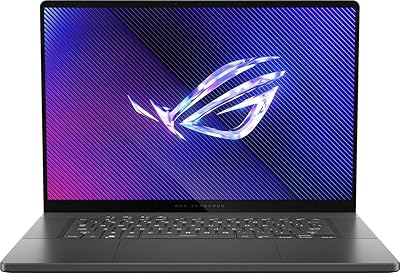
ASUS ROG Zephyrus 2024 16″ OLED Gaming Laptop, Intel Core Ultra 9 185H, 16GB RAM, 1TB SSD, NVIDIA RTX 4070
85%
93%
Performance
97%
Display Quality
89%
Build Quality
82%
Portability
68%
Thermal Management
More
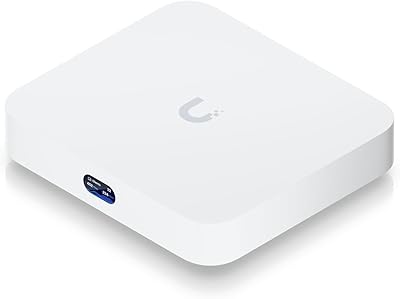
Ubiquiti Cloud Gateway Ultra (UCG-Ultra)
87%
89%
Performance
94%
Security Features (IDS/IPS)
85%
Ease of Setup
88%
Network Management
92%
Multi-Device Support
More
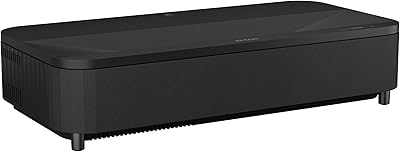
Epson EpiqVision Ultra LS800 Ultra Short Throw Laser Projector
83%
92%
Display Quality
89%
Ease of Setup
80%
Sound Quality
78%
Value for Money
85%
Connectivity & Smart Features
More
Roku Express 2022
Roku Express 2022
89%
96%
Ease of Setup
91%
Streaming Performance
89%
Remote Usability
93%
Content Access Variety
88%
Smart Home Compatibility
More
Roku Battery Camera
Roku Battery Camera
85%
88%
Video Quality
91%
Night Vision Performance
93%
Battery Life
85%
Ease of Installation
80%
Motion Detection Accuracy
More
Roku Indoor Camera
Roku Indoor Camera
84%
89%
Video Quality
92%
Ease of Setup
90%
Night Vision
75%
Motion Detection
70%
Audio Quality
More
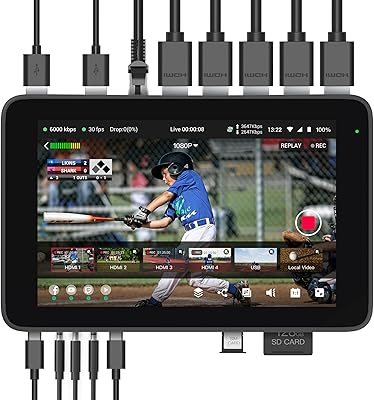
YoloLiv YoloBox Ultra
84%
93%
Hardware Performance
89%
Connection Stability
91%
User Interface
84%
Screen Quality
88%
Build Quality
More
MYLOC8 Ultra GPS Tracker
85%
91%
Battery Life
88%
Ease of Setup
85%
Real-Time Tracking Accuracy
89%
Durability
78%
Subscription Flexibility
More

FAQ

No, it works fine on 1080p televisions too. That said, features like Dolby Vision and HDR10+ are completely invisible on non-4K or non-HDR screens, so if your TV is older you won't see any picture quality difference compared to a cheaper Roku model.

Yes, it's backward compatible with Wi-Fi 5 and older standards, so it will connect without any issues. The Wi-Fi 6 speed advantage only kicks in if your router also supports Wi-Fi 6 — if it doesn't, you'll get normal performance but none of the congestion-handling benefits.

It charges via a standard USB-C cable, which is included in the box. Most households already have USB-C chargers lying around, so keeping it topped up is straightforward. Under typical use it holds a charge for a long time, though heavy voice command users may find they need to recharge more frequently.

Yes, Dolby Atmos audio passes through the HDMI connection to any compatible soundbar or AV receiver. Just make sure your HDMI cable supports ARC or eARC if you're routing audio through your TV's output — the premium cable included in the box handles this correctly.

It's actually quite Apple-friendly compared to most non-Apple streamers. AirPlay 2 support lets you mirror or cast content directly from an iPhone, iPad, or Mac without any extra hardware. It's not as deeply integrated as an Apple TV, but for casual AirPlay use it works reliably.

Yes, and that's one of the features that sets this flagship streamer apart from most streaming sticks in this price range. There's a physical Ethernet port on the unit, which is great for home theater setups where you want a rock-solid connection regardless of what else is happening on your network.

Unfortunately, no. The Roku interface displays sponsored tiles and promotional content on the home screen as part of the platform's business model, and there's no setting to disable it. This is a platform-wide policy that applies regardless of which Roku hardware you own, so it's worth being aware of before purchasing.

You trigger it through the Roku mobile app or through settings on your TV — the remote then plays an audible sound so you can locate it by ear. It works even when the remote is asleep or buried under cushions, as long as it has some charge remaining.

The device itself supports a wide range of display standards, but Roku's channel availability and free content library are region-dependent. If you move the device to a different country, some channels may be unavailable or require a different Roku account registered in that region.

For casual viewers who mostly watch one or two streaming services on a standard TV, the Streaming Stick 4K covers the basics well and costs noticeably less. The Roku Ultra makes more practical sense if you actively use features like the rechargeable backlit remote, Ethernet, Wi-Fi 6, or Dolby Vision — if those don't apply to your setup, the price difference is hard to justify.