

Overview
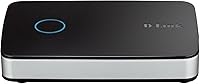
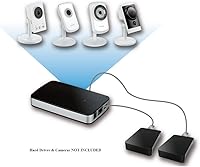
The D-Link DNR-202L Network Video Recorder is a compact, no-frills NVR built for small home or office surveillance setups that rely on mydlink-compatible IP cameras. It handles up to four cameras at once, letting you watch live feeds and review recorded footage without juggling multiple apps. One thing to flag upfront: hard drives are not included, and this catches buyers off guard more often than it should. You supply your own drives — up to two — which actually gives you control over storage capacity. Remote access via the free mydlink View NVR app and a web portal means you can check in from anywhere without a dedicated monitor sitting in the corner.
Features & Benefits
Setup is genuinely straightforward. Auto camera discovery handles the heavy lifting — the unit finds compatible cameras on your network without requiring manual IP configuration, which is a real time-saver for anyone who has ever wrestled with that process. The dual hard drive bays let you expand storage as your needs grow, and the whole unit measures just 4.62 x 2.75 x 2.03 inches, so it tucks away easily on a shelf. The free mobile app and web portal provide remote monitoring access without any subscription fees. That said, this NVR unit is firmly built around the mydlink ecosystem, so camera compatibility outside that family is limited — worth knowing before you buy.
Best For
This mydlink-compatible recorder makes the most sense for people already using D-Link cameras or planning to build a small surveillance setup within that ecosystem. It is particularly well-suited for small business owners who need multi-camera recording without the cost of an enterprise system, and for homeowners who want local storage instead of paying for a cloud plan every month. If you are comfortable with basic network setup and just want a no-subscription option that works reliably within its supported camera range, this NVR unit fits the bill. It is not the right pick if you need to mix camera brands or expect broad third-party compatibility.
User Feedback
Across more than 1,200 ratings, the D-Link recorder lands at 3.4 out of 5 stars — a middle-of-the-road score that reflects a genuinely divided user base. Fans consistently point to easy initial setup and the convenience of the free app for day-to-day monitoring. Critics, however, raise legitimate concerns: firmware updates have caused instability for some users, and the mobile app has drawn complaints about reliability over time. Long-term performance is the real question mark, with several reviewers noting problems that emerged months after purchase. Customer support responsiveness also gets mixed marks. It is an honest 3.4 — good enough for many buyers, but not without real caveats worth weighing.
Pros
- No monthly subscription required — remote viewing via app and web portal is completely free.
- Auto camera discovery makes initial setup fast and low-effort for non-technical users.
- Dual hard drive bays let you scale local storage capacity as your footage needs grow.
- The compact footprint means it fits discreetly on a shelf or in a cabinet without taking up space.
- Supports four simultaneous cameras — enough coverage for most small home or office setups.
- The free mydlink View NVR app gives convenient smartphone access to live and recorded footage.
- Local storage keeps your video data off third-party cloud servers, which matters for privacy-conscious users.
- At its price point, this NVR unit offers reasonable value for buyers already within the mydlink ecosystem.
Cons
- Camera compatibility is locked to the mydlink ecosystem — third-party cameras are largely unsupported.
- Hard drives are not included, which surprises many buyers and adds to the real out-of-pocket cost.
- Firmware updates have caused instability and feature regressions for a notable portion of users.
- The mobile app has drawn repeated complaints about reliability, crashes, and connectivity drop-outs.
- Long-term performance is inconsistent — some users report issues emerging months after purchase.
- Customer support responsiveness has been rated poorly by a meaningful share of reviewers.
- A 3.4-star average across over 1,200 ratings signals genuine quality concerns worth taking seriously.
- Maximum four-camera support limits scalability for anyone whose monitoring needs grow over time.
Ratings
The scores below reflect an AI-driven analysis of verified global user reviews for the D-Link DNR-202L Network Video Recorder, with spam, incentivized, and bot-generated feedback actively filtered out before scoring. Each category is weighted against real-world usage patterns reported by buyers — from first-time home security installers to small business owners running multi-camera setups. Both the genuine strengths and the recurring frustrations are captured here without sugarcoating either side.
Ease of Setup
App Reliability
Firmware Stability
Camera Compatibility
Value for Money
Build Quality
Remote Viewing Quality
Local Storage Flexibility
Long-Term Reliability
Customer Support
Web Portal Usability
Physical Footprint
No Subscription Model
Suitable for:
The D-Link DNR-202L Network Video Recorder is a practical choice for homeowners and small business owners who want a straightforward, locally-stored surveillance setup without committing to a monthly cloud subscription. If you are already using D-Link or mydlink-compatible cameras — or plan to build your system around that ecosystem — this unit slots in with minimal friction. The auto camera discovery and free mobile app make it approachable for people who are comfortable with basic networking but have no interest in manually configuring IP addresses or installing dedicated software. It works well in small retail spaces, home offices, or residential properties where monitoring four cameras or fewer is sufficient. For anyone prioritizing local data control over convenience-based cloud storage, this NVR unit offers a sensible, cost-effective path forward.
Not suitable for:
Buyers expecting broad camera compatibility will run into a hard wall with the D-Link DNR-202L Network Video Recorder — it is built around the mydlink ecosystem, and trying to integrate third-party or ONVIF cameras from other brands is unreliable at best. If you already own cameras from Hikvision, Dahua, Reolink, or similar brands, this recorder is likely not a practical fit. Power users who need advanced features like motion-triggered recording zones, deep analytics, or RAID storage configurations should look at more capable NVR platforms. The reliance on D-Link's mobile app and firmware for ongoing functionality is also a genuine concern — those who need rock-solid, long-term software reliability should weigh the mixed track record here carefully. Anyone expecting a ready-to-record, out-of-the-box experience should also note that hard drives are sold separately, adding to the total cost and setup effort.
Specifications
- Brand: Manufactured by D-Link Systems, Inc., a well-established networking and surveillance hardware company.
- Model: The model number is DNR-202L, part of D-Link's mydlink-enabled NVR product line.
- Dimensions: The unit measures 4.62 x 2.75 x 2.03 inches, making it compact enough for shelf or desktop placement.
- Weight: This NVR unit weighs 3.2 ounces without hard drives installed.
- Max Cameras: Supports up to four simultaneously connected mydlink-compatible IP cameras for live view and recorded playback.
- Hard Drive Bays: Includes two internal hard drive bays that accept user-supplied drives for local video storage.
- Storage Included: No hard drives are included in the box; buyers must source and install their own compatible drives separately.
- Remote Access: Remote monitoring is available at no cost through the free mydlink View NVR mobile app for iOS and Android.
- Web Portal: A free web portal is provided for browser-based management and remote viewing without requiring a dedicated monitor.
- Camera Discovery: Auto camera discovery automatically detects compatible mydlink cameras on the local network, reducing manual configuration steps.
- OS Compatibility: Compatible with Microsoft Windows XP SP2 through Windows 10, and Mac OSX 10.7 or higher.
- Ecosystem: Designed to operate within the mydlink camera ecosystem; compatibility with third-party or non-mydlink cameras is not officially supported.
- Subscription Fees: Remote viewing and app access carry no ongoing subscription or monthly cloud service fees.
- ASIN: The Amazon Standard Identification Number for this product is B00F0R9V76.
- Availability: The product has not been discontinued by the manufacturer as of the most recent listing data available.
- User Rating: Holds an average rating of 3.4 out of 5 stars based on over 1,200 customer ratings on Amazon.
- Sales Rank: Ranked number 642 in the Surveillance Video Recorders category on Amazon at time of review.
Related Reviews

REOLINK RLN36 36-Channel Network Video Recorder
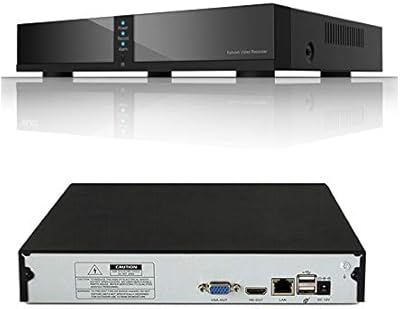
Seculink 8-Channel 5MP Network Video Recorder
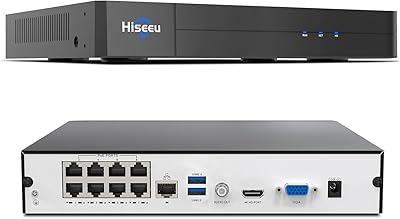
Hiseeu KNVR-P-8 8-Channel 4K PoE NVR
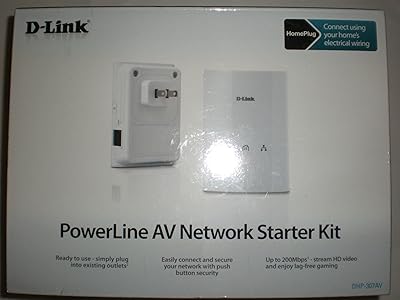
D-Link Powerline AV Network Adapter Kit DHP-307AV
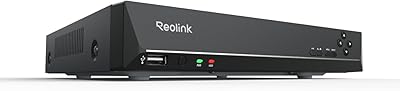
Reolink RLN8-410 8-Channel 2TB NVR
D-Link Omna 180 Security Camera
Toshiba D-R400 Tunerless DVD Recorder
ClonerAlliance UHD Pro (CA-989UP)
Zoom Q2n-4K Handy Video Recorder