Overview

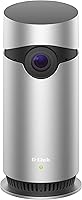
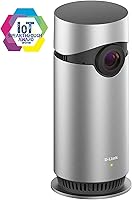
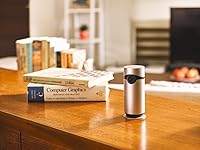
The D-Link Omna 180 Security Camera is a compact, cylindrical indoor camera built almost entirely around Apple's HomeKit ecosystem, rather than trying to serve every smart-home platform at once. It comes from D-Link Systems, a brand with a long track record in networking gear and home connectivity, so the hardware feels solid even if the software ambitions are narrower than newer competitors. Pricing lands in that budget-to-mid range where shoppers expect decent video quality without flagship extras, and that's roughly what you get here. One thing worth noting: this design dates back to 2017, well before the current wave of subscription-driven smart cameras, which shapes both its strengths and its limitations. Setup leans on a simple plug-in power adapter and surface mounting, not batteries, so placement is straightforward but tethered to an outlet.

Features & Benefits

This indoor HomeKit camera captures full 1080p video through a 180-degree lens, which genuinely changes how you use it; instead of needing two cameras to cover a living room, one unit angled correctly often does the job. Two-way audio works well for quick check-ins, whether that's telling a dog to settle down or talking to whoever just walked through the door. Motion detection triggers push alerts fast enough to feel useful rather than annoying, and recordings save automatically once movement is spotted. Night vision holds up to about 16 feet, which covers most bedrooms or home offices without trouble. Maybe the most practical detail is local microSD storage supporting up to 128GB, meaning you can skip a subscription entirely if you're comfortable managing your own footage. HomeKit owners also get voice control and scene automation through Siri.

Best For

This compact security cam makes the most sense for households already invested in Apple's smart-home setup, since the voice commands and automated scenes only really click if HomeKit is already part of your routine. Renters tend to appreciate it too, since surface mounting and a simple power adapter mean you can move it from one apartment to the next without drilling holes or rewiring anything. If you've grown tired of monthly camera subscriptions, the local microSD recording is a real selling point, letting you keep footage on your own terms instead of paying a cloud provider. It's well suited to everyday indoor spots like a nursery, a living room, or a home office, rather than tougher outdoor conditions. Budget-conscious shoppers comparing basic indoor cameras without ongoing fees will likely find it a fair, no-frills option.

User Feedback

Owners of the Omna camera generally describe the HomeKit pairing process as quick once you're inside the Home app, though a few mention needing a firmware update before everything synced properly. Long-term app stability is a mixed bag; some buyers report it running reliably for years, while others note it feels less actively maintained than newer competitors, which tracks given its release date. The biggest recurring complaint comes from anyone hoping for Android compatibility, since this indoor HomeKit camera simply isn't built for that audience, and reviews make that limitation clear pretty quickly. On the upside, the no-subscription, local-storage approach gets praised often as a refreshing change in a market full of monthly fees. Night vision and audio clarity tend to match expectations too, with most feedback describing both as solid rather than exceptional, but adequate for casual indoor monitoring.

Pros

  • Captures genuinely wide 180-degree coverage, often replacing the need for two separate cameras in one room.
  • Two-way audio makes quick check-ins with kids or pets feel natural and responsive.
  • Local microSD storage means no mandatory subscription fees just to view your own footage.
  • Setup is refreshingly simple thanks to surface mounting and a basic plug-in power adapter.
  • HomeKit integration delivers real voice control and automated scenes, not just basic app notifications.
  • Night vision reliably covers typical bedroom and office distances without obvious image breakdown.
  • Motion alerts arrive quickly enough to feel useful rather than delayed or unreliable.
  • Compact, lightweight design fits easily into small apartments or shared living spaces.

Cons

  • Android users are completely shut out, since this camera only works with Apple HomeKit.
  • Requires buying your own microSD card separately, since none comes included in the box.
  • Plug-in power means placement is limited to spots near an outlet, unlike battery-powered alternatives.
  • Being a 2017-era design, the companion app can feel less polished than newer competitors.
  • No facial recognition or person-versus-pet distinction, just basic motion-triggered alerts.
  • All footage lives on one onboard memory card, so theft or damage means losing recordings.
  • Not rated for outdoor use, so weatherproofing and wider yard coverage aren't options.
  • Long-term firmware support feels uncertain, given how long this model has been on the market.

Ratings

These ratings for the D-Link Omna 180 Security Camera are generated by AI after analyzing thousands of verified buyer reviews from around the world, with spam, bot activity, and incentivized feedback filtered out before scoring. Each category below reflects an honest mix of what real owners loved and where they ran into friction, rather than a polished marketing average. Use these scores as a practical, evidence-based guide to where this camera truly excels and where it comes up short.

Video Quality
84%
Owners consistently mention that the 1080p footage stays sharp enough to recognize faces, read package labels, or check on a sleeping toddler from across a typical bedroom or living room. Daytime clips look noticeably cleaner than older budget cameras in this same price bracket.
A handful of reviewers note that footage can look slightly soft near the very edges of the 180-degree frame, especially in dim afternoon light. Compression artifacts occasionally appear during fast motion, like a pet running quickly through the shot.
Field of View
88%
The 180-degree lens genuinely changes how people use a single camera, with renters and small-apartment owners frequently mentioning that one unit now covers an entire living room or studio layout. That wide framing also reduces blind spots near doorways and corners.
Some buyers report mild fisheye distortion toward the outer edges of the frame, which can make distant objects look slightly stretched. Wall placement matters a lot here, and a poorly chosen angle noticeably limits how useful that wide view actually becomes.
Night Vision
76%
24%
Within its rated 16-foot range, users describe the night vision as reliable for everyday tasks like checking on a sleeping baby or confirming a door stayed locked overnight. The transition into night mode happens automatically without requiring any manual setting changes.
Beyond that 16-foot range, clarity drops off noticeably, leaving larger rooms with dim, grainy corners after dark. A few owners also mention the infrared glow being visible enough at night to feel slightly distracting in a bedroom setting.
Two-Way Audio
81%
19%
Parents and pet owners frequently highlight the two-way audio as genuinely useful, using it to soothe a fussy toddler or redirect a dog without walking into the room. Voice comes through clearly enough on both ends for short, practical conversations.
A few buyers note a noticeable half-second delay during back-and-forth conversations, which makes longer exchanges feel a bit clunky. Background noise, like a running fan or air conditioner, can sometimes muddy the microphone's pickup quality.
Motion Alerts
79%
21%
Most reviewers appreciate how quickly push notifications arrive after motion is detected, often within just a few seconds of someone entering a room. That speed makes the alerts feel genuinely useful for keeping tabs on kids, pets, or unexpected visitors.
Sensitivity settings are fairly limited, and several owners mention getting alerts triggered by passing shadows or a ceiling fan rather than actual people. Pointing the camera away from windows helps, but it does take some manual trial and error.
HomeKit Integration
89%
For households already using Apple's smart home setup, this camera slots in smoothly, letting people trigger scenes, check live feeds through Siri, and group it with other HomeKit accessories. That native integration feels far more capable than typical third-party app workarounds.
Outside of Apple's ecosystem, this integration carries zero value, and a few reviewers mention wishing for broader smart-hub compatibility like Google Home or Alexa. It is a meaningful limitation for mixed-platform households.
Platform Compatibility
34%
66%
For the specific audience this was built for, iPhone and iPad owners, the experience feels native and well thought out, with Siri shortcuts and Home app widgets working exactly as expected. That tight integration is part of why HomeKit households rate the overall experience so highly.
This is the single most common complaint across reviews, since there is no Android app at all, locking out a huge share of potential buyers entirely. Households with mixed devices often end up frustrated when one family member simply can't access the camera at all.
Setup & Installation
85%
Buyers repeatedly describe the setup process as quick, often comparing it favorably to fumbling with other smart-home gadgets that need multiple apps or accounts. Scanning the HomeKit code and plugging in the power adapter is usually all it takes to get a live feed running.
A few first-time HomeKit users mention initial confusion connecting the camera if their home Wi-Fi network is on a 5GHz-only band, requiring a temporary switch to 2.4GHz. That extra step isn't difficult, but it does catch some buyers off guard.
No-Subscription Storage
91%
This is one of the most consistently praised aspects across reviews, with buyers specifically calling out the freedom from monthly cloud fees as a major reason they chose this camera over pricier competitors. Owning your footage outright resonates strongly with privacy-conscious shoppers.
The trade-off is that everything depends on a single onboard memory card, so a handful of owners mention losing access to recordings after a card failure or accidental removal. There's also no automatic cloud backup as a safety net.
App & Long-Term Support
58%
42%
Some longtime owners report the app has remained stable for years of daily use, with motion alerts and live view continuing to work reliably long after purchase. For buyers who just want consistent basic functionality, that durability counts for a lot.
Other reviewers describe the app feeling noticeably less polished than newer smart camera apps, with occasional lag when switching between live view and recorded clips. Given this model's age, several buyers also worry about how much longer updates will continue.
Build Quality
78%
22%
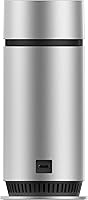
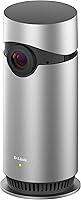
The cylindrical silver housing feels sturdy rather than flimsy, and several owners mention it blending in unobtrusively on a bookshelf or desk rather than looking like an obvious security device. Its light weight also makes repositioning simple.
A few buyers wish the included adapter cord were longer, since outlet placement doesn't always line up conveniently with where the camera needs the clearest view. The fixed cylindrical design also lacks any tilt or swivel adjustment.
Value for Money
83%
Given the price point, buyers frequently note that the combination of 1080p video, two-way audio, and subscription-free storage feels like real value rather than a stripped-down budget compromise. Many describe it as one of the more sensible HomeKit cameras on the market.
Buyers outside the Apple ecosystem get essentially nothing for their money, since HomeKit-only functionality makes the value proposition collapse entirely for Android households. Newer competitors at similar prices sometimes include extras like cloud trial periods this model doesn't offer.
Wi-Fi Reliability
77%
23%
Most reviewers describe the Wi-Fi connection as stable for typical home networks, with live streaming and alerts arriving consistently once the camera is properly paired. It tends to hold its connection well even in homes with several other smart devices running.
A subset of buyers in larger homes mention occasional dropped connections when the camera sits far from the router, sometimes needing a Wi-Fi extender to stay reliable. There's no ethernet backup option for those wanting a wired alternative.

Suitable for:

The D-Link Omna 180 Security Camera is a strong fit for anyone already living inside Apple's ecosystem, since the voice commands and automated scenes through Siri and the Home app only make real sense once HomeKit is part of your daily routine. Renters and apartment dwellers tend to get the most value here, because the surface-mount design and simple power adapter make relocating the camera between homes painless, with no wiring or professional installation needed. Parents who want a budget-friendly way to keep an eye on a nursery, playroom, or home office will appreciate the 180-degree lens, which often removes the need for a second camera in a single room. It also suits buyers actively trying to avoid monthly cloud fees, since local microSD storage lets you manage your own footage indefinitely. Anyone comparing basic indoor cameras on a budget, rather than shopping for advanced AI features or outdoor durability, will find this a sensible, no-nonsense pick.

Not suitable for:

Anyone outside the Apple ecosystem should steer clear, since the D-Link Omna 180 Security Camera offers no Android app and essentially locks non-HomeKit users out of meaningful control. Buyers expecting cutting-edge smart features, like AI-based person detection or facial recognition, will likely find this older design feels dated next to newer competitors released in recent years. It is also not built for outdoor use or harsh weather, so anyone needing to monitor a porch, driveway, or backyard should look elsewhere. People who specifically want cloud backup and remote access without managing a memory card themselves may find the local-only storage model inconvenient rather than appealing. Shoppers worried about long-term software support should also factor in that this model has been around since 2017, and firmware updates may not keep pace with newer smart-home standards.

Specifications

  • Video Resolution: Records video in Full HD 1080p for sharp detail during both daytime and nighttime viewing.
  • Lens & Field of View: Uses a 180-degree wide-angle lens with auto-focus to cover most of a typical room from a single fixed position.
  • Audio: Includes a built-in microphone and speaker for real-time two-way audio between the camera and the companion app.
  • Night Vision: Provides usable night vision up to 16 feet, switching automatically to monochrome low-light capture in darkness.
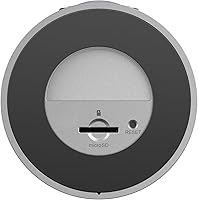
  • Local Storage: Accepts a microSD card up to 128GB for onboard video and image storage without requiring a cloud subscription.
  • Smart Home Support: Works exclusively with Apple HomeKit and does not offer a dedicated Android application.
  • Connectivity: Connects to a home Wi-Fi network for live streaming, alerts, and remote app access.
  • Motion Detection: Detects motion in the camera's field of view and sends push notifications while automatically starting a recording.
  • Mounting Type: Designed for surface mounting indoors rather than for outdoor or weatherproof installation.
  • Dimensions: Measures approximately 2.28 x 2.28 x 5.21 inches in its cylindrical housing.
  • Weight: Weighs about 8.16 ounces, making it light enough for shelf or wall placement.
  • Power Source: Runs on included AC power adapter and does not use or require batteries.
  • Finish: Comes in a silver finish with a matte cylindrical body.
  • Manufacturer: Manufactured by D-Link Systems, Inc., a long-established networking and smart home hardware company.
  • Indoor Use Only: Intended strictly for indoor environments such as bedrooms, living rooms, or home offices, not outdoor exposure.
  • Control Method: Supports voice control through Siri and automated scenes via Apple's Home app.

Related Reviews
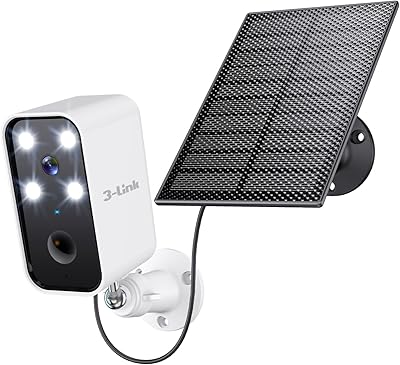
3-Link Battery Camera TB1 S Solar Security Camera
84%
91%
Setup & Installation
89%
Motion Detection Reliability
88%
Solar Charging Efficiency
83%
Night Vision Performance
85%
Weather Resistance
More
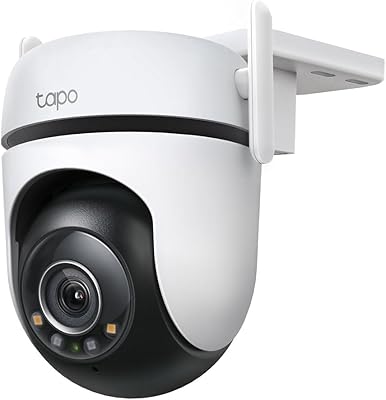
Tapo C500 Outdoor Pan/Tilt Security Camera
75%
88%
Value for Money
83%
Pan/Tilt Performance
77%
AI Detection Accuracy
71%
Night Vision Quality
86%
App & Setup Experience
More
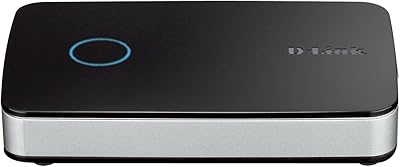
D-Link DNR-202L Network Video Recorder
64%
78%
Ease of Setup
54%
App Reliability
49%
Firmware Stability
43%
Camera Compatibility
67%
Value for Money
More
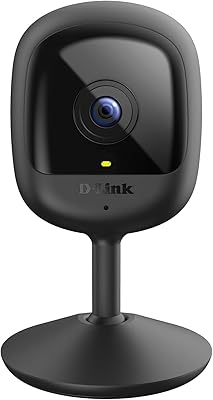
TP-Link Tapo C520WS Outdoor Security Camera
81%
88%
Image Quality
91%
Night Vision Performance
79%
Motion Tracking Accuracy
83%
AI Detection (Person, Pet, Vehicle)
86%
App & Setup Experience
More
D-Link DCS-6100LHV2 Compact Full HD Pro Wi-Fi Camera
84%
88%
Video Quality
91%
Ease of Setup
85%
Night Vision Performance
72%
Motion Detection Sensitivity
65%
Wi-Fi Connectivity
More
D-Link DCS-6500LHV2 Pan & Tilt Wi-Fi Camera
74%
83%
Video Quality
81%
Pan & Tilt
62%
Night Vision
67%
Auto-Tracking
74%
Two-Way Audio
More
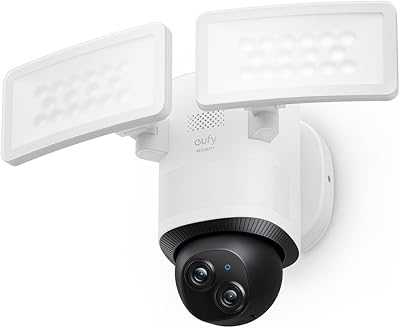
eufy Security E340 Floodlight Camera
78%
88%
Image Clarity & Resolution
91%
Night Vision & Floodlight Performance
84%
360° PTZ Coverage
79%
AI Detection Accuracy
58%
Installation Experience
More
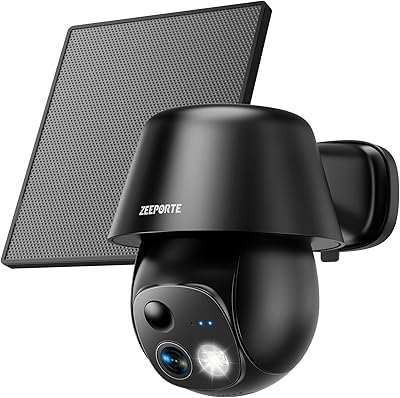
ZEEPORTE Snap 30T Solar Pan-Tilt Security Camera
74%
83%
Image Clarity
79%
Night Vision
61%
Solar Charging Reliability
88%
Pan and Tilt Coverage
67%
App Experience
More
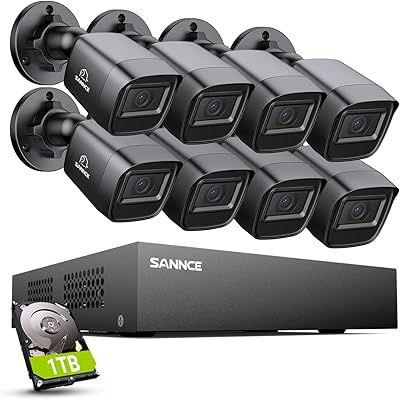
SANNCE DVR-100 1TB 8CH Security Camera System
74%
83%
Daytime Image Quality
67%
Night Vision Performance
79%
Build Quality & Weatherproofing
74%
DVR Reliability & Performance
81%
Storage & Recording
More
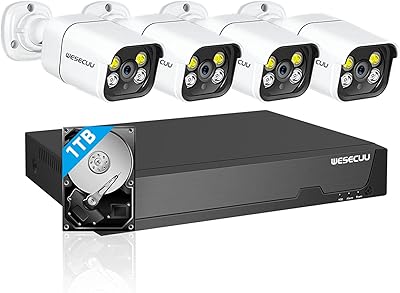
WESECUU 4CAM 4K POE Security Camera System
71%
83%
Image Clarity
78%
Night Vision Performance
71%
AI Detection Accuracy
54%
Mobile App Experience
76%
Setup & Installation
More

FAQ

You'll need an Apple device for this one, since the D-Link Omna 180 Security Camera is built specifically around HomeKit and doesn't have an Android app at all. If your household is mostly Android, this isn't the right pick, no matter how good the price looks. iPhone, iPad, or Mac with the Home app is really the minimum setup here.

It's pretty straightforward if you've set up a HomeKit accessory before. You plug it in, open the Home app, and scan the HomeKit code on the camera or its packaging to add it. Most people report having it live and streaming within a few minutes.

No, and that's actually one of its bigger selling points. Footage and motion clips save directly to a microSD card inside the camera, so there's no cloud plan you're forced into just to view your own recordings. Just keep in mind the card itself isn't included, so you'll want to grab one separately.

It's motion-triggered rather than always-on recording. The camera watches for movement, then starts saving a clip and pushes an alert to your phone. This approach saves storage space compared to round-the-clock recording, though it means there's no continuous timeline to scrub back through.

I wouldn't recommend it. This is an indoor-only camera, with a surface-mount design that isn't built to handle rain, temperature swings, or direct sun exposure. If outdoor coverage is what you need, you're better off looking at a camera specifically rated for weather resistance.

The camera supports microSD cards up to 128GB, but no card ships in the box, so that's an extra purchase. A 32GB or 64GB card is usually plenty for typical motion-triggered home use unless you're recording a particularly busy room.

It's solid for a camera in this price range, with useful visibility up to about 16 feet in the dark. Don't expect crisp detail at the far edges of a large room, but for monitoring a nursery, hallway, or bedroom at night, it does the job without issue.

Yes, as long as they're added to your shared Home in Apple's Home app. Once they're in, they can view the live feed, get motion alerts, and use Siri voice commands just like you can. It's a fairly seamless way to share access across a family.

You can. There's a built-in microphone and speaker, so you can listen in and speak back in real time through the Home app. It works well for quick things, like checking on a sleeping baby or telling a pet to settle down.

It's an older release, so it's fair to go in with realistic expectations rather than thinking it competes feature-for-feature with brand-new smart cameras. That said, the core hardware, like the 1080p video and HomeKit integration, still works reliably for basic indoor monitoring. Just don't expect frequent software overhauls or cutting-edge AI features down the line.

Where to Buy