
Overview

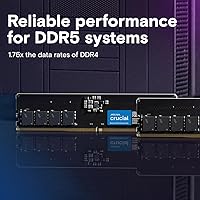
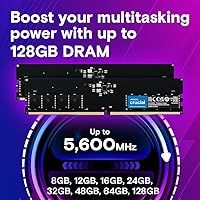
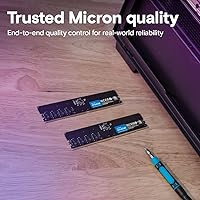
The Crucial 16GB DDR5 4800MHz Desktop RAM Kit is a straightforward, no-nonsense way to step into DDR5 without overcomplicating your build. Crucial isn't a generic memory label — it's manufactured by Micron, one of the few companies that actually fabricates its own memory chips, which matters for consistency and quality control. Running two 8GB sticks in dual-channel configuration nearly doubles memory bandwidth versus a single 16GB module — a real difference in practice, not just on paper. At 4800MHz, you're at the JEDEC baseline for DDR5, not an overclocked showpiece. Dependable and no-frills, this memory upgrade is built to work, not to impress at a case show.

Features & Benefits

DDR5 brings a couple of meaningful architectural changes that DDR4 couldn't offer, and this Crucial DDR5 kit puts both to work. The voltage drops to 1.1V — lower than DDR4's 1.2V — which reduces heat output during long sessions, and on-die ECC quietly corrects minor data errors before they cause instability. The XMP 3.0 and EXPO support on a single module is genuinely useful: you don't need separate Intel or AMD versions — one kit, both platforms, profiles load automatically. CL40 at 4800MHz isn't tight by enthusiast standards, but in real use — browsing, video editing, multitasking — most users won't notice the gap versus tighter-latency kits. The low-profile build without a heatspreader keeps clearance open for large tower coolers.

Best For

This dual-channel RAM pair hits a sweet spot for specific kinds of builders. If you're assembling a system around a 13th Gen Intel Core or AMD Ryzen 7000 processor and want memory that just works out of the box, this is it. It suits home office users, students, and content creators who value steady, predictable performance over chasing benchmark numbers. Because the sticks are bare — no heatspreader, no lighting — they slide in under any large CPU cooler without clearance headaches. If you're planning to push past 5600MHz or want aggressive timings for competitive gaming, a more enthusiast-oriented kit would serve you better. For plug-and-play DDR5, though, few options at this tier are more straightforward.

User Feedback

With over 2,700 ratings averaging 4.6 stars, the reception for this memory upgrade has been consistently positive. Buyers highlight hassle-free installation most often — XMP and EXPO profiles activate reliably in BIOS without manual tinkering, which matters to builders who don't want to spend an afternoon troubleshooting memory. Longevity and stability reports are equally strong; very few users mention DOAs or performance degradation over time, which is notable at this review volume. The recurring criticism is honest and fair: 4800MHz is the entry floor of DDR5, and some buyers feel the speed looks modest now that faster kits have become more competitive on price. A handful of users recommend checking your motherboard's QVL list first — standard advice, but worth repeating.

Pros

  • Made by Crucial, a direct Micron brand — tier-1 manufacturing with genuine quality control, not a generic relabel.
  • Supports Intel XMP 3.0 and AMD EXPO on a single module — rare at this price tier and genuinely useful for platform flexibility.
  • Dual-channel setup delivers nearly double the memory bandwidth of a single 16GB stick in practice.
  • Runs at 1.1V, drawing less power and generating less heat than DDR4 under equivalent workloads.
  • On-die ECC quietly corrects minor data errors in the background, adding a layer of everyday stability most users never have to think about.
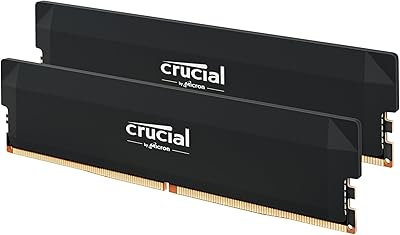
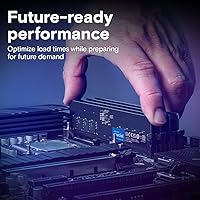
  • Bare, heatspread-free sticks are genuinely low-profile — no clearance conflicts with large air coolers.
  • XMP and EXPO profiles load automatically in BIOS for most users, with no manual timing adjustments needed.
  • Long-term reliability reports from buyers are strong — very few DOA or degradation complaints across a large review sample.
  • Ranks in the top 10 in Amazon's computer memory category with over 2,700 ratings averaging 4.6 stars.
  • A straightforward, fuss-free entry into DDR5 for builders who value stability and compatibility over chasing specs.

Cons

  • 4800MHz is the JEDEC floor for DDR5 — faster kits at higher speeds are now widely available and worth comparing.
  • CL40 latency is on the looser end of the DDR5 spectrum; tighter-timed alternatives exist for latency-sensitive workloads.
  • No meaningful overclocking headroom beyond the rated profile — this kit is not designed for pushing clocks.
  • 16GB total may feel constraining as modern AAA games and creative applications continue to grow their memory footprints.
  • The competitive DDR5 market has tightened significantly — faster kits can sometimes be found at comparable price points with careful shopping.
  • Some users recommend cross-referencing your motherboard's QVL list before purchasing to avoid potential edge-case boot compatibility issues.
  • A 2x8GB configuration means upgrading to 32GB later requires either adding two more sticks or replacing the kit entirely.
  • Non-ECC at the system level offers no hardware error correction for mission-critical or professional-grade stability requirements.
  • No visual customization whatsoever — builders assembling themed or windowed builds will need to look at RGB-equipped alternatives.
  • In poorly ventilated cases under sustained heavy loads, the absence of any heatspreader may allow the modules to run warmer than ideal.

Ratings

The scores below reflect an AI-driven analysis of verified global purchase reviews for the Crucial 16GB DDR5 4800MHz Desktop RAM Kit, with spam, bot-generated submissions, and incentivized feedback actively filtered out before any score was assigned. Every category is evaluated against real-world usage contexts — from home office multitasking to long-term daily reliability — so both the genuine strengths and the honest shortcomings of this memory upgrade are transparently reflected in each result. Scores are calibrated to help you understand where this dual-channel RAM pair actually stands, not just where its spec sheet looks most favorable.

Value for Money
83%
For a first-time DDR5 build, this dual-channel RAM pair lands at a price point that is hard to argue with given the tier-1 Micron manufacturing behind it. Buyers frequently note that compared to equivalent DDR4 kits, the DDR5 premium feels justified when you factor in platform longevity and the stability benefits of on-die ECC.
Where value starts to feel debatable is when you compare it against faster DDR5 kits that have dropped in price significantly — some 5600MHz or 6000MHz options now sit close enough in cost that the speed trade-off becomes harder to justify. Users who researched the market carefully sometimes express mild regret at not spending a little more.
Compatibility
91%
Having both XMP 3.0 and EXPO on a single module is something most buyers do not fully appreciate until they realize they do not need to hunt down a platform-specific version. Across thousands of reviews, successful first-try installations on Intel Z790, B760, AMD X670, and B650 boards are the clear majority experience.
A small but consistent subset of reviewers mentions occasional hiccups on specific board revisions — usually resolved by a BIOS update or reseating the sticks in alternate slots. DDR5 compatibility remains somewhat board-dependent, and checking your motherboard's QVL list before purchasing is still worthwhile advice.
Installation Ease
94%
The near-universal buyer experience is that these sticks drop in, the system boots, and XMP or EXPO activates with a single BIOS prompt — no manual timing adjustments, no troubleshooting rabbit holes. For builders who dread tinkering with memory settings, this memory upgrade is about as stress-free as DDR5 gets right now.
The handful of users who did encounter boot issues almost always traced the problem back to installing sticks in the wrong DIMM slots — a common DDR5 first-timer mistake rather than a kit defect. True hardware-on-arrival failures are rare, but when they occur, the resolution process requires patience with support channels.
Real-World Performance
79%
21%
For the workloads most buyers actually run — web browsing, office applications, casual gaming, and light content creation — this Crucial DDR5 kit delivers a clear improvement over DDR4 systems, particularly in multitasking scenarios where the dual-channel bandwidth advantage becomes tangibly noticeable in daily switching between heavy applications.
Enthusiast benchmarks and side-by-side comparisons with 6000MHz CL30 kits consistently show this memory sitting further behind than the price gap alone suggests. Competitive gamers, heavy 3D rendering users, or anyone running memory-sensitive pipelines will find that 4800MHz at CL40 leaves meaningful performance on the table.
Stability & Reliability
93%
Long-term stability is the most consistently praised attribute across this kit's large and mature review base — buyers report running this memory upgrade for months and years without a single unexplained crash or memory error. Micron's in-house chip manufacturing and rigorous dual-stage testing appear to pay off in real daily use.
The non-ECC design at the system level means there is no hardware error correction visible to the OS for mission-critical workloads — on-die ECC handles internal module-level errors, but that is not the same as the full ECC support found in server-grade or workstation memory, which remains a legitimate limitation for professional environments.
Memory Speed
67%
33%
At 4800MHz, this dual-channel RAM pair comfortably clears the DDR5 minimum threshold and represents a genuine upgrade for anyone still on DDR4, where 3200MHz was a typical ceiling. For users not running anything particularly memory-bandwidth-intensive, the practical difference between 4800MHz and 5600MHz remains minimal in everyday use.
The DDR5 market has matured rapidly, and 5600MHz to 6400MHz kits now exist at price points that were not available at DDR5 launch — making 4800MHz feel increasingly dated for spec-conscious buyers. Reviewers who returned the kit or switched to a faster alternative frequently cited the speed ceiling as the deciding reason.
CAS Latency
63%
37%
At the speeds this kit is designed for, CL40 is the expected latency specification — it is not misconfigured or unusually loose, just the natural trade-off of running at DDR5's baseline frequency. For everyday tasks and even moderate gaming, the latency impact is not something most users will ever perceive directly.
Enthusiasts and gamers who pay attention to memory timings will find CL40 noticeably behind what tighter-tuned kits at 6000MHz CL30 or 5600MHz CL28 can achieve. The latency gap becomes more meaningful in competitive gaming frame pacing and in CPU-bound workloads where memory response time directly affects throughput.
Platform Coverage
89%
Having Intel XMP 3.0 and AMD EXPO coexist on one module is a feature most buyers only encounter at higher price tiers, making it a practical win for anyone unsure which platform they will upgrade to next. Builders who run both Intel and AMD systems in the same household appreciate not stocking separate kits.
Platform coverage is effectively limited to current-generation DDR5 boards — this kit offers no backward compatibility with older DDR4 systems, which matters for buyers wanting to repurpose the memory later. Compatibility with next-generation CPU platforms beyond current Intel and AMD socket generations also remains unconfirmed.
Build Quality
86%
Buyers consistently describe the modules as well-constructed and professionally finished — no PCB flex, no wobble in the slot, no rough edges. The absence of a plastic heatspreader is a deliberate design choice, and the bare PCB feels solid and properly manufactured rather than cheap or cut-corner.
The no-frills aesthetic will disappoint builders who care about the visual side of their system — windowed cases and RGB ecosystems are simply not this kit's territory. Some users note that without any heatspreader, the modules look noticeably plain alongside premium kits in side-panel builds, which is a minor but genuine aesthetic drawback.
Thermal Design
72%
28%
Running at 1.1V significantly reduces heat output compared to DDR4, and in well-ventilated mid-tower or full-tower cases, module temperatures stay in comfortable ranges during typical workloads. The lower operating voltage is a meaningful architectural improvement that benefits overall system thermals during everyday use.
In small form factor builds with restricted airflow or systems running sustained heavy workloads for hours, the bare PCB leaves the modules more exposed to ambient heat than alternatives with even a basic aluminum spreader. A subset of users in compact builds reported higher-than-expected module temperatures under prolonged stress testing.
Dual-Channel Efficiency
88%
Deploying this kit as a matched pair unlocks dual-channel mode, which roughly doubles the memory bandwidth delivered to the CPU compared to a single stick — a difference that shows up clearly in multitasking benchmarks and real-world responsiveness when switching between demanding applications at the same time.
At 2x8GB, the kit is not inherently expandable without replacing modules — reaching 32GB later means buying a new 2x16GB kit or adding a third and fourth stick, which may affect stability depending on the motherboard. Users who anticipate needing more memory soon might be better served starting with a 2x16GB kit instead.
Future-Proofing
61%
39%
As a DDR5 kit, this memory upgrade is already on the current platform generation and will remain supported across the full lifespan of current Intel and AMD DDR5 motherboards — a meaningful step beyond DDR4 for builders starting fresh today who want some forward runway built into their purchase.
At 16GB total and 4800MHz, the kit is not particularly future-oriented even within the DDR5 era — 32GB is fast becoming the practical recommendation for demanding workloads, and faster speeds will grow more relevant as next-generation CPU architectures optimize around higher memory bandwidth. Buyers planning a long-term system may find themselves upgrading sooner than expected.
Brand Reputation
92%
Crucial's position as a Micron subsidiary carries real weight in a market crowded with rebadged third-party modules — buyers are getting chips designed and manufactured in-house by one of only three companies in the world that produce DRAM at scale. That heritage translates into consistent, predictable quality across production batches.
Crucial's brand sits squarely in the reliability-first tier rather than the performance-enthusiast segment, meaning it carries less cachet in overclocking communities compared to names like G.Skill Trident Z or Kingston Fury. For buyers who weigh enthusiast credibility or community prestige alongside raw specifications, this is a minor but real consideration.
Low-Profile Design
87%
The absence of a heatspreader keeps these sticks at standard DDR5 module height, making them a natural fit for builds using large tower air coolers — a scenario that trips up buyers who purchase tall, finned kits only to find the cooler overhangs the first DIMM slot. This kit sidesteps that problem entirely.
For builders assembling compact ITX or mATX cases with aggressive airflow setups, bare PCB modules can feel like an afterthought — there is no visual polish, and some small form factor enthusiasts prefer purpose-built slim low-profile modules designed specifically for tight chassis. This design is low-profile by omission rather than by deliberate engineering intent.

Suitable for:

The Crucial 16GB DDR5 4800MHz Desktop RAM Kit is a practical, reliable choice for desktop builders moving onto a 13th Gen Intel Core or AMD Ryzen 7000 platform who want memory that installs cleanly and runs without drama. Running two sticks in dual-channel mode delivers a meaningful bandwidth advantage over a single 16GB module, which translates to better multitasking and snappier overall system responsiveness in everyday use. Home office workers, students, and content creators working through browser-heavy workflows, office suites, or light video editing will find this kit well-matched to their daily demands. Its low-profile, bare-stick design is also a quiet advantage for builders working with large tower coolers, where heatspreader bulk can create clearance headaches. For first-time DDR5 adopters who want a stable foundation without wading into overclocking menus or compatibility guesswork, this dual-channel RAM pair is a dependable starting point that simply does its job.

Not suitable for:

The Crucial 16GB DDR5 4800MHz Desktop RAM Kit is not the right fit if raw memory performance sits high on your priority list. Competitive gamers targeting maximum frame rates, or enthusiasts planning to push memory clocks well above 5600MHz, will find that 4800MHz — the JEDEC baseline for DDR5 — leaves meaningful performance on the table compared to purpose-built high-frequency kits. The CL40 latency is also on the looser side, so anyone who routinely optimizes memory timings for benchmark gains or gaming edge will want to shop further up the stack. Users running memory-intensive professional workloads — large 3D renders, scientific datasets, or high-resolution video processing — may find that base-spec DDR5 speed and non-ECC design don't meet their throughput or data-integrity requirements. Anyone considering this memory upgrade for a server, workstation, or laptop should also look elsewhere immediately, as the UDIMM format and consumer-grade spec rule those environments out entirely.

Specifications

  • Total Capacity: The kit provides 16GB of total memory, split across two matched 8GB modules.
  • Memory Type: Uses DDR5 SDRAM, the fifth generation of double data rate synchronous memory for desktop platforms.
  • Clock Speed: Operates at 4800MHz (PC5-38400), the JEDEC-defined baseline frequency for the DDR5 standard.
  • CAS Latency: Rated at CL40, which is the primary latency timing at the 4800MHz operating frequency.
  • Form Factor: 288-pin UDIMM format, the standard desktop memory form factor — not compatible with laptops or servers.
  • Operating Voltage: Runs at 1.1V, which is lower than the 1.2V typical of DDR4 modules under equivalent workloads.
  • ECC: Non-ECC at the system level, though on-die ECC operates internally within each module to catch and correct minor bit errors before they reach the system.
  • Profile Support: Each module includes both Intel XMP 3.0 and AMD EXPO automatic frequency profiles, covering both major desktop platforms in a single kit.
  • Compatibility: Officially validated for 13th Gen Intel Core (Raptor Lake) and AMD Ryzen 7000 Series desktop processors.
  • Manufacturer: Designed and produced by Crucial, a direct consumer brand owned and manufactured by Micron Technology.
  • Module Dimensions: Each individual module measures 5.25 x 0.16 x 1.23 inches, with no heatspreader adding height.
  • Module Weight: Each module weighs approximately 0.635 ounces, bringing the full two-stick kit to roughly 1.27 ounces total.
  • Heatspreader: Ships without a heatspreader, keeping the module at standard DDR5 PCB height for low-profile cooler compatibility.
  • Color & Style: Plain matte black PCB with no RGB lighting, decorative shroud, or branded illumination of any kind.
  • Kit Configuration: Sold as a factory-matched 2x8GB dual-channel pair, intended to be installed in the paired DIMM slots specified by the motherboard manual.

Related Reviews
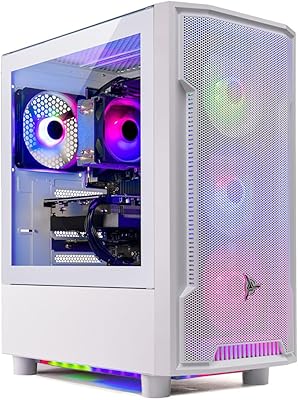
Crucial 16GB DDR5 4800MHz Laptop RAM
86%
89%
Performance Improvement
93%
Ease of Installation
88%
Multitasking Performance
91%
Compatibility with 12th Gen Intel & AMD Ryzen 7000
86%
Gaming Performance
More
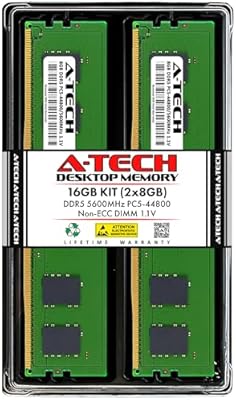
Skytech Archangel RTX 5060 Ti Gaming Desktop
77%
88%
Gaming Performance
83%
Build Quality
71%
Value for Money
91%
GPU Specification
67%
CPU Performance
More
Crucial 16GB DDR4 3200MHz Desktop RAM
78%
93%
Ease of Installation
88%
Compatibility Range
79%
Real-World Performance
91%
Long-Term Reliability
74%
Value for Money
More
A-Tech 16GB DDR5 5600MHz RAM Kit
88%
96%
Installation Ease
89%
Performance Boost
92%
Value for Money
88%
Energy Efficiency
91%
Compatibility
More
A-Tech 16GB DDR5 4800MHz SODIMM RAM
88%
91%
Performance Boost
95%
Ease of Installation
88%
Energy Efficiency
85%
Compatibility with Laptop Systems
92%
Value for Money
More
Crucial 16GB DDR4-2400 Desktop RAM Kit
81%
96%
Ease of Installation
93%
Compatibility
94%
Reliability & Stability
88%
Value for Money
86%
Performance – Everyday Use
More
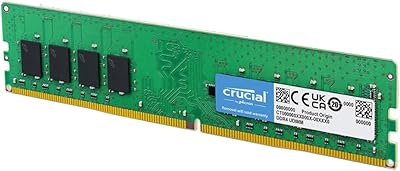
A-Tech 64GB DDR5 4800MHz Desktop RAM Kit
74%
83%
Value for Money
88%
Installation Ease
74%
Compatibility
91%
System Stability
78%
Performance at Rated Speed
More
A-Tech 96GB DDR5 4800MHz SODIMM Laptop RAM
81%
78%
Compatibility
91%
Installation Ease
83%
System Stability
86%
Performance Gains
74%
Value for Money
More
Crucial 16GB DDR5 5600MHz SODIMM Laptop RAM
81%
93%
Installation Experience
81%
Speed & Real-World Performance
77%
Platform Compatibility
94%
Build & Component Quality
58%
Dual-Channel Value
More
A-Tech 16GB DDR3 1600MHz Desktop RAM
79%
93%
Value for Money
88%
Compatibility
91%
Installation Ease
86%
System Stability
82%
Performance Uplift
More

FAQ

They will boot at 4800MHz automatically on any compatible AM5 board without any changes. If you want to officially lock in that speed and make sure the system recognizes the rated profile, just enable EXPO in your BIOS — it takes under a minute. No manual timing adjustments are needed.

Running two sticks in dual-channel mode roughly doubles the memory bandwidth available to your CPU compared to a single module of the same total capacity. For most users this shows up as noticeably snappier multitasking and better responsiveness when juggling multiple heavy applications. The performance difference is real, not just a spec-sheet figure.

For everyday computing, office work, web browsing, and mainstream gaming, the honest answer is that most users will not feel any real difference between 4800MHz and 6000MHz in daily use. The gap shows up more clearly in memory-intensive workloads like 3D rendering, large dataset processing, or competitive gaming where every millisecond matters. If those use cases apply to you, a faster kit is worth the premium — otherwise, this dual-channel RAM pair covers the vast majority of desktop users well.

The Crucial 16GB DDR5 4800MHz Desktop RAM Kit includes both Intel XMP 3.0 and AMD EXPO profiles on the same module, so there is no separate Intel or AMD version to track down. Just enable whichever profile matches your platform in the BIOS and you are set.

Almost certainly yes. These are bare PCB sticks with no heatspreader added, so the module height stays at the standard DDR5 dimension — roughly 1.23 inches. Clearance problems with large tower coolers are much more common with tall, finned memory kits that add significant height above the PCB. These slim sticks should fit cleanly on virtually any desktop build.

Mixing memory kits is generally not recommended, even when the specs look close on paper. Mismatched modules can cause timing conflicts, drop out of dual-channel mode, or create instability that is difficult to diagnose. For the most reliable results, use this memory upgrade on its own or pair it with a second identical kit.

On-die ECC is a DDR5 architecture feature that operates at the chip level inside each module — it detects and silently corrects minor bit errors before they ever reach the system. You cannot configure it and you will never notice it working; it just runs in the background. For most users, the practical benefit is marginally more stable memory behavior over time, particularly during long sessions or heavy multitasking.

Crucial memory is widely listed on QVLs for boards from ASUS, MSI, Gigabyte, and ASRock, and this specific kit or its individual modules appear on many B650 and Z790 boards. That said, QVL lists vary by board revision, so it is always worth a quick check on your motherboard manufacturer's support page before purchasing — not because compatibility failures are common, but because DDR5 QVL coverage can occasionally differ between board revisions.

Crucial sits in a slightly different position from brands like Kingston or G.Skill because it is owned by Micron, one of the handful of companies in the world that actually fabricates its own DRAM chips from scratch. Many other brands source chips from Micron, Samsung, or SK Hynix and assemble them into modules. That vertical integration means Crucial has tighter oversight over consistency between batches, which is part of why its long-term reliability reputation holds up well at scale.

Start by checking that the sticks are seated in the correct paired slots — most motherboards want dual-channel kits in slots 2 and 4, not 1 and 2, so consult your manual first. If the system still refuses to boot, try each stick individually to figure out whether the problem is with one module or the board itself. If both sticks fail on their own in a known-good slot, reach out to Crucial support — their warranty and replacement process is well-regarded and straightforward.