Overview

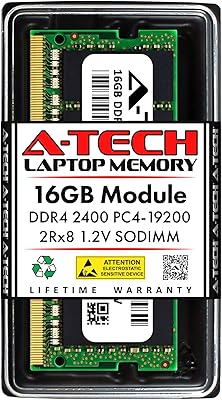
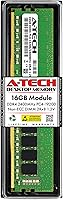
The A-Tech 16GB DDR4 2400MHz Desktop RAM is about as straightforward as memory upgrades get — no RGB, no heatspreader, no marketing gimmicks. A-Tech is a third-party memory brand that has carved a niche in the value-compatibility space, sourcing chips that meet JEDEC standards without the premium brand markup. This desktop memory stick has been available since late 2018 and continues to sell steadily, which says something about its staying power in the market. Expectations should be set clearly: this is a standard JEDEC-spec module, not an overclocking tool or enthusiast pick. It is an honest, budget-friendly upgrade for users who just want more RAM without any fuss.

Features & Benefits

At 16GB on a single stick, this A-Tech RAM upgrade gives you enough headroom for everyday multitasking — running a browser with a dozen tabs, streaming video, and keeping a spreadsheet open at the same time — without feeling pinched. It runs at 2400MHz, which is the baseline DDR4 speed supported by virtually every consumer desktop platform released since around 2016. Nothing exotic there, but that is exactly the point. The 288-pin DIMM format fits standard ATX and micro-ATX boards without issue. As a non-ECC unbuffered module, it is correctly specced for consumer systems rather than server environments. The dual-rank 2Rx8 layout can offer a modest bandwidth edge over single-rank sticks, and the lifetime warranty provides real peace of mind on a component most buyers never want to think about again.

Best For

This A-Tech RAM upgrade makes the most sense if you are working with an older desktop that tops out at DDR4-2400 — dropping in faster RAM would not gain you anything on those platforms, so paying a premium for speed would simply be wasted money. Budget builders starting with a single module and planning to expand later will also find it a sensible starting point. It fits well in home and small-office setups where the workload is browsing, email, video calls, and standard office apps rather than video editing or 3D rendering. And if an existing stick has failed and you need a like-for-like replacement with a solid warranty behind it, this desktop memory stick handles that need cleanly without overcomplicating the decision.

User Feedback

With a 4.6-star average drawn from over 800 ratings, this 16GB DDR4 module has earned consistent marks from real buyers. The most repeated compliment is that it installs and boots without drama — no manual BIOS tweaks, no failed POST screens. That said, compatibility is not guaranteed across every board ever made. A handful of users with older or less common motherboards reported needing to manually select the JEDEC profile in BIOS to achieve stable operation. Checking your motherboard QVL before ordering is genuinely worth the few minutes it takes. On the critical side, a few buyers noted they would have chosen a faster kit had they known their platform supported higher speeds. Overall, for its intended use case, the reliability holds up well.

Pros

  • A full 16GB in a single module leaves the second DIMM slot free for a future upgrade to 32GB.
  • Runs at JEDEC standard 1.2V — no voltage tweaking needed, and it just works out of the box.
  • The dual-rank 2Rx8 configuration offers a modest real-world bandwidth advantage over cheaper single-rank alternatives.
  • Plug-and-play installation is consistently praised by buyers — boot up, and the system recognizes it immediately.
  • Compatible with a wide range of mainstream Intel and AMD desktop platforms from 2016 onward.
  • The lifetime warranty provides genuine long-term protection for a component that usually gets installed and forgotten.
  • Non-ECC unbuffered design is the correct spec for consumer desktops, keeping the price appropriately low.
  • Compact, heatspreader-free design fits cases with low-clearance CPU coolers without any clearance issues.
  • Over 800 real-world ratings averaging 4.6 stars points to consistent, reliable performance across diverse system builds.
  • A-Tech offers accessible customer support before and after purchase, which is rare for a commodity memory brand.

Cons

  • DDR4-2400 is a baseline speed — systems that support faster RAM will see no performance gain from this module.
  • No XMP profile is included, meaning there is no one-click speed boost available even if your board supports it.
  • Compatibility is not guaranteed on every motherboard; buyers must manually verify against their board's QVL list.
  • A small number of users on older or niche motherboards have needed to manually select the JEDEC profile in BIOS.
  • No heatspreader means there is no thermal protection during prolonged heavy workloads, though this rarely causes issues in practice.
  • A-Tech is a lesser-known third-party brand, which may concern buyers who prefer chips from Corsair, Kingston, or Crucial.
  • Single-module operation in a dual-channel capable board means you forfeit dual-channel bandwidth until a second stick is added.
  • The 2400MHz speed ceiling may become a noticeable bottleneck on Ryzen-based systems, which are notably sensitive to memory frequency.
  • No official support for high-density server or ECC workstation builds — purely a consumer desktop component.

Ratings

The A-Tech 16GB DDR4 2400MHz Desktop RAM has been evaluated by our AI system after analyzing verified global user reviews, with spam, bot-submitted, and incentivized feedback actively filtered out to reflect genuine buyer experiences. The scores below capture both the genuine strengths that keep this module consistently well-rated and the real limitations that matter depending on your specific system and expectations. Nothing has been glossed over — if buyers ran into friction, it shows up here.

Value for Money
88%
For users on tighter budgets who simply need a reliable 16GB module to breathe life back into a sluggish older desktop, the price-to-capacity ratio is hard to argue with. Buyers consistently feel they got a fair deal, especially those using the module as a like-for-like replacement rather than a performance upgrade.
As faster DDR4 kits have dropped in price over time, the value case for a 2400MHz module has narrowed — users on modern platforms may find that spending only a little more gets them meaningfully better-spec RAM. For those builds, this module starts to feel less like a bargain and more like a compromise.
Compatibility
79%
21%
Across the broad middle ground of mainstream Intel and AMD desktop motherboards from 2016 onward, this desktop memory stick slots in and works without issue. Most buyers report zero compatibility problems on popular boards from ASUS, Gigabyte, MSI, and ASRock when running standard DDR4-2400 configurations.
A recurring pain point is that compatibility is not universal — users with older, less common, or budget-tier motherboards have occasionally experienced boot failures or instability until manually selecting the correct JEDEC profile in BIOS. The burden of verifying compatibility via the motherboard QVL falls entirely on the buyer, which trips up less experienced users.
Ease of Installation
93%
This is one of the most consistently praised aspects across all reviews — buyers with no prior hardware experience describe a genuinely painless install where they pushed the stick in, powered on, and their system recognized the full 16GB without touching BIOS settings. For first-time upgraders, that confidence boost matters.
The small minority of users who did encounter a non-booting system after installation found the troubleshooting process confusing, since the module itself gives no visual indication of a problem. Without prior BIOS experience, diagnosing whether the issue is the RAM, the slot, or a profile mismatch can feel overwhelming.
Performance at Spec
74%
26%
Within its intended use case — giving an older or mid-range desktop enough memory to handle tabs, office applications, and light media without stalling — this A-Tech RAM upgrade delivers exactly what it promises. Users replacing 4GB or 8GB systems report a clearly noticeable improvement in day-to-day responsiveness.
DDR4-2400 is a baseline frequency, not a performance tier, and buyers who expected a more substantial speed uplift were sometimes disappointed. On Ryzen platforms in particular, where memory speed directly feeds into CPU performance, running at 2400MHz instead of 3200MHz or higher leaves a measurable gap on the table.
Reliability & Stability
86%
The majority of long-term owners report stable, error-free operation months and even years after installation — it does its job quietly without causing unexpected crashes or memory errors under typical workloads. For a commodity module from a third-party brand, that track record across hundreds of verified reviews is genuinely reassuring.
A small but consistent thread of reports describes instability issues that only surfaced after extended use or during memory-intensive tasks, particularly on systems running the module at the edge of their supported frequency range. These cases are the minority, but they are real and worth noting for users who cannot afford downtime.
Speed & Frequency
61%
39%
For systems that are architected around DDR4-2400 — older H110, B150, and comparable chipset boards — this module runs at exactly the speed those platforms are designed to use, with no wasted overhead or forced downclocking from a faster kit.
There is simply no getting around the fact that 2400MHz is the slowest standard DDR4 speed available, and most boards and CPUs sold in the last several years support 3200MHz or faster natively. Buyers who did not check their platform's ceiling before purchasing often feel this module underserves their hardware.
Build Quality
71%
29%
The PCB feels solid and the module seats firmly without excessive force, and the absence of a heatspreader is not a quality deficit for a component running at stock JEDEC voltages — it simply reflects the appropriate design for this tier and use case.
Without a heatspreader, the module looks and feels noticeably basic next to branded alternatives, and a handful of buyers felt the overall build did not inspire the confidence they expected for the price. For users who care about the aesthetics of an open-side case build, this is a plain-looking stick.
Warranty & Support
82%
18%
A lifetime warranty on a commodity component is genuinely unusual at this price point, and buyers who have actually needed to use it report that A-Tech's support team was reachable and processed replacements without excessive friction. That backstop adds real long-term value.
Some users found the warranty claim process required more back-and-forth correspondence than expected, particularly around providing proof of purchase and system diagnostics. The support experience is not instant, and buyers who need a fast resolution may find the timeline frustrating.
Overclocking Headroom
34%
66%
For users who have no intention of overclocking and simply want a stable, spec-compliant module, the absence of overclocking capability is entirely irrelevant to their satisfaction — and most buyers in this segment fall into exactly that category.
This module offers essentially no overclocking headroom — it runs at JEDEC standard settings with no XMP profile and no tested headroom beyond DDR4-2400. Enthusiasts who purchased it hoping to push frequencies were uniformly disappointed, and this is simply the wrong product for that use case.
Dual-Channel Readiness
76%
24%
Buying a single 16GB stick leaves the second DIMM slot open for a future matched module, giving budget buyers a sensible upgrade path to 32GB in dual-channel mode without committing the full cost upfront. Several buyers specifically called this out as a deliberate and appreciated strategy.
Running a single stick means the system operates in single-channel mode until a second module is added, which measurably reduces memory bandwidth — something that matters more than most buyers realize, particularly on integrated-graphics systems where the GPU shares that bandwidth.
Platform Breadth
78%
22%
The 288-pin DIMM format and JEDEC DDR4-2400 spec cover a genuinely wide range of Intel and AMD desktop platforms, and buyers across a diverse mix of system builds — from budget office PCs to older gaming rigs — report successful installations.
The module is strictly a desktop DIMM, which rules out laptop upgrades entirely, and it is also incompatible with server boards requiring ECC or registered memory. Buyers who did not verify this beforehand have left frustrated reviews after purchasing the wrong form factor for their system.
Packaging & Delivery
84%
The module typically arrives in a clean anti-static package without unnecessary bulk, and buyers consistently report receiving the correct product in undamaged condition — which sounds like a low bar but matters more than people think for a static-sensitive component.
The packaging is functional and minimal, with no installation guide or accessory included — a minor issue for experienced builders but occasionally a point of confusion for first-time RAM upgraders who are not sure whether they need additional hardware or adapters.
Thermal Performance
69%
31%
Running at 1.2V with no overclocking, this desktop memory stick generates very little heat under normal workloads, and the vast majority of users report zero thermal issues even in compact cases with modest airflow over extended daily use.
The lack of a heatspreader means there is no active thermal management for users who push the system harder over longer periods, and a small number of buyers in cramped or poorly ventilated cases have noted the module running warmer than expected during sustained memory-intensive tasks.

Suitable for:

The A-Tech 16GB DDR4 2400MHz Desktop RAM is a practical choice for anyone upgrading an older desktop that was built around DDR4-2400 support — on those platforms, the motherboard and CPU simply will not run RAM any faster, so spending more on a higher-speed kit would be money wasted. Home users who rely on their desktop for everyday tasks like web browsing, video calls, spreadsheets, and light media consumption will find that 16GB covers their needs comfortably without overkill. Budget-conscious builders who want to start with a single module and add a matching stick later to reach 32GB will appreciate the flexibility this single-module approach allows. It also makes a clean, no-drama replacement for a failed stick — the lifetime warranty means you have a real fallback if something goes wrong down the line, which matters more than people think for a component they install and forget. Small office environments running basic productivity workloads are another natural fit, where reliability and low cost-per-gigabyte matter far more than raw memory bandwidth.

Not suitable for:

If your motherboard and CPU support DDR4-3000 or faster, skipping this desktop memory stick in favor of a higher-speed kit is the smarter move — faster RAM is affordable these days, and leaving performance on the table makes little sense when the price gap is small. Enthusiasts who plan to overclock their memory or fine-tune timings will find this 16GB DDR4 module frustrating; it runs at JEDEC standard voltages and latencies with no overclocking headroom baked in. Gamers running CPU-sensitive titles or working at 1440p and above may also notice the bandwidth ceiling of DDR4-2400 becoming a minor bottleneck, particularly on AMD Ryzen platforms where memory speed has a more direct impact on frame rates. Content creators doing video editing, 3D rendering, or running memory-hungry virtual machines should look at both higher capacity and higher speed options rather than this entry-level module. Finally, anyone building a server or workstation that requires ECC memory for data integrity should not use this — it is strictly a non-ECC consumer product.

Specifications

  • Capacity: Each module provides 16GB of memory, sufficient for smooth multitasking, everyday productivity, and light gaming on a single stick.
  • Memory Type: Uses DDR4 SDRAM technology, the standard generation for consumer desktop platforms built from approximately 2016 onward.
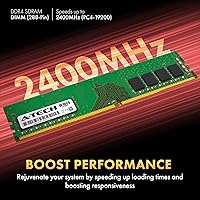
  • Speed: Operates at 2400MHz (PC4-19200 / PC4-2400T), representing the baseline DDR4 frequency supported across a wide range of Intel and AMD desktop systems.
  • Form Factor: Standard 288-pin DIMM format, compatible with full-size ATX, micro-ATX, and most mini-ITX desktop motherboards that support DDR4.
  • Rank Config: Dual-rank 2Rx8 configuration, which can provide a modest memory bandwidth advantage over single-rank modules in certain system configurations.
  • ECC Type: Non-ECC Unbuffered, the correct specification for consumer desktop PCs and entry-level workstations — not intended for server or enterprise environments.
  • Voltage: Runs at the JEDEC standard 1.2V, requiring no manual voltage adjustment in BIOS and posing no additional stress to the memory controller.
  • Latency: CL17 primary latency timing, which is standard for DDR4-2400 modules operating at JEDEC-defined specifications.
  • Dimensions: The module measures 5.25 x 1.23 x 0.15 inches, fitting standard DIMM slots and leaving adequate clearance for most aftermarket CPU coolers.
  • Weight: Weighs 0.634 ounces, reflecting the compact, heatspreader-free design typical of value-tier desktop memory modules.
  • Warranty: Covered by A-Tech's lifetime warranty, with a customer support team available to assist both before and after purchase.
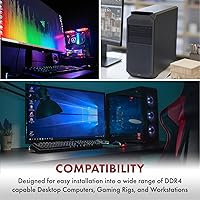
  • Compatibility: Designed for DDR4-compatible desktop PCs and workstations; buyers should verify against their motherboard's Qualified Vendor List before purchasing.
  • Model Number: Official model number is AT16G1D4D2400ND8N12V, useful for cross-referencing compatibility documentation and warranty claims.
  • Brand: Manufactured by A-Tech Components, a third-party memory specialist focused on value-tier compatibility modules for consumer and small-office systems.
  • First Available: This module has been on the market since November 2018, with continued availability indicating stable demand and a consistent product line.

Related Reviews
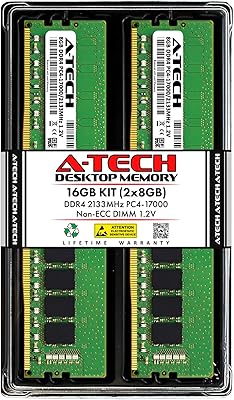
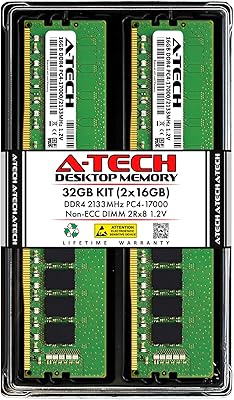
A-Tech 16GB (2x8GB) DDR4 2133 MHz Desktop RAM
85%
94%
Ease of Installation
87%
System Responsiveness
90%
Energy Efficiency
85%
Performance for General Use
92%
Price to Performance Ratio
More
Crucial 16GB DDR4 3200MHz Desktop RAM
78%
93%
Ease of Installation
88%
Compatibility Range
79%
Real-World Performance
91%
Long-Term Reliability
74%
Value for Money
More
A-Tech 32GB DDR4 2133MHz Desktop RAM
79%
88%
Value for Money
94%
Installation Ease
69%
Compatibility
86%
Stability & Reliability
61%
Memory Speed
More
A-Tech 16GB DDR4 3200MHz SODIMM Laptop RAM
78%
83%
Compatibility
91%
Installation Ease
78%
Performance Uplift
86%
Value for Money
74%
Build Quality
More
A-Tech 16GB DDR3 1600MHz Desktop RAM
79%
93%
Value for Money
88%
Compatibility
91%
Installation Ease
86%
System Stability
82%
Performance Uplift
More
A-Tech 128GB DDR4 3200MHz Desktop RAM Kit
87%
92%
Performance
88%
Installation Ease
81%
Compatibility with Systems
90%
Reliability and Stability
85%
Build Quality
More
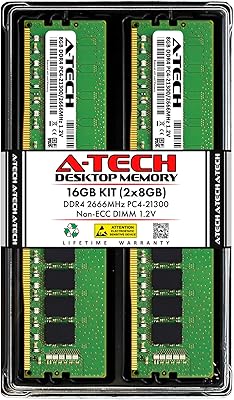
A-Tech 16GB DDR4 2666MHz Desktop RAM
81%
91%
Value for Money
74%
Compatibility
94%
Ease of Installation
88%
System Stability
78%
Performance at Rated Speed
More
A-Tech 16GB DDR4 2400MHz SODIMM Laptop RAM
84%
74%
Compatibility
91%
Installation Ease
83%
Performance Improvement
88%
Value for Money
82%
Build & Component Quality
More
Adamanta 16GB DDR4 2400MHz SODIMM Laptop RAM
75%
83%
Value for Money
89%
Installation Ease
62%
Compatibility
76%
Real-World Performance
74%
Stability & Reliability
More
Timetec 16GB KIT DDR4 3200MHz Desktop RAM

81%
88%
Value for Money
93%
Installation Ease
82%
Compatibility
86%
Stability & Reliability
62%
Latency Performance
More

FAQ

It is designed to work with any desktop motherboard that has a standard 288-pin DDR4 DIMM slot and supports DDR4-2400 speeds. That covers a very broad range of Intel and AMD platforms released from around 2016 onward. That said, always check your motherboard's QVL (Qualified Vendor List) in its manual or on the manufacturer's website before buying — this is the single most important step for any RAM purchase.

In most cases, no. The module runs at JEDEC standard settings, so the vast majority of systems will detect it automatically and boot straight into the operating system without any manual configuration. A small number of users with older or less common boards have needed to manually select the JEDEC 2400MHz profile in BIOS, but this is straightforward and takes under a minute if needed.

Yes, and it is worth doing if your motherboard supports dual-channel mode. Installing a matched second stick in the correct paired slot (check your motherboard manual for the right configuration) will double the memory bandwidth and can noticeably improve performance, especially on AMD Ryzen systems where memory throughput has a real impact on CPU performance.

For most everyday users, yes. Web browsing with multiple tabs, streaming, office apps, and gaming at 1080p all run comfortably on 16GB. If you are running memory-hungry applications like video editing software, virtual machines, or modern AAA games at higher resolutions, you may find 16GB feeling tight over time — in which case planning for 32GB from the start would be the smarter call.

ECC (Error-Correcting Code) memory automatically detects and corrects single-bit memory errors, making it essential for servers and workstations where data integrity is critical. This desktop memory stick is non-ECC, which is the correct and expected type for consumer desktop PCs. Unless your motherboard and CPU specifically support and require ECC — which the vast majority of home desktop hardware does not — non-ECC is what you want.

If your board genuinely supports DDR4-3200 or faster, it is worth spending a little more for a higher-speed kit. The A-Tech 16GB DDR4 2400MHz Desktop RAM will still work in your system, but it will run at 2400MHz regardless of what your board supports — so you would be leaving performance on the table. Faster DDR4 kits are reasonably priced these days, and the difference is especially noticeable on Ryzen-based platforms.

No. Laptops use SO-DIMM modules, which are physically smaller and use a different pin configuration. This module is a full-size 288-pin DIMM intended exclusively for desktop PCs and workstations. Installing it in a laptop slot is not physically possible.

A-Tech backs this with a lifetime warranty, and by most accounts their support team is accessible and responsive. If the module fails — whether shortly after purchase or years later — you can contact A-Tech directly to initiate a replacement. It is worth keeping your proof of purchase handy for any warranty claim, which is standard practice regardless of brand.

It does not include a heatspreader. For standard desktop use — browsing, productivity, light gaming — this is not a problem at all, since DDR4 running at stock voltages generates very little heat. A heatspreader primarily matters for high-frequency overclocking builds, which this module is not designed for anyway.

Check your motherboard manual — it will indicate which slot to populate first when using a single module. On most boards with four slots, the recommended single-stick slot is labeled A2 or DIMM 2, but this varies by manufacturer. Installing in the correct slot ensures the system runs at its best configuration and avoids any potential instability from using an unsupported primary slot.