
Overview

The Crucial 96GB DDR5 5600MHz SODIMM Laptop RAM is not for everyone — and that’s precisely the point. Launched in mid-2023 at a time when 96GB SODIMM capacity was genuinely rare, this kit occupies a very specific corner of the market. Crucial is Micron’s consumer brand, and Micron has been manufacturing memory chips for over four decades, giving this high-capacity laptop RAM a credibility edge that newer entrants simply cannot match. Before getting excited, though, check your specs carefully — DDR5 SODIMM compatibility is not universal, and many popular laptops, especially older or budget models, won’t support it at all.

Features & Benefits

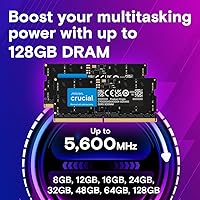
Running two sticks in dual-channel configuration makes a measurable difference in memory bandwidth — something a single high-capacity module simply cannot offer. This Crucial DDR5 memory upgrade operates natively at 4800MHz on most platforms but can reach 5200MHz or 5600MHz when your system supports Intel XMP 3.0 or AMD EXPO profiles, both baked into the same module. That flexibility is useful in practice: you enable the profile in BIOS once and forget about it. The 1.1V operating voltage runs cooler than DDR4, which matters in compact laptop chassis where thermal headroom is tight. These are non-ECC sticks, which is standard for consumer workloads.

Best For

This 96GB SODIMM kit makes the most sense for people whose work genuinely demands massive memory headroom — think video editors and developers working with large project files or spinning up several virtual machines simultaneously. Workstation-class laptops from ASUS ProArt, Lenovo ThinkPad, or HP ZBook lines tend to be natural fits. Gamers might notice smoother performance in memory-heavy titles, but 96GB is honestly surplus to requirements for gaming alone — even with streaming or recording layered on top. If your laptop has a DDR4 slot, uses soldered memory, or is more than a couple of years old, this kit is simply not the right upgrade.

User Feedback

With a 4.8-star rating across close to 3,800 reviews, the reception for this high-capacity laptop RAM has been notably strong. Buyers consistently highlight how straightforward installation is and how noticeably their systems handle heavy multitasking afterward. That said, a recurring theme in critical reviews points to BIOS update requirements — some users found their laptops defaulted to 4800MHz until they updated firmware and manually enabled the XMP or EXPO profile. A smaller number reported concerns about heat in ultra-slim chassis under sustained load. It currently ranks among the top sellers in its category on Amazon, though that reflects a mix of brand trust and limited competition at this capacity level.

Pros

  • 96GB of total capacity is exceptionally rare in SODIMM form, effectively eliminating memory as a bottleneck for even the most demanding laptop workloads.
  • Dual-channel operation across two sticks delivers meaningfully higher memory bandwidth compared to a single large module.
  • Intel XMP 3.0 and AMD EXPO support are both built into the same module, so you don’t need to buy platform-specific kits.
  • The 1.1V operating voltage runs cooler than DDR4, helping manage thermals in compact chassis during long work sessions.
  • Installation is genuinely straightforward — buyers consistently report the physical swap takes minutes with no technical hurdles.
  • Speed flexibility across 4800MHz, 5200MHz, and 5600MHz means the kit adapts cleanly to whatever your platform supports.
  • Micron’s decades-long manufacturing heritage gives this high-capacity laptop RAM a credibility advantage over lesser-known brands.
  • Near-universal praise in user reviews, with close to 3,800 ratings averaging 4.8 stars — a track record that’s hard to argue with.
  • Multitasking responsiveness improves noticeably once installed, particularly when switching between large open applications simultaneously.

Cons

  • Compatibility is non-trivial — DDR4 laptops, soldered configurations, and pre-12th Gen Intel systems are all incompatible, full stop.
  • Many users report needing a BIOS update before the kit runs at 5600MHz; without it, the system defaults silently to 4800MHz.
  • The price tier is firmly in premium territory, making it a tough sell unless your workflow genuinely saturates high memory capacity.
  • Some users in ultra-slim chassis report elevated thermal output under sustained heavy loads, so thin-and-light owners should verify their cooling setup.
  • 96GB is surplus to almost every gaming scenario, meaning gamers buying this for frame rate gains alone will likely feel underwhelmed.
  • Non-ECC memory means there is no hardware-level error correction — a consideration worth flagging for anyone handling sensitive or mission-critical data.
  • Finding compatible laptops with accessible SODIMM slots is increasingly difficult as more manufacturers move to soldered-only memory designs.
  • Setting up XMP or EXPO profiles requires a manual BIOS step that less experienced users might overlook, leading to confusion about actual performance.

Ratings

The scores below were generated by our AI rating engine after processing thousands of verified purchase reviews for the Crucial 96GB DDR5 5600MHz SODIMM Laptop RAM from buyers worldwide, with automated filters applied to exclude incentivized, duplicate, and bot-generated submissions. Our system weights both high-praise signals and recurring frustrations proportionally, so these scores reflect the honest, full-spectrum experience real users reported across professional and enthusiast use cases. Genuine strengths and documented pain points are represented with equal transparency.

Performance & Speed
91%
Users running memory-intensive tasks — rendering large video timelines, compiling substantial codebases, or processing multi-gigabyte datasets — consistently report a noticeable reduction in application stall time and background task latency after upgrading. The improvement is most pronounced when several demanding applications are running in parallel.
The full 5600MHz rated speed is not always achieved out of the box, with many users finding their system silently defaulted to 4800MHz until a BIOS update and manual profile activation were completed. On certain platforms, even the maximum achievable frequency falls below the rated peak due to the memory controller’s own ceiling.
Workload Capacity
93%
For users who genuinely operate near or above 32GB or 64GB in daily workflows — spinning up multiple virtual machines, running local AI model inference, or keeping dozens of heavy applications open simultaneously — 96GB of headroom fundamentally changes how the laptop handles sustained pressure without slowdowns or swap file activity.
The overwhelming majority of users will never push anywhere close to 96GB of active memory, making this an expensive upgrade that sits largely idle outside a narrow set of professional scenarios. Reviewers who purchased without a clearly defined high-demand use case frequently acknowledged they had overestimated their actual memory needs.
Platform Compatibility
61%
39%
On fully supported platforms — primarily select 12th and 13th Gen Intel Core and AMD Ryzen 7000 Series laptops with physically accessible SODIMM slots — users report clean integration with no conflicts, stable operation across BIOS versions, and no incompatibility-related crashes once the correct frequency profile is enabled.
Compatibility is the single most common source of negative feedback in user reviews, with many buyers discovering post-purchase that their laptop features soldered memory, a DDR4 platform, or inaccessible slots. The pool of genuinely supported machines is narrower than the product listing implies, and Crucial’s online compatibility tool does not cover every affected model.
Installation Ease
88%
Among buyers with compatible hardware, the physical installation is consistently described as fast and uncomplicated — most workstation-class laptops allow the swap in under ten minutes using only a standard screwdriver. The keyed 262-pin DDR5 connector prevents incorrect seating, which users found reassuring when handling high-value components.
Scores drop here because a meaningful portion of first-time upgraders hit unexpected confusion around the post-installation BIOS profile activation step, which is necessary to reach the rated speed but absent from any printed documentation in the box. Several reviewers specifically noted they spent hours troubleshooting what turned out to be an unenabled XMP or EXPO profile.
Value for Money
69%
31%
For the narrow audience with a genuine, recurring need for this level of memory — professional video editors, researchers working with large local datasets, or developers managing complex virtualized environments — this Crucial DDR5 memory upgrade targets and resolves a real bottleneck, making the premium investment feel proportionate to the productivity gain.
Outside that specific audience, the cost-to-benefit ratio is difficult to justify, and users who purchased primarily on the appeal of the large capacity number frequently describe feeling they overpaid for headroom they rarely or never use. At this price tier, buyers also noted the absence of any bundled accessories or meaningful printed setup documentation.
Thermal Efficiency
82%
18%
The 1.1V operating voltage produces less heat than equivalent DDR4 modules, and users running prolonged export jobs or extended data processing sessions on well-ventilated workstation laptops reported that system temperatures remained manageable even under heavy sustained memory load. This is a practical advantage in laptops with limited thermal headroom.
In ultra-slim chassis with already tight thermal margins, a minority of users observed elevated system temperatures during extended memory-heavy workloads, occasionally triggering CPU frequency throttling as a downstream effect. This is less a flaw in the kit itself and more the result of pairing high-capacity, high-throughput memory with chassis not thermally designed for it.
Build & Reliability
94%
Micron’s in-house chip manufacturing is a meaningful differentiator — users who have run this 96GB SODIMM kit through months of continuous heavy workloads report zero stability incidents, no random application crashes, and consistent behavior even across multiple BIOS updates. That kind of long-term dependability is exactly what justifies choosing a manufacturer-direct brand over generic alternatives.
Defective-on-arrival units, while statistically rare, carry a higher disruption cost at this price tier because the affected user typically has a critical workstation laptop out of commission while waiting for a replacement. A small number of reviews also described Crucial’s RMA and replacement process as slower than expected for a premium product.
Dual-Channel Bandwidth
89%
Installing both sticks together activates dual-channel mode, and users with genuinely bandwidth-sensitive workflows — such as real-time 4K video scrubbing, large database queries held in memory, or parallel compilation tasks — reported measurably smoother throughput compared to their previous single-module configurations.
A subset of users noted that certain laptop platforms impose hardware-level restrictions that limit effective dual-channel bandwidth even when two sticks are properly seated, meaning the theoretical throughput gain does not always fully materialize in benchmarks or real-world use. This is a platform constraint rather than a defect in the kit.
BIOS Profile Setup
66%
34%
For users already comfortable navigating BIOS menus, enabling the XMP 3.0 or AMD EXPO profile is a one-time step that takes under two minutes and permanently locks in the rated frequency. Once configured, the memory runs at the correct speed reliably across all subsequent boots with no further intervention needed.
Less technically experienced buyers are repeatedly tripped up by this requirement, with multiple reviews describing frustration at discovering their kit was running at 4800MHz weeks after installation. The absence of any printed or in-box prompt explaining this necessary post-installation step is a recurring and legitimate complaint for a product at this price point.
Speed Adaptability
84%
The automatic downstepping to 5200MHz or 4800MHz on platforms that cannot support the peak frequency prevents boot failures and ensures the kit works without crashing even on less capable hosts. Users appreciated this as a practical safety net that removes a layer of risk when upgrading across different laptop generations.
The silent nature of this downstepping means users unfamiliar with memory frequency monitoring may not realize their system is operating below the advertised speed unless they actively check with tools like CPU-Z or HWiNFO. This creates an invisible performance gap that some buyers never discover or correct.
Brand Credibility
93%
Crucial’s position as Micron’s consumer brand — meaning the chips are designed and manufactured by the same company selling the kit — carries real weight with experienced buyers who have followed the memory market for years. Users who have owned Crucial products across multiple upgrade cycles consistently cite reliability and consistency as the reasons they return.
Despite a strong overall reputation, a segment of reviewers noted that Crucial’s support responsiveness can lag during high-demand periods, particularly for users who need urgent warranty resolution on a primary work machine. The lifetime warranty is a genuine asset, but its practical value depends heavily on how efficiently individual claims are processed.
Packaging & Documentation
72%
28%
The modules ship in appropriately protective anti-static packaging that handles transit well, and users generally reported no physical damage or ESD-related issues on arrival even for international shipments. The packaging conveys a level of care that matches the product’s price positioning.
The in-box documentation is sparse to a fault — multiple reviewers pointed out that no printed guide explains the XMP or EXPO activation process, leaving buyers to search online for a critical post-installation step that arguably should be spelled out clearly given both the technical nature of the product and the premium price tier it occupies.

Suitable for:

The Crucial 96GB DDR5 5600MHz SODIMM Laptop RAM is purpose-built for a narrow but demanding audience: professionals who routinely push their laptops to the edge of available memory. Video editors cutting large multicam timelines in DaVinci Resolve, data scientists loading multi-gigabyte datasets into RAM for local model training, and software developers juggling several virtual machines at once will all find genuine, immediate value here. Workstation-class laptops — particularly certain configurations of the ASUS ProArt Studiobook, Lenovo ThinkPad P-series, and HP ZBook Fury — are natural homes for this 96GB SODIMM kit, as these machines are typically designed with user-upgradeable slots and robust DDR5 platform support. If your workflow regularly has you watching memory usage creep toward your current ceiling, this high-capacity laptop RAM removes that constraint in one clean upgrade. The backing of Micron’s manufacturing infrastructure also means you’re buying reliability alongside raw capacity.

Not suitable for:

The Crucial 96GB DDR5 5600MHz SODIMM Laptop RAM is a hard pass for the majority of laptop owners, and that’s not a criticism — it’s just the reality of a highly specialized component. Anyone running a machine with DDR4 slots, soldered memory, or a platform predating 12th Gen Intel Core or AMD Ryzen 7000 Series will find this Crucial DDR5 memory upgrade physically or electronically incompatible before they even get to the price tag. Even compatible systems may require a BIOS update before the kit runs at its rated speed, which is a straightforward but non-trivial step that can catch less experienced users off guard. Gamers considering this as a pure performance booster should also temper expectations — no game currently in existence needs anywhere close to 96GB, making this overkill unless the same machine doubles as a creative workstation. Budget-conscious buyers will find the investment difficult to justify against the relatively modest real-world gains available in memory-constrained but otherwise mainstream workflows.

Specifications

  • Total Capacity: This kit provides 96GB of total memory, split across two 48GB SODIMM modules designed to be installed together as a matched pair.
  • Memory Type: The modules use DDR5 SDRAM technology, which offers improved bandwidth and power efficiency over the previous DDR4 standard.
  • Form Factor: Each stick uses the SODIMM form factor with a 262-pin connector, the standard physical format for upgradeable laptop memory.
  • Rated Speed: The kit is rated to operate at up to 5600MHz (PC5-44800) when the host platform and BIOS profile support that frequency.
  • Speed Stepping: When the maximum speed is not supported, the modules automatically step down to 5200MHz or 4800MHz for broad platform compatibility.
  • Operating Voltage: Both modules operate at 1.1V, which is lower than typical DDR4 SODIMM voltages and contributes to reduced heat output during sustained use.
  • Rank & Config: Each module is configured as dual-rank (2Rx8), meaning the memory controller can access two ranks per stick for improved efficiency.
  • ECC Support: These are non-ECC modules, meaning there is no hardware error-correction circuitry, which is standard for consumer and prosumer laptop workloads.
  • XMP Profile: Intel XMP 3.0 is supported on both modules, allowing compatible Intel-platform laptops to automatically configure the memory at its rated speed via BIOS.
  • EXPO Profile: AMD EXPO is also supported on the same module, enabling automatic speed configuration on compatible AMD Ryzen 7000 Series laptop platforms.
  • CPU Compatibility: The kit is validated for use with 12th and 13th Gen Intel Core processors and AMD Ryzen 7000 Series CPUs in DDR5 laptop platforms.
  • Channel Mode: Installing both sticks simultaneously activates dual-channel mode, which delivers higher aggregate memory bandwidth than a single module alone.
  • Manufacturer: The modules are manufactured by Micron Technology and sold under Micron’s consumer-facing Crucial brand.
  • Module Dimensions: Each individual stick measures 2.74 × 0.15 × 1.18 inches, consistent with standard SODIMM sizing.
  • Kit Weight: The full two-module kit weighs approximately 0.663 ounces, making it negligible in terms of added weight to any laptop.

Related Reviews
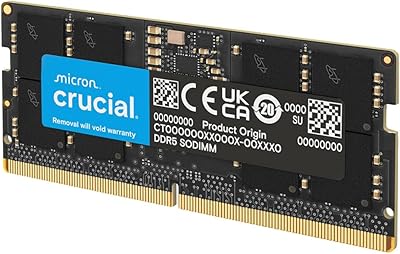
Crucial 16GB DDR5 5600MHz SODIMM Laptop RAM
81%
93%
Installation Experience
81%
Speed & Real-World Performance
77%
Platform Compatibility
94%
Build & Component Quality
58%
Dual-Channel Value
More
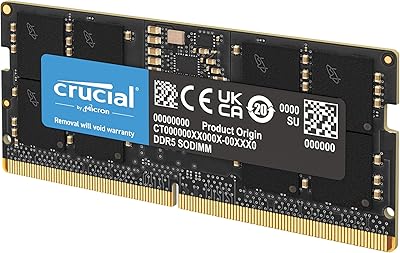
Crucial 64GB DDR5 5600MHz SODIMM Laptop Memory Kit (CT2K32G56C46S5)
89%
94%
System Responsiveness
97%
Multitasking Capacity
91%
Installation Ease
86%
Thermal Management
78%
Value for Money
More
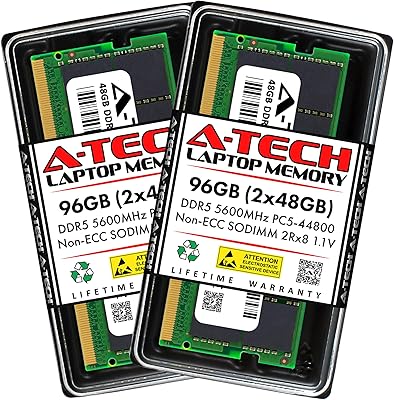
A-Tech 96GB DDR5 5600MHz SODIMM Laptop RAM
84%
83%
System Compatibility
91%
Installation Experience
88%
Real-World Performance
76%
Value for Money
86%
Speed & Bandwidth
More
Crucial 8GB DDR5 4800MHz SODIMM Laptop RAM
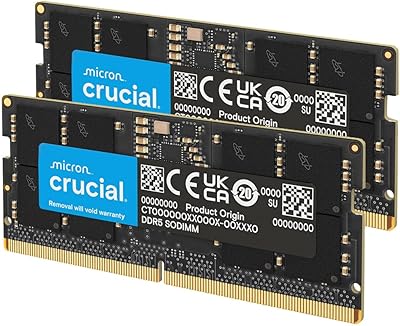
89%
91%
Performance Boost
88%
Installation Ease
94%
Compatibility with Intel 12th Gen & AMD Ryzen 7000
85%
Power Efficiency
90%
Multitasking Support
More
Crucial 32GB DDR5-5600MHz SODIMM Kit (CT2K16G56C46S5)
90%
94%
Multitasking Performance
97%
Ease of Installation
92%
Value for Money
89%
Compatibility
86%
Gaming Stability
More
Crucial 48GB DDR5 5600MHz SODIMM Laptop Memory
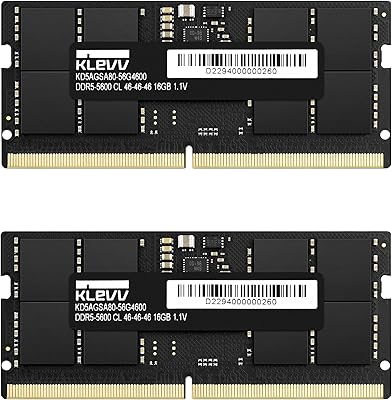
88%
92%
Performance in Gaming
89%
Speed for Multitasking
87%
Ease of Installation
94%
Compatibility with Intel and AMD CPUs
90%
Reliability Over Time
More
Crucial Pro 96GB DDR5 RAM Kit (2x48GB), 5600MHz
88%
94%
Performance for Gaming
91%
Multitasking Efficiency
89%
Overclocking Capability
86%
Compatibility with Intel & AMD Systems
84%
Energy Efficiency
More
KLEVV DDR5 32GB (2x16GB) 5600MHz SODIMM Laptop RAM
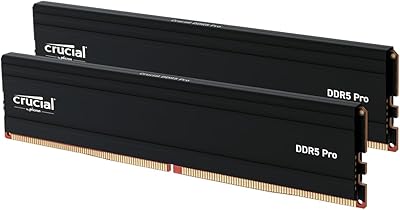
88%
94%
Performance for Gaming
91%
Speed and Responsiveness
87%
Compatibility with Laptops
88%
Energy Efficiency
89%
System Stability
More
fanxiang SD05 64GB DDR5 SODIMM Laptop RAM
76%
91%
Value for Money
93%
Installation Ease
84%
Stability & Reliability
79%
Performance at Rated Speed
58%
Brand Trust & Reputation
More
Acclamator 96GB DDR5 5600MHz Desktop RAM
77%
83%
Value for Money
81%
Performance at Rated Speed
76%
Ease of Setup
71%
Compatibility
78%
Build Quality & Reliability
More

FAQ

You need to confirm three things: that your laptop’s CPU is a 12th Gen Intel Core, 13th Gen Intel Core, or AMD Ryzen 7000 Series; that your system uses DDR5 rather than DDR4; and that the memory slots are physically accessible rather than soldered to the motherboard. The easiest way to check is your laptop’s official service manual or the manufacturer’s spec page. Many slim consumer laptops have non-upgradeable soldered memory, so this step is worth doing carefully before purchasing.

Very likely, yes. A lot of laptops ship with firmware that defaults memory to 4800MHz regardless of what the installed kit supports. To reach 5600MHz, you’ll need to update to the latest BIOS version for your machine and then manually enable the XMP 3.0 or AMD EXPO profile in the firmware settings. It’s a straightforward process, but it’s worth knowing upfront so you’re not left wondering why your new RAM isn’t running at its rated speed.

You can, but it’s not the best approach. Running a single stick means losing dual-channel memory bandwidth, which is a meaningful reduction in throughput for memory-intensive workloads. Since part of the performance advantage of this high-capacity laptop RAM comes specifically from dual-channel operation, you’ll get more out of your investment by installing both sticks at the same time.

No, they will not. DDR5 and DDR4 SODIMM modules have different pin counts and a different key notch position, so they are physically incompatible — you cannot accidentally seat one in the wrong slot. If your laptop uses DDR4, this kit is simply not an option regardless of software or BIOS settings.

Restart your laptop and enter the BIOS setup by pressing whichever key your system uses at boot (commonly F2, Delete, or F10 — check your laptop’s manual if you’re unsure). Once inside the BIOS, navigate to the memory or performance configuration section and select the XMP 3.0 or EXPO profile from the available options. Save your changes and exit — the system will reboot and your RAM will operate at its rated frequency from that point on.

Honestly, for most people, no. The Crucial 96GB DDR5 5600MHz SODIMM Laptop RAM is a deliberate overkill purchase aimed at users who consistently exhaust 32GB or 64GB in their daily workflows — professionals editing uncompressed video, developers running multiple virtual machines, or data scientists working with large local datasets. If your current memory usage rarely climbs above 20GB, the additional capacity will go largely unused and the premium you pay for it won’t be justified.

The 1.1V operating voltage is on the lower end for SODIMM memory and naturally generates less heat than older DDR4 modules under equivalent load. That said, a handful of users with particularly slim chassis have noted slightly elevated system temperatures during sustained heavy workloads. If your laptop already runs warm under CPU or GPU load, make sure the cooling system is clean and functioning well before adding demanding memory workloads on top of it.

Crucial covers its consumer RAM with a limited lifetime warranty, which is among the stronger coverage offers in the memory market and reflects the confidence that comes from Micron manufacturing the chips in-house. For actual warranty claims or specific regional terms, you’ll want to go directly to Crucial’s official support site, as processes can vary by region.

It’s generally a bad idea. Mixing modules from different manufacturers, with different capacities, or at different speeds tends to cause instability or forces both sticks to operate at the lowest common denominator speed. This 96GB SODIMM kit is designed to work as a matched pair, and replacing whatever is currently in your system entirely will give you the most stable and consistent results.

The main differentiator is that Crucial is Micron’s direct consumer brand, which means the memory chips are manufactured by the same company selling the kit — not sourced from a third-party supplier. That vertical integration gives Micron tighter quality control over the full production process, which matters when you’re buying high-capacity, high-frequency memory where consistency and reliability are non-negotiable. The strong user rating across a large number of verified purchases further supports that track record.