Overview

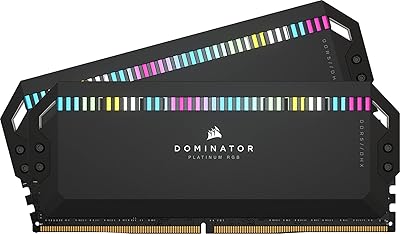
The Corsair Dominator Platinum RGB 64GB DDR5 RAM sits firmly at the top of the consumer memory market — a kit built for builders who refuse to compromise. DDR5 itself represents a meaningful architectural shift, and running it in a 4x16GB quad-channel configuration lets high-core-count CPUs on modern platforms actually breathe. What makes this kit broadly appealing is its dual-profile support: AMD builders get native EXPO profiles, while Intel users lean on XMP — no manual tuning required out of the box. Launched in late 2022, it entered a nascent DDR5 market; prices have since shifted, but the kit's positioning as a flagship enthusiast product hasn't changed. Don't come here expecting budget-tier value.

Features & Benefits

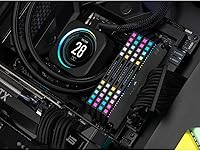
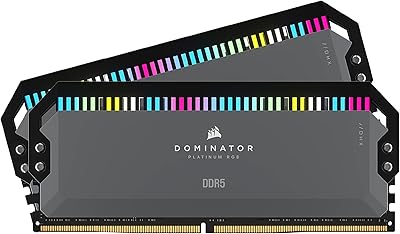
The CAPELLIX LEDs are a genuine highlight here — 12 individually addressable lights per module that draw less power than conventional RGB strips, so the visual impact doesn't come with a thermal penalty. More practically, Corsair's DHX heatspreader cools both the memory chips and the PCB's ground plane simultaneously, which keeps thermals in check during prolonged rendering sessions or extended overclocking runs. The onboard PMIC shifts voltage regulation away from the motherboard, giving iCUE software finer control over clock stability. At 5600MHz with CL36 latency, this DDR5 memory kit hits a reasonable balance point — fast enough to feed bandwidth-hungry workloads without sacrificing the timing tightness that matters in latency-sensitive tasks.

Best For

This Dominator Platinum kit makes the most sense for desktop builders running AMD Ryzen 7000 or Intel 13th and 14th Gen platforms who genuinely need 64GB — think video editors juggling 4K multicam timelines, 3D artists working with dense scene files, or power users keeping dozens of browser tabs and virtual machines alive simultaneously. It's also a natural fit if you're already deep in the iCUE ecosystem and want lighting that actually coordinates across your setup. That said, it's a hard sell for anyone building in a compact chassis due to the tall heatspreader profile, and it's not aimed at people looking to stretch a tight budget. ECC is off the table entirely.

User Feedback

With around 72 ratings and a 4.2-star average, the picture is broadly positive but not without nuance. Many buyers highlight the build quality and the reliability of EXPO and XMP profiles on first boot — no tweaking required, which matters when you're dealing with a platform as sensitive as DDR5. The RGB visibility gets consistent praise too. Where sentiment turns cautious is around value: several reviewers question whether the premium over more affordable DDR5 kits translates into measurable real-world gains. A handful of users also mention occasional iCUE software hiccups. The review count is modest enough that drawing firm conclusions feels premature — treat the consensus as encouraging rather than definitive.

Pros

  • Stable EXPO and XMP profiles make first-boot memory setup straightforward on compatible AMD and Intel platforms.
  • The 4x16GB quad-channel configuration unlocks full memory bandwidth for high-core-count desktop CPUs.
  • CAPELLIX LEDs deliver vivid, individually addressable RGB lighting with notably lower power draw than standard LED strips.
  • DHX dual-sided cooling keeps module temperatures in check even during sustained overclocking or heavy rendering sessions.
  • Onboard PMIC voltage regulation gives iCUE users precise software-controlled tuning without requiring BIOS adjustments.
  • 64GB capacity provides genuine headroom for memory-intensive creative work, large open project files, and virtualization.
  • Build quality feels premium — the heatspreader is solid and the overall finish matches what the price suggests.
  • Broad platform compatibility covers both AMD Ryzen 7000 and Intel 13th and 14th Gen systems out of the box.

Cons

  • The price premium over competing DDR5 kits is steep, and measurable real-world performance differences are often marginal.
  • iCUE software can feel bloated and has reported stability hiccups on certain system configurations.
  • The tall heatspreader may cause clearance conflicts in compact cases or with specific CPU air coolers.
  • Only 72 user ratings is a modest sample — not enough to draw confident long-term reliability conclusions.
  • CL36 latency is not class-leading; tighter-latency DDR5 alternatives exist at lower or comparable price points.
  • No ECC support makes this DDR5 memory kit a non-starter for professional workstation or server environments.
  • AMD EXPO profile customization via iCUE was flagged as a forthcoming feature at launch — verify current software support before purchasing.
  • New Corsair iCUE users face a real learning curve before extracting full value from the ecosystem integration.

Ratings

The Corsair Dominator Platinum RGB 64GB DDR5 RAM was evaluated through AI-powered analysis of verified global user reviews, with spam, incentivized submissions, and bot-generated feedback actively identified and excluded from scoring. Each category score reflects the genuine distribution of buyer sentiment — not just the highlights, but the friction points and trade-offs that real users encounter over time. The results give you a transparent, balanced picture across every dimension that matters to a purchasing decision.

Build Quality & Aesthetics
91%
The heatspreader construction is a consistent talking point among buyers — thick aluminum, solid contact across the module surface, and a fit-and-finish that genuinely matches the premium price tier. Many users specifically note that the kit looks exactly as impressive in person as in product photography, which is not always the case with RAM at any price.
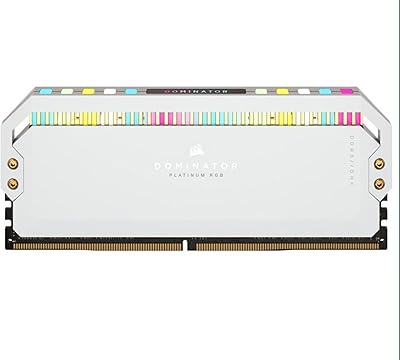
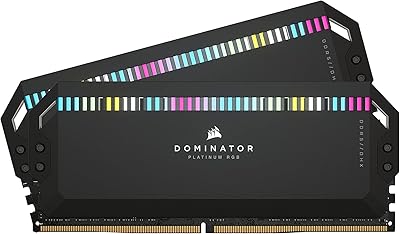
A handful of buyers find the gray colorway less visually dramatic than white or black alternatives offered by competing brands. The tall heatspreader profile also creates clearance conflicts in tighter cases, which can be a frustrating discovery only after the components have already arrived.
RGB Lighting
89%
The CAPELLIX LEDs are genuinely bright and individually addressable at the per-LED level — users who have owned previous-generation Corsair kits frequently comment that the color accuracy and animation smoothness represent a meaningful step forward. The lower power draw compared to older RGB implementations is a practical bonus for builders running heavily lit systems.
Fully unlocking the lighting system requires iCUE to be running, and users who encounter software instability end up with a static or partially functional lighting experience. A small number of buyers also report very slight LED flicker on specific motherboard and BIOS version combinations when operating at rated frequency.
Platform Compatibility
88%
Dual EXPO and XMP profile support means this DDR5 memory kit works cleanly across both AMD Ryzen 7000 and Intel 13th and 14th Gen platforms, with most users reporting successful first-boot profile activation requiring no manual timing adjustments. Board coverage spans ASUS, MSI, Gigabyte, and ASRock, among others.
A subset of users found that certain older BIOS versions required a firmware update before EXPO profiles would apply stably, adding an unexpected step to initial setup. Compatibility is also strictly limited to DDR5-capable desktop motherboards — any older platform is entirely excluded from consideration.
Stability & Reliability
87%
Stability once the EXPO or XMP profile is properly engaged is one of the most consistently praised aspects — users running sustained creative workloads and extended sessions report no crashes or memory errors attributable to the modules themselves. Many buyers specifically credit the onboard PMIC for delivering cleaner, more consistent power than motherboard-dependent voltage designs.
A small number of users encountered early instability tied to specific BIOS versions rather than the modules themselves, requiring a firmware update before profiles would apply without issue. This reflects DDR5 ecosystem immaturity as much as any kit-specific flaw, but it can be a real friction point for first-time DDR5 builders.
Thermal Performance
86%
The DHX heatspreader's dual-contact approach — drawing heat from both the memory ICs and the PCB ground plane simultaneously — keeps module temperatures noticeably more controlled during extended rendering or video encoding sessions compared to single-sided designs. Users who direct a dedicated case fan across the DIMM slots report particularly clean thermal results.
In passively cooled or poorly ventilated cases, the heatspreader alone cannot fully offset heat buildup under extreme sustained loads. A few users in dense SFF builds also note that the tall heatspreader can obstruct airflow from nearby components more than it actively benefits the modules under those constrained conditions.
Installation Ease
84%
Most buyers describe a smooth physical installation — the modules seat with a firm, confident click, and activating the EXPO or XMP profile in the BIOS is a one-step process on any modern motherboard that supports it. Intermediate builders familiar with DDR4 installation will find the transition to DDR5 essentially frictionless.
The tall heatspreader makes physical seating awkward on motherboards where the DIMM latch mechanism has limited clearance from adjacent heatsinks or VRM covers. A handful of users also note that some boards required a BIOS update before the EXPO profile could be applied without triggering instability on first boot.
Memory Speed & Bandwidth
83%
At 5600MHz, this DDR5 memory kit delivers strong memory bandwidth that content creators and workstation users can perceive in real tasks — 4K timeline scrubbing, large file decompression, and multi-application workloads all benefit. The quad-channel configuration compounds the advantage on platforms that fully support it.
At 5600MHz, it is not the fastest DDR5 kit available — competing options at 6000MHz or 6400MHz exist at comparable or even lower prices for the same capacity. For users whose primary workload is gaming rather than content creation, the bandwidth advantage over slower DDR5 kits may not translate into any meaningful performance uplift.
Overclocking Headroom
78%
22%
The onboard PMIC gives the Corsair Dominator DDR5 a real edge in overclocking accessibility — modules handle their own voltage regulation rather than relying on the motherboard, enabling finer tuning through iCUE without deep BIOS configuration. Many users report achieving stable operation at speeds meaningfully above the rated 5600MHz with minimal manual effort.
Experienced overclockers note that the CL36 base timings leave less intuitive room for manual latency tightening compared to kits that ship with tighter primaries. Pushing significantly beyond 6000MHz reliably tends to require more hands-on BIOS work than the software-centric pitch implies.
Capacity Justification
76%
24%
For content creators, video editors, and power users running multiple memory-intensive applications simultaneously, the 64GB ceiling removes the need to manage page file behavior or close applications mid-session during demanding projects. Users working with large DaVinci Resolve or Premiere Pro timelines specifically highlight the breathing room as a genuine workflow benefit.
For buyers whose workloads are primarily gaming or general productivity, 64GB is more capacity than they will meaningfully use for years, making the cost difficult to justify on practical grounds. A 32GB kit at similar speeds would serve most gaming-focused builds better while freeing up significant budget for other components.
Latency Performance
72%
28%
CL36 at 5600MHz produces competitive effective latency for most productivity and creative workloads, and enabling the included EXPO or XMP profile is all the configuration most buyers will ever need to do. Day-to-day desktop responsiveness feels sharp and consistent for the vast majority of use cases.
CL36 is not a tight timing for the DDR5 segment — kits at CL30 or CL32 at the same frequency offer meaningfully better latency, which matters in latency-sensitive applications and certain game engine scenarios. Buyers specifically optimizing for low-latency performance will find more compelling options at lower price points.
Software Experience
67%
33%
For users already embedded in the Corsair ecosystem, iCUE integration is genuinely useful — lighting synchronization across compatible fans, coolers, and peripherals works well when the software is running cleanly, and the voltage monitoring dashboard provides real-time feedback without requiring third-party utilities.
iCUE has a well-documented history of occasional instability, and some users report background process conflicts or system slowdowns on specific configurations. New Corsair users without prior ecosystem hardware face a steeper learning curve than the premium price tier of this memory kit might reasonably suggest.
Value for Money
54%
46%
For buyers who specifically want the combination of premium build quality, CAPELLIX lighting, DHX cooling, and iCUE integration in a single cohesive DDR5 package, this Dominator Platinum kit delivers on all those fronts in a way that budget alternatives genuinely cannot replicate. The build and aesthetic quality alone justify a portion of the premium for the right buyer.
The raw performance gap between this kit and significantly cheaper 5600MHz DDR5 alternatives is narrow enough that most buyers will struggle to justify the price difference on benchmark results alone. At its retail tier, it faces real competition from kits offering faster speeds or tighter latency for considerably less money.
Cooling Efficiency
82%
18%
The DHX heatspreader earns consistent praise from users who run sustained rendering or encoding workloads — module temperatures remain controlled compared to kits with thinner single-sided spreaders, and the dual-contact design is a genuine engineering advantage rather than a cosmetic feature. Users with direct airflow across the DIMM slots see the strongest results.
In cases with poor airflow or passive cooling setups, the heatspreader alone cannot fully manage heat accumulation under extreme prolonged loads. The added height that comes with the cooling design also restricts its usability in compact or SFF builds where vertical clearance near the CPU socket is limited.

Suitable for:

The Corsair Dominator Platinum RGB 64GB DDR5 RAM is purpose-built for enthusiast desktop builders who need substantial memory capacity and are running platforms that can genuinely take advantage of it — primarily AMD Ryzen 7000 series or Intel 13th and 14th Gen systems configured for quad-channel operation. Content creators are the most obvious beneficiaries: video editors working with 4K multicam footage, motion graphics artists managing large asset libraries, and 3D rendering pipelines where memory usage balloons well beyond what a 32GB kit can comfortably absorb. If you're already invested in the Corsair iCUE ecosystem — matching cooler, fans, and lighting controller — this DDR5 memory kit slots in without friction, giving you unified RGB control across the entire build. Builders who want to push frequencies beyond stock settings will also appreciate the onboard PMIC, which makes overclocking meaningfully more accessible through software rather than deep BIOS adjustments. For anyone prioritizing a high-visibility, premium aesthetic alongside the headroom to handle tomorrow's memory-hungry workloads, this kit addresses both fronts at once.

Not suitable for:

The Corsair Dominator Platinum RGB 64GB DDR5 RAM is a difficult recommendation if your build priorities or constraints don't align with its design intent. Budget-conscious builders upgrading from DDR4 will find that more affordable DDR5 kits offer very similar real-world performance without the premium attached to Corsair's flagship branding and CAPELLIX lighting system. Small form factor builders should measure carefully before ordering — at 2.2 inches tall, the heatspreader can conflict with low-profile CPU coolers or tightly packed ITX layouts where vertical clearance is limited. Anyone who needs error-correcting memory for server, workstation, or data-integrity applications is looking at the wrong product category entirely, since consumer DDR5 kits do not support ECC. New iCUE users may also find the software ecosystem frustrating to navigate initially, especially if they're coming from a different RGB platform. And if 32GB comfortably covers your current workloads with room to spare, the case for doubling capacity is hard to make on pure performance grounds.

Specifications

  • Total Capacity: This kit provides 64GB of DDR5 memory distributed evenly across four 16GB modules.
  • Memory Type: Uses DDR5 architecture, which delivers higher bandwidth and operates at lower base voltage than DDR4.
  • Speed: Rated at 5600MHz, allowing rapid data transfer to keep pace with modern multi-core desktop processors.
  • Latency: Operates at CL36 primary timings at its rated 5600MHz frequency.
  • Voltage: Runs at 1.25V, which falls within the standard DDR5 operating voltage range.
  • Form Factor: Standard full-size DIMM designed exclusively for desktop motherboards; not compatible with laptops or compact SODIMM slots.
  • Module Count: Sold as a matched kit of four modules intended for quad-channel memory configurations on compatible platforms.
  • RGB Lighting: Each module carries 12 individually addressable CAPELLIX LEDs, enabling per-LED lighting control with lower power consumption than traditional RGB systems.
  • Cooling: DHX dual-sided heatspreader dissipates heat from both the memory ICs and the PCB ground plane simultaneously.
  • OC Profiles: Includes both AMD EXPO and Intel XMP overclocking profiles, enabling one-click frequency configuration on compatible motherboards.
  • Voltage Control: An onboard PMIC (Power Management Integrated Circuit) handles voltage regulation independently of the motherboard, enabling finer software-level tuning.
  • Software: Compatible with Corsair iCUE software for RGB lighting synchronization, voltage monitoring, and custom overclocking profile management.
  • Dimensions: Each module measures 5.31 x 0.31 x 2.2 inches (L x W x H).
  • Weight: Each individual module weighs approximately 3.2 oz.
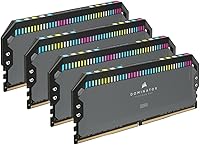
  • Heatspreader: Ships with a gray aluminum heatspreader finish.
  • Model Number: The official Corsair model identifier for this kit is CMT64GX5M4B5600Z36.

Related Reviews

Corsair Dominator Platinum RGB 64GB DDR5 RAM
82%
88%
Performance at Rated Speed
93%
Build Quality
91%
RGB Lighting Quality
58%
Value for Money
89%
XMP Setup Experience
More
Corsair Dominator Platinum RGB 64GB DDR5 RAM
82%
91%
Performance at Rated Speed
93%
Build Quality & Aesthetics
88%
RGB Lighting Quality
67%
iCUE Software Experience
86%
Thermal Management
More
Corsair Dominator Platinum RGB 64GB DDR5 RAM
81%
88%
Raw Performance
93%
Build Quality
84%
Cooling Efficiency
91%
RGB Lighting Quality
63%
Software Experience (iCUE)
More
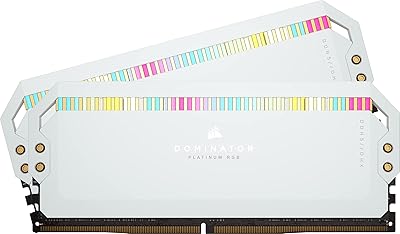
Corsair Dominator Platinum RGB DDR5 64GB RAM
80%
91%
Raw Performance
88%
Overclocking Headroom
86%
Thermal Management
84%
XMP 3.0 Setup
93%
Build Quality
More
Corsair Dominator Platinum RGB DDR5 32GB (2x16GB) 6000MHz
88%
94%
Performance
92%
Overclocking Stability
88%
RGB Customization
91%
Compatibility with Intel & AMD
89%
Cooling Efficiency
More
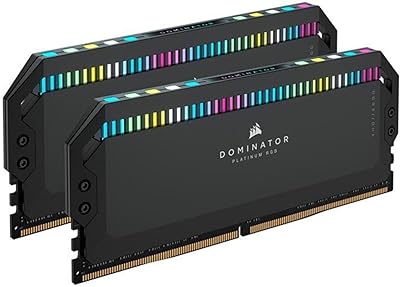
Corsair Dominator Platinum RGB DDR5 32GB (2x16GB) 5200MHz
88%
92%
Performance
88%
RGB Lighting Customization
90%
Overclocking Capability
84%
Installation Ease
89%
Thermal Management (DHX Cooling)
More
Corsair Dominator Platinum RGB DDR5 32GB (2x16GB) 7200MHz
87%
94%
Performance
88%
Ease of Setup (XMP Profiles)
90%
RGB Lighting Customization
85%
Cooling Efficiency (DHX Technology)
87%
Overclocking Stability
More
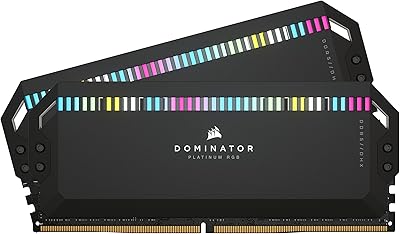
Corsair Dominator Platinum RGB 32GB DDR5 RAM
81%
88%
Memory Performance
93%
Build Quality
91%
RGB Lighting Quality
84%
XMP Compatibility
82%
Overclocking Headroom
More
Corsair Dominator Titanium 64GB DDR5 RAM
81%
91%
Out-of-Box Performance
93%
Build Quality
88%
RGB Lighting Quality
56%
Value for Money
64%
Platform Compatibility
More
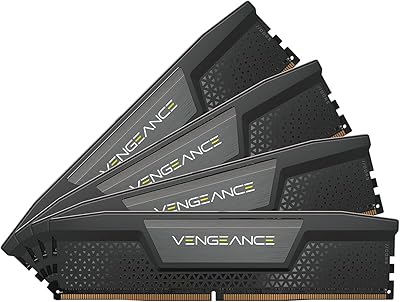
Corsair Vengeance RGB 64GB DDR5 Desktop RAM
81%
88%
Memory Performance
91%
Installation Experience
83%
Platform Compatibility
86%
RGB Lighting Quality
87%
Thermal Management
More

FAQ

Yes — the Corsair Dominator Platinum RGB 64GB DDR5 RAM includes native AMD EXPO profiles, so Ryzen 7000 series boards on the AM5 platform can automatically load the optimized frequency and timing settings with a single BIOS toggle. You do not need to manually configure memory timings; simply enable EXPO in your motherboard firmware and you're done.

EXPO (Extended Profiles for Overclocking) is AMD's memory overclocking standard, while XMP (Extreme Memory Profile) is Intel's equivalent — they serve the same purpose on different platforms. If you're building around an AMD Ryzen 7000 CPU, enable EXPO in your BIOS. On Intel 13th or 14th Gen, enable XMP. Both profiles are stored on this DDR5 memory kit, so the physical hardware is the same regardless of which standard your motherboard reads.

The modules run at full rated speed without iCUE installed — the software is entirely optional. It adds value if you want per-LED lighting customization, voltage monitoring, or the ability to save and switch overclocking profiles through a graphical interface. If you have no interest in RGB sync or software-level tuning, you can skip it and the kit will perform exactly as rated.

Each module stands 2.2 inches tall, which is on the taller side and can cause clearance problems with large tower coolers that overhang the first DIMM slot. Before ordering, check your cooler manufacturer's clearance specification and compare it against how close your motherboard's DIMM slots sit to the CPU socket. AIO liquid coolers generally avoid this issue entirely since nothing overhangs the memory area.

Run all four — that is exactly what this kit is designed for. Using all four 16GB modules enables a quad-channel memory configuration on supported platforms, which delivers meaningfully higher memory bandwidth than a two-stick setup. The performance difference is most noticeable in content creation workloads, large file operations, and any application that genuinely saturates memory bandwidth.

For gaming alone, 64GB is more than most titles will ever use — even with a browser and voice chat running in the background, you are unlikely to exceed 32GB in a gaming context. Where the extra capacity becomes genuinely useful is in creative workloads: 4K video editing, large compositing projects, or running virtual machines alongside other applications. If gaming is your primary use case, a faster 32GB kit with tighter timings might give you more bang for your budget.

Power on your system and enter the BIOS by pressing Delete, F2, or whatever key your motherboard uses during the initial boot screen. Look for a setting labeled XMP, EXPO, DOCP, or EOCP depending on your board's firmware interface, then select the 5600MHz profile and save. The system will restart and should confirm the new frequency in your memory diagnostics or task manager. If the system fails to post after enabling the profile, reset the CMOS and try enabling it again.

It's not recommended. Mixing DDR5 kits from different manufacturers — or even different Corsair kits with different specs — can lead to instability, frequency downgrades, or boot failures, particularly because DDR5 modules each carry their own onboard voltage regulation that may not interact cleanly. For reliable operation at rated speeds, stick to a single matched set. If you need more capacity later, a second identical kit is a safer path than mixing.

Corsair backs its Dominator Platinum memory line with a limited lifetime warranty, which is standard across their premium RAM range. If a module fails under normal use conditions, you contact Corsair support directly to arrange a replacement. Keeping your original purchase receipt handy will make the process considerably smoother if you ever need to make a claim.

In raw benchmark throughput, the gap between the Corsair Dominator DDR5 and a budget 5600MHz DDR5 kit at the same CL36 latency will likely be very small — the underlying silicon at a given frequency and timing performs similarly regardless of brand. What the premium buys you is the CAPELLIX lighting system, the DHX cooling design, iCUE software integration, and Corsair's build quality and warranty support. If those extras align with your build goals, the cost difference is justifiable; if you just want fast memory with no frills, there are more affordable ways to reach 5600MHz.

Where to Buy