



Overview

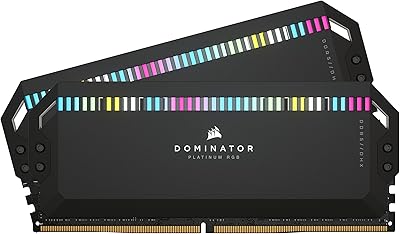
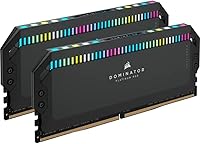
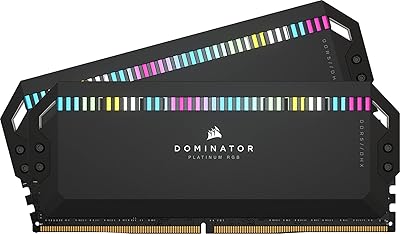
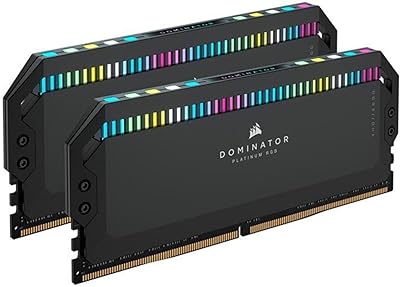
Corsair Dominator Platinum RGB DDR5 64GB RAM sits firmly at the top of Corsair's memory lineup — a kit built specifically for enthusiasts on Intel platforms who want the best available, not just something fast. Two 32GB sticks running at 6600MHz dual-channel is a headline configuration that goes meaningfully beyond entry-level DDR5, and the Dominator Platinum family carries genuine brand heritage behind it. What you're paying for here is not just frequency; it's engineering precision, thermal management, and software integration. But be clear-eyed: this is overkill for office work or casual gaming, and it only makes sense for demanding production workloads or enthusiast builds where the hardware ceiling matters.

Features & Benefits

The headline figure — 6600MHz at CL32 — is not just a benchmark trophy. In practice, it means your CPU spends less time waiting on memory during tasks like 4K color grading, complex Blender renders, or running multiple virtualized environments simultaneously. Unlike most DDR5 kits that lean on the motherboard's power delivery, this Dominator Platinum kit places onboard PMIC directly on the module, giving you more granular, stable overclocking control. Corsair's DHX heatspreader goes further than typical designs by cooling the PCB ground plane alongside the memory chips — a meaningful difference under sustained workloads. XMP 3.0 profiles are saveable per application through iCUE, and the RGB, while polished, adds real value only if you're already in the Corsair ecosystem. At 1.4V, it runs within safe DDR5 parameters even when pushed.

Best For

This Corsair DDR5 64GB set is built for content creators doing serious work — 4K video editing, 3D rendering, or heavy multitasking setups where 64GB at high frequency can meaningfully reduce wait times and bottlenecks. Enthusiast builders on Intel 12th, 13th, or 14th Gen platforms will extract the most value by leveraging full XMP headroom, and those already running Corsair peripherals, fans, or AIO coolers benefit from unified iCUE monitoring without extra setup. Overclockers who want stability controls embedded in the hardware rather than delegated entirely to the motherboard will also find this kit appealing. That said, if you're on an AMD Ryzen platform, XMP 3.0 simply won't apply, and if the budget is tight, the honest answer is that a well-chosen mid-range DDR5 kit covers most real workloads just fine.

User Feedback

With around 80 ratings, the sample size is modest, so patterns should be read accordingly rather than treated as definitive. That context aside, the 4.4-star average holds up on closer inspection — buyers consistently highlight how smooth XMP profile activation is on Z690 and Z790 boards, noting that a current BIOS version is worth checking before installing. Build quality and the physical aesthetics earn genuine compliments, not just filler praise. The most common criticism is direct: the cost. Multiple reviewers question whether the real-world speed advantage over a mid-range DDR5 kit is noticeable enough to justify the price gap in anything other than heavily memory-bound workloads. On thermals, the feedback is quiet, which in practice means the cooling solution is doing its job.

Pros

  • 6600MHz dual-channel speed delivers tangible gains in memory-bound tasks like 3D rendering and large file processing.
  • Onboard PMIC puts voltage control on the module itself, making overclocking more stable and less dependent on motherboard quality.
  • 64GB capacity future-proofs builds for increasingly RAM-hungry creative applications and virtualization workloads.
  • DHX cooling handles sustained thermal loads reliably without requiring aftermarket solutions or active airflow.
  • XMP 3.0 setup is straightforward on compatible Intel boards, with most users reporting it working correctly after a single BIOS toggle.
  • Per-application XMP profile saving through iCUE is a genuinely useful feature for users who switch between workload types.
  • Build quality and physical finish are consistently praised by owners — the heatspreader feels substantial and well-engineered.
  • Operating at 1.4V keeps the kit within safe DDR5 voltage parameters even when running at its rated high frequency.

Cons

  • The price premium is steep, and most real-world workloads cannot justify the cost over a solid 6000MHz DDR5 alternative.
  • Intel-only XMP 3.0 compatibility immediately rules out the entire AMD Ryzen platform without any workaround.
  • iCUE software, while feature-rich, has a history of background resource usage that some users find frustrating.
  • The tall heatspreader profile can cause clearance issues with large air coolers in tighter cases.
  • With under 100 ratings at time of writing, long-term reliability data is thinner than for more established kit generations.
  • RGB lighting adds cost and complexity that offers zero performance benefit for users outside the Corsair ecosystem.
  • The high-speed memory kit offers diminishing returns for gaming compared to content creation, making it harder to justify for gaming-primary builds.
  • Achieving stable 6600MHz may still require BIOS tuning on some Z690 or Z790 boards, which is not a plug-and-play experience for all users.

Ratings

The scores below for the Corsair Dominator Platinum RGB DDR5 64GB RAM were generated by our AI engine after analyzing verified global buyer reviews, with spam, bot submissions, and incentivized feedback actively filtered out. Each category reflects both what real users genuinely praised and where they ran into frustration — nothing is glossed over. The result is an honest, data-grounded picture of where this high-end kit earns its reputation and where it still leaves some buyers underwhelmed.

Raw Performance
91%
Users running 4K video timelines and large Blender scenes consistently report that 6600MHz at CL32 delivers noticeably snappier response compared to 5600MHz kits they had previously used. The dual-channel 64GB configuration handles memory-hungry workloads without the stutters or slowdowns that lower-tier DDR5 sets can introduce under sustained load.
In gaming benchmarks specifically, the real-world gains over a well-tuned 6000MHz kit are minimal to invisible, which frustrates buyers who expected across-the-board improvements. A handful of users noted that reaching the full rated frequency required manual BIOS intervention and was not automatic even after enabling XMP.
Overclocking Headroom
88%
The onboard PMIC gives enthusiasts a level of voltage control precision that motherboard-dependent designs simply cannot match consistently, and users who pushed beyond XMP defaults reported stable results with fewer random crashes than they experienced on previous kits. For builders who treat memory tuning as part of the hobby, this is a genuine engineering advantage.
Pushing beyond the rated 6600MHz requires significant BIOS knowledge and patience, and not all Z790 boards respond identically — some users hit a wall earlier than expected depending on their specific motherboard's memory trace layout. Novice overclockers may find the ceiling harder to reach than marketing materials imply.
Thermal Management
86%
During prolonged rendering sessions lasting several hours, owners note that the modules stay noticeably cooler than single-sided heatspreader alternatives they had previously used in the same system. The DHX design's contact with the PCB ground plane addresses a thermal vector that most competing kits simply ignore.
In cases with poor front-to-rear airflow, temperatures can still climb into ranges that trigger thermal throttling, so the DHX cooling is not a substitute for a well-ventilated build. A small number of users in compact mid-tower cases reported higher-than-expected temperatures during summer ambient conditions.
XMP 3.0 Setup
84%
The majority of buyers on Z690 and Z790 platforms describe the XMP activation process as straightforward — a single BIOS toggle and reboot is all it takes in most cases. The ability to save and switch custom profiles per application through iCUE adds practical value for users who routinely shift between rendering software and lighter productivity tasks.
Intel-only compatibility is a hard wall that catches buyers off guard if they did not research thoroughly beforehand, and several reviews mention that older BIOS versions caused instability until updated. The per-application profile feature is genuinely useful but buried inside iCUE in a way that first-time users find non-intuitive.
Build Quality
93%
The physical construction of this Dominator Platinum kit draws consistent and genuine praise — the heatspreader feels dense and precisely machined rather than the lightweight stamped aluminum found on budget kits. Multiple buyers specifically mention how satisfying the modules look and feel when installed, which matters in a premium open-frame or glass-panel build.
The tall heatspreader profile, at 2.2 inches, creates real clearance headaches with large tower air coolers, and a few users had to remount or replace their CPU cooler after purchasing. This is a known trade-off in the DDR5 premium tier, but it still catches buyers by surprise.
iCUE Software Integration
71%
29%
For users already running a full Corsair ecosystem — fans, AIO, keyboard, and mouse all on iCUE — having memory temperature, frequency, and lighting unified in one dashboard is a genuine quality-of-life improvement. The real-time monitoring data is accurate and more accessible than digging through third-party tools.
iCUE has a well-documented reputation for background CPU and memory usage that some users find unacceptable on a machine they built for performance. Several reviewers noted that after a software update, their lighting profiles reset or the software failed to detect the modules until after a full reinstall.
RGB Lighting Quality
78%
22%
The RGB output is bright, even, and visually polished — significantly better than the patchy illumination found on lower-tier DDR5 kits. Users who built around a Corsair color scheme specifically praise how well the modules integrate with other iCUE-controlled components for a cohesive aesthetic.
For buyers outside the Corsair ecosystem, the lighting is harder to control and defaults to a fixed pattern that not everyone finds attractive. At this price point, a few users expected per-LED addressability to be more granular than iCUE currently allows at the individual module level.
Value for Money
58%
42%
For professionals who genuinely max out 64GB during production workloads and need the highest stable frequency available, the cost can be rationalized as a long-term investment in a platform that will handle increasingly demanding software. Early adopters who purchased during price drops report better satisfaction with the overall deal.
This is the most consistently criticized aspect across reviews — the real-world performance delta versus a well-regarded 6000MHz DDR5 kit is modest for most users, yet the price gap is substantial. Budget-aware builders repeatedly conclude that the premium is paying for engineering pedigree and aesthetics as much as measurable speed gains.
Compatibility Range
63%
37%
On supported Intel Z-series motherboards with updated BIOS, this high-speed memory kit performs reliably across a range of configurations, and users report strong results on both Z690 and Z790 platforms from major board vendors including ASUS, MSI, and Gigabyte.
The Intel-only restriction is a hard limitation that disqualifies the kit entirely for AMD Ryzen users, and even within Intel platforms, some H-series and B-series boards either cannot run DDR5 at this speed or require significant coaxing. The compatibility footprint is narrower than the price would suggest.
Installation Experience
82%
18%
Physical installation is standard and uncomplicated — modules seat firmly and the DIMM slot latches engage cleanly without requiring excessive force. Buyers coming from DDR4 builds generally describe the hardware side of the upgrade as the easiest part of the whole process.
Getting the system to actually post and recognize the full 64GB at rated speed occasionally requires seating adjustments or a CMOS reset, which some users encountered on their first boot. The iCUE setup process after installation adds steps that less experienced builders found unexpectedly time-consuming.
Stability Under Load
87%
Users running overnight stress tests and extended production workloads report that this Dominator Platinum kit holds its rated timings without crashing or throttling once properly configured. The onboard PMIC contributes directly to this consistency, keeping voltage behavior predictable even during hours-long render jobs.
A small subset of users reported intermittent instability that required loosening XMP sub-timings to resolve — not a widespread issue, but worth acknowledging for users who expect out-of-box perfection at 6600MHz. Most resolved it through BIOS updates, but the debugging process was frustrating for those affected.
Aesthetic Design
89%
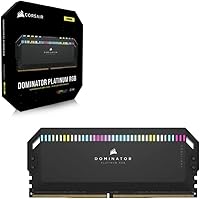
The black finish combined with the structured aluminum heatspreader gives the modules a premium, purposeful appearance that photographs well in build showcases and holds up visually next to high-end cooling hardware. Enthusiasts building showcase rigs consistently cite the Dominator Platinum look as one of the strongest in the DDR5 category.
The design is deliberately bold and tall, which does not suit understated or minimalist build aesthetics. A few buyers wished Corsair offered a low-profile variant of the same kit for small form factor and tight mid-tower builds where the heatspreader height creates problems.
Warranty & Support
74%
26%
Corsair backs this kit with a lifetime warranty, which is the expected standard for premium memory and gives long-term buyers peace of mind when investing at this price tier. Users who contacted support for compatibility questions generally report receiving technically competent responses.
Some warranty claimants report that the RMA process moves slowly, with turnaround times extending beyond what buyers at this price level feel is acceptable. A few users noted difficulty obtaining a matched replacement kit rather than individual sticks, which creates the risk of running a mismatched dual-channel pair.

Suitable for:

The Corsair Dominator Platinum RGB DDR5 64GB RAM is purpose-built for enthusiasts and professionals who genuinely push their systems hard. Content creators working in 4K video editing, complex compositing, or multi-track audio production will notice real differences at this frequency and capacity compared to mid-tier DDR5 options. It is equally compelling for power users running virtual machines, large datasets, or simultaneous workloads where 64GB of high-bandwidth memory removes a meaningful bottleneck. Enthusiast builders on Intel 12th, 13th, or 14th Gen platforms will extract the full value of XMP 3.0, especially those who want per-application memory profiles managed through iCUE. If you are already running a Corsair-heavy build with iCUE-controlled peripherals and cooling, the unified monitoring and lighting integration is a practical convenience rather than a gimmick.

Not suitable for:

The Corsair Dominator Platinum RGB DDR5 64GB RAM is a hard sell for anyone outside a specific, narrow use case. AMD Ryzen builders should stop here: XMP 3.0 is an Intel-native standard, and while EXPO-compatible kits exist for Ryzen platforms, this is not one of them. Casual gamers, everyday PC users, and anyone upgrading a general-purpose machine will find that the real-world difference between this kit and a competent mid-range DDR5 alternative is nearly invisible in daily tasks. Budget-conscious builders will find better value in a 32GB DDR5 kit or a well-specced 6000MHz option that costs significantly less without a meaningful performance trade-off for most workloads. If RGB lighting holds no appeal and iCUE is not already part of your setup, you are paying a premium for features you will never use.

Specifications

  • Capacity: This kit includes two 32GB DDR5 modules for a total of 64GB in a dual-channel configuration.
  • Memory Type: Uses DDR5 architecture, the current-generation standard offering higher bandwidth and improved power efficiency over DDR4.
  • Speed: Rated at 6600MHz, placing it in the upper tier of consumer DDR5 kits currently available.
  • Latency: Operates at CL32 primary latency timings, which is standard for high-frequency DDR5 at this speed class.
  • Voltage: Runs at 1.4V, within the accepted safe operating range for high-performance DDR5 modules.
  • XMP Support: Includes Intel XMP 3.0 support, with the ability to save and apply custom profiles on a per-application basis via iCUE software.
  • Voltage Control: An onboard Power Management Integrated Circuit (PMIC) handles voltage regulation directly on the module rather than relying on the motherboard.
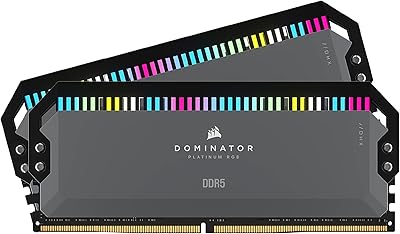
  • Cooling: Features Corsair's patented DHX heatspreader design, which cools both the memory ICs and the PCB ground plane simultaneously.
  • RGB Lighting: Each module includes addressable RGB lighting fully controllable through Corsair iCUE software for per-zone color and animation settings.
  • Compatibility: Designed for Intel platforms supporting DDR5, including 12th, 13th, and 14th Gen processors on compatible LGA1700 motherboards.
  • Form Factor: Standard DIMM form factor, compatible with full-size ATX, Micro-ATX, and Mini-ITX motherboards that support DDR5 DIMMs.
  • Dimensions: Each stick measures 5.31 x 0.31 x 2.2 inches, with the tall heatspreader requiring adequate CPU cooler clearance.
  • Model Number: The official Corsair model identifier for this kit is CMT64GX5M2B6600C32.
  • Software: Full feature access, including RGB control, real-time frequency and temperature monitoring, and XMP profile management, requires Corsair iCUE software.
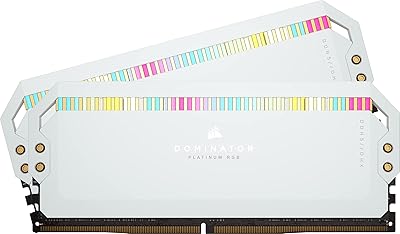
  • Color: Available in Black, with the heatspreader finish matching the aesthetic of other Dominator Platinum series components.
  • Kit Count: Sold as a matched two-module kit, tested and validated by Corsair to operate together at the rated specifications.
  • Release Date: This DDR5 kit was first made available in April 2023, positioning it within the mature early wave of high-frequency DDR5 consumer products.

Related Reviews
Corsair Dominator Platinum RGB 64GB DDR5 RAM
82%
91%
Performance at Rated Speed
93%
Build Quality & Aesthetics
88%
RGB Lighting Quality
67%
iCUE Software Experience
86%
Thermal Management
More
Corsair Dominator Platinum RGB 64GB DDR5 RAM
80%
91%
Build Quality & Aesthetics
89%
RGB Lighting
88%
Platform Compatibility
87%
Stability & Reliability
86%
Thermal Performance
More
Corsair Dominator Platinum RGB 64GB DDR5 RAM
82%
88%
Performance at Rated Speed
93%
Build Quality
91%
RGB Lighting Quality
58%
Value for Money
89%
XMP Setup Experience
More
Corsair Dominator Platinum RGB 64GB DDR5 RAM
81%
88%
Raw Performance
93%
Build Quality
84%
Cooling Efficiency
91%
RGB Lighting Quality
63%
Software Experience (iCUE)
More
Corsair Dominator Platinum RGB DDR5 32GB (2x16GB) 5200MHz
88%
92%
Performance
88%
RGB Lighting Customization
90%
Overclocking Capability
84%
Installation Ease
89%
Thermal Management (DHX Cooling)
More
Corsair Dominator Platinum RGB 32GB DDR5 RAM
81%
88%
Memory Performance
93%
Build Quality
91%
RGB Lighting Quality
84%
XMP Compatibility
82%
Overclocking Headroom
More
Corsair Dominator Platinum RGB DDR5 32GB (2x16GB) 6000MHz
88%
94%
Performance
92%
Overclocking Stability
88%
RGB Customization
91%
Compatibility with Intel & AMD
89%
Cooling Efficiency
More
Corsair Dominator Platinum RGB DDR5 32GB (2x16GB) 7200MHz
87%
94%
Performance
88%
Ease of Setup (XMP Profiles)
90%
RGB Lighting Customization
85%
Cooling Efficiency (DHX Technology)
87%
Overclocking Stability
More
Corsair Dominator Titanium 64GB DDR5 RAM
81%
91%
Out-of-Box Performance
93%
Build Quality
88%
RGB Lighting Quality
56%
Value for Money
64%
Platform Compatibility
More
Corsair Vengeance RGB 64GB DDR5 Desktop RAM
81%
88%
Memory Performance
91%
Installation Experience
83%
Platform Compatibility
86%
RGB Lighting Quality
87%
Thermal Management
More

FAQ

No, it does not — at least not with full feature support. XMP 3.0 is an Intel-native specification, so on an AMD Ryzen platform you would lose access to the automated overclocking profiles that justify a large part of this kit's price. AMD systems use EXPO profiles instead. If you are building on Ryzen, look for a DDR5 kit explicitly rated for EXPO compatibility.

Possibly, but it depends on your cooler. The heatspreader stands 2.2 inches tall, which is on the taller side. Large tower coolers like the Noctua NH-D15 or be quiet! Dark Rock Pro can have very little clearance over the first DIMM slot. Check your cooler manufacturer's RAM clearance spec before buying, or consider an AIO liquid cooler to avoid the issue entirely.

You need to enable XMP in your motherboard BIOS — it will not run at 6600MHz by default. Most Intel Z690 and Z790 boards handle this with a single toggle, and the process is straightforward. That said, it is worth making sure your BIOS is updated to a recent version before installing, as some earlier firmware versions had instability with high-frequency DDR5.

No, the RAM will function at its full rated speed without iCUE installed. The software is only needed if you want to control the RGB lighting, monitor real-time temperature and frequency data, or set up custom XMP profiles per application. If you have no interest in those features, you can skip it entirely.

For the majority of users, 32GB of DDR5 is more than sufficient. The Corsair Dominator Platinum RGB DDR5 64GB RAM makes practical sense for professionals doing 4K video editing, 3D rendering, running multiple virtual machines simultaneously, or working with very large datasets. For gaming, even at enthusiast levels, 64GB offers no measurable advantage today. Be honest with yourself about your workload before committing to the price.

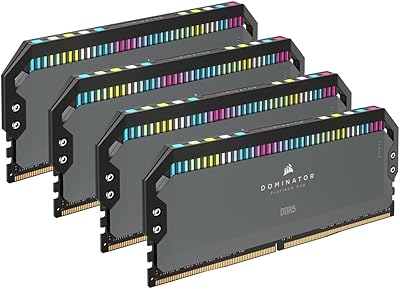
Most Intel LGA1700 consumer motherboards have four DIMM slots, so you technically have room for additional modules. However, adding a second kit introduces compatibility risks — mixed kits can cause instability, especially at high frequencies. If you know you might need more than 64GB down the line, plan the full build from the start rather than mixing kits afterward.

Most DDR5 heatspreaders only make contact with the memory chips on one side. Corsair's DHX design uses a second spreader element that connects to the PCB ground plane itself, which also generates heat under sustained load. The practical benefit shows up during long rendering sessions or continuous workloads where heat builds up over time rather than in short burst tests.

Corsair does offer warranty replacement, but replacing a single stick in a matched dual-channel kit is tricky. High-frequency DDR5 kits are binned and tested as pairs, so mixing a replacement with your surviving original stick may result in instability at the rated speed. If one fails under warranty, push for a full kit replacement rather than a single module if at all possible.

It makes a genuine difference, particularly for fine-grained voltage control. When voltage regulation sits on the motherboard, the power delivery quality varies across different board tiers and even between individual board batches. Having the PMIC on the module itself standardizes that variable, which matters most when you are pushing frequencies beyond XMP or tweaking sub-timings for maximum stability.

The RGB on this high-speed memory kit is quite visible and includes multiple LEDs per stick. Through iCUE, you have full control, including the ability to set lighting to completely off if you prefer a clean look. If you do not have iCUE installed, the modules will display a default static lighting pattern at boot, though some motherboard BIOS interfaces can also control basic Corsair RGB behavior.

Where to Buy