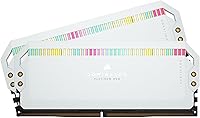
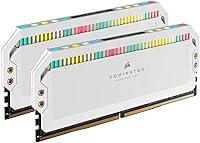
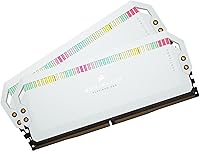
Overview

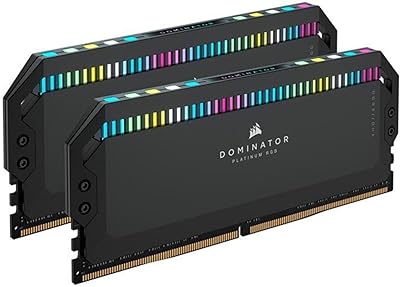
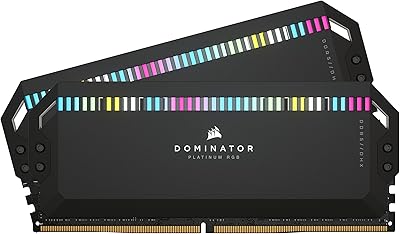
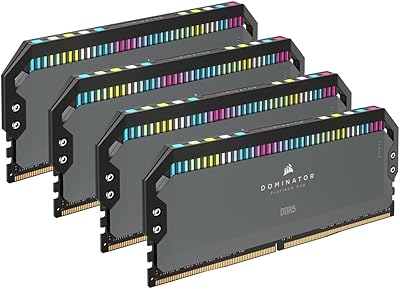
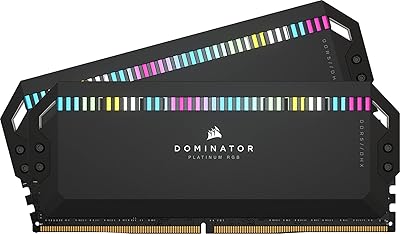
The Corsair Dominator Platinum RGB 64GB DDR5 RAM is Corsair's top-shelf offering for enthusiasts who want the best memory their platform can handle. Running as two 32GB sticks, this DDR5 kit takes full advantage of dual-channel bandwidth — which in practice means your CPU spends less time waiting on data, whether you're gaming, rendering, or juggling heavy multitasking workloads. The white colorway isn't an afterthought; it's clearly aimed at builders crafting a cohesive all-white build where every component is chosen with intent. That said, this is a premium-tier investment, and anyone expecting budget pricing should look elsewhere — this kit is priced for the user who knows exactly what they're buying.

Features & Benefits

At 5200MHz with CL40 latency, this DDR5 kit delivers noticeably higher throughput than DDR4 could manage — not just on paper, but in workloads like large file transfers and sustained multithreaded operations where memory bandwidth is a real bottleneck. A standout engineering detail is the onboard PMIC built into each module, meaning voltage regulation happens at the stick level rather than relying on your motherboard, giving overclockers a much more stable base to work from. The DHX cooling system draws heat away from both the memory chips and the PCB ground plane, which most heatspreaders simply ignore. XMP 3.0 custom profiles let you tune and save settings per task — genuinely useful if your workloads vary.

Best For

The Dominator Platinum RGB makes the most sense for a fairly specific kind of buyer. Content creators doing 4K video editing or 3D rendering are the clearest fit — 64GB of fast DDR5 genuinely reduces bottlenecks in those pipelines, and the difference is tangible when working with large project files. Gamers on Intel 12th, 13th, or 14th Gen chips benefit from the XMP headroom, and this Corsair memory set also runs on AMD Ryzen 7000 AM5 builds — though you'll want to confirm your motherboard's BIOS supports EXPO before assuming plug-and-play. Anyone building a white-themed system will appreciate that performance here doesn't come at the cost of aesthetics. Budget builders, though, should explore less expensive DDR5 alternatives first.

User Feedback

With a 4.6-star rating across over 800 reviews, buyers are largely satisfied, and the most consistent praise centers on out-of-the-box stability — most users report that enabling XMP in BIOS is all it takes to hit rated speed without any fuss. The aesthetics draw regular compliments too. On the critical side, the price is the most common sticking point, with several reviewers noting that competing kits offer similar specs for less. iCUE software divides opinion: enthusiasts value the granular RGB and profile controls, but a meaningful number of users flag it as resource-heavy background software they'd rather skip. Most negative reviews trace back to shipping damage or isolated AMD BIOS compatibility issues rather than any fault with the hardware itself.

Pros

  • Plug-and-play XMP 3.0 activation gets most Intel builds to full rated speed with a single BIOS toggle.
  • Onboard PMIC voltage regulation on each stick makes overclocking significantly more stable than board-dependent alternatives.
  • The DHX cooler addresses heat at both the memory chips and the PCB, which most competing heatspreaders skip entirely.
  • 64GB of dual-channel DDR5 is genuinely impactful for 4K editing, large renders, and heavy multitasking workloads.
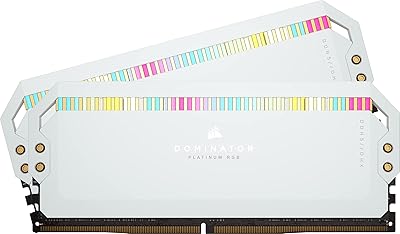
  • The all-white design is one of the cleanest-looking DDR5 kits available for themed builds.
  • 12 individually addressable RGB LEDs per stick produce rich, even lighting with no obvious dead zones.
  • iCUE allows saving custom XMP profiles per application, which is a real workflow advantage for power users.
  • Build quality and construction feel appropriately premium, with no flex or cheap plastic components.
  • Rated at a low 1.25V, the kit runs efficient even at 5200MHz without demanding excessive power.
  • The strong 4.6-star average across hundreds of buyers reflects consistent real-world satisfaction with core performance.

Cons

  • The pricing sits at a significant premium over competing DDR5 kits with similar speed and capacity ratings.
  • AMD AM5 users may need a BIOS update before the kit runs reliably at its rated EXPO speed.
  • iCUE software is resource-hungry and runs persistently in the background, which frustrates minimalist users.
  • CL40 latency is not class-leading at this frequency; some competing kits offer tighter timings for less money.
  • The tall heatspreader profile may conflict with large air coolers that hang over the DIMM slots.
  • RGB customization beyond basic presets requires iCUE — there is no standalone hardware control.
  • A small number of buyers have reported units arriving damaged due to packaging issues during shipping.
  • The white colorway limits visual compatibility for builders using black, grey, or mixed-theme components.

Ratings

The scores below were generated by our AI system after analyzing verified global buyer reviews for the Corsair Dominator Platinum RGB 64GB DDR5 RAM, with automated filtering applied to remove incentivized, bot-generated, and duplicate submissions. Each category reflects the honest distribution of real user sentiment — strengths are credited where earned, and recurring pain points are not softened or buried.

Raw Performance
88%
Most buyers running this DDR5 kit on Intel 12th through 14th Gen platforms report that enabling XMP 3.0 in BIOS delivers the full rated 5200MHz without drama, and the throughput gains over DDR4 are particularly noticeable in memory-intensive workloads like 4K timelines and large dataset processing. Rendering times and buffer-heavy operations are where users consistently report the clearest real-world uplift.
The CL40 latency is not class-leading for this frequency tier, and buyers who benchmarked against tighter-timed competitors noticed the Dominator Platinum RGB falling slightly behind in latency-sensitive tests. For pure gaming frame rates, the gap versus cheaper DDR5 alternatives is rarely meaningful enough to justify the price difference on its own.
Build Quality
93%
The physical construction of the Dominator Platinum RGB is one of its most consistently praised traits — buyers describe the heatspreader as solid and premium to the touch, with no flex, rattling diffusers, or cheap plastic elements that sometimes appear on budget RGB sticks. The tall profile and clean machined finish give the kit a genuinely high-end appearance that holds up well after months of use inside a running system.
A small but notable cluster of buyers received sticks with minor cosmetic damage — scuffed heatspreader edges or slightly misaligned diffusers — pointing to packaging that does not always protect the premium finish adequately during shipping. These were almost universally shipping-related rather than manufacturing defects, but they are frustrating on a kit at this price point.
Cooling Efficiency
84%
The DHX cooling system earns genuine praise from users who push their systems hard under sustained loads — temperatures stay controlled even during long rendering sessions or hours-long stress tests, which is more than can be said for many competing heatspreaders that only address surface-level heat. Overclockers specifically appreciate that the PCB ground plane cooling reduces the chance of instability creeping in during extended overclocked runs.
At stock speeds and standard workloads, the elaborate cooling is more than most users will ever need, and a few buyers noted the tall heatspreader created clearance conflicts with large air coolers mounted close to the DIMM slots. The DHX design adds to the module's height, which is a real-world constraint in tighter builds.
RGB Lighting Quality
91%
The 12-LED-per-stick layout produces some of the most even and vibrant RGB output in the DDR5 category, with buyers consistently describing the lighting as bright without being harsh and smooth in its transitions — a meaningful upgrade over cheaper kits with obvious LED hotspots or dim patches. In an all-white build under a tempered glass panel, the visual result is regularly described as the highlight of the entire build.
Getting the most out of the lighting requires iCUE to stay running in the background, and users who prefer minimal software footprints find the default rainbow cycle a poor substitute for proper customization. A handful of buyers also reported one LED behaving differently from the rest after extended use, though this appears to be an edge case rather than a systemic issue.
Software Experience (iCUE)
63%
37%
For users already invested in the Corsair ecosystem — with iCUE-compatible fans, coolers, or peripherals — the software integration is genuinely convenient, unifying RGB sync and memory profile management in one place. The ability to save and switch custom XMP profiles per application is a feature that power users actually make use of, and it works reliably once the software is configured correctly.
iCUE is the most polarizing element of owning this Corsair memory set — a significant portion of reviewers flag it as bloated, resource-hungry background software that consumes more RAM and CPU cycles than feels appropriate for a lighting controller. Update-related bugs that temporarily break RGB behavior are a recurring complaint, and users who do not want Corsair software running at startup have no clean way to retain full functionality.
XMP & Overclocking
86%
On supported Intel platforms, enabling XMP 3.0 is as close to automatic as DDR5 gets — buyers consistently describe a single BIOS toggle getting them to full rated speed without manual timing adjustments. The onboard PMIC is a genuine engineering advantage here, delivering stable voltage at the module level and giving overclockers a cleaner foundation to push frequencies further than the rated spec.
Users who attempted manual overclocking beyond 5200MHz found the experience more variable than expected, with some hitting walls that competing kits with different ICs cleared more easily. The XMP 3.0 profile ecosystem is also still maturing, and a small number of Intel boards require a firmware update before profiles engage correctly.
AMD Compatibility
67%
33%
A meaningful number of AM5 Ryzen 7000 users report running this kit at or near rated speeds via EXPO after ensuring their motherboard BIOS was fully up to date, which is a better result than some XMP-only kits manage on AMD hardware. When it does work cleanly, the performance on AM5 mirrors the Intel experience closely.
AMD compatibility is the most frequent source of frustration among non-Intel buyers — several users needed multiple BIOS flashes, manual timing adjustments, or had to settle for lower-than-rated speeds before achieving stable operation. This kit was clearly engineered with Intel as the primary target platform, and AMD users should factor in that additional troubleshooting time is a realistic possibility.
Value for Money
61%
39%
Buyers who specifically wanted the combination of top-tier aesthetics, premium build quality, and reliable XMP performance in a single white DDR5 kit feel the price is justified — there are genuinely few alternatives that deliver all three at the same level. For content creators running memory-intensive workflows daily, the performance headroom also has a tangible productivity argument behind it.
For the majority of buyers who benchmarked this Corsair memory set against comparably specced DDR5 kits, the price premium is difficult to defend on performance alone — competitors at meaningfully lower prices land within a few percent on most real-world tests. Unless aesthetics or the Corsair ecosystem are priority factors, the value proposition is a genuine weak point that many reviewers flag directly.
Installation Ease
89%
Physical installation is straightforward — the sticks seat firmly and the XMP activation process is as simple as DDR5 gets on Intel platforms, which most buyers complete successfully on their first attempt. Even users new to DDR5 platforms report getting up and running without needing to consult a guide.
The tall heatspreader requires buyers to think carefully about cooler clearance before installing, and those who did not check in advance had to reseat their CPU cooler or shift the sticks to alternate slots — an annoying extra step that could have been avoided with better upfront documentation in the box.
Thermal Headroom
82%
18%
Users running the kit in warm cases or under sustained overclocked loads consistently report that temperatures stay within a stable range without thermal throttling — the DHX heatspreader does its job even in scenarios that push air-cooled builds to their limits. This is particularly relevant for content creators whose systems run at high load for hours at a stretch.
In compact ITX builds with restricted airflow, a few users noted temperatures climbing higher than they would have liked under prolonged stress, suggesting the passive cooling has limits in truly constrained environments. The kit does not include any active cooling solution, so chassis airflow quality directly affects how well it manages heat.
Aesthetic Design
94%
The white colorway is executed at a level that buyers in themed builds consistently describe as the best-looking DDR5 option they considered — the heatspreader finish is clean and uniform, the diffuser color is consistent between sticks, and the overall silhouette is tall and striking under glass. For all-white or monochrome builds, this Corsair memory set is frequently the component that ties the aesthetic together.
The white finish, while beautiful, is harder to keep looking pristine than black alternatives — fingerprints and dust show more readily, and a few buyers noted that minor scuffs from installation tools are more visible than they would be on a darker heatspreader. The aesthetic is also entirely specific to light-themed builds and looks out of place in darker system color schemes.
Long-term Reliability
87%
Buyers who have owned this DDR5 kit for a year or more report no degradation in stability or performance, and the lifetime warranty gives long-term owners genuine peace of mind. Corsair's RMA process receives consistent praise from users who have needed to use it, with replacement units typically arriving without significant delays.
A small number of long-term owners flagged that iCUE updates occasionally disrupted RGB behavior or profile settings that had been working fine for months, requiring a software reinstall to restore. The hardware itself holds up well; it is the software layer that introduces the occasional unwanted surprise over time.
Packaging & Unboxing
72%
28%
The retail packaging is clean and the presentation feels appropriate for a premium product — most buyers describe the unboxing as a good experience with each stick individually protected and clearly labeled. The included documentation is concise and points users to the right first steps.
Several buyers received kits where the outer packaging showed transit damage that had transferred to the modules themselves — scuffed heatspreaders and bent pins have been reported often enough to be a pattern rather than a one-off. For a kit at this price tier, the protective packaging structure could clearly be more robust.

Suitable for:

The Corsair Dominator Platinum RGB 64GB DDR5 RAM is built for a specific kind of buyer, and those buyers will get full value from it. Content creators working in 4K video editing, motion graphics, or 3D rendering are the clearest match — 64GB of fast DDR5 memory keeps large project timelines and asset caches from becoming a bottleneck, and the dual-channel 32GB stick configuration maximizes the bandwidth modern CPUs can actually use. Enthusiast PC builders assembling a high-end Intel 12th, 13th, or 14th Gen system — or an AMD Ryzen 7000 AM5 rig — will appreciate the XMP 3.0 headroom and the per-module voltage regulation that makes overclocking stable and repeatable. Anyone designing a visually cohesive all-white build will also find this DDR5 kit genuinely hard to beat, since very few kits combine this level of performance with premium aesthetics without forcing a compromise on either front.

Not suitable for:

The Corsair Dominator Platinum RGB 64GB DDR5 RAM is not the right call for everyone, and it is worth being direct about that. Buyers on a tight budget or those building a mid-range system will find the pricing hard to justify when competing DDR5 kits offer comparable raw speeds for notably less money. If you are running an older platform that does not support DDR5, this kit is simply incompatible — it cannot be used with DDR4 motherboards, period. AMD users on AM5 should also approach with some caution: while this Corsair memory set does function on Ryzen 7000 boards via EXPO, not every motherboard BIOS handles it cleanly out of the box, and some users have had to update firmware before achieving stable rated speeds. Anyone who prefers to keep their system lean and software-free may also find the iCUE dependency for RGB and profile management more trouble than it is worth.

Specifications

  • Capacity: This kit includes two 32GB DDR5 modules for a total of 64GB, configured for dual-channel operation.
  • Memory Type: DDR5 SDRAM — the current-generation memory standard, incompatible with DDR4 motherboard slots.
  • Speed: Rated at 5200MHz, achievable via Intel XMP 3.0 profile activation in supported motherboard BIOS settings.
  • Latency: CL40 primary latency timings, which is typical for DDR5 kits in this frequency range.
  • Voltage: Operates at 1.25V, with onboard PMIC per module handling voltage regulation independently of the motherboard.
  • Cooling: Corsair DHX dual-path heatspreader dissipates heat from both the memory ICs and the PCB ground plane simultaneously.
  • RGB Lighting: Each module features 12 individually addressable RGB LEDs, fully controllable through Corsair iCUE software.
  • Profile Support: Intel XMP 3.0 is supported, including the ability to create and save custom overclock profiles via iCUE.
  • Platform Support: Designed for Intel LGA1700 platforms; also compatible with AMD AM5 boards via EXPO, subject to BIOS support.
  • Form Factor: Standard DIMM form factor, fitting any motherboard with full-length DDR5 memory slots.
  • Color: White finish across both the heatspreader and diffuser, designed for all-white or light-themed PC builds.
  • Dimensions: Each stick measures 5.31 x 0.31 x 22.05 inches — tall enough that clearance with large air coolers should be verified before purchase.
  • Kit Weight: The complete two-stick kit weighs approximately 3.33 ounces combined.
  • Software: Full RGB and profile management is handled through Corsair iCUE, available as a free download for Windows.
  • Voltage Reg.: Each module contains its own onboard Power Management IC (PMIC), removing reliance on motherboard VRM for stable operation.
  • Series: Part of Corsair's Dominator Platinum line, which sits at the top of their consumer memory product range.
  • Release Date: This kit was first made available in March 2022, coinciding with early DDR5 platform adoption on Intel Alder Lake.
  • Warranty: Corsair provides a limited lifetime warranty on Dominator Platinum RGB memory modules against manufacturing defects.

Related Reviews
Corsair Dominator Platinum RGB 64GB DDR5 RAM
82%
91%
Performance at Rated Speed
93%
Build Quality & Aesthetics
88%
RGB Lighting Quality
67%
iCUE Software Experience
86%
Thermal Management
More
Corsair Dominator Platinum RGB 64GB DDR5 RAM
82%
88%
Performance at Rated Speed
93%
Build Quality
91%
RGB Lighting Quality
58%
Value for Money
89%
XMP Setup Experience
More
Corsair Dominator Platinum RGB 64GB DDR5 RAM
80%
91%
Build Quality & Aesthetics
89%
RGB Lighting
88%
Platform Compatibility
87%
Stability & Reliability
86%
Thermal Performance
More
Corsair Dominator Platinum RGB DDR5 64GB RAM
80%
91%
Raw Performance
88%
Overclocking Headroom
86%
Thermal Management
84%
XMP 3.0 Setup
93%
Build Quality
More
Corsair Dominator Platinum RGB 32GB DDR5 RAM
81%
88%
Memory Performance
93%
Build Quality
91%
RGB Lighting Quality
84%
XMP Compatibility
82%
Overclocking Headroom
More
Corsair Dominator Platinum RGB DDR5 32GB (2x16GB) 5200MHz
88%
92%
Performance
88%
RGB Lighting Customization
90%
Overclocking Capability
84%
Installation Ease
89%
Thermal Management (DHX Cooling)
More
Corsair Dominator Platinum RGB DDR5 32GB (2x16GB) 6000MHz
88%
94%
Performance
92%
Overclocking Stability
88%
RGB Customization
91%
Compatibility with Intel & AMD
89%
Cooling Efficiency
More
Corsair Dominator Platinum RGB DDR5 32GB (2x16GB) 7200MHz
87%
94%
Performance
88%
Ease of Setup (XMP Profiles)
90%
RGB Lighting Customization
85%
Cooling Efficiency (DHX Technology)
87%
Overclocking Stability
More
Corsair Dominator Titanium 64GB DDR5 RAM
81%
91%
Out-of-Box Performance
93%
Build Quality
88%
RGB Lighting Quality
56%
Value for Money
64%
Platform Compatibility
More
Corsair Vengeance DDR5 64GB 6000MHz Desktop RAM
83%
93%
Performance at Rated Speed
91%
XMP Setup & Ease of Use
94%
Stability & Reliability
67%
Platform Compatibility
62%
Value for Money
More

FAQ

You will need to enable XMP in your motherboard BIOS to hit the rated 5200MHz speed — without it, the kit defaults to the JEDEC base frequency like any other DDR5 module. On most modern Intel boards this takes about thirty seconds: enter BIOS, find the XMP or memory profile option, select Profile 1, save and reboot. That is genuinely all most users need to do.

It can work, but AMD compatibility is not quite as straightforward as on Intel platforms. The Dominator Platinum RGB is tuned for Intel XMP 3.0, and AMD AM5 boards use a parallel standard called EXPO instead. Many users have reported it running fine on AM5, but you should check that your specific motherboard has a recent BIOS version before assuming it will post at rated speeds without any tinkering.

For gaming alone, 64GB is more than most people will ever use and the premium over a 32GB kit is hard to justify. Where it genuinely earns its place is in content creation workloads — 4K video timelines, large Photoshop documents, virtual machines running alongside other apps, or 3D scene rendering where assets eat memory fast. If your work regularly pushes a 32GB system to its limits, the upgrade makes practical sense.

Each stick is just over 22mm tall, which puts them in the taller category of DDR5 modules. Large tower air coolers like Noctua NH-D15 variants or DeepCool Assassin III can overhang the first DIMM slot and may physically conflict with sticks this height. Check your cooler manufacturer's clearance specs before buying, or plan to seat the sticks in slots 2 and 4 if your board supports that configuration.

The sticks will still light up without iCUE — they run a default rainbow cycle pattern on their own. iCUE is only necessary if you want to customize colours, sync with other Corsair components, or manage custom XMP profiles. That said, iCUE is a background process with a noticeable memory and CPU footprint, so if RGB customization is not important to you, skipping it entirely is a perfectly reasonable choice.

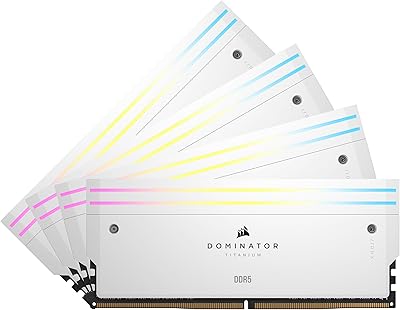
Mixing DDR5 kits is generally not recommended, even when the specs look similar on paper. Different kits can have different sub-timings, ICs, and voltage requirements that make them behave unpredictably when combined. If you want to expand your memory, the safer route is to replace your current kit entirely with a matched 4-stick configuration rather than mixing manufacturers or even different Corsair kits.

Yes, Corsair offers the Dominator Platinum RGB DDR5 line in black as well. If you are building a dark-themed system or just prefer a more traditional look, the black variant has identical specifications and the same feature set — it is purely a cosmetic difference between the two.

On DDR4 memory, voltage regulation was handled by the motherboard's own power circuitry, which varies in quality across different boards. DDR5 moves that responsibility onto the memory stick itself through a Power Management IC, or PMIC, and Corsair's implementation on the Dominator Platinum is notably clean. In practical terms this means you get more consistent, stable power delivery to the memory chips regardless of which motherboard you are using, which makes a real difference when pushing frequencies above stock.

Corsair backs this memory with a limited lifetime warranty covering manufacturing defects. In practice, if a stick fails under normal use, Corsair's support team is well-regarded for handling RMA requests without excessive friction. The warranty does not cover physical damage from improper installation or damage caused by overvolting beyond spec, so stick to the rated 1.25V if you want full coverage.

It depends almost entirely on what you do with your PC. If you are hitting memory pressure regularly — long render queues, large open project files, heavy browser tabs combined with creative tools — then doubling to 64GB will have a tangible effect. If your system rarely climbs past 20GB of used RAM, you are unlikely to feel any difference in daily use and the money would be better spent elsewhere.