Overview

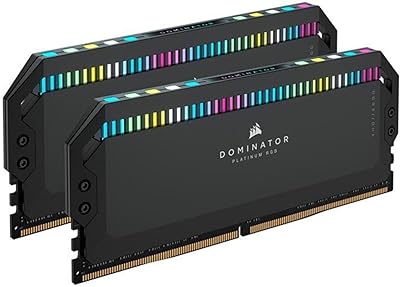
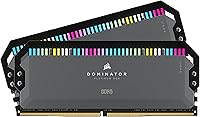
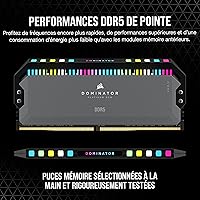
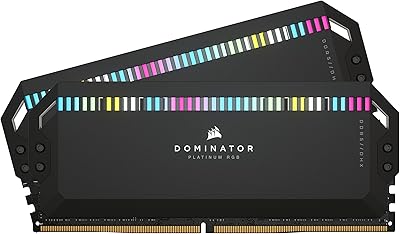
The Corsair Dominator Platinum RGB 64GB DDR5 RAM is built for enthusiast PC builders who refuse to compromise between raw performance and visual impact. Running at 6000MHz with CL30 timings, this kit sits at a frequency sweet spot that extracts real gains on both AMD Ryzen 7000 and recent Intel platforms without pushing into unstable overclocking territory. The 2x32GB dual-channel configuration makes it genuinely practical for workloads that chew through memory — video editing, 3D rendering, heavy multitasking. It carries a premium price tag, and it earns that positioning through build quality and ecosystem depth rather than just specs on paper. Both AMD EXPO and Intel XMP profiles are supported out of the box, so setup is straightforward regardless of your platform.
Features & Benefits

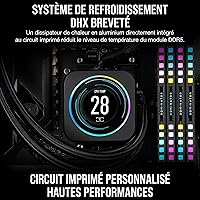
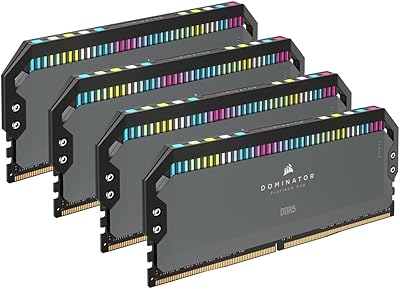
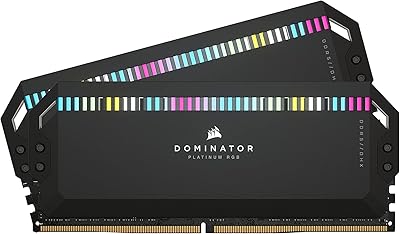
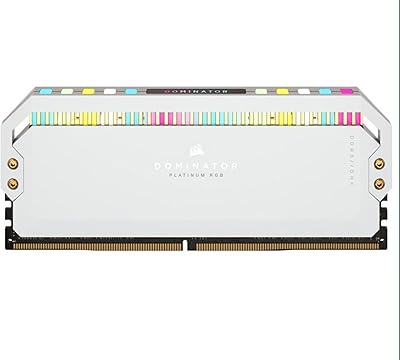
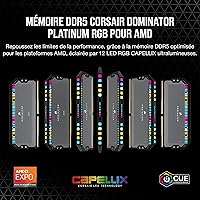
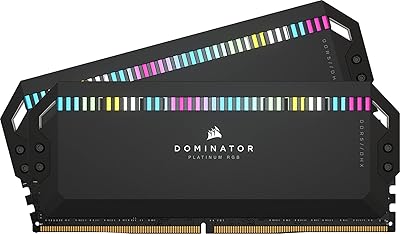
Each stick carries 12 CAPELLIX LEDs — Corsair's own lower-power LED technology — and the brightness is genuinely impressive without the washed-out glow you get from cheaper implementations. Addressability through iCUE lets you sync effects across keyboards, fans, and AIO coolers if you are already in the Corsair ecosystem. The patented DHX heatspreader does real work, cooling both the memory ICs and the PCB ground plane through dedicated fins on each side. Onboard voltage regulation is a meaningful step forward from DDR4-era motherboard control, enabling finer and more stable frequency tuning directly through software. At CL30, the latency profile is competitive for a 6000MHz kit — not the tightest available, but well-balanced for daily use and overclocking headroom.

Best For

This DDR5 memory kit makes the most sense for AMD Ryzen 7000 series builds, where EXPO profile activation delivers tangible bandwidth improvements over generic JEDEC speeds. Content creators working in Premiere Pro, DaVinci Resolve, or Blender will appreciate having 64GB of fast dual-channel memory rather than constantly bumping against capacity limits mid-project. It is also a strong fit for gamers pushing high-refresh competitive setups, where memory throughput has a documented impact on frame times. If you are already running Corsair fans, an AIO, or a keyboard with iCUE, the synchronized lighting integration adds genuine value here. Budget-focused builders or anyone on an older platform will likely find the price-to-performance ratio harder to justify.

User Feedback

Among verified buyers, the Dominator RGB 64GB holds a strong 4.6-star average, with consistent praise for out-of-box stability, effortless EXPO and XMP activation, and the visual quality of the lighting. A recurring concern worth noting: the tall heatspreader — at 2.2 inches — can conflict with large tower CPU coolers, so check clearance before purchasing. Some users have flagged intermittent iCUE software hiccups, particularly around lighting profiles after software updates. On overclocking, several buyers pushed beyond rated speeds with modest voltage adjustments and reported stable results. The value debate is split — enthusiasts tend to view the premium as warranted, while more pragmatic builders question whether this Dominator Platinum kit outpaces a solid mid-range DDR5 alternative in everyday real-world use.

Pros

  • 6000MHz at CL30 is a well-balanced speed-latency combination that performs reliably across AMD and Intel platforms.
  • EXPO and XMP profile activation is a genuine one-click process — no manual tuning needed to hit rated speeds.
  • The 64GB dual-channel configuration handles demanding creative workloads without hitting memory limits.
  • CAPELLIX LEDs produce bright, uniform lighting that holds up well even inside a well-lit case.
  • DHX cooling keeps thermals stable under sustained load, which matters when pushing the kit beyond rated specs.
  • Onboard voltage regulation gives enthusiasts finer overclocking control than was practical on DDR4.
  • iCUE ecosystem sync works reliably for users with other Corsair components, making lighting cohesion easy.
  • Build quality and heatspreader finish feel noticeably premium compared to mid-range DDR5 alternatives.
  • Buyers consistently report stable operation out of the box with minimal compatibility issues on supported platforms.

Cons

  • The tall heatspreader can physically conflict with large tower CPU coolers — always check clearance before buying.
  • iCUE software has a history of lighting profile glitches following major updates, which can be frustrating to troubleshoot.
  • The price premium over solid mid-range DDR5 kits is hard to justify on pure performance benchmarks alone.
  • This DDR5 memory kit is desktop-only and offers no value to laptop or small-form-factor NUC builders.
  • Users outside the Corsair ecosystem will not benefit from the lighting integration features that help justify the cost.
  • Real-world gaming performance gains over a well-tuned budget DDR5 kit at similar speeds are often marginal.
  • Availability in configurations beyond the 2x32GB kit is limited, reducing flexibility for incremental upgrades.
  • Some users have reported needing BIOS updates on certain motherboards before EXPO profiles activate correctly.

Ratings

The scores below were generated by our AI after analyzing verified global buyer reviews for the Corsair Dominator Platinum RGB 64GB DDR5 RAM, with spam, bot submissions, and incentivized feedback actively filtered out before scoring. Every category reflects the full picture — what users genuinely loved and where they ran into friction — so you can make a confident, informed decision without wading through thousands of reviews yourself.

Performance at Rated Speed
91%
Users running Ryzen 7000 builds consistently report that enabling the EXPO profile delivers a noticeable uplift in bandwidth-heavy workloads like video encoding and large asset rendering. At 6000MHz with CL30 timings, the kit holds stable across extended sessions without requiring any manual tuning beyond a single BIOS toggle.
A handful of users noted that the performance advantage over well-tuned mid-range 6000MHz alternatives is narrower in pure gaming benchmarks than the price difference might suggest. On Intel platforms, a few buyers found that XMP activation required a BIOS update before the rated profile would post reliably.
Build Quality & Aesthetics
93%
The gray anodized aluminum heatspreader feels genuinely premium in hand — buyers frequently describe it as one of the best-looking DDR5 kits available, with a machined finish that holds up well after extended use inside a warm case. The overall construction feels dense and purposeful rather than flashy for its own sake.
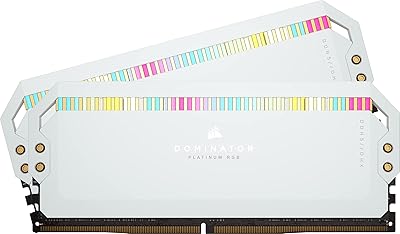
A small number of users feel the design language has not changed significantly enough from previous Dominator generations to justify the premium for anyone upgrading from DDR4 Dominator kits. The gray colorway, while neutral and versatile, may not satisfy builders seeking a white or black heatspreader option without a separate SKU purchase.
RGB Lighting Quality
88%
The CAPELLIX LEDs produce bright, even illumination across each stick, with color accuracy and saturation that visibly outperforms budget RGB memory. Users with windowed cases and Corsair-heavy builds describe the effect as cohesive and polished, particularly when lighting effects are synced across multiple iCUE-managed components.
Without iCUE installed, the default lighting animation is pleasant but non-customizable, which frustrates users who prefer a clean software environment. A few buyers also pointed out that the LEDs, while individually addressable, are recessed behind a diffuser that softens fine-grained effects and makes complex patterns less defined than on some competing designs.
iCUE Software Experience
67%
33%
When iCUE operates as intended, the level of per-LED control and cross-device synchronization is genuinely impressive — users managing full Corsair ecosystems report that getting a unified lighting theme across RAM, AIO, fans, and keyboard takes only minutes to set up. Profile saving and switching between lighting modes works reliably in stable software builds.
iCUE carries a well-documented reputation for instability following major version updates, with lighting profiles resetting or failing to load being the most frequently cited complaint across buyer reviews. Some users also find the software bloated for their needs, particularly those who only want to set a static color and leave it alone without managing a background service.
Thermal Management
86%
The DHX heatspreader keeps module temperatures well within safe ranges during prolonged rendering or compilation workloads, with users noting that the kit rarely becomes uncomfortable to touch even after hours of sustained load. The dual-sided cooling approach addresses the PCB ground plane specifically, which becomes meaningful when pushing frequencies beyond rated specs.
In cramped cases with limited airflow, users report that temperatures climb more noticeably during extended stress tests, though thermal throttling remains rare even in those conditions. The heatspreader does its job, but the gains over competing kits with simpler single-sided designs are not dramatic under typical ambient conditions.
Overclocking Headroom
79%
21%
A solid segment of buyers report successfully pushing this DDR5 memory kit beyond 6400MHz with moderate voltage increases and stable daily operation, which speaks well to the ICs Corsair is binning for this product line. The onboard voltage regulation circuitry gives enthusiasts a more granular tuning experience than DDR4 boards typically allowed.
Overclocking results vary significantly by motherboard and memory controller silicon lottery, and some users found their ceiling was closer to the rated speed than expected. Manual subtiming adjustments beyond the EXPO profile require solid BIOS familiarity, which limits the benefit for buyers who are not already experienced overclockers.
Installation & Physical Compatibility
71%
29%
For builds using smaller coolers, all-in-one liquid cooling, or low-profile air coolers, installation is straightforward and the kit drops in without clearance concerns. The modules are clearly labeled, and EXPO or XMP activation is a well-documented process that most users complete without any difficulty on supported platforms.
The 2.2″ heatspreader height is a recurring real-world problem for users pairing this kit with large tower coolers like the Noctua NH-D15 or be quiet! Dark Rock Pro, where overhang over the first DIMM slot causes physical conflicts. Several buyers specifically noted they had to rearrange their build sequence or switch cooler mounting orientation to accommodate the module height.
Value for Money
62%
38%
For buyers who are already committed to the Corsair iCUE ecosystem and want a flagship 64GB DDR5 kit that requires no compromises, the pricing aligns with the product's positioning and most of those users express satisfaction with the purchase. The combination of CAPELLIX lighting, DHX cooling, and dual-profile support does represent a complete feature set at the premium tier.
Outside of that core audience, the value case is genuinely hard to make — well-regarded 6000MHz CL30 alternatives from G.Skill and Kingston are available at meaningfully lower price points with comparable benchmark performance. Pure-performance buyers who do not need the RGB or ecosystem features consistently describe feeling that they are paying a significant premium for aesthetics they are already satisfied with from cheaper options.
EXPO & XMP Profile Reliability
84%
The vast majority of users report that EXPO and XMP activation is a clean, one-attempt process that immediately posts at rated speed without requiring any follow-up adjustments. This is particularly appreciated by builders who are not BIOS-savvy and simply want their memory running at purchased specifications without manual tuning.
A minority of users encountered profile instability on certain B650 and Z790 motherboards before applying updated BIOS firmware, which required some troubleshooting time. Compatibility is strong but not universal, and Corsair's own QVL documentation does not cover every board variant, leaving some buyers to rely on community forums for confirmation.
Capacity & Workload Suitability
89%
For creative professionals running concurrent editing and rendering workloads, the 64GB configuration eliminates the memory pressure that plagues 32GB builds when switching between large project files or running virtual machines alongside productivity tools. Users in professional content workflows describe it as a meaningful productivity improvement over their previous configurations.
For gaming-only users, 64GB is more headroom than any current title requires, making the capacity premium difficult to rationalize unless the build has clear dual-purpose workloads. Several buyers acknowledged in retrospect that a 32GB kit at the same frequency would have served their actual use case without the added cost.
Out-of-Box Setup Experience
87%
Most buyers describe the unboxing and initial setup experience as polished — the packaging is protective without being excessive, modules are clearly identified for paired slot installation, and the EXPO or XMP BIOS step is the only extra action required to reach full performance. No additional software is needed to hit rated speeds.
iCUE, while optional for performance, is essentially required for the lighting features that represent a significant part of the kit's appeal, and some users find the initial software installation process longer and more system-resource-intensive than expected. The learning curve for iCUE's full feature set also creates friction for first-time Corsair users.
Long-Term Stability
88%
Extended ownership reports are consistently positive — users who have been running this Dominator Platinum kit for 12 months or more describe no degradation in stability, lighting consistency, or thermal behavior. The build quality holds up well in systems that cycle through regular load and idle states throughout a working day.
A small number of users reported intermittent training failures on cold boot after several months of use, though these were generally resolved by clearing CMOS and re-enabling the EXPO profile. Long-term iCUE reliability remains a separate concern from hardware stability, as software issues can resurface with OS updates independent of the memory itself.

Suitable for:

The Corsair Dominator Platinum RGB 64GB DDR5 RAM was built with a specific type of builder in mind: someone who wants a high-capacity, high-frequency kit that pulls real-world duty without requiring hours of manual tuning. It is an excellent fit for AMD Ryzen 7000 series users who can take advantage of EXPO profile activation to push bandwidth beyond default JEDEC speeds with a single BIOS toggle. Content creators working in video editing, 3D rendering, or heavy multitasking will find the 64GB dual-channel configuration genuinely useful rather than just aspirational — this is the kind of capacity that stops you from hitting memory ceilings mid-project. Gamers running high-refresh setups who understand that memory throughput has a measurable effect on frame times will also get tangible value here. If you are already running Corsair peripherals, an AIO cooler, or case fans managed through iCUE, the synchronized lighting integration makes this kit feel like a natural extension of an existing setup rather than an afterthought.
Not suitable for:

If your priority is getting the most performance per dollar out of your DDR5 upgrade, the Corsair Dominator Platinum RGB 64GB DDR5 RAM is a difficult sell against leaner, well-tuned alternatives at lower price points. Buyers on tighter budgets who only need 32GB will find that paying a significant premium for 64GB of flagship memory yields almost no measurable gaming or everyday computing benefit. The tall heatspreader — sitting at 2.2 inches — is a genuine physical concern for anyone using a large tower air cooler, since clearance conflicts are a documented and recurring issue with this form factor. Users who prefer to manage their build through non-Corsair software will also find less value here, since much of the ecosystem integration is tied directly to iCUE. Finally, anyone building on a platform older than AMD 600 series or a recent Intel chipset should verify compatibility carefully before purchasing, as the EXPO and XMP profiles that justify part of this kit's premium simply will not be available to them.
Specifications

  • Capacity: This kit provides 64GB of total system memory, configured as two 32GB DDR5 DIMM modules for dual-channel operation.
  • Memory Type: DDR5 SDRAM, the current-generation desktop memory standard offering higher bandwidth and improved power efficiency over DDR4.
  • Speed: Rated at 6000MHz, a frequency that balances real-world bandwidth gains with broad platform compatibility on AMD and Intel systems.
  • Latency: Primary timings are CL30-36-36-76, a competitive profile for a 6000MHz kit that reflects a practical balance between speed and stability.
  • Voltage: Operates at 1.4V, which is within the standard DDR5 voltage range and supports stable high-frequency use without excessive thermal output.
  • Form Factor: Standard DIMM form factor designed exclusively for desktop motherboards; not compatible with laptops or small-form-factor systems using SO-DIMM slots.
  • Dimensions: Each module measures 5.31 x 0.31 x 2.2 inches, with the 2.2″ height requiring clearance verification when pairing with large tower CPU coolers.
  • Weight: The complete two-module kit weighs 3.2 ounces in total, consistent with the heavier heatspreader construction used on premium DDR5 memory.
  • RGB Lighting: Each module features 12 individually addressable CAPELLIX LEDs, Corsair's proprietary low-power LED technology known for high brightness and color accuracy.
  • Cooling: The patented DHX heatspreader design cools both the memory ICs and the PCB ground plane simultaneously using dedicated fins on each side of the module.
  • Voltage Regulation: Onboard voltage regulation circuitry is built directly into each module, enabling more precise and stable frequency tuning than motherboard-controlled DDR4 systems allowed.
  • OC Profiles: Supports both AMD EXPO and Intel XMP overclocking profiles, allowing one-click activation of rated speeds directly from the system BIOS.
  • Software: Fully compatible with Corsair iCUE software, enabling per-LED lighting customization and synchronization with other iCUE-managed Corsair components.
  • Color: Ships with a gray anodized aluminum heatspreader finish, a neutral aesthetic that works well in both light and dark-themed builds.
  • Model Number: The official part number is CMT64GX5M2B6000Z30, which can be used to verify compatibility with QVL lists on AMD 600 series and Intel motherboard manufacturer sites.
  • Platform Support: Validated for AMD 600 series chipsets with EXPO support, and compatible with Intel platforms supporting XMP 3.0 on appropriate 700 series and 800 series motherboards.

Related Reviews
Corsair Dominator Platinum RGB DDR5 64GB (2x32GB) 5600MHz
88%
94%
Performance
91%
Overclocking Stability
89%
RGB Customization
93%
Build Quality
88%
Software Experience (iCUE)
More
Corsair Dominator Platinum RGB DDR5 64GB (4x16GB) 5600MHz
86%
92%
Performance
89%
RGB Lighting Customization
88%
Ease of Overclocking
75%
Temperature Management
90%
Aesthetic Appeal
More
Corsair Dominator Platinum RGB DDR5 64GB (2x32GB) 6600MHz CL32
88%
94%
Performance
91%
Ease of Overclocking
89%
Build Quality
88%
Cooling Efficiency
93%
RGB Lighting Customization
More
Corsair Dominator Platinum RGB DDR5 64GB (2x32GB) 5200MHz CL40
89%
92%
Performance
90%
Overclocking Ability
88%
RGB Customization
85%
Cooling Efficiency
90%
Ease of Installation
More
Corsair Dominator Platinum RGB DDR5 32GB (2x16GB) 6200MHz
89%
94%
Performance
90%
RGB Customization
88%
Heat Management
92%
Overclocking Ability
83%
Value for Money
More
Corsair Dominator Platinum RGB DDR5 32GB (2x16GB) 5200MHz
88%
92%
Performance
88%
RGB Lighting Customization
90%
Overclocking Capability
84%
Installation Ease
89%
Thermal Management (DHX Cooling)
More
Corsair Dominator Platinum RGB DDR5 32GB (2x16GB) 6000MHz
88%
94%
Performance
92%
Overclocking Stability
88%
RGB Customization
91%
Compatibility with Intel & AMD
89%
Cooling Efficiency
More
Corsair Dominator Platinum RGB DDR5 32GB (2x16GB) 7200MHz
87%
94%
Performance
88%
Ease of Setup (XMP Profiles)
90%
RGB Lighting Customization
85%
Cooling Efficiency (DHX Technology)
87%
Overclocking Stability
More
Corsair Dominator Titanium DDR5 64GB (4x16GB) 6400MHz
88%
94%
Performance
91%
Build Quality
89%
Ease of Installation
88%
RGB Lighting Customization
85%
Overclocking Potential
More
Corsair Vengeance DDR5 64GB (4x16GB) 6000MHz RAM
88%
94%
Performance in Demanding Tasks
89%
Ease of Setup and Installation
91%
Multitasking Efficiency
86%
Overclocking Capability
93%
Compatibility with Intel Systems
More

FAQ

You will need to enable either AMD EXPO or Intel XMP in your BIOS — the process usually takes about 30 seconds and just involves selecting the correct profile from a dropdown menu. Without doing that, the kit will default to the standard JEDEC speed, which is significantly slower. Most modern motherboards display the available profiles clearly on the memory settings page.

EXPO is AMD's own overclocking profile standard, designed specifically for Ryzen 7000 series platforms, while XMP is Intel's equivalent for their chipsets. You simply use whichever one matches your CPU and motherboard — if you are on an AMD Ryzen system, enable EXPO; if you are on an Intel system, enable XMP. This kit includes both, so you are covered either way.

That depends on your specific motherboard layout and which DIMM slots you use. At 2.2 inches tall, this Dominator Platinum kit is on the taller side, and large tower coolers with wide heatsinks — particularly dual-tower designs — can overhang the first DIMM slot. Check your cooler manufacturer's clearance specifications and consider whether installing the RAM before mounting the cooler is an option to avoid fitment issues.

Yes, it is compatible with Intel 13th Gen (Raptor Lake) and 14th Gen systems using 700 or 800 series motherboards that support XMP. You will activate the XMP profile rather than EXPO on those platforms. It is worth checking your specific motherboard's memory QVL list if you want confirmed compatibility.

Technically yes, but running a single stick disables dual-channel mode, which cuts your effective memory bandwidth significantly — and on DDR5 platforms that noticeably affects performance in CPU-heavy tasks and gaming. The kit is designed and optimized to run as a matched pair, so using both sticks in the correct paired slots is strongly recommended.

iCUE is entirely optional for core functionality — this DDR5 memory kit will run at full performance with or without it installed. The software is only required if you want to customize the LED lighting patterns, sync effects with other Corsair devices, or manage EXPO profile settings through the OS. Without iCUE, the sticks will display a default lighting animation.

The DHX heatspreader does a solid job keeping temperatures in check under sustained workloads. The dual-sided design addresses heat on both the chips and the PCB itself, which matters more at higher frequencies. In typical use with reasonable case airflow, thermal throttling is not a concern for most users.

Yes, a number of users have reported pushing this kit beyond its rated 6000MHz with modest voltage adjustments and stable results. The onboard voltage regulation helps with this compared to older memory generations. That said, any overclocking beyond rated specs carries inherent risk and depends heavily on your specific motherboard and CPU's memory controller — there is no universal guarantee of stability above rated speed.

iCUE issues only affect the lighting and software-side features — they have no impact on the memory's performance or stability. If an iCUE update causes lighting glitches, the RAM continues running at full speed without any issues. The most common fix reported by users is reinstalling iCUE cleanly or rolling back to a previous version.

For pure gaming in 2024 and 2025, 64GB is more than most titles can use — the practical ceiling for demanding games is still well under 32GB in the vast majority of cases. Where 64GB earns its place is in workstations that combine gaming with content creation, streaming, or running multiple applications simultaneously. If your use case is gaming only, a 32GB kit at similar speeds would likely serve you just as well for considerably less.