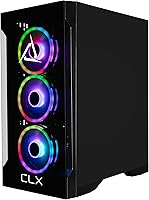
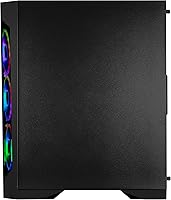
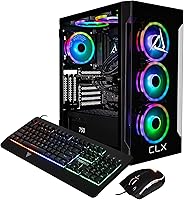
Overview

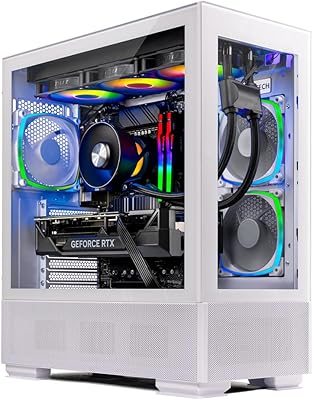
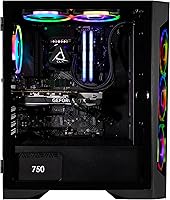
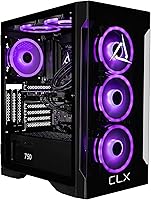
The CLX SET i9-14900KF RTX 4070 Super Gaming PC is CLX's answer to buyers who want serious horsepower without the weekend-long build process. CLX sits in boutique territory — smaller than the big-box pre-built names, more focused on enthusiast hardware configurations. Available since March 2024, this pre-built gaming rig pairs one of Intel's most capable consumer processors with NVIDIA's best mid-to-high-end GPU, landing it firmly in flagship pre-built territory for the year. At this price point, you're also paying for the assembly, warranty, and support — factors that matter more than people admit when something goes wrong at 2 a.m. before a tournament.

Features & Benefits

The i9-14900KF's 24-core hybrid architecture handles the kind of workloads that would choke mid-range chips — simultaneous game streaming, background encoding, and heavy browser tabs barely register. In games, the RTX 4070 Super handles 1440p ultra settings with real confidence, and 4K is genuinely playable in less demanding titles. The 32GB of DDR5 running at 5600MHz means you won't hit memory walls anytime soon, even in titles like Microsoft Flight Simulator that eat RAM aggressively. A 1TB NVMe SSD keeps load times sharp, and the 4TB HDD gives you room to hoard a large library without constantly shuffling installs. The 360mm AIO keeps the i9 cool under load — fan noise is noticeable at full stress but quieter than expected at idle.

Best For

This CLX gaming tower makes the most sense for 1440p high-refresh gaming without sourcing parts, comparing motherboard compatibility charts, or dealing with shipping delays. It's also a strong pick for content creators who game — the i9's performance core count does real work in Premiere Pro or DaVinci Resolve between sessions. If you're coming from a build that's five or more years old, the generational leap will feel dramatic across every workload. Anyone who has had a DIY build go sideways and lost weeks debugging will genuinely appreciate a warranty-backed machine from a builder with real support infrastructure. It's less compelling if you're budget-conscious and confident enough to build — that route stretches money further at this spec level.

User Feedback

Buyers of the CLX SET tend to praise the out-of-box experience — most report the machine arrives well-packaged with clean internal cable routing and no obvious corners cut on components. Thermal performance under sustained gaming draws consistent compliments, though a handful of reviewers noted their RAM wasn't running at its rated XMP profile out of the box and needed a quick BIOS tweak. The recurring honest criticism is value: at this price tier, a confident builder could assemble comparable hardware for noticeably less. Customer support receives mostly positive marks, with quick response times cited frequently — though a minority report slower resolution on hardware issues. Overall, verified purchaser sentiment leans positive, particularly around build quality and aesthetics.

Pros

  • The RTX 4070 Super handles 1440p ultra settings in demanding titles without needing to tweak quality settings downward.
  • 32GB of DDR5 at 5600MHz gives this pre-built gaming rig a memory configuration most competitors skip at similar prices.
  • The 360mm AIO keeps the i9-14900KF running at sustained boost clocks even during long gaming or rendering sessions.
  • A 4TB HDD alongside the NVMe SSD means you rarely have to delete installed games to make room for new ones.
  • WiFi and Windows 11 Home come included with no hidden add-ons required to get online and gaming immediately.
  • CLX’s boutique builder reputation means component choices skew toward quality over margin-saving substitutes.
  • Cable management inside the chassis is consistently noted as clean and professional by buyers who open the side panel.
  • The i9’s multi-core performance handles simultaneous game streaming and background encoding without tanking frame rates.
  • Out-of-box setup is genuinely straightforward — buyers report being up and running within 30 minutes of unboxing.
  • CLX customer support response times are rated positively, which matters when something needs troubleshooting under warranty.

Cons

  • RAM may not run at its rated XMP speed out of the box, requiring a BIOS adjustment most non-technical buyers won’t know to check.
  • At this price tier, a confident DIY builder could assemble equivalent hardware for noticeably less money.
  • No peripherals are included, so monitor, keyboard, and mouse costs stack on top of an already significant purchase price.
  • The machine’s fan noise is clearly audible under sustained load, which can be distracting in quieter room environments.
  • The 1TB primary SSD fills up faster than expected given today’s game install sizes, which routinely exceed 100GB each.
  • CLX is a smaller boutique brand with a narrower retail and repair footprint compared to iBUYPOWER or CyberpowerPC.
  • Some buyers report inconsistency in pre-installed software, with occasional bloatware requiring a manual cleanup pass.
  • The tower’s full-size form factor and 37-pound weight make it a poor fit for anyone with a compact or mobile desk setup.
  • Warranty and return processes through Amazon for a third-party builder can be slower than buying direct from CLX.
  • The i9-14900KF runs hot by design, and buyers in warm rooms without good airflow may see thermal throttling over long sessions.

Ratings

The CLX SET i9-14900KF RTX 4070 Super Gaming PC scores below are generated by AI after analyzing verified purchaser reviews worldwide, with spam, bot activity, and incentivized feedback actively filtered out. Ratings reflect the full spectrum of real buyer experiences — from enthusiastic praise to genuine frustrations — so you get an honest picture of where this pre-built gaming rig excels and where it falls short.

Gaming Performance
91%
At 1440p, this pre-built gaming rig handles demanding titles like Cyberpunk 2077 and Alan Wake 2 on ultra settings without breaking a sweat, and competitive shooters run well above 144fps consistently. Buyers coming from mid-range systems consistently describe the performance jump as dramatic and immediately noticeable.
At native 4K, the RTX 4070 Super starts to show its limits in the most graphically intensive titles, requiring quality compromises to maintain smooth frame rates. Users chasing 4K at maximum settings may find themselves wanting the next tier up within a year or two.
Value for Money
67%
33%
For buyers who do not want to source parts, compare compatibility charts, or spend a weekend building, the all-in price includes assembly, a warranty, and a ready-to-run system — which has real monetary value that raw spec comparisons ignore. The dual-storage configuration and DDR5 memory are genuine inclusions that some competitors skip at similar prices.
Experienced builders consistently point out that a comparable DIY system can be assembled for noticeably less by sourcing parts during sales cycles. At this price tier, the convenience premium is real, and buyers who are comfortable building their own systems will feel it acutely.
Thermal Management
88%
The 360mm AIO does exactly what it needs to do with a processor that generates serious heat under load — sustained boost clocks remain stable during multi-hour gaming sessions, and the system does not throttle noticeably even in warm room conditions. Buyers running long Twitch streams or overnight render jobs report consistent temperature behavior.
Under full stress, the AIO fans and pump spin up to audible levels that some users in quiet rooms or shared spaces find distracting. Idle noise is acceptable, but the gap between idle and load acoustics is wider than buyers accustomed to quieter mid-range systems might expect.
Build Quality
89%
Internal cable management is consistently praised across verified reviews — the chassis arrives looking organized and professionally assembled rather than thrown together for a price point. The full-size tower feels solid and shows no obvious signs of cost-cutting in the structural components or panel fit.
A small number of buyers noted minor cosmetic inconsistencies on the exterior panels, and the chassis does not feel quite as premium to the touch as boutique custom builds at higher price points. It is functional and durable, but not exceptional in material feel.
Out-of-Box Experience
86%
Most buyers report being up and running within 30 minutes of unboxing, with Windows 11 Home pre-installed and WiFi connectivity removing common first-boot friction points. Packaging is well-regarded for protecting the machine during shipping, with no widespread reports of transit damage.
RAM not running at its rated XMP speed out of the box is a recurring complaint that requires a BIOS adjustment most non-technical buyers will not know to make. Some users also report light software bloat that needs a cleanup pass before the system feels fully ready.
Storage Configuration
74%
26%
The 1TB NVMe SSD handles OS and active game installs with fast load times, and the 4TB HDD gives hobbyist-sized game libraries a home without forcing constant uninstall cycles. For buyers with moderate libraries, the dual-drive setup covers most real-world use cases without an immediate upgrade.
With modern AAA titles routinely exceeding 100GB each, the 1TB SSD fills up faster than buyers often anticipate, pushing overflow to the noticeably slower HDD. Serious players with large active libraries will likely want to add a second NVMe drive within the first few months.
CPU Productivity Performance
93%
The i9-14900KF's 24-core architecture handles video editing, simultaneous streaming, and background encoding alongside gaming without the frame rate drops that plague gaming-first processors. Content creators using Premiere Pro or DaVinci Resolve alongside gaming sessions find the multi-core throughput genuinely useful rather than just a spec sheet talking point.
The i9-14900KF runs hot by design, and in poorly ventilated rooms the processor will occasionally approach thermal limits during sustained all-core workloads. It is a processor that rewards good airflow and a capable cooler — both of which this system provides, but only just adequately under extreme conditions.
Memory Performance
82%
18%
32GB of DDR5 at 5600MHz is above the baseline that most pre-built competitors offer at this price, and it meaningfully reduces stuttering in memory-hungry titles like Microsoft Flight Simulator or modded Skyrim with heavy asset replacers. The headroom for future memory-intensive workloads is genuine.
The default BIOS configuration ships RAM at JEDEC speeds rather than the rated 5600MHz, which means buyers get below-spec memory performance until they manually enable XMP. This is a small but unnecessary friction point that CLX could resolve with a simple BIOS profile enabled at the factory.
GPU Capability
88%
The RTX 4070 Super with 12GB of GDDR6X handles ray tracing in supported titles better than its price bracket predecessors, and DLSS 3 support gives buyers meaningful frame rate headroom in supported games. For 1440p high-refresh gaming specifically, this GPU is well-matched to the rest of the system.
The 12GB VRAM ceiling is beginning to show strain in a handful of newer titles at maximum texture settings, particularly at 4K. As games become more VRAM-hungry through 2025 and beyond, this may become a more persistent limitation for buyers planning to keep the system for five or more years.
Noise Levels
71%
29%
At idle and during light desktop use or web browsing, the system operates quietly enough that most users in typical living room or office environments will not notice it. The 360mm AIO is appreciably quieter at idle than smaller coolers typically found in pre-builts at lower price points.
Under full gaming or rendering load, the AIO fan ramp-up is clearly audible from typical desktop seating distance. Users who game in shared living spaces, record audio, or are generally noise-sensitive should factor this into their decision, as the delta between quiet and loaded states is significant.
Connectivity
79%
21%
Built-in WiFi removes a friction point that budget pre-builts often leave unresolved, and the RTX 4070 Super's output ports cover multi-monitor setups with both HDMI and DisplayPort options readily available. For most users, the included connectivity covers everyday needs without requiring add-in cards.
Buyers in larger homes or with routers positioned far from the machine will likely find WiFi latency inconsistent enough to warrant running an Ethernet cable for competitive gaming. The wireless adapter is sufficient for casual use but is not a substitute for wired connectivity in latency-sensitive scenarios.
Upgradeability
77%
23%
The full-size tower chassis provides accessible internal space, with room for additional storage drives, a RAM upgrade, and eventually a GPU swap as newer generations arrive. Buyers who treat this as a base platform rather than a static purchase will find it reasonably accommodating.
The DDR5 platform locks upgraders into a specific memory ecosystem, and PSU wattage headroom for significantly more powerful future GPUs is worth verifying before assuming an easy upgrade path. CLX does not publish detailed motherboard specifications, which makes long-term upgrade planning slightly opaque.
Customer Support
76%
24%
CLX support response times receive positive mentions across a majority of reviews, with buyers describing helpful interactions when troubleshooting hardware concerns within the warranty window. For a boutique builder, the support infrastructure is more developed than buyers typically expect.
A minority of buyers report slower resolution times once issues escalate beyond basic troubleshooting, and CLX's smaller footprint compared to brands like CyberpowerPC means fewer regional repair options. Warranty claims processed through Amazon as intermediary can introduce additional delays compared to buying direct.
Aesthetics
83%
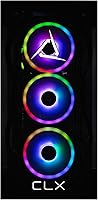
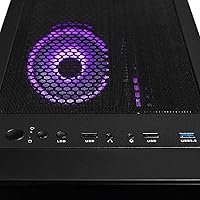
The black chassis with RGB DDR5 memory strikes a balance between understated and visually engaging that appeals to buyers who want a gaming system that does not look garish on a desk. Verified purchaser photos consistently show a clean, well-finished exterior without excessive branding.
RGB customization options are limited compared to boutique configurations that ship with full addressable lighting ecosystems throughout the case. Buyers who want a fully illuminated showcase build may find the aesthetic restrained relative to competitors at this price tier.

Suitable for:

The CLX SET i9-14900KF RTX 4070 Super Gaming PC is purpose-built for buyers who want a powerful, ready-to-run system without the complexity of sourcing and assembling their own components. It's an especially strong fit for 1440p gamers who play demanding titles and want high frame rates without compromise — the GPU handles ultra settings in modern AAA games with headroom to spare. Content creators who also game will find the 24-core processor genuinely useful, cutting render times in video editing software that a typical gaming-first CPU would struggle with. Households that want one machine to handle gaming, streaming, casual work, and media consumption without constant upgrades will get real mileage here. It also suits buyers who've had bad experiences with barebones pre-built systems in the past and want something assembled by a builder with a reputation for enthusiast-grade hardware choices rather than cost-cutting substitutions.

Not suitable for:

Experienced PC builders who are comfortable sourcing parts independently should think carefully before committing to the CLX SET i9-14900KF RTX 4070 Super Gaming PC at this price, because a comparable DIY build can often be put together for meaningfully less. Casual gamers whose libraries consist mostly of esports titles like Valorant or CS2 will find this level of hardware far beyond what they actually need, and a mid-range pre-built would serve them just as well at a fraction of the cost. Buyers on a strict budget will feel the pinch — this is a premium investment, and if financial flexibility is tight, there are capable alternatives at lower price points. Those expecting monitor, keyboard, or mouse to be included will also be disappointed, as this is a tower-only purchase and peripherals add to the real total cost. Finally, anyone requiring a small-form-factor machine for a compact desk setup should note that this is a full-size tower at nearly 37 pounds.

Specifications

  • CPU: Intel Core i9-14900KF with 24 cores (8 performance + 16 efficiency) and a 3.2GHz base clock, designed for demanding gaming and multitasking workloads.
  • GPU: NVIDIA GeForce RTX 4070 Super with 12GB of dedicated GDDR6X memory, capable of high-refresh 1440p gaming and entry-level 4K output.
  • RAM: 32GB of DDR5 memory running at 5600MHz, providing fast data throughput for memory-intensive games and creative applications.
  • Primary Storage: 1TB NVMe M.2 SSD connected via Serial ATA-600, delivering fast OS boot times and quick game load speeds.
  • Secondary Storage: 4TB HDD for high-capacity game library storage, ideal for archiving large installs without relying solely on the SSD.
  • CPU Cooling: 360mm all-in-one liquid cooler manages the i9-14900KF's thermal output, sustaining stable boost clock performance during extended sessions.
  • Cache: 36MB of L3 cache on the i9-14900KF helps reduce latency in fast-paced gaming scenarios and data-heavy workloads.
  • Operating System: Windows 11 Home comes pre-installed, so the system is ready to use immediately without purchasing or configuring an OS separately.
  • Connectivity: Built-in WiFi is included, enabling wireless network access without requiring a separate adapter or Ethernet-only setup.
  • Form Factor: Full-size tower chassis measuring 15.43 x 9.06 x 18.39 inches, providing internal space for airflow and future hardware upgrades.
  • Weight: The unit weighs 37.1 pounds, reflecting the full-size chassis, AIO cooling hardware, and dual-storage configuration.
  • Color: Matte black exterior finish with RGB memory visible through the chassis, giving the build a clean, understated aesthetic.
  • Power Platform: Designed for standard desktop power delivery; no laptop adapter or external power brick is required for operation.
  • Display Output: Video output is handled entirely by the RTX 4070 Super, which supports HDMI and DisplayPort connections for monitor hookup.
  • Memory Type: DDR5 RAM modules are used exclusively, which is not backward-compatible with DDR4 slots and reflects the platform's modern specification.
  • Processor Brand: Intel Core architecture (Raptor Lake Refresh generation) powers the CPU, paired with a compatible LGA1700 motherboard platform.
  • GPU Chipset: NVIDIA Ada Lovelace architecture underlies the RTX 4070 Super, enabling hardware ray tracing and DLSS 3 upscaling support.
  • Availability: This configuration became available in March 2024, positioning it as a current-generation build using hardware released in the 2023-2024 product cycle.

Related Reviews
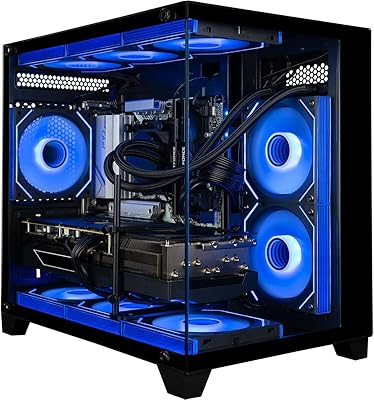
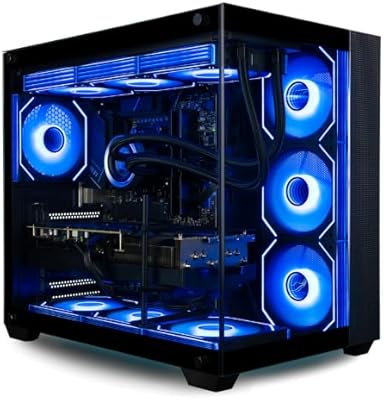
Empowered PC Panorama Gaming Desktop i9-14900KF, RTX 5070, 32GB RAM, 2TB SSD
87%
94%
Gaming Performance
92%
Value for Money
90%
Content Creation Performance
88%
Build Quality
85%
Cooling and Thermals
More
Skytech Azure RTX 4070 Super Gaming Desktop
78%
91%
Gaming Performance
87%
Thermal Management
83%
Build Quality
74%
Value for Money
92%
Out-of-Box Setup
More
Empowered PC Panorama XL Gaming Desktop
82%
94%
Gaming Performance
76%
Value for Money
91%
Out-of-Box Experience
83%
Thermal Management
81%
Build Quality
More
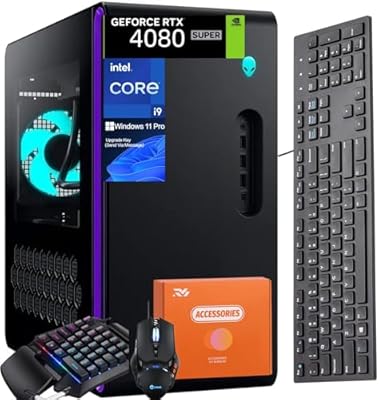
Alienware Aurora R16 Gaming Desktop, Intel Core i9-14900KF, 64GB RAM, 4TB SSD, RTX 4080 SUPER
88%
96%
Gaming Performance
93%
Multitasking and Workflow Efficiency
88%
Cooling and Thermal Management
91%
Build Quality and Design
77%
Value for Money
More
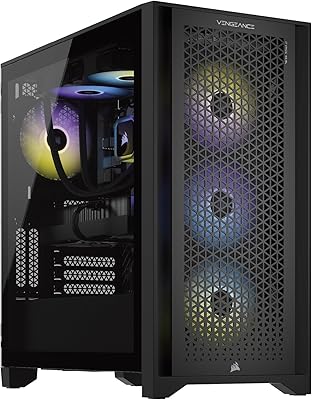
Corsair Vengeance i7500 Gaming PC
81%
94%
Gaming Performance
83%
Thermal Management
91%
Build Quality
92%
Out-of-Box Experience
71%
Value for Money
More
Corsair Vengeance i8200 Gaming Desktop PC
83%
94%
Gaming Performance
91%
Thermal Management
67%
Value for Money
88%
Build Quality
89%
Out-of-Box Experience
More
Corsair Vengeance a7400 Gaming Desktop PC
79%
91%
Gaming Performance
88%
Build Quality
74%
Value for Money
86%
Thermal Management
93%
Out-of-Box Experience
More
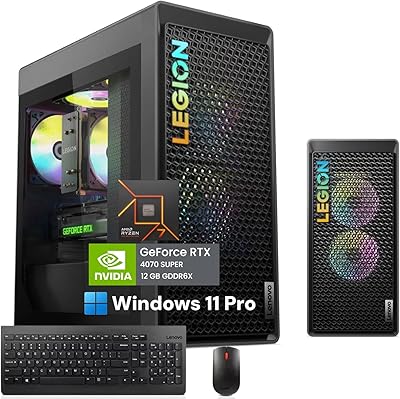
Lenovo Legion Tower 5 Gen 8 Desktop
78%
92%
Gaming Performance
89%
Out-of-Box Experience
86%
Build Quality
71%
Thermal Management
63%
Noise Level
More
Skytech Chronos II RTX 4070 Gaming Desktop
76%
88%
Gaming Performance
83%
Thermal Management
79%
Build Quality
71%
Value for Money
91%
Out-of-Box Experience
More
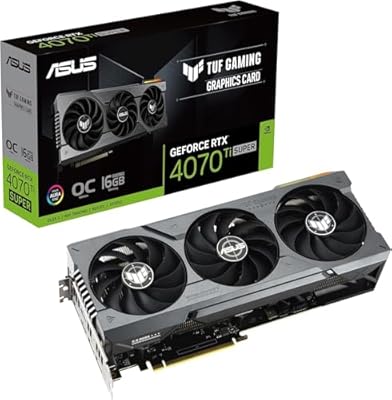
ASUS RTX 4070 Ti Super 16GB GPU
83%
91%
Gaming Performance
93%
Thermal Management
88%
Noise Level
94%
Build Quality
78%
DLSS 3 & Frame Generation
More

FAQ

No, this is a tower-only purchase. You will need to supply your own monitor, keyboard, and mouse separately. If you are upgrading from an existing desktop, your current peripherals should work fine as long as they connect via standard USB or DisplayPort and HDMI.

Several buyers have reported that the RAM ships running at its default JEDEC speed rather than the rated 5600MHz. To get full performance, you will need to enter the BIOS on first boot and enable XMP or EXPO. It takes about two minutes and is a one-time step, but it is worth doing before you benchmark or game seriously.

It can handle 4K in a number of titles, but it is most comfortable at 1440p where it maintains high frame rates on ultra settings. At 4K, you may need to dial back settings in the most demanding games to stay above 60fps consistently. For competitive play, 1440p at high refresh rate is where this rig genuinely shines.

At idle or light use, the machine is relatively quiet. Under sustained gaming load, the 360mm AIO pump and fans spin up noticeably — most users describe it as clearly audible but not disruptive from a few feet away. If you are in a very quiet room or recording audio nearby, it is worth factoring that in.

Yes, the full-size tower form factor gives you reasonable access to internals. The DDR5 RAM slots can accommodate additional capacity if the motherboard has open slots, and the GPU can be swapped out for a future card as long as the power supply supports it. Just confirm PSU wattage before upgrading to a more power-hungry GPU.

A small number of buyers report finding pre-installed software that they did not need, though it is not described as excessive. A quick pass through the Apps section of Windows Settings after setup will show you everything installed, and anything unwanted can be removed in a few minutes.

The built-in WiFi works well for most online gaming scenarios, but if you are playing competitively or your router is far from the machine, a wired Ethernet connection will always give you lower and more consistent latency. If your setup allows it, Ethernet is the better long-term choice for serious online play.

Honestly, a confident builder could assemble a machine with comparable specs for less money by sourcing parts individually during sales. What you are paying for here is the assembly, warranty, and support — plus the convenience of a machine that arrives ready to go. If you have never built a PC or simply do not want the hassle, the premium is reasonable. If you are comfortable building, the DIY route stretches your budget further.

CLX typically offers a limited warranty covering parts and labor, and buyer feedback on their customer support is generally positive, with response times cited as reasonably quick. For specific warranty terms and duration, it is worth checking directly with CLX or the retailer before purchasing, as terms can vary by configuration and sales channel.

Modern AAA games regularly exceed 100GB each, so 1TB fills up faster than most people expect — you can realistically store around 8 to 10 large titles on the SSD before you start shuffling installs. The 4TB HDD is useful for archiving games you are not actively playing, but load times from the HDD are noticeably slower. If you have a large active library, budgeting for an additional NVMe drive down the road is a practical consideration.