

Overview

The Corsair Vengeance i7500 Gaming PC arrived in February 2025 as one of the earliest prebuilt desktops to ship with an RTX 50-series GPU, giving buyers a rare chance to get next-gen graphics hardware without hunting down components individually. This prebuilt gaming rig is built around the RTX 5080 and i9-14900KF pairing — a combination aimed squarely at 4K gaming and demanding creative work. Corsair's advantage is coherence: every component is matched, RGB lighting is unified through iCUE, and the entire system ships under a single warranty. That said, the asking price is substantial, and anyone considering it should honestly ask whether they need this performance tier right now.

Features & Benefits

The RTX 5080, built on NVIDIA's Blackwell architecture, is the headline act here. DLSS 4 brings meaningful frame rate headroom at 4K and 1440p, and AI-driven rendering noticeably softens the cost of ray tracing versus prior generations. Keeping the i9-14900KF in check is the Corsair Nautilus RS ARGB liquid cooler, which manages sustained boost clocks without the thermal throttling that quietly undermines many air-cooled prebuilts. The 32GB of DDR5 memory delivers strong bandwidth for both gaming and heavy multitasking, while the 2TB NVMe SSD pulls near 7000 MB/s reads — games and Windows load fast. Windows 11 Home comes preinstalled, though power users running professional tools may want to budget a Pro upgrade into the total cost.

Best For

The Vengeance i7500 makes the most sense for gamers who want to run titles at 4K with ray tracing on and not watch frame rates crater. Content creators — video editors, 3D artists, and streamers — will also get real utility from the RTX 5080's NVIDIA Studio driver support alongside the i9's 24-core layout. If your typical session involves a game running while OBS captures and a browser hogs memory, this Corsair tower has the breathing room to handle it without complaint. It is equally well-suited for buyers who simply dislike building their own machines and want matched, warranty-backed hardware that arrives ready to go.

User Feedback

Since this prebuilt gaming rig only launched in early 2025, the owner review pool is still building — so early impressions should be treated as a starting point, not a final verdict. Buyers who have weighed in generally praise the out-of-box experience: cables are managed cleanly, the system boots without drama, and the tempered glass panels photograph well. Thermal performance under sustained gaming loads earns solid marks, though some users note the liquid cooler becomes audible during long heavy sessions. Corsair's iCUE software is a recurring topic — powerful for those who want deep RGB and monitoring control, but considered bloated overhead by others. Cross-check the GPU VRAM figure on Corsair's official spec sheet, as the product listing presents that number inconsistently across different fields.

Pros

  • RTX 5080 with Blackwell architecture handles 4K gaming and ray tracing without needing to dial settings down significantly.
  • The i9-14900KF has enough core count to run a game, a stream, and background tasks at the same time without bottlenecking.
  • Liquid cooling keeps thermals in check during sustained loads where air-cooled prebuilts often fall behind.
  • 32GB of DDR5 memory provides strong bandwidth headroom and leaves room for future upgrades.
  • The 2TB NVMe SSD reads at roughly 7000 MB/s, meaning fast boot times and near-instant game loads.
  • Corsair's component matching means RGB lighting, cooling, and memory all sync inside one software environment.
  • The 3500X mid-tower case offers genuine airflow design rather than just a glass panel slapped on a poorly ventilated chassis.
  • Early buyers consistently praise how clean and straightforward the unboxing and initial setup experience is.
  • Single-vendor warranty coverage simplifies the support process compared to a self-built system with multiple manufacturer warranties.
  • Being among the first prebuilts with RTX 50-series hardware gives buyers early access to DLSS 4 and NVIDIA Studio benefits.

Cons

  • The premium price places this squarely out of reach for budget-conscious buyers or anyone gaming at 1080p.
  • Windows 11 Home is included, but professionals needing Pro features will face an additional upgrade cost.
  • iCUE software is considered bloated or intrusive by users who prefer minimal background processes.
  • The product listing shows inconsistent GPU VRAM figures across different fields, which creates unnecessary confusion before purchase.
  • With a February 2025 launch, long-term reliability data is limited and early adopters carry more risk than usual.
  • The Vengeance i7500 is heavy at nearly 31 pounds, making repositioning or transporting the tower genuinely cumbersome.
  • Only three USB 3.0 ports may feel restrictive for users with multiple peripherals, external drives, or capture devices.
  • Liquid cooler noise becomes noticeable during extended heavy sessions, which matters in quieter environments or for microphone users.
  • Self-builders can potentially match or beat this configuration at lower cost, making the convenience premium hard to justify for DIY-capable buyers.

Ratings

The Corsair Vengeance i7500 Gaming PC has been scored by our AI system after analyzing verified owner reviews sourced globally, with spam, bot activity, and incentivized feedback actively filtered out before any scoring was applied. The result reflects a balanced picture — genuine strengths are recognized alongside real frustrations that buyers have reported. Whether this prebuilt gaming rig earns its price tag or falls short in specific areas, you will find both sides represented honestly in the scores below.

Gaming Performance
94%
Owners running demanding titles at 4K with ray tracing consistently report that the RTX 5080 handles the workload without needing to compromise on visual settings. DLSS 4 and multi-frame generation push frame rates well beyond what previous-generation cards could achieve in the same scenarios, making this a genuinely future-ready configuration for high-resolution gaming.
A small number of users note that the i9-14900KF, while powerful, is a 14th-gen Intel chip at a time when AMD and Intel's newer architectures offer better efficiency. For pure gaming, the CPU is rarely a bottleneck, but the generational positioning is worth noting at this price level.
Thermal Management
83%
The Nautilus RS ARGB liquid cooler keeps CPU temperatures stable during sustained gaming sessions that would cause air-cooled prebuilts to throttle. Multiple owners report that the system maintains consistent boost clocks even during hours-long gaming marathons, which is a tangible real-world benefit over cheaper thermal solutions.
Under peak combined CPU and GPU loads, some users observe that the liquid cooler becomes audibly noticeable — not alarmingly loud, but present. A few buyers working in quiet recording environments or open-plan offices flagged this as a consideration they wish had been mentioned before purchase.
Build Quality
91%
The Corsair 3500X mid-tower draws consistent praise for its solid panel construction, clean interior cable routing, and the quality of the wraparound tempered glass. Buyers who photograph their setups frequently highlight how polished the internals look straight out of the box, with no loose cables or poorly seated components reported in the majority of reviews.
A handful of early buyers noted minor cosmetic inconsistencies on the tempered glass panels, such as small smudges or slight alignment gaps at the seams. These appear to be isolated quality-control issues rather than a systemic problem, but they are worth inspecting on delivery given the price point.
Out-of-Box Experience
92%
First-time prebuilt buyers and experienced users alike consistently praise how quickly this Corsair tower is up and running — connect a monitor, keyboard, and mouse, power on, and Windows 11 is ready within minutes. Corsair's packaging is protective and well-organized, and DOA reports for this model have been rare relative to its launch volume.
A few technically inclined buyers found the preinstalled software selection slightly bloated, with Corsair utilities and Windows 11 Home defaults requiring a cleanup pass before the system felt lean. This is a common prebuilt trade-off rather than a Corsair-specific failure, but it adds setup time for users who care about a clean software environment.
Value for Money
71%
29%
For buyers who do not want to source components individually or deal with assembly, the Vengeance i7500 bundles next-gen GPU hardware, liquid cooling, DDR5 memory, and a fast NVMe SSD under a single warranty — that convenience has measurable value in a market where RTX 5080 cards have been difficult to find separately at any price.
Experienced self-builders consistently point out that the individual components could theoretically be assembled for less, and the CPU choice — a 14th-gen Intel rather than a more current architecture — feels like it limits the build's longevity at a flagship price. Buyers paying a premium here are largely paying for convenience and availability, not absolute component value.
Noise Levels
76%
24%
During everyday use, light gaming, and web browsing, the system runs quietly enough that most users in standard home environments do not notice it. The liquid cooler and case fans operate at low speeds under moderate loads, which is a clear step above the constant drone of aggressive air-cooled prebuilts in the same tier.
When the RTX 5080 is under full load — extended ray-traced gameplay or GPU rendering — the case fans ramp up noticeably. Streamers and content creators who record audio in the same room as their PC may find this disruptive, and soundproofing or room placement becomes a practical consideration.
Software Ecosystem
68%
32%
For users who want centralized control over RGB lighting, fan curves, and temperature monitoring, Corsair's iCUE platform genuinely delivers in one place. Owners with multiple Corsair peripherals report that iCUE creates a cohesive lighting and hardware management experience that third-party solutions rarely match for fully Corsair-based setups.
iCUE's reputation for being resource-heavy is well-earned — several owners report measurable background CPU and RAM usage that feels unnecessary on a system this powerful. Users who do not care about RGB synchronization or advanced monitoring regularly describe uninstalling it within the first week, which raises questions about whether it should be included by default.
Storage Performance
89%
The 2TB NVMe SSD delivers on its near-7000 MB/s sequential read promise in real-world benchmarks, and owners notice it immediately in game load times and Windows responsiveness. Two terabytes is a practical capacity for a modern gaming library, covering a dozen or more large-title installations without requiring immediate external storage.
There is only one primary drive in the base configuration, and while 2TB is generous, users building a large media or game library will eventually want additional storage. The system's expandability depends on how many M.2 and SATA slots the motherboard provides, which Corsair does not prominently document in the standard product listing.
Memory Configuration
86%
32GB of DDR5 is a practical baseline for this class of machine — it covers high-resolution gaming, streaming, browser-heavy workflows, and creative applications simultaneously without paging to disk. The Vengeance RGB modules are well-matched to the platform and owners report stable operation without needing to manually enable XMP profiles.
Some buyers note that 32GB, while solid today, may feel limiting as games and creative software continue scaling their memory demands over the next hardware generation. The modules ship as a matched kit, so upgrading requires buying new sticks rather than simply adding to existing ones, which adds future cost.
Connectivity & Ports
63%
37%
The three USB 3.0 ports on the front panel handle everyday peripherals without issue, and the rear I/O from the bundled motherboard provides additional connectivity options for most standard desktop setups. For users with a typical mouse, keyboard, headset, and external drive configuration, the available ports are sufficient.
Three USB 3.0 front ports is a noticeably modest offering for a system at this price point, and buyers with multiple peripherals, capture cards, or USB audio interfaces quickly find themselves reaching for a hub. The overall port count and layout feel more suited to a mid-range build than a flagship prebuilt competing at the top of the market.
Upgradeability
78%
22%
The Vengeance i7500 uses standard desktop components throughout — DDR5 DIMMs, a full-size ATX or mATX motherboard, M.2 slots, and PCIe expansion — meaning future GPU, RAM, or storage upgrades follow the same process as any DIY build. Corsair does not use proprietary connectors or locked cooling mounts that would complicate future maintenance.
The exact motherboard model Corsair includes is not prominently disclosed, which makes it harder for buyers to research VRM quality, additional M.2 slots, or PCIe lane availability before committing. Some owners have expressed frustration at needing to open the case and look up the board themselves just to evaluate upgrade paths.
Aesthetic Design
88%
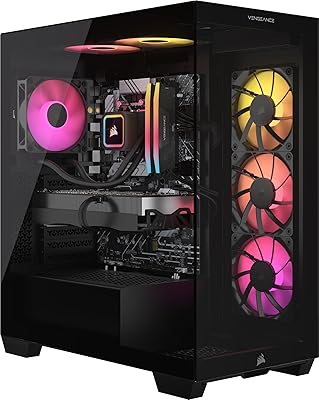
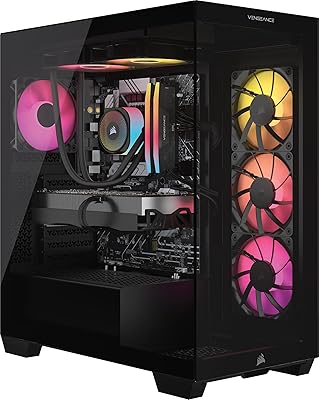
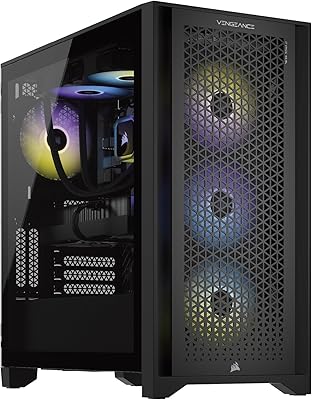
The 3500X case with wraparound tempered glass is a genuinely attractive chassis, and the unified RGB across the CPU cooler, memory, and case fans creates a cohesive visual effect that owners consistently photograph and share positively. For buyers who care about how their setup looks, this Corsair tower delivers a premium appearance without garish excess.
RGB lighting uniformity depends entirely on iCUE being installed and configured correctly, and users who skip the software may find lighting effects defaulting to mismatched rainbow cycles across components. The aesthetic payoff is real, but it is conditional on engaging with Corsair's software ecosystem to achieve the polished synchronized look shown in product images.
Shipping & Packaging
85%
Owners across multiple regions report that the system arrives well-protected, with foam inserts securing the case on all sides and no loose internal components upon delivery. Corsair's packaging for prebuilts has a strong track record, and the Vengeance i7500 appears to continue that standard based on early owner experiences.
The box is large and heavy by necessity, and a small number of buyers have flagged minor external box damage upon delivery from certain carriers — though the internal packaging prevented any hardware damage in the reported cases. Buyers ordering to addresses with difficult delivery access should note the 30-plus-pound shipping weight.
Long-Term Reliability
74%
26%
Corsair's prebuilt line has a generally positive reliability history, and the components used in this configuration — Corsair-branded cooler, memory, and case with third-party GPU and CPU — are all individually well-regarded for durability. Early owners report no unexpected failures or degradation after several months of heavy use.
The product launched in February 2025, which means the long-term reliability picture is still forming. Buyers who prioritize purchasing with the benefit of a multi-year ownership dataset will need to wait — at this stage, the available evidence is encouraging but not yet comprehensive enough to draw firm conclusions about lifespan under sustained heavy workloads.

Suitable for:

The Corsair Vengeance i7500 Gaming PC is purpose-built for buyers who want maximum performance without the time investment of sourcing and assembling components themselves. Serious gamers pushing 4K at high refresh rates or running 1440p with ray tracing fully enabled will find the RTX 5080 and i9-14900KF pairing genuinely capable of handling those demands without constant compromise on settings. Content creators — particularly video editors working in high-resolution timelines, 3D artists rendering complex scenes, and streamers who need to game and encode simultaneously — will appreciate the headroom that both the GPU and the 24-core CPU provide. The matched Corsair ecosystem also appeals to buyers who care about aesthetics and software cohesion, since every RGB component ties back into iCUE rather than requiring multiple vendor apps. If your priority is an out-of-box, warranty-backed machine that is ready for the next several years of demanding titles and creative workloads, this prebuilt gaming rig makes a compelling case.

Not suitable for:

The Corsair Vengeance i7500 Gaming PC is a hard sell for anyone gaming primarily at 1080p, running older or less demanding titles, or working within a tight budget — the hardware here far exceeds what those use cases require, and the cost premium simply cannot be justified. Buyers who enjoy the process of building and customizing their own systems will also find the value proposition weaker, since self-builders can often achieve comparable or superior component selections at a lower total cost with more control over part choices. The included Windows 11 Home license may create friction for professionals who rely on domain join, BitLocker, or other Pro-tier features in their daily workflow. Users who dislike subscription-adjacent software ecosystems should also know that getting the most out of iCUE involves ongoing engagement with Corsair's platform, which not everyone wants. Finally, given that this tower launched in early 2025, long-term reliability data is still accumulating — risk-averse buyers may prefer to wait for a larger owner sample before committing.

Specifications

  • CPU: The system runs on an Intel Core i9-14900KF processor with a 3.2 GHz base clock, 36MB of cache, and 24 cores for handling intensive multitasking and gaming workloads.
  • GPU: Graphics are handled by an NVIDIA GeForce RTX 5080 built on the Blackwell architecture, supporting DLSS 4 and NVIDIA Studio drivers for both gaming and creative applications.
  • RAM: The system ships with 32GB of Corsair Vengeance DDR5 memory featuring RGB lighting, optimized for Intel platforms and offering higher bandwidth than DDR4 equivalents.
  • Storage: A 2TB M.2 NVMe SSD provides primary storage with sequential read speeds of approximately 7000 MB/s, keeping boot times and game load times consistently fast.
  • CPU Cooling: The i9-14900KF is cooled by a Corsair Nautilus RS ARGB liquid CPU cooler, designed to sustain boost clocks during extended gaming and rendering sessions.
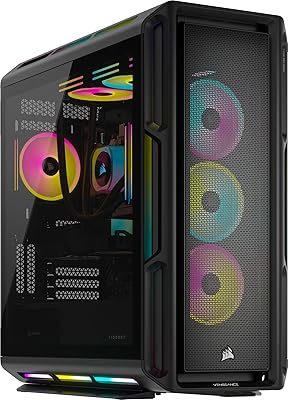
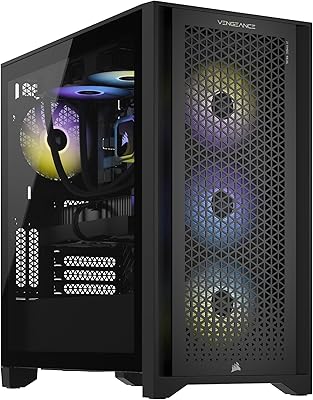
  • Case: The Corsair 3500X ARGB mid-tower case features wraparound tempered glass panels and intake fans positioned at the side, rear, and roof for active airflow management.
  • Operating System: Windows 11 Home comes preinstalled and activated, providing an out-of-box ready experience, though the Home edition lacks certain enterprise and professional features found in Windows 11 Pro.
  • Dimensions: The tower measures 18.1 x 9.4 x 19.9 inches, making it a standard mid-tower footprint that fits comfortably under most desks or on a desk beside a monitor.
  • Weight: The fully assembled unit weighs 30.8 pounds, which is typical for a liquid-cooled mid-tower system but worth accounting for if frequent relocation is needed.
  • USB Connectivity: The system includes 3 USB 3.0 ports for connecting peripherals, external drives, and other accessories at high transfer speeds.
  • GPU Architecture: The RTX 5080 uses NVIDIA's Blackwell GPU architecture, which introduces multi-frame generation and improved AI inference capabilities over the previous Ada Lovelace generation.
  • Model Number: The official Corsair model number for this configuration is CS-9050128-NA, which can be used to verify specs directly with Corsair or registered for warranty support.
  • Color: The system ships in Black, with RGB lighting across the CPU cooler, memory modules, and case fans controllable through Corsair iCUE software.
  • Memory Type: System memory uses the DDR5 standard, which offers improved bandwidth and efficiency over DDR4 and supports higher frequency kits for users who choose to upgrade later.
  • SSD Interface: The primary drive uses an M.2 NVMe interface operating at roughly 7000 MB/s read speed, substantially faster than SATA-based SSDs used in older or budget prebuilts.
  • Availability: This configuration first became available in February 2025, positioning it among the earliest retail prebuilts to ship with an NVIDIA RTX 50-series discrete GPU.

Related Reviews
Corsair Vengeance a7500 Gaming PC
85%
94%
Gaming Performance at 1440p and 4K
91%
Build Quality & Durability
89%
Cooling System Effectiveness
86%
RGB Lighting Customization
84%
Overall Value for Money
More
Corsair Vengeance i7600 Gaming PC
82%
93%
Gaming Performance
91%
Out-of-Box Experience
88%
Build Quality
84%
Thermal Management
71%
Noise Levels
More
Corsair Vengeance a8200 Gaming PC – Ryzen 9 9900X, RTX 5080, 64GB DDR5, 4TB SSD
91%
96%
Performance
94%
Graphics Quality
92%
Cooling System
89%
Storage Capacity
91%
Build Quality
More
Corsair Vengeance i8200 Gaming PC – Intel Core i9 14900KF, NVIDIA GeForce RTX 5080, 64GB DDR5, 4TB SSD
87%
94%
Gaming Performance
91%
Cooling Efficiency
89%
Storage Capacity
86%
Design and Build Quality
88%
Setup and Installation
More
Corsair Vengeance a7400 Gaming PC - AMD Ryzen 7 9700X, NVIDIA GeForce RTX 4070 Super, 32GB DDR5, 1TB SSD
87%
94%
Gaming Performance
91%
Content Creation Performance
88%
Setup & Installation
93%
Thermal Management
86%
Build Quality
More
Corsair Vengeance a7500 Gaming PC – AMD Ryzen 5 9600X, NVIDIA GeForce RTX 4060 Ti, 32GB DDR5, 1TB SSD
86%
91%
Gaming Performance
88%
Overall Build Quality
87%
Ease of Setup
89%
Thermal Management
83%
Aesthetics / RGB Lighting
More
Corsair Vengeance i7400 Gaming PC - Intel Core i7-13700K, NVIDIA GeForce RTX 4070 Ti, 32GB DDR5, 1TB SSD
87%
94%
Overall Performance
96%
Gaming Performance
89%
Multitasking and Productivity
92%
Thermal Management
85%
Build Quality
More
Skytech Gaming Azure Gaming PC Desktop
83%
89%
Value for Money
85%
Gaming Performance
92%
Setup and Ease of Use
84%
Build Quality
80%
Cooling and Thermals
More
Empowered PC Panorama Gaming Desktop (RTX 5080, i9-14900KF, 96GB DDR5, 4TB)
83%
94%
Gaming Performance
91%
Out-of-Box Experience
67%
Value for Money
72%
Thermal Management
88%
Build & Component Quality
More
Skytech Gaming Chronos Gaming PC – Intel Core i5 12600K, RTX 3070, 1TB SSD
86%
92%
Performance in Gaming
85%
Setup and Installation
88%
Build Quality
87%
Cooling and Thermals
93%
Graphics Quality
More

FAQ

It depends on how you value your time and the current component market. Self-builders with patience can sometimes match this spec list for less, but sourcing an RTX 5080 separately has been difficult since launch. The Vengeance i7500 bundles matched components, a liquid cooler, Windows, and a single warranty under one price — that convenience and peace of mind has real value, even if it comes at a premium over a theoretical DIY build.

The RTX 5080 is a 16GB VRAM card. The product listing presents this figure inconsistently across different fields, which has caused some confusion, but the desktop RTX 5080 ships with 16GB of GDDR7 memory as standard — it is not a mobile or reduced variant.

Yes. The system uses standard DDR5 DIMMs, so upgrading is straightforward as long as you match the speed and ensure the motherboard supports the new kit. Corsair's own Vengeance DDR5 line would be the natural compatibility choice, though other reputable DDR5 brands should work fine too.

Under light and moderate loads, the Nautilus RS cooler runs quietly. During extended heavy gaming sessions or long rendering jobs, some owners report the pump and radiator fans becoming more audible. It is not unusually loud for a liquid-cooled system, but if you are recording audio or streaming in a quiet room, it is worth considering placement and room acoustics.

You can ignore it entirely if RGB lighting control is not a priority for you. The system will function completely normally without iCUE installed. However, if you want to customize fan curves, sync lighting across components, or monitor temps through Corsair's dashboard, iCUE is how you do it. Some users find it useful; others consider it unnecessary overhead and skip it.

It handles both well. The RTX 5080 supports NVIDIA Studio drivers, which accelerate rendering in applications like DaVinci Resolve, Blender, and Adobe Premiere. Combined with the i9-14900KF's 24-core configuration, this rig is genuinely capable for professional creative work, not just gaming.

The confirmed connectivity includes 3 USB 3.0 ports. The full rear I/O will vary based on the motherboard Corsair selected for this configuration, so it is worth checking Corsair's official spec page for a complete port layout before purchase if specific connectivity is critical to your setup.

Yes, that is effectively what the RTX 5080 is designed for. With DLSS 4 and multi-frame generation available in supported titles, you can push demanding games at 4K with ray tracing enabled and still maintain high frame rates. It is one of the few prebuilt configurations currently capable of doing that without significant visual compromises.

No, this Corsair tower ships as a standalone desktop unit only. You will need to supply your own monitor, keyboard, mouse, and any other peripherals separately. Given the GPU's capabilities, pairing it with at minimum a 4K or high-refresh 1440p monitor would make the most sense.

Early owner feedback has been mostly positive, particularly around build quality and setup experience. That said, the sample size is still relatively small, and long-term reliability data simply does not exist yet for a product this new. Corsair has a generally strong reputation for prebuilt quality control, but if you prefer to buy with the benefit of a larger ownership history, waiting a few more months for reviews to accumulate is a reasonable approach.